AI video has moved past the “type a prompt and hope for something usable” stage.
The best models can now create realistic motion, dialogue, sound effects, camera movement, and multi-shot scenes from text.
But they are not solving the same problem.
Some generate cinematic clips. Others turn scripts into complete marketing videos, while avatar platforms are better for training and business content.
I compared the leading options based on output quality, prompt control, consistency, audio, workflow, and real-world usefulness.
For a broader comparison, see my best AI video generator tools guide.
If your goal is repurposing written content, these AI tools for turning blog posts into videos are a better fit.
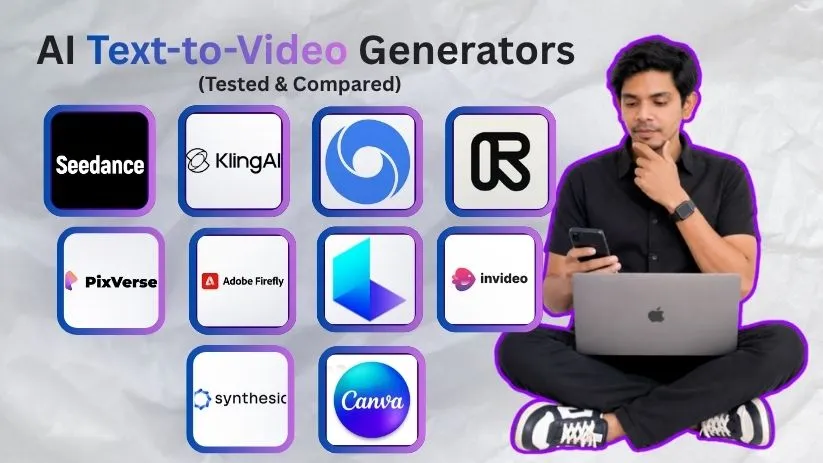
Here are the best AI text-to-video generators that stand out in 2026.
TL;DR: Best AI Text-to-Video Generators at a Glance
There is no single winner for every type of video.
Seedance is my top overall pick for ambitious generative video, while Kling balances quality, control, and value.
Google Veo is the option I would look at first when realism and synchronized audio matter most.
| Tool | Best For | Standout Strength |
| Seedance 2.5 | Best overall | Longer storytelling and reference control |
| Kling AI 3.0 | Best value | Motion, consistency, native audio |
| Google Veo 3.1 | Cinematic realism | Prompt adherence, physics, audio |
| Runway Gen-4.5 | Filmmakers | Creative control and workflow |
| PixVerse V6 | Fast iteration | Short-form generation |
| Adobe Firefly | Commercial work | Adobe workflow |
| Luma Dream Machine | Concept visuals | Cinematic ideation |
| InVideo AI | Marketing videos | Prompt-to-finished video |
| Synthesia | Business videos | Avatars and localization |
| Canva AI | Beginners | Simple all-in-one workflow |
Kling 3.0 supports native audio, multi-shot storytelling, character consistency, and up to 4K output.
For a closer look at the platform, read my Kling AI review.
And if you are comparing it with Google specifically, my Kling vs Veo comparison goes deeper.
Runway Gen-4.5 supports text-to-video and image-to-video with 2–10 second generations and detailed prompt control.
You can see the platform in more detail in my Runway Gen-4 review or compare the two directly in my Runway vs Kling guide.
How I Evaluated These AI Text-to-Video Generators
I looked beyond polished homepage demo reels.
I focused on what matters when you actually need to turn a prompt into a usable video.
Here is what I looked for:
- Prompt adherence: Does it follow the scene, action, and camera instructions?
- Motion quality: Do people, objects, and cameras move naturally?
- Consistency: Do characters and visual elements stay recognizable?
- Audio: Can it generate dialogue, ambience, effects, or lip-sync?
- Creative control: Can you use references, extensions, or editing controls?
- Practical value: How much usable output do you get for your time and credits?
I also give extra weight to tools that fit into a real creation workflow.
With AI video, the cheapest generation is not always the cheapest usable video.
The 10 Best AI Text-to-Video Generators in 2026
These tools are not ranked only by visual quality.
I also considered control, prompt reliability, workflow, and who each platform actually serves.
1. Seedance 2.5
⭐ Best For: Best Overall AI Text-to-Video Generator for Complex Motion and Longer Cinematic Storytelling
Seedance 2.5 takes the top spot because it is built for more than isolated short clips.
ByteDance says it can generate up to 30 seconds of audio-video in one pass, extend scenes across multiple rounds, and use reference material with stronger editing control.
That gives creators more room for camera movement, multiple actions, and scenes that need an actual beginning and end.
✅ What I Liked
- Longer generations are better suited to storytelling.
- Reference controls give creators more visual direction.
- Audio and video are generated together.
❌ What I’d Improve
- It can be more than you need for quick social clips.
Pricing
Seedance pricing depends on where you access the model and the generation settings you choose.
Because higher-resolution and longer clips can consume substantially more credits, I would compare cost per usable generation rather than just the cheapest subscription.
2. Kling AI 3.0
⭐ Best For: Best Value for Realistic Motion, Character Consistency, and Native Audio
Kling AI has become one of the strongest all-round AI text-to-video generators.
Kling 3.0 can generate clips up to 15 seconds while combining native audio, multi-shot storytelling, and improved consistency between characters and scenes.
That combination matters.
A beautiful five-second clip is useful, but maintaining the same character across different shots is what makes an AI video generator more practical for actual storytelling.
Kling also introduced native 4K generation for its 3.0 series in 2026.
Key Features
- Text-to-video and image-to-video generation
- Native dialogue, sound, and audio
- Up to 15-second generations
- Multi-shot storyboard control
- Character and element consistency
- 4K generation support
✅ What I Liked
- The balance between quality and creative control is excellent.
- Native audio removes an extra step from the workflow.
- Multi-shot generation makes it useful beyond isolated social clips.
❌ What I Didn’t Like
- Credit usage can climb quickly when you keep regenerating complex scenes.
- Getting exactly the motion you imagined can still take multiple attempts.
Pricing
Kling uses a credit-based system, and its credit policies can change over time.
Check my Kling AI pricing guide if you want a more detailed breakdown.
Who should use Kling AI: creators, marketers, and filmmakers who want strong generative video quality without sacrificing control over characters, shots, and audio.
3. Google Veo 3.1
⭐ Best For: Cinematic Realism, Accurate Prompt Following, and Synchronized Audio
Google Veo 3.1 is the option I would look at when realism matters more than having the cheapest workflow.
It is designed around better physical realism, stronger prompt adherence, and native generation of dialogue, ambient noise, and sound effects.
That makes a big difference when your prompt includes more than a person simply walking toward the camera.
Veo also offers motion controls and professional output options reaching 1080p and 4K.
Key Features
- Native dialogue and sound effects
- Strong physics and realistic motion
- Detailed prompt adherence
- Motion controls
- 1080p and 4K output
- Scene extension and reference-based workflows
✅ What I Liked
- Cinematic scenes can feel unusually natural.
- Audio is generated as part of the scene instead of being added afterward.
- It handles detailed visual instructions well.
❌ What I Didn’t Like
- Premium-quality generations can become expensive.
- It can be overkill for simple social content.
Who should use Veo: filmmakers, advertisers, and creators who care most about realism, sound, and cinematic output.
4. Runway Gen-4.5
⭐ Best For: Filmmakers Who Want AI Generation and Creative Control in One Workflow
Runway is more than a basic text-to-video AI tool.
Gen-4.5 supports both text-to-video and image-to-video while handling detailed camera choreography, sequential actions, and complex scene instructions.
Current Gen-4.5 generations run from 2 to 10 seconds and cost 12 credits per generated second.
What makes Runway interesting is everything around the model.
You can generate a shot, refine it, combine it with other assets, and keep working inside a broader filmmaking workflow.
✅ What I Liked
- Excellent camera and motion control.
- Strong ecosystem for serious video workflows.
- Useful for combining AI footage with conventional editing.
❌ What I Didn’t Like
- The credit system can feel expensive while experimenting.
- Gen-4.5 text-to-video clips are still relatively short.
For the costs involved, see my Runway pricing breakdown.
Who should use Runway: filmmakers, agencies, and advanced creators who want more than one-click generation.
5. PixVerse V6
⭐ Best For: Fast AI Video Generation for Social Content and Short-Form Storytelling
PixVerse V6 is one of the easier options when speed and iteration matter.
It supports text-to-video, reference-to-video, video extension, native audio, and clips up to 15 seconds at 1080p.
Its native multi-shot system can also build different shot types into one generation instead of forcing you to create every angle separately.
✅ What I Liked
- Fast workflow for short-form content.
- Native audio and multi-shot generation are genuinely useful.
- Plenty of options for extending or refining an idea.
❌ What I Didn’t Like
- Results can still vary with complex human motion.
- Higher-quality generations consume credits faster.
Read my full PixVerse AI review or see the PixVerse pricing guide before choosing a plan.
Who should use PixVerse: social creators, marketers, and anyone who wants to generate and iterate on short AI videos quickly.
6. Adobe Firefly
⭐ Best For: Commercial AI Video and Adobe Creative Workflows
Adobe Firefly makes the most sense when you are creating videos for brands, clients, or commercial campaigns.
Its Generate Video tool supports text prompts, camera-angle instructions, camera movement, and different visual styles.
What stands out is Adobe’s approach to commercial use.
Adobe says videos generated with its own Firefly models are trained on licensed and public-domain content and can be used for commercial projects.
Firefly also gives you access to partner video models, so you can work with multiple generation options without constantly moving between platforms.
Key Features
- Text-to-video and image-to-video
- Camera angle and movement controls
- Multiple AI video models in one workspace
- Adobe Creative Cloud integration
- Commercial-use focus for Firefly-model outputs
✅ What I Liked
- It fits naturally into an existing Adobe workflow.
- The commercial-use positioning is valuable for client work.
- You can generate and continue editing instead of treating AI output as the final video.
❌ What I Didn’t Like
- Video generation can consume credits quickly.
- Partner models can have different usage terms.
Read my Adobe Firefly review or compare other Adobe Firefly alternatives.
Who should use Adobe Firefly: designers, agencies, marketers, and Adobe users producing branded or commercial content.
7. Luma Dream Machine
⭐ Best For: Cinematic Concepts, Previsualization, and Creative Experimentation
Luma Dream Machine is one of the more interesting AI video generation tools when you want to explore visual ideas quickly.
Its Ray3.14 model generates native 1080p video and improves prompt adherence, motion stability, and generation speed compared with the previous Ray3 release.
That makes it particularly useful for concept shots, environments, camera ideas, and previsualization.
I would not choose it specifically for avatar-led business videos.
This is much more about creating visual scenes.
✅ What I Liked
- Strong cinematic look for concept work.
- Native 1080p output.
- Fast enough to experiment with multiple ideas.
❌ What I Didn’t Like
- Complex scenes can still need several generations.
- Ray3.14 does not currently support Character References.
See my Luma Dream Machine review and Luma Dream Machine pricing for more details.
Who should use Luma: filmmakers and creators using AI for moodboards, concept development, cinematic shots, and previsualization.
8. InVideo AI
⭐ Best For: Turning a Prompt or Script Into a Complete Marketing Video
InVideo AI solves a different problem from Kling or Veo.
Instead of generating one short scene, it can take an idea or script and handle the wider production process.
Its current AI agent can plan shots, write or use your script, choose between AI models, generate visuals, add audio, and assemble the project.
That makes it much more practical when you need a finished YouTube video, advertisement, explainer, or social campaign.
✅ What I Liked
- Goes from idea to complete video.
- Useful for longer marketing content.
- Natural-language editing reduces manual work.
❌ What I Didn’t Like
- You get less direct model-level control than with dedicated cinematic generators.
- AI-selected visuals may still need editing.
Learn what InVideo AI is or check my InVideo AI pricing guide.
Who should use InVideo AI: marketers, YouTubers, businesses, and creators who want complete videos rather than individual AI-generated shots.
9. Synthesia
⭐ Best For: AI Avatar, Training, and Business Videos
Synthesia is the strongest option here when the goal is not cinematic filmmaking.
Give it a prompt, script, document, presentation, or URL, and it can build a finished video with scenes, voiceover, visuals, and an AI avatar.
It also supports video localization across more than 160 languages, which is especially useful for global training and internal communications.
✅ What I Liked
- Excellent for repeatable business content.
- Strong avatar and localization workflow.
- Documents and presentations can become videos quickly.
❌ What I Didn’t Like
- Not the right choice for cinematic AI filmmaking.
- Avatar-led output can feel more structured than creative.
Read my Synthesia review or see Synthesia pricing.
Who should use Synthesia: training, HR, sales enablement, education, and corporate communication teams.
10. Canva AI Video Generator
⭐ Best For: Beginners and Existing Canva Users
Canva is the easiest text-to-video generator on this list to fit into an everyday design workflow.
Its Create a Video Clip feature uses Google Veo and can generate an eight-second 16:9 clip with synchronized dialogue, sound design, and music from a text prompt.
The real advantage comes afterward.
You can immediately bring the clip into Canva’s editor and add text, branding, graphics, transitions, and other assets.
✅ What I Liked
- Very easy to use.
- AI generation and editing happen in one workflow.
- Great for social and marketing content.
❌ What I Didn’t Like
- Less control than dedicated filmmaking platforms.
- Generative-video usage is limited by plan.
Read my Canva review or check Canva pricing.
Who should use Canva: beginners, marketers, social media teams, and existing Canva users who want fast AI video creation without learning a complex editor.
How to Choose the Best AI Text-to-Video Generator
The best AI text-to-video generator is not automatically the one producing the most cinematic demo.
It needs to match the type of video you actually want to create.
Here is what I would check before paying for any platform.
1. Start With the Type of Video You Need
First decide whether you need cinematic footage, social clips, avatar videos, or complete marketing videos.
For cinematic generation, Seedance, Kling, Veo, Runway, and Luma make more sense.
For business presentations, Synthesia is a better fit.
And if you want a finished marketing video from a script, InVideo AI can save more time than a raw generation model.
If Synthesia feels too structured for your workflow, I have also compared several Synthesia alternatives.
2. Compare Motion and Character Consistency
A sharp frame means very little if the character’s face changes halfway through the clip.
Look closely at hands, walking, object interaction, facial consistency, and movement between shots.
This matters even more when creating recurring characters or multi-shot stories.
If PixVerse is on your shortlist, these PixVerse alternatives give you more options to compare.
3. Decide Whether Native Audio Matters
Native audio is becoming one of the biggest differences between AI video models.
Kling, Veo, and Seedance can combine visuals with dialogue, ambience, and sound effects.
That can remove several steps from the traditional editing workflow.
But if you already handle audio separately, paying extra for native sound may not be necessary.
4. Check Resolution, Duration, and Creative Control
Do not judge an AI video generator from text only by its maximum resolution.
Clip duration, reference images, camera controls, scene extensions, and editing options can matter more.
A controllable 1080p clip is often more useful than a beautiful 4K result you cannot reproduce.
For another practical comparison, see my Pika vs Luma Dream Machine breakdown.
5. Calculate Cost Per Usable Video
Credit pricing can be misleading.
One tool may appear cheaper but require five generations before you get something usable.
Another might cost more per render but follow the prompt correctly on the first or second attempt.
I would track cost per usable clip, not only monthly subscription price.
Which AI Text-to-Video Generator Should You Choose?
You do not need all 10 platforms.
Choose the tool that matches your main workflow.
For Cinematic Filmmaking
Start with Seedance 2.5 if you want longer sequences and strong reference control.
Choose Google Veo 3.1 when realism and synchronized audio are the priority.
Runway is the better option when you also want a broader creative-production workflow.
For Social Media and Short Creative Clips
I would look at Kling AI and PixVerse first.
Both give creators enough control to make short-form content without turning every generation into a complicated production.
Canva is easier if you want generation, text, branding, and editing inside one familiar interface.
You can also read about the newer workflow in my Canva AI 2.0 guide.
For Training and Business Videos
Go with Synthesia.
Its avatars, multilingual workflow, and document-to-video features make much more sense for training than a cinematic model.
For Marketing Videos From a Script
InVideo AI is the strongest fit when you want the platform to handle scripting, visuals, voiceover, and editing.
If you want other platforms with a similar workflow, see my InVideo AI alternatives.
The rule is simple.
Choose based on the video you need to publish, not the model with the most impressive demo reel.
Final Verdict
There is no single text-to-video AI tool that wins every category.
Seedance is the strongest all-round option, Kling offers an excellent balance of quality and value, and Veo stands out for cinematic realism.
The right choice comes down to one question: what kind of video are you actually trying to make?
FAQs About AI Text-to-Video Generators
1. What Is the Best AI Text-to-Video Generator in 2026?
Seedance 2.5 is my overall pick for longer, more complex generative video.
Kling AI is stronger for value, while Google Veo is one of the best choices for cinematic realism and native audio.
2. What Is the Best Free AI Text-to-Video Generator?
Kling, PixVerse, Canva, and several other platforms offer limited free access or credits.
Free allowances change frequently, so check current generation limits, watermarks, resolution, and export restrictions before choosing one.
3. Which AI Video Generator Creates the Most Realistic Videos?
Google Veo, Seedance, and Kling are among the strongest options for realistic motion.
The better choice depends on whether you prioritize physics, character consistency, longer scenes, or audio.
4. Which Text-to-Video AI Includes Native Audio?
Seedance, Kling, and Google Veo can generate video with audio.
That can include dialogue, ambience, and sound effects depending on the model and generation mode.
5. What Is the Best AI Text-to-Video Tool for Marketing?
For complete marketing videos, I would choose InVideo AI.
Canva is easier for social content, Adobe Firefly works well inside creative workflows, and Synthesia is better for presenter-led business videos.
6. Can AI-Generated Videos Be Used Commercially?
Often yes, but commercial rights depend on the platform, model, subscription, and source material you use.
Always check the latest licensing terms before publishing AI-generated videos for paid client work or advertising.