

Luma Dream Machine lets you create short cinematic AI videos from text prompts and images, but the results can be hit or miss when the scene gets too complex. Here’s my honest Luma Dream Machine review, with pros, cons, and whether it’s worth using for AI video creation in 2026.
Quick verdict
Luma Dream Machine is excellent at turning images into realistic, cinematic video clips, especially when you want smooth camera movement, natural motion, and quick social media visuals. But you’ll need patience, because not every generation comes out clean. The experience feels less like a full video editor and more like an AI video generator where you test prompts, compare outputs, and keep the best take.
What is Luma Dream Machine?
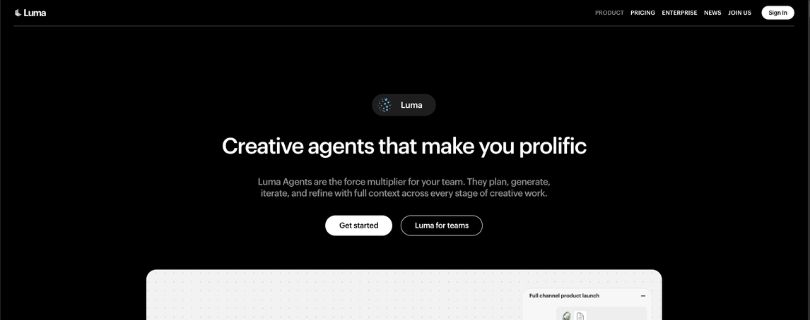
Luma Dream Machine is an AI-powered video generation tool that creates short videos from text prompts, images, and video inputs. You describe the scene you want, or upload an image you want to animate, and Luma generates a video with motion, lighting, and camera movement. It’s mainly used for text-to-video, image-to-video, cinematic B-roll, product visuals, social media clips, concept videos, and creative experiments.
You will find this article helpful:
I Tried Kling and Here is What i Found About its Pricing, Plans, Credits, Costs & Best Value For
I Tested Runway Gen-4 and Here Is My Honest Review
Key features of Luma Dream Machine
Below are the main features of Luma Dream Machine:
- Text-to-video generation: Describe the scene you want, and Luma Dream Machine turns your prompt into a short AI video clip with motion, lighting, and camera movement.
- Image-to-video generation: Upload a still image, add motion instructions, and Luma animates it into a cinematic video. This was the strongest feature in my testing because the image gives the model a clear visual starting point.
- Cinematic camera movement: Luma can create smooth pans, zooms, tracking shots, and push-ins. It works best when you keep the camera direction simple and specific.
- Prompt-based editing: You can refine a result by changing the prompt or giving extra instructions. This helps when the first version is close, but not quite usable.
- Short video creation: Luma is built for quick clips, social media visuals, concept shots, product teasers, and B-roll. It’s not really made for long videos or full story editing.
Luma Dream Machine pricing
Luma Dream Machine uses a credit-based pricing model, so the real cost depends on how often you generate videos and what quality settings you use.
- Monthly credits: You spend these when you generate images or videos inside Dream Machine. Higher-quality video generations usually use more credits than simple image generations.
- Top-up credits: Paid users can buy extra credits when they run out. These start at $4 for 1,200 credits, stay valid for 12 months, and are used after your monthly credits. Monthly credits do not roll over.
You pay a monthly fee, but how far it goes depends on your workflow. If you’re testing lots of text-to-video prompts, trying multiple variations, or regenerating clips until the motion looks right, you can burn through credits faster than expected.
The free and lower plans are fine for testing, but commercial creators will usually need a paid plan because watermarks, usage rights, priority speed, and output quality matter when you’re making client work or social media content.
Below is what you get with each plan:
| Plan | Monthly cost | Credits | Commercial use | Key features |
| Free | $0/month | Limited free credits | No | Draft quality, watermarks, lower priority, good for testing |
| Lite | $9.99/month | 3,200 credits | No | Full Ray3 access, 4K with up-res, but still watermarked |
| Plus | $29.99/month | 10,000 credits | Yes | Full Ray3 access, 4K with up-res and HDR, high priority, no watermarks |
| Unlimited | $94.99/month | 10,000 fast credits + unlimited relaxed credits | Yes | Full Ray3 access, relaxed unlimited generation, no watermarks, better for heavy creators |
Luma Dream Machine reviews: What real users are saying
I gathered reviews from Reddit, Product Hunt, Trustpilot, and the App Store to see what other users experience.
Pros
- Strong cinematic output: Many users like Luma Dream Machine because it can create photorealistic videos with coherent motion. When the prompt works, the result can look polished, smooth, and surprisingly close to real footage.
- Great for image-to-video: Creators often praise the tool for turning still images into short animated clips. This matches my own testing, where image-to-video quality was more reliable than starting from a blank text prompt.
- Easy to use: Users like that Luma doesn’t feel complicated. You type a prompt, upload an image if needed, and generate a video without learning a full editing timeline or advanced motion design software.
Cons
- Results can be hit or miss: This is the most common complaint. One Reddit user said several generations looked like static images with a simple zoom instead of real animation.
- Credits can disappear quickly: Some users complain about burning through credits without getting enough usable results. This becomes frustrating when you need to regenerate the same idea multiple times.
- Prompt accuracy is inconsistent: Several reviews mention that Luma can ignore parts of the prompt, especially with complex scenes, multiple characters, or detailed movement. It works best when the scene is simple and the camera direction is clear.
My experience: Creating a cinematic AI video clip
I tested Luma Dream Machine by creating a short cinematic video for a social media-style concept. I started with a simple prompt describing a person walking through a rainy neon street at night, with a slow tracking shot and realistic reflections. Luma generated a polished-looking clip with strong lighting, smooth camera movement, and a mood that felt close to what I asked for.
Problems started when I added more detail. When I included extra people, background cars, specific hand movements, and a more complex camera angle, the results became less reliable. Some clips looked great at first glance, but faces shifted, limbs looked strange, or the motion ignored part of the prompt.
What this experience makes clear is the tradeoff you’re signing up for. Luma Dream Machine is great at creating cinematic short clips fast, especially when the scene is simple and visually clear. But reliability drops once you ask for precise action, multiple characters, or a detailed text-to-video workflow.
If you already have a strong image, you’ll usually get better results by using image-to-video instead of starting from text. You can also take the best clip into CapCut, Premiere Pro, or DaVinci Resolve for trimming, color tweaks, captions, and sound, but you shouldn’t expect Luma to replace a full video editor.
Is Luma Dream Machine right for you?
Luma Dream Machine is a good fit if you need short, cinematic AI video clips and don’t expect every generation to be perfect on the first try.
Who might find it useful:
- Social media creators making quick video content for TikTok, Instagram Reels, YouTube Shorts, or ad concepts. The output can look polished enough for short-form visuals.
- Marketers creating product teasers or campaign ideas who need fast concept videos before spending money on a full production shoot. It’s useful for testing a visual direction quickly.
- Designers and filmmakers experimenting with motion ideas who want cinematic B-roll, mood shots, or image-to-video animations without opening a full editing or animation workflow.
Who should skip it:
- Creators who need long, precise videos with consistent characters, exact scene control, dialogue, and detailed storytelling. Luma is better for short clips than finished films.
- Teams that need predictable results every time because Luma can still ignore prompt details, distort people, or produce clips that need several retries.
- Users who want a full video editor with timeline control, audio editing, subtitles, transitions, and frame-level adjustments. Luma can generate clips, but you’ll still need another tool to finish the video.
Final verdict
Luma Dream Machine is one of the better AI video generators I’ve tested for short, cinematic clips. It’s especially strong when you start with an image and use simple motion instructions, like a slow push-in, a pan, or subtle environmental movement.
But it’s not a one-click video production tool. Text-to-video can be unpredictable, complex prompts often need several retries, and some outputs still suffer from warped faces, strange hands, or motion that doesn’t fully match the prompt.
My honest take: Luma Dream Machine is worth trying if you’re a creator, marketer, designer, or filmmaker who wants fast AI B-roll, product visuals, social media clips, or concept shots. It’s less useful if you need long videos, precise character consistency, built-in audio, or full editing control.
Use it as a creative starting point, not the final step. When Luma gets it right, the results can look seriously impressive. When it misses, you’ll need patience, credits, and a backup editing tool.
FAQ
What is Luma Dream Machine?
Luma Dream Machine is an AI video generator that creates short videos from text prompts, images, and video inputs. You can describe a scene, upload a still image, or guide the camera movement, and Luma turns it into a cinematic AI video clip.
Is Luma Dream Machine free?
Yes, Luma Dream Machine usually offers a free plan or free credits, but the limits can change. Free users may deal with watermarks, slower generation, limited credits, and non-commercial usage restrictions. If you want to use videos for client work, ads, or business content, check the paid plan terms first.
Is Luma Dream Machine good for image-to-video?
Yes. In my testing, image-to-video was Luma’s strongest feature. When I uploaded a clear image and asked for subtle motion, the results were usually more consistent than text-to-video. It works well for product shots, portraits, cinematic scenes, concept art, and social media video creation.
Is Luma Dream Machine good for text-to-video?
It can be good, but it’s less predictable. Simple prompts with one subject and clear movement worked best for me. When I added multiple people, fast action, detailed hand movements, or complicated camera directions, the results became more hit or miss.
How long are Luma Dream Machine videos?
Luma Dream Machine is mainly built for short AI video clips. The exact duration depends on the model, plan, and settings available when you use it. You can often extend clips, but it still works better for short cinematic shots than long-form video production.
Does Luma Dream Machine create audio?
Luma Dream Machine is mostly known for visual AI video generation, not full audio production. Depending on the current model and plan, audio options may vary. For most workflows, I’d still plan to add music, voiceover, sound effects, and captions in a separate video editor like CapCut, Premiere Pro, DaVinci Resolve, or Descript.
Can I use Luma Dream Machine videos commercially?
Commercial use depends on your plan. Paid plans usually offer better rights, no watermarks, and higher-quality output, while free plans may be limited to personal or non-commercial use. Always check the current license terms before using Luma videos in ads, client projects, or paid social campaigns.
Is Luma Dream Machine better than Runway?
Luma Dream Machine is better if you want quick cinematic clips, strong image-to-video quality, and natural-looking camera movement. Runway may be better if you want more editing tools, a broader creative workflow, and more control over the final video. For simple AI B-roll, I’d try Luma first. For a heavier production workflow, Runway may feel more complete.
Is Luma Dream Machine better than Pika?
Luma usually feels stronger for realistic, cinematic motion. Pika can be more playful and easier for stylized social clips, effects, and casual experiments. If your goal is a polished product teaser or cinematic AI video, Luma has the edge. If you want quick, fun, stylized videos, Pika is still worth testing.
Is Luma Dream Machine better than Sora?
Sora-style models are usually discussed as high-end AI video systems, but access and practical availability can vary. Luma Dream Machine is easier for most creators to test right now and works well for short clips, image-to-video, and social media content. If you need the highest possible realism and longer scene control, Sora-style tools may be stronger when available.
Why does Luma Dream Machine ignore my prompt?
AI video models don’t follow prompts the same way a human editor would. If your prompt has too many actions, characters, camera moves, or background details, Luma may focus on only part of it. You’ll get better results by keeping the scene simple, choosing one main subject, and giving one clear motion instruction.
What are the best prompt tips for Luma Dream Machine?
The best Luma prompts are visual, specific, and not overloaded. Use a structure like: subject, action, location, camera movement, lighting, and style. For example: “A cinematic close-up of a red sports car on a rainy street at night, slow push-in camera movement, realistic reflections, dramatic lighting.”
Why do Luma videos look weird sometimes?
Luma can struggle with hands, faces, fast movement, crowds, and complex body motion. You may also see warping, flickering, strange object changes, or characters that shift between frames. This is normal for current AI video tools, especially when the prompt asks for too much at once.
Can Luma Dream Machine replace a video editor?
No. Luma can generate useful AI video clips, but it doesn’t replace a full video editor. You’ll still need another tool to cut scenes, add audio, captions, transitions, brand elements, and final exports. I’d treat Luma as a clip generator, not a complete editing platform.
Who is Luma Dream Machine best for?
Luma Dream Machine is best for creators, marketers, designers, small businesses, and filmmakers who need short cinematic visuals fast. It’s useful for AI B-roll, social media videos, product teasers, mood boards, ad concepts, and image-to-video experiments.
Who should not use Luma Dream Machine?
Skip it if you need long videos, exact character consistency, dialogue scenes, precise editing control, or guaranteed results on the first try. It’s also not ideal if you hate regenerating outputs or working around credit limits.
Is Luma Dream Machine worth it?
Yes, if you understand its limits. Luma Dream Machine is worth trying for short cinematic AI videos, especially image-to-video clips. It’s not perfect, and you’ll probably need several attempts to get a usable result, but when it works, the output can look impressive enough for real creative projects.



