
If choosing between Runway and Kling feels confusing, you’re not alone.
Runway’s latest Gen-4.5 model gives you high-quality text-to-video and image-to-video generation, stronger prompt control, cleaner cinematic shots, and a more complete creative workflow for editing, experimenting, and polishing videos.
Whereas Kling Video 3.0 focuses more on realistic motion, native audio-visual generation, lip-sync, longer 15-second clips, element consistency, and storyboard-style control for creators who want videos to feel more natural from the first output.
Both platforms can help you create AI videos from prompts, images, references, and creative direction.
But the difference starts showing when you compare
- realism and motion quality
- prompt control
- character consistency
- lip-sync and audio
- how much time and money you spend getting a usable clip.
I tried both platforms by generating image-to-video clips, testing text prompts, checking motion accuracy, comparing character consistency, and seeing how many retries it took before each tool gave me something I’d actually use.
Here is what stood out, feature by feature.
Quick verdict: Should you choose Runway or Kling?
If you want the simple answer then here I have compared the major deciding factors side by side.
| Need | Best choice | Why |
| Realistic image-to-video | Kling | It handles motion, fabric, water, facial movement, and physical interactions more naturally. |
| Fast workflow | Runway | The interface feels smoother, generations are usually faster, and it’s easier to move from idea to finished clip. |
| Character consistency | Runway / Kling 3.0 | Runway has strong reference tools, while Kling 3.0 has element binding to keep people, objects, and scenes more stable. |
| Lip-sync and native audio | Kling | Kling’s native audio, lip-sync, and multilingual dialogue tools make it stronger for talking characters and sound-based scenes. |
| Professional editing | Runway | Runway gives you a more complete creative suite, so you can generate, edit, adjust, and polish in one place. |
| Budget-friendly testing | Kling | Its credit-based setup can feel easier for casual creators who want to test clips without jumping into a heavier workflow. |
| Client work | Depends | Use Runway when you need predictable workflow and control. Use Kling when the final shot needs strong realism and motion. |
My quick take?
- Best overall for creators: Kling
- Best for professional workflow: Runway
- Best for realism: Kling
- Best for speed: Runway
- Best hybrid workflow: Generate realistic shots in Kling, then polish and edit them in Runway.
You May Like Reading:
Runway Alternatives for AI Video Generation
What is Runway?
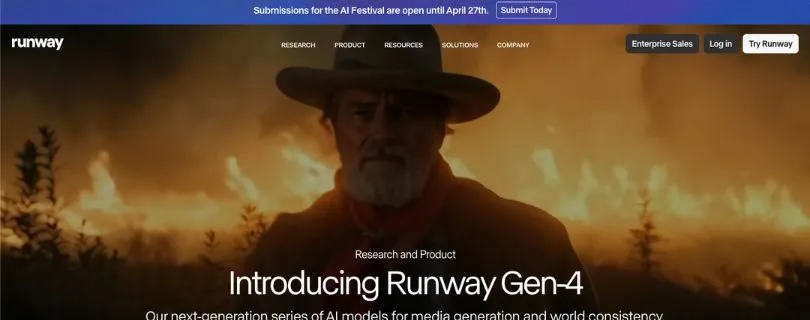
Runway is a mature AI creative suite built for creators who want more than one-off AI clips.
It’s best known for Gen-3 and Gen-4 video generation, reference-based workflows, editing tools, and production features that help you move from idea to finished video. Runway’s Gen-4 model focuses heavily on consistency, so you can keep characters, objects, locations, and cinematic worlds stable across different scenes.
Gen-4 References also lets you use up to three reference images in one generation. That helps you create more consistent characters, styles, objects, and scenes without rebuilding everything from scratch.
So Runway is not just an AI video generator.
It feels more like a production environment for people who need control, polish, and repeatable creative workflows.
What is Kling?

Kling is a fast-growing AI video generator from Kuaishou, and it has become popular because its videos often feel more physical and natural. Reuters reported that Kuaishou opened Kling AI to a global audience in 2024, making it one of the major AI video tools competing in this space.
Kling is strongest when you care about image-to-video realism, motion, physics, lip-sync, and native audio. Its official quickstart lists tools like Motion Control, Image-to-Video, Elements, Motion Brush, and Lip Sync.
Kling 3.0 also supports native audio, multi-shot scenes, element references, character and subject consistency, multilingual dialogue, and flexible 3–15 second cinematic clips.
So Kling is not just a cheaper Runway alternative.
It’s strongest when your video needs believable movement, realistic physics, and synced audio that feels connected to the scene.
Runway vs Kling Feature Comparison
I’m not here to throw a lazy “Runway is better” or “Kling is better” statement at you.
Because honestly, both tools are good.
But they’re good in very different ways.
So let’s walk through each feature one by one and see how Runway Gen-4.5 and Kling 3.0 actually stack up when you use them for real AI video projects.
- Visual Realism Comparison: Runway or Kling?
- Image-to-Video Comparison
- Motion & Physics Comparison
- Prompt Control & Camera Movement Comparison
- Character Consistency Comparison
- Lip-Sync & Native Audio Comparison
- Speed & Workflow Comparison
- Pricing & Value Comparison
- Professional Editing Comparison
- Best Use Cases Comparison
Visual Realism Comparison: Runway or Kling?
When it comes to AI video, the first thing most people notice is simple:
Does it look real?
That’s where the Runway vs Kling comparison starts getting interesting.
Runway Gen-4.5 has made a big jump in visual quality. It’s cleaner, sharper, and much better at following detailed prompts than older Runway models. Runway says Gen-4.5 focuses on motion quality, prompt adherence, and visual fidelity, and it currently supports both text-to-video and image-to-video generation.
And yes, you can feel that improvement when you test it.
Runway outputs often look polished. The lighting feels cinematic. The camera movement feels intentional. The overall shot usually looks like something made for a commercial, music video, or brand campaign.
But here’s the thing.
Polished doesn’t always mean more realistic.
In my tests, Runway sometimes made the scene look too controlled. A person walking through a street looked good, but the clothes didn’t always move naturally. A coffee pour looked cinematic, but the liquid sometimes felt a little too perfect. A character turning their head looked clean, but the tiny facial shifts didn’t always feel fully human.
Kling 3.0 feels different.
Kling often gives you messier, more natural realism. And I mean that in a good way.
Fabric moves with more weight. Hair reacts better to wind. Water, smoke, and fire usually feel more physical. Faces can look more alive, especially when the shot has small expressions or natural body motion.
Kling 3.0 is also built around longer, more cinematic video generation. It supports text-to-video, image-to-video, start/end frame video, element references, multi-shot storyboarding, and native audio, with outputs up to 1080p and flexible durations from 3 to 15 seconds.
That extra breathing room helps.
A 15-second scene gives the model more space to develop motion, expression, and atmosphere. You’re not always stuck with a tiny clip that ends right when something interesting starts happening.
Where Runway looks better
Runway performs really well when you want:
- clean cinematic lighting
- polished commercial-style shots
- stylized scenes
- controlled camera framing
- sharper brand-friendly visuals
- less chaotic movement
For example, if you’re creating a luxury perfume ad, a futuristic product reveal, or a moody cinematic street scene, Runway can look excellent.
It has that “finished creative tool” feeling.
Where Kling looks better
Kling usually feels stronger when the scene depends on:
- realistic human movement
- natural facial expressions
- fabric, hair, smoke, water, or fire
- action-heavy movement
- image-to-video realism
- everyday scenes that should feel less staged
For example, I tested a fashion model walking in the wind.
Runway gave me a beautiful shot.
Kling gave me a shot where the dress, hair, posture, and small body movements felt more believable.
That’s the difference.
Runway often looks designed. Kling often looks lived-in.
Verdict:
Runway Gen-4.5 is great for polished cinematic visuals.
But if we’re talking about pure realism, especially in image-to-video scenes with people, fabric, water, and natural motion, Kling 3.0 takes the lead.
Runway gives you a cleaner frame.
Kling gives you a more believable one.
Image-to-Video Comparison
Image-to-video is one of the most important parts of this comparison.
Because most creators don’t start with a blank prompt anymore.
They start with a product image, a character reference, a Midjourney image, a Flux image, a fashion photo, or a branded visual. Then they want the AI to bring it to life without destroying the original look.
That’s where image-to-video quality matters a lot.
Runway Gen-4.5 supports image-to-video control, and its own docs recommend focusing image-to-video prompts on the motion of the scene.
That’s a good workflow.
You upload your image, describe how the subject should move, add camera direction, and let Runway create the shot.
And when the image is clean, Runway can produce very strong results.
It keeps the frame stable. It handles cinematic camera movement well. It can turn static product images into slick promotional clips without making the whole thing fall apart.
But in my testing, Runway worked best when I kept the motion controlled.
A slow push-in.
A soft camera pan.
A product rotating on a table.
A character blinking and slightly turning toward camera.
The more aggressive the movement became, the more Runway started playing it safe.
Kling felt more confident with movement.
When I uploaded a still image and asked for flowing fabric, hair movement, walking motion, water splashes, or a more dramatic camera move, Kling usually gave me a more active result.
Not always perfect.
But more alive.
Kling 3.0 supports image-to-video, start and end frame-to-video, and element referencing. Its O3 version can also use video character references and multi-image element building, which helps when you want more control over subjects and scenes.
That makes Kling especially useful when your image has a person, animal, outfit, product, or environment that needs to move naturally.
Where Runway image-to-video works best
Runway is better when you want:
- clean product shots
- brand-safe movement
- cinematic camera pushes
- controlled subject motion
- stylish social ads
- simple movement from a high-quality reference image
For example, if I upload a product bottle and ask for a slow studio camera move with soft light and a clean background, Runway gives me a solid result.
It doesn’t overdo the motion.
And for many brand videos, that’s exactly what you want.
Where Kling image-to-video works best
Kling is better when you want:
- stronger movement from a still image
- more realistic body motion
- natural fabric and hair movement
- action scenes
- expressive faces
- shots that feel less static
For example, if I upload an image of a woman standing near the ocean and ask for wind, waves, dress movement, and a slow handheld camera feel, Kling usually gives me more energy.
The scene feels less like a moving photo.
It feels closer to actual footage.
The catch
Kling can sometimes push the motion too far.
A face might shift slightly.
Hands can still get weird.
A product may change shape if the scene becomes too complex.
Runway, on the other hand, may keep things more stable but less exciting.
So your choice depends on what you value more.
Stability or motion.
Verdict:
For clean and controlled image-to-video, Runway is very strong.
But for realistic image-to-video with natural movement, Kling wins.
If you’re animating people, fashion shots, lifestyle photos, animals, water, smoke, or anything with organic motion, Kling usually gives you the more usable first result.
Motion & Physics Comparison
This is where Kling starts pulling ahead for a lot of creators.
Because AI video is not just about sharp visuals.
It’s about movement.
A clip can look beautiful in the first frame and still feel fake two seconds later if the motion is wrong.
You’ll notice it instantly.
A person walks without weight.
A jacket moves like plastic.
Water flows in the wrong direction.
A dog runs, but the legs don’t quite match the body.
That’s the kind of stuff that breaks the illusion.
Runway Gen-4.5 has improved a lot here. Runway says the model handles realistic weight, momentum, force, liquid dynamics, surface details, hair strands, and material weave more coherently across motion and time.
And in many cases, it does.
Runway is much better now with controlled motion, camera movement, and complex scene instructions.
But Kling still feels stronger when the scene depends on natural physical movement.
Fal’s Kling 3.0 overview describes it as handling camera movement, fabric, hair, and liquids with natural weight, which lines up with what I saw during testing.
When I tested water, hair, fabric, running motion, and body movement, Kling usually looked more physically believable.
Not always cleaner.
But more believable.
Runway motion feels controlled
Runway is good when the movement needs to feel directed.
Think:
- slow dolly shots
- cinematic push-ins
- product reveals
- camera pans
- controlled subject turns
- mood-heavy scenes
- VFX-style shots
If you ask Runway for a camera slowly moving through a neon-lit alley, it can make that shot feel polished and intentional.
The movement doesn’t feel random.
It feels designed.
That’s a real strength.
Kling motion feels physical
Kling is better when the motion needs to feel natural.
Think:
- a dress moving in the wind
- a dog running on wet sand
- water pouring into a glass
- smoke moving around a person
- hair reacting to camera movement
- a character walking, turning, and reacting
These scenes are harder because the model has to understand cause and effect.
If the body moves, the clothes should react.
If the wind blows, the hair should follow.
If water hits a surface, it should splash with weight.
Kling handles these small details better more often.
Where both still struggle
Neither tool is perfect.
You’ll still see problems with:
- hands
- fast limb movement
- object permanence
- complex interactions
- characters holding items
- multiple people touching or crossing paths
- long scenes with many moving parts
So no, you shouldn’t expect either tool to create a flawless action sequence every single time.
But there’s a difference in failure style.
Runway often makes the motion safer.
Kling often makes the motion bolder.
And depending on your use case, that can completely change the result.
Verdict:
Runway wins when you want controlled, cinematic movement.
Kling wins when you want realistic physical motion.
If your video depends on fabric, water, hair, smoke, action, or body movement, Kling is the better pick.
If your video depends on smooth camera direction and polished framing, Runway still feels easier to control.
Prompt Control & Camera Movement Comparison
Once the visuals look good, the next question is:
Can the tool actually follow what you asked for?
This matters more than people think.
Because if you’re making videos for fun, a surprising result can be cool.
But if you’re making videos for a client, a product launch, a YouTube ad, or a brand campaign, you need control.
You need the model to listen.
Runway has always been strong here, and Gen-4.5 pushes that further.
Its docs say you can specify detailed camera choreography, scene composition, timing, and atmospheric changes inside a single prompt.
That matters in real use.
When I gave Runway structured prompts with camera movement, lighting direction, lens language, and subject action, it usually respected the overall creative direction.
For example:
“Slow dolly-in toward a glass perfume bottle on a black marble table, soft rim light, shallow depth of field, tiny particles floating in the air.”
Runway understands that kind of prompt well.
It knows how to make the shot feel like a planned scene.
Kling also handles cinematic prompts well, but it often behaves more like an AI director than a controlled editing tool.
That can be great.
It may add energy, movement, shot variation, or drama that makes the output feel more cinematic.
But it can also take small creative liberties.
Kling 3.0 can break prompts into multiple shots with different camera angles, compositions, durations, and movements, which makes it useful for structured storytelling instead of just single clips.
So the question is not “which one follows prompts better?”
The better question is:
Do you want strict control or cinematic interpretation?
Runway gives you cleaner creative control
Runway is better when you need:
- exact camera direction
- cleaner prompt following
- predictable shot framing
- controlled product videos
- brand-safe outputs
- repeatable creative workflows
This is why Runway feels better for professional editing workflows.
You can plan the shot more carefully.
You can ask for a specific camera move.
You can build a more controlled visual system across multiple clips.
And when you’re working with a team, that predictability helps.
Kling gives you stronger scene energy
Kling is better when you want:
- cinematic motion without over-directing
- more active scenes
- multi-shot storytelling
- natural camera variation
- stronger dramatic movement
- AI-assisted scene direction
For example, if you give Kling a prompt like:
“A detective walks through a rainy alley, neon signs reflecting in puddles, camera follows from behind, then cuts to a close-up as he turns.”
Kling may build a more dynamic scene around that idea.
It feels less like you’re controlling every pixel.
It feels more like you’re giving direction to a film assistant.
That’s powerful, especially for creators who don’t want to manually plan every camera move.
The real difference
Runway is better when you already know exactly what you want.
Kling is better when you want the model to help shape the scene.
That difference sounds small, but it matters.
If you’re creating a product ad with strict brand guidelines, Runway feels safer.
If you’re creating a cinematic short, music video, or social media story, Kling can feel more exciting.
Verdict:
Runway wins for prompt control and predictable camera movement.
Kling wins for cinematic interpretation and multi-shot storytelling.
If you want a tool that follows your direction closely, choose Runway.
If you want a tool that turns your idea into a more active scene, choose Kling.
Character Consistency Comparison
Character consistency is one of the biggest reasons people compare Runway vs Kling in the first place.
Because one good AI video clip is nice.
But if the character changes face, outfit, age, or body shape in the next shot, the whole project starts falling apart.
Runway has been strong here for a while.
Runway’s Gen-4 reference system lets you use one or multiple reference images to keep characters, styles, objects, and scenes consistent. It can also generate the same character across different lighting, locations, and visual treatments from a single reference image.
That makes Runway useful when you’re building a visual campaign.
You can create a character once, reuse the look, test different scenes, and still keep the overall identity close enough for brand or story work.
Kling 3.0 is catching up fast, though.
Kling 3.0 supports start-frame plus element reference, multi-character coreference, and element consistency control. Kling 3.0 Omni goes even further by letting the model remember characters, items, and scenes through image, video, and element references.
That means Kling is no longer just “the realistic motion tool.”
It’s becoming much better for repeatable characters too.
Where Runway consistency feels better
Runway works better when you need:
- one main character across different scenes
- clean reference-based image generation
- product consistency
- brand visuals
- different camera angles of the same subject
- controlled campaign-style outputs
For example, if you’re creating a fictional founder avatar for a startup ad, Runway is easier to manage.
You can build the character, place them in different office scenes, change the lighting, and keep the look fairly stable.
That workflow feels more predictable.
Where Kling consistency feels better
Kling works better when you need:
- multi-character scenes
- moving characters with stronger realism
- character plus voice consistency
- start-frame and end-frame control
- scenes where identity needs to hold during motion
- longer story-style clips
Kling 3.0 Omni is especially interesting because it can bind a voice to a character element, so the character can look and sound more consistent across scenes.
That’s a big deal for creators making dialogue clips, short films, AI influencers, or recurring story characters.
Verdict:
Runway wins if you want a cleaner and more predictable reference workflow.
Kling wins if you want character consistency inside more active, realistic, dialogue-heavy scenes.
For simple brand consistency, I’d pick Runway.
For character realism with movement and voice, Kling 3.0 feels more exciting.
Lip-Sync & Native Audio Comparison
This is one of the clearest differences between Runway and Kling.
Runway does have lip-sync.
And it’s useful.
Runway’s Lip Sync tool lets you sync text-to-speech scripts or uploaded audio to an image or video. It supports multiple faces, up to four animated speakers, up to 10 dialogues, and up to 40 seconds per dialogue.
So yes, Runway can handle talking characters.
But it feels more like a separate tool you add into your workflow.
You generate or upload the visual first.
Then you add the voice or script.
Then you sync the mouth movement.
That’s fine for talking-head clips, explainers, avatars, or simple dialogue scenes.
Kling feels more natural here because native audio is built into the video generation flow.
Kling 3.0 supports native audio-visual output, multilingual dialogue, dialects, accents, and character-specific speaking control. Its official guide lists support for Chinese, English, Japanese, Korean, and Spanish, along with dialect and accent control.
That changes the experience.
You’re not just making a silent clip and adding voice later.
You’re asking Kling to create the visual, voice, expression, rhythm, and atmosphere together.
Where Runway lip-sync works best
Runway is better when you want:
- talking-head clips
- presenter-style videos
- short avatar dialogue
- educational explainers
- simple character speech
- uploaded audio synced to a face
For example, if you already have a script and just need a face to speak it clearly, Runway can do the job.
It’s practical.
It’s clean.
And it gives you more control over the audio source.
Where Kling native audio works best
Kling is better when you want:
- dialogue inside cinematic scenes
- multilingual characters
- emotional voice delivery
- character-specific speech
- ambient sound and scene audio
- video and audio generated together
For example, if you want two characters speaking in a rainy street scene while cars pass in the background, Kling feels more built for that kind of prompt.
It understands the moment as a scene, not just as a face talking.
Verdict:
Runway’s lip-sync is useful, especially for controlled talking-head content.
But Kling wins this category because native audio feels more deeply connected to the video itself.
If your clip needs dialogue, emotion, sound effects, or multilingual speech, Kling is the stronger pick.
Speed & Workflow Comparison
This is where Runway feels more comfortable.
Runway is built like a serious creative workspace.
You open the tool, choose a model, upload an image or write a prompt, generate, review, adjust, and keep moving.
The workflow is simple enough for beginners but still useful for creators who make client work every week.
Runway Gen-4.5 currently supports text-to-video and image-to-video, with 2 to 10-second durations, multiple aspect ratios, and 720p output.
That shorter duration limit can feel restrictive.
But it also keeps the workflow focused.
You make a shot.
You test another shot.
You build your scene piece by piece.
Kling feels different.
Kling 3.0 can generate flexible 3 to 15-second videos, and it also supports multi-shot generation, native audio, and storyboard-style control.
That means one Kling generation can do more.
But it can also feel heavier.
There’s more happening inside the clip, so you may spend more time waiting, reviewing, and deciding whether the model handled everything correctly.
Where Runway feels faster
Runway is better when you want:
- quick testing
- clean UI
- faster shot iteration
- predictable prompt changes
- short social clips
- client-friendly production flow
This matters when you’re under a deadline.
If you need five variations of a product shot by tonight, Runway feels easier to manage.
You can move fast without constantly fighting the tool.
Where Kling feels slower but deeper
Kling is better when you want:
- longer single clips
- more natural movement
- multi-shot scenes
- audio and visuals together
- story-driven prompts
- fewer separate editing steps
For example, a 15-second Kling clip with dialogue, camera movement, and character action may save you from stitching three separate clips together.
But when it misses, the miss is bigger.
You’re not fixing one small movement.
You’re fixing the whole scene.
Verdict:
Runway wins for speed and workflow.
Kling wins when you’re willing to wait longer for a more complete, realistic scene.
For daily content production, Runway feels smoother.
For cinematic shots that need more life, Kling is worth the extra patience.
Pricing & Value Comparison
Pricing is tricky because both platforms use credits, plans, and model-specific costs.
So the real question is not just:
“Which one is cheaper?”
The better question is:
“How many usable clips do I get before I run out of patience or credits?”
Runway’s pricing is easier to understand if you’re working inside its plans.
Runway lists a Free plan with a one-time 125 credits, a Standard plan at $12 per user per month billed yearly with 625 monthly credits, a Pro plan at $28 per user per month billed yearly with 2,250 monthly credits, and an Unlimited plan at $76 per user per month billed yearly with Explore Mode.
Runway Gen-4.5 costs 12 credits per second, so a 5-second generation costs 60 credits and a 10-second generation costs 120 credits.
Kling 3.0 also uses a credit-based model, but the cost changes based on resolution and whether you use native audio.
Kling 3.0 costs 12 credits per second for 1080p native audio, 9 credits per second for 720p native audio, 8 credits per second for 1080p without native audio, and 6 credits per second for 720p without native audio. Voice control adds 2 credits per second.
So Kling can be cheaper or more expensive depending on how you use it.
A simple 720p silent clip costs less.
A 1080p native-audio clip with voice control costs more.
Where Runway gives better value
Runway gives better value when you need:
- lots of testing
- faster iteration
- a full editing workspace
- team workflows
- predictable monthly usage
- access to editing tools, not just generation
Runway’s Unlimited plan also includes Explore Mode, which allows infinite generations at a relaxed rate for supported image and video models.
That’s helpful for high-volume creators.
You may wait longer at times, but you can experiment more freely.
Where Kling gives better value
Kling gives better value when you need:
- realistic first outputs
- native audio in the same generation
- longer 15-second clips
- cinematic image-to-video
- fewer separate tools for sound and dialogue
- casual testing without building a full editing workflow
This is why Kling feels attractive for creators.
You can generate something that already has motion, mood, voice, and atmosphere.
When it works, it saves a lot of extra steps.
Verdict:
Runway is better value for high-volume workflows and professional editing.
Kling is better value when realism, native audio, and longer cinematic clips matter more than raw generation speed.
If you’re testing lots of concepts every day, Runway makes more sense.
If you want fewer but more realistic finished shots, Kling feels stronger.
Professional Editing Comparison
This is where Runway still has a clear advantage.
Runway is not just an AI video generator.
It’s closer to a creative production suite.
Depending on your plan, Runway gives you access to tools like Aleph video editing, Gen-4.5 text-to-video, Gen-4 image-to-video, Act-Two performance capture, upscale, watermark removal, video editor projects, and other creative apps.
That matters when you’re making videos for real projects.
Because generation is only one part of the job.
You still need to clean up shots, upscale clips, adjust lighting, stylize footage, remove elements, test variations, and package the final video.
Runway’s Unlimited plan documentation also lists tools like Video Backdrop, Color Grade Video, Video Lighting, Remove from Video, Stylize Video, Upscale Video, Video Weather, and Product Shot Video Builder inside Explore Mode support.
That’s why Runway feels more professional.
It gives you more room to fix and finish.
Kling is more focused on generating the shot itself.
And to be fair, it does that extremely well.
Kling 3.0 gives you native audio, multi-shot generation, element consistency, character referencing, and 15-second video generation.
But once the clip is generated, you may still want another tool for editing, color work, cleanup, trimming, and final assembly.
Where Runway editing is stronger
Runway is better for:
- client revisions
- ad production
- product videos
- VFX-style edits
- performance capture
- cleanup and polish
- team-based creative workflows
For example, if a client says, “Can we remove that object, make the lighting warmer, and upscale the final clip?” Runway feels more prepared for that conversation.
You have more tools in the same place.
Where Kling production is stronger
Kling is better for:
- realistic generated scenes
- audio-first video ideas
- cinematic short clips
- emotional character moments
- storyboards with dialogue
- image-to-video shots with natural motion
Kling feels less like an editing room and more like a powerful AI camera.
You give it a scene.
It gives you a take.
And sometimes that take looks surprisingly real.
Verdict:
Runway wins for professional editing.
Kling wins for generating realistic scenes with motion and audio.
If you need a full creative workflow, choose Runway.
If you need the most believable generated shot, start with Kling.
Best Use Cases Comparison
By this point, the pattern is pretty clear.
Runway and Kling are not trying to solve the exact same problem.
They overlap, yes.
But they shine in different parts of the AI video process.
Runway is the better choice when your project needs control, speed, editing, and repeatable workflow.
Kling is the better choice when your project needs realism, natural motion, native audio, and stronger image-to-video results.
Choose Runway if you create:
- product ads
- client videos
- brand campaigns
- YouTube visuals
- music video shots
- controlled social media clips
- VFX-style edits
- character animation with performance capture
- projects that need revisions and polish
Runway is the safer choice for structured production.
It may not always give you the most realistic movement, but it gives you a cleaner system for getting work done.
Choose Kling if you create:
- realistic image-to-video clips
- fashion videos
- cinematic social reels
- dialogue scenes
- AI short films
- emotional character moments
- videos with fabric, hair, water, smoke, or action
- multilingual talking characters
- longer 15-second story clips
Kling is the better choice when the final clip needs to feel alive.
It’s especially strong when you start with a beautiful image and want the motion to feel natural instead of stiff.
Best hybrid workflow
Honestly, the smartest workflow is not always Runway or Kling.
It’s Runway and Kling.
Here’s how I’d use them together:
- Generate the most realistic image-to-video shots in Kling.
- Use Kling for natural body movement, fabric, hair, water, and dialogue.
- Pick the strongest takes.
- Bring those clips into Runway for cleanup, editing, color, upscale, and final polish.
- Use Runway when you need faster variations or client-friendly revisions.
That gives you the best of both tools.
Kling handles the realism.
Runway handles the workflow.
Verdict:
Use Runway when you need speed, editing, and control.
Use Kling when you need realism, motion, and native audio.
But if you want the strongest AI video workflow overall, use both: generate the realistic shot in Kling, then polish and finish it in Runway.
Runway vs Kling: Pricing Comparison
Runway’s Standard plan starts at $12 per user/month when billed annually.
For that, you get:
- 625 monthly credits
- access to Gen-4.5 text-to-video
- Gen-4 image-to-video
- Aleph video editing
- Act-Two performance capture
- video apps and workflow tools
Runway Gen-4.5 uses 12 credits per second, so a 5-second clip costs 60 credits and a 10-second clip costs 120 credits. That means the Standard plan gives you around 25 seconds of Gen-4.5 video per month before you need more credits.
Runway’s Pro plan starts at $28 per user/month when billed annually. It gives you 2,250 monthly credits, which equals around 90 seconds of Gen-4.5 video.
Kling 3.0 pricing works more like a usage-based video model. The cost changes based on resolution and whether you use native audio:
- 1080p with native audio = 12 credits/second
- 720p with native audio = 9 credits/second
- 1080p without native audio = 8 credits/second
- 720p without native audio = 6 credits/second
- voice control adds 2 credits/second
So a 5-second Kling 3.0 video can cost 30 credits on the cheaper 720p no-audio setting, or 70 credits if you generate 1080p native audio with voice tone control.
Here is the part that catches most creators off guard:
Runway looks cheaper at first, but credits disappear quickly if you’re testing Gen-4.5 clips every day.
If you move to Runway Unlimited, it starts at $76 per user/month when billed annually and includes Explore Mode for unlimited generations at a relaxed rate. But relaxed rate means generations can take longer, and simultaneous generations may be limited during heavier usage.
Real cost comparison for solo creators:
- Runway Pro = $28/month with about 90 seconds of Gen-4.5 video
- Runway Unlimited = $76/month for heavier testing in Explore Mode
- Kling 3.0 = better value when you want fewer, more realistic clips with native audio, longer scenes, and stronger motion
On top of that, Runway gives you more editing tools inside the same workspace, while Kling gives you more flexibility when realism, voice, and natural movement matter more than editing depth.
Final verdict: Runway or Kling?
If I had to simplify the whole Runway vs Kling debate, I’d put it like this:
Kling is better when the final video needs to feel real.Runway is better when the whole production process needs to feel controlled.
That’s the biggest difference.
Choose Kling if you care most about realism, physics, motion, native audio, lip-sync, and image-to-video quality. It’s the better pick when you’re animating people, fabric, hair, water, smoke, action scenes, or emotional character moments. The clips often feel more alive, especially when you start with a strong image and want natural movement from the first generation.
Choose Runway if you care more about speed, editing tools, controlled workflows, reference-based consistency, and client-ready production. It feels more polished as a creative workspace. You can test ideas quickly, make cleaner revisions, manage short scenes, and move closer to a finished video without jumping between too many tools.
But here’s the honest answer.
For serious creators, the best workflow is often not Runway or Kling.
It’s both.
Use Kling when you want the most realistic shot.
Use Runway when you want to polish, edit, control, and finish the project.
That combo makes the most sense if you’re producing ads, cinematic shorts, branded social content, product videos, or AI videos at scale.
So the final verdict is simple:
- Best for realism: Kling
- Best for workflow: Runway
- Best for native audio and lip-sync: Kling
- Best for professional editing: Runway
- Best overall workflow: Generate in Kling, polish in Runway.
Also Read:
Runway Vs Pika: Complete Comparison to Find Out Which One is Right For You
Runway vs Kling FAQ
Is Kling better than Runway?
Kling is better than Runway if your main goal is realistic movement.
It usually performs better when your scene depends on:
- natural body motion
- fabric movement
- hair and wind
- water, smoke, or fire
- expressive faces
- cinematic image-to-video clips
- native audio and dialogue
Kling 3.0 also supports native audio, multi-shot scenes, element consistency, multi-character coreference, multilingual output, and videos up to 15 seconds, which makes it strong for story-style AI videos.
Runway is still better if you want a smoother creative workspace, faster editing flow, and more control over the final production.
Is Runway better than Kling?
Runway is better if you care more about workflow and control than raw realism.
It feels stronger when you’re making:
- client videos
- product ads
- brand campaigns
- controlled social content
- polished cinematic shots
- repeatable creative workflows
Runway Gen-4.5 supports text-to-video and image-to-video, and Runway says it can handle detailed camera choreography, scene composition, timing, and atmospheric changes inside a single prompt.
So if you already know exactly what shot you want, Runway usually gives you a cleaner path to get there.
Which is better for image-to-video: Runway or Kling?
Kling is usually better for realistic image-to-video.
If you upload a still image and want it to feel alive, Kling tends to create more natural motion. It works especially well for people, fashion shots, lifestyle images, animals, flowing fabric, water, and emotional character scenes.
Runway is still very good for image-to-video when the movement is controlled.
Use Runway when you want:
- a slow product push-in
- clean camera movement
- stable brand visuals
- polished commercial-style clips
Use Kling when you want:
- stronger movement
- realistic body motion
- natural expressions
- cinematic scene energy
Which is better for text-to-video: Runway or Kling?
Runway feels better for controlled text-to-video prompts.
If you write a detailed prompt with camera direction, lighting, subject action, and scene timing, Runway usually follows the structure well. Gen-4.5 supports text-to-video and image-to-video, with 2 to 10-second durations.
Kling feels better when you want the model to interpret the scene more creatively.
For example, if you ask for a dramatic rainy street scene with a character walking, turning, and speaking, Kling may create a more active and cinematic result.
So the simple split is:
- Runway: better for controlled prompts
- Kling: better for cinematic interpretation
Which tool has better character consistency?
Runway has the cleaner reference workflow.
Runway Gen-4 References can use one or multiple reference images to generate consistent characters, objects, styles, and scenes. Runway says it works across different lighting conditions, locations, and treatments from a single reference image.
Kling has become much stronger here too.
Kling 3.0 supports element binding in image-to-video and can lock key subjects so they stay more consistent when camera angles or shots change. Its Element Library also supports multiple reference characters for video generation.
My take:
- Choose Runway for cleaner brand or character references.
- Choose Kling when the character needs to stay believable during more active motion.
Which has better lip-sync and native audio?
Kling wins for native audio.
Kling 3.0 supports native audio-visual output, multilingual support, dialects, accents, and character-specific speaking control. That makes it stronger for dialogue scenes where voice, face, movement, and atmosphere need to work together.
Runway also has a useful lip-sync tool. You can add text-to-speech or uploaded audio, and each dialogue can be up to 40 seconds. Runway also supports multiple dialogues in a lip-sync video.
So the choice depends on your workflow:
- Use Runway for controlled talking-head clips.
- Use Kling for cinematic dialogue with native audio.
Which is faster: Runway or Kling?
Runway usually feels faster in day-to-day use.
The interface is smoother, the workflow is easier to manage, and short clip generation feels more predictable. That matters when you’re testing many versions of the same idea.
Kling can feel slower because it often tries to do more inside one generation: longer clips, native audio, multi-shot scenes, dialogue, and element consistency.
So if speed matters most, pick Runway.
If realism matters more than speed, Kling is worth the wait.
Which is cheaper: Runway or Kling?
It depends on how you create.
Runway’s Standard plan includes 625 monthly credits, which Runway lists as 25 seconds of Gen-4.5 video. Its Pro plan includes 2,250 monthly credits, listed as 90 seconds of Gen-4.5 video. Runway’s Unlimited plan includes Explore Mode for unlimited generations at a relaxed rate.
Kling’s value depends more on the type of video you generate.
A simple silent clip can be cheaper than a native-audio scene with higher resolution and voice control. So Kling can feel more affordable for casual testing, but costs can rise when you use its strongest features.
The better question is not “which is cheaper?”
Ask this instead:
- How many usable clips do I get?
- How many retries do I need?
- Do I need native audio?
- Do I need editing tools?
- Am I making one-off clips or daily videos?
For high-volume editing and testing, Runway may make more sense.
For fewer but more realistic image-to-video outputs, Kling can feel like better value.
Is Kling good for AI ads and social media videos?
Yes, Kling is very strong for social ads, Reels, TikToks, Shorts, and cinematic product clips.
It works especially well when you want:
- lifestyle product shots
- fashion videos
- beauty ads
- food and drink clips
- travel-style scenes
- emotional short-form storytelling
- realistic image-to-video movement
For example, if you have a product image and want water splashing around it, a model holding it, or fabric moving in the background, Kling often gives you a more natural first result.
But if the client asks for quick revisions, different formats, cleanup, and final polish, Runway becomes useful too.
Is Runway good for professional video work?
Yes, Runway is one of the better options for professional AI video workflows.
It gives you more than just generation. Runway’s paid plans include access to tools like Gen-4.5 text-to-video, Gen-4 image-to-video, Aleph video editing, Act-Two performance capture, video apps, upscale, watermark removal, and video editor projects.
That makes Runway easier to use when you need to move from idea to final output.
For client work, that matters.
A great AI clip is useful.
A repeatable workflow is better.
Can I use Runway and Kling together?
Yes, and honestly, this is the best workflow for many creators.
Use Kling to create the shot when realism matters.
Use Runway to clean, edit, upscale, revise, or polish the final video.
A practical workflow looks like this:
- Generate realistic motion clips in Kling.
- Pick the strongest takes.
- Bring the clips into Runway.
- Edit, clean up, upscale, or restyle the footage.
- Export the final video for ads, YouTube, TikTok, Instagram, or client delivery.
This combo works well because Kling handles realism, while Runway handles production.
Which one is better for beginners?
Kling may feel more exciting for beginners because you can upload an image, write a simple prompt, and get a realistic-looking clip.
Runway may feel easier if you want a cleaner workspace and more guidance while building projects.
Choose Kling if you want to experiment with:
- realistic image animation
- cinematic clips
- talking characters
- native audio
- short social videos
Choose Runway if you want to learn:
- AI video editing
- controlled prompting
- shot building
- product video workflows
- client-ready video production
If you’re just playing around, start with Kling.
If you want to build a serious AI video workflow, learn Runway too.
Which is better for YouTube Shorts, TikTok, and Instagram Reels?
Kling is better when the video needs to grab attention with realism and motion.
Runway is better when you need to create multiple versions quickly and polish them for publishing.
For short-form content, I’d use them like this:
- Kling: cinematic hooks, realistic visuals, image-to-video, talking scenes
- Runway: variations, edits, cleanup, final polish, brand consistency
If you’re posting daily, Runway’s workflow helps.
If you want one clip to look more eye-catching, Kling often has the edge.
Which is better for client work?
Runway is safer for client work.
Clients usually care about three things:
- Can you make revisions?
- Can you keep the style consistent?
- Can you deliver on time?
Runway handles that better because the workflow feels more controlled.
But Kling is still valuable for client projects when the shot needs strong realism. I’d use Kling for hero shots, realistic product scenes, cinematic openers, and image-to-video clips that need natural motion.
For client work, the best setup is simple:
Use Kling for the most realistic shots. Use Runway for the controlled production workflow.
What are the biggest problems with Runway and Kling?
Both tools are powerful, but neither one is magic.
Runway can struggle with:
- credit usage during heavy testing
- overly safe movement
- short clip limits
- scenes that need messy, natural motion
- object permanence in complex actions
Kling can struggle with:
- slower generation times
- occasional identity shifts
- complex hand movement
- credit planning
- scenes with too many moving subjects
Both tools can still fail with hands, object interactions, fast action, and long multi-scene continuity.
That’s why testing matters.
One prompt rarely gives you the perfect final clip.
What is the best Runway alternative?
Kling is one of the best Runway alternatives if your main focus is AI video realism.
It’s especially strong for image-to-video, realistic motion, native audio, and cinematic short clips.
But if you want a direct alternative to Runway’s full creative suite, Kling may not replace everything. Runway gives you more editing and production tools in one workspace, while Kling focuses more on generating strong video scenes.
So Kling is a strong Runway alternative for generation.
It’s not a full replacement for Runway’s editing workflow.
Should I choose Runway or Kling in 2026?
Choose Kling if you care most about:
- realism
- motion
- physics
- image-to-video
- native audio
- lip-sync
- cinematic scenes
Choose Runway if you care most about:
- speed
- editing tools
- controlled workflows
- character references
- product videos
- client revisions
Choose both if you’re serious about AI video.
Kling gives you the realistic shot.
Runway helps you shape it into something finished.