


50% of your video content success depends on one thing: how well you repurpose the content you already have.
That’s exactly what AI blog to video tools are built to solve. They help you turn long blog posts into short videos with scripts, visuals, captions, voiceovers, and ready to publish scenes.
But the AI video tools market is crowded. Every tool claims it can turn text into videos, create better visuals, and save hours of editing time.
But not all of them give you clean, useful, and publish ready results.
In this blog, you’ll find a curated list of the 3 best AI tools for turning blog posts into videos.
For each tool, I’ve covered what it actually does well, where it falls short, how the workflow feels, and what type of creator, marketer, or business it’s best suited for.
By the end, you’ll know exactly which AI blog to video tool fits your content repurposing workflow and video creation needs.
Quick Comparison Table: Best Blog to Video AI Tools
Before choosing any AI blog to video generator, look at how each tool fits your workflow. Some tools work better for fast video creation. Some give stronger branding control. Some are better when you want to turn long blog posts into short, social ready videos.
Here’s a quick comparison of the best blog to video AI tools.
| Tool | Best For | Blog URL Support | Voiceover | Subtitles | Branding | Best Use Case |
| Invideo AI | Best for fast blog to video creation | Yes | Yes | Yes | Yes | YouTube videos, social media videos, explainer videos |
| Lumen5 | Best for branded marketing videos | Yes | Yes | Yes | Yes | Content marketing, thought leadership videos |
| Pictory | Best for short videos from long blogs | Yes | Yes | Yes | Yes | Social clips, content repurposing, branded videos |
1. Invideo AI
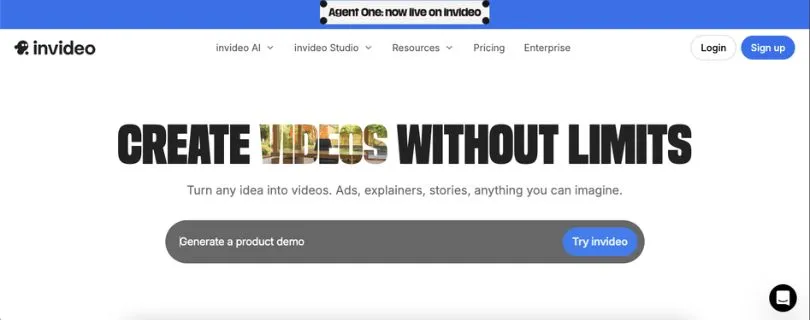
Invideo AI is one of the most practical tools for fast blog URL to video creation.
You can paste a blog URL, add a short prompt, and generate a video draft with visuals, music, subtitles, and AI voiceover. That makes it useful when you want to convert a written article into a YouTube video, LinkedIn post, Instagram Reel, product explainer, or social media clip without building every scene manually.
The workflow is simple. Invideo AI reads the blog, pulls out the key points, creates a script, and turns it into scenes. You can then edit the script, swap visuals, adjust subtitles, change the voiceover, and refine the output before export.
Key features
- Blog URL to video generation
- AI generated script and scenes
- Stock visuals and background music
- AI voiceovers
- Subtitles and caption styling
- Text based editing
- Good fit for YouTube and social media videos
What makes Invideo AI useful for blog repurposing?
Invideo AI helps when a business wants fast output from long form content.
A 1,500 word blog can take hours to turn into a video manually. You need to write a shorter script, find visuals, add music, record voiceover, create captions, and edit everything together.
Invideo AI handles a large part of that first draft.
You still need to review the script and scenes, but you do not need to start from a blank screen. That is the main advantage. It helps content teams turn existing blogs into videos faster.
Pricing
- Free plan available
- Plus plan starts at $17 per month when billed yearly
- Max plan starts at $85 per month when billed yearly
- Generative plan starts at $170 per month when billed yearly
- Monthly billing costs more than annual billing
Also Read:
Invideo AI Plans and Pricing Explained
Limitations
- AI generated videos still need human review
- Scene choices may not always match the blog perfectly
- Advanced editing may require manual adjustment
- Free or lower plans may have export, watermark, credit, or usage limits
Best for
- Creators who want to turn blog posts into videos quickly
- YouTubers who need faster video drafts
- Social media teams creating short videos from articles
- SaaS marketers repurposing educational blogs
- Agencies producing videos at scale
2. Lumen5

Lumen5 is one of the most recognized tools for turning articles and written content into videos.
It focuses more on clean, branded video creation than experimental AI video generation. That makes it useful for business teams that want professional looking videos from blogs, thought leadership posts, company updates, and educational content.
The tool can help turn written content into a storyboard, add visuals, apply text overlays, and keep the video aligned with your brand style. It is especially useful when the goal is to create marketing content that looks polished without needing video production experience.
Key features
- Blog and text to video workflow
- AI powered storyboard creation
- Drag and drop editor
- Brand style customization
- Stock media library
- Captions and text overlays
- Good fit for business and marketing content
What makes Lumen5 useful for blog repurposing?
Lumen5 works well when a business wants blog videos that feel clean, structured, and brand safe.
For example, a business can turn an educational blog into a short LinkedIn video with branded colors, text overlays, stock visuals, captions, and a simple call to action.
It is a good fit for blogs that explain ideas, share industry insights, announce updates, or support thought leadership campaigns.
Pricing
- Free plan available
- Basic plan starts at $19 per month when billed yearly
- Starter plan starts at $59 per month when billed yearly
- Professional plan starts at $149 per month when billed yearly
- Enterprise plan is available with custom pricing
Limitations
- May feel more template driven than fully generative AI video tools
- Some users may want more creative AI control
- Better suited for marketing teams than casual individual creators
- Advanced brand and team features may require higher plans
Lumen5 is best for:
- Marketing teams that need branded videos from blog posts
- B2B brands creating thought leadership content
- Agencies producing videos for clients
- Corporate communication teams
- Businesses that want polished video content without heavy editing
3. Pictory
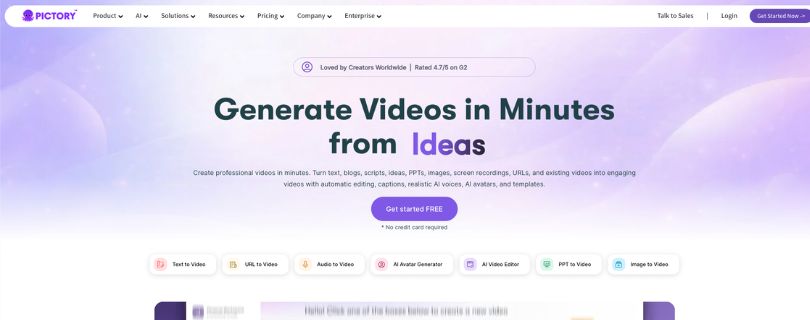
Pictory is built strongly around content repurposing.
It can turn blog posts, URLs, articles, scripts, and other written content into videos with visuals, captions, voiceovers, and brand elements. This makes it useful when you have long form content and want to create shorter videos for LinkedIn, Instagram, YouTube Shorts, TikTok, website pages, or email campaigns.
The workflow fits marketers who already have blogs and want to get more mileage from them. Instead of rewriting the full article into a video script manually, Pictory helps summarize the content and turn it into a watchable format.
Key features
- Blog to video
- URL to video
- Automatic script generation
- AI selected visuals
- Voiceovers and captions
- Brand kits with logo, fonts, and colors
- Short video creation for social platforms
- AI avatars in some workflows
What makes Pictory useful for blog repurposing?
Pictory is useful when a brand wants to convert long articles into shorter, easier to consume video summaries.
A detailed blog may have too much content for a short video. Pictory helps pull out the key points and turn them into a more focused video draft. You can then adjust the script, change visuals, add brand assets, and export the video for different platforms.
It works best when the blog already has a clear structure with strong headings and focused sections.
Pricing
- Free trial available
- Starter plan starts at $25 per month, or $19 per month when billed yearly
- Professional plan starts at $49 per month, or $39 per month when billed yearly
- Teams plan starts at $79 per month, or $66 per month when billed yearly
- Enterprise plan is available with custom pricing
Limitations
- AI summaries may need editing for accuracy
- Stock visuals can feel generic if not customized
- Better results need clear blog structure
- Some brand, team, or advanced features may require higher plans
Pictory is best for:
- Content marketers
- Bloggers
- Course creators
- Agencies
- Brands repurposing long form content into social videos
How to Choose the Best AI Tool for Turning Blog Posts into Videos
The best AI tool for turning blog posts into videos depends on how you plan to use the final video.
Some tools are better for quick social media clips. Some are better for polished branded videos. Others are useful when you want to turn a full article into a short narrated summary for YouTube, LinkedIn, Instagram, or TikTok.
Before choosing a tool, look beyond the “AI video generator” label. What really matters is how well the tool handles your actual blog-to-video workflow.
1. Check If It Supports Blog URLs
The first thing to check is whether the tool lets you paste a blog URL directly.
This saves a lot of time.
Instead of copying the full article, cleaning the text, removing menus, and rewriting the content manually, a good blog-to-video AI tool should read the URL and pull the main points from the article.
This is especially helpful if you publish blogs often and want to repurpose them into videos every week.
Look for tools that can:
- Accept blog URLs
- Summarize the article automatically
- Turn headings into video scenes
- Pull key points without including random website text
- Let you edit the script before generating the final video
A tool like this makes the process much faster, especially for marketers, bloggers, agencies, and social media teams.
2. Look at the Quality of AI Script Generation
A blog post is usually written for reading, not watching.
That means the AI should not simply copy your article line by line into a video. It should turn the blog into a clean, natural video script.
A good AI script should feel short, clear, and easy to follow. It should keep the main idea of the blog but remove anything that feels too long or repetitive for video.
When testing a tool, check if the script:
- Keeps the main message of the blog
- Removes unnecessary details
- Sounds natural when read aloud
- Has a clear beginning, middle, and ending
- Breaks the content into short video scenes
- Avoids making unsupported claims
This matters a lot. A weak script can make even a well-designed video feel boring or confusing.
3. Test the Voiceover Options
Voiceover can make or break a blog-to-video project.
If the AI voice sounds too flat, rushed, or robotic, viewers may stop watching even if the content is useful. A good tool should offer different voice styles, accents, speeds, and tones so you can match the video to your brand.
For example, a SaaS explainer may need a calm professional voice. A TikTok-style educational video may need something more energetic. A corporate video may need a clear, neutral tone.
Before choosing a tool, check for:
- Natural-sounding AI voices
- Multiple accents and languages
- Voice speed control
- Male and female voice options
- Voiceover syncing with scenes
- Option to upload your own voiceover
If your audience watches videos without sound, voiceover still matters, but captions become even more important.
4. Pay Attention to Subtitles and Caption Styling
Most people watch social videos on mute, especially on platforms like LinkedIn, Instagram, and TikTok.
That’s why subtitles are not just a nice extra. They are a major part of the viewing experience.
A good AI video tool should generate accurate captions and let you style them properly. Captions should be easy to read, well-timed, and not cover important visuals.
Look for subtitle features such as:
- Automatic caption generation
- Editable subtitles
- Caption timing controls
- Font and color customization
- Highlighted words
- Different caption styles for social videos
- Support for vertical, square, and horizontal layouts
This is especially useful if you’re creating short videos from blogs for social media.
5. Review the Branding Controls
If you’re creating videos for a business, branding matters.
The tool should let you add your logo, brand colors, fonts, intros, outros, and reusable templates. This helps every video feel consistent, even if different team members are creating content.
Strong branding controls are useful for:
- Marketing teams
- Agencies
- SaaS companies
- Coaches and consultants
- Course creators
- B2B brands
- Content teams publishing videos regularly
Before choosing a tool, check whether it supports:
- Logo upload
- Brand colors
- Custom fonts
- Brand kits
- Reusable templates
- Branded intros and outros
- Watermark removal on paid plans
For quick personal videos, branding may not matter much. But for business content, it can make your videos look more professional and trustworthy.
6. Check the Stock Media Quality
Most blog-to-video AI tools use stock videos, images, icons, music, and background clips to build scenes.
This can save a lot of editing time, but the quality of stock media varies from tool to tool.
Some tools pick visuals that match the blog well. Others choose generic clips that only loosely fit the topic. For example, a blog about “AI tools for content marketers” should not be filled with random office clips and people typing on laptops in every scene.
When testing stock media, ask:
- Do the visuals match the blog topic?
- Are the clips modern and high quality?
- Can you replace weak visuals easily?
- Is premium stock media included?
- Does the tool offer music and sound effects?
- Are the visuals suitable for commercial use?
The best AI video generator for creators should make it easy to swap visuals, search the media library, and improve scenes without starting over.
7. Look for Editing Flexibility
AI can create the first draft, but you still need control.
A good blog-to-video tool should let you edit the script, change scenes, replace visuals, adjust captions, change music, and fine-tune the final video before export.
This is where many tools feel different. Some give you a simple template editor. Others offer text-based editing, timeline controls, scene-by-scene editing, or drag-and-drop customization.
Look for editing features like:
- Text-based editing
- Scene-by-scene control
- Drag-and-drop editor
- Visual replacement
- Music editing
- Voiceover adjustments
- Caption editing
- Aspect ratio resizing
- Timeline control
If you want fast videos, simple editing may be enough. But if you’re creating client work, YouTube explainers, or branded marketing videos, editing flexibility becomes much more important.
8. Check Export Options for Each Platform
The right export format depends on where you plan to publish the video.
A YouTube explainer needs a different layout than a TikTok or Instagram Reel. LinkedIn videos often work better with captions and a clean square or vertical format. Website videos may need a polished horizontal version.
Before choosing a tool, check whether it supports:
- 16:9 horizontal videos for YouTube and websites
- 9:16 vertical videos for TikTok, Reels, and Shorts
- 1:1 square videos for LinkedIn and Instagram feeds
- HD export quality
- MP4 download
- Direct social sharing
- Different video lengths
- Watermark-free exports on paid plans
This matters because resizing a finished video manually can be frustrating. A good tool should make it easy to create versions for multiple platforms from the same blog post.
9. Compare Pricing and Usage Limits
Pricing can look simple at first, but AI video tools often come with usage limits.
Some plans limit video minutes. Some limit exports. Some include watermarks on free plans. Others use credits for AI voiceovers, premium stock media, avatars, or high-quality exports.
Before paying, check:
- Monthly price
- Annual discount
- Free trial limits
- Watermark rules
- Video export limits
- AI generation credits
- Voiceover limits
- Stock media access
- Brand kit availability
- Team collaboration features
- Commercial usage rights
Don’t choose the cheapest tool only because the monthly price looks low. Choose the tool that gives you enough video minutes, exports, branding, and editing control for your actual workflow.
Final Tip Before Choosing
The easiest way to choose is to test one blog post in all three tools.
Use the same article, generate a video, and compare the results. Check which tool creates the best script, chooses the most relevant visuals, produces the cleanest captions, and gives you the easiest editing experience.
Choose Invideo AI if speed matters most.
Choose Lumen5 if you want branded marketing videos.
Choose Pictory if you want short, shareable videos from long blog posts.
Final Verdict
After comparing these tools, I’d say there isn’t one perfect AI tool for every blog-to-video workflow.
If I wanted the fastest way to turn a blog post into a video, I’d go with Invideo AI. It feels the most useful when speed matters and you need a ready first draft with visuals, subtitles, music, and voiceover.
If I cared more about clean, branded marketing videos, Lumen5 would be the better pick. It feels more polished and structured, especially for business content, thought leadership posts, and LinkedIn-style videos.
For turning long blog posts into short, shareable clips, Pictory makes the most sense. It’s practical for repurposing articles into quick summaries, social videos, and branded snippets.
My honest take: start with the tool that matches your main use case, not the one with the longest feature list. A good AI blog-to-video tool should save time, give you a strong first draft, and still let you edit the final video before publishing.
FAQs About the Best AI Tools for Turning Blog Posts into Videos
What is the best AI tool for turning blog posts into videos?
The best AI tool depends on what you need.
If you want the fastest blog-to-video workflow, Invideo AI is a strong option. If you want polished branded marketing videos, Lumen5 is a better fit. If you want to turn long blog posts into short social videos, Pictory is a practical choice.
For most creators and marketers, these three tools cover the main use cases: speed, branding, and content repurposing.
Can AI turn a blog post into a video automatically?
Yes, many AI video tools can turn a blog post into a video automatically.
Most tools let you paste a blog URL or add the article text. Then the AI summarizes the content, creates a script, adds visuals, generates subtitles, includes background music, and may also add an AI voiceover.
The video still needs human review, though. You should always check the script, visuals, captions, and final message before publishing.
Which AI tool is best for creating videos from blog URLs?
Invideo AI, Lumen5, and Pictory all support blog-to-video or URL-to-video workflows.
Invideo AI is useful when you want fast video creation from a blog URL. Lumen5 is better for branded marketing videos. Pictory works well when you want to convert a long article into a shorter video summary.
What is the easiest AI tool to convert articles into videos?
Invideo AI is one of the easiest options if your main goal is speed.
You can paste a blog URL or describe the video you want, and the tool can create a first draft with scenes, visuals, subtitles, music, and voiceover. It’s a good choice for creators, YouTubers, bloggers, and social media teams that want a simple blog-to-video workflow.
Can I use AI to make YouTube videos from blog posts?
Yes, you can use AI tools to create YouTube videos from blog posts.
A tool like Invideo AI can help create explainer-style videos from blog content. Pictory can help turn long articles into shorter video summaries. Lumen5 can help create cleaner branded videos for educational or business content.
For YouTube, make sure you review the script, improve the hook, adjust the pacing, and use visuals that actually match the topic.
Which AI tool is best for social media videos from blog posts?
Pictory is a good choice for turning long blog posts into short, shareable social videos.
It works well when you want quick clips for LinkedIn, Instagram, Facebook, TikTok, or YouTube Shorts. It can help summarize longer content, add captions, include visuals, and create branded videos that are easier to watch on social platforms.
Is Lumen5 good for turning blogs into videos?
Yes, Lumen5 is good for turning blogs into polished marketing videos.
It’s especially useful for businesses, agencies, B2B brands, and content teams that want videos with a clean branded look. It may feel more template-based than some AI video generators, but that can be helpful if you care about consistency and brand safety.
Is Pictory good for blog-to-video content?
Yes, Pictory is a strong option for blog-to-video content, especially when you want shorter videos from longer articles.
It can help create video summaries, social clips, branded snippets, and repurposed content from blog posts. It works best when your blog has clear headings, strong points, and a simple structure.
Do AI blog-to-video tools create voiceovers?
Yes, most AI blog-to-video tools offer AI voiceovers.
Tools like Invideo AI, Lumen5, and Pictory can add voiceovers to videos, depending on the plan and workflow. Some tools also offer different voices, accents, languages, and voice styles.
Still, you should listen to the final voiceover before publishing. Sometimes the AI may mispronounce names, brand terms, or technical words.
Do these tools add subtitles automatically?
Yes, many AI video tools can generate subtitles automatically.
Subtitles are important because many people watch videos without sound, especially on social media. Good subtitles can make your video easier to follow and improve engagement.
Before exporting, check the subtitle timing, spelling, line breaks, and styling.
Can I add my brand logo, colors, and fonts?
Yes, most paid AI video tools offer some level of branding control.
Depending on the tool and plan, you may be able to add your logo, brand colors, fonts, intros, outros, and reusable templates. This is especially useful for marketing teams, agencies, coaches, SaaS companies, and businesses creating videos regularly.
Are AI-generated blog videos ready to publish?
Not always.
AI tools can create a strong first draft, but you should still review the video before publishing. Check the script, visuals, captions, voiceover, pacing, and brand elements.
AI can save time, but human editing makes the video feel more accurate, useful, and natural.
What is the best free AI tool to turn blog posts into videos?
Some AI video tools offer free plans or free trials, but free versions usually come with limits.
You may see watermarks, limited exports, lower video quality, fewer voiceover options, or restricted stock media. Free plans are useful for testing the workflow, but paid plans are usually better if you want to create videos regularly for business or marketing.
Can AI turn long blog posts into short videos?
Yes, AI tools can turn long blog posts into shorter videos.
This is one of the best use cases for tools like Pictory, Invideo AI, and Lumen5. They can summarize the main ideas, create a shorter script, add visuals, and turn the article into a social-friendly video.
For best results, use blog posts with clear headings, short sections, and strong takeaways.
Which Blog-to-Video AI Tool Is Best for You?
This can include a simple recommendation like:
- Choose Invideo AI if you want the fastest blog URL to video workflow.
- Choose Lumen5 if you want polished branded marketing videos.
Choose Pictory if you want to turn long blogs into short social videos.



