Glorify is built with ecommerce sellers in mind, and that focus is one of its biggest strengths.
You can create product graphics, remove backgrounds, build mockups, resize designs, manage brand assets, and generate marketing visuals without jumping between several tools. Glorify currently positions itself specifically as a design platform for ecommerce and marketing teams.
But that doesn’t automatically make it the best fit for every workflow.
You may want a much larger template library. Maybe you need stronger collaboration features, advanced photo editing, or an AI tool focused entirely on product photography.
And that’s where these Glorify alternatives start to make sense.
I compared the leading Glorify competitors based on their design features, ecommerce use cases, AI capabilities, ease of use, pricing, and the type of user each one serves best.
By the end of this guide, you’ll know:
- Which Glorify alternative is best for everyday graphic design
- Which tools are better suited to ecommerce and product images
- What you gain—and give up—by switching from Glorify
- Which option makes the most sense for your budget and workflow
Thinking about leaving Glorify but haven’t made up your mind yet? Read my Glorify review to see what it does well and where it falls short.
Let’s start with the quick answer.
TL;DR — 5 Best Glorify Alternatives
If you don’t want to compare every feature yourself, here’s the shortlist.
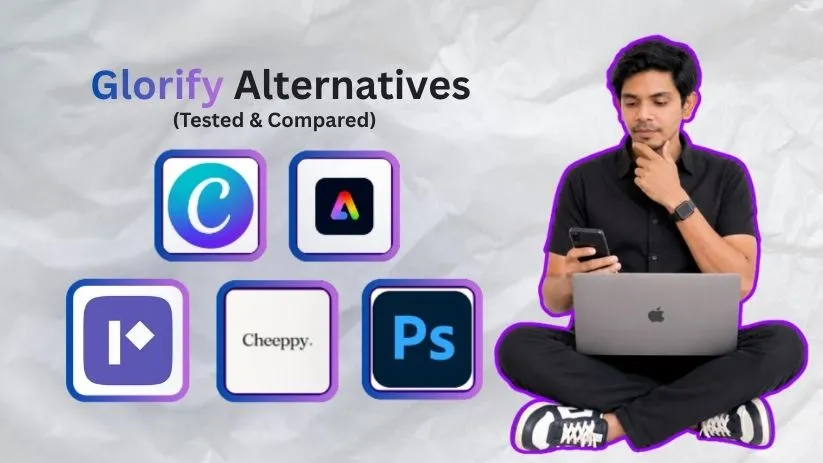
Canva is the best Glorify alternative for most people because it covers far more than ecommerce graphics. Adobe Express is a better fit if you already use Adobe products, while Pixelied keeps things simple and relatively inexpensive.
Cheeppy is the odd one out—in a useful way. Instead of trying to replace an entire graphic design platform, it focuses on AI product photography.
And if templates are no longer enough, Adobe Photoshop gives you far more control over the actual pixels in your images.
Here’s how the five options compare:
| Tool | Best For | Where It Stands Out vs. Glorify | Free Option | Starting Paid Price* |
| Canva | Best overall | Broader design ecosystem, templates and collaboration | Yes | From about $15/month |
| Adobe Express | Branded marketing content | Adobe ecosystem, Firefly AI and content creation | Yes | $9.99/month |
| Pixelied | Budget-friendly marketing graphics | Simple browser editor and low annual cost | Yes | $47/year |
| Cheeppy | AI product photography | Dedicated ecommerce product-photo generation | Yes | $8/month |
| Adobe Photoshop | Advanced editing | Layers, compositing and pixel-level control | Trial | $22.99/month |
*Pricing can vary by country, billing cycle, and promotions.
Pixelied currently lists its Pro plan at $47 per year, while Cheeppy’s paid plans begin at $8 per month. Adobe lists standalone Photoshop at $22.99 per month on an annual plan billed monthly. Adobe’s US Creative Cloud pricing currently lists Express Premium at $9.99 per month, while Capterra lists Canva starting around $15 per user per month.
The important part isn’t simply which tool has the longest feature list.
It’s why you’re looking for alternatives to Glorify in the first place.
Why Look for a Glorify Alternative?
Glorify isn’t a weak graphic design tool.
In fact, its ecommerce focus can be an advantage if you regularly create product ads, marketplace graphics, mockups, product backgrounds, or other sales-focused visuals. Its current feature set includes ecommerce templates and tools aimed at creating marketing assets at scale.
The problem appears when your needs move outside that lane.
For example, you may need an online graphic design tool that handles presentations, documents, social media, videos, team collaboration, and everyday marketing assets alongside product graphics.
In that case, Canva is much broader.
Or maybe graphic design isn’t really your bottleneck at all.
If most of your time goes into turning ordinary product shots into polished ecommerce photos, a specialized AI product photography tool such as Cheeppy may make more sense than paying for another all-purpose editor. Cheeppy currently focuses on AI-generated ecommerce product photos, including higher-resolution output and store integrations.
Then there’s the opposite situation.
You may have outgrown template-first ecommerce design tools completely and want precise selections, layers, retouching, compositing, and much deeper image manipulation.
That’s where Photoshop enters the conversation.
So, I’d mainly consider switching from Glorify if:
- You want a broader library of templates and content formats.
- You need stronger collaboration and brand-management features.
- You want cheaper, simpler graphic design software for everyday marketing work.
- You primarily need AI-generated product photography.
- You want professional image-editing control instead of a template-first workflow.
That distinction matters because there isn’t one Glorify competitor that wins at everything.
The best option depends on what you want Glorify to do better.
And for the widest range of users, the first alternative I’d look at is Canva.
5 Best Glorify Alternatives and Competitors
1. Canva — Best Overall Glorify Alternative
Capterra Rating: 4.7/5
Best For: Creators, marketers, ecommerce sellers, and small businesses that want one tool for almost every type of design.
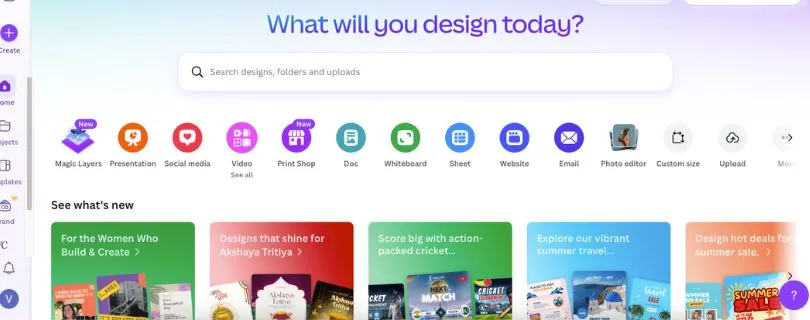
If Glorify feels a little too focused on ecommerce creatives, Canva is the first alternative I’d consider.
It covers the same everyday jobs—social media graphics, product promotions, ads, background removal, and branded content—but goes much further into presentations, documents, videos, websites, print designs, and team collaboration.
That broader ecosystem is the main reason Canva takes the #1 spot.
Canva Pro also gives you access to more than 100 million premium photos, graphics, videos, fonts, audio tracks, and other assets. Canva says Pro includes 25+ AI-powered design features alongside tools such as Background Remover.
For someone running a small ecommerce business, that means you don’t necessarily need separate online graphic design tools for your Instagram posts, presentation deck, product promotion, flyer, and short video.
You can handle most of them in the same workspace.
Why Canva Is a Strong Glorify Alternative
The biggest difference comes down to specialization versus versatility.
Glorify is designed around ecommerce and product marketing.
Canva is designed around almost everything.
If your daily work is mostly product mockups and ecommerce creatives, Glorify’s focused workflow can still be useful. But if those product graphics are only one part of your marketing workload, Canva gives you considerably more room to work.
The template ecosystem is another advantage.
Instead of beginning with a blank canvas every time, you can start with designs for social posts, posters, presentations, menus, flyers, videos, business documents, and many other formats.
Its Brand Kit also helps businesses keep logos, colors, fonts, and other brand elements consistent across designs.
And Canva isn’t just popular because it has more features.
It’s easy to learn.
Recent Capterra data gives Canva a 4.7/5 rating from more than 13,000 reviews, with ease of use also rated 4.7/5. Reviewers frequently highlight its templates and drag-and-drop workflow as reasons they can produce graphics quickly without advanced design skills.
Canva Pros
- Huge library of templates, stock assets, fonts, graphics, and other design elements
- Easy drag-and-drop editor for beginners
- Covers graphics, presentations, documents, video, websites, and more
- Strong collaboration and Brand Kit features
- AI-powered design and image-editing tools
- Free plan available
Canva Cons
- Many of the better assets and advanced tools require a paid plan
- Can feel less ecommerce-focused than Glorify
- Template-heavy designs can look generic without customization
- Advanced photo editing is still more limited than professional software like Photoshop
Canva Pricing
Canva offers a Free plan, while its current Capterra listing places paid pricing from around $15 per month. Canva supports both monthly and annual billing, with exact pricing depending on the plan and region.
For individuals who create content regularly, the Pro plan is where Canva becomes much more useful because it unlocks its premium content library and more advanced design and AI features.
Still comparing design tools? Check out my best Canva alternatives before choosing your next design platform.
And if Canva looks like your preferred option, pricing deserves a closer look too.
Curious what you’ll actually pay for Canva? Read my complete Canva pricing guide before upgrading.
What Users Have to Say About Canva
User feedback largely supports Canva’s biggest strength: speed.
Recent Capterra reviewers frequently praise its ease of use, templates, built-in assets, and ability to create professional-looking marketing content without much design experience. The more common complaints involve premium features being locked behind paid plans and limitations when projects become more advanced or heavily customized.
My take: Canva is the strongest Glorify alternative for most people because you’re not simply replacing an ecommerce editor—you are getting a much broader design platform.
But Canva isn’t the only option if you want that broader approach.
Especially if you already work inside Adobe’s ecosystem.
2. Adobe Express — Best for Branded Content and Adobe Users
Capterra Rating: 4.6/5
Best For: Marketers, creators, and businesses that want quick graphic design with Adobe Stock, Firefly AI, and Adobe integrations.
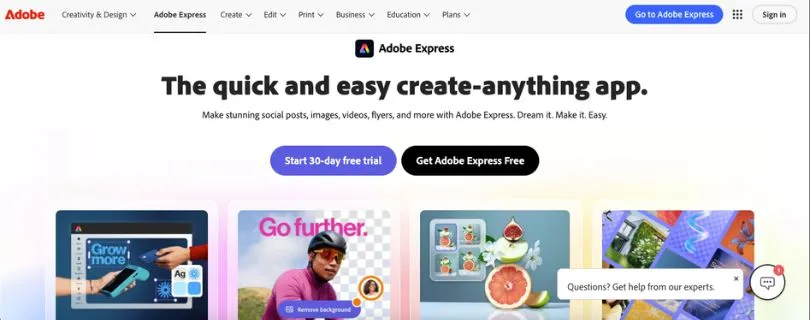
Adobe Express sits somewhere between Canva’s all-purpose simplicity and Adobe’s professional creative software.
That’s what makes it interesting.
You don’t need Photoshop-level skills to make a social post or promotional graphic, but you still get access to a growing set of Adobe assets, fonts, templates, AI tools, and editing features.
Adobe describes Express as an all-in-one design, photo, and video tool for creating social posts, images, videos, flyers, and other content.
For a Glorify user, the appeal is straightforward.
You can still create marketing graphics quickly, but your workflow becomes much more closely connected to the wider Adobe ecosystem.
Why Adobe Express Is a Strong Glorify Alternative
Adobe Express makes the most sense when brand content matters as much as ecommerce graphics.
The Premium plan currently includes access to premium static and video templates, more than 200 million royalty-free Adobe Stock assets, 30,000+ Adobe Fonts, one-click Resize, background-removal tools, 100GB of storage, and social-content scheduling. It also includes 250 monthly generative credits for supported AI features.
That’s a strong package for marketers creating the same campaign across several channels.
Create one design.
Resize it.
Adapt it for another social network.
Swap the image.
Apply your branding.
Schedule the content.
That workflow is broader than simply creating an ecommerce product graphic.
Adobe Express also includes Firefly-powered generative AI capabilities for creating and editing visual content. Adobe’s current Express offering supports AI-generated images, video, social content, and other creative outputs.
Glorify still has the advantage if you want an ecommerce design tool built specifically around product visuals.
Adobe Express wins when you want those visuals to be part of a larger branded-content workflow.
Adobe Express Pros
- Beginner-friendly design interface
- Adobe Stock and Adobe Fonts integration
- Firefly-powered generative AI tools
- Brand Kit and resizing features
- Built-in social media scheduling
- Photo, video, document, and graphic design tools in one platform
- Free version available
Adobe Express Cons
- Some of the strongest assets and tools are Premium-only
- Less ecommerce-specific than Glorify
- Doesn’t offer Photoshop’s level of advanced image control
- Large or complex browser-based projects can feel less smooth than simpler designs, according to some reviewers
Adobe Express Pricing
Adobe Express has a Free plan with basic editing tools, 100,000+ templates, more than 1 million Adobe Stock assets, and 5GB of storage.
Adobe Express Premium is normally $9.99 per month for individuals in the U.S. and adds premium templates, Adobe Stock assets, Brand Kits, Resize, and other premium functionality.
That pricing makes Adobe Express especially attractive if you want professional-looking marketing content but don’t need the complexity—or cost—of a complete professional editing setup.
Can’t decide between the two biggest beginner-friendly options? Read my Canva vs Adobe Express comparison to see which one fits your workflow better.
What Users Have to Say About Adobe Express
Adobe Express currently holds a 4.6/5 Capterra rating based on more than 1,200 user reviews.
Recent reviewers commonly praise its ease of use, templates, social-content workflow, Adobe integrations, and ability to create professional graphics quickly.
The trade-off is control.
Some reviewers note that Adobe Express works extremely well for quick content, but more complicated projects can expose the limitations of a browser-first, simplified editor.
That’s an important distinction.
Choose Adobe Express over Glorify if your priority is branded marketing content and the Adobe ecosystem—not just ecommerce product graphics.
If price and simplicity matter more than having such a large creative ecosystem, though, the next Glorify competitor takes a different approach.
That’s Pixelied.
Also Read:
Best Adobe Express Alternatives
3. Pixelied — Best Budget Glorify Alternative for Marketing Graphics
Capterra Rating: 4.7/5
Best For: Solopreneurs, marketers, small ecommerce businesses, and creators who want a simple design tool without paying much.
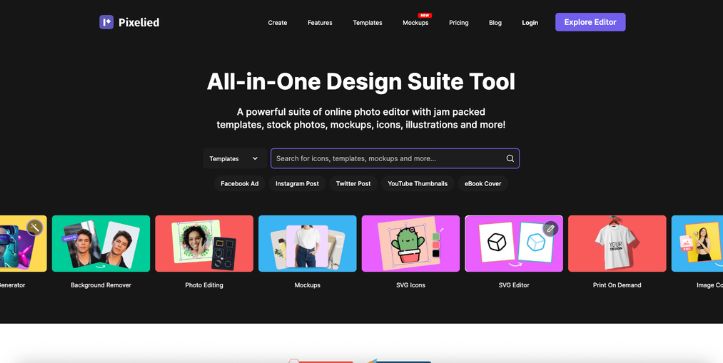
Pixelied takes a simpler approach than Canva or Adobe Express.
It doesn’t try to become your presentation software, document editor, video platform, and entire creative workspace at the same time.
Instead, Pixelied focuses heavily on creating marketing graphics and editing images quickly.
That makes it an interesting Glorify alternative if you’re mainly creating social posts, ecommerce banners, promotional graphics, thumbnails, or product images.
Pixelied currently provides templates for formats including Instagram posts and ads, Facebook content, YouTube graphics, Pinterest pins, LinkedIn banners, and ecommerce hero images. Its editor also gives users access to more than 4 million royalty-free stock photos.
And there’s another advantage.
It’s inexpensive.
The current Pro plan costs $47 per year, which works out to less than $4 per month when viewed across the full year.
That makes Pixelied one of the most affordable Glorify competitors on this list.
Why Pixelied Is a Strong Glorify Alternative
Pixelied makes the most sense when you don’t need an enormous design ecosystem.
You just want to open an editor, create something, and move on.
Its background-removal tool can automatically isolate a product or subject, after which you can add a new background, text, icons, illustrations, shadows, borders, and other design elements. Finished images can be downloaded in formats including JPG, PNG, and SVG.
That is especially useful for ecommerce sellers.
For example, you could remove the original background from a product image, replace it with a cleaner setting, add promotional text, and then use that image in an ad or store banner.
Pixelied also specifically provides an ecommerce hero-image template category and describes its background-changing tools as suitable for online sellers working with product photography.
But there is a trade-off.
Pixelied’s strength is simplicity—not depth.
Canva gives you a much larger creative ecosystem. Photoshop provides much more editing control. And Glorify remains more purpose-built around ecommerce design workflows.
Pixelied sits somewhere in the middle.
You get enough tools to create marketing graphics quickly without paying for a much larger platform you may never fully use.
Pixelied Pros
- Very affordable annual Pro plan
- Free plan available
- One-click AI background removal
- Templates for social media, ecommerce, ads, banners, and thumbnails
- More than 4 million royalty-free stock photos
- Beginner-friendly browser-based editor
- Useful for quick product-image and marketing-graphic creation
Pixelied Cons
- Smaller overall design ecosystem than Canva
- Less ecommerce-specialized than Glorify
- Not suitable for Photoshop-level photo manipulation
- Some users would like a broader selection of templates in certain categories
Pixelied Pricing
Pixelied currently has two straightforward options:
- Free — $0: Includes basic editing tools, 200+ free templates, stock photos and graphics, and 2GB of cloud storage.
- Pro — $47/year: Billed annually.
That pricing is one of Pixelied’s strongest selling points.
If you don’t need all the extras bundled into larger graphic design software, paying $47 for an entire year is considerably easier to justify.
Still comparing simple design platforms? Check out my best Stencil alternatives for more tools built around fast social and marketing graphics.
What Users Have to Say About Pixelied
Pixelied currently holds a 4.7/5 rating on Capterra from 106 reviews. Users commonly praise its simple interface, quick editing workflow, templates, and usefulness for people without professional design experience.
Its own website reports a 4.6 average rating across more than 2,000 users, although I would give more weight to independent review platforms when comparing products.
The recurring theme is pretty clear.
Pixelied works best when speed and simplicity matter more than having every possible design feature.
So, if Canva feels excessive and Glorify isn’t quite what you want, Pixelied is an easy Glorify competitor to consider.
But what if graphic design isn’t actually your main problem?
What if the thing slowing you down is product photography?
That’s where the next alternative becomes much more interesting.
4. Cheeppy — Best Glorify Alternative for AI Product Photography
Best For: Ecommerce sellers, Shopify stores, marketplace sellers, and brands that primarily need better product photos.
Cheeppy is different from every other tool on this list.
And that’s exactly why I included it.
Canva, Adobe Express, Pixelied, and Glorify are all broader design platforms in one form or another.
Cheeppy isn’t trying to be one.
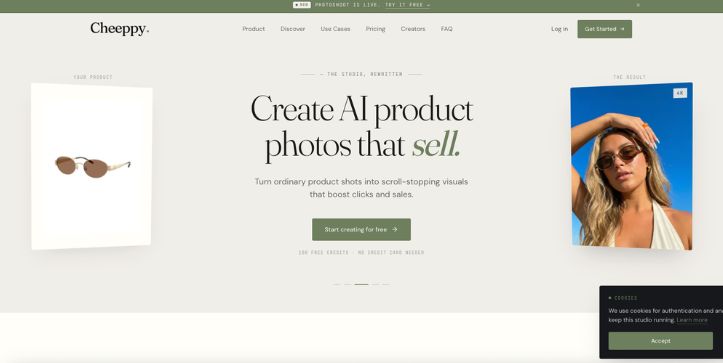
It focuses specifically on AI product photography.
You upload a product image, select a ready-made visual style, and generate new product photos with different backgrounds, lighting, scenes, and formats. Cheeppy currently offers hundreds of ready-made styles and supports product visuals for channels including Shopify, Amazon, Etsy, eBay, WooCommerce, social media, websites, and ad campaigns.
So, if the main reason you’re searching for alternatives to Glorify is product imagery, Cheeppy deserves a closer look.
Why Cheeppy Is a Strong Glorify Alternative
The easiest way to understand the difference is this:
Glorify is a graphic design platform with product-image features.
Cheeppy is a product-photography platform first.
Cheeppy itself makes that distinction in its Glorify comparison, noting that it doesn’t provide Glorify’s wider graphic-design toolset. Instead, its focus is product photography, with 4K output on supported plans, a dedicated style library, and a workflow built around generating ecommerce product images.
That specialization can be useful.
Instead of deciding on fonts, manually building layouts, adjusting layers, and designing an entire scene, you can choose a photography style and let the AI create variations around your original product.
Cheeppy also supports store connections and says products can be imported from ecommerce platforms including Shopify, Amazon, Etsy, WooCommerce, eBay, and BigCommerce.
For a seller managing dozens—or hundreds—of product listings, that workflow is considerably different from working inside a traditional online graphic design tool.
But don’t treat Cheeppy as a complete Glorify replacement.
That’s important.
You won’t use it to create every flyer, text-heavy promotion, infographic, social template, or detailed marketing layout.
For those jobs, you’re still better off with Glorify, Canva, Adobe Express, or another full graphic editor.
Cheeppy makes sense when product photography is the problem you’re actually trying to solve.
Cheeppy Pros
- Purpose-built for AI ecommerce product photography
- Hundreds of ready-made photography styles
- Up to 4K resolution on supported paid plans
- Store connections for major ecommerce platforms
- Multiple output sizes for listings, social content, ads, and banners
- Free credits available for testing
- No need to write complex prompts for its ready-made styles
Cheeppy Cons
- Not a complete graphic design suite
- You’ll still need another tool for typography-heavy marketing graphics and detailed layouts
- 4K output isn’t included on the lowest paid Snapshot plan
- Credit limits mean high-volume users may need a higher subscription tier
That last point is worth watching.
The entry-level paid plan is cheap, but not every Cheeppy plan has the same output capabilities.
Cheeppy Pricing
Cheeppy’s current pricing starts with:
- Free — $0: 50 signup credits plus 50 unlockable credits, up to 2K resolution and 5GB storage
- Snapshot — $8/month: 325 credits per month, up to 2K output, no watermark and commercial licensing
- Starter — $15/month: 625 credits, up to 4K resolution, one store connection and 100GB storage
- Pro — $35/month: 1,800 credits, additional concurrent generations, more custom styles and two store connections
- Ultra — $75/month: 5,000 monthly credits, additional generation capacity and unlimited store connections
For most people testing the platform, I’d start with the free credits before moving to a paid tier.
And if 4K output is important, pay attention to the plan level rather than simply choosing the cheapest subscription.
If product photography matters more than templates, check out my SellerPic alternatives for more AI product-image tools worth comparing.
What Users Have to Say About Cheeppy
Cheeppy now has listings on both G2 and Capterra, but it doesn’t yet have the same mature volume of public feedback as established platforms such as Canva or Adobe Express.
Cheeppy’s own website highlights customer testimonials centered around speed, ecommerce product photos, consistent catalog imagery, and reducing dependence on traditional photoshoots. Because those testimonials are published by the vendor itself, I wouldn’t treat them as equivalent to a large pool of independently verified reviews.
That doesn’t automatically make Cheeppy a weaker option.
It just means there is less independent user history to evaluate.
Choose Cheeppy over Glorify when you want an AI photo studio more than you want another graphic design platform.
If you need the opposite—maximum manual control over every detail of an image—the final Glorify alternative goes much further.
That’s Adobe Photoshop.
5. Adobe Photoshop — Best for Advanced Editing and Creative Control
Capterra Rating: 4.8/5
Best For: Designers, photographers, ecommerce teams, and advanced users who want complete control over their product images.
Photoshop is a very different kind of Glorify alternative.
Glorify is designed to help you produce marketing graphics quickly.
Photoshop is designed to let you control almost every part of the image.
That difference matters if you’ve started finding template-based ecommerce graphic design software too restrictive.
Instead of choosing a template and replacing a few elements, Photoshop gives you layers, selections, masks, compositing, retouching, object removal, detailed color adjustments, and generative AI tools.
Adobe’s current Photoshop also includes Generative Fill, which lets you add, remove, or modify parts of an image using text prompts while keeping the workflow non-destructive.
For ecommerce work, that opens up a lot of possibilities.
You could photograph a product on a basic background, isolate it precisely, correct imperfections, create a new setting, adjust shadows, combine multiple images, and control the final composition much more precisely.
But there’s a catch.
Photoshop gives you more control because it expects you to do more of the work.
Also Read:
Adobe Photoshop Alternatives
Why Photoshop Is a Strong Glorify Alternative
The main reason to choose Photoshop isn’t speed.
It’s control.
Glorify, Canva, and Pixelied are all built around making common design tasks easier for non-designers.
Photoshop takes the opposite approach.
It gives you a much deeper editing environment and lets you decide exactly how an image should look.
Adobe has also been adding AI features without removing those manual controls. Its current generative toolkit includes capabilities such as Generative Fill, Generate Image, Harmonize, and Generative Upscale.
That combination is particularly useful if you’re creating high-value product images.
You can let AI handle repetitive edits, then manually refine the result instead of accepting whatever an automated design tool gives you.
That’s where Photoshop really separates itself from simpler product image design tools.
The downside is obvious.
You need to learn it.
A beginner can usually open Canva or Glorify and start producing usable graphics almost immediately.
Photoshop takes longer to understand.
Recent Capterra comparisons still rate Photoshop at 4.8/5 from roughly 2,460 reviews, while individual reviewers regularly describe it as highly capable but more complex for casual users.
Adobe Photoshop Pros
- Far more precise image editing than template-first design tools
- Layers, masks, selections, compositing, and detailed retouching
- Powerful tools for professional product photography
- Generative Fill and other AI-assisted editing features
- Suitable for advanced commercial design work
- Huge ecosystem of tutorials, plugins, brushes, and creative resources
Adobe Photoshop Cons
- Considerably steeper learning curve than Glorify or Canva
- Subscription-based pricing
- Overkill for simple social-media graphics
- Creating quick template-based content can take longer than with browser-first tools
Adobe Photoshop Pricing
Adobe currently lists Photoshop at $22.99/month on its U.S. annual plan billed monthly.
That plan includes Photoshop, 100GB of cloud storage, Adobe Express Premium, and 25 monthly generative credits. Adobe also offers a free trial.
So Photoshop isn’t the cheapest Glorify competitor in this guide.
You May Like Reading This:
Adobe Photoshop Pricing Explained
But price isn’t really the reason to choose it.
You choose Photoshop when you would rather spend more time getting an image exactly right than save time using a ready-made template.
Want to know whether that extra editing control is worth paying for? Read my full Adobe Photoshop review before switching.
What Users Have to Say About Photoshop
Photoshop’s user feedback reflects the same trade-off.
Reviewers frequently praise its editing depth, professional output, image manipulation capabilities, and usefulness for product mockups.
At the same time, complexity is one of the recurring complaints. Some reviewers specifically point out that casual users may find simple edits easier in lighter online editors.
That’s probably the best way to think about Photoshop.
It’s not the easiest Glorify alternative.
It’s the alternative for people who have outgrown easy.
Which Glorify Alternative Should You Actually Pick?
At this point, you have five very different Glorify alternatives.
So don’t choose based on which tool has the longest feature list.
Choose based on the problem you’re actually trying to solve.
1. Do You Need General Graphic Design or Ecommerce-Specific Visuals?
If you create everything from Instagram posts and ads to presentations, flyers, videos, and business content, Canva is the safest overall choice.
Its current Free plan alone includes more than 1.6 million templates, 4.7 million stock assets, numerous design formats, and basic collaboration features. Pro expands that considerably.
Adobe Express is another strong choice if branded marketing content is your priority, especially if you already use other Adobe products. Adobe currently offers both Free and Premium Express plans.
If your work is mainly ecommerce graphics and quick marketing visuals, however, Pixelied keeps the workflow simpler and cheaper.
2. Do You Need AI Product Photography or a Full Design Editor?
This is where Cheeppy becomes easier to choose.
If you mainly need to turn basic product photos into polished ecommerce images, Cheeppy is the most specialized option here.
Its current free tier gives new users 100 credits, while paid plans start at $8/month. The platform is specifically focused on AI product photography rather than trying to replace a complete graphic editor.
But if you also need banners, typography, promotional layouts, social posts, and other marketing assets, you’ll probably want Canva, Adobe Express, Pixelied, or Glorify alongside it.
3. How Much Editing Control Do You Actually Need?
This is the easiest question.
For speed and simplicity, choose Canva.
For Adobe-powered branded content, choose Adobe Express.
For affordable marketing graphics, choose Pixelied.
For AI product photography, choose Cheeppy.
For maximum image-editing control, choose Photoshop.
Once you know which of those problems you’re actually trying to solve, picking the right Glorify competitor becomes much easier.
So, Which Is the Best Glorify Alternative?
For most people, Canva is the best overall Glorify alternative.
It offers the widest mix of templates, design formats, stock assets, AI features, branding tools, and collaboration features without requiring professional design experience. Canva also has a permanent Free plan, while Pro currently costs $144 per year for one person in the U.S.
But I wouldn’t automatically choose Canva for everyone.
Go with Adobe Express if you’re already invested in Adobe.
Choose Pixelied if you want a simple, budget-friendly editor; its Pro plan currently costs $47/year.
Pick Cheeppy if product photography is your biggest bottleneck.
And choose Photoshop if you want far more control than any template-first graphic design platform can offer.
There isn’t one tool that beats Glorify at everything.
The best alternative is the one that’s stronger at the specific thing Glorify isn’t doing well enough for you.
Want to explore more AI-first options before deciding? Check out my roundup of the best AI graphic design generator tools for more design tools worth comparing.
FAQs About Glorify Alternatives
1. What Is the Best Glorify Alternative?
Canva is the best Glorify alternative for most users because it covers graphic design, presentations, social media, video, websites, documents, brand management, and collaboration in one platform. Its Free plan also gives users access to a large template and asset library.
However, the best choice changes by use case. Cheeppy is more specialized for AI product photography, while Photoshop is better for advanced image editing.
2. Is There a Free Alternative to Glorify?
Yes.
Canva, Adobe Express, and Pixelied all offer free plans. Canva Free includes templates, stock assets, basic branding, storage, and limited AI access, while Adobe Express Free provides basic creation tools and limited generative AI features. Pixelied also has a $0 plan with basic editing, 200+ templates, stock content, and 2GB of storage.
Cheeppy also lets users start with free product-photography credits.
3. Is Canva Better Than Glorify?
Canva is better if you want a broader graphic design platform.
It supports a much wider range of content types and currently offers 1.6M+ templates even on its Free plan, with 3.6M+ available on Pro.
Glorify may still make more sense if your workflow is heavily focused on ecommerce product creatives rather than general business and marketing design.
So it isn’t simply about which platform is “better.”
It’s about whether you need breadth or ecommerce specialization.
4. What Is the Best Glorify Alternative for Ecommerce?
For general ecommerce marketing graphics, I’d start with Canva or Pixelied.
Pixelied includes ecommerce-image formats and inexpensive paid plans, while Canva offers a much broader creative library. Pixelied’s current Pro tier costs $47/year.
If you specifically need AI product photography, Cheeppy is the more specialized option, with paid plans starting at $8/month.
5. Is Adobe Express Better Than Glorify?
Adobe Express makes more sense if you want fast branded content, social graphics, photo and video creation, collaboration, and access to Adobe’s creative ecosystem.
Adobe currently provides a free Express plan as well as a Premium tier with additional assets, AI credits, and premium tools.
Glorify is the more focused choice when ecommerce-specific graphics are your main workload.
6. Which Glorify Competitor Gives You the Most Editing Control?
Adobe Photoshop.
Photoshop provides a much deeper editing environment than the other online graphic design tools in this comparison, while recent versions also include generative AI features such as Generative Fill, Harmonize, Generate Image, and Generative Upscale.
That power comes with a steeper learning curve, but it’s the strongest choice here when precise image editing matters more than template-based speed.