Over the past few weeks, I’ve seen the same question come up again and again:
What is the best Stencil alternative in 2026?
Not because Stencil is a bad design tool.
It’s still quick, simple, and useful for creating social media graphics without learning complicated software.
The problem starts when you need more.
Teams often want better video tools, smarter AI features, stronger collaboration, and more flexible templates. Stencil can also feel limited when you’re creating presentations, flyers, ads, or branded content at scale.
That’s why I compared 11 Stencil alternatives based on ease of use, templates, AI tools, social publishing, pricing, and free-plan limits.
Below, you’ll see where each platform performs best and which one fits your workflow, budget, and content needs.
A Quick Comparison of the Best Stencil Alternatives
Here is how the alternatives compare on the features that often make people move away from Stencil: more templates, better AI tools, video support, social media scheduling, and stronger options for teams.
| Tool | Best Stencil Alternative For | Free Access | Paid Plans Start At | AI Design Tools | Social Scheduling |
| Canva | Best overall alternative | Free plan | $12/month annually | Extensive | Yes |
| Simplified | AI content creation and scheduling | Free plan | $24/month annually | Extensive | Yes |
| PosterMyWall | Flyers, posters, and promotions | Free plan | $9.08/month annually | Yes | Yes |
| Adobe Express | Adobe users and branded content | Free plan | $9.99/month | Extensive | Yes |
| VistaCreate | Animated social media graphics | Free plan | $10/month | Yes | Yes |
| Snappa | Creating simple graphics quickly | Free plan, 3 downloads/month | $10/month annually | Limited | Yes |
| Fotor | AI photo editing and enhancement | Free plan | $3.33/month annually | Extensive | No |
| PicMonkey | Branded photo-based content | 7-day trial | $6/month annually | Limited | No |
| Visme | Infographics and business visuals | Free plan | $12.25/month annually | Yes | No |
| Desygner | Mobile design and brand management | Free plan | $19/user/month | Yes | Yes |
| Glorify | E-commerce and product graphics | 7-day trial | $6/month annually | Yes | No |
Pricing and plan details were checked on July 29, 2026. Prices may vary by country, taxes, billing cycle, and promotional offers.
5 Best Stencil Alternatives in 2026 (In-Depth Review)
Here is my detailed breakdown of the five best Stencil alternatives.
For each tool, I looked at ease of use, templates, AI features, editing options, social media tools, pricing, and the limitations you should know before switching.
1. Canva
⭐ G2 Rating: 4.7/5 from 6,800+ reviews
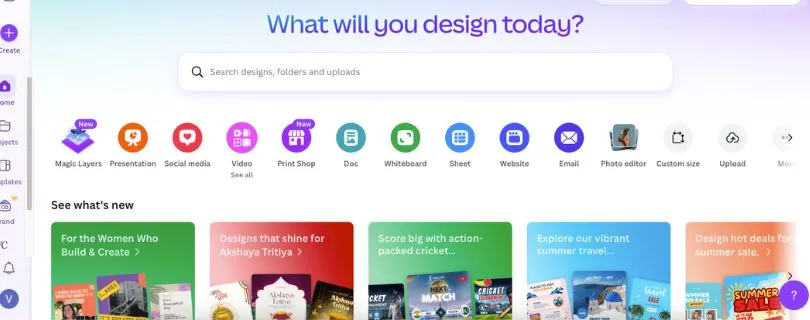
Canva is the best overall Stencil alternative for creators, marketers, and small businesses that need more than basic social media graphics.
Stencil works well when you want to create a quick quote image, blog graphic, or Pinterest pin. Canva goes much further. You can use it to design social posts, presentations, videos, documents, websites, ads, print materials, and branded marketing content from one editor.
Its drag-and-drop interface is still simple enough for beginners, but the template and stock asset libraries are much larger. Canva Free currently includes more than 1.6 million templates and 4.7 million photos, videos, graphics, and audio assets. Pro increases that to over 3.6 million templates and 141 million premium assets.
Features such as Magic Resize, Background Remover, Magic Eraser, Brand Kits, and the Social Content Planner also make Canva more useful when you create content regularly. You can design one Instagram post, resize it for LinkedIn or Facebook, and schedule it without leaving the platform.
The main drawback is that Canva can feel crowded compared with Stencil’s focused editor. Many templates, stock elements, AI tools, and branding features also sit behind the paid plan.
What Users Have to Say About Canva
One G2 reviewer liked that they could “create professional looking graphics in minutes” without having a design background. Other reviewers praise the templates and simple interface but mention browser lag and limited control when working on complex designs. (Source)
Pros
- More than 1.6 million templates on the free plan
- Tools for graphics, videos, presentations, documents, and websites
- Beginner-friendly drag-and-drop editor
- AI image generation and photo editing tools
- Magic Resize for adapting designs to different platforms
- Brand Kits and reusable branded templates
- Built-in social media scheduling
- Real-time team collaboration
Cons
- The editor can feel busier than Stencil
- Many useful assets and tools require Canva Pro
- Large video or multi-page projects may load slowly
- Advanced editing is limited compared with professional design software
Canva Pricing
- Free: $0
- Pro: $144 per year for one person
- Business: $250 per year, per person
- Enterprise: Custom pricing
Canva Pro works out to $12 per month when billed annually. Prices exclude applicable taxes.
Also Read:
Canva Alternatives and Competitors
2. Simplified
⭐ G2 Rating: 4.6/5 from 5,000+ reviews
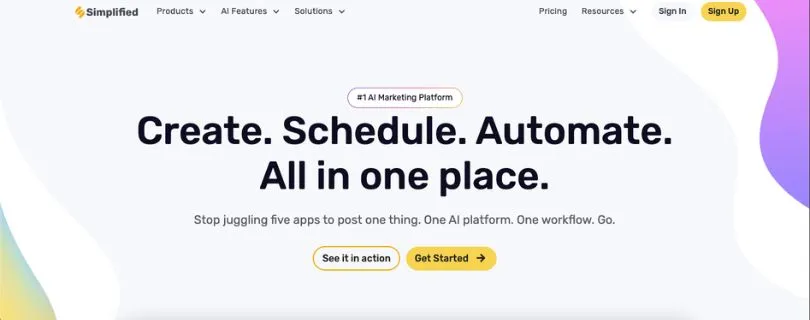
Simplified is the Stencil alternative I would consider when designing graphics is only one part of your marketing workflow.
It combines graphic design, AI writing, video creation, ad generation, social media scheduling, analytics, approvals, and project management. That means you can create an Instagram graphic, write its caption, turn the idea into a short video, and schedule the finished post from the same platform.
This is where Simplified feels very different from Stencil. Stencil focuses on helping you produce static graphics quickly. Simplified is built for people managing complete marketing campaigns across several content formats and social channels.
Its AI tools can generate images, ad creatives, presentations, captions, videos, and written content. The platform also supports social publishing across more than 12 platforms, which is helpful for agencies and social media managers handling several accounts.
The trade-off is complexity. Simplified includes a lot of tools, so the interface can take longer to understand than Stencil. Its credit system may also feel restrictive if you regularly generate AI images, videos, and campaign assets.
What Users Have to Say About Simplified
One G2 reviewer said Simplified “combines multiple marketing and content tools into one platform,” reducing the need to switch between separate apps. Reviewers also like its ease of use, while limited AI credits remain a common complaint. (Source)
Pros
- Graphic design, writing, video, and scheduling in one platform
- AI tools for images, captions, ads, and presentations
- Ready-made social media templates
- Built-in content planner and post scheduler
- Social media analytics and inbox
- Brand memory and Brand Kit tools
- Client approvals and team collaboration
- Useful for agencies and marketing teams
Cons
- More complicated than Stencil for quick graphics
- AI credits can run out quickly
- Generated images may need manual corrections
- Some advanced features require a paid plan
- May be excessive for users who only need static images
Simplified Pricing
- Free Forever: Basic access with limited usage
- Starter: $79 per month
- Additional campaigns: $10 each
- Higher-volume requirements: Contact Simplified
The Starter trial includes five campaigns, 100,000 AI words, and 100 AI designs. Unused campaign allowances reset rather than rolling over.
3. PosterMyWall
⭐ G2 Rating: 4.7/5 from 70+ reviews
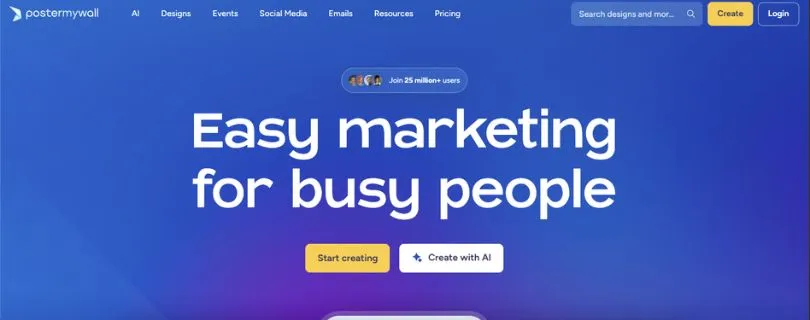
PosterMyWall is one of the best Stencil alternatives for flyers, posters, menus, event promotions, and local business marketing.
Like Stencil, it is designed for people who want to create something quickly without learning professional design software. You can choose a template, replace the text and images, adjust the colours, and download a finished design with very little setup.
Where PosterMyWall pulls ahead is promotional content. Its template library covers restaurant menus, church events, school announcements, concerts, sales, real estate promotions, digital signage, and social media campaigns.
The paid plans also include AI-generated images, video creation, background removal, voiceovers, subtitles, caption writing, email campaigns, and social media scheduling. Premium users can connect up to three social accounts, while Premium Plus supports unlimited social accounts.
PosterMyWall is especially helpful when the same campaign needs a printed flyer, Instagram post, digital display, and email. However, it does not offer the same range of presentations, documents, whiteboards, or advanced collaboration features as Canva.
What Users Have to Say About PosterMyWall
One G2 reviewer said, “I love the pre-made templates and the easy process to edit them.” Users frequently praise its simplicity, although some feel the designs can look stock-like and the paid plans cost more than expected. (Source)
Pros
- Strong selection of flyer and poster templates
- Easy editor for people without design experience
- Useful for events, schools, churches, and local businesses
- Image, video, email, and social media tools
- AI image generator and background remover
- Built-in social media scheduling
- Brand Kits and custom font uploads
- Unlimited high-resolution downloads on paid plans
Cons
- Some templates can look generic
- Fewer business content formats than Canva
- The free plan limits premium tools and assets
- AI and email features use credits
- Less suitable for advanced design work
PosterMyWall Pricing
- Free: $0
- Premium: $13 per month or $109 per year
- Premium Plus: $30 per month or $319 per year
Premium includes 100 monthly credits, one Brand Kit, three connected social accounts, and more than 3,000 monthly email sends. Premium Plus includes 250 monthly credits, unlimited Brand Kits and social accounts, and more than 10,000 monthly email sends.
Pricing was checked on July 29, 2026. Final prices may vary by location, taxes, billing period, or promotional offer.
Also Read:
PosterMyWall Alternatives
4. Adobe Express
⭐ G2 Rating: 4.5/5 from 800+ reviews
Adobe Express is a strong Stencil alternative for creators and small businesses that want simple design tools backed by Adobe’s stock library, fonts, and Firefly AI features.
Like Stencil, it keeps the editing process beginner-friendly. You can start with a template, replace the text and images, resize the design, and export it without learning Photoshop or Illustrator.
The difference is the range of content you can create. Adobe Express supports social media graphics, flyers, presentations, short videos, documents, web pages, logos, and marketing materials. Its free plan includes more than 100,000 templates, over 1 million Adobe Stock assets, 4,000 fonts, basic editing tools, and social media scheduling for one account per network.
The Premium plan adds 200 million Adobe Stock assets, more than 30,000 fonts, one-click resizing, video background removal, premium templates, advanced animation, multiple Brand Kits, and scheduling for three accounts per social network. You also get 250 monthly generative credits for tools such as text-to-image and Generative Fill.
Adobe Express makes the most sense if you already use Photoshop, Lightroom, Illustrator, or other Adobe apps. You can move assets between tools and keep your fonts, colours, and brand content organised.
The limitation is creative control. Adobe Express is fast for everyday social posts and ads, but detailed layouts and advanced photo edits still require Photoshop or Illustrator. Some reviewers also report slow performance and fewer customisation options when projects become more complex.
What Users Have to Say About Adobe Express
One G2 reviewer said it makes it easy to create “high quality visuals without needing advanced design skills.” Users often praise its templates, speed, and Adobe integrations, while limited customisation and occasional performance issues are common complaints. Source
Pros
- More than 100,000 templates on the free plan
- Access to Adobe Stock photos, videos, music, and graphics
- Beginner-friendly editor for graphics and short videos
- Firefly AI tools for generating and editing images
- One-click resizing for different social media platforms
- Built-in content scheduler
- Brand Kits and Adobe Fonts
- Useful connections with other Adobe apps
Cons
- Less flexible than Photoshop or Illustrator
- Some editing tools and stock assets require Premium
- The interface may slow down on larger projects
- Video editing remains fairly basic
- AI generations use monthly credits
Adobe Express Pricing
- Free: $0 per month
- Premium: $9.99 per month
- Firefly Pro: $19.99 per month
- Teams: $4.99 per person, per month for the first year, then $7.99
- Enterprise: Custom pricing
The Teams plan requires at least two seats and is billed annually. Adobe Express Premium includes 250 monthly generative credits, 100GB of storage, premium templates, and access to more than 200 million Adobe Stock assets.\
You May Like Reading
Adobe Express Alternatives and Competitors
5. VistaCreate
⭐ G2 Rating: 4.5/5 from 170+ reviews
VistaCreate is one of the closest Stencil alternatives for people who mainly create social media posts, ads, animated graphics, and other quick marketing visuals.
The editor has the same low learning curve that makes Stencil appealing. You choose a ready-made format, customise the text, colours, and images, then download or schedule the finished design.
VistaCreate becomes more useful when you want motion. It includes animated templates, video clips, transitions, music, and design effects that can help you create Instagram Stories, Reels covers, Facebook ads, and promotional posts that feel more dynamic than a basic static graphic.
Its free Starter plan includes more than 100,000 templates, over 1 million royalty-free photos, videos, and vectors, unlimited downloads of included content, basic editing tools, and social media scheduling.
VistaCreate Pro expands the library to more than 200,000 premium templates and 170 million stock assets. It also adds Smart Resize, Background Remover, AI Writer, AI Object Remover, 100 monthly AI image generations, unlimited Brand Kits, version history, unlimited storage, and team access for up to 10 people.
This makes VistaCreate a practical option for small marketing teams that want to share templates and brand assets without paying separately for every team member.
The biggest limitation is depth. VistaCreate is useful for fast social content, but it offers fewer AI capabilities, integrations, business document tools, and advanced editing features than Canva or Adobe Express. Its mobile experience may also feel less consistent than the desktop editor.
What Users Have to Say About VistaCreate
One G2 reviewer said it is “very user friendly” and makes pre-made templates easy to customise. Other users praise its quick workflow and template selection, while some want better integrations, more AI tools, and a stronger mobile app. Source
Pros
- More than 100,000 templates on the free plan
- Strong selection of animated social media designs
- Simple drag-and-drop editor
- Built-in social media scheduling
- Unlimited downloads of free content
- AI image, writing, and object removal tools
- Unlimited Brand Kits with Pro
- Pro supports teams of up to 10 people
Cons
- Fewer integrations than Canva
- Limited tools for presentations and business documents
- Smaller range of advanced AI features
- Mobile experience can feel inconsistent
- Less control for detailed or complex design work
VistaCreate Pricing
- Starter: $0 per month
- Pro: $10 per month
VistaCreate Pro includes up to 10 team seats and comes with a 14-day free trial. It also includes premium templates, 170 million stock assets, 100 monthly AI image generations, unlimited Brand Kits, Smart Resize, background removal, and unlimited storage.
Pricing was checked on July 29, 2026. Prices may vary by country, taxes, billing period, or promotional offer.
Also Read:
VistaCreate Alternatives and Competitors
My Final Verdict
Canva is the best overall Stencil alternative for most people. It offers more templates, stock assets, AI tools, video features, collaboration options, and content formats while keeping the editor beginner-friendly.
That does not make it the right choice for everyone. The best option depends on what you create and how much control you need.
- Choose Canva if you want the best all-round design platform.
- Choose Simplified if you want design, AI writing, video, and social media scheduling in one place.
- Choose PosterMyWall if you mainly create flyers, posters, menus, and event promotions.
- Choose Adobe Express if you already use Adobe apps or want strong AI image editing.
- Choose VistaCreate if animated social media posts are your priority.
Stencil is still useful for quick and simple social media graphics. However, Canva and VistaCreate offer a similar beginner-friendly experience with more room to expand as your content needs grow.
My advice is to test the free plans using one real project. Create the same Instagram post, resize it for two other platforms, and try the export tools. You will quickly see which editor fits your workflow.
FAQs About Stencil Alternatives
What is the best Stencil alternative?
Canva is the best Stencil alternative for most users because it supports social media graphics, videos, presentations, documents, websites, and branded marketing content in one platform.
Simplified may be a better choice if you also need AI writing and social media management.
What is the best free alternative to Stencil?
Canva, Adobe Express, VistaCreate, and PosterMyWall all offer free plans.
The best one depends on your needs:
- Canva: Best overall free option
- Adobe Express: Best for Adobe Stock assets and AI editing
- VistaCreate: Best for animated social graphics
- PosterMyWall: Best for flyers and promotional designs
Is Canva better than Stencil?
Canva is better if you need more templates, AI features, video editing, team collaboration, presentations, or social media scheduling.
Stencil may feel easier if you only want to create simple static graphics without dealing with a large number of tools and menus.
Which Stencil alternative is easiest to use?
VistaCreate and Canva are two of the easiest Stencil alternatives for beginners. Both provide drag-and-drop editors, ready-made templates, and preset sizes for popular social platforms.
PosterMyWall is also easy to learn, especially for flyers, menus, and event graphics.
What is the best Stencil alternative for social media posts?
Canva is the strongest all-round option for creating and scheduling social media content.
You may prefer:
- VistaCreate for animated posts and Stories
- Simplified for captions, scheduling, and analytics
- Adobe Express for quick branded graphics
- PosterMyWall for promotional campaigns
Which Stencil alternative has the best AI tools?
Canva, Simplified, and Adobe Express currently offer the broadest selection of AI design features.
Canva is useful for generating and editing images. Simplified combines AI design with captions, videos, and marketing content. Adobe Express uses Firefly for image generation, object removal, and generative editing.
The quality can vary between prompts, so expect to make a few manual adjustments.
Is there a Stencil alternative with social media scheduling?
Yes. Canva, Simplified, PosterMyWall, Adobe Express, and VistaCreate all provide social media scheduling features, although account limits depend on the plan.
Simplified is the strongest option for managing a full content workflow because it also includes a content calendar, analytics, approvals, and an inbox.
What is the best Stencil alternative for small businesses?
Canva is the safest choice for most small businesses because it can handle social posts, flyers, presentations, menus, ads, and branded documents.
PosterMyWall works well for restaurants, schools, churches, shops, and event organisers. Simplified is better for businesses managing frequent posts across several social channels.
What is the best Stencil alternative for teams?
Canva is the best choice for teams that need shared templates, comments, approvals, Brand Kits, and organised asset folders.
Simplified is worth considering for marketing teams that also need social scheduling and AI content creation. VistaCreate Pro can be a more affordable option for smaller teams.
What is the best Stencil alternative for animated graphics?
VistaCreate is one of the best options for animated social media content. It offers animated templates, video clips, transitions, music, and motion effects without making the editor difficult to use.
Canva and Adobe Express are better if you also need longer videos or a wider range of content formats.
Can I use a Stencil alternative without design experience?
Yes. All five alternatives covered in this guide are designed for non-designers.
You can start with a template, replace the text and images, adjust your colours, and export the finished design. Canva, VistaCreate, and PosterMyWall have the easiest learning curves.
Can I transfer my Stencil designs to Canva?
Stencil does not provide a direct one-click transfer that converts editable designs into Canva projects.
You can export your finished Stencil graphics and upload them to Canva, but you may need to rebuild the design if you want to edit individual text, image, and background elements.
Is Stencil still worth using?
Stencil is still worth using if you mainly create simple blog graphics, quote images, Pinterest pins, and static social media posts.
You may want to switch if you need:
- AI image generation and editing
- Video or animated content
- Social media scheduling
- Team collaboration
- Presentations and documents
- More advanced brand management
Are GetStencil and UseStencil the same tool?
No. GetStencil is a browser-based graphic design tool for creating social media images and marketing graphics.
UseStencil is a separate platform designed for generating images and PDFs through an API. The alternatives in this guide focus on GetStencil.