SellerPic is an AI product photography tool that helps ecommerce sellers create product images, AI fashion models, and virtual try-on visuals.
In my testing, it worked well for what it promises.
It gave me useful features like AI model photos, background editing, product image generation, and quick visuals for online stores.
But I still find it hard to recommend for everyone, mainly because of one problem: it may not fit every selling workflow.
You see, SellerPic is mainly built for fashion, product photos, and ecommerce visuals.
This means if you need cheaper pricing, better mockups, mobile editing, or more creative control, you may want to look elsewhere.
So I did the research to find the best SellerPic alternatives.
I then ranked them based on pricing, ease of use, AI image quality, ecommerce features, and overall value.
You can read about that in this blog.
Quick verdict: Best SellerPic alternatives at a glance
If you don’t want to read the full comparison right away, here’s the quick version.
| Rank | Tool | Best for | Why choose it over SellerPic |
| 1 | Photta | Best overall direct SellerPic alternative | It gives you a strong AI fashion-model workflow, a Model Maker, lower entry pricing, and better language support. |
| 2 | Photoroom | Marketplace sellers and mobile-first editing | It’s great for fast background removal, AI product backgrounds, resizing images, and editing product photos in batches. |
| 3 | Canva | Beginners, social content, and catalog graphics | It’s easier to use, comes with ready-made templates, includes AI design tools, and helps you create product photos, ads, and brand assets in one place. |
| 4 | Stageflow | Etsy and print-on-demand mockups | It focuses on realistic mockups for Etsy listings, lifestyle scenes, handmade products, wall art, mugs, jewelry, and POD items. |
| 5 | Rawshot.ai | Fashion brands needing creative control | It’s better for garment-first AI photoshoots, guided creative controls, catalog images, and editorial-style fashion visuals. |
How I chose the best SellerPic alternatives
I didn’t rank these tools just because they’re popular.
I looked at how useful each one is for real ecommerce sellers, fashion brands, Etsy shops, and small businesses that need better product visuals without hiring a full photoshoot team.
Evaluation criteria:
I compared each SellerPic alternative based on:
- AI fashion model quality
- Product-detail preservation
- Virtual try-on or model-swap features
- Background removal and lifestyle scene generation
- Ease of use
- Pricing and overall value
- Marketplace readiness
- Batch and catalog workflow
- Brand consistency
- Best-fit user type
5 Best SellerPic Alternatives to Try in 2026
Here are the SellerPic alternatives I found most useful after comparing their features, pricing, use cases, and overall fit for ecommerce sellers.
I focused on tools that can actually help with product photos, AI fashion models, background removal, marketplace images, social media visuals, or catalog design — not just random photo editors.
1. Photta
Rating: 4.9/5 ⭐
Best For: Fashion ecommerce sellers who want a direct SellerPic alternative for AI model photos, virtual try-on style visuals, and product photography.
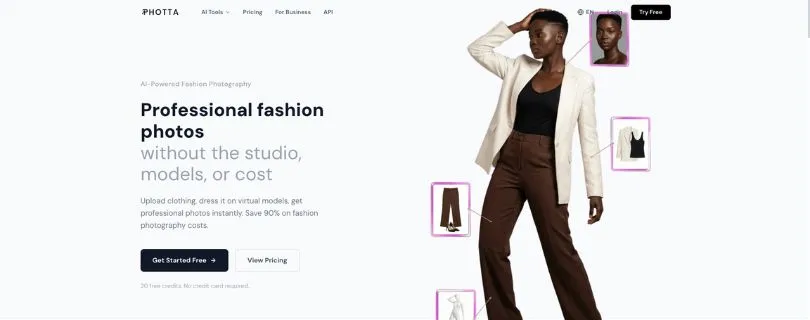
Photta is the closest SellerPic alternative on this list.
It’s built for ecommerce brands that want to turn basic product images into AI fashion photos without hiring models, photographers, or studios.
You can use it to place clothing on AI models, create ghost mannequin shots, change poses, remove backgrounds, upscale images, and build more polished product visuals for your online store. Photta also highlights its Model Maker feature, which is helpful if you want more control over how your AI models look.
What Makes Photta a Better Alternative Than SellerPic?
The biggest reason to choose Photta over SellerPic is flexibility.
SellerPic is strong if you want Shopify-focused AI product visuals, virtual try-on, model swap, AI ads, and image-to-video features.
But Photta feels more focused on AI fashion photography.
It gives you more room to create branded model images, build consistent visuals, and generate product photos that don’t look too generic.
If your main goal is to create AI fashion model images for clothing, jewelry, or ecommerce catalogs, Photta is probably the first tool I’d test.
Key Features
- AI fashion model generation
- Model Maker for custom AI models
- Ghost mannequin photos
- Pose changer
- Background removal
- Image upscaling
- Product photography studio
- Jewelry and apparel photo tools
- Multi-language support
- API access on higher plans
Limitations
- It’s more useful for fashion and product visuals than general design work
- Public third-party review data is still limited compared to tools like Canva or Photoroom
- You may still need another tool for banners, ads, social posts, or full brand design
Pricing
Photta has a free plan, and its comparison page lists paid plans starting from $9.95/month. Higher plans increase the number of monthly credits, so the right plan depends on how many product photos you need to create each month.
User Reviews
Photta’s own website shows a 4.9/5 user rating, but I couldn’t find a large G2-style public review page for it yet. So I’d treat this as a promising tool, but still test the free version before moving a full catalog to it.
Photta vs SellerPic
| Feature | Photta | SellerPic |
| Main use case | AI fashion photography and ecommerce product images | AI product photography, virtual try-on, AI ads, and product videos |
| AI fashion models | Strong focus, with custom model creation through Model Maker | Strong focus, especially for ecommerce and fashion visuals |
| Virtual try-on | Available for fashion product visuals | Available and built into its ecommerce workflow |
| Model customization | Better if you want more control over model style and appearance | Useful, but more focused on quick model swaps and product visuals |
| Background removal | Available | Available |
| Product image quality | Good for apparel, jewelry, and fashion-style ecommerce photos | Good for Shopify |
2. Photoroom

G2 Rating: 4.3/5 ⭐
Best For: Marketplace sellers, mobile-first editing, background removal, and fast product photo cleanup.
Photoroom is not exactly the same type of tool as SellerPic.
SellerPic focuses more on AI fashion models, virtual try-on, and ecommerce visuals. Photoroom is more about turning messy product photos into clean, listing-ready images.
So if your main problem is removing backgrounds, resizing product images, adding AI backgrounds, or preparing photos for Amazon, Etsy, Shopify, eBay, or social media, Photoroom makes a lot of sense.
Its G2 profile also describes Photoroom as an AI image editing and generation platform built for ecommerce product visuals, batch editing, background removal, AI shadows, AI backgrounds, resizing, brand kits, and product image workflows.
What Makes Photoroom a Better Alternative Than SellerPic?
Photoroom is better than SellerPic when speed matters more than fashion-model control.
Let’s say you have 100 product images and just want them to look clean, consistent, and ready for your store. In that case, Photoroom is easier to use.
You can remove backgrounds, create AI product scenes, resize images, and edit in batches without spending too much time learning the tool.
It’s especially useful for sellers who upload products often and don’t want to manually edit every photo.
Key Features
- Background remover
- AI product backgrounds
- Batch editing
- Product staging
- AI shadows
- Image resizing
- Mobile app editing
- Brand kits
- High-resolution exports
- API access on advanced plans
Limitations
- It’s not as focused on AI fashion models as SellerPic
- Background removal can struggle with fine details like hair, sheer fabric, or complex edges
- Some stronger AI and batch features require paid plans
- Free plan has limits and is not ideal for serious commercial workflows
Pricing
Photoroom has a free plan, but it comes with limited access, lower AI limits, and export restrictions. Its paid plans unlock more advanced AI features, batch exports, higher generation limits, and ecommerce-focused tools.
User Reviews
Users on G2 mostly praise Photoroom for being easy to use, fast, and helpful for background removal. Some users also mention that it saves time when creating product images, though a few reviews say it can struggle with delicate details and may need manual fixes.
Read full reviews on G2.
Photoroom vs SellerPic
| Feature | Photoroom | SellerPic |
| Main use case | Fast product photo editing, background removal, and marketplace-ready images | AI product photography, AI fashion models, virtual try-on, and AI ad creation |
| AI fashion models | Not the main focus | Strong focus |
| Virtual try-on | Limited compared to SellerPic | Available |
| Background removal | One of its strongest features | Available, but not the main reason to use it |
| AI backgrounds | Strong for product scenes and lifestyle-style backgrounds | Available for ecommerce visuals |
| Batch editing | Strong, useful for sellers with many product photos | Available depending on workflow and plan |
| Mobile editing | Very good for quick edits on the go | More focused on ecommerce product generation |
| Marketplace readiness | Great for Amazon, Etsy, eBay, Shopify, and social listings | Better for fashion-focused ecommerce visuals |
| Best for | Marketplace sellers who need clean product photos fast | Fashion and Shopify sellers who need AI models, try-on, ads, and product videos |
3. Canva

G2 Rating: 4.7/5 ⭐
Best For: Beginners, social media content, product graphics, catalogs, and brand visuals.
Canva is not a direct SellerPic clone.
But it still belongs on this list because many ecommerce sellers don’t only need AI product photos. They also need Instagram posts, product banners, ad creatives, catalog pages, thumbnails, pricing graphics, and simple branded content.
That’s where Canva becomes useful.
It gives you templates, drag-and-drop editing, AI design tools, background tools, brand kits, resize options, and a huge library of design formats. Canva AI also includes tools for generating designs, editing photos, creating images, resizing formats, and keeping designs on brand.
What Makes Canva a Better Alternative Than SellerPic?
Canva is better than SellerPic if you want an all-purpose design tool instead of a dedicated AI fashion photography tool.
SellerPic helps you create AI product visuals and model-based ecommerce images.
Canva helps you turn those visuals into complete marketing assets.
For example, you can create product photos, then use Canva to design Instagram ads, website banners, product launch posts, email graphics, lookbooks, or marketplace images.
So if you’re a beginner or small business owner who wants one simple tool for daily design work, Canva is easier to recommend.
Key Features
- Drag-and-drop design editor
- Social media templates
- Product photo design apps
- AI image and design tools
- Background editing tools
- Brand Kit
- Magic Resize
- Catalog and presentation templates
- Team collaboration
- Video and ad creative tools
Limitations
- It’s not built mainly for AI fashion model generation
- Virtual try-on is not its core use case
- Advanced product photo realism may be weaker than dedicated AI product photography tools
- Some premium templates, brand tools, and AI features require paid plans
Pricing
Canva has a free plan, with paid plans available for solo users, teams, and larger businesses. Canva’s own AI page says Canva AI is available to everyone, with higher usage and more advanced features available on paid plans.
Curious what you’ll actually pay for Canva? Read the full breakdown here:
Canva Pricing Explained
User Reviews
Canva has thousands of reviews on G2 and holds a 4.7/5 rating. Users often like its easy interface, template library, drag-and-drop editor, and beginner-friendly design workflow. Some users mention that advanced customization can feel limited compared to professional design tools.
Read full reviews on G2.
Canva vs SellerPic
| Feature | Canva | SellerPic |
| Main use case | Social posts, ads, catalogs, and brand graphics | AI product photography, AI fashion models, and virtual try-on |
| Ease of use | Very beginner-friendly | Easy, but more focused on ecommerce visuals |
| AI fashion models | Not a core feature | Strong focus |
| Virtual try-on | Not a core feature | Available |
| Templates | Strong template library | More product/ad-focused |
| Best for | Beginners, marketers, and small businesses needing daily design content | Ecommerce sellers and fashion brands needing AI model photos |
Still comparing design tools? Check out the best options here:
Best Canva Alternatives
4. Stageflow
Public Review Data: Could not find
Best For: Etsy sellers, print-on-demand shops, handmade brands, and small stores that need realistic product mockups.
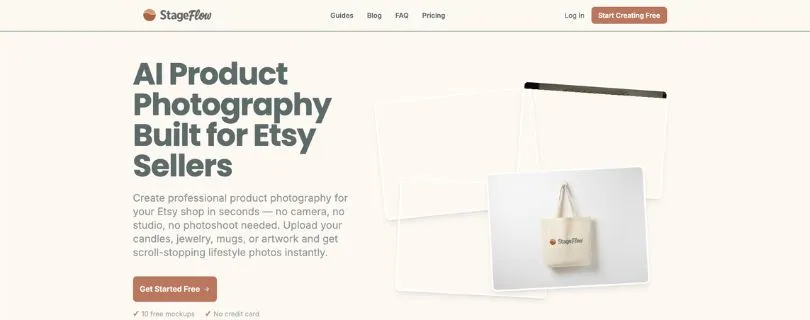
Stageflow is a very specific SellerPic alternative.
It’s not trying to be a full AI fashion model generator. Instead, it focuses on helping Etsy sellers create mockup-style product photos for things like candles, jewelry, mugs, wall art, packaging, and other handmade or print-on-demand products.
So if SellerPic feels too fashion-focused for your store, Stageflow may be a better fit.
What Makes Stageflow a Better Alternative Than SellerPic?
Stageflow is better than SellerPic if your main goal is to create Etsy listing photos, not AI fashion model images.
You can upload your product, design, logo, or artwork and turn it into lifestyle mockups without setting up a real photoshoot.
This is helpful if you sell products where the “scene” matters more than the model.
For example, a candle on a cozy table, a mug in a kitchen setup, or wall art inside a modern room.
Key Features
- Etsy product mockup generator
- Lifestyle scene generation
- Product photo creation from uploads
- Useful for candles, jewelry, mugs, wall art, packaging, and POD items
- Camera-style presets
- Bulk export options
- Beginner-friendly workflow
- No Photoshop skills needed
Limitations
- It’s not built for AI fashion models
- Virtual try-on is not its main use case
- It may not be the best choice for apparel brands that need on-model photos
- Public user review data is still limited compared to bigger tools
Pricing
Stageflow offers a free starting option, and its paid plans are listed from around $10/month on Ecommerce Guide. The pricing is more suited for small sellers who need regular mockups without paying for a full photoshoot setup.
User Reviews
I couldn’t find a large public G2, Reddit or Capterra review profile for Stageflow yet.
So I’d recommend testing it with a few real Etsy products first before using it for your full store.
Read more on Ecommerce Guide.
Stageflow vs SellerPic
| Feature | Stageflow | SellerPic |
| Main use case | Etsy mockups and lifestyle product photos | AI product photography, AI fashion models, virtual try-on, and AI ads |
| AI fashion models | Not the main focus | Strong focus |
| Virtual try-on | Not built for this workflow | Available |
| Mockup generation | Strong, especially for Etsy and POD products | Available, but not the main focus |
| Lifestyle scenes | Good for handmade, POD, and small product listings | Better for ecommerce product visuals and fashion use cases |
| Ease of use | Very beginner-friendly for Etsy sellers | Beginner-friendly for ecommerce and Shopify sellers |
| Best for | Etsy shops, POD sellers, handmade brands, and mockup-heavy stores | Fashion sellers, Shopify stores, and ecommerce brands needing AI model photos |
5. Rawshot.ai
G2 Rating: No rating yet
Best For: Fashion brands that need more creative control over AI photoshoots, garment visuals, and catalog images.
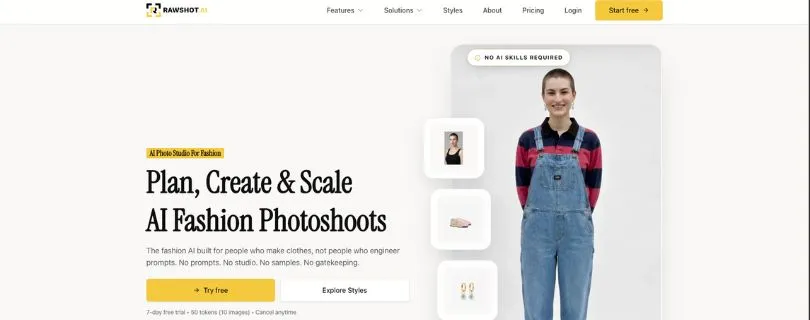
Rawshot.ai is one of the more fashion-focused SellerPic competitor on this list.
It’s built for brands that want AI-generated fashion photography without setting up a real studio, hiring models, or writing complicated prompts.
The tool focuses on garment-first visuals, which means the clothing is the main priority. You can direct models, lighting, framing, camera style, and backgrounds using controls instead of relying only on text prompts.
What Makes Rawshot.ai a Better Alternative Than SellerPic?
Rawshot.ai is better AI graphic generator tool than SellerPic if you want more control over the final fashion photos.
SellerPic is great for quick AI product visuals, model swaps, and ecommerce content.
Rawshot.ai feels more useful when you care about how the garment looks on the model, how the shot is framed, and whether the final image feels like a proper fashion campaign or catalog photo.
If you’re building a serious clothing brand, this extra control can matter a lot.
Key Features
- AI fashion photoshoots
- On-model garment photography
- 600+ synthetic models
- 150+ camera styles
- 1500+ backgrounds
- AI video and ad creation
- Full commercial rights
- GDPR-compliant setup
- Token-based pricing
- Useful for catalogs, campaigns, lookbooks, and ecommerce visuals
Limitations
- It may feel too advanced if you only need simple background removal
- Not the best option for Etsy mockups or basic product cleanup
- G2 does not have enough user reviews yet
- Token-based pricing may take a little time to understand
Pricing
Rawshot.ai offers a 7-day free trial with 50 tokens, which equals around 10 images. Paid plans start at $9/month for the Starter plan, and higher plans include more tokens for larger fashion photo productions. Image generation uses 5 tokens, video uses 2 tokens per second, and human model generation uses 9 tokens.
User Reviews
Rawshot.ai has a G2 profile, but at the time of review, it shows 0 reviews, so there isn’t enough public user feedback yet to judge it from customer ratings.
That doesn’t mean the tool is bad. It just means you should test the free trial before relying on it for a full catalog or campaign.
Read full listing on G2.
Rawshot.ai vs SellerPic
| Feature | Rawshot.ai | SellerPic |
| Main use case | AI fashion photoshoots and garment-focused visuals | AI product photography, virtual try-on, model swap, AI ads, and product videos |
| AI fashion models | Strong focus | Strong focus |
| Garment detail control | Better for fashion brands that care about fit, texture, and styling | Good for ecommerce visuals and quick model-based product photos |
| Creative control | Strong, with model, lighting, framing, style, and background controls | Easier for quick AI product and ad generation |
| Video creation | Available | Available |
| Marketplace readiness | Better for fashion catalogs and campaigns | Better for Shopify-style ecommerce workflows |
| Ease of use | Better for users who want more control | Better for users who want faster outputs |
| Best for | Fashion brands, agencies, catalog teams, and creative teams | Ecommerce sellers who want quick AI model photos, virtual try-on, ads, and videos |
SellerPic alternatives comparison table
Here’s a quick side-by-side look at the best SellerPic alternatives.
This table should help you spot the right tool faster, especially if you already know whether you need AI fashion models, background removal, Etsy mockups, or full marketing designs.
| Tool | Best for | Free plan/trial | Fashion models | Virtual try-on | Background removal | Mockups | Video | Best user |
| Photta | Best overall | Yes | Yes | Yes | Yes | Some | Limited | Fashion ecommerce |
| Photoroom | Product photo editing | Yes | Some | Limited | Yes | Yes | Limited | Marketplace sellers |
| Canva | Beginner design | Yes | Limited | No | Yes, through tools | Yes | Yes, design video | Marketers |
| Stageflow | Etsy mockups | Varies | No/limited | No | Some | Yes | No/limited | Etsy and POD sellers |
| Rawshot.ai | Fashion photoshoots | Trial | Yes | Fashion-photo focused | Some | No/limited | Yes | Fashion brands |
Which SellerPic alternative should you choose?
The best SellerPic alternative depends on what you’re actually trying to create.
Some tools are better for AI model photos. Some are better for background removal. Some make more sense for Etsy mockups, while others are built for fashion brands that need full photoshoot-style control.
Choose Photta if you want the closest SellerPic replacement
Pick Photta if you want something that feels closest to SellerPic.
It’s best for AI fashion models, ecommerce model shots, virtual try-on style visuals, and custom model identity.
This is the one I’d try first if you sell apparel, jewelry, or fashion products and want better product photos without booking a real photoshoot.
Choose Photoroom if you need fast listing-ready product photos
Pick Photoroom if your main problem is cleaning up product images quickly.
It’s best for background removal, mobile editing, resizing, AI product backgrounds, and marketplace visuals.
This makes it a strong choice for Amazon, Etsy, eBay, Shopify, and social sellers who need clean product photos fast.
Choose Canva if you need product visuals plus marketing designs
Pick Canva if you don’t just need product photos.
It’s best for social posts, ads, banners, catalogs, templates, brand kits, and simple design work.
This is the easiest option for beginners, small business owners, marketers, and creators who want one tool for everyday content.
Choose Stageflow if you sell on Etsy
Pick Stageflow if your store depends on mockups.
It’s best for Etsy listing photos, handmade products, print-on-demand items, wall art, mugs, candles, jewelry, packaging, and lifestyle product scenes.
If you don’t need AI fashion models, Stageflow may be more useful than SellerPic for this type of workflow.
Choose Rawshot.ai if fashion photography is your core workflow
Pick Rawshot.ai if you care deeply about how your clothing looks in AI-generated fashion photos.
It’s best for brands that need more creative control, better garment accuracy, editorial-style images, catalog photos, and campaign visuals.
This is a better fit if you’re building a serious fashion brand and want more control than a quick product photo generator usually gives you.
SellerPic vs alternatives: pricing snapshot
Note: Pricing can change quickly with AI tools, especially when they use credits, exports, tokens, or yearly discounts. So treat this as a quick pricing snapshot, not a final checkout quote.
Before choosing any tool, I’d still check the live pricing page and see how many images, videos, exports, or credits you actually get.
| Tool | Starting price angle | Notes |
| SellerPic | Free plan; paid Shopify tiers from $29/month | The free plan includes 20 credits, while paid plans add more credits, scheduled posts, video processing, templates, model-swap options, UHD exports, no watermark, and commercial-use features. |
| Photta | Free plan; lower paid entry shown on its comparison page | Photta compares itself against SellerPic on credits, languages, Model Maker, API access, pricing, and fashion photo tools. Its live pricing pages may vary by plan or campaign, so check the current plan before buying. |
| Photoroom | Free + paid tiers | Photoroom’s free plan includes limited exports and AI access. Paid plans unlock more AI features, Batch Mode, higher generation limits, and stronger product photo workflows. |
| Canva | Free + Pro/Business/Enterprise plans | Canva is better if you need design templates, AI design features, background tools, brand assets, social media graphics, and marketing visuals in one place. |
| Stageflow | Free / credit-based pricing style | Stageflow is a niche Etsy mockup generator. Ecommerce Guide lists it as free with paid plans from around $10/month, built around mockups, camera presets, bulk ZIP export, and credit-based pricing. |
| Rawshot.ai | Free trial / token-based pricing | Rawshot.ai offers a 7-day free trial and token-based plans starting from $9/month. It’s more focused on AI fashion photoshoots, synthetic models, camera styles, backgrounds, video, and catalog/editorial output. |
My Final verdict: What is the best SellerPic alternative?
Photta is the best overall SellerPic alternative for most ecommerce fashion sellers.
It’s the closest match if you need AI fashion models, virtual try-on style visuals, ghost mannequin images, pose changes, and better model customization.
That said, the right choice depends on your workflow.
Photoroom is better for marketplace photo editing. Canva is better for beginners and marketing design. Stageflow is better for Etsy mockups. Rawshot.ai is better for fashion brands that need deeper creative control.
FAQs
What is the best SellerPic alternative?
Photta is the best overall SellerPic alternative for most ecommerce fashion sellers because it offers AI fashion models, virtual try-on style visuals, ghost mannequin photos, and model customization.
Is there a free SellerPic alternative?
Yes. Some tools offer free plans or trials, including:
- Photta
- Photoroom
- Canva
- Rawshot.ai
Free plans usually come with limits, so check credits, exports, watermarks, and commercial-use rules before using them for your store.
Which SellerPic alternative is best for Shopify?
Photta and Photoroom are good options for Shopify sellers.
Choose Photta if you need AI fashion model photos. Choose Photoroom if you mainly need background removal, product cleanup, and listing-ready images.
Which SellerPic alternative is best for Etsy?
Stageflow is the best SellerPic alternative for Etsy sellers.
It’s built more for mockups and lifestyle product scenes, which makes it useful for candles, mugs, jewelry, wall art, handmade items, and print-on-demand products.
Which SellerPic alternative is best for AI fashion models?
Photta is the best pick for most users.
If you run a more serious fashion brand and need deeper control over model style, garment details, lighting, and campaign visuals, Rawshot.ai is also worth testing.
Which SellerPic alternative is best for background removal?
Photoroom is the best choice for background removal.
It’s fast, simple, and useful for sellers who need clean product photos for Amazon, Etsy, Shopify, eBay, or social media.
Is Canva a good SellerPic alternative?
Yes, but only for the right use case.
Canva is not the best tool for AI fashion models or virtual try-on. But it’s great if you need product graphics, social media posts, ads, banners, catalogs, and simple brand designs.
What is the cheapest SellerPic alternative?
The cheapest option depends on your usage.
For light work, free plans from Canva, Photoroom, or Photta may be enough. For fashion-focused work, compare credit limits carefully because AI image tools can get expensive when you generate images in bulk.
Which SellerPic alternative is best for product photos?
It depends on the type of product photo you need:
- Photta: Best for fashion product photos
- Photoroom: Best for clean marketplace photos
- Stageflow: Best for Etsy mockups
- Canva: Best for product graphics and ads
- Rawshot.ai: Best for fashion campaign photos
Which SellerPic alternative is best for small businesses?
Canva is the easiest option for most small businesses.
It helps with product visuals, social posts, ads, flyers, banners, and brand content. But if your business is fashion-focused, start with Photta instead.
Which SellerPic alternative should I use for clothing photos?
Use Photta if you want quick AI model photos for clothing.
Use Rawshot.ai if you need more control over the photoshoot style, model pose, framing, and garment presentation.
Can I use SellerPic alternatives for commercial product images?
Most tools allow commercial use on paid plans, but rules can vary.
Before using AI product images in ads, catalogs, or marketplace listings, check:
- Commercial-use rights
- Watermark rules
- Export quality
- Model usage terms
- Marketplace image guidelines
Are SellerPic alternatives good enough to replace real photoshoots?
For many ecommerce stores, yes.
They can save time and money for product listings, social posts, mockups, and simple catalog images. But for premium fashion campaigns, luxury products, or complex fabric details, you may still want real photography or extra manual editing.