PosterMyWall makes it easy to create posters, flyers, social posts, and other marketing graphics without needing professional design skills.
But that doesn’t automatically make it the best choice for every creative workflow.
You may want a larger design ecosystem, stronger AI tools, better brand controls, more advanced business visuals, or simply a faster way to create everyday social media content.
That’s where the right PosterMyWall alternatives can make a difference.
I compared the leading options based on their design features, templates, AI capabilities, ease of use, pricing, branding tools, and the types of content they handle best.
By the end of this guide, you’ll know:
- The 5 best PosterMyWall alternatives and competitors
- Where each tool has an advantage over PosterMyWall
- Which platform makes the most sense for your design needs
One thing is worth keeping in mind.
PosterMyWall is no longer just a poster maker. It also combines design with social publishing, email campaigns, content scheduling, and event marketing.
So, I’m not going to call every alternative “better.”
Instead, I’ll show you what each one is better at.
TL;DR — 5 Best PosterMyWall Alternatives
If you don’t want to compare every feature one by one, here’s the short version.
Canva is the best overall PosterMyWall alternative for most users, while Adobe Express makes more sense if AI and the Adobe ecosystem matter to you.
VistaCreate is particularly strong for social graphics, Visme is the better fit for structured business content, and Snappa wins when speed and simplicity matter more than having every possible design feature.
| Tool | Best For | Where It Beats PosterMyWall | Free Plan | Starting Paid Price* |
| Canva | Best overall | Broader all-purpose design ecosystem, AI and brand tools | Yes | Varies by region |
| Adobe Express | AI-powered design | Adobe assets, Firefly-powered AI and document workflows | Yes | $10.99/month |
| VistaCreate | Social media graphics | Social-first templates, animation and simple brand workflows | Yes | $10/month billed annually |
| Visme | Business visuals | Infographics, presentations, charts and interactive content | Yes | $12.25/month billed annually |
| Snappa | Quick graphics | Simple workflow with fewer distractions | Yes | $10/month billed annually |
*Pricing can change by country, billing cycle, and plan configuration. Current official pricing pages were checked while preparing this comparison.
Want to explore more AI-powered options beyond these five? Check out my guide to the best AI graphic design generator tools.
5 Best PosterMyWall Alternatives and Competitors
There isn’t one perfect replacement for every PosterMyWall user.
The better question is why you’re looking for an alternative in the first place.
Need one platform for almost every type of design? Start with Canva.
Want AI and Adobe tools? Adobe Express is more interesting.
Need social graphics, data-heavy visuals, or something intentionally simpler? The other alternatives to PosterMyWall start making much more sense.
Let’s look at them individually.
1. Canva — Best Overall PosterMyWall Alternative
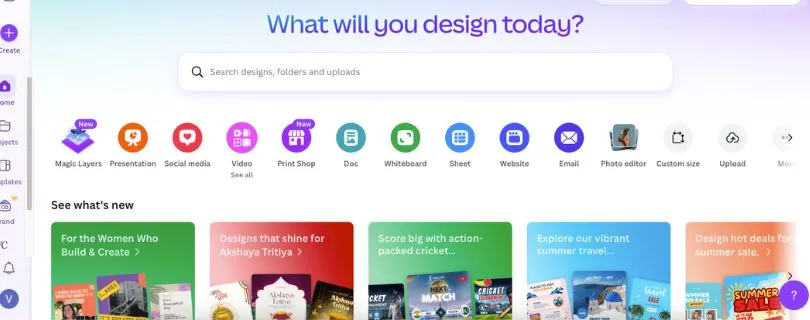
Best For: Small businesses, marketers, creators, educators, and teams that want one platform for a wide range of visual content.
Canva is probably the first name that comes to mind when looking for sites like PosterMyWall, and there’s a good reason for that.
Both platforms make design approachable for non-designers.
But Canva stretches much further beyond posters and flyers.
You can use the same workspace for social graphics, presentations, videos, documents, marketing materials, websites, and other visual projects. Canva also combines premium content, brand management, social scheduling, and AI-assisted creation in its paid offering.
The AI side is becoming especially important.
Canva AI can generate and edit designs through prompts, create elements and images, and work with brand fonts, colors, and other guidelines when producing on-brand content.
That makes Canva one of the strongest PosterMyWall competitors if your work goes beyond promotional posters.
Its Brand Kit is another advantage for businesses managing recurring content. You can keep logos, colors, fonts, imagery, and other brand assets inside the editor instead of rebuilding the same style every time.
However, there’s an important trade-off.
PosterMyWall combines design with built-in email campaigns, event promotion, social publishing, and campaign management.
So if those marketing features are already central to your workflow, Canva isn’t necessarily a direct one-for-one replacement.
For users who care primarily about design versatility, though, Canva is the most complete option on this list.
Pros of Canva
- Huge range of design formats for social, print, presentations, video, and more
- Strong AI, Brand Kit, resizing, and content-management features
- Beginner-friendly enough for non-designers while offering room to grow
Cons of Canva
- Many useful assets and advanced tools require a paid plan
- The large number of features can feel more crowded than simpler poster maker alternatives
- It doesn’t replace PosterMyWall’s built-in email and event-marketing workflow
Canva Pricing
- Canva Free: Free plan with templates, design tools, and limited AI access
- Canva Pro: Adds premium content, advanced AI features, Brand Kit, Background Remover, resizing, and other premium tools
- Canva Business: Adds expanded AI and collaboration capabilities for businesses; Canva lists it at $20 per person/month in the U.S.
Pricing may differ depending on your country and billing method.
Curious what you’ll actually pay for Canva? Read the full breakdown here: Canva Pricing Explained.
What Users Have to Say
The overall theme in recent Canva reviews is pretty consistent.
Users frequently praise its ease of use, drag-and-drop workflow, templates, and ability to create professional-looking content quickly without a design background.
The most common downside is also predictable: advanced customization is more limited than dedicated professional design software, and some of the better templates and assets sit behind paid plans. Canva currently holds a 4.7/5 rating on G2 from more than 6,800 reviews.
That matches where Canva fits in this comparison.
It isn’t the most specialized design application.
But among the best PosterMyWall alternatives, it offers the broadest balance of ease of use, creative flexibility, AI tools, and everyday marketing design.
Still comparing Canva with other design tools? See the strongest options here: Best Canva Alternatives.
2. Adobe Express — Best for AI-Powered Design
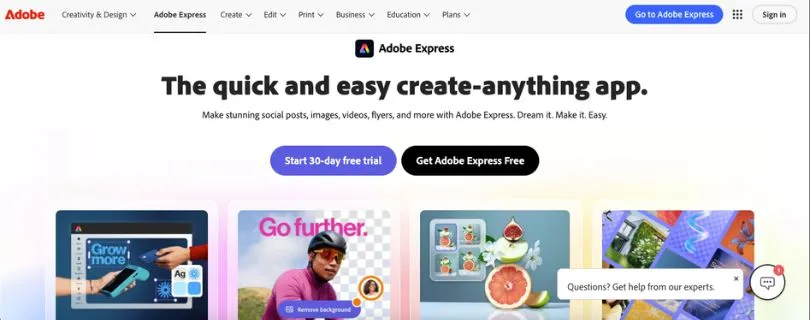
Best For: Creators, marketers, and small businesses that want easy design tools backed by Adobe’s creative ecosystem and generative AI.
Adobe Express is one of the more interesting PosterMyWall alternatives if you like template-based design but want stronger connections to professional creative tools.
It keeps the editing experience much simpler than Photoshop or Illustrator.
You can create social media graphics, flyers, posters, videos, presentations, and other marketing content from templates, while also using Adobe’s stock library, fonts, photo-editing tools, and AI features from the same editor.
But AI is where Adobe Express separates itself from many PosterMyWall competitors.
Adobe integrates Firefly-powered generative features into Express, including image generation, object insertion and removal, text effects, template generation, and other AI-assisted editing tools.
That can be useful when you have the basic idea for a campaign but don’t already have all the visual assets.
Instead of searching through stock images until something fits, you can generate or modify elements directly inside your workflow.
Adobe Express also has a strong advantage if you already use other Adobe products.
Photoshop and Illustrator assets can be brought into Creative Cloud Libraries and used in Express, while supported linked assets can stay synced when designers make changes in the original Adobe application.
The paid offering also includes Brand Kits, one-click resizing, premium templates, over 30,000 Adobe Fonts, and access to a much larger Adobe Stock collection.
And Adobe hasn’t forgotten about social media.
Even the free plan can schedule content to one account per supported social network, while the paid individual offering increases that to three accounts per network.
So where does PosterMyWall still have the advantage?
It comes down to the overall marketing workflow.
PosterMyWall combines graphic design with email campaigns, event pages, social publishing, and content planning in one platform. Adobe Express is much stronger as a creative tool, but it isn’t a direct replacement for that complete small-business marketing workflow.
If your priority is creating better-looking content with AI and Adobe assets, Adobe Express is one of the strongest alternatives to PosterMyWall.
If you want to design, email your audience, promote events, and manage campaigns from one place, the decision becomes less straightforward.
Pros of Adobe Express
- Strong Firefly-powered AI tools for generating and editing creative assets
- Excellent Adobe Stock, Adobe Fonts, Brand Kit, and Creative Cloud integration
- Handles graphics, videos, presentations, PDFs, and social content in one editor
Cons of Adobe Express
- Some of the most useful templates, assets, resizing, and brand features require a paid plan
- Advanced designers can still find Express limiting compared with Photoshop or Illustrator
- It doesn’t offer the same built-in email and event-marketing workflow as PosterMyWall
Adobe Express Pricing
- Adobe Express Free: $0 with basic editing tools, 100,000+ templates, limited generative AI, 5GB storage, and basic social scheduling
- Paid individual plan:$10.99/month on Adobe’s current U.S. pricing page, including Adobe Express Premium features, 250 generative credits per month, premium templates, Brand Kits, one-click Resize, and expanded stock assets
- Teams: Current U.S. pricing starts at $11.99/month per license on an annual subscription billed monthly
Pricing and plan names can vary by region, so it’s worth checking Adobe’s current pricing before subscribing.
What Users Have to Say
Adobe Express currently holds a 4.5/5 rating on G2.
Reviewers frequently highlight its ease of use, templates, and ability to produce polished content quickly, especially for people who don’t want to learn more complex design software.
The recurring criticism is that customization can feel restrictive once a project becomes more advanced.
That makes its position here pretty clear.
Adobe Express is one of the best websites like PosterMyWall when you want convenience without giving up access to a more serious creative ecosystem.
Not fully sold on Adobe Express? Compare it with other design platforms in my Best Adobe Express Alternatives guide.
3. VistaCreate — Best for Social Media Graphics
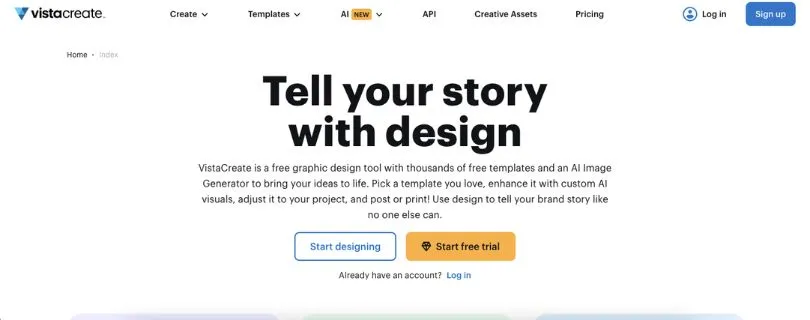
Best For: Social media managers, small businesses, creators, and marketers producing branded content regularly.
VistaCreate takes a slightly different approach.
It doesn’t try to feel like professional desktop design software.
Instead, it focuses heavily on helping non-designers create visual content quickly—which makes it one of the closest PosterMyWall alternatives in terms of ease of use.
The free Starter plan currently includes more than 100,000 templates across 85 design formats, covering social media, advertising, web, print, blogs, and other common marketing formats.
And social content is where VistaCreate feels particularly comfortable.
You can design static posts, animated graphics, videos, stories, ads, and other platform-specific content, then schedule or publish social posts from the same workflow.
Animation is another reason to consider it.
VistaCreate provides animated elements, backgrounds, video-editing features, and templates that make it relatively easy to turn a static idea into more attention-grabbing social content without manually animating everything.
Its free plan is also surprisingly usable.
You get a Brand Kit, social scheduling, unlimited downloads, more than 1 million royalty-free photos, videos, and vectors, and basic photo and video editing without upgrading immediately.
Move to Pro and the library gets considerably larger.
VistaCreate currently lists 200K+ premium templates and 170M+ stock photos, videos, and vectors, along with unlimited Brand Kits, one-click resizing, background removal, AI writing, object removal, and AI image generation.
There’s also an interesting advantage for small teams.
The current Pro subscription supports up to 10 team members under the plan, rather than requiring a separate full-price subscription for every collaborator.
That makes VistaCreate worth considering if several people need access to recurring brand and social assets.
Still, it isn’t necessarily a complete PosterMyWall replacement.
PosterMyWall goes further into email marketing and event promotion, while VistaCreate is more focused on visual creation, branding, and social publishing.
So if you’re comparing poster maker alternatives primarily for social media and everyday marketing graphics, VistaCreate is an excellent fit.
If email campaigns and event management are important too, PosterMyWall still has an advantage.
Pros of VistaCreate
- Excellent selection of social media, animated, video, print, and marketing templates
- Useful free plan with Brand Kit, social scheduling, unlimited downloads, and over 1M creative assets
- Pro includes AI tools, 170M+ stock assets, unlimited Brand Kits, and support for teams of up to 10 people
Cons of VistaCreate
- Less suited to advanced business presentations and data visualization than tools like Visme
- Many premium templates and the largest asset library require Pro
- No equivalent to PosterMyWall’s integrated email-campaign and event-marketing system
VistaCreate Pricing
- Starter: Free with 100K+ templates, 1M+ creative assets, a Brand Kit, social scheduling, and unlimited downloads
- Pro: Currently $10/month, with 200K+ premium templates, 170M+ stock assets, AI tools, unlimited Brand Kits, unlimited storage, and up to 10 team seats
- Free trial: 14 days of Pro access for eligible users
What Users Have to Say
VistaCreate currently has a 4.5/5 rating from 171 reviews on G2.
Users frequently point to its easy learning curve, templates, and quick drag-and-drop workflow as strengths.
Some reviewers, however, mention limitations in the free content and customization options compared with what they would like from a more advanced editor.
That’s also why VistaCreate earns a place on this list.
It isn’t trying to be the most complicated graphic design platform.
For frequent social media content, that simplicity can be the advantage.
Not sure VistaCreate is the right fit for your workflow? Compare it with the best VistaCreate alternatives and competitors.
4. Visme — Best for Infographics and Business Visuals
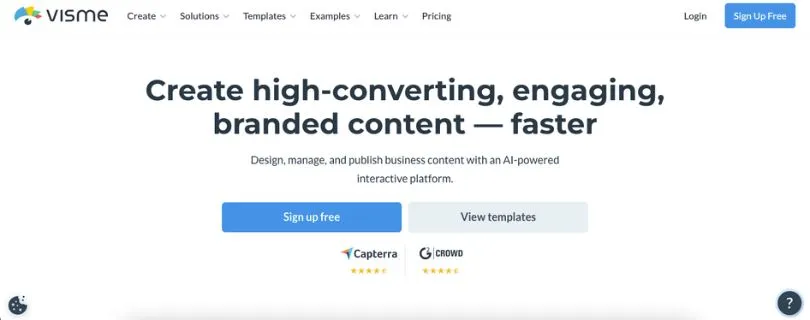
Best For: Marketing teams, educators, consultants, and businesses that regularly create presentations, reports, infographics, and data-heavy visual content.
Visme is one of the more specialized PosterMyWall alternatives on this list.
You can absolutely use it to create flyers, social graphics, brochures, and other everyday marketing materials.
But that isn’t where it stands out.
Visme is much stronger when your design needs to explain information, not simply look attractive.
Its platform includes dedicated tools for presentations, infographics, reports, charts, graphs, timelines, flowcharts, documents, forms, videos, and other structured visual content.
That makes it particularly useful for businesses working with data.
Instead of manually building a chart in another application and importing it into your design, Visme includes charts and data widgets directly inside the platform. Its paid plans also add broader download formats, analytics, branding controls, and collaboration features.
This is where Visme has a clear advantage over many traditional poster maker alternatives.
Imagine you need to create a quarterly report, infographic, sales presentation, training document, and LinkedIn graphic from the same brand system.
Visme is built around that kind of workflow.
It also supports animation and interactive elements, which can make presentations and online reports feel less static than a traditional PDF or slide deck.
And AI has become part of the platform too.
Visme currently includes an AI Designer, AI Writer, AI Resize, text-to-image generation, and image-editing tools such as background removal, upscaling, unblurring, and erase-and-replace. The number of monthly AI credits depends on your plan.
So if you’re looking at alternatives to PosterMyWall because you need more serious business communication tools, Visme deserves attention.
But there is a trade-off.
PosterMyWall is more directly centered on quick promotional design and marketing execution. Its Content Planner can bring social posts, email campaigns, and events into the same calendar, while its event tools can also handle landing pages and registrations.
Visme is more focused on creating and presenting visual information.
That can make it more powerful for reports and presentations—but potentially more than you need if all you want is a quick restaurant flyer or Instagram post.
So I wouldn’t call Visme the best PosterMyWall alternative for everyone.
For business visuals, infographics, and presentations, though, it may be the strongest option here.
Pros of Visme
- Excellent tools for presentations, infographics, reports, charts, graphs, and other data-rich content
- Supports interactive elements, animation, AI-assisted creation, and multiple professional export formats
- Strong brand-management, analytics, and collaboration capabilities on higher-tier plans
Cons of Visme
- Can feel excessive if you only need basic posters or social media graphics
- Several important features, export formats, and premium assets require a paid plan
- It doesn’t provide the same integrated email-campaign and event-promotion workflow PosterMyWall offers
Visme Pricing
- Basic: Free, with unlimited projects but limited templates, assets, and other capabilities
- Starter:$12.25/month per person, billed annually at $147, with premium assets and JPG, PNG, and PDF downloads
- Pro:$24.75/month per person, billed annually at $297, adding features such as Brand Kit, analytics, additional integrations, and PPTX, HTML5, video, and GIF downloads
- Enterprise: Custom pricing for organizations starting at 10 users
Want a closer look at what each Visme plan actually includes? Read my full Visme Pricing Explained guide.
What Users Have to Say
Visme currently holds a 4.5/5 rating from 481 reviews on G2.
Reviewers commonly praise its ease of use, template selection, and ability to help non-designers create professional-looking visual content quickly.
Some users, however, would like a broader selection of templates for more specialized design needs.
That feedback matches Visme’s position in this comparison.
It’s not simply another website for making posters.
It becomes much more valuable when the information inside the design matters as much as the design itself.
Still comparing Visme with other visual design platforms? Explore the Best Visme Alternatives.
5. Snappa — Best for Quick and Simple Graphics
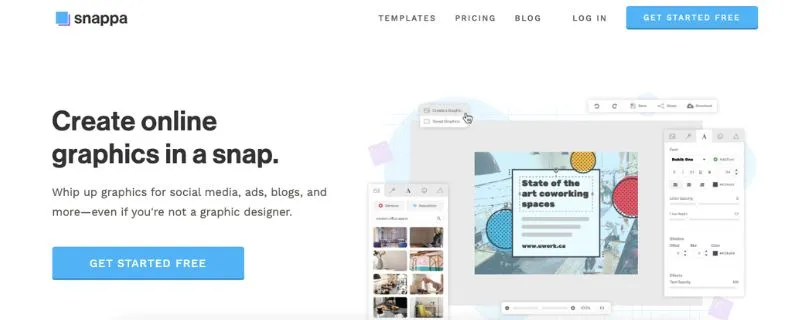
Best For: Bloggers, solopreneurs, marketers, and small businesses that want to create social media and promotional graphics without navigating a complicated design platform.
Snappa earns its place among the best PosterMyWall alternatives for almost the opposite reason Visme does.
It doesn’t try to give you everything.
And for some users, that’s exactly the point.
Snappa is designed around creating online graphics quickly, with preset dimensions, ready-made templates, stock assets, and a straightforward editor for content such as social posts, blog graphics, ads, banners, and thumbnails.
You don’t need to start every design by searching for the correct Instagram, LinkedIn, Facebook, or Pinterest dimensions.
Snappa provides preset sizes for major social platforms, and its resizing tools let you adapt an existing graphic for other formats.
That sounds like a small feature.
But when you produce the same campaign across several social networks every week, removing those repetitive steps can save a surprising amount of time.
Its asset library is another advantage.
All current plans include access to 6,000+ templates and more than 5 million HD photos and graphics, while Snappa says its included photos and graphics are royalty-free for commercial and non-commercial use without attribution.
The free plan gives you access to that library too.
The catch is that you only get three downloads per month, so it works much better as a way to try Snappa than as a long-term option for someone creating content every day.
Upgrade to Pro and that limit disappears.
You also get social media and Buffer integrations, custom font uploads, and background removal.
This makes Snappa one of the more practical websites like PosterMyWall if your requirements are straightforward:
Create a graphic.
Resize it.
Download it.
Move on.
That simplicity also creates its biggest limitation.
If you want a platform with extensive AI creation, detailed business presentations, sophisticated data visualization, email campaigns, or event-marketing features, Snappa is not designed to compete feature-for-feature with tools such as Visme, Adobe Express, or PosterMyWall.
PosterMyWall, for example, can schedule social posts and email campaigns from its Content Planner and lets users build event landing pages with registration functionality.
Snappa stays much closer to graphic creation.
So this isn’t the PosterMyWall alternative I’d choose if you want to consolidate an entire marketing workflow.
But if bigger design platforms feel cluttered and you mostly create social posts, banners, blog images, or ads, Snappa’s limited scope can actually work in its favor.
Pros of Snappa
- Very straightforward workflow for creating social media and online graphics
- Includes 6,000+ templates and 5M+ royalty-free HD photos and graphics on every plan
- Preset social dimensions and resizing tools make it easy to repurpose content across platforms
Cons of Snappa
- Free accounts are limited to only three downloads per month
- Smaller overall feature set than Canva, Adobe Express, or Visme
- No built-in equivalent to PosterMyWall’s email campaigns, Content Planner, or event-marketing tools
Snappa Pricing
- Starter: Free for one user, with 6,000+ templates, 5M+ photos and graphics, and three downloads per month
- Pro:$15/month, or $10/month when billed yearly, with unlimited downloads, social integrations, custom fonts, and background removal
- Team:$30/month, or $20/month when billed yearly, for up to five users with team collaboration features
What Users Have to Say
Snappa currently has a 4.6/5 rating from 39 reviews on G2.
The recurring theme is speed.
Reviewers frequently praise its ease of use, ready-made templates, and ability to create professional-looking graphics without advanced design experience.
Some users point to limitations around the breadth of templates, assets, or advanced editing compared with larger design platforms.
And that’s really the decision with Snappa.
If you want one of the biggest online graphic design tools, there are stronger options.
If you want to open your browser, make a good-looking graphic quickly, and get back to the rest of your work, Snappa makes a much stronger case.
Still choosing between these two? Read my full Canva vs Adobe Express comparison to see which one fits your workflow better.
It combines generative creation with Adobe’s broader creative ecosystem, making it particularly attractive if Photoshop, Illustrator, Adobe Fonts, or other Adobe tools already appear in your workflow.
Which PosterMyWall Alternative Should You Actually Pick?
At this point, you’ve seen five strong PosterMyWall alternatives.
But comparing feature lists only gets you so far.
The right choice depends on what you actually create, how often you create it, and what happens after the design is finished.
Here are the three questions I’d use to narrow it down.
1. What Type of Content Do You Create Most Often?
Start with your most frequent project.
If you create a little bit of everything—social posts, flyers, presentations, videos, documents, and marketing graphics—Canva is the safest overall choice.
Its strength is breadth.
Canva combines a wide range of design formats with AI-assisted creation, Brand Kit tools, and social content planning, making it suitable for users who don’t want separate tools for every visual format.
If AI-generated creative assets are higher on your list, look at Adobe Express.
Adobe Express combines template-based design with generative AI and lets you create images, videos, social posts, flyers, and other content from one application. It also includes its own social Content Scheduler.
Creating social content all week?
VistaCreate is probably the better fit.
Its free Starter plan includes 100K+ templates, a Brand Kit, social scheduling, and more than 1 million photos, videos, and vectors, while its editor is heavily oriented toward fast marketing and social graphics.
For reports, presentations, infographics, and visualized data, I’d choose Visme.
Visme is specifically built around presentations, interactive infographics, documents, and other structured visual content.
And if you mostly need thumbnails, banners, blog graphics, and social posts without dozens of advanced features?
That’s where Snappa makes sense.
Its preset social sizes, templates, and 5M+ royalty-free stock images keep the workflow focused on getting graphics finished quickly.
The simple version is:
- Canva: Best for almost everything
- Adobe Express: Best for AI and Adobe workflows
- VistaCreate: Best for frequent social media content
- Visme: Best for infographics and business visuals
- Snappa: Best for fast, uncomplicated graphics
2. How Important Are AI Tools and Brand Controls?
Not every user needs AI.
But if you’re producing a lot of content, it can change the comparison considerably.
Canva and Adobe Express are the two PosterMyWall competitors I’d look at first for AI-heavy workflows.
Canva’s current AI tools cover design, writing, branding, and other creative tasks, while its Brand Kit can manage logos, fonts, colors, imagery, and multiple brands.
Adobe Express takes a similar idea in a different direction.
It combines generative creation with Adobe’s broader creative ecosystem, making it particularly attractive if Photoshop, Illustrator, Adobe Fonts, or other Adobe tools already appear in your workflow. Adobe currently positions Express as an AI-powered tool for generating images, videos, social posts, and more.
VistaCreate is worth considering when your branding needs are simpler.
Even the free plan includes a Brand Kit, while its paid offering expands the creative library and collaboration options.
So don’t choose based on who has the longest AI feature list.
Choose based on whether those tools will actually remove work from the content you produce every week.
3. Do You Need a Design Tool or a Marketing Tool?
This is probably the most important question in the entire comparison.
A lot of websites like PosterMyWall can create posters, flyers, and social graphics.
Fewer replace everything PosterMyWall does after you finish designing.
PosterMyWall currently lets users schedule and track social posts and email campaigns through its Content Planner. Its email tools can also manage mailing lists and schedule campaigns, while the planner supports events alongside social and email content.
That matters.
Suppose you’re using PosterMyWall to design a restaurant event flyer.
If your workflow ends after downloading the flyer, almost any of the alternatives to PosterMyWall in this guide could work.
But if you also use PosterMyWall to create the event, schedule posts, and email your audience, switching design platforms could mean adding other marketing tools to replace those functions.
Canva, Adobe Express, and VistaCreate all provide social scheduling in some form.
But social scheduling is only one piece of PosterMyWall’s broader workflow.
So compare the whole process.
Not just the editor.
So, Which Is the Best PosterMyWall Alternative?
If I had to recommend one PosterMyWall alternative for the widest range of users, I’d go with Canva.
It covers more design formats than most people will need, combines branding and AI tools with an approachable editor, and provides built-in social content planning.
But Canva isn’t automatically the winner for everyone.
Choose Adobe Express if AI-assisted creation and Adobe tools are your priority.
Choose VistaCreate if most of your workload is social media graphics and you want a strong free starting point.
Choose Visme if presentations, reports, infographics, and data visualization matter more than quick promotional graphics.
And choose Snappa if you care more about speed and simplicity than having an enormous feature set.
There’s also nothing wrong with staying with PosterMyWall.
If its combination of design, email campaigns, scheduling, and event promotion already fits your workflow, changing platforms simply because another editor has more features may create more work rather than less.
The best PosterMyWall alternatives aren’t the tools with the longest feature lists.
They’re the ones that solve the specific reason you started looking for an alternative.
FAQs
1. What Is the Best Alternative to PosterMyWall?
Canva is the best overall PosterMyWall alternative for most users because it supports a broad range of visual content and combines design with AI, branding, and social planning tools.
However, Adobe Express can be better for Adobe and AI workflows, while VistaCreate is particularly attractive for social media content.
2. What Is the Best Free PosterMyWall Alternative?
Canva, Adobe Express, and VistaCreate all provide free options, but VistaCreate has one of the more generous free packages for social-focused users.
Its Starter plan currently includes 100K+ templates, 1M+ photos, videos, and vectors, a Brand Kit, 10GB of storage, and social media scheduling.
The best free PosterMyWall alternative still depends on which premium features you expect to need later.
3. Is Canva Better Than PosterMyWall?
It depends on what you mean by better.
In a Canva vs PosterMyWall comparison focused on design versatility, Canva has a strong advantage because of its broad creative suite, AI tools, branding features, and content-planning capabilities.
PosterMyWall has a different advantage: it combines design with integrated email marketing and event-oriented campaign planning.
So Canva may be better for design breadth, while PosterMyWall can make more sense for certain marketing workflows.
4. Which PosterMyWall Alternative Is Best for Social Media?
VistaCreate is one of the strongest PosterMyWall alternatives for social media graphics.
Its free plan includes social scheduling, a Brand Kit, templates, and a sizable creative asset library, while VistaCreate also lets users schedule content for supported social platforms.
Canva and Adobe Express are better choices if you want a broader creative ecosystem alongside social publishing.
5. Which PosterMyWall Alternative Is Best for Posters and Flyers?
For most users, Canva and Adobe Express are the strongest flyer maker alternatives.
Both are built around template-based creation and support promotional graphics alongside many other visual formats. Adobe Express specifically supports flyers and other marketing content, while Canva’s broader suite can be useful if the same campaign also needs social posts, presentations, or other assets.
For simpler social-first promotional graphics, VistaCreate is another good option.
6. Are There Websites Like PosterMyWall That Are Easy for Beginners?
Yes.
Canva, VistaCreate, Adobe Express, and Snappa are all designed to make visual creation accessible without requiring traditional professional design software.
Snappa is particularly appealing if you want a lightweight workflow. It provides preset dimensions, customizable templates, and drag-and-drop creation for common online graphics.
If you want beginner-friendly software with more room to expand into AI, branding, video, and other content formats, Canva or Adobe Express will usually make more sense.