Looking for fresh alternatives to Visme’s AI design tools?
I’ve explored a handful of smart platforms that can seriously compete with what Visme brings to the table.
AI-powered design tools are changing the way we create presentations, infographics, and visual content, making it faster and way more intuitive, even if you’re not a designer. Visme has been a solid go-to for many, but it’s definitely not the only option out there. If you’re curious about what else is available, here’s a quick look at some standout Visme AI alternatives worth checking out.
What is Visme AI and why you might need Visme alternatives
Visme AI is a smart design assistant built into the Visme platform that helps users create presentations, infographics, and other visual content from simple text prompts. It’s gained popularity for speeding up content creation, especially for folks who want polished visuals without wrestling with complex design tools.
But while it shines for quick visuals and marketing materials, there are a few areas where Visme might fall short, depending on what you’re trying to build:
AI can miss the mark: Describing what you want and getting exactly that back isn’t always smooth. Sometimes, you end up stuck rewording prompts over and over, trying to get the layout or style just right. It can feel more like trial and error than true collaboration.
Limited creative flexibility: Visme offers a lot of templates, but customizing them beyond the basics can feel restrictive. If you want full creative control or more dynamic design options, you might start to feel boxed in.
Presentations over everything: Visme leans heavily toward slides and static visuals. If you’re looking to create interactive content, motion-heavy assets, or something a bit outside the traditional presentation format, you might hit a wall.
Pricing and usage caps: Free plans have limits that can slow you down quickly. If you’re testing ideas or working on multiple projects, the ceiling comes fast unless you’re ready to upgrade.
How I evaluated the best Visme alternatives
To give you a list that’s actually helpful, I didn’t just chase after the trendiest tools or the ones with the flashiest templates. I focused on what really makes a difference when you’re trying to create visuals that look good and work well. Here’s what I paid attention to:
- Creative Flexibility: Can you actually make the design your own, or are you just swapping text on pre-made slides? I looked for tools that let you customize layouts, styles, and animations without feeling boxed in.
- AI usefulness, not just AI hype: Is the AI actually helpful, or is it just another button labeled “magic”? I tested how well each tool turned prompts into real designs, and whether the AI saved time or wasted it.
- Ease of use vs. creative control: Some tools are super beginner-friendly but limited. Others are powerful but come with a steep learning curve. I aimed to find that sweet spot where you can do a lot without needing a full design degree.
- Content types supported: Not every tool does everything. Some shine for slide decks, others for social posts or infographics. I looked at what types of content each platform supports best, so you can pick based on what you actually need.
- Pricing and limits: I made sure to check whether the free or lower-tier plans are usable or just bait. If a tool cuts you off after a few clicks or hides essential features behind a paywall, it didn’t make the cut.
A quick comparison of the top Visme alternatives
For those of you who just want the highlights, here’s a quick rundown of the tools I’ll be covering.
| Tool | Best For | Key Strength | Starting Price |
| Canva | All-around design and content creation | Huge template library, AI tools, team collaboration | Free (Pro from $14.99/month) |
| Piktochart | Infographics and data storytelling | Easy-to-use editor built for visual data | Free (Pro from $14/month) |
| Adobe Express | Quick branded content for social and web | Integrated with Adobe ecosystem, drag-and-drop simplicity | Free (Premium from $9.99/month) |
| Gamma | AI-powered presentations | Turns ideas into polished decks with minimal input | Free (Pro from $10/month) |
| Jitter | Motion graphics and animated content | Lightweight animation without a steep learning curve | Free (Pro from $12/month) |
The 5 Best Visme AI Alternatives Worth Using in Real Projects
Alright, let’s get into the details. Each of these tools takes a different approach to solving the creative and usability limits you might run into with Visme. Whether you’re building pitch decks, animated graphics, infographics, or AI-generated slides, these platforms bring something unique to the table and in some cases, go way beyond what Visme offers.
Let’s start with the first one.
1. Canva
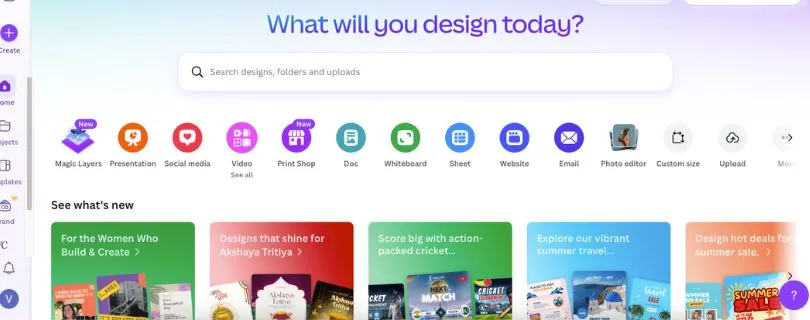
Canva is probably the most well-known Visme alternative, and for good reason. It’s built for everyone from solo creators to full teams, offering a massive library of templates, an intuitive editor, and some impressive AI features that keep getting better.
Key Features:
- Magic Design and Magic Write: Canva’s AI tools help generate full designs and text content from simple prompts.
- Brand Kit & Templates: Easily stay on-brand across designs with saved logos, fonts, and color palettes.
- Real-Time Collaboration: Work on presentations and social graphics with your team, live.
- Multi-format Exporting: Export to PDF, video, GIF, PowerPoint, and more with no extra tools needed.
- Canva Docs & Whiteboards: New features for planning, brainstorming, and sharing ideas visually.
Pros and cons of using Canva
Pros:
- Super beginner-friendly with a smooth learning curve
- Massive library of ready-made templates
- Built-in AI features that actually save time
- Great for both static and animated content
Cons:
- Limited advanced layout control (can feel rigid for custom work)
- Some features, like premium templates and brand controls, are locked behind the Pro plan
- Presentations can feel templated if you don’t customize deeply
Pricing:
- Free: Includes thousands of templates and basic tools
- Pro: $14.99/month for full access to premium templates, brand kits, AI tools, and content scheduling
- Teams: $29.99/month for team controls, admin tools, and enhanced collaboration
Best for: Creators, marketers, small businesses, and educators who want fast, beautiful designs with minimal hassle
Visme AI alternative for: All-around design, presentations, and visual content with strong AI support and team collaboration features
2. Piktochart
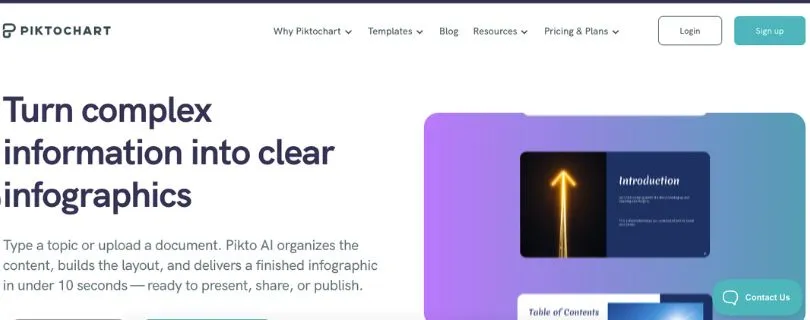
Piktochart is a great Visme alternative if your main focus is turning data into visuals that actually make sense. It’s built with infographics, reports, and charts in mind, so if you’re creating anything numbers-heavy, this tool gives you way more control and clarity than Visme typically does.
Key Features:
- Drag-and-drop editor tailored for charts, graphs, and reports
- Pre-built templates designed for business, marketing, and educational use
- Direct import of data from Excel or Google Sheets
- Built-in brand customization and team collaboration
- Easy publishing and sharing options for online or offline use
Pros and cons of using Piktochart
Pros:
- Intuitive for non-designers who want professional-looking charts
- Very clean and focused UI
- Strong for business communications like proposals and internal reports
Cons:
- Limited options for animated or interactive content
- Template variety isn’t as broad as Canva or Visme for general designs
Pricing:
- Free: Includes limited templates and exports
- Pro: $14/month for access to all templates, HD exports, and branding features
- Team Plan: Custom pricing, depending on size and features
Best for: Educators, analysts, marketers, and anyone who needs to visualize data in a clear, polished format
Visme AI alternative for: Infographics, data visualizations, and business reports with a clean and focused editing experience
3. Adobe Express
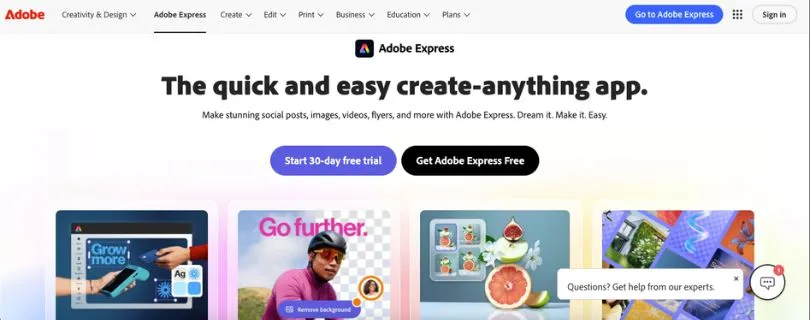
Adobe Express (formerly Adobe Spark) is a streamlined, user-friendly design tool from the Adobe family. It’s made for quick content creation, with solid AI support and easy access to Adobe’s massive asset library. If you want something fast and branded, without diving into full Photoshop or Illustrator territory, this is a solid pick.
Key Features:
- AI-powered template recommendations and text generation
- Built-in access to Adobe Fonts and Adobe Stock
- One-click background removal and image editing tools
- Content scheduler for social media
- Cross-device sync with mobile and web apps
- Branded templates and style controls
Pros and cons of using Adobe Express
Pros:
- Integrates well with the broader Adobe ecosystem
- Great for social media content and marketing materials
- Fast performance and polished output
- Mobile-friendly with real-time sync
Cons:
- Some features are locked behind the Creative Cloud paywall
- May feel limited for more complex presentation layouts
Pricing:
- Free: Includes basic templates, design tools, and limited assets
- Premium: $9.99/month with full access to stock assets, branding tools, and AI features
- Part of Adobe Creative Cloud: Also available via full Adobe subscription bundles
Best for: Content creators, freelancers, and marketers who need fast, branded visuals on the go
Visme AI alternative for: Quick-turnaround social posts, ads, and lightweight branded graphics with the backing of Adobe’s ecosystem
Also Read:
Alternatives to Adobe Express You Should Try
Adobe AI Pricing Explained
4. Gamma
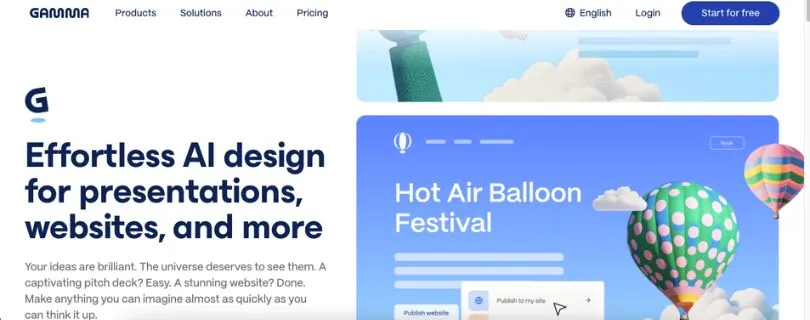
Gamma is like having an AI presentation assistant that just gets you. It takes rough ideas and turns them into clean, modern slide decks with way less effort than traditional design tools. If you’re tired of tinkering with formatting and just want something that looks good and feels cohesive, Gamma makes that process ridiculously simple.
Key Features:
- AI-powered slide generation from natural language prompts
- Responsive layouts that adapt automatically as you edit
- Real-time collaboration and commenting
- Embeddable links, videos, and interactive content
- Presentation analytics and version history
Pros and cons of using Gamma
Pros:
- Great for turning ideas into presentable decks fast
- AI layout engine feels natural and flexible
- Polished, modern designs out of the box
Cons:
- More limited in graphic customization compared to Canva or Adobe Express
- Slides can start to look similar if not manually tweaked
Pricing:
- Free: Unlimited presentations with Gamma branding
- Pro: $10/month for custom branding, export options, and more AI credits
- Team Plan: Custom pricing with admin tools and advanced collaboration
Best for: Founders, consultants, and educators who want clean, AI-assisted presentations without the drag-and-drop struggle
Visme AI alternative for: AI-powered slide creation that helps you stay focused on content instead of layout
5. Jitter
Jitter is the tool you wish Visme had built for motion design. It’s made for quick, lightweight animations. Jitter is perfect for social content, UI mockups, or anything that needs a little movement. The interface feels smooth and intuitive, especially if you’ve ever been frustrated by complex motion tools like After Effects.
Key Features:
- Real-time motion design editor with timeline control
- Animate text, shapes, and images with simple keyframes
- Figma import for seamless workflow with UI designs
- Export as GIF, MP4, or Lottie
- Collaboration tools for team-based animation projects
Pros and cons of using Jitter
Pros:
- Easy learning curve compared to traditional animation tools
- Excellent for creating micro-interactions and motion graphics
- Clean interface that doesn’t get in your way
Cons:
- Not ideal for static content or traditional presentations
- Limited template library compared to Visme or Canva
Pricing:
- Free: Basic animation tools and exports
- Pro: $12/month with watermark removal, higher quality exports, and team features
Best for: Designers, marketers, and product teams looking to add motion to their visuals without diving into complex software
Visme AI alternative for: Motion graphics and animated content that feels dynamic and modern
Also Read:
Detailed Guide to Jitter Pricing
Alternatives and Competitors to Jitter AI
How to choose the right Visme alternative for you
Feeling stuck on which tool to pick? Totally normal. The best Visme alternative for you really depends on what you’re trying to create and how much control or speed you need. Here’s a quick breakdown to help you match the right tool to your style, goals, and workflow:
- If you’re a content creator or small business ownerCanva is your go-to. It’s easy, fast, and comes packed with templates, AI tools, and everything you need to build beautiful designs without starting from scratch.
- If you’re focused on data, reports, or infographicsPiktochart is built for exactly that. It takes the headache out of turning spreadsheets and stats into visuals that actually tell a story.
- If you’re already in the Adobe ecosystemAdobe Express makes sense. It gives you quick access to premium assets, AI design help, and solid tools for branded social posts and marketing content.
- If you want AI to handle most of the design for youGamma is perfect. Just feed it your ideas or outline, and it builds out clean, professional-looking slides that are ready to present or tweak.
- If motion and animation are your thingGo with Jitter. It’s made for people who want to add movement to their visuals without messing around in complicated animation software.
Final thoughts
While Visme is a solid choice for creating presentations and visual content, it can feel limiting when it comes to creative flexibility, animation, and AI depth, especially if you’re working on more advanced or specialized projects.
If you’re searching for Visme AI alternatives that give you more control, smarter automation, or a better fit for your workflow, the tools above are worth exploring. Whether you’re a solo creator, part of a growing team, or someone who just wants to get more done without design headaches, there’s a Visme alternative here that’s built for you.
And the best part? Several of these platforms offer free plans, so you can test things out and find what clicks before committing to anything long term.
FAQ
Can Visme alternatives support collaboration and brand consistency for teams?
Yes. Canva, Adobe Express, and Piktochart all offer team plans with shared asset libraries, brand kits, and live collaboration features. If you’re working with a team or managing branded content across multiple channels, these platforms make it easier to stay aligned and consistent.
Why should I consider Visme alternatives if Visme already does so much?
Visme is great for creating fast, visually appealing content, especially presentations and infographics. But if you’re running into limits with customization, animation, or AI flexibility, it might not scale with your creative needs. The alternatives listed here offer stronger tools for specific workflows, more design freedom, and in some cases, better collaboration or AI performance.
How do I decide which of these Visme alternatives is best for my specific project?
It depends on what you’re building. Canva is ideal for all-purpose visual content, Piktochart shines with data and infographics, Adobe Express is built for branded social media, Gamma handles AI-powered slide creation, and Jitter is perfect for motion design. Think about the type of content you make most, how much control you want, and whether you need animation, AI help, or easy team features.
Are all Visme alternatives AI-powered, or do some focus more on manual design?
Some alternatives like Canva and Gamma put AI front and center, helping generate full layouts and content from a simple prompt. Others, like Piktochart or Jitter, focus more on giving you precise visual control, with less reliance on AI. Adobe Express blends both approaches with smart automation tools and a strong template library.
How do these Visme alternatives compare in terms of scalability for growing content needs?
Each platform scales differently. Canva and Adobe Express are built for teams and larger content operations, offering everything from brand management to scheduling tools. Piktochart is a solid option for business reporting and education. Gamma and Jitter are great for creative speed, and can easily fit into a growing toolkit depending on your content strategy.
Are there any free plans available among these Visme alternatives?
Definitely. Most of the tools I mentioned have generous free tiers. Canva, Adobe Express, Gamma, Piktochart, and Jitter all offer free versions with enough features to get started. You can explore their interfaces, test their workflows, and see what fits before committing to a paid plan.