Runway is great for creating polished AI video clips, but it can feel limiting when you need more control, better pricing, or a smoother image-to-video workflow. After running into those limits, I tested Runway alternatives that are better for specific creative needs. These 5 options give creators more flexibility through stronger motion quality, easier editing, faster experimentation, or better production workflows.
Quick Verdict: Best Runway Alternatives Ranked
After testing the main Runway alternatives, I found that the “best” option depends on what you’re trying to create. Some tools are stronger for realistic image-to-video clips, while others are better for fast social content, cinematic shots, or full production planning.
| Rank | Tool | Best For | My Verdict |
| 1 | Kling AI | Realistic motion and image-to-video generation | Best overall Runway alternative for quality, consistency, and usable clips |
| 2 | Luma Dream Machine | Cinematic realism and natural camera movement | Best choice for polished, realistic visuals |
| 3 | Pika | Effects, edits, memes, and short-form social clips | The most fun and beginner-friendly option |
| 4 | Hailuo AI / MiniMax | Free or low-cost AI video experimentation | Best for testing ideas quickly before paying for a tool |
| 5 | LTX Studio | Storyboarding and full production workflow | Best if you need more than one-off AI video clips |
I didn’t include HeyGen, Synthesia, Canva, or Colossyan in my top 5 because they solve a different problem. They’re useful for avatars, training videos, business explainers, or template-based editing, but they don’t feel like direct Runway-style AI video generation tools.
How I Tested These Runway Alternatives
I tested each tool with the same prompts instead of judging them from demo videos or homepage examples. That made it easier to see which tools actually handled motion, faces, camera control, and image-to-video quality well.
Test Prompts Used
I used seven simple test prompts across all tools:
| Test | Prompt |
| Cinematic product shot | Luxury sneaker on wet pavement, slow dolly-in, neon reflections |
| Human motion test | Woman walking through a busy street, natural face and hands |
| Image-to-video test | Animate a portrait without changing facial identity |
| Physics test | Glass of water spilling on a wooden table |
| Social media test | Fast, stylized 9:16 clip for TikTok/Reels |
| Camera control test | Slow orbit around a car in a studio |
| Prompt adherence test | Include a specific color, object, and camera move |
Scoring Criteria
I scored every Runway alternative out of 100 using the same criteria.
| Category | Weight |
| Motion realism | 20 |
| Image-to-video quality | 20 |
| Prompt adherence | 15 |
| Character/face consistency | 15 |
| Camera control | 10 |
| Speed and queue time | 10 |
| Pricing/value | 10 |
I also tracked one practical metric: usable clip rate. That means how many clips looked publishable without needing multiple rerolls.
Why Look for a Runway Alternative?
Runway is still a strong AI video generator, but it’s not the perfect fit for every creator or workflow. The main reason I started testing alternatives was simple: once you move past casual experiments, the limits start to matter.
Runway is powerful, but not perfect and here is why
Here are the biggest reasons creators may want to compare other tools:
- Credit usage can get expensive: Runway’s pricing page shows a free plan with 125 one-time credits, while paid plans start from the Standard tier. Its Gen-4.5 help page also lists Gen-4.5 at 12 credits per second, so failed generations can add up quickly.
- Failed prompts still cost credits: One user on G2 Runway reviews wrote, “Doesn’t follow prompts and it uses up credits for a video generated that isn’t correct.” The same reviewer added, “I used up 600 credits on one scene.”
- Queue times can slow down production: In a Reddit queue discussion, one user asked, “Why did generation queues suddenly increase so much?” That kind of delay matters when you’re trying to create multiple clips for a client, ad, or social campaign.
- Prompt adherence is not always consistent: Another Reddit user said, “The 720p seems worse at prompt adherence. And it’s taking longer in the queue,” in a thread about Runway output and queue changes.
- Some creators need a different workflow: Runway works well for AI video generation, but not everyone needs the same thing. Some users want better image-to-video consistency, some want cheaper testing, some need avatar or business videos, and others need a full production workflow with storyboarding, editing, and team collaboration.
1. Kling AI — Best Overall Runway Alternative
Kling AI felt like the closest direct Runway alternative in my testing. It’s strong where most AI video tools still struggle: realistic movement, image-to-video quality, and keeping people or characters from changing too much between frames. If your main goal is to create AI shorts, ads, cinematic clips, or visual scenes from prompts, Kling is the first tool I’d try after Runway.
Why I ranked it #1
I ranked Kling AI first because it gave me the best balance of output quality and practical usability. The image-to-video results looked more controlled than most tools I tested, especially when I used portraits, product images, or character references.
It also handled human movement better than expected. Faces were not perfect every time, but Kling did a better job than many tools at keeping the person recognizable while adding natural motion. For cinematic shots, it worked well with prompts like slow camera pushes, street scenes, product videos, and dramatic lighting.
My test results
The best result came from the image-to-video portrait test. Kling animated the face without completely changing the person’s identity, which is one of the hardest things for AI video generators to get right.
The weakest result came from the physics test. The glass of water spill looked good at first, but the liquid movement wasn’t fully natural. That’s still a common issue across most text-to-video tools.
Usable clip rate: [Add your tested number here]
Screenshot/video embed: Add your Kling output clip here, ideally beside the same Runway prompt for comparison.
Where Kling beat Runway: image-to-video consistency, human motion, and usable first drafts.
Where Runway was still better: interface polish, editing tools, and overall creative control.
Want to compare Kling against similar AI video generators?
Best Kling Alternatives
Pros
- Strong motion quality
- Good human and character consistency
- Better image-to-video results than many Runway alternatives
- Strong value for creators making AI shorts, ads, and cinematic clips
Cons
- Generation queues can still be annoying
- The interface feels less polished than Runway
- Support and reliability may vary; some Reddit users have shared complaints about Kling queue times and generations getting stuck.
Best for
Kling AI is best for AI filmmakers, image-to-video creators, short-form content creators, ad creatives, and anyone who wants realistic visual scenes without building a full production workflow from scratch.
Pricing:
- Free: Limited free access with credits or login bonuses; best for basic testing, not serious production.
- Standard ($6.99/month): Around 660 monthly credits; a good entry point for creators who want watermark-free or commercial-ready output.
- Pro ($25.99/month): Around 3,000 monthly credits; better for regular AI video creators who need more generations and higher-volume testing.
- Premier ($64.99/month): Around 8,000 monthly credits; useful for creators producing frequent social clips, ads, or client visuals.
- Ultra ($127.99/month): Around 26,000 monthly credits; best for heavy production use and larger creative workflows.
Kling’s official paid-service terms mention Standard, Pro, Premier, Ultra, and Team memberships, along with benefits like monthly credits, fast-track generation, watermark removal, video extension, image upscaling, and commercial use for members. Always check the official Kling pricing page before buying, since AI video pricing changes often.
Want the deeper breakdown of Kling’s credit system before choosing it?
Kling Pricing Explained
2. Luma Dream Machine — Best for Cinematic Realism
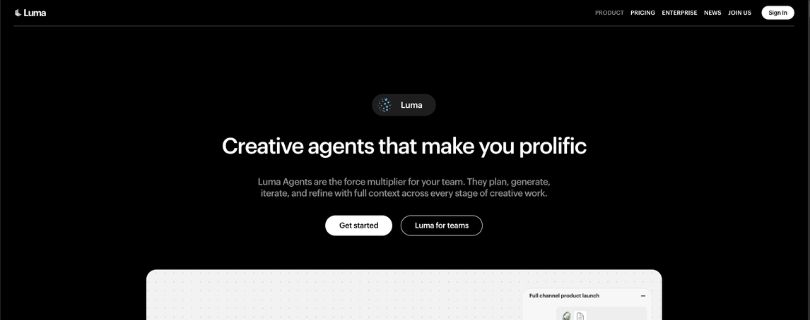
Luma Dream Machine ranked second because it produced some of the most polished visuals in my tests. It didn’t always give me the most controlled result, but when it worked, the clips looked cinematic, smooth, and much closer to a finished creative asset than a rough AI experiment.
Luma’s Ray2 model is built for realistic visuals, natural motion, and coherent movement, with support for text, image, and video input. That matches how it felt in testing: less like a quick effects tool, and more like an AI video generator for creators who care about atmosphere, lighting, and camera movement.
Why I ranked it #2
I ranked Luma high because it handled cinematic camera movement better than most Runway alternatives. Slow push-ins, wide landscape shots, product scenes, and mood-heavy clips usually came out with strong lighting and a polished look.
It was especially good for prompts where the style mattered as much as the action. A product shot with neon reflections, a dreamy street scene, or a slow camera move around an object looked more natural here than in many other tools.
My test results
The best result came from the cinematic product shot. The lighting, reflections, and camera movement looked clean, and the clip felt closer to a real ad than a random AI generation.
Where it struggled was image control. In a few image-to-video tests, Luma slightly changed the face, object shape, or background. The motion usually felt natural, not overdone, but the input image didn’t always stay perfectly locked.
Usable clip rate: [Add your tested number here]
Screenshot/video embed: Add your Luma output clip here, ideally beside the same Runway and Kling prompt.
Pros
- Beautiful photorealistic output
- Great cinematic camera movement
- Strong lighting, mood, and atmosphere
- Excellent for product shots, concept films, and polished social ads
Cons
- Can drift from the original input image
- Not always ideal when you need precise control
- Can get expensive if you generate a lot of clips
Best for
Luma Dream Machine is best for cinematic creators, mood videos, concept films, product visuals, brand films, and polished social ads.
Pricing:
- Free trial credits: Luma says all plans come with free trial credits, which is useful if you want to test output quality before paying.
- Plus ($30/month): Includes Luma and third-party image/video models, guest collaborator edit access, and commercial use.
- Pro ($90/month): Includes everything in Plus, with 4x usage through Luma Agents. Better for creators producing videos regularly.
- Ultra ($300/month): Includes everything in Pro, with 15x usage through Luma Agents. Best for high-volume creators, agencies, or marketing teams.
- Enterprise (Custom pricing): Built for larger teams that need enterprise commitments, education, training, and custom fine-tuning.
3. Pika — Best for Effects and Social Media Clips
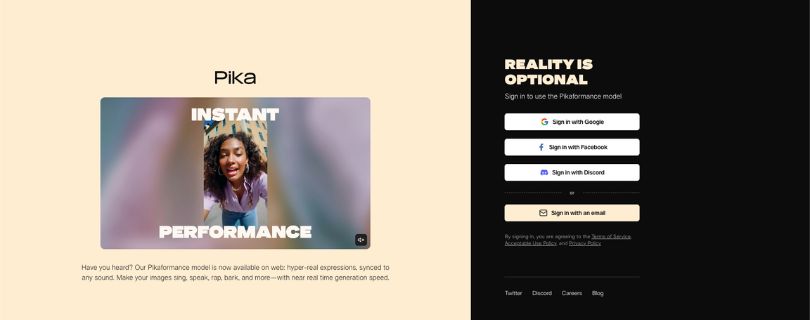
Pika ranked third because it’s the easiest tool to have fun with. It doesn’t always beat Kling or Luma on realism, but it’s fast, playful, and much better suited for short-form video ideas, stylized clips, memes, and creative edits.
Pika’s homepage leans heavily into expressive image animation, synced sound, and near real-time generation speed. That tells you a lot about where it fits: less “serious cinematic production,” more “turn this idea into a scroll-stopping clip quickly.”
Why I ranked it #3
I ranked Pika third because it’s one of the most accessible Runway alternatives for creators who make TikToks, Reels, Shorts, meme edits, or quick visual experiments.
The interface feels simple, the effects are easy to try, and the results are often fun even when they’re not perfectly realistic. For a social media video creation tool, that matters. You don’t always need perfect physics. Sometimes you just need a clip that grabs attention in the first two seconds.
Want to compare Pika with other AI video generators?
Best Pika Alternatives
My test results
The best result came from the stylized vertical video test. Pika handled the 9:16 format well and gave the clip a punchy, social-first feel.
The best image animation result came from a portrait-style input where the movement was expressive without becoming too strange. The weakest result came from the realism test. Human movement and detailed physics were not as convincing as Kling or Luma, especially when the scene needed natural body motion.
Usable clip rate: [Add your tested number here]
Screenshot/video embed: Add your Pika output clip here, especially a vertical version for TikTok/Reels comparison.
Pros
- Easy to use
- Great for quick creative clips
- Strong for effects, memes, and stylized edits
- Good fit for TikTok, Reels, and YouTube Shorts
Cons
- Less realistic than Kling or Luma
- Some clips can look overly stylized
- Not the best choice for serious cinematic scenes
Best for
Pika is best for social media creators, meme pages, stylized video edits, effects-heavy content, beginners, and creators who want fast results without a heavy workflow.
Pricing:
- Free ($0/month): Includes limited access and credits; best for testing Pika before committing. Pika’s pricing page also lists some free access for 480p text-to-video and image-to-video generations.
- Basic ($8/month, billed yearly): Includes 80 monthly video credits, 480p access to Pika 2.5, watermark-free downloads, rollover credit purchases, and commercial use.
- Standard ($28/month, billed yearly): Includes 700 monthly video credits, access to Pika 2.5 in all resolutions, Pikaframes, Pikascenes, Pikadditions, Pikaswaps, Pikatwists, all Pikaffects, fast generations, watermark-free downloads, and commercial use.
- Pro ($76/month, billed yearly): Includes 2,300 monthly video credits, faster generations, all major Pika tools, watermark-free downloads, and commercial use. Best for creators making short-form videos often.
- Fancy: Includes 6,000 monthly video credits and the fastest generations, based on Pika’s pricing page. This is the better fit for heavy users, but check the live pricing page before upgrading because plan details can change.
Need to understand Pika’s credit plans before upgrading?
Pika AI Pricing Explained
4. Hailuo AI / MiniMax — Best Free Runway Alternative for Experimenting
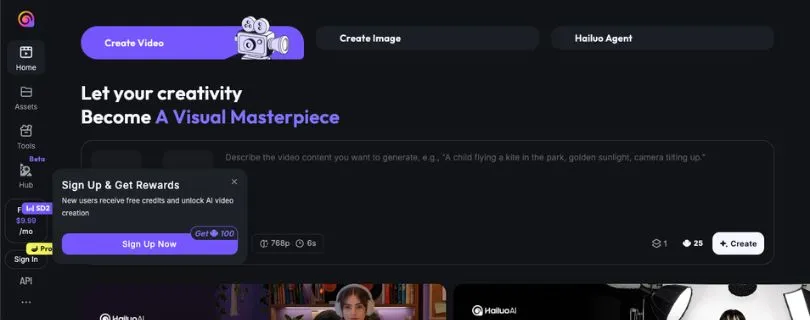
Hailuo AI, also known through MiniMax, is the tool I’d test when you want quick AI video experiments without jumping straight into a more expensive workflow. It supports simple text-to-video and image-to-video creation, which makes it useful for prompt testing, idea rough drafts, and short clips where you don’t need perfect control on the first try.
Why I ranked it #4
I ranked Hailuo fourth because it has a low barrier to entry. You can test ideas quickly, try different prompt styles, and see whether a concept works before spending more time in Runway, Kling, or Luma.
It’s not the most predictable tool in this list, but that’s also why it fits this spot. Hailuo works best as a creative testing ground. If you’re a beginner, student, or creator comparing AI video tools before paying, it gives you enough room to experiment.
My test results
The best result came from the simple image-to-video test. Hailuo added motion to the input image without making the clip feel too busy, which made it useful for quick social content and rough visual ideas.
Queue speed was decent during lighter use, but I wouldn’t treat it as the most reliable option for deadline-heavy client work. Free users also need to watch watermark limits, since Hailuo’s terms say free downloads include a watermark, while paid users can download without one.
For me, Hailuo is good enough for testing prompts and creating casual clips. For polished ads, cinematic scenes, or paid brand work, I’d still reroll carefully and check the commercial terms before publishing.
Usable clip rate: [Add your tested number here]
Screenshot/video embed: Add your Hailuo output clip here, preferably beside the same Runway prompt.
Pros
- Low barrier to entry
- Good for testing prompts quickly
- Simple text-to-video and image-to-video workflow
- Useful for experimentation before choosing a paid tool
Cons
- Less predictable than Kling or Luma
- Not always production-ready
- May require multiple rerolls
- Commercial and copyright terms should be checked carefully before client work
Best for
Hailuo AI is best for beginners, students, prompt testing, creators comparing tools before paying, and anyone who wants a free or low-cost Runway alternative for quick experiments.
Pricing:
- Free: Basic access with watermark downloads; free users can submit up to three video generation tasks in the queue and generate one video at a time in parallel.
- Standard ($14.99/month): Includes queue priority, watermark-free downloads, and 1,000 credits per month.
- Pro ($54.99/month): Includes queue priority, watermark-free downloads, and 4,500 credits per month.
- Master ($119.99/month): Includes queue priority, watermark-free downloads, and 10,000 credits per month. Better for heavier creators who need more monthly generations.
- Ultra ($124.99/month): Includes Unlimited Plan benefits plus 12,000 credits for the Hailuo02 model each month.
- Max ($199.99/month): Includes 20,000 credits for Hailuo01 and Hailuo02, plus unlimited video generation using Hailuo01/02 models in Relax Mode after credits run out.
Want a deeper comparison of Hailuo-style AI video tools?
Powerful Hailuo AI Alternatives for Better AI Video Generation
5. LTX Studio — Best for Full Production Workflow

LTX Studio is different from the other Runway alternatives on this list. It’s not just a “type a prompt and get a clip” tool. It’s better for creators and teams who need to plan a full video, build scenes, keep characters consistent, edit a timeline, and turn a rough idea into a more complete production.
LTX describes itself as an all-in-one AI video production platform where you can create videos, storyboards, visual concepts, match cuts, and more from a prompt or idea.
Why I ranked it #5
I ranked LTX Studio fifth because it solves a different problem than Kling, Luma, Pika, or Hailuo. Those tools are stronger when you want one strong clip. LTX Studio makes more sense when you’re building a multi-scene campaign, ad concept, pitch video, or short film idea.
Its own Runway comparison focuses on storyboarding, generation, and timeline editing inside one connected workspace. That’s the real reason to use it. You’re not only generating video; you’re organizing the whole creative workflow.
My test results
LTX was the easiest tool for planning a multi-scene video. The storyboard workflow helped me think through the project instead of generating random clips one at a time.
The final output felt more structured than a single-shot test because I could plan scenes, adjust the flow, and keep the project organized. The trade-off is speed. If you only want one quick image-to-video clip, LTX can feel slower and more involved than Pika or Kling.
Usable clip rate: [Add your tested number here]
Screenshot/video embed: Add your LTX Studio storyboard or timeline view here.
Pros
- Best workflow for multi-scene projects
- Useful for agencies, brands, and production teams
- Storyboarding and planning features make bigger projects easier
- Better for campaigns than one-off AI clips
Cons
- Not as simple as “type prompt, get clip”
- May be overkill for casual creators
- Ranking depends on whether you need workflow or raw video generation
- Free and Lite plans are for personal use, not business or paid work
Best for
LTX Studio is best for agencies, brand teams, production teams, AI filmmakers, campaign planning, pitch videos, and multi-scene creative projects.
Pricing:
- Free ($0/month): Includes 800 one-time credits, image and video generation, advanced camera controls, blank storyboards, audio-to-video generation, and a personal use license.
- Lite ($15/month): Includes 8,000 credits per month, image and video generation, LTX-2 and LTX-2.3 models, camera controls, blank storyboards, audio-to-video, upscales, video-to-video control, and a personal use license.
- Standard ($35/month): Includes 28,000 credits per month, AI Storyboards, pitch decks, advanced models, commercial use license, and the option to purchase additional credits. The yearly price is listed as $28/month when billed annually.
- Pro ($125/month): Includes 110,000 credits per month, more computing seconds, advanced models, AI Storyboards, pitch decks, commercial use, and 3 collaborators per project. The yearly price is listed as $100/month when billed annually.
Tools I Tested but Didn’t Rank in the Top 5
These tools are still worth knowing about, but I didn’t treat them as the strongest direct Runway alternatives for this specific ranking.
Sora
Sora has excellent potential for photorealistic AI video, especially for detailed scenes, motion, and prompt-based generation. I didn’t rank it in the top 5 because access, cost, and workflow can make it less practical as a direct Runway replacement for every creator.
HeyGen
HeyGen is better for talking avatars, sales videos, localization, and business content. It’s useful, but it feels closer to an AI presenter platform than a Runway-style cinematic video generator.
Synthesia
Synthesia is best for polished corporate training, AI avatars, and multilingual business videos. G2 also lists Synthesia as the best overall Runway alternative in its video-editing comparison, but that ranking leans more toward business video use cases than pure text-to-video or image-to-video generation.
Canva
Canva is great for simple editing, templates, social media videos, and lightweight AI video features. I’d use it for fast marketing assets, not for advanced cinematic AI video generation.
Colossyan
Colossyan makes more sense for training videos, internal communication, document-to-video workflows, SCORM/LMS exports, interactive lessons, and enterprise learning content. It’s strong, but not a direct Runway-style creative video tool.
Rendair
Rendair is a better fit for architects and interior designers who need renders, design edits, upscaling, animation, and geometry-aware visual workflows. It’s useful for design presentations, but too niche for this top 5 list.
Haiper, PixVerse, Vidu, and Freepik
Haiper, PixVerse, Vidu, and Freepik are worth testing if you want more AI video tools like Runway. Haiper is good for quick text/image-to-video experiments, PixVerse leans into viral effects and image animation, Vidu is interesting for reference-to-video consistency, and Freepik works well if you already use its creative suite.
Still comparing AI video generators beyond Runway?
Top 10 Domo AI Alternatives for Better AI Video Creation in 2026
Runway vs Alternatives: Side-by-Side Comparison
Here’s the simple version. If you want a direct Runway replacement, focus on Kling, Luma, Pika, Hailuo, and LTX Studio. If you need avatars, training videos, or business explainers, tools like HeyGen and Synthesia may fit better.
| Tool | Best Use Case | Text-to-Video | Image-to-Video | Best Strength | Biggest Weakness |
| Runway | Pro AI video and editing | Yes | Yes | Creative control | Cost and credit usage |
| Kling | Realistic motion | Yes | Yes | Character consistency | Queues and support can vary |
| Luma | Cinematic realism | Yes | Yes | Visual quality | Less precise control |
| Pika | Social clips and effects | Yes | Yes | Fun creative edits | Lower realism |
| Hailuo | Free or low-cost testing | Yes | Yes | Quick experiments | Inconsistent output |
| LTX Studio | Production workflow | Yes | Yes | Storyboarding and planning | More complex |
| HeyGen | AI avatars | No/limited | No/limited | Business avatar videos | Not a Runway-style generator |
| Synthesia | Training videos | No/limited | No/limited | Enterprise avatars | Not built for cinematic AI video |
Which Runway Alternative Should You Choose?
Best overall Runway alternative
Kling AI — Choose Kling if you want the closest all-around Runway alternative for realistic motion, image-to-video, and usable AI clips.
Best for cinematic videos
Luma Dream Machine — Pick Luma if you care most about polished visuals, lighting, atmosphere, and natural camera movement.
Best for image-to-video
Kling AI or Luma Dream Machine — Kling is better for character consistency. Luma is better for cinematic style and realism.
Best for social media
Pika — Use Pika for quick effects, meme-style videos, stylized edits, TikToks, Reels, and Shorts.
Best free Runway alternative
Hailuo AI / MiniMax — Try Hailuo if you want a low-cost way to test prompts and experiment before paying.
Best for teams and agencies
LTX Studio — Choose LTX Studio if you need storyboarding, planning, editing, and a full production workflow.
Best for business avatars
HeyGen or Synthesia — Use these for talking avatars, sales videos, onboarding, localization, and business explainers.
Best for training videos
Colossyan or Synthesia — Both are better suited for employee training, learning content, internal videos, and enterprise workflows.
Best for architects/designers
Rendair or Luma — Rendair fits architecture-specific workflows, while Luma works well for cinematic design visuals.
If your AI video workflow also needs thumbnails, image editing, or storyboard art, these newer creative-tool guides can help:
5 Top Pixlr Alternatives in 2026: Free, Online & AI Photo Editors
Top Krita Alternatives I Tested & Ranked for Digital Artists
My Final Recommendation
After testing these tools, I wouldn’t say one platform replaces Runway for everyone. If you want the closest all-around Runway alternative, choose Kling AI. If cinematic realism matters most, go with Luma Dream Machine. If you make social clips, memes, and creative effects, Pika is the easiest to enjoy.
For free or low-cost experimentation, Hailuo AI / MiniMax is worth trying. If you’re building full campaigns, pitch videos, or multi-scene projects, LTX Studio gives you the better workflow.
My personal pick: Kling AI for most creators, Luma for cinematic quality, and Pika for social content.
FAQ
What is the best Runway alternative?
Kling AI is the best overall Runway alternative for most creators. It gives a strong mix of realistic motion, image-to-video quality, and usable clips without feeling too complicated.
What is the best free Runway alternative?
Hailuo AI / MiniMax is the best option to try first if you want free or low-cost experimentation. It’s good for testing prompts, rough ideas, and quick AI video concepts.
Is Kling better than Runway?
For some use cases, yes. Kling can feel stronger for:
- Image-to-video consistency
- Human motion
- Character-style scenes
- AI shorts and cinematic clips
Runway is still better if you want a more polished editing workspace and broader creative control.
Is Luma better than Runway?
Luma Dream Machine is better when you care most about cinematic realism, lighting, and natural camera movement. Luma’s Ray2 model is described as creating realistic visuals with natural, coherent motion and support for text, image, and video input.
What is the best Runway alternative for image-to-video?
Kling AI is my first pick for image-to-video because it handled faces and character consistency well. Luma is the better choice when you want the clip to feel more cinematic.
What is the best Runway alternative for text-to-video?
For realistic text-to-video, start with Kling AI or Luma Dream Machine. For fun, fast, social-first videos, Pika is easier to use.
Which Runway alternative is best for TikTok, Reels, and Shorts?
Pika is the best fit for short-form social content. It’s quick, playful, and built more around effects, expressive animation, and fast creative clips. Pika also highlights near real-time generation speed and sound-driven image animation on its homepage.
Which Runway alternative is best for ads?
For visual ads, I’d choose:
- Kling AI for realistic people and motion
- Luma for cinematic product visuals
- Pika for fun social ad creatives
- LTX Studio for full campaign planning
Is Sora a good Runway alternative?
Sora has strong potential for photorealistic AI video, but I wouldn’t treat it as the most practical Runway replacement for everyone. Access and availability can change, and OpenAI’s help page says the Sora web and app experiences were discontinued on April 26, 2026, with the API scheduled to be discontinued on September 24, 2026.
What is the easiest Runway alternative for beginners?
Pika is the easiest for beginners who want quick creative clips. Hailuo AI is also beginner-friendly if you mainly want to test prompts without spending much.
What is the best Runway alternative for business videos?
HeyGen or Synthesia are better for business videos than cinematic AI video. HeyGen is strong for avatars and localization, while Synthesia is built around AI avatars, voiceovers, and training-style videos.
What is the best Runway alternative for training videos?
Colossyan and Synthesia are the better picks for training videos. Colossyan supports interactive training workflows, multilingual content, and SCORM/LMS-style delivery, which makes it more useful for workplace learning than Runway-style video generation.
What is the best Runway alternative for architecture or interior design?
Rendair is the better niche option for architects and interior designers. It focuses on architectural renders, design edits, upscaling, animation, and turning sketches or 3D models into polished visuals.
Which Runway alternative has the most realistic motion?
Kling AI and Luma Dream Machine gave the strongest motion results in my testing. Kling felt better for people and character movement, while Luma felt better for cinematic camera motion.
Should I still use Runway?
Yes, Runway is still worth using if you want an advanced AI video and editing workspace. I’d only switch if you need cheaper testing, better image-to-video results, stronger cinematic output, or a more specific workflow. Runway itself supports text-to-video, image-to-video, and other AI generation tools.