Pollo AI may not be the right AI video generator for your creative needs!
Here is why:
- The credit system can get expensive if you test multiple prompts.
- Some videos may need several tries before you get a usable result.
- Advanced editing and motion control can feel limited for serious creators.
- You may want better realism, faster output, or more flexible pricing.
After comparing Pollo AI with other AI video tools, these are the roadblocks that make alternatives worth checking.
The result: a list of the 5 best Pollo AI alternatives like Runway, Kling AI, Hailuo AI, Luma AI, and Pika.
All offering better control, realism, creative flexibility, or value.
Dive in to find out which one works best for you!
Best Pollo AI Alternatives at a Glance
If you’re in a hurry, here’s the quick comparison. Pollo AI is useful if you want multiple AI video models in one place, but these alternatives are better depending on what you care about most — realism, editing control, cinematic camera movement, social media videos, or credit value.
| Tool | Best For | Text-to-Video | Image-to-Video | Standout Feature | Free Plan/Credits | Best User Type | Main Limitation |
| Runway | Professional creative teams | Yes | Yes | Editing control and cinematic workflows | Limited/free trial style access | Filmmakers, agencies, editors | More complex for beginners |
| Kling AI | Realistic motion and audio | Yes | Yes | Motion realism, lip-sync, native audio | Free/credit-based access | Creators needing realism | Can feel specialized |
| Hailuo AI / MiniMax | Natural movement and human realism | Yes | Yes | Realistic motion and lifelike clips | Free/credit-based access | Social creators, storytellers | Short clip focus |
| Luma AI | Cinematic camera movement | Yes | Yes | 3D-aware movement and depth | Limited/free or paid access depending on plan | Visual storytellers, product demos | Less ideal for heavy editing workflows |
| Pika | Fast creative social content | Yes | Yes | Effects, quick transformations, stylized videos | Free/credit-based plan | TikTok, Reels, casual creators | Less production-focused than Runway |
The best choice depends on what feels missing in Pollo AI. If you want more editing control, Runway is the stronger pick. If realistic motion matters most, Kling AI and Hailuo AI are worth testing. For cinematic movement, Luma AI stands out. And if you mainly create short videos for TikTok, Reels, or quick social content, Pika is the easiest tool to start with.
One quick note: AI video pricing and free credits change often, so always check the official pricing page before choosing a paid plan.
Why Look for a Pollo AI Alternative?
Pollo AI is convenient because it brings several AI video models into one place. The tradeoff is that creators who generate many test clips may care more about credit value, control, and consistency than convenience.
If you’re experimenting with prompts, styles, camera angles, or image-to-video ideas, the credits can run out fast. And when a generation doesn’t look right but still uses credits, it gets frustrating quickly.
Some users also want more realistic motion, better prompt following, stronger editing controls, longer videos, fewer watermarks, clearer pricing, or better commercial-use options.
Pollo AI works well as an all-in-one AI video hub, but it may not be the best fit if you want more control or prefer using a specific AI video model directly.
How I Chose the Best Pollo AI Alternatives
I chose these Pollo AI alternatives based on real creator needs, not just feature lists.
1. Text-to-Video Quality
How well the tool turns a written prompt into a clear, usable video.
2. Image-to-Video Preservation
How well it keeps the subject, style, composition, and identity of the uploaded image.
3. Motion Realism
Whether the movement looks smooth, natural, and believable.
4. Prompt Understanding
How well it follows details like camera angle, mood, action, lighting, and scene style.
5. Editing and Control
Whether users can refine scenes, adjust motion, change framing, or edit after generation.
6. Pricing and Credit Value
How quickly credits run out, whether free credits are available, and how clear the paid plans feel.
7. Best Use Case
Who the tool is actually best for: creators, marketers, filmmakers, educators, agencies, or beginners.
To make the comparison fair, use the same three prompts across every tool: one text-to-video prompt, one image-to-video portrait prompt, and one product/social ad prompt.
Top 5 Pollo AI Alternatives
So here are all the Pollo AI alternatives for better AI video generation:
- Runway
- Kling AI
- Hailuo AI / MiniMax
- Luma AI
- Pika
You can read my experience with each of them below:
1. Runway
Best for
Professional creators, agencies, filmmakers, editors, and marketing teams that want more control over AI video generation and editing.
Runway is one of the strongest Pollo AI alternatives if you want to create polished videos instead of just generating short clips and hoping they work.
It gives you access to text-to-video, image-to-video, video editing tools, lip-sync, text-to-speech, and advanced creative workflows.
I’m listing it first because it solves one of Pollo AI’s biggest gaps: deeper editing control.
Pollo AI is great if you want multiple models in one place. But if you’re working on client videos, ads, YouTube concepts, product clips, or cinematic scenes, Runway feels more production-ready.
AI video options: Text-to-video, image-to-video, video-to-video, AI video editing, lip-sync, and generative audio.
Best use case: Cinematic videos, brand content, ads, creative campaigns, and professional editing workflows.
Still comparing AI video tools before choosing?
Start here: Top 5 Runway Alternatives I Tested & Ranked in 2026
What Makes Runway a Better Alternative Than Pollo AI?
Runway gives you more room to refine your video after generation.
That matters because AI video rarely comes out perfect on the first try. You may need to fix motion, adjust scenes, improve timing, or continue editing the clip into something usable.
With Pollo AI, the main strength is convenience. You can access several AI video models from one dashboard.
With Runway, the main strength is control.
You can:
- Generate videos from text prompts.
- Animate images into video.
- Edit existing videos using AI.
- Use advanced models for cinematic output.
- Work with more serious video editing workflows.
- Create content that feels closer to a finished production.
I found Runway more useful when the goal was not just “make a quick AI clip,” but “make something I can actually use in a campaign or video project.”
If you’re choosing between Runway and Kling, read this full comparison next:
Runway vs Kling: Which AI Video Generator Is Better?
The interface can feel a little more advanced at first, but that’s also because it offers more creative control than many beginner-friendly AI video generators.
Key Features
- Text-to-video and image-to-video generation.
- AI video editing tools for refining clips.
- Access to advanced Runway video models.
- Lip-sync and text-to-speech features.
- Good option for cinematic videos and ad creatives.
- Suitable for agencies, creators, and editing-heavy workflows.
- More control over the final output compared to basic AI video tools.
Limitations
- Can feel complex for complete beginners.
- Credits can run out quickly if you test many prompts.
- The free plan is limited and works more like a trial.
- It may be more than casual social media creators need.
User Reviews
Users often like Runway because it feels easy to use for creative work and gives them flexibility while editing AI videos. Some users also mention that results can depend heavily on the model and prompt quality.
Pricing
Runway has a free plan with 125 one-time credits.
Its paid plans start at $12/month per user when billed annually. The Pro plan costs $28/month per user when billed annually and gives you more monthly credits for serious video work.
If you’re only testing AI video tools, the free plan is enough to explore. But if you want to use Runway regularly for client videos, social media ads, or YouTube content, you’ll probably need a paid plan.
2. Kling AI
Best for
Creators, social media managers, YouTubers, and storytellers who want realistic motion, cinematic clips, and better prompt-to-video results.
Kling AI is a strong Pollo AI alternative if your biggest complaint is that AI videos often look stiff, strange, or disconnected from the prompt.
It is especially useful for realistic short videos, image-to-video animations, character scenes, product clips, and cinematic social media content.
If you care more about lifelike movement than having every tool inside one dashboard, Kling AI is worth testing.
AI video options: Text-to-video, image-to-video, motion control, native audio, lip-sync, and cinematic video generation.
Best use case: Realistic short videos, character scenes, product clips, social media videos, and cinematic storytelling.
Before choosing Kling, read my full hands-on breakdown here:
Kling AI Review 2026: My Experience With This AI Video Generator
What Makes Kling AI a Better Alternative Than Pollo AI?
Kling AI is more focused on realism.
Pollo AI is convenient because it brings different AI video models together. But Kling AI feels more direct if you want to use a strong video model without going through an aggregator-style platform.
What stood out to me is how much Kling AI focuses on motion, camera movement, and scene quality.
You can use it to create:
- Realistic human movement.
- Cinematic camera shots.
- Image-to-video animations.
- Product-style clips.
- Short-form videos for TikTok, Reels, and YouTube Shorts.
- Videos with native audio and lip-sync features.
Here’s where it gets interesting: Kling AI is not just for random AI clips. It works better when you give it detailed prompts with movement, lighting, camera direction, and mood.
For example, instead of writing “a woman walking in the street,” you’ll usually get better results with something like:
“A cinematic shot of a woman walking through a rainy neon street at night, slow camera push-in, realistic reflections, natural movement.”
That kind of prompt gives Kling more to work with.
Key Features
- Text-to-video and image-to-video tools.
- Strong motion realism for short clips.
- Native audio and lip-sync options.
- Good prompt understanding for cinematic scenes.
- Useful for character-based videos and social media clips.
- Motion control features for more specific movement.
- Better suited for realistic AI video generation than basic template tools.
Limitations
- Can still require several prompt tests to get the best result.
- Credit usage can increase quickly with higher-quality settings.
- Some users report concerns around billing, support, or subscription handling.
- It may feel too specialized if you want a full editing suite like Runway.
User Reviews
Public reviews around Kling AI are mixed. Many creators like the video quality and realism, but some users complain about billing, support, credits, and subscription issues. I’d test a small plan before using it for serious client work.
If pricing and credit value are your biggest concerns, compare Kling with Hailuo here:
Kling vs Hailuo: Who Is the Best AI Video Generator?
Pricing
Kling AI uses a credit-based pricing system.
At the time of checking, Kling’s Pro plan was listed at $25.99/month with 3,000 credits. Its Standard plan is the lighter starting point with 660 monthly credits, while higher plans are better for creators who generate videos often.
If you only need occasional AI video clips, start small. If you’re creating regular social content or cinematic clips, the Pro plan gives you more breathing room.
3. Hailuo AI / MiniMax
Best for
Social media creators, storytellers, faceless video creators, and marketers who want natural movement and realistic short clips without a heavy editing setup.
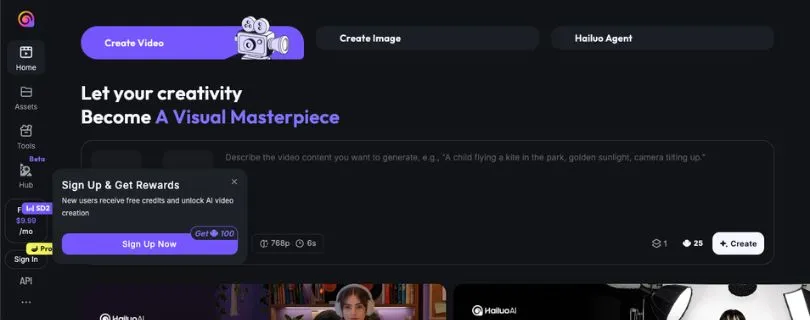
Hailuo AI, powered by MiniMax, is another strong alternative to Pollo AI for short-form AI video generation.
It is especially good if you want natural-looking movement, quick image-to-video results, and realistic clips for social media.
I’d put Hailuo AI in the “fast and realistic” category. It may not replace a full editing tool like Runway, but it’s very useful when you want to turn ideas or images into short videos quickly.
AI video options: Text-to-video, image-to-video, short video generation, realistic movement, and watermark-free downloads on paid plans.
Best use case: Short-form videos, character clips, storytelling scenes, social media content, and quick creative experiments.
What Makes Hailuo AI a Better Alternative Than Pollo AI?
Hailuo AI is a good choice if you want a focused AI video generator instead of a multi-model platform.
Pollo AI gives you access to different models, which is useful. But sometimes, creators don’t want to compare models inside one platform. They just want a tool that gives realistic clips quickly.
That’s where Hailuo AI fits well.
You can use it for:
- Turning images into videos.
- Creating realistic short clips from prompts.
- Animating characters or portraits.
- Making social media videos.
- Testing visual ideas quickly.
- Creating short cinematic scenes without advanced editing skills.
What I like about Hailuo AI is that it doesn’t feel too complicated. You can write a prompt, upload an image, choose your settings, and generate.
Of course, like most AI video generators, it still needs trial and error. Some clips may look great. Others may need another prompt or a small adjustment.
But for creators who mainly make TikToks, Reels, Shorts, or quick visual concepts, Hailuo AI is one of the more practical Pollo AI alternatives.
Key Features
- Text-to-video generation.
- Image-to-video animation.
- Realistic short video output.
- Good option for human movement and character clips.
- Watermark-free downloads on paid plans.
- Priority generation on paid plans.
- Useful for creators who want fast visual results.
Limitations
- Better for short clips than long-form videos.
- Output quality can vary depending on the prompt.
- Advanced editing controls are limited compared to Runway.
- Credits do not roll over on subscription plans.
- Not ideal if you need a full video production workflow.
User Reviews
Users like Hailuo AI for creating visual content quickly without needing advanced video editing skills. It’s a useful option for social media videos, presentations, and quick creative projects.
Pricing
Hailuo AI has a free option, but free users get basic access and videos include a watermark.
Its paid plans start at $14.99/month for the Standard plan, which includes 1,000 credits, watermark-free downloads, and priority generation.
The Pro plan costs $54.99/month and includes 4,500 credits. The Master plan costs $119.99/month and includes 10,000 credits.
There are also higher plans like Ultra at $124.99/month and Max at $199.99/month for heavier users.
If you’re a casual creator, the Standard plan is the safer place to start. If you’re making videos every day for social media or client work, the Pro plan gives you more room to test prompts without running out too quickly.
4. Luma AI
Best for
Visual storytellers, product marketers, creators, and filmmakers who want cinematic camera movement, realistic depth, and polished short AI videos.
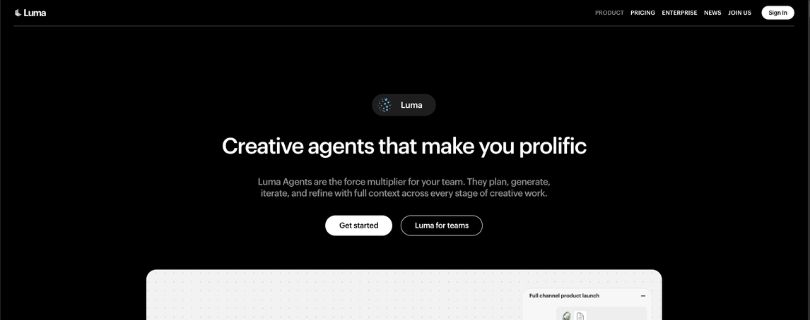
Luma AI, also known for Dream Machine, is one of the best Pollo AI alternatives if you care about how the camera moves through a scene.
It is especially useful for cinematic product shots, landscape videos, architecture clips, social media visuals, and creative concepts where movement and depth matter.
I found Luma AI more useful when the goal was to create a scene that feels visually rich, not just a basic animated image.
AI video options: Text-to-video, image-to-video, video-to-video, AI image generation, and access to Luma and third-party video models.
Best use case: Cinematic camera movement, product visuals, scene animation, social media clips, and creative storytelling.
What Makes Luma AI a Better Alternative Than Pollo AI?
Luma AI is a better option if you want cinematic movement and spatial depth.
Pollo AI gives you model variety, which is helpful. But Luma AI feels more focused on creating videos that have smooth camera motion and a stronger sense of space.
This is useful if you want your AI videos to feel less flat.
You can use Luma AI to create:
- Cinematic product shots.
- Smooth image-to-video animations.
- Camera push-ins, pull-outs, and moving scenes.
- Landscape and architecture videos.
- Short social media clips.
- Concept videos for ads or storytelling.
- Videos with better depth and visual atmosphere.
What stood out to me is how Luma handles motion in a scene. It’s not always perfect, but when the prompt is clear, the output can feel more like a real camera shot than a simple AI animation.
For example, if you’re creating a product video for a watch, perfume bottle, sneaker, or skincare item, Luma can help add that slow cinematic movement that makes the clip feel more premium.
That said, I wouldn’t use it as a full editing suite. It’s better for creating beautiful clips that you can later edit in another tool.
If Luma feels too limited for editing, compare other options here:
Top 5 Luma Dream Machine Alternatives for AI Video in 2026
Key Features
- Text-to-video and image-to-video generation.
- Video-to-video support.
- Strong cinematic camera movement.
- Good depth and spatial consistency.
- Access to Luma and third-party image and video models.
- Commercial use on paid plans.
- Useful for product shots, concept videos, and visual storytelling.
Limitations
- Not ideal for long-form video editing.
- Output quality can vary based on the prompt.
- Credits can go quickly if you generate at higher quality.
- Beginners may need time to understand credit usage.
- Better for creating clips than managing a full video workflow.
User Reviews
Users often praise Luma AI for photorealistic visuals, coherent motion, and impressive creative results. Some users also mention that credit usage and support can be areas to watch before committing to a bigger plan.
Pricing
Luma AI has individual plans that start with the Plus plan at $30/month.
The Pro plan costs $90/month, and the Ultra plan costs $300/month.
The Plus plan includes access to Luma and third-party image and video models, guest collaborator editing access, and commercial use.
If you only need a few cinematic AI clips each month, the Plus plan is a good starting point. But if you’re creating videos often for social media, product marketing, or client work, you may need Pro for more usage.
5. Pika
Best for
TikTok creators, Instagram Reels creators, YouTubers, casual editors, and beginners who want fast, fun, and creative AI videos.
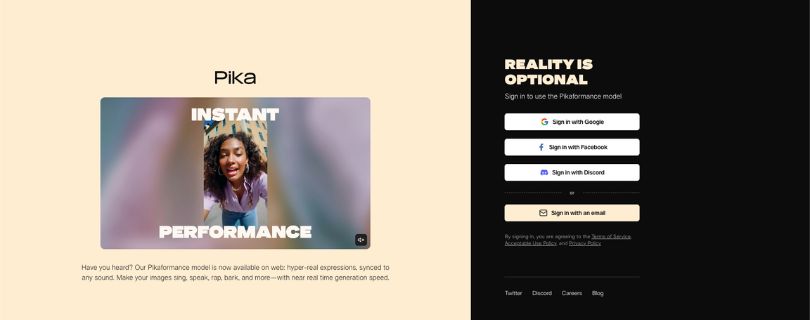
Pika is one of the easiest Pollo AI alternatives to recommend for social media creators.
It is not as production-heavy as Runway and not as cinematic-focused as Luma AI, but it’s quick, playful, and beginner-friendly.
If your goal is to make short clips, AI effects, image animations, stylized videos, or fun social content without a steep learning curve, Pika is a strong option.
AI video options: Text-to-video, image-to-video, video-to-video, Pikascenes, Pikaswaps, Pikadditions, Pikatwists, Pikaframes, and Pikaffects.
Best use case: Short-form videos, social media content, creative effects, image animations, memes, and quick video experiments.
What Makes Pika a Better Alternative Than Pollo AI?
Pika is better if you want quick creative results without feeling buried under settings.
Pollo AI gives you access to several AI video models. That’s useful, but it can also make the workflow feel like you’re constantly comparing tools, credits, and outputs.
Pika feels more direct.
You can:
- Generate videos from text prompts.
- Animate images into short clips.
- Create stylized social media videos.
- Use creative effects and transformations.
- Make fun edits from simple photos.
- Test short-form video ideas quickly.
- Download videos without a watermark on paid plans.
What I like about Pika is that it doesn’t try to feel too serious. It’s built for creators who want to make something visual fast.
That makes it a good fit for TikTok, Reels, Shorts, memes, creator content, and quick brand experiments.
However, if you need advanced editing control, client-ready video production, or detailed scene refinement, Runway will usually be the better choice.
Still deciding between both tools? Read this comparison:
Runway vs Pika: Which AI Video Tool Is Worth It?
Key Features
- Text-to-video and image-to-video generation.
- Video-to-video support.
- Creative AI effects like Pikaffects.
- Tools like Pikascenes, Pikaswaps, Pikadditions, Pikatwists, and Pikaframes.
- Beginner-friendly workflow.
- Watermark-free downloads on paid plans.
- Good fit for short-form and social-first videos.
Limitations
- Less advanced than Runway for professional editing.
- Not always the best for complex cinematic scenes.
- Some effects can feel more playful than production-ready.
- Credit usage depends on model, quality, and duration.
- Better for short clips than full video projects.
User Reviews
Users often like Pika because it makes text-to-video, image-to-video, and video-to-video creation feel simple. Many creators also like its camera controls, image animation, and face preservation for creative videos.
Pricing
Pika has a free plan with 80 monthly video credits.
Its paid plans start with the Standard plan at $8/month when billed yearly. The Pro plan costs $28/month when billed yearly, and the Fancy plan costs $76/month when billed yearly.
The Standard plan gives you 700 monthly video credits, while the Pro plan gives you 2,300 monthly video credits. The Fancy plan gives you 6,000 monthly video credits.
If you’re just testing AI video effects, the free plan is enough to start. But if you’re creating regular TikToks, Reels, or Shorts, the Standard plan gives you more room to experiment without running out too quickly.
Want the full feature and pricing breakdown? Read:
A Complete Guide to Pika AI in 2026
Pollo AI Alternatives Compared by Use Case
Not every Pollo AI alternative is built for the same type of creator. Some tools are better for serious editing, while others are better for quick social videos, realistic motion, or cinematic image animation.
Best Pollo AI Alternative for Professional Editing
Runway is the best pick if you want more than simple AI video generation. It gives you stronger editing tools, better creative control, and a more production-ready workflow.
This is helpful if you’re making ads, brand videos, YouTube content, client projects, or cinematic clips that need polishing after generation.
Best Pollo AI Alternative for Realistic Motion
Kling AI is the better choice if your main goal is realistic movement. It works well for human motion, cinematic scenes, character videos, and short clips where the action needs to feel natural.
If Pollo AI’s output feels too random or stiff, Kling AI is worth testing.
Best Pollo AI Alternative for Human Expressions
Hailuo AI / MiniMax is a strong option for realistic faces, subtle movement, and natural human-style clips.
It’s useful for social videos, emotional scenes, storytelling clips, faceless video ideas, and image-to-video animations where expressions matter.
Best Pollo AI Alternative for Cinematic Camera Movement
Luma AI is the best fit if you want smooth camera motion, depth, and cinematic scene movement.
It’s especially good for product shots, landscape clips, architecture videos, concept visuals, and creative storytelling where the camera movement makes the video feel more premium.
Best Pollo AI Alternative for Social Media Creators
Pika is the easiest choice for TikTok, Instagram Reels, YouTube Shorts, memes, and quick creative effects.
It’s beginner-friendly, fast, and playful. You won’t get the same advanced editing control as Runway, but for short-form content, it’s much easier to start with.
If Pika sounds close to what you need, you can also compare its competitors here:
I Tried 10 Pika Alternatives to Find the Best AI Video Tool
Best Free Pollo AI Alternative
Pika and Runway are good starting points if you want to test AI video tools for free.
Runway gives one-time free credits, but free videos include a watermark and you need to upgrade for more credits. Pika gives monthly free credits and is useful for trying short clips, effects, and image-to-video ideas.
Hailuo AI also offers free access, but free downloads include a watermark. Luma AI offers free trial credits, while Kling AI uses a credit-based system.
Before choosing, check three things: how many free credits you get, whether downloads include watermarks, and whether commercial use is allowed.
Best Cheaper Pollo AI Alternative
Pika is usually the cheaper starting point for casual creators because its paid plan starts lower than many advanced AI video tools.
But don’t only compare monthly price. Compare cost per usable video.
Ask yourself:
- How many videos can I create with the credits?
- How many generations usually fail?
- Can I download without a watermark?
- Can I buy extra credits?
- Do unused credits roll over?
- Can I use the videos commercially?
A cheap plan is not really cheap if you burn credits on unusable clips.
For a direct budget-style comparison, read:
Pika vs Luma Dream Machine: Which Is Better?
Best Long-Form Pollo AI Alternative
Crreo AI is worth considering if you want longer AI videos instead of short 5–10 second clips.
It is built more for explainers, educational videos, storytelling videos, scripts, storyboards, voiceovers, music, and thumbnails. So if your goal is a full YouTube-style video or a longer marketing video, Crreo AI may fit better than a short-form AI video generator.
Pollo AI vs Alternatives: What Matters Most?
Choosing the right Pollo AI alternative is not just about picking the tool with the best-looking demo. You need to look at how it performs when you’re actually creating videos again and again.
Credit System and Failed Generations
Credits matter a lot with AI video tools.
A tool may look affordable at first, but if every prompt test uses credits, the cost can rise quickly. This gets even more annoying when a failed generation still costs credits.
Before choosing any Pollo AI alternative, check:
- How many videos can you realistically create?
- Do failed outputs still cost credits?
- Are watermarks removed on paid plans?
- Can you buy extra credits?
- Do credits reset monthly?
- Is commercial use included?
The real value is not the number of credits. It’s the number of usable videos you can create from those credits.
Text-to-Video vs Image-to-Video
If you mainly create videos from written prompts, Runway and Kling AI are stronger options.
If you want to animate existing images, portraits, product photos, or social media visuals, Pika, Hailuo AI, Kling AI, and Luma AI are worth testing.
For product videos and cinematic visuals, Luma AI can be a better fit. For quick social image animations, Pika is easier to use.
Motion Control and Prompt Accuracy
Good AI video is not just about sharp visuals. The motion needs to make sense.
If a person walks strangely, the camera moves in the wrong direction, or the tool ignores half your prompt, the video becomes hard to use.
Runway is better for control. Kling AI is better for realistic motion. Luma AI is better for camera movement. Hailuo AI is better for natural short clips. Pika is better for fast creative results.
Watermarks and Commercial Rights
If you’re creating videos for clients, ads, YouTube, TikTok, Instagram, or your business, always check watermark rules and commercial-use rights.
Some free plans are fine for testing but not ideal for publishing. Paid plans usually give cleaner exports, but every platform has its own rules.
Don’t skip this step if the video will be used for marketing.
Speed vs Quality
Fast generation is nice, but speed alone does not make a tool better.
If a tool generates videos quickly but half of them look broken, you’ll still waste time and credits. A slightly slower tool can be better if the results are more consistent.
For quick social content, Pika is great. For polished work, Runway, Kling AI, Hailuo AI, and Luma AI may be worth the extra patience.
Other Pollo AI Alternatives Worth Considering
These tools did not make the top 5, but they are still worth checking depending on your use case.
Crreo AI
Crreo AI is best for long-form AI videos, explainers, educational content, scripts, storyboard, voiceover, music, and thumbnails.
It’s a better fit if you want to create a complete video workflow instead of generating short clips one by one.
HeyGen
HeyGen is best for AI avatar videos, presenter-style content, business communication, training videos, and multilingual videos.
It’s not a direct Pollo AI replacement for cinematic clips, but it’s very useful if you need talking-head videos or AI presenters.
Synthesia
Synthesia is best for corporate training, internal communication, onboarding videos, and realistic avatar-based business content.
It is more business-focused than creator-focused, so it works well for companies that need professional presenter videos at scale.
Canva
Canva is best for beginners who want design templates, simple video editing, social media graphics, and basic AI video features in one place.
It’s not the most advanced AI video generator, but it’s helpful if you already use Canva for posts, thumbnails, presentations, or brand assets.
VEED
VEED is best for online video editing with AI features.
It’s useful for captions, subtitles, screen recordings, social videos, trimming, resizing, and quick edits after you generate clips in another AI video tool.
Vidu
Vidu is worth considering if you want another direct AI video generator competitor.
If Vidu is on your shortlist, compare similar tools here:
5 Top Vidu AI Alternatives in 2026
It can be useful for text-to-video and image-to-video experiments, especially if you’re comparing output quality across different AI video models.
GoEnhance AI
GoEnhance AI is best for creators exploring anime videos, style transfer, video enhancement, and creative visual effects.
It’s a good option if your content style is more animated, stylized, or experimental.
Media.io
Media.io is best for casual image-to-video effects, AI hug or kiss-style templates, and simple creative video tools.
It’s not the tool I’d pick for advanced production, but it works well for fun social content and quick AI video experiments.
Final Verdict: Which Pollo AI Alternative Should You Choose?
The best Pollo AI alternative depends on what you actually need from an AI video generator.
Choose Runway if you want professional editing and production control.
Choose Kling AI if you want realistic motion and cinematic quality.
Choose Hailuo AI if you want natural human movement and emotional short clips.
Choose Luma AI if you want cinematic camera movement and 3D-style depth.
Choose Pika if you want fast, beginner-friendly videos for social media.
Still comparing short-form AI video tools? Read:
Pika vs Luma Dream Machine: Which Is Better?
The best Pollo AI alternative depends on what frustrated you about Pollo AI in the first place. If the issue is credit value, compare cost per usable video. If the issue is realism, start with Kling AI or Hailuo AI. If the issue is editing control, choose Runway. If the issue is cinematic camera movement, try Luma AI. If you simply want quick creative clips for social media, Pika is the easiest place to start.
FAQs About Pollo AI Alternatives
What is the best Pollo AI alternative?
Runway is the best overall Pollo AI alternative if you want stronger editing tools, cinematic output, and more control over the final video.
For realistic motion, Kling AI and Hailuo AI are better picks. For quick social media videos, Pika is easier to use.
What are the best sites like Pollo AI?
The best sites like Pollo AI are Runway, Kling AI, Hailuo AI, Luma AI, and Pika.
Each one handles AI video generation a little differently, so the right choice depends on whether you want better editing, realism, motion, pricing, or speed.
Is there a free Pollo AI alternative?
Yes, some Pollo AI alternatives offer free plans or free credits, including Pika, Runway, Hailuo AI, Kling AI, and Luma AI.
But free plans usually come with limits, such as:
- Fewer credits
- Watermarked exports
- Lower generation priority
- Limited commercial-use rights
- Shorter video length or fewer model options
Which Pollo AI alternative is best for text-to-video?
Runway is a strong choice for text-to-video if you want more professional editing control.
Kling AI is better if your main goal is realistic motion and cinematic scenes from detailed prompts.
Pika is better if you want quick text-to-video clips for TikTok, Reels, Shorts, or fun creative experiments.
Which Pollo AI alternative is best for image-to-video?
Luma AI, Kling AI, Hailuo AI, and Pika are all strong options for image-to-video.
Luma AI is better for cinematic camera movement. Hailuo AI is better for natural human movement. Pika is better for fast social media animations.
Which Pollo AI alternative is best for realistic AI videos?
Kling AI is one of the best options for realistic AI videos because it focuses strongly on motion, camera movement, and scene quality.
Hailuo AI is also a good choice if you want realistic short clips with natural human expressions and smoother body movement.
Which Pollo AI alternative is best for beginners?
Pika is the easiest Pollo AI alternative for beginners.
It has a simple workflow, fun effects, and quick image-to-video tools that work well for short-form content creators.
Which Pollo AI alternative is best for professional creators?
Runway is the best option for professional creators, video editors, agencies, and marketing teams.
It gives you more editing control than most beginner-friendly AI video tools, which makes it better for ads, client videos, brand content, and YouTube projects.
Which Pollo AI alternative is best for TikTok and Instagram Reels?
Pika is the best choice for fast TikTok, Instagram Reels, and YouTube Shorts-style videos.
Kling AI and Hailuo AI are also worth testing if you want more realistic movement instead of playful effects.
Which Pollo AI alternative is cheaper?
Pika usually has one of the cheaper starting plans, which makes it a good option for casual creators.
But don’t only compare the monthly price. Compare how many usable videos you can create before your credits run out.
Is Runway better than Pollo AI?
Runway is better than Pollo AI if you want deeper editing control, more professional workflows, and stronger production tools.
Pollo AI may still be more convenient if you want to access different AI video models from one dashboard.
Is Kling AI better than Pollo AI?
Kling AI can be better than Pollo AI for realistic motion, cinematic clips, and prompt-based video generation.
Pollo AI is better if you prefer an all-in-one AI video hub with access to multiple models and effects.
Is Pika better than Pollo AI?
Pika is better if you want quick, creative, beginner-friendly AI videos for social media.
Pollo AI may be better if you want more model variety in one place.
What should I check before choosing a Pollo AI alternative?
Before choosing any AI video generator, check how its pricing and credits actually work.
Pay attention to:
- Monthly credits
- Credit cost per video
- Watermark rules
- Failed generation policy
- Commercial-use rights
- Export quality
- Video length limits
Are Pollo AI alternatives good for commercial videos?
Yes, many Pollo AI alternatives can be used for commercial videos, but you should always check the platform’s license before publishing.
This matters if you’re creating ads, client work, product videos, YouTube content, or branded social media posts.
What is the best long-form Pollo AI alternative?
Crreo AI is worth considering if you want long-form AI videos instead of short clips.
It is better for explainers, educational videos, scripts, storyboards, voiceovers, music, and full video workflows.
Do Pollo AI alternatives support AI avatars?
Some Pollo AI alternatives focus more on cinematic clips and image-to-video generation, not avatars.
If you specifically need AI avatar videos, HeyGen and Synthesia are better options for presenter videos, training content, and business communication.
Can I use Pollo AI alternatives for YouTube videos?
Yes, but the best tool depends on the type of YouTube content you make.
Use Runway for polished edits, Pika for quick Shorts, Kling AI or Hailuo AI for realistic scenes, and Crreo AI if you want longer explainer-style videos.
Why do people look for Pollo AI alternatives?
Most users look for Pollo AI alternatives because they want better pricing, stronger motion realism, fewer failed generations, clearer credit usage, or more editing control.
Some creators also prefer using tools like Kling AI, Runway, or Luma AI directly instead of using an aggregator platform.