Vidnoz AI makes it surprisingly easy to turn a script into a talking-presenter video without filming yourself. In this Vidnoz AI review, I’ll look at where it works well, what the free plan actually gives you, and where its simplicity starts becoming a limitation.
Still comparing AI video tools? See my best AI video generator tools to find the right option for your workflow.
Quick verdict
Best for: Vidnoz AI is a good fit for beginners, marketers, educators, and small businesses that want to create talking-avatar videos quickly without learning traditional video editing.
Falls short for: Creators who need detailed motion graphics, cinematic editing, or complete control over how every scene and animation behaves.
Bottom line: The Vidnoz AI video generator is easy to start with and gives you plenty of avatars, voices, and templates. But the credit system and limited advanced editing become more noticeable once you start producing videos regularly.
Not sure Vidnoz is the right fit for your videos? Check my Vidnoz AI alternatives before choosing a paid plan.
What is Vidnoz AI?
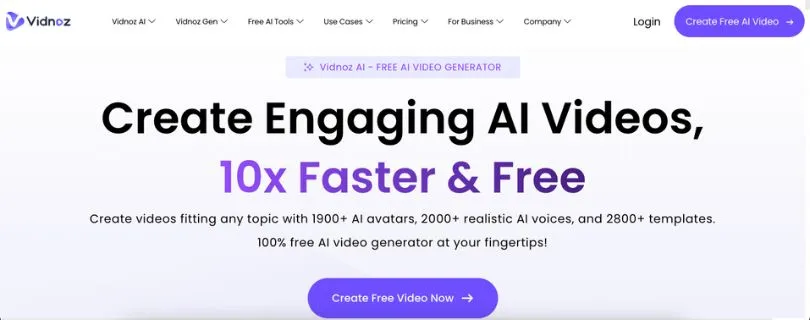
Vidnoz AI is a web-based AI video generator that lets you create presenter-style videos from text. You choose an avatar, enter a script, select an AI voice, customize the scene, and generate the finished video without recording yourself.
Its main advantage is convenience. Instead of arranging a camera, microphone, actor, and editing software, you can build training videos, marketing content, explainers, sales videos, and educational content entirely in the browser.
Vidnoz currently advertises 1,900+ AI avatars, 2,000+ AI voices, 2,800+ templates, and support for more than 140 languages on its main website. It also includes voice cloning, video translation, talking photos, and several smaller AI media tools.
If your main goal is polished corporate training or presenter videos, you may also want to read my Synthesia AI review to see how a more business-focused platform compares.
Still comparing AI avatar platforms? See my latest Synthesia alternatives before deciding which tool fits your workflow.
Key features of Vidnoz AI
Below are the main features I think matter most in this Vidnoz AI review:
- AI avatars: Vidnoz gives you access to a large library of realistic presenters covering different ages, styles, outfits, and use cases. You can also create a custom digital avatar.
- Templates and AI Video Wizard: You can start with a pre-designed template or use the AI Video Wizard to turn text and prompts into structured video scenes, which saves time when you don’t want to build everything manually.
- AI voices and languages: Vidnoz offers thousands of voice options on paid plans, with multilingual text-to-speech and lip-sync. The platform supports more than 140 languages for broader localization.
- Voice cloning and translation: Business users can clone a voice and translate videos while keeping speech synchronized with the presenter. This is particularly useful if you create the same training or marketing content for different regions.
- Talking photos and extra AI tools: Beyond standard Vidnoz AI avatars, the platform includes photo avatars, text-to-video, image-to-video, script generation, face tools, and other smaller AI utilities.
The number of options is one of Vidnoz’s biggest strengths. The trade-off is that having lots of tools doesn’t necessarily give you the same level of detailed editing control you would get from a traditional video editor.
If avatar quality is your main priority, compare Vidnoz with the tools in my HeyGen alternatives guide.
Vidnoz AI pricing
Vidnoz AI pricing is based around a free tier followed by Starter, Business, and Enterprise plans. The free plan is useful for testing the workflow, but export quality, credits, branding, and advanced AI features become more important once you start using it regularly.
| Plan | Approx. price | What you get |
| Free | $0 | Limited daily generation, 720p export, Vidnoz watermark, basic avatars and voices |
| Starter | About $29.99/month | 1080p export, no watermark, more credits, more voices, emotional voices |
| Business | About $74.99/month | More credits, voice cloning, video translation, brand kit, collaboration and analytics |
| Enterprise | Custom | Custom credits, support, enterprise controls and tailored solutions |
Annual billing can reduce the effective monthly cost, and Vidnoz also runs promotional discounts, so the exact checkout price may change. Vidnoz’s current plan information shows 1080p exports and watermark removal on Starter, while Business adds features such as voice cloning, translation, branding, SSO, team collaboration, and analytics.
The bigger issue is not just the monthly fee. Vidnoz uses credits for video generation, and unused credits do not carry over into your next billing period. Deleting a generated project also does not restore the credits you already spent.
That means the free plan is useful for experimenting, while paid plans make more sense when you already know how much Vidnoz AI video you expect to generate each month.
Curious what another AI avatar platform costs? Read my full Synthesia pricing explained guide before comparing plans.
If you want a broader script-to-video workflow rather than mainly talking avatars, my InVideo AI pricing explained guide is also worth comparing before you subscribe.
Vidnoz AI reviews
Vidnoz AI reviews are mixed depending on where you look. Product Hunt currently shows 4.8/5 from 55 reviews, while Trustpilot shows 2.2/5 from 80. The repeated themes matter more than either score.
What users like
- Fast creation: Reviewers praise how quickly scripts become presenter videos.
- Beginner-friendly: The workflow suits people without editing experience.
- Good variety: Avatars and voices cover marketing, training, YouTube, and multilingual content.
For repurposing written content, see my AI tools for turning blog posts into videos.
What frustrates users
- Limited customization: Advanced editing can feel restrictive when you want more unique scenes.
- Billing and free-plan complaints: Some Trustpilot users report frustration around subscriptions, credits, support, and free-use expectations.
- Lip-sync varies: Some Product Hunt feedback says certain clips could look more natural.
Still comparing similar tools? See my MagicLight AI alternatives for more options.
How Vidnoz AI performs in practice
Vidnoz works best when the workflow is simple: choose an avatar, add a script, pick a voice, and generate. Users consistently value it for fast explainers, training videos, marketing content, and other presenter-led videos.
For complex timelines or detailed animation, it feels more like an AI presenter tool than a full video editor. My Vyond review covers a more animation-focused approach.
Is Vidnoz AI right for you?
Who might find it useful
- Marketers and small businesses making quick explainers and promotional videos.
- Educators and training teams creating presenter-led lessons.
- Multilingual creators who want AI voices, avatars, and translation without filming repeatedly.
For another script-to-video workflow, read what InVideo AI is.
Who should skip it
- Filmmakers and motion designers who need detailed creative control.
- Brands wanting highly custom visuals rather than template-led presenter scenes.
- Heavy users who don’t want their workflow tied closely to generation credits.
If animation matters more than realistic presenters, compare my Vyond alternatives.
The best Vidnoz AI alternative: Synthesia
Synthesia is the Vidnoz AI alternative I would compare first for professional training, onboarding, and internal communications. It is built specifically around business video creation and includes AI avatars, multilingual voices, translation, branded scenes, and interactive video features.
Vidnoz makes more sense for broader experimentation, while Synthesia is worth considering when structured business-video workflows matter more.
If avatars aren’t your main priority, you can also compare my InVideo AI alternatives or Descript alternatives.
Final verdict
This Vidnoz AI review comes down to speed versus control. Vidnoz is easy to start with and strong for quick avatar videos, but creators who need deeper editing should compare other Vidnoz AI alternatives before paying.
Still considering animation-first tools? Check my Animaker alternatives before choosing.
Frequently Asked Questions
Is Vidnoz AI free?
Yes. Vidnoz AI free includes limited generation, 720p exports, and Vidnoz branding. Paid plans increase usage and remove the watermark.
How much does Vidnoz AI cost?
Vidnoz offers Free, Starter, Business, and Enterprise tiers. Pricing and promotional discounts can change, so check the current pricing page before subscribing.
Does Vidnoz AI put a watermark on free videos?
Yes. Free videos include Vidnoz branding, while paid plans include watermark removal.
Is Vidnoz AI safe?
Vidnoz states that it has ISO/IEC 27001:2022 certification. Still, review its privacy terms before uploading sensitive faces, voices, or business media.
What is the best Vidnoz AI alternative?
Synthesia is a strong option for professional training and business videos. For free or animation-focused options, see my best free AI animation tools.