I tested Vidnoz AI alternatives for almost a month because I wanted to see which tools actually feel better in real use, not just on a pricing page.
Vidnoz AI is still a solid free AI video generator for avatar videos, text-to-speech clips, templates, and quick marketing videos.
But after using different tools for avatars, dubbing, subtitles, editing, and short-form videos, I noticed one thing clearly.
Vidnoz is good for beginners, but it’s not always the best tool when your video workflow gets more specific.
Some tools create more realistic AI avatars. Some are better for training videos. Some handle AI dubbing, lip sync, and video translation much better.
And if your goal is TikTok, Reels, YouTube Shorts, or UGC-style ads, you’ll probably want something built more for social content.
After testing and comparing the options, these are the best Vidnoz AI alternatives in 2026:
Quick Winners
| Category | Best Vidnoz AI Alternative |
| Best overall Vidnoz alternative | HeyGen |
| Best for corporate teams | Synthesia |
| Best for dubbing and localization | Vozo AI |
| Best all-in-one editor | VEED.IO |
| Best for social ads and short videos | Topview.ai |
| Best free-to-try honorable mention | KreadoAI |
HeyGen felt like the best overall upgrade if you want polished, realistic AI avatar videos.
Synthesia stood out more for business videos, training content, onboarding, and corporate presentations.
Vozo AI was the strongest pick for AI dubbing, video translation, subtitles, and lip sync.
VEED.IO made the most sense when I needed editing tools, captions, trimming, resizing, and post-production in one place.
Topview.ai was the better option for short-form videos, TikTok-style ads, Reels, UGC content, and ecommerce creatives.
Quick Comparison Table: Best Vidnoz AI Alternatives
Here’s a quick side-by-side look at the Vidnoz AI alternatives I found most useful during testing.
This table should help you quickly spot which tool fits your workflow before we go deeper into each one.
| Tool | Best For | Free Plan or Trial | Key Advantage Over Vidnoz | Main Limitation | Best User Type |
| HeyGen | Realistic avatars and custom spokesperson videos | Free/trial available | Better avatar realism and customization | Can get expensive for higher usage | Marketers, founders, educators, sales teams |
| Synthesia | Corporate training and internal communication | Free plan/demo available | Better business video workflow and team features | Less ideal for casual creators | L&D teams, HR teams, enterprises |
| Vozo AI | AI dubbing, video translation, and lip sync | Free trial available | Stronger localization for existing videos | Not mainly an avatar-template tool | YouTubers, educators, global brands |
| VEED.IO | Video editing, subtitles, screen recording, and translation | Free plan available | Better post-production and subtitle tools | AI avatar features are not its main strength | Creators, social teams, editors |
| Topview.ai | Social videos, UGC ads, TikTok, and Reels content | Free/trial available | Faster short-form ad and social video creation | Less suited for formal training videos | Ecommerce brands, social creators, agencies |
If you want the closest all-around Vidnoz upgrade, HeyGen is the easiest recommendation.
Its avatars feel more polished, and it works well for marketing videos, sales explainers, online courses, and branded spokesperson content.
For business training videos, Synthesia feels more focused.
It’s not the tool I’d pick for casual TikTok content, but for HR, onboarding, and internal communication, it makes a lot of sense.
Vozo AI is the one I’d choose if the video already exists and needs to be translated, dubbed, subtitled, or lip-synced.
That makes it especially useful for YouTubers, educators, and brands trying to reach viewers in different languages.
VEED.IO is better if you care more about editing than avatars.
It’s helpful for subtitles, screen recordings, trimming, resizing, and cleaning up videos before posting them.
Topview.ai is the most social-media-focused option on this list.
If your main goal is to create TikTok ads, Reels, YouTube Shorts, UGC-style videos, or ecommerce creatives, it feels more practical than Vidnoz.
Why You Would Look for a Vidnoz AI Alternative?
Vidnoz AI is useful for quick avatar videos, but it may feel limited once your video needs become more specific.
You may want a Vidnoz AI alternative if:
- You need more realistic custom avatars for professional-looking videos.
- You want better AI voices that sound less flat or robotic.
- You need stronger AI dubbing, video translation, and lip sync.
- You want advanced subtitle tools for captions, translations, and social videos.
- You need more editing control for trimming, resizing, branding, or repurposing content.
- You work with a team and need better collaboration, brand control, or business features.
- You create TikTok videos, Reels, YouTube Shorts, UGC ads, or ecommerce creatives.
- You want better control over existing videos instead of only making new avatar videos.
- You prefer clearer pricing, fewer free-plan limits, or better export options.
How I Chose These Vidnoz AI Alternatives
I didn’t choose these tools only by counting avatars or templates.
That looks good on paper, but it doesn’t always show how useful the tool feels in real work.
I compared each Vidnoz AI alternative based on:
- Avatar realism
- AI voice quality
- Text-to-video workflow
- Video translation and dubbing
- Lip sync quality
- Subtitle and caption tools
- Editing flexibility
- Free plan or trial availability
- Pricing value
- Export quality
- Speed and ease of use
- Best use case for real users
The final list focuses on what people usually want when they outgrow Vidnoz:
- Better AI presenters
- Better video localization
- Stronger editing tools
- Faster short-form video creation
- More control over the final video
Top 5 Vidnoz AI Alternatives
So here are all the Vidnoz AI alternatives that I found useful for different AI video workflows:
- HeyGen
- Synthesia
- Vozo AI
- VEED.IO
- Topview.ai
You can read my experience with each of them below:
1. HeyGen
Best for:
Marketers, founders, educators, coaches, and sales teams that want realistic AI avatars and custom spokesperson videos.
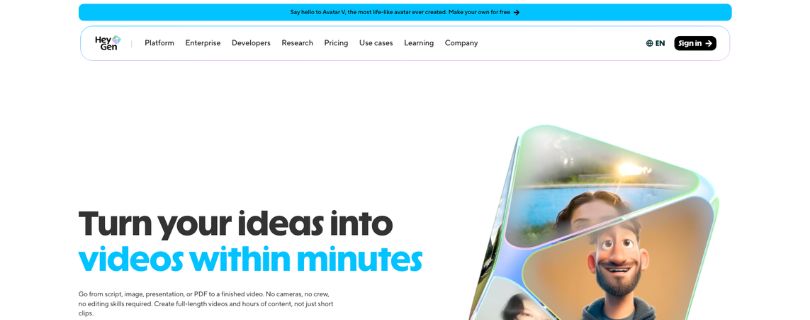
HeyGen is one of the closest Vidnoz AI alternatives if your main goal is to create polished avatar videos.
I’m listing it first because it feels like the most natural upgrade from Vidnoz for realistic AI presenters.
Vidnoz is good for quick avatar videos, but HeyGen gives you more control over how the avatar looks, sounds, and presents your script.
Video creation options:
AI avatars, custom digital twins, photo avatars, text-to-video, AI voiceover, video translation, and voice cloning.
Main drawback:
HeyGen can get expensive once you need more credits, longer videos, or advanced avatar features.
What Makes HeyGen a Better Alternative Than Vidnoz AI?
HeyGen feels stronger when you want your AI avatar video to look more professional.
The avatars look more natural, and the whole workflow feels built for branded videos, product explainers, sales videos, and online courses.
You can use it to:
- Create realistic AI spokesperson videos.
- Turn scripts into avatar-led videos.
- Make product demos and marketing videos.
- Create custom digital twins.
- Generate multilingual videos for different audiences.
The thing I liked most was how clean the final avatar videos looked.
The face movement, voice delivery, and presentation style felt more polished than most beginner-friendly AI video tools.
It also works well if you don’t want to record yourself but still want a human-style presenter in your videos.
For creators and business owners, that’s where HeyGen makes more sense than Vidnoz.
Key Features
- Realistic AI avatars and stock digital twins.
- Custom avatar and photo avatar options.
- Text-to-video workflow for scripts.
- Voice cloning and AI voiceover tools.
- Multilingual video creation.
- 1080p export on paid plans.
- Useful for sales videos, explainers, courses, and marketing content.
Limitations
- Higher usage can become costly.
- The free plan is limited.
- Some advanced avatar features need paid plans.
- Not the best pick if you only need basic template videos.
User Reviews
Users often like HeyGen because it helps them create professional-looking avatar videos without a studio setup.
Some users also mention that the platform saves time for educational videos, tutorials, and YouTube-style content.
What do users dislike about HeyGen?
A few users mention stability issues and say the tool can feel costly when you need more video generation.
Pricing
HeyGen has a free plan at $0/month.
The Creator plan starts at $29/month, and the Pro plan starts at $49/month.
If you only want to test AI avatar videos, the free plan is enough to explore the tool.
But if you want watermark-free videos, longer exports, voice cloning, and better output quality, you’ll need a paid plan.
You can also check their official pricing page before choosing a plan because AI video credits can change over time.
Also Read:
HeyGen Alternatives: 5 AI Video Tools You Should Try in 2026
2. Synthesia
Best for:
L&D teams, HR teams, enterprises, and business teams that create training, onboarding, and internal communication videos.
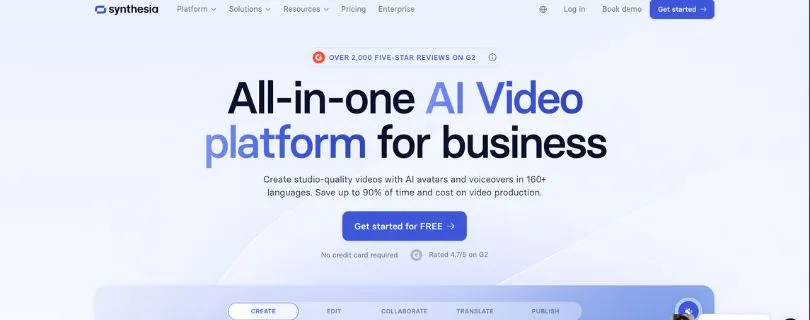
Synthesia is not the most casual Vidnoz alternative, but it is one of the strongest business-focused AI video platforms.
I’d choose it over Vidnoz if the goal is training content, company updates, SOP videos, or professional business presentations.
Vidnoz feels more beginner-friendly, while Synthesia feels more structured for teams.
Video creation options:
AI avatars, text-to-video, AI voiceovers, video translation, AI dubbing, screen recording, and branded business videos.
Main drawback:
Synthesia may feel too formal or expensive if you only want simple social videos or quick avatar clips.
What Makes Synthesia a Better Alternative Than Vidnoz AI?
Synthesia is better when you need a clean, repeatable video workflow for business content.
It’s especially useful for companies that create the same type of videos again and again.
You can use it to:
- Create employee training videos.
- Make onboarding videos for new hires.
- Build product training content.
- Create internal communication videos.
- Turn written documentation into video lessons.
What stood out to me is how focused Synthesia is on business use cases.
It’s not trying to be a fun TikTok video maker.
It’s built more for teams that want polished videos without hiring presenters, video editors, or voiceover artists.
That makes it a better Vidnoz AI alternative for corporate teams.
Key Features
- Large AI avatar library.
- AI voices in multiple languages.
- Text-to-video editor.
- AI dubbing and video translation.
- Brand kit and team workspace options.
- Commenting and collaboration features.
- Useful for HR, training, compliance, and internal videos.
Limitations
- Not ideal for casual creators.
- Less suited for TikTok, Reels, or UGC-style videos.
- Paid plans can feel expensive for individuals.
- Some business features are only available on higher plans.
User Reviews
Users often like Synthesia because it makes business video creation faster and easier.
Many reviews mention that the platform is easy to use, especially for people without video production experience.
What do users dislike about Synthesia?
Some users say customization can feel limited when they want more creative control.
Pricing
Synthesia has a free Basic plan at $0/month.
The Starter plan costs $29/month when billed monthly, or $18/month when billed yearly.
The Creator plan costs $89/month when billed monthly, or $64/month when billed yearly.
Enterprise pricing is custom, so larger teams need to contact sales for a quote.
If you’re a solo creator, Synthesia may feel pricey.
But for companies making regular training or onboarding videos, the pricing makes more sense.
Also Read:
Synthesia io AI Review: The Good, Bad & Pricing Explained
3. Vozo AI
Best for:
YouTubers, educators, course creators, agencies, and global brands that need AI dubbing, video translation, subtitles, and lip sync.
Vozo AI is different from Vidnoz because it focuses more on improving existing videos.
If you already have videos and want to translate, dub, subtitle, or localize them, Vozo AI is one of the better options.
I’d pick it over Vidnoz when the main job is not creating a new avatar video from scratch.
Video creation options:
AI video translation, AI dubbing, lip sync, subtitle translation, visual translation, talking photo, voice studio, and shorts generation.
Main drawback:
Vozo AI is not mainly an avatar-template tool, so it may not replace Vidnoz for every beginner avatar workflow.
What Makes Vozo AI a Better Alternative Than Vidnoz AI?
Vozo AI is better when you want to repurpose one video for multiple languages or markets.
For example, if you have a YouTube video in English, you can use Vozo AI to dub it, translate the subtitles, and sync the speaker’s lips.
That is where it feels stronger than Vidnoz.
You can use it to:
- Translate existing videos.
- Add AI dubbing in different languages.
- Sync lip movement with translated audio.
- Translate subtitles for global audiences.
- Turn long videos into short clips.
The strongest part is localization.
Instead of making one video and stopping there, Vozo AI helps you make that same video useful for more viewers.
That’s helpful for YouTubers, online educators, coaches, and brands trying to reach international audiences.
Key Features
- AI video translation.
- AI dubbing and voice replacement.
- Lip sync for translated videos.
- Subtitle translation.
- Visual translation for on-screen text.
- Talking photo tool.
- Shorts generator for repurposing long videos.
- Useful for YouTube, courses, tutorials, and global campaigns.
Limitations
- Not the best choice for basic avatar-template videos.
- The credit/AI points system needs attention.
- Some edits may still need manual fine-tuning.
- More useful for localization than full video editing.
User Reviews
Users often like Vozo AI because it makes video translation and dubbing easier to manage.
Many reviews also mention that the setup is simple and the translated output can save a lot of editing time.
What do users dislike about Vozo AI?
Some users say AI-assisted editing can still need manual cleanup in certain videos.
Pricing
Vozo AI has a free plan at $0/month.
The Creator plan starts at $29/month and includes AI points for dubbing, lip sync, and visual translation.
The Studio plan starts at $99/month and is better for creators or teams with higher video usage.
If you mainly need video translation, dubbing, and lip sync, Vozo AI gives better value than using a general AI avatar tool for localization.
4. VEED.IO
Best for:
Creators, editors, marketers, podcasters, and social media teams that need subtitles, editing, screen recording, and video repurposing in one place.
VEED.IO is not just an AI avatar video generator.
It is more of an all-in-one online video editor with AI tools built into the workflow.
I’d choose VEED over Vidnoz if I already had video footage and needed to clean it up, subtitle it, resize it, or turn it into social content.
Vidnoz is better for quick avatar videos, but VEED gives you more control after the video is created.
Video creation options:
Video editing, auto subtitles, screen recording, AI avatars, AI dubbing, video translation, text-to-speech, background noise remover, and social resizing.
Main drawback:
VEED’s AI avatar features are not its strongest area compared to tools like HeyGen or Synthesia.
What Makes VEED.IO a Better Alternative Than Vidnoz AI?
VEED is better when your main problem is editing, not just creating an AI presenter video.
You can record, edit, caption, translate, crop, resize, and export videos from the same browser-based editor.
That makes it useful for YouTube videos, Instagram Reels, TikTok clips, course videos, podcasts, and quick marketing content.
You can use it to:
- Add automatic subtitles to videos.
- Translate videos into different languages.
- Record your screen and webcam.
- Remove background noise from audio.
- Resize videos for TikTok, Reels, Shorts, and LinkedIn.
- Edit existing footage without installing desktop software.
The subtitle workflow stood out the most for me.
If you create social videos, captions are not optional anymore.
VEED makes it easier to generate, edit, style, and export subtitles without jumping between different tools.
I also liked that it works well for repurposing content.
For example, you can take a long webinar, podcast, tutorial, or product demo and turn it into shorter clips for social media.
That is where VEED feels more useful than Vidnoz.
Vidnoz helps you create avatar videos fast, but VEED helps you polish and publish videos faster.
Key Features
- Online video editor with drag-and-drop controls.
- Automatic subtitles and caption styling.
- Video translator and AI dubbing tools.
- Screen recorder and webcam recorder.
- Background noise remover.
- Video resizing for social platforms.
- Brand kit options on paid plans.
- AI avatars and text-to-speech tools.
- Useful for creators, marketers, podcasters, and editors.
Limitations
- AI avatars are not as strong as dedicated avatar tools.
- Large video files may feel slower to edit.
- Some useful features are locked behind paid plans.
- The free plan includes limits and watermarks.
- Not the best choice if you only want avatar-template videos.
User Reviews
Users often like VEED because it is simple to use and makes subtitle generation much faster.
Many users also mention that it helps them create polished videos without needing advanced editing skills.
What do users dislike about VEED?
Some users say VEED can feel slow when working with larger files or heavier projects.
Pricing
VEED has a free plan at $0/month.
Its paid plans start from around $12/month when billed annually.
If you need watermark-free exports, better video quality, more AI tools, subtitles, translation, or brand features, you’ll need a paid plan.
I’d suggest checking VEED’s official pricing page before publishing because their plan names and pricing can change.
Also Read:
Best VEED.IO Alternatives for 2026
5. Topview.ai
Best for:
Ecommerce brands, social media creators, agencies, DTC brands, and marketers that want to create TikTok, Reels, Shorts, UGC ads, and product videos faster.
Topview.ai is a more social-media-focused Vidnoz AI alternative.
It feels built for people who care less about formal avatar presentations and more about short videos that can actually be posted as ads or organic content.
I’d choose Topview over Vidnoz if the goal is to create product videos, TikTok-style ads, UGC videos, or fast social media creatives.
Vidnoz is better for general avatar videos, but Topview is more practical for social-first video creation.
Video creation options:
AI video agent, AI ads video, AI UGC video, URL-to-video, AI product video, AI avatars, AI lip sync, image-to-video, and short video generation.
Main drawback:
Topview.ai is less suited for formal training videos, internal company presentations, or traditional business avatar videos.
What Makes Topview.ai a Better Alternative Than Vidnoz AI?
Topview is better when you want to create short-form videos for platforms like TikTok, Instagram Reels, YouTube Shorts, or paid ads.
The workflow feels more focused on speed.
You can start with a product link, image, or idea and generate video concepts much faster than building everything manually.
You can use it to:
- Create TikTok-style product videos.
- Generate UGC-style ads.
- Turn product URLs into videos.
- Create short-form social videos.
- Use AI avatars for product demos.
- Make ecommerce creatives without hiring actors.
What stood out to me is how clearly Topview is built around social content.
It does not feel like a general video editor trying to do everything.
It feels more like a tool for marketers who need multiple ad creatives quickly.
That makes it useful for ecommerce brands and agencies.
If you are testing hooks, product angles, UGC scripts, and short video ideas, Topview can save a lot of time.
It is not the tool I’d pick for an HR training video.
But for TikTok ads, product demos, influencer-style content, and quick ecommerce videos, it makes a lot of sense.
Key Features
- AI video agent for faster video creation.
- URL-to-video workflow for product pages.
- AI UGC video generator.
- AI product video tools.
- AI avatars and product avatars.
- AI lip sync tools.
- Image and video generation models.
- Short-form video workflows for TikTok, Reels, and ads.
- Useful for ecommerce brands, creators, and agencies.
Limitations
- Not ideal for formal corporate training videos.
- Some avatar movements can feel repetitive.
- There may be a learning curve when writing natural scripts.
- Pricing can feel high for casual creators.
- Credit limits need to be checked before heavy use.
User Reviews
Users often like Topview because it helps them create AI videos quickly without recording themselves.
Some users also mention that it saves time when creating product videos, avatar videos, and social media ads.
What do users dislike about Topview.ai?
Some users say there is a learning curve at the start, especially when writing scripts that sound natural with AI avatars.
Pricing
Topview.ai has a free plan at $0/month.
The Pro plan starts at $29/month, billed annually at $348.
The Business plan starts at $75/month, billed annually at $900.
The Ultra plan starts at $150/month, billed annually at $1,800.
If you are only testing AI video ads, the free plan is useful for trying the workflow.
But if you want watermark-free exports, more credits, more video models, and faster generation, you’ll need a paid plan.
Honorable Mentions: Other Vidnoz AI Alternatives Worth Considering
The five tools above are my main picks, but a few other Vidnoz AI alternatives are still worth checking.
I wouldn’t place them in the top five for everyone, but they can be useful for specific video workflows.
KreadoAI — Best Free-to-Try Option for Talking Avatars and Ad Creatives
KreadoAI is worth testing if you want a free-to-try Vidnoz alternative for talking avatars.
It works well for avatar videos, product explainers, ad creatives, and multilingual content.
I’d suggest trying it if you want something simple for AI presenter videos without jumping into a more expensive platform right away.
It’s especially useful for creators, small businesses, and marketers testing avatar-led ads.
Colossyan — Good for Workplace Learning and L&D
Colossyan is a better fit for workplace learning, employee training, and corporate education.
It focuses more on training videos than casual social content.
If your team creates onboarding videos, internal lessons, or learning and development content, Colossyan is worth comparing with Synthesia.
It may not be the most exciting tool for creators, but it makes sense for structured business learning.
DeepBrain AI / AI Studios — Good for Realistic AI Presenters
DeepBrain AI, also known as AI Studios, is another strong option for AI human presenters.
It is useful for business videos, training content, news-style videos, and professional avatar presentations.
The avatars look more formal, so it fits brands that want a clean and professional video style.
I’d consider it if your main goal is realistic AI presenters instead of social media videos.
Fliki — Good for Text-to-Video and Voiceover-Led Content
Fliki is a good Vidnoz AI alternative if you mostly create voiceover-led videos.
It works well for turning blog posts, scripts, and ideas into quick videos.
I’d use it for blog-to-video content, YouTube explainers, list-style videos, and fast content creation.
It’s not my first pick for advanced avatars, but it’s handy when voice and speed matter more.
AKOOL or Simplified — Good for Broader Creative Workflows
AKOOL and Simplified are better if you need more than avatar videos.
They can help with creative assets, marketing content, social media visuals, ads, and general content creation.
Simplified is useful for teams that want design, writing, and marketing tools in one place.
AKOOL is more interesting if you want creative AI video features beyond basic avatar generation.
Also Read:
I Tried Simplified: My Honest Review of This All-in-One AI Content Creation Platform
Which Vidnoz Alternative Should You Choose?
The best Vidnoz AI alternative depends on what you want to create.
Here’s the simplest way to decide:
| If You Need | Choose |
| Realistic AI avatars | HeyGen |
| Enterprise training videos | Synthesia |
| Dubbing, translation, and lip sync | Vozo AI |
| Editing, subtitles, and repurposing | VEED.IO |
| TikTok, Reels, and UGC ads | Topview.ai |
| A free-to-try avatar tool | KreadoAI |
Best Free Vidnoz AI Alternative
The best free Vidnoz AI alternative depends on your main use case.
For avatar videos, try HeyGen or KreadoAI.
For editing, subtitles, and social video cleanup, VEED.IO is the better option.
For video translation and AI dubbing, Vozo AI’s free trial is worth testing.
Just check the current free-plan limits before choosing.
AI video platforms often change credits, watermarks, export limits, and usage rules.
Best Vidnoz Alternative for AI Avatars
HeyGen is the best pick for most users who want a more polished AI avatar experience.
Its avatars feel more realistic and better suited for marketing, education, and business videos.
Synthesia is better if your focus is enterprise training, onboarding, or formal company videos.
So, choose HeyGen for flexible avatar content and Synthesia for structured business videos.
Best Vidnoz Alternative for Video Translation
Vozo AI is the strongest choice if your main goal is video translation.
It helps with AI dubbing, subtitles, lip sync, and multilingual video repurposing.
This is useful if you already have videos and want to reach viewers in different languages.
For YouTubers, educators, and global brands, Vozo AI makes more sense than a basic avatar video tool.
Best Vidnoz Alternative for Social Media Videos
Topview.ai is the best fit for short-form social videos.
It works well for TikTok ads, Instagram Reels, YouTube Shorts, UGC-style videos, and ecommerce creatives.
VEED.IO is better if you need more hands-on editing control.
So, choose Topview.ai for faster ad creation and VEED.IO for editing, captions, resizing, and polishing.
Vidnoz AI Alternatives Compared by Use Case
Different tools make sense for different types of videos.
Here’s how I’d break it down by use case.
For Marketing Videos
Best picks: HeyGen, Topview.ai, VEED.IO
HeyGen is great for product explainers, brand videos, and AI spokesperson content.
Topview.ai is better for ad creatives, UGC videos, and ecommerce campaigns.
VEED.IO is useful when you need to edit, subtitle, resize, or polish marketing videos before publishing.
For Training and Education
Best picks: Synthesia, HeyGen, Vozo AI
Synthesia is the strongest option for employee training, onboarding, and internal lessons.
HeyGen works well for online courses, tutorials, and educator-led avatar videos.
Vozo AI is useful when you want to translate training videos for different languages.
For YouTube Creators
Best picks: VEED.IO, Vozo AI, HeyGen
VEED.IO is helpful for editing videos, adding captions, and repurposing clips.
Vozo AI is better if you want to dub or translate YouTube videos for global viewers.
HeyGen works well when you need AI presenters for explainers, tutorials, or faceless videos.
For TikTok and Reels
Best picks: Topview.ai, VEED.IO, KreadoAI
Topview.ai is the best choice for TikTok-style videos, Reels, UGC ads, and product clips.
VEED.IO is useful for captions, resizing, trimming, and quick social edits.
KreadoAI is worth trying if you want talking avatars for short-form content.
For Global or Multilingual Content
Best picks: Vozo AI, Synthesia, HeyGen
Vozo AI is the strongest option for AI dubbing, translation, subtitles, and lip sync.
Synthesia works well for multilingual business training and company videos.
HeyGen is useful when you want avatar videos for different markets and languages.
For Beginners
Best picks: Vidnoz, VEED.IO, KreadoAI
Vidnoz is still a good starting point if you want quick avatar videos with less setup.
VEED.IO is beginner-friendly if you want simple editing, subtitles, and social video tools.
KreadoAI is worth testing if you want a free-to-try talking avatar tool for simple videos.
FAQs About Vidnoz AI Alternatives
What is the best Vidnoz AI alternative overall?
HeyGen is the best overall Vidnoz AI alternative for most users.
It gives you more realistic AI avatars, cleaner presenter videos, and better options for marketing, education, and business content.
Is there a free Vidnoz AI alternative?
Yes, there are a few free or free-to-try Vidnoz AI alternatives.
You can try:
- HeyGen for AI avatar videos
- VEED.IO for editing and subtitles
- KreadoAI for talking avatars
- Vozo AI for testing AI dubbing and video translation
Always check the current free-plan limits before using them seriously.
Some tools add watermarks, limit exports, or give only a small number of credits.
Is HeyGen better than Vidnoz AI?
HeyGen is better if you want more realistic AI avatars and polished spokesperson videos.
Vidnoz is still useful if you want a simple free AI video generator with templates and quick avatar creation.
If you care about professional-looking avatar videos, HeyGen feels like the better upgrade.
If you only need fast basic videos, Vidnoz may be enough.
Is Synthesia better than Vidnoz AI?
Synthesia is better for business videos, employee training, onboarding, and corporate communication.
Vidnoz is better for beginners who want quick avatar videos without a complex setup.
So, choose Synthesia for serious workplace content.
Choose Vidnoz if you want a lighter and more beginner-friendly AI video maker.
Which Vidnoz alternative is best for AI avatars?
HeyGen is the best pick for most users who want realistic AI avatars.
Synthesia is better if you need formal avatar videos for training, HR, or company-wide content.
KreadoAI is also worth testing if you want a free-to-try talking avatar tool.
It’s not as polished as HeyGen, but it can work for simple avatar videos and ad creatives.
Which Vidnoz alternative is best for AI dubbing and lip sync?
Vozo AI is the strongest choice for AI dubbing, video translation, subtitles, and lip sync.
It works best when you already have a video and want to turn it into content for another language.
This makes it useful for YouTubers, educators, online course creators, and global brands.
It is more of a localization tool than a simple avatar video generator.
Which Vidnoz AI alternative is best for YouTube creators?
VEED.IO, Vozo AI, and HeyGen are the best picks for YouTube creators.
Here’s how I’d choose:
- Use VEED.IO for editing, subtitles, and repurposing videos.
- Use Vozo AI for dubbing and translating videos.
- Use HeyGen for faceless videos with AI presenters.
If you make tutorials, explainers, or educational videos, this combination covers most needs.
Which Vidnoz alternative is best for TikTok and Reels?
Topview.ai is the best option for TikTok, Reels, Shorts, UGC ads, and ecommerce creatives.
It feels more focused on short-form content than Vidnoz.
VEED.IO is also useful if you want to trim, resize, caption, and polish your short videos.
For simple talking avatar clips, KreadoAI is worth testing too.
What is the best Vidnoz alternative for faceless videos?
HeyGen is a strong option if you want faceless videos with realistic AI presenters.
You can turn scripts into avatar-led explainers, tutorials, product demos, and marketing videos.
VEED.IO is better if your faceless videos need subtitles, stock footage, voiceovers, and editing.
Fliki is also useful if you want fast text-to-video or blog-to-video content.
What is the best Vidnoz alternative without watermark?
Most AI video tools remove watermarks only on paid plans.
HeyGen, Synthesia, VEED.IO, Vozo AI, and Topview.ai usually require a paid plan for cleaner exports.
So, if watermark-free videos matter, check the pricing page before you start creating.
Free plans are good for testing, but not always ideal for client work or brand videos.
Which Vidnoz alternative is best for business teams?
Synthesia is the best choice for business teams that create training, onboarding, and internal videos.
It feels more structured for teams than most beginner AI video generators.
HeyGen is better for sales, marketing, product explainers, and branded spokesperson videos.
VEED.IO is useful when the team needs editing, subtitles, screen recording, and repurposing tools.
Which Vidnoz alternative is best for video translation?
Vozo AI is the best Vidnoz alternative for video translation.
It can help with dubbing, subtitles, lip sync, and multilingual video repurposing.
Synthesia and HeyGen also support multilingual video creation.
But if your main goal is translating existing videos, Vozo AI is the better fit.
Is Vidnoz AI still worth using?
Yes, Vidnoz AI is still worth using if you want a simple AI avatar video generator.
It is especially useful for beginners, quick demos, basic explainer videos, and template-based content.
But if you need better avatars, stronger editing, dubbing, subtitles, or social video workflows, you may outgrow it.
That’s where tools like HeyGen, Vozo AI, VEED.IO, Synthesia, and Topview.ai make more sense.
What should I use instead of Vidnoz AI?
Use HeyGen if you want realistic AI avatar videos.
Use Synthesia if you create training or business videos.
Use Vozo AI if you need dubbing, translation, and lip sync.
Use VEED.IO if you need editing, subtitles, and video repurposing.
Use Topview.ai if you create TikTok ads, Reels, UGC videos, or ecommerce content.
Which Vidnoz AI alternative is easiest for beginners?
VEED.IO and KreadoAI are among the easier tools to start with.
VEED.IO is simple if you want editing, captions, trimming, and social video tools.
KreadoAI is useful if you want to test talking avatars without too much setup.
Vidnoz itself is still beginner-friendly, so you don’t need to switch unless another tool fits your workflow better.
Can I use Vidnoz AI alternatives for commercial videos?
Yes, many Vidnoz AI alternatives allow commercial use on paid plans.
Still, you should check each tool’s licensing terms before using videos for ads, client projects, or brand campaigns.
This matters most when you use AI avatars, cloned voices, stock assets, or generated media.
For business use, don’t skip the usage rights section.
What is the best Vidnoz alternative for agencies?
HeyGen, VEED.IO, Topview.ai, and Vozo AI are the strongest options for agencies.
The best choice depends on your service:
- Use HeyGen for AI spokesperson videos.
- Use VEED.IO for editing and content repurposing.
- Use Topview.ai for ad creatives and social videos.
- Use Vozo AI for multilingual video localization.
If your agency creates many types of videos, you may need more than one tool.
Are Vidnoz AI alternatives good for social media marketing?
Yes, but some tools are much better for social media than others.
Topview.ai is better for TikTok-style ads, UGC videos, and ecommerce creatives.
VEED.IO is better for captions, resizing, trimming, and cleaning up videos before posting.
HeyGen works well when you want AI presenter videos for LinkedIn, YouTube, or product explainers.