AI video generators have become very good at producing short clips.
Creating an entire video is a different problem.
You still need a script, matching scenes, voiceovers, music, characters, thumbnails, and enough editing control to turn those clips into something worth publishing.
That is the gap Crreo AI is trying to fill.
Instead of stopping at text-to-video generation, Crreo combines scripting, visuals, characters, AI voices, music, thumbnails, and timeline editing inside one workflow.
For this Crreo AI review, I looked closely at its features, current plans, long-form capabilities, public user feedback, and how it compares with other AI video generators.
Some parts of Crreo look genuinely useful for creators.
Others still need a human pass before I would call the final video finished.
Here is what Crreo AI does well, where it falls short, and who should actually consider paying for it.
Still comparing Crreo with other AI video tools? Check my best Crreo AI alternatives to see which tools offer better video quality, avatars, and creative control.
TL;DR: Crreo AI Review at a Glance
You do not need to read the entire review to understand where Crreo fits.
Here is the short version.
| Category | Crreo AI in 2026 |
| What is it? | An end-to-end AI video generator that turns prompts or scripts into complete videos. |
| Best for | YouTube creators, faceless channels, educators, storytellers, and explainer-video creators. |
| Free plan | Yes, with limited video length and features. |
| Maximum video length | Up to 30 minutes on its highest plan. |
| What it does well | Long-form generation, character consistency, AI voiceovers, scene editing, and an all-in-one creator workflow. |
| Where it falls short | AI visuals can still need corrections, and the best capabilities sit behind higher plans. |
| Best differentiator | It focuses on producing complete videos rather than only isolated AI clips. |
| My verdict | A promising option for creators who value workflow and long-form production more than frame-by-frame cinematic control. |
The biggest reason to consider Crreo is convenience.
You can move from an idea to something resembling a complete video without stitching together separate script, voice, image, music, and editing tools.
But that does not mean every generated scene is automatically publish-ready.
Not sure Crreo is the right AI video generator for your workflow? See my best AI video generator tools to compare more options.
In-Depth Review of Crreo AI’s Features
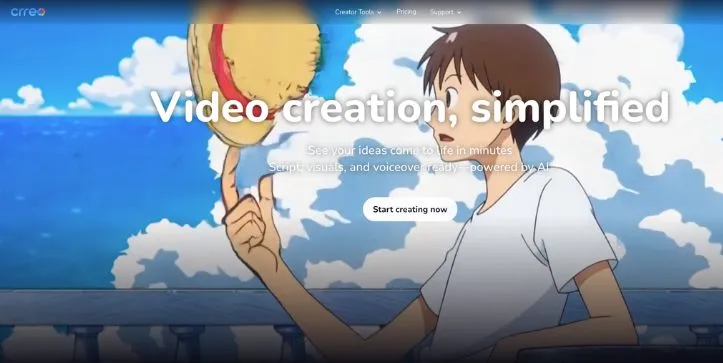
Crreo covers much more than basic text-to-video generation.
Its workflow includes script creation, scenes, characters, voiceovers, music, thumbnails, subtitles, and editing tools designed to keep the project in one place.
Here is where this Crreo AI review gets more interesting.
1. Text-to-Video & Long-Form Video Maker
Long-form generation is probably Crreo AI’s biggest selling point.
Most AI video generators are still built around producing individual clips that last a few seconds. You then have to assemble those clips yourself.
Crreo approaches the problem differently.
You can start with an idea or script and build a complete sequence of scenes around it instead of generating every shot independently.
Depending on the plan, Crreo AI long-form video projects can extend to 10, 15, or even 30 minutes.
That immediately makes it more relevant for YouTube videos, educational content, explainers, stories, and faceless channels than tools focused almost entirely on short cinematic generations.
The advantage is not simply video length.
It is that the script, narration, scenes, characters, and supporting assets remain part of the same production workflow.
That can remove a surprising amount of repetitive work.
If your main goal is repurposing written content rather than starting from scratch, I also compared the best AI tools for turning blog posts into videos.
The 5-Step Video Workflow
Crreo keeps the basic production process straightforward:
- Start with your idea or script.
- Choose or create a character.
- Generate and arrange the scenes.
- Customize the visuals, narration, and supporting elements.
- Review and export the finished video.
That matters for beginners.
You are working through a recognizable production process rather than jumping between unrelated AI generators and hoping everything matches when you put it together.
Scene & Timeline Editing
The timeline is another important part of the Crreo AI video generator experience.
AI generation rarely gets every scene right on the first attempt, so being able to edit after generation is more useful than simply pressing Generate again.
You can work on individual scenes, adjust the script, change visual elements, refine audio, and make other corrections before exporting.
That gives Crreo more flexibility than tools that effectively lock you into whatever the first generation produced.
My Verdict: Crreo’s long-form workflow is its strongest idea. It makes the most sense for creators who want an AI-assisted production system, not just another short-clip generator.
2. Characters & Visual Consistency
Long-form AI video becomes difficult when the main character looks different every few scenes.
Crreo tries to solve that with consistent AI characters that can be reused throughout the same story.
You can create characters from text on every plan. Grow and higher plans also let you upload an image to create photo-based characters and save them to your character library.
Crreo supports up to four characters in a video, with separate voices assigned to each one. You can also switch between narrative and dialogue formats depending on whether you want a narrator or characters talking to each other.
That makes the Crreo AI video maker especially useful for stories, educational videos, and recurring YouTube characters.
The scene editor is useful when consistency slips. Instead of rebuilding the complete video, you can modify details such as clothing, hairstyles, backgrounds, or objects inside an individual scene.
My Verdict: Character consistency is one of Crreo’s more practical features for long-form content. Just expect to review important scenes instead of assuming every AI-generated frame will match perfectly.
If character-led explainer videos are your priority, my Synthesia alternatives guide covers more presenter-focused options.
3. AI Voiceovers & Voxu Actor
Voiceovers are another area where Crreo goes beyond basic text-to-speech.
Paid plans get access to a library of 200+ AI voices, while the Free plan only includes a smaller basic selection.
The more interesting feature is Voxu Actor.
Available with Pro and Ultra, it lets you direct aspects such as emotion, pacing, tone, accent, language, and speaking style instead of simply selecting a voice and accepting its default delivery.
That control can matter a lot in a 10- or 15-minute story.
A flat AI narrator becomes noticeable quickly. Being able to change delivery scene by scene gives creators more room to make narration fit what is happening visually.
My Verdict: Crreo’s voice tools are a strong fit for faceless storytelling and narration-heavy videos, especially once you reach the plans with Voxu Actor.
For avatar-heavy videos rather than narrative storytelling, you can also compare the tools in my Vidnoz AI alternatives guide.
4. Music, Thumbnails & Supporting AI Tools
Crreo is trying to reduce the number of extra tools you need around the actual video generator.
Its workflow can also handle:
- Background music and sound effects
- Subtitles
- AI-generated thumbnails
- Titles
- Script assistance
- Scene images
- Image editing
Those features are not individually the main reason I would choose Crreo.
The advantage is having them connected to the same project rather than exporting your video and finishing every supporting asset somewhere else.
5. Ease of Use, Editing Control & Output Quality
This is where I think the right expectation matters.
Crreo is designed to get you from idea to editable video draft quickly, not eliminate editing completely.
The storyboard and timeline keep the workflow approachable, and individual scenes can be changed without rebuilding the whole project.
But long-form AI generation still gives you more opportunities to spot awkward visuals, pacing problems, or scenes that do not match the script as closely as you wanted.
So I would treat the first generation as a strong starting point rather than the finished product.
That distinction is important.
If your priority is maximum cinematic control over individual shots, a dedicated generator may suit you better.
Want more control over cinematic AI video generation? Check my Runway alternatives to compare tools built more heavily around individual shots and visual generation.
My Verdict: Crreo is easier to appreciate as a complete production workflow than as a pure video-generation model. Its biggest strength is how much of the process stays in one place.
Crreo AI Pricing in 2026: Is It Good Value?
Crreo currently has five plans, and the price difference affects much more than monthly generation capacity.
When billed annually, the plans are:
- Free: $0
- Start: $9/month
- Grow: $18/month
- Pro: $29/month
- Ultra: $45/month
Monthly billing is higher, with Pro at $49/month and Ultra at $79/month.
The bigger difference is what each plan can actually create.
Free videos are limited to one minute and include a watermark. Start increases the maximum to 10 minutes, while Grow and Pro support videos up to 15 minutes.
Ultra raises the cap to 30 minutes per video.
Grow is also where photo-based characters arrive, while Pro adds 1080p Kine 3.1 generation and Voxu Actor voice control.
So I would not choose a plan based on price alone.
My Verdict: Start looks reasonable for basic Crreo AI text-to-video use, but Grow or Pro makes more sense if characters and higher-quality production are important. Ultra is mainly for creators who genuinely need longer videos and much higher monthly capacity.
What Real Users Say About Crreo AI
Crreo’s public review footprint is still small, so I would be careful about treating its ratings as a final verdict.
Trustpilot currently has only three Crreo AI reviews. All three visible reviews are positive, with users highlighting the script-to-video workflow, speed, visual quality, and ability to edit generated videos afterward.
One point stood out to me: even a positive reviewer mentioned spending time editing the generated clips and voiceovers before considering the video finished.
That matches how I would approach Crreo.
✅ What Users Praise
- Easy script-to-video workflow
- Faster production
- Newly generated visuals rather than relying entirely on stock footage
- Good value for creators
❌ Where Users May Hit Friction
- Generated videos still benefit from manual editing
- Higher-quality models require more expensive plans
- Independent review data is still too limited for broad conclusions
My Verdict: Early feedback is encouraging, but three Trustpilot reviews are not enough to call Crreo universally proven.
Who Crreo AI Is Built For (and Who Should Look Elsewhere)
Crreo AI makes the most sense for:
- Faceless YouTube creators
- Storytelling channels
- Educators and explainer-video creators
- Beginners wanting an all-in-one production workflow
- Creators making longer narrative videos
It may be less suitable if you mainly want cinematic short clips or detailed frame-by-frame control.
For animated explainers specifically, you may also want to compare the tools in my Vyond alternatives guide.
Better Alternatives to Crreo AI
Crreo is not the obvious winner for every type of AI video.
If cinematic generation matters most, I would compare it with Luma Dream Machine alternatives. For another all-in-one workflow, my InVideo AI alternatives guide is more relevant.
| Feature | Crreo AI | Runway |
| Long-form workflow | Strong | Less focused |
| Characters & voices | Built in | More generation-focused |
| Cinematic control | Good | Stronger |
| Best for | Complete videos | Individual cinematic shots |
Want to see how a cinematic-focused tool performs in practice? Read my Runway Gen-4 review before deciding.
Final Verdict: Is Crreo AI Worth It in 2026?
After looking at the complete workflow for this Crreo AI review, I think its biggest advantage is simple: it tries to create the whole video.
You get scripting, characters, scenes, voices, music, and editing without building your workflow around five different tools.
The tradeoff is that AI-generated scenes can still need polishing.
For YouTubers, educators, and faceless content creators prioritizing speed and long-form production, Crreo is worth considering.
Frequently Asked Questions
1. Is Crreo AI worth it?
Yes, particularly if you want long-form AI videos with built-in characters, voiceovers, scenes, and editing.
2. Is Crreo AI free?
Yes. Crreo has a free plan, although exports are watermarked and individual videos are limited to one minute.
3. How long can Crreo AI videos be?
Crreo supports videos up to 30 minutes on Ultra. Lower plans have shorter limits.
4. Is Crreo AI good for YouTube?
Yes. Its long-form workflow is particularly suited to faceless videos, explainers, educational content, and storytelling.
5. What are the best Crreo AI alternatives?
Runway, Luma, InVideo AI, Synthesia, and similar tools are worth considering depending on whether you prioritize cinematic quality, avatars, or complete video production.