Crreo AI positions itself as an AI video creation platform for long-form content.
The promise is simple — give it an idea or script, and it helps turn that into a full video.
But here’s what Crreo AI is actually trying to handle for you: scripts, visuals, voiceovers, scenes, background music, thumbnails, and videos up to 15 minutes, depending on your plan.
That sounds useful.
And for the right workflow, it is.
But once I started using it, I wanted to know something more practical:
Could another AI video generator do the same job better — especially for avatars, faceless videos, short-form content, voiceovers, localization, and overall video quality?
That question matters because AI video tools are moving fast.
There’s nothing wrong with a tool that makes script-to-video easier.
But when other platforms offer stronger AI avatars, better social media video creation tools, faster text-to-video workflows, or more polished voiceovers, the comparison gets interesting fast.
So I tested the most popular Crreo AI alternatives I could find — checking how easy they were to use, how good the video output looked, how natural the voices sounded, how much editing control I had, and whether the final video felt publish-ready or still needed extra work.
Here are the 5 best Crreo AI alternatives that actually stood out.
Quick Verdict: My Top 5 Crreo AI Alternatives
| Rank | Tool | Best for | Quick verdict |
| 1 | Runway Gen-4.5 | High-quality AI video generation and cinematic motion | Best overall Crreo alternative for creators who want stronger visual quality and creative control. |
| 2 | Vidnoz AI | Free/inexpensive avatar videos | Best free-friendly option with lots of avatars, voices, and templates. |
| 3 | Luma | Cinematic AI clips and realistic motion | Best for creators who care most about image-to-video quality and natural movement. |
| 4 | revid AI | Viral shorts from text or URLs | Best for TikTok, Reels, and YouTube Shorts speed. |
| 5 | Pictory | Turning scripts, blogs, and articles into videos | Best for repurposing written content into videos. |
- Best overall: Runway Gen-4.5
- Best free alternative: Vidnoz AI
- Best for cinematic AI video: Luma
- Best for viral short-form videos: revid AI
- Best for blog/script-to-video: Pictory
How I Tested These Crreo AI Alternatives
Most Crreo AI alternative lists feel like copied software directories. I wanted this one to be more useful, so I tested each tool with the same basic workflow.
My Testing Process
I used the same prompt across every tool:
“Create a 60-second educational video explaining 3 productivity tips for new YouTubers.”
Then I compared each AI video generator on the things that actually matter:
- Ease of use: How fast I could go from idea to first draft
- Video quality: Scene quality, motion, pacing, and visual consistency
- Voice quality: How natural the voiceovers sounded
- Editing control: Captions, scenes, timeline, templates, and export options
- Best use case: Avatars, faceless videos, social clips, long-form videos, or ads
- Pricing/value: Free plan, trial, watermark limits, and credit limits
- Output readiness: Whether the final video felt publish-ready or still needed editing
Scoring System
| Category | Weight |
| Output quality | 25% |
| Ease of use | 20% |
| AI voice/avatar quality | 15% |
| Editing flexibility | 15% |
| Pricing/value | 15% |
| Speed | 10% |
Why Look for a Crreo AI Alternative?
Crreo AI is good, but it won’t be the perfect AI video generator for every creator, especially if your workflow is more focused on avatars, cinematic clips, faceless shorts, or repurposing blog content.
Crreo’s biggest strength is convenience. It helps turn an idea or script into a long-form video with scripts, visuals, voiceover, scenes, background music, thumbnails, and simple text-based editing. It also supports videos from 1 minute up to 15 minutes, depending on the plan.
I did not find many strong Crreo-specific complaints on public review platforms. G2 currently shows 0 reviews and says there are not enough reviews for Crreo AI to provide buying insight. Trustpilot has only a few reviews, and they are mostly positive.
Still, after testing it, I had a few clear reasons to compare it with other tools.
Reasons I Started Testing Alternatives
- You want better AI avatars — Crreo has characters, but avatar-first tools may give you more realistic presenters, templates, and business video options.
- You need faceless video automation — one Reddit user said, “I don’t have camera and good mic,” which is exactly why faceless AI video tools are becoming popular.
- You want faster TikTok, Reels, and Shorts workflows — another creator said, “it usually took me 3-4 days to publish Shorts,” so speed matters a lot.
- You need better multilingual voiceovers or voice control — Crreo includes standard AI voices on the free plan and stronger voice controls on higher plans, but some creators may still want more natural emotion, accents, or lip-sync options.
- You want blog-to-video or content repurposing — one Reddit commenter mentioned Pictory as “great for repurposing long content into short clips.”
- You want a better free plan — Crreo’s free plan supports quick 1-minute videos, but watermark-free exports and premium features require upgrading.
- You want more editing control — even a positive Trustpilot reviewer said they “spend good time editing everything to perfection,” which shows why timeline control and output readiness still matter.
Still comparing AI video tools beyond Crreo?
Top 10 Domo AI Alternatives for Better AI Video Creation in 2026
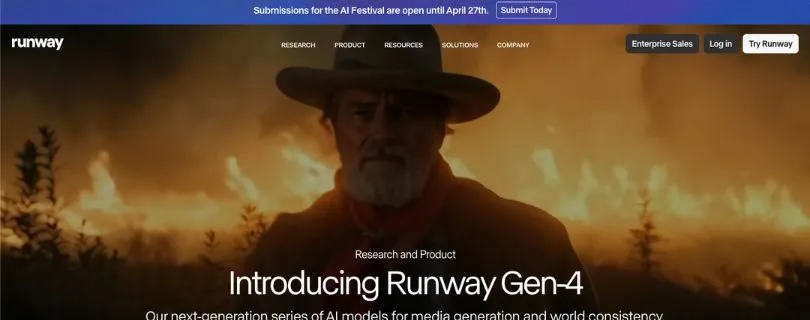
1. Runway Gen-4.5 — Best Overall Crreo AI Alternative
Why I Ranked It #1
Runway Gen-4.5 is the strongest Crreo AI alternative if you care more about visual quality, cinematic motion, and creative control than simple template-based video creation.
Crreo is easier for script-to-video, but Runway feels more powerful when you want realistic shots, camera movement, image-to-video quality, and polished AI-generated scenes. Gen-4.5 supports text-to-video and image-to-video, with 2–10 second generations on Standard plans and higher.
What I Liked
- The video output looked more cinematic than most basic AI video generators.
- It handled motion, lighting, and camera direction better.
- The image-to-video workflow was great for turning still visuals into moving clips.
- It gave me more creative control over style, pacing, and shot direction.
- It’s a better fit for creators who want polished clips, not just quick slideshow-style videos.
What I Did Not Like
- It is not the best tool for full long-form videos with voiceovers, music, thumbnails, and scenes handled for you.
- The credit system can get expensive if you generate a lot of clips.
- It has more of a learning curve than beginner-friendly tools like Vidnoz AI or Pictory.
- Most Gen-4.5 clips are short, so you may need to stitch multiple clips together.
Best For
Creators, filmmakers, marketers, ad teams, and visual storytellers who want high-quality AI video clips with better motion, realism, and creative control.
My Verdict
Runway Gen-4.5 is the best overall Crreo AI alternative if your main priority is video quality. It won’t replace Crreo’s full script-to-video workflow for everyone, but for cinematic AI clips, product shots, image-to-video tests, and creative social content, it feels much stronger.
Pricing:
- Free: $0/month, 125 one-time credits, limited access, no Gen-4.5 text-to-video.
- Standard ($12/user/month): 625 credits/month, Gen-4.5 access, watermark removal, upscaling, and unlimited video editor projects.
- Pro ($28/user/month): 2,250 credits/month, more storage, custom voices, and higher monthly generation capacity.
- Unlimited ($76/user/month): 2,250 credits/month plus unlimited relaxed-rate generations in Explore Mode.
- Enterprise: Custom pricing for larger teams that need advanced security, onboarding, support, and custom credit amounts.
Want to compare Runway against similar AI video tools?
I Tested 5 Runway Alternatives: Here’s the Best AI Video Generator for Realistic Motion, Image-to-Video & Editing
2. Vidnoz AI — Best Free Crreo AI Alternative
Why I Ranked It #2
Vidnoz AI is the easiest Crreo AI alternative to recommend if you want avatar videos without spending much upfront.
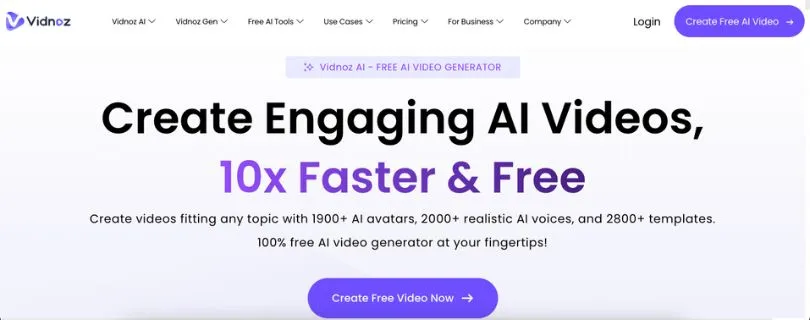
It has a huge library of AI avatars, voices, and templates, which makes it useful for training videos, explainers, social content, and simple business videos. Vidnoz lists 1,900+ AI avatars, 2,000+ AI voices, and 2,800+ templates on its main AI video generator page.
What I Liked
- The free plan is actually useful for testing.
- The avatar and template library is large.
- It feels beginner-friendly from the first draft.
- Voice options are better than many low-cost AI video tools.
- It works well for quick explainer videos.
- The text-to-video workflow is simple.
What I Did Not Like
- Some templates look a little generic.
- The best features sit behind paid plans.
- It does not feel as cinematic as Runway or Luma.
Best For
Beginners, educators, small businesses, marketers, and creators who want a free-friendly AI avatar video generator.
My Verdict
Vidnoz AI is the best free Crreo AI alternative if you want to create avatar-led videos quickly.
It is not the most advanced AI video generator for creators, but it gives you a practical way to make videos without a heavy learning curve.
Pricing:
- Free: $0/month, max 3 minutes per video, 720p export, 1,800+ avatars, 3,200+ templates, and 890 voices.
- Starter ($29.99/month or $14.99/month yearly): 15 credits/month, 1080p export, no watermark, faster processing, 1,900+ avatars, and 2,660+ voices.
- Business ($74.99/month or $37.49/month yearly): 30 credits/month, voice clone, video translation, brand kit, team collaboration, analytics, and branded video pages.
- Enterprise: Custom pricing, custom credits, custom duration, dedicated account support, and customized video creation solutions.
3. Luma — Best for Cinematic AI Video
Why I Ranked It #3
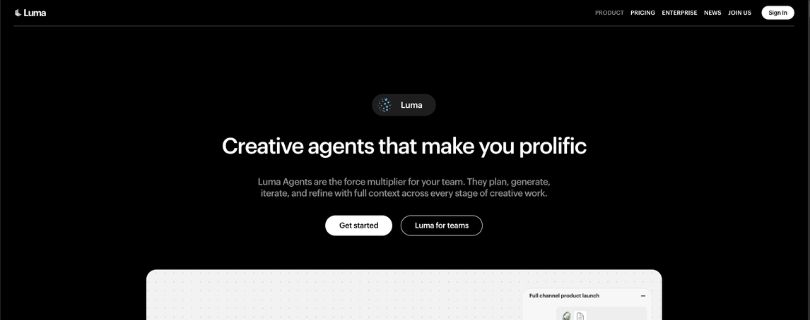
Luma feels less like a basic script-to-video tool and more like a creative production workspace.
I ranked it here because it is better suited for cinematic clips, product visuals, social video ads, storyboards, and image-to-video experiments than a standard Crreo-style workflow. Luma also supports multiple video and image models inside the same creative environment.
What I Liked
- The motion quality felt more natural than most simple AI video tools.
- It is strong for short cinematic scenes and visual storytelling.
- The product visual and social ad workflows are useful.
- Collaboration features make it better for creative teams.
What I Did Not Like
- It is not built mainly for full script-to-video publishing.
- Voiceover and editing workflows may still need extra tools.
- The credit system takes time to understand.
- Higher-quality generations can get expensive.
- It is better for clips than full long-form videos.
Best For
Creators, filmmakers, ad teams, product marketers, and brands that care about realistic motion and cinematic AI video quality.
My Verdict
Luma is a great Crreo AI alternative if your biggest problem is visual quality.
It will not replace every part of Crreo’s long-form video workflow, but it is much stronger when you want realistic clips, product shots, campaign visuals, and polished short-form scenes.
Pricing:
- Free Trial Credits: All Luma plans include free trial credits.
- Plus ($30/month): Access to Luma and third-party image/video models, guest collaborator editing, and commercial use.
- Pro ($90/month): Everything in Plus, plus 4x usage with Luma Agents.
- Ultra ($300/month): Everything in Pro, plus 15x usage with Luma Agents.
- Team: Coming soon, with team members, shared projects, analytics, user spend limits, and SSO.
- Enterprise: Custom pricing with enterprise commitments, dedicated education/training, and custom fine-tuning.
Still comparing cinematic AI video tools?
Powerful Hailuo AI Alternatives for Better AI Video Generation
4. revid AI — Best for Viral Short-Form Videos
Why I Ranked It #4
revid AI is the one I would pick when speed matters more than perfect cinematic control.
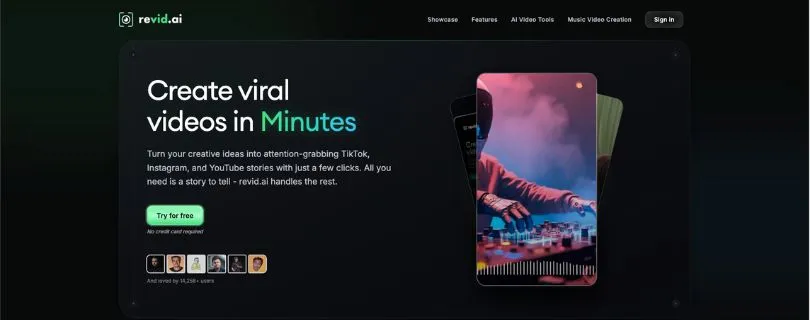
It is built around making short-form videos from text, links, or recordings, which makes it a better fit for TikTok, Instagram Reels, and YouTube Shorts than traditional long-form AI video tools. Its pricing page highlights text/link/recording creation, viral video remixing, editable short-form videos, and publishing to TikTok, Instagram, and YouTube.
What I Liked
- It is fast for short-form video drafts.
- The link-to-video workflow is useful for repurposing content.
- It includes hooks, scripts, and rewrite tools.
- It supports 70+ language voiceovers.
- Publishing support for TikTok, Instagram, and YouTube is a nice touch.
What I Did Not Like
- It is not ideal for long-form explainers.
- The visual style can feel very social-media-first.
- Heavy users will need more credits quickly.
- It is less focused on professional avatar presentations.
Best For
TikTok creators, YouTubers, social media managers, newsletter owners, and anyone turning ideas or URLs into fast short-form videos.
My Verdict
revid AI is the best Crreo AI alternative for viral short-form video workflows.
It is not the tool I would choose for polished cinematic work, but for quick social clips, content repurposing, and daily posting, it makes a lot of sense.
Pricing:
- Hobby ($39/month): Create from text, links, or recordings, remix 3M+ viral videos, and edit short-form videos.
- Growth ($39/month, discounted from $99): Latest AI video models, 100+ AI video tools, 70+ language voiceovers, publishing tools, AI avatars, face swaps, podcasts, API/MCP/CLI access, 3 Auto-Mode Workers, and 2,000 AI credits/month.
- Elite ($89/month, discounted from $149): Everything in Growth, voice creation/cloning, 5 Auto-Mode Workers, and 5,000 AI credits/month.
- Ultra ($199/month): Everything in Growth, voice creation/cloning, 10 Auto-Mode Workers, 12,000 AI credits/month, and support for scaling brands, niches, or clients.
- High-volume plans ($459+/month): 30,000 to 200,000 AI credits/month for larger content pipelines and agencies.
5. Pictory — Best for Blog-to-Video and Script-to-Video

Why I Ranked It #5
Pictory is the safest choice if your content already starts as text.
Instead of making you build every video from scratch, it can turn scripts, prompts, URLs, images, or audio into structured videos with scenes, captions, voiceovers, and visuals. Pictory says it can transform blog posts, homepages, text, and product pages into videos.
What I Liked
- It is great for turning blog posts into videos.
- The script-to-video workflow is easy to follow.
- Captions and scene timing save editing time.
- You can upload your own images and clips.
- It supports horizontal, vertical, and square formats.
- Brand kit features help keep videos consistent.
- It is practical for marketers and educators.
What I Did Not Like
- The visuals can feel stock-heavy if you do not edit them.
- It is not as strong for cinematic AI motion.
- Avatar quality is not the main reason to choose it.
Best For
Bloggers, marketers, coaches, educators, agencies, and teams that want to repurpose written content into videos.
My Verdict
Pictory is the best Crreo AI alternative for blog-to-video and script-to-video work.
It is not the flashiest AI video generator, but it is practical, predictable, and useful when you want to turn existing content into publishable videos faster.
Pricing:
- Free Trial: 14 days free use.
- Starter ($25/month billed annually, listed as $29/month standard): 1 user, 200 video minutes, 5 GB storage, 1 brand kit, 60 minutes of ElevenLabs AI voices, and no watermark.
- Professional ($35/month billed annually, listed as $59/month standard): 1 user, 600 video minutes, 20 GB storage, 5 brand kits, 120 minutes of ElevenLabs voices, and advanced AI tools.
- Team ($119/month billed annually, listed as $199/month standard): 3+ users, 1,800 video minutes, 100 GB storage, 10 brand kits, team workspace, onboarding, and training.
- Enterprise: Custom pricing, 10+ users, custom video minutes, custom storage, unlimited brand kits, custom AI credits, SSO, dedicated success manager, and custom templates.
If repurposing written content is your main video workflow, read this next:
3 Best AI Tools for Turning Blog Posts into Videos in 2026
Other Crreo AI Alternatives I Tested but Did Not Put in the Top 5
Not every tool needed a full spot in the main ranking.
A few were useful, but they either served a narrower workflow or overlapped with tools already in the top five.
Fliki
Fliki is best for text-to-video with strong AI voiceovers. It offers 2,000+ voices in 80+ languages, plus AI avatars and voice cloning, which makes it useful for narration-heavy videos.
I would use it for explainers, training videos, and simple social content, but not for cinematic AI video generation.
ClipMake.ai
ClipMake.ai is a good option for AI UGC-style ads and product-led creative testing.
It is more useful for performance marketers who want quick ad variations, hooks, and product videos than creators making full Crreo-style videos.
Runway
I did not list Runway separately because Runway Gen-4.5 is already my top pick.
As a wider platform, Runway is excellent for cinematic AI video, visual consistency, and creative control, but it is less beginner-friendly for simple script-to-video workflows.
Luma Dream Machine
Luma Dream Machine is great for high-fidelity AI video clips from text, images, or creative ideas.
I liked it for realistic motion and cinematic experiments, but it is not the best all-in-one tool for complete videos with scripts, voiceovers, captions, and thumbnails.
If you want another production-focused AI video workflow:
LTX Studio Review 2026: Pricing, Pros, Cons & My Honest VerdictWant another short AI video tool to compare?
I Tried Vidu AI and Here’s My Honest Review
Maestra
Maestra is better for subtitles, transcripts, dubbing, and localization than full AI video creation.
It is useful after you already have a video and want to translate, caption, or dub it for more languages.
Crreo AI Alternatives Comparison Table
Here’s the quick side-by-side view if you just want to compare the tools fast.
| Tool | Best for | Free plan/trial | Avatars | Faceless videos | Long-form support | Ease of use | My score |
| Runway Gen-4.5 | Cinematic AI video + creative control | Yes/trial | Limited | Good | Low/moderate | Moderate | 9.3/10 |
| Vidnoz AI | Free avatar videos | Yes | Very good | Good | Moderate | Very easy | 8.8/10 |
| Luma | Cinematic clips + realistic motion | Yes/trial | Limited | Good | Low | Moderate | 8.6/10 |
| revid AI | Viral short-form videos | Yes/trial | Limited | Very good | Low/moderate | Very easy | 8.4/10 |
| Pictory | Blog/script-to-video | Yes/trial | Moderate | Good | Good | Easy | 8.2/10 |
Which Crreo AI Alternative Should You Choose?
Choose Runway Gen-4.5 if…
You want the best overall AI video quality, cinematic motion, image-to-video control, and more creative freedom than a basic script-to-video tool.
Choose Vidnoz AI if…
You want a free or beginner-friendly AI video generator with avatars, templates, voiceovers, and a simple workflow.
Choose Luma if…
You care most about realistic motion, cinematic clips, product visuals, and high-quality short AI video scenes.
Choose revid AI if…
You want fast short-form videos from ideas, text, URLs, or existing content for TikTok, Reels, and YouTube Shorts.
Choose Pictory if…
You want to turn scripts, blog posts, articles, and written content into clean, publishable videos.
My Final Ranking
After testing the tools, Runway Gen-4.5 is my #1 Crreo AI alternative overall because it gives the strongest mix of cinematic video quality, realistic motion, image-to-video control, and creative flexibility.
But if you want a free alternative, I would start with Vidnoz AI. If you want cinematic AI clips with natural movement, go with Luma. If your main goal is viral shorts, pick revid AI. And if you mostly repurpose blogs, scripts, or articles, Pictory is the safest choice.
FAQs
What is the best Crreo AI alternative?
Runway Gen-4.5 is the best overall Crreo AI alternative if you want better visual quality, realistic motion, and more creative control.
What is the best free Crreo AI alternative?
Vidnoz AI is the best free-friendly option. It gives you avatars, templates, voices, and a simple video creation workflow without much setup.
Which Crreo AI alternative is best for cinematic videos?
Runway Gen-4.5 is my top pick for cinematic AI video. Luma is also a strong choice if you want realistic motion and high-quality image-to-video clips.
Which Crreo AI alternative is best for AI avatars?
Vidnoz AI is the better pick for avatar-based videos, especially if you want a beginner-friendly tool with lots of ready-made templates.
Which Crreo AI alternative is best for short-form videos?
revid AI is best for short-form content because it is built for TikTok, Instagram Reels, and YouTube Shorts.
Which Crreo AI alternative is best for blog-to-video?
Pictory is the best choice for turning blog posts, scripts, articles, and URLs into videos.
Is Runway better than Crreo AI?
Runway is better for cinematic video quality, image-to-video, camera movement, and creative control.
Crreo AI is better if you want a simpler script-to-video workflow with scenes, voiceovers, music, and thumbnails handled in one place.
What is the best Runway alternative?
The best Runway alternative depends on what you need:
- Luma: Best for cinematic clips and realistic motion
- Pika: Good for creative AI video generation
- Kling AI: Strong for realistic motion and detailed video prompts
- Pictory: Better for script-to-video and blog-to-video
- Vidnoz AI: Better for avatar videos
What is the best free Runway alternative?
Vidnoz AI is better if you want free avatar videos, while Luma is better if you want cinematic AI video clips.
For creators, I would test both before upgrading.
Is Luma better than Runway?
Luma is easier to use for quick cinematic clips and image-to-video tests.
Runway gives you more creative control, stronger editing tools, and a more complete AI video production workflow.
What is the best Runway alternative for YouTube Shorts?
revid AI is the best Runway alternative for YouTube Shorts because it focuses on fast short-form video creation from text, URLs, and existing content.
What is the best Runway alternative for marketers?
For marketers, the best options are:
- Vidnoz AI for avatar videos and explainers
- Pictory for blog-to-video and content repurposing
- revid AI for short-form social videos
- Luma for cinematic product visuals
Can these tools replace Crreo AI completely?
Not for everyone.
Runway and Luma are better for visual quality, but they do not replace every part of Crreo’s script-to-video workflow. Vidnoz, revid AI, and Pictory feel closer to Crreo if you want faster, more structured video creation.
Which Crreo AI alternative should beginners choose?
Beginners should start with Vidnoz AI or Pictory.
They are easier to learn, less technical, and better for creating simple videos without needing advanced editing skills.