
Apollo.io is a B2B sales intelligence and engagement platform that helps teams find prospects, verify contact details, run outreach, and manage follow-ups from one workspace. Its main appeal is replacing several separate prospecting tools with one platform.
Apollo says its database includes 240M+ contacts and 30M+ accounts, with 65+ data points per record and a claimed 98% email accuracy rate. More than 600,000 companies use the platform.
Curious what you’ll actually pay for Apollo? Read my complete Apollo pricing explained breakdown before choosing a plan.
In this Apollo.io review, I’ll focus on what matters in daily use: prospecting, enrichment, sequences, the Chrome extension, pricing, data accuracy, and common user complaints. The goal is to show where Apollo delivers value and where another sales tool may fit better.
What Is Apollo.io and Who Is It For?
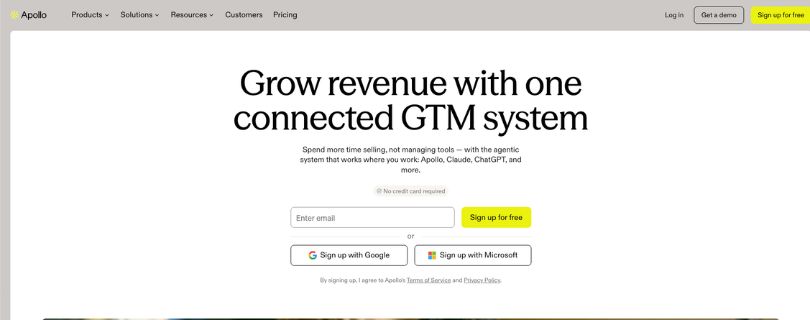
Apollo.io combines sales data, prospecting, enrichment, and outreach tools inside one platform. Instead of switching between a lead database, email sequencer, dialer, and CRM add-ons, teams can move from finding a prospect to contacting them in the same workflow.
Apollo’s B2B Sales Platform Explained
At its core, Apollo is a sales intelligence platform built around a large B2B database. Users can search by job title, seniority, company size, industry, geography, technologies, hiring activity, and other signals to build targeted lead lists for specific ideal customer profiles.
The platform goes beyond contact discovery. Apollo also supports enrichment, email sequences, calling, workflow automation, CRM syncing, buying signals, and AI-assisted research. Apollo says more than 600,000 companies use the platform, while its database covers 240M+ contacts and 30M+ accounts.
Still deciding whether Apollo is the right all-in-one sales platform? Compare your options in my best Apollo.io alternatives guide.
That combination is what separates Apollo from a basic contact database. A rep can identify an account, find the right decision-maker, reveal contact information, add the prospect to a sequence, and track engagement without exporting data across multiple tools. This can reduce tool switching for smaller sales teams as the team grows.
Who Apollo.io Is Best For
Apollo makes the most sense for teams that want prospecting data and outbound execution together rather than buying separate tools for every stage of the workflow.
- Solo founders who need an affordable way to build prospect lists and start outbound campaigns.
- Startups that want contact data, enrichment, and email outreach without a large sales-tech budget.
- SDR and BDR teams that need repeatable list building, sequencing, calling, and follow-up workflows.
- SMB sales teams that want one workspace for prospecting instead of managing several subscriptions.
- RevOps teams that need enrichment and CRM synchronization alongside day-to-day sales activity.
Apollo is less automatically suited to every organization. Teams that rely heavily on international phone data, advanced enterprise buying signals, or very high-volume cold-email infrastructure may still need specialist providers alongside—or instead of—Apollo.
How Apollo.io Works: From Search to Sequence
Apollo.io takes a prospect from discovery to outreach inside one workspace. The workflow starts with search, adds verified contact data and signals, then moves prospects into sequences, calls, CRM records, or automated workflows.
Contact Database and Search Filters
Apollo’s search is one of its strongest features. You can narrow prospects by job title, seniority, company size, industry, location, technologies used, hiring activity, funding, and other buying signals. Apollo says its database provides 65+ data points for contacts and accounts, which makes it easier to build a specific ICP rather than a broad list.
If lead discovery is your main priority, compare Apollo with other prospecting platforms in my BookYourData alternatives guide.
Filters can be combined and saved for repeatable prospecting. For example, an SDR could search for VP-level sales leaders at 50–200-person SaaS companies that recently raised funding, then save those prospects into a targeted list for outreach.
A large database only helps when reps can isolate likely buyers. These filters turn Apollo.io lead generation into a more focused prospecting workflow for defined segments.
Chrome Extension and LinkedIn Prospecting
The Apollo.io Chrome extension brings prospect data into LinkedIn, Gmail, Google Calendar, and company websites. On a LinkedIn profile, it can identify the person, reveal available Apollo data, save the prospect, add them to a list or sequence, and push the record into a CRM.
That makes the extension useful when reps prefer researching prospects in LinkedIn instead of constantly switching back to Apollo. Recent G2 reviews also highlight the extension as a time-saver for finding and saving contact details during prospecting.
Data Enrichment and Verification
Apollo can enrich incomplete contact and company records with emails, phone numbers, firmographic information, and other attributes. Its newer waterfall enrichment controls also let teams configure provider order for email and phone enrichment rather than relying on a single lookup path.
If enrichment quality matters more than having everything in one platform, see my ContactOut alternatives guide before deciding.
Still, enrichment should not be treated as a guarantee that every record is current. Contact information changes quickly, so high-volume teams should continue validating important lists before launching campaigns.
Email Sequences and Deliverability
Apollo’s engagement tools let teams build multi-step email sequences, automate follow-ups, track replies, and test messaging. This is useful for smaller sales teams that want prospecting and outreach under the same subscription rather than moving CSV files between tools.
Mainly evaluating Apollo for outbound email? Compare the cost with my GMass pricing explained breakdown.
Where Apollo becomes less complete is specialist cold-email infrastructure. A competitor test from Salesforge found the sequence editor useful but noted the absence of features such as mailbox warm-up and ESP matching, so teams running many mailboxes may still need a dedicated sending stack.
If dedicated email outreach matters more than Apollo’s all-in-one approach, see the best GMass alternatives as well.
Dialer and CRM Integrations
Apollo also supports calling and CRM synchronization, including integrations with Salesforce and HubSpot. Its 2026 updates expanded bidirectional CRM capabilities, while Apollo says workflow automation can connect with more than 200 third-party tools.
For teams already working inside a CRM, this reduces manual data entry because contacts, account details, and engagement activity can move between systems instead of being copied by hand.
AI Assistant, Intent Signals and Workflows
Apollo adds AI and automation on top of its database. Teams can use buying signals such as website visits, job changes, and funding events to prioritize accounts, then use workflows to trigger research, enrichment, routing, or outreach actions.
If enrichment and workflow flexibility are higher priorities, compare the market in myClay alternatives guide.
In practice, the AI layer is more useful for accelerating sales work than replacing reps. Typical uses include:
- Researching prospects and accounts.
- Drafting outreach messages.
- Prioritizing higher-intent leads.
- Triggering enrichment or workflow actions.
Sales teams should still review targeting, data, and messaging before campaigns go live at higher outbound volume.
Real-World Performance: What Apollo Users Actually Say
Apollo looks strong on a feature checklist, but the more useful question is how well the data and workflow hold up after teams start prospecting at scale. User reviews are generally positive, although data freshness, credits, and support appear repeatedly in negative feedback.
Apollo.io Data Accuracy and Bounce Risk
Apollo currently claims 98% email accuracy and says its contact data is regularly refreshed. That is useful as a vendor benchmark, but it should not be treated as a guarantee that every exported record will be safe to email.
One recent competitor-run test from Salesforge rechecked 100 contacts that Apollo had marked as verified. Twenty-seven were flagged by the second verifier, and six of the remaining 73 later hard-bounced. This was one vendor’s test rather than an independent industry benchmark, so it is better viewed as a warning to verify important lists than as Apollo’s universal bounce rate.
G2 reviews show a similar pattern in softer terms. Users frequently praise Apollo’s database while also reporting outdated job titles, emails, direct phone numbers, or company information, particularly when prospecting outside North America or at smaller companies.
Selling heavily into international markets? My Cognism alternatives guide covers other B2B-data options worth comparing.
The takeaway is simple: Apollo.io data accuracy can be good enough for prospecting, but teams that protect deliverability closely should verify large exports before sending.
What Customers Like About Apollo
Apollo holds a 4.7/5 rating on G2 from roughly 9,845 reviews. Reviewers commonly praise:
- Advanced filters that make targeted list building faster.
- A large contact database combined with enrichment and outreach.
- Email sequences that keep follow-ups organized in one workflow.
- The Chrome extension for prospecting directly from LinkedIn.
- Less tool switching because data and engagement sit together.
The strongest theme is convenience. Many users like being able to find a decision-maker, reveal contact data, save the person, and move directly into outreach without juggling multiple subscriptions.
Common Complaints: Credits, Complexity and Support
Ratings vary more once you move beyond G2. Capterra currently shows Apollo at 4.5/5 from 398 reviews, with customer service rated 4.2/5. Trustpilot is substantially lower at 3.1/5 from 1,369 reviews.
Across review platforms, the recurring complaints are:
- Contact details can become outdated or incomplete.
- Direct phone numbers may be less reliable than expected.
- Credit limits can feel restrictive for high-volume prospecting.
- The number of filters and features creates a learning curve.
- Some users report difficulty getting timely support.
That does not make Apollo a poor product. It means the experience can differ sharply depending on volume, geography, and how much a team depends on Apollo as its only data source. That distinction matters most for teams sending enough volume that a small accuracy gap becomes expensive.
Apollo.io Pricing: Which Plan Offers the Best Value?
Apollo.io uses a per-seat pricing model with a free tier and three paid plans. For most small teams, the real decision is whether Basic offers enough outreach capacity or Professional is worth the extra spend as prospecting volume grows.
Free vs Basic vs Professional vs Organization
Apollo’s current annual pricing starts at $0 for Free, then $49 per user/month for Basic, $79 for Professional, and $119 for Organization, which requires at least three seats.
| Plan | Annual-billing price | Credits per user/year | Best for |
| Free | $0 | 900 | Testing Apollo and light prospecting |
| Basic | $49/user/month | 30,000 | Solo users and small sales teams |
| Professional | $79/user/month | 48,000 | Growing outbound teams |
| Organization | $119/user/month | 72,000 | Larger teams needing governance |
The Free plan is useful for learning the platform, but its 900 annual credits and lower limits make it difficult to use for consistent prospecting. Basic is the more practical entry point, while Professional adds stronger engagement and workflow capabilities. Organization is aimed at teams that need advanced controls, security, and larger usage limits.
Credits and the Costs People Miss
The subscription price is only part of the Apollo.io pricing equation. Credits are consumed when teams access certain contact data or run enrichment actions, so usage can become as important as the monthly seat price.
Annual plans currently include 30,000 credits per Basic seat, 48,000 per Professional seat, and 72,000 per Organization seat, granted upfront. Teams doing large enrichment batches should estimate usage before choosing a plan instead of assuming the highest credit allowance will automatically be enough.
Comparing Apollo with a more enrichment-heavy workflow? See my Clay pricing explained guide for another cost model.
Apollo also offers a pricing calculator that factors in team size, expected usage, add-ons, and billing frequency. That matters because the final checkout cost can differ depending on how the team configures the account.
What Apollo Costs a Five-Person Team
For five seats on annual billing, Basic works out to $245 per month, while Professional costs $395 per month. Organization would be $595 per month for five seats before any optional add-ons.
Want another benchmark for paid B2B contact-data tools? Compare the numbers in my ContactOut pricing explained guide.
For a small team, Basic offers the lowest realistic paid entry point. Professional makes more sense when sequences, workflows, dialer features, and higher prospecting volume are central to daily sales activity. Organization becomes easier to justify when governance and administrative controls matter as much as raw prospecting capacity.
Apollo.io Pros and Cons: Who Should Use It?
Apollo.io’s biggest advantage is consolidation. It combines prospect data, enrichment, outreach, calling, and workflows in one product. The trade-off is that an all-in-one platform may not match specialist tools in every area.
Apollo Is a Good Fit If…
Apollo is particularly attractive to startups and SMBs that want to simplify their sales stack. Ramp’s October 2026 Sales Data Providers dataset shows Apollo at a 39% adoption rate, second to LinkedIn Sales Navigator at 48%. Ramp also lists Apollo as the fastest-growing vendor in the category. This is Ramp-dataset adoption, not universal market share.
Apollo is a strong fit if:
- You are a startup or SMB that needs prospecting and outreach without buying several separate subscriptions.
- You mainly prospect in North America, where Apollo’s contact coverage is generally viewed more favorably.
- You want data and engagement together, so reps can move directly from lead discovery into sequences or calls.
- You want a free starting point before committing multiple seats to a paid plan.
- You value workflow consolidation, including enrichment, CRM sync, signals, and automated sales actions.
Look Elsewhere If…
Apollo becomes less compelling when one specialized capability matters more than convenience.
- International data quality is mission-critical, particularly if your team depends heavily on accurate regional contact information.
- Cold calling drives most of your pipeline and reliable direct-dial or mobile numbers are essential.
- You operate high-volume cold email infrastructure and need advanced specialist deliverability features.
- You need deeper buying signals or enterprise intelligence than Apollo’s standard sales intelligence workflow provides.
- Your sales team is scaling rapidly, because per-seat pricing and credit usage can make the overall cost rise quickly.
Larger or highly specialized sales organizations should compare the cost of Apollo plus supporting tools against a more purpose-built stack.
Conclusion: Is Apollo.io Worth It in 2026?
Apollo.io is worth considering if you want one platform for prospecting, enrichment, outreach, calling, and basic workflow automation. Its large database, strong search filters, Chrome extension, and relatively accessible entry pricing make it especially practical for startups and SMB sales teams.
Its weaknesses become more noticeable when data accuracy, international coverage, direct-dial quality, or high-volume cold-email infrastructure are mission-critical. Credit limits and per-seat costs can also become more important as teams scale.
Overall, Apollo is best for teams that value convenience and consolidation. Larger or more specialized outbound teams may get better results from a purpose-built sales stack.
FAQs
Is Apollo.io worth it in 2026?
Yes, especially for startups, founders, SDRs, and SMB sales teams that want prospect data and outreach in one platform. It is less suitable when international data, phone accuracy, or advanced cold-email infrastructure matters more.
How much does Apollo.io cost?
Apollo has a free plan plus paid tiers. With annual billing, Basic starts at $49 per user/month, Professional at $79, and Organization at $119. Final cost depends on seats, credits, usage, and add-ons.
How accurate is Apollo.io data?
Apollo claims 98% email accuracy, but user reviews and third-party testing still report stale emails, outdated job titles, and inaccurate phone numbers. Large campaigns should verify lists before sending.
Does Apollo.io have a free plan?
Yes. The free plan lets you test Apollo’s search, prospecting, and limited outreach features. Its lower usage limits make it better for evaluation and light prospecting than sustained high-volume outreach.
What are the best Apollo.io alternatives?
The right alternative depends on your priorities. Some tools focus more on enrichment, international coverage, direct-dial accuracy, or cold-email deliverability. Compare options based on region, team size, outreach volume, and whether you prefer an all-in-one or specialist sales stack.