

Remember when Animaker felt like the tool for creating animated videos? The drag and drop builder, the cartoon-style characters, the templates. It all made video creation feel easy. But over time, things started to feel limiting. Maybe you’ve hit a wall with customization. Or maybe the pricing no longer makes sense for what you actually use. Either way, you’re not alone.
There are now tons of new animation tools out there. Some built for speed, some powered by AI, and others with features Animaker just doesn’t touch. The tricky part? Figuring out which ones are actually worth your time and budget.
So I spent the past few days diving deep into the top 7 Animaker alternatives. I tested them hands-on, compared features, and checked how they hold up in real workflows. I looked at things like how fast you can make a video from scratch, whether the templates feel fresh or dated, how flexible the animation timeline is, and yes, how annoying the learning curve gets.
If you’re feeling stuck with Animaker or just curious about what else is out there, this breakdown is for you.
Quick Comparison of the top Animaker alternatives in 2026
Here’s a quick look at how the top animation tools stack up. If you want a deeper dive into each one, keep scrolling for the full reviews below.
| Tool | Best For | Ease of Setup | Key Differentiator | Pricing Model |
| Vyond | Corporate training and professional explainers | 5/5 | Advanced character animation with lip-sync and scene transitions | Per user/month |
| Powtoon | Marketing videos and brand presentations | 4/5 | Polished templates designed for business storytelling | Freemium + plans |
| Renderforest | Quick video creation and branding assets | 5/5 | Offers video, logo, and website tools all in one place | Per export or plan |
| Canva Video | Social media content and short-form video | 5/5 | Simple UI with strong template library and built-in stock assets | Freemium + plans |
| Biteable | Small teams making fast, clean videos | 4/5 | Extremely fast workflow and pre-animated scenes | Per user/month |
| Pictory | AI-powered video from scripts or blogs | 4/5 | Converts text into full videos with voiceover and visuals | Per month |
| Animoto | Beginners and photo-video slideshows | 3/5 | Great for photo-heavy content and drag and drop simplicity | Per month |
What is Animaker, and why bother with Animaker alternatives?
At its core, Animaker is an online animation and video creation platform designed for non-designers. It helps you create animated videos like explainers, presentations, social media clips, and basic character animations using a drag and drop editor. Instead of starting from scratch, you work with pre-built templates, stock assets, characters, and transitions.
The idea is simple. You don’t need advanced video editing skills. You choose a template, customize scenes, add text or voiceovers, and export a finished video without touching complex software like After Effects.
So if Animaker does all that, why are people actively searching for Animaker alternatives?
The answer is that many animation tools, including Animaker, were built around a specific style and workflow. As creators, marketers, and teams grow, a few common frustrations start to show up.
- Your creative flexibility feels restricted.Animaker heavily leans toward cartoon-style visuals and preset animations. That works for some projects, but if you want modern motion graphics, brand-specific designs, or realistic visuals, you may quickly feel boxed in.
- Editing can feel slow and clunky.Simple edits are fine, but once your video gets longer or more detailed, managing scenes, layers, and timing can become frustrating. Small adjustments often take more effort than they should.
- Rendering and export times add friction.On lower-tier plans, exporting videos can take longer than expected. When you’re working on tight deadlines, waiting for renders breaks momentum.
- Pricing doesn’t always match real usage.Many useful features sit behind higher plans. You may end up paying for extras you don’t need, while still missing features that matter for your workflow.
- It doesn’t scale well for teams or advanced use cases.Collaboration, version control, and brand consistency can be harder to manage as more people get involved.
How I tested the best Animaker alternatives
To keep this review actually useful, I used the same five criteria across every platform I tested. These are the things that matter when you’re trying to create videos quickly, without fighting your tools.
- Setup and onboardingHow easy is it to jump in and start creating? Some tools let you pick a template and get moving in minutes. Others throw a hundred options at you before you even make your first scene. I looked for platforms that respect your time and don’t require a YouTube tutorial just to get started.
- Template quality and design flexibilityAre the templates polished and modern, or do they look like something from a school project? Can you actually customize scenes and layouts, or are you stuck tweaking the same few presets? Good alternatives should give you flexibility without making you design everything from scratch.
- Ease of editing and timeline controlEditing should feel smooth and intuitive. I paid close attention to how easy it was to move objects, time transitions, and sync audio. Some platforms feel fluid, while others make every little tweak a chore.
- AI and smart toolsDoes the tool include AI features like script generation, voiceover automation, or scene suggestions? And if so, do they actually help, or just create more cleanup work for you? Smart tools should speed things up, not slow you down.
- Pricing and value for moneyIs the pricing straightforward? Can you do enough with the free or entry-level plans, or do the best features get locked away behind expensive tiers? I made note of what each tool offers at different levels and whether it’s worth the spend.
The 7 Best Animaker Alternatives for Creating Real, Professional Videos in 2026
These alternative tools take a different approach to what Animaker offers and in many cases, does it better. I tested them hands-on to see where they shine, where they struggle, and who they’re really built for.
Here’s my detailed review of each tool:
1. Vyond
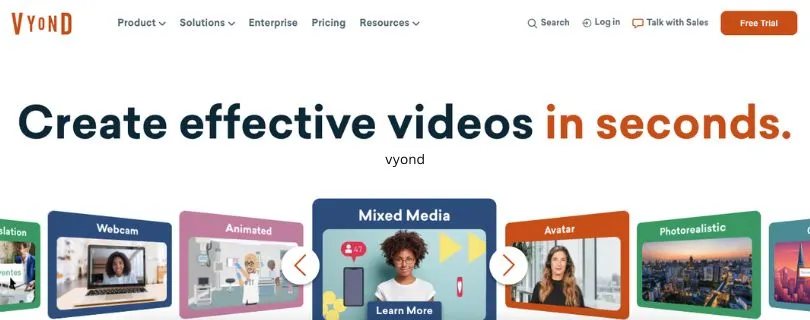
Vyond is what you get when you take Animaker’s concept and tune it for professionals who need high-quality, animated explainers. It’s especially popular with training teams, HR departments, and marketers who want to make polished videos without hiring a production studio.
Key Features:
- Character Animation: Create custom characters and animate gestures, facial expressions, and lip sync with voiceovers.
- Scene Transitions & Timeline Control: Smooth animations and layered editing give you more creative flexibility than most drag-and-drop tools.
- Enterprise Features: Includes team collaboration tools, shared libraries, and brand asset management.
- Voiceover Support: Record directly in the editor or upload your own files, with automatic lip sync.
Pros and Cons of Using Vyond
Pros:
- Professional polish: The animations look cleaner and more refined than what you’ll get from most beginner tools.
- Great for teams: Shared templates, brand kits, and real-time collaboration help teams stay on the same page.
- Learning curve is manageable: Powerful without being overwhelming.
Cons:
- Pricing is on the higher side: Best suited for businesses, not casual users or solo creators on a tight budget.
- Not ideal for short social videos: Focuses more on structured storytelling than quick, flashy content.
Pricing:
- Essential: $49/month billed annually
- Premium: $89/month billed annually
- Professional: $159/month billed annually
- Enterprise: Custom pricing for large teams and security features
Best For:
- Corporate teams, educators, and businesses creating training videos, onboarding content, or product explainers at scale.
Animaker Alternative For:
- Users who need more advanced animation controls and a professional, polished style that goes beyond cartoons.
2. Powtoon

Powtoon is one of the most well-known names in the animation space, and for good reason. It’s built with marketing, internal comms, and brand storytelling in mind. While it shares a lot of surface-level similarities with Animaker, the real difference is in how polished and presentation-ready everything feels.
Key Features:
- Brand-Centric Templates: Tons of pre-made styles designed specifically for product launches, internal updates, and client pitches.
- Slide + Video Hybrid Editor: Mix presentation-style slides with video scenes for a unique storytelling format.
- Direct Export to Social and PowerPoint: Easily push your content straight to platforms like YouTube or embed into decks.
- Collaboration Mode: Commenting and version control makes it easier to work with teammates on the same video.
Pros and Cons of Using Powtoon
Pros:
- Clean, modern visuals: Templates feel professional and on-brand right out of the gate.
- Great for business users: No animation knowledge required to get strong results.
- Quick learning curve: Easy for new users to pick up and start producing in under an hour.
Cons:
- Limited creative control: You’re working within set styles, so full animation flexibility is a bit limited.
- Can feel slide-heavy: If you’re aiming for cinematic storytelling, it might feel too presentation-like.
Pricing:
- Free: Limited access with watermark
- Lite: $20/month billed annually
- Professional: $60/month billed annually
- Business: Custom pricing for teams
Best For:
- Marketers and internal comms teams who want to produce on-brand, fast-turnaround videos without the complexity of full animation tools.
Animaker Alternative For:
- Users who want business-ready visuals, simple editing, and smooth team collaboration.
3. Renderforest
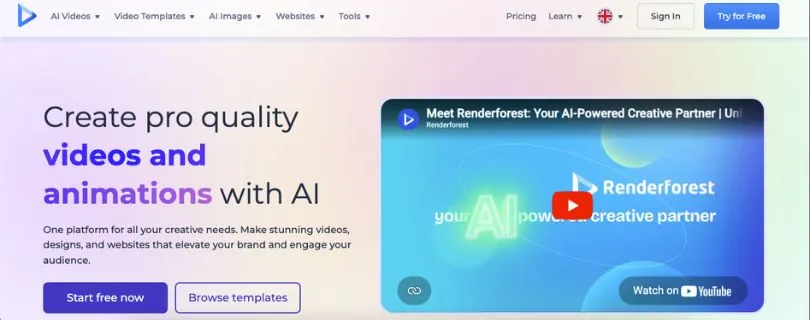
Renderforest is more than just a video creation tool. It’s a full branding suite with video editing, logo makers, mockup generators, and website builders all in one place. But even if you’re just here for videos, it still earns a top spot as a simple, budget-friendly Animaker alternative.
Key Features:
- Template Variety: From animated explainers to whiteboard videos to kinetic typography, it covers a wide range of styles.
- All-in-One Platform: Create your logo, then drop it into your video, then build a matching landing page — all without switching tools.
- Quick Video Editor: Ideal for short intros, promos, slideshows, and basic animated explainers.
Pros and Cons of Using Renderforest
Pros:
- Fast and beginner-friendly: Minimal setup and a smooth user experience.
- Great for small teams or solo creators: Especially if you need video plus branding assets.
- Flexible exports: Choose different resolutions and formats based on your needs.
Cons:
- Limited animation depth: If you’re looking for advanced motion control or custom characters, this isn’t the tool.
- Templates can feel generic: You’ll want to customize heavily to avoid looking like everyone else.
Pricing:
- Free: With watermark and limited features
- Amateur: $9.99/month
- Pro: $19.99/month
- Business: $29.99/month
- Also offers pay-per-export options for occasional users
Best For:
- Freelancers, content creators, and small businesses that need simple, on-brand videos plus design tools in one place.
Animaker Alternative For:
- People who want a budget-friendly, all-in-one solution without sacrificing usability.
4. Canva Video
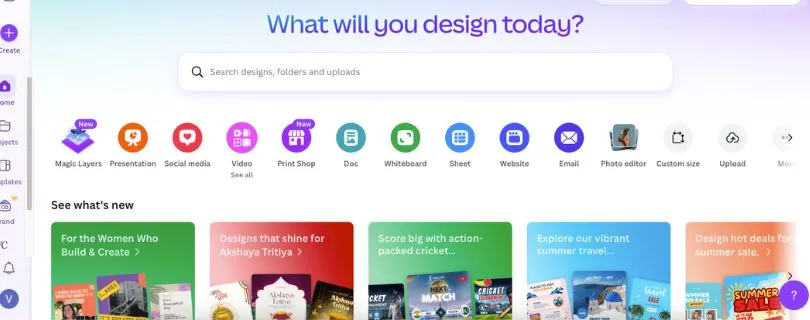
You probably know Canva as the go-to platform for quick graphics and social media posts. But its video editor has quietly become one of the best Animaker alternatives out there, especially for teams creating short-form content on the fly.
It’s not trying to be a full animation suite. Instead, it gives you just enough tools to make great-looking videos fast, with minimal effort. Think Instagram reels, YouTube intros, product promos, and training clips. If you want speed and simplicity, this one hits the mark.
Key Features:
- Huge Template Library with thousands of animated templates across industries and platforms
- Drag and Drop Editing that’s intuitive and beginner-friendly
- Built-In Stock Library with video clips, images, icons, music, and more
- Mobile App Support for editing on the go
Pros and Cons of Using Canva Video
Pros:
- Very easy to use, even for total beginners
- Fast content turnaround for campaigns and announcements
- Excellent value in the free and Pro versions
Cons:
- Not built for complex animation or storytelling
- Basic timeline controls with limited layering
Pricing:
- Free: Includes basic templates and editing tools
- Pro: $14.99/month with premium assets and brand kit features
- Teams: Starts at $29.99/month for up to 5 users
Best For:
- Content creators, marketers, and social teams making quick, professional videos without needing deep animation tools
Animaker Alternative For:
- Users who want simple video creation tools with modern templates and fast results
5. Biteable
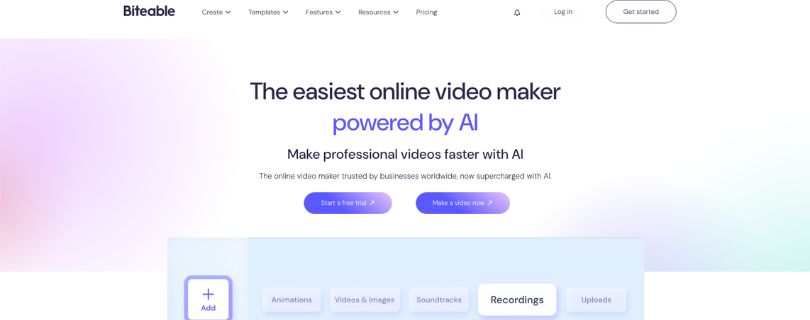
Biteable is all about speed. It’s built for teams that need to pump out clean, professional videos without dealing with complicated timelines or design choices. Think internal updates, product overviews, onboarding clips, or HR explainers, done in minutes.
Instead of building from scratch, you pick from pre-animated scenes, drop in your message, add your branding, and export. It’s that simple.
Key Features:
- Scene-Based Workflow with hundreds of pre-designed animated scenes
- Brand Kit Integration to automatically apply your logo, colors, and fonts
- Built-In Collaboration with team access, feedback tools, and version control
- Video Analytics to track viewer engagement and performance
Pros and Cons of Using Biteable
Pros:
- Extremely fast video creation
- Polished results without needing design skills
- Streamlined for teams with shared libraries and workflows
Cons:
- Limited customization for animation-heavy content
- Heavily template-based, which may feel repetitive over time
Pricing:
- Pro: $99/month billed annually
- Teams: Custom pricing available for large organizations with advanced needs
Best For:
- Operations, HR, and internal comms teams that need consistent, on-brand videos without spending hours editing
Animaker Alternative For:
- Teams who want fast and repeatable video production with a clean, professional look
6. Pictory
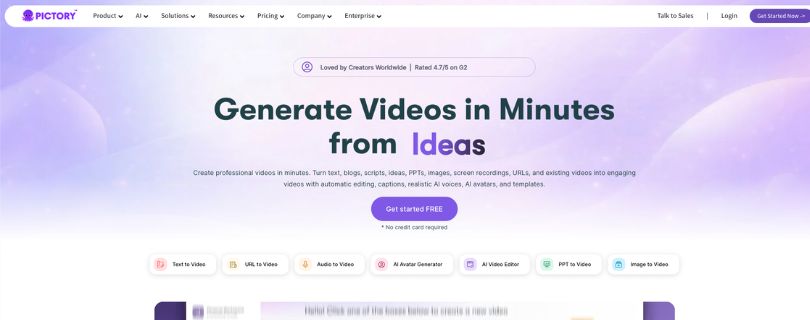
Pictory is built for content marketers and solo creators who want to turn long-form content into videos quickly. Whether it’s a blog post, Zoom recording, or script, Pictory uses AI to break it down into video-ready scenes, complete with visuals, music, and voiceovers.
You don’t need design skills. You don’t even need to shoot footage. If you have text or existing content, Pictory can turn it into something watchable and shareable in just a few clicks.
Key Features:
- AI Script-to-Video Generation that turns written content into full video drafts
- Auto-Captioning and Subtitles for accessibility and social-friendly output
- Voiceover Tools with AI narration or your own uploads
- Text-Based Editing that works by editing the transcript
- Stock Library with video, music, and visual assets
Pros and Cons of Using Pictory
Pros:
- Excellent for turning existing blogs or transcripts into video
- Fast results with minimal editing effort
- Great for social video with automatic captions
Cons:
- Limited animation features or control over visuals
- AI voiceovers can feel flat without customization
Pricing:
- Standard: $23/month billed annually
- Premium: $47/month billed annually
- Teams: Custom pricing available
Best For:
- Marketers, podcasters, and educators turning content into video without shooting new footage
Animaker Alternative For:
- Creators who want a tool that uses AI to generate videos directly from text or scripts
7. Animoto
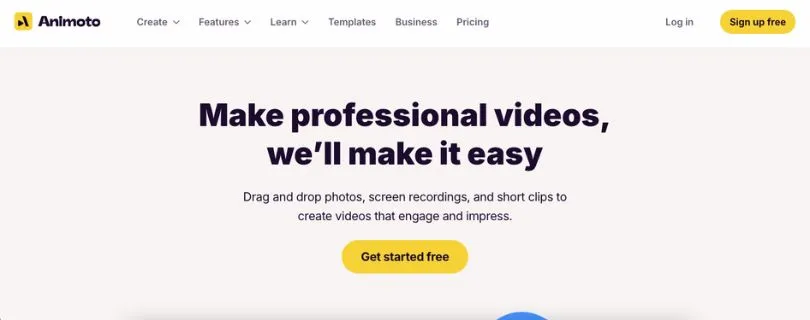
Animoto is a straightforward animation video tool made for beginners or businesses that need simple slideshows and promotional content. It doesn’t offer full animation features like some others on this list, but it’s perfect for turning images, short clips, and text into polished videos fast.
Just upload your media, arrange it in a timeline, add music, and hit export. It’s as easy as that.
Key Features:
- Drag-and-Drop Editor that’s built for simplicity
- Customizable Templates designed for business, events, and social media
- Music Library with licensed tracks
- Text and Logo Overlays to brand your videos
Pros and Cons of Using Animoto
Pros:
- Very easy for anyone to use, no experience required
- Good for recap-style videos, photo highlights, or testimonials
- Offers basic branding options
Cons:
- Lacks animation tools or timeline precision
- Can feel too simple for users looking for more control
Pricing:
- Basic: Free with watermark
- Professional: $16/month billed annually
- Professional Plus: $29/month billed annually
Best For:
- Real estate agents, small businesses, or event marketers who need fast, clean video content
Animaker Alternative For:
- Users who want a no-fuss video tool focused on photos and text, not animation
4 tips for choosing the right Animaker alternatives
Picking the right video tool can save you a lot of time, frustration, and budget headaches. Here are four practical tips to help you choose the one that actually fits your workflow.
1. Start with your real video bottleneck.
Don’t look for a platform that claims to do everything. Is your biggest struggle getting videos out fast for social content? A tool like Canva or Biteable makes sense. Need professional explainer videos with custom characters and polish? Vyond might be a better fit. Solve the problem that costs you the most time first.
2. Avoid tools that force you to start from zero.
The best Animaker alternatives work with what you already have. If you’ve got brand assets, scripts, or voiceovers ready, choose a platform that lets you drop those in easily. Tools like Renderforest and Canva make it simple to reuse existing content instead of rebuilding everything from scratch.
3. Test the tool using your real content.
Don’t rely on marketing demos alone. Use your own script, your own branding, and your own voiceover to see how the tool actually performs. Free trials and test modes matter because they show you how fast you can produce something useful in a real scenario.
4. Match the tool to your skill level and team size.
Some platforms are built for designers and creative teams. Others are meant for marketers, founders, or educators who just need results quickly. If video creation feels like a chore right now, choose a tool that makes the process feel lighter, not more complicated.
Final Thoughts
The right Animaker alternative really comes down to what you need most. It might be speed, flexibility, simplicity, or creative control. No single tool is perfect for everyone, but there’s definitely one that fits you.
Whether you’re creating explainer videos, internal training content, or scroll-stopping posts for social media, the tools above offer more than just templates. They offer freedom. Try a few, use your real content, and pick the one that actually makes your work easier.
FAQs
Why should I consider Animaker alternatives if Animaker is easy to use?
Animaker is a solid starting point, especially for beginners. But as your needs grow, its limits become more noticeable. Many users switch because they want more creative flexibility, faster workflows, or better results for specific use cases like social media, training, or AI-driven video creation. Alternatives often give you more control, better templates, or smarter automation without making things harder.
How do I decide which Animaker alternative is best for my needs?
Start by looking at what kind of videos you actually create most often.
- If you need professional training or explainer videos, tools like Vyond work well
- If speed and social content matter most, Canva Video or Biteable are strong options
- If you want AI to turn scripts or blogs into videos, Pictory is worth testing
Your skill level, timeline, and budget should guide the decision more than feature lists.
Are all Animaker alternatives focused on animation?
Not at all. Some tools focus less on animation and more on motion design, templates, or AI-generated video.
For example, Canva Video leans toward motion-based design rather than character animation. Pictory focuses on text-to-video automation. Animoto is more about slideshows and photo-based videos. Each tool approaches video creation differently, which is why picking the right fit matters.
Can Animaker alternatives handle team collaboration and branding?
Yes, many of them do a better job here than Animaker.
Several tools offer:
- Shared brand kits with fonts, colors, and logos
- Team workspaces with permissions
- Commenting or approval workflows
If you’re working with a team or managing brand consistency, platforms like Vyond, Biteable, and Canva Teams are usually easier to scale.
Do these Animaker alternatives support AI features?
Some do, and some don’t. It depends on the platform’s focus.
AI-powered tools like Pictory help with script-to-video creation, captions, and voiceovers. Others use AI more lightly or not at all, focusing instead on templates and usability. If AI speed matters to you, prioritize tools that clearly explain how their AI saves time, not just that it exists.
Are there free plans or trials available for Animaker alternatives?
Yes, most of them offer a way to test before committing.
You’ll find:
- Free plans with watermarks or limits
- Time-based free trials
- Entry-level plans that are affordable for solo creators
This makes it easier to test your real content and see which tool fits your workflow before spending money.
Which Animaker alternative is best for beginners?
For beginners, simplicity matters more than features.
Canva Video and Animoto are usually the easiest to start with. They don’t overwhelm you with options and let you produce clean videos quickly. As you get more comfortable, you can always move to a more advanced tool if needed.



