MagicLight.ai has become a popular choice for creators who want to turn stories, scripts, and ideas into AI-generated videos. And honestly, it makes sense. It’s useful for animated stories, faceless YouTube videos, and long-form narrative content. But as AI video tools keep improving, some users are looking for MagicLight.ai alternatives with better pricing, faster workflows, stronger editing options, or more specific features for Shorts, documentaries, and social media videos.
That’s why I tested and compared the best MagicLight.ai alternatives available in 2026 — not just random AI video generators, but tools that solve different creator problems well. Whether you’re making story-driven YouTube videos, short-form faceless content, educational explainers, or cinematic AI clips, there’s a tool that may fit your workflow better.
So, let’s look at the top options I found.
My Quick Verdict: Best MagicLight Alternatives at a Glance
If you’re in a hurry, here’s the simple version. MagicLight.ai is still a strong pick for animated story videos, but these alternatives are better depending on what kind of content you actually want to create.
| Rank | Tool | Best For | Main Advantage Over MagicLight | Main Limitation | Starting Price | My Rating |
| 1 | VideoInu | Animated story videos | Feels like the closest MagicLight-style alternative for scene-based storytelling and character-driven videos | Still needs prompt tweaking if you want polished results | From $9.99/month | 4.7/5 |
| 2 | InVideo AI | All-in-one prompt-to-video creation | Better for turning one prompt into a complete video with script, voiceover, visuals, captions, and music | Not as focused on animated characters or story worlds | Free plan available; paid from $17/month billed yearly | 4.6/5 |
| 3 | VideoLlama | Long-form documentaries and educational narration | Better for explainer videos, documentary-style content, and narration-heavy YouTube videos | Not built for cartoon-style character animation | Credit-based pricing | 4.4/5 |
| 4 | FluxNote | Faceless Shorts, TikTok, and Reels | Faster for short-form videos with captions, stock footage, voiceovers, and social-ready formatting | Not ideal for long-form animated stories | Free plan available; paid from $9.99/month | 4.3/5 |
| 5 | Runway | Cinematic AI video generation | Much stronger for realistic visuals, creative shots, and high-quality AI-generated scenes | Not a one-click long-form story video tool | Free plan available; paid from $12/user/month billed yearly | 4.2/5 |
Here’s the easiest way to choose:
- Choose VideoInu if you want a close MagicLight-style animated story workflow.
- Choose InVideo AI if you want a simple prompt-to-published-video pipeline.
- Choose VideoLlama if you make educational, documentary, or narration-heavy videos.
- Choose FluxNote if you publish short-form faceless content daily.
- Choose Runway if you care most about cinematic quality and shot-level control.
What Is MagicLight.ai Best At?
Before comparing the alternatives, it’s only fair to look at what MagicLight.ai does well.
MagicLight.ai is built for creators who want to turn stories, scripts, or simple ideas into long-form AI videos. Its biggest strength is character-based storytelling, especially for animated YouTube stories, kids’ videos, faith-based content, comedy skits, and simple history or science explainers.
You can start with an idea, expand it into a script, create scenes, add voiceover, include subtitles, use background music, and export a full video without jumping between multiple tools.
MagicLight also stands out for longer AI videos, including 30–50 minute story-style content. That makes it useful for YouTube creators who want full episodes, not just short clips.
How I Tested These MagicLight.ai Alternatives
I didn’t want this comparison to be another basic list of AI video tools copied from product pages. To make the ranking fair, I tested each MagicLight.ai alternative with the same content ideas, the same type of prompts, and the same review checklist.
The goal was simple: see which tools actually help creators make better videos with less friction. I looked at how each platform handled long-form storytelling, short-form faceless videos, educational explainers, cinematic scenes, voiceovers, captions, editing, exports, and overall value for money.
My Test Setup
To keep things fair, I used the same five tests across all tools:
- Long-form animated story test: “Create a 5-minute fantasy story with two recurring characters.”
- Short-form faceless test: “Create a 45-second YouTube Short about a strange historical fact.”
- Educational/documentary test: “Create a 3-minute explainer about the fall of the Roman Empire.”
- Cinematic scene test: “Generate a realistic 8-second shot of a detective walking through a rainy neon alley.”
- Editing/control test: Revise one scene, change the voice, regenerate a visual, and export the final video.
These prompts helped me see where each tool naturally performed well. Some tools were better at animated stories. Some were stronger for documentary-style narration. Others worked better for Shorts, TikTok videos, or cinematic AI clips.
My Scoring Criteria
I scored each tool from 1 to 10 based on the areas that matter most when you’re actually creating content, not just browsing feature lists.
| Testing Area | What I Looked For |
| Story quality | Did the script feel clear, engaging, and usable? |
| Character consistency | Did recurring characters look and feel the same across scenes? |
| Video length support | Could the tool handle longer videos without breaking the workflow? |
| Prompt accuracy | Did the output follow the original idea closely? |
| Visual quality | Were the images, scenes, and motion good enough to publish? |
| Voiceover quality | Did the narration sound natural or robotic? |
| Caption/subtitle quality | Were captions accurate, readable, and styled well? |
| Editing control | Could I revise scenes, change visuals, adjust voice, or fix mistakes easily? |
| Export quality | Was the final video clean, sharp, and watermark-free on paid plans? |
| Speed | How fast could I go from idea to finished video? |
| Pricing/value | Did the output feel worth the subscription, credits, or pay-as-you-go cost? |
| Best use-case fit | Who would get the most value from this tool? |
I also paid close attention to small workflow details, because that’s where many AI video generators either save you time or quietly become annoying. For example, it’s one thing for a tool to generate a video. It’s another thing to let you fix one bad scene without rebuilding the whole project.
Proof I Looked For During Testing
For each tool, I tracked a few practical details:
- Screenshots of the dashboard and video creation workflow
- The exact sample prompt I used
- A thumbnail or preview from the final output
- Approximate export time
- Credit usage or cost estimate
- The biggest thing that surprised me while using the tool
This made it easier to compare the tools in a realistic way. A platform may look great on its homepage, but once you test prompts, exports, voiceovers, captions, and scene editing, the differences become much clearer.
Best MagicLight.ai Alternatives in 2026
I tested these MagicLight.ai alternatives based on video quality, story workflow, character consistency, editing control, voiceover quality, captions, pricing, and how useful they are for real creators.
Here’s how the top tools compare and which one fits your use case.
1. VideoInu
⭐G2: Not enough reviews available
The best direct MagicLight.ai alternative for animated story videos is VideoInu.
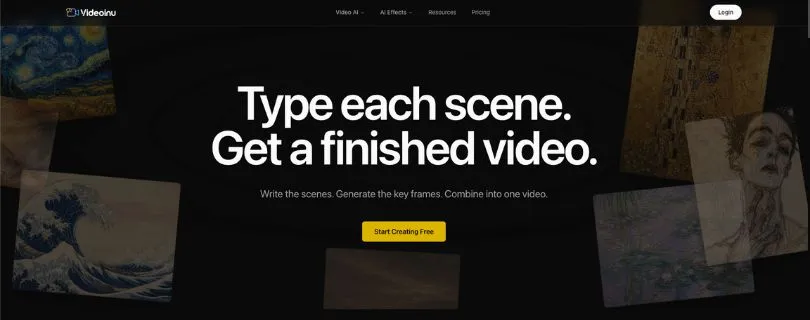
It feels the closest to MagicLight because it is built around scene-based video creation. You write the scenes, generate keyframes, and combine everything into a finished video. That makes it useful if you create animated stories, faceless YouTube videos, kids’ content, fantasy videos, or character-based short stories.
What stood out to me is how VideoInu thinks in scenes instead of just one big prompt. That matters because story videos usually need structure. You need characters, locations, pacing, and visual flow. A basic text-to-video AI tool may create a nice clip, but it often struggles when you want a full story with connected scenes.
VideoInu is not perfect, though. You still need to write clear prompts, especially if you want better animation results. In my testing, it worked better for animated and stylized content than realistic live-action videos.
Why VideoInu Is the Best MagicLight Alternative
VideoInu is the best option if you want something close to MagicLight’s animated story workflow.
MagicLight is strong for long-form story videos, but VideoInu gives you a more scene-by-scene creation style. That makes it easier to control the flow of the story, especially when you want to build a video from separate moments instead of relying on one automatic generation.
If your main goal is to create AI story videos for YouTube, VideoInu is the first tool I would try after MagicLight.
Pros
- Scene-based workflow for animated storytelling
- Good fit for YouTube story videos and faceless animation channels
- Supports keyframe-style video creation
- 1080p / 2K HD video on paid plans
- Watermark-free exports on paid plans
- Commercial use available on Pro plan and above
Cons
- Not the best option for realistic live-action videos
- Output quality depends heavily on prompt quality
- Credit usage can add up if you regenerate scenes often
- G2 does not have enough reviews yet for strong buyer feedback
VideoInu Pricing
VideoInu pricing starts at:
- Plus: $9.99/mo
- Pro: $29.99/mo
- Ultra: $59.99/mo
- Studio: $99.99/mo
- Extra credits: $2 for 1,000 credits
If you want commercial use, the Pro plan is the safer starting point.
What Users Have to Say About VideoInu
Users on Trustpilot mention that VideoInu is useful for creating character-based YouTube videos and choosing from different AI models. One Reddit user also said it performs better for animation than live-action content, which matches my experience. (Source)
2. InVideo AI
⭐G2: 4.5/5
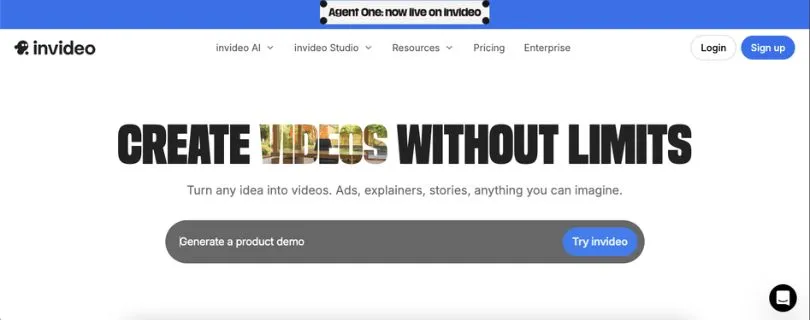
The next MagicLight.ai alternative worth considering is InVideo AI.
InVideo AI is not a direct animated story generator like MagicLight. It is better described as an all-in-one AI video maker. You give it a prompt, and it can help generate the script, visuals, voiceover, music, subtitles, and final video.
This makes it a better fit for creators who want a simple prompt-to-video workflow without building every scene manually. If you make YouTube explainers, social media videos, ads, UGC-style videos, product promos, or educational content, InVideo AI can save a lot of time.
What stood out to me is how beginner-friendly the workflow feels. You do not need to understand timelines, layers, or advanced editing. You can describe what you want, then adjust the video with text-based commands.
The trade-off is control. InVideo AI is fast, but it can feel less precise if you want a very specific animated story world with recurring characters.
Why InVideo AI Is the Best MagicLight Alternative
InVideo AI is the best alternative if you want a full prompt-to-published-video pipeline.
MagicLight is stronger for animated stories. InVideo AI is stronger when you want one tool that handles the full video creation process for many formats, including YouTube videos, TikTok videos, Instagram Reels, ads, and explainers.
If you are a marketer, freelancer, agency, or small business owner, InVideo AI may feel more practical than MagicLight because it covers more general video use cases.
Pros
- Easy prompt-to-video workflow
- Good for YouTube videos, ads, explainers, and social media content
- Includes AI voiceovers, subtitles, music, and visuals
- Access to stock media on paid plans
- Text-based editing is beginner-friendly
- Can create longer videos from a single prompt
Cons
- Not as focused on animated story videos as MagicLight
- Visuals can feel generic if you do not guide the prompt well
- Credit limits can be confusing for heavy users
- Some users report inconsistency with matching visuals across scenes
InVideo AI Pricing
InVideo AI pricing starts at:
- Free plan: Available
- Plus: $17/mo, billed yearly
- Max: $85/mo, billed yearly
- Generative: $170/mo, billed yearly
- Enterprise: Custom pricing
The Plus plan is enough for testing, but creators producing videos regularly may need Max or higher.
Before you upgrade, check the full cost breakdown here:
InVideo AI Pricing Explained
What Users Have to Say About InVideo AI
G2 users often praise InVideo for being easy to use and helpful for quick video creation. On Trustpilot, some users like the support, but others mention issues with credits and inconsistent visuals. (Source)
Not fully sure about InVideo AI? Compare more options here:
Best InVideo AI Alternatives
3. VideoLlama
⭐G2: Not listed
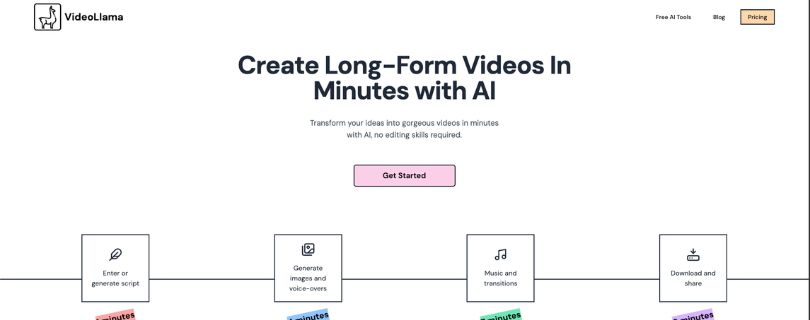
Another strong MagicLight.ai competitor is VideoLlama, especially if your content is more documentary-style than animated.
VideoLlama is built for long-form narrated videos. Instead of focusing mainly on animated characters, it helps you turn a script, topic, or website URL into a complete video with narration, visuals, music, and transitions.
This makes it useful for educational YouTube channels, history explainers, science videos, biography content, mystery videos, spiritual videos, and documentary-style storytelling.
What stood out to me is the pricing model. VideoLlama uses credits instead of forcing you into a monthly subscription. That is helpful if you do not create videos every week and only want to pay when you actually need to generate content.
That said, it is not the best replacement if you specifically want animated characters and recurring story scenes. It is better for narration-first videos.
Why VideoLlama Is the Best MagicLight Alternative
VideoLlama is the best MagicLight alternative for long-form documentaries and educational narration.
MagicLight works well when your video depends on characters, scenes, and animated storytelling. VideoLlama works better when your video depends on a strong script, narration, and topic explanation.
If you are turning blog posts, research topics, or educational ideas into YouTube videos, VideoLlama may feel more focused than MagicLight.
Pros
- Good for long-form narrated videos
- Works well for documentaries, explainers, and educational videos
- Can generate scripts from topics or website URLs
- Includes AI visuals, voiceovers, music, and transitions
- Credit-based pricing is flexible
- Useful for creators who do not want a monthly subscription
Cons
- Not ideal for cartoon-style animated characters
- Limited advanced editing control compared to traditional video editors
- Credit costs can increase for longer projects
- Public user reviews are still limited compared to larger tools
VideoLlama Pricing
VideoLlama uses simple credit-based pricing:
- 1,000 credits: $10
- 5,000 credits: $50
- Create image: 8 credits per image
- Create voiceover: around 5 credits per minute
- Video export: around 1 credit per minute
- 10-minute video estimate: around 270 credits
This makes VideoLlama easier to test if you do not want another monthly AI video subscription.
What Users Have to Say About VideoLlama
Public reviews are limited, but Reddit users discussing long-form AI video tools mention VideoLlama as an option for handling longer scripts, visuals, and narration. One user also recommended creating very long videos in chunks, then polishing them in a separate editor. (Source)
Best MagicLight.ai Alternatives in 2026
4. FluxNote
⭐G2: Not enough reviews available
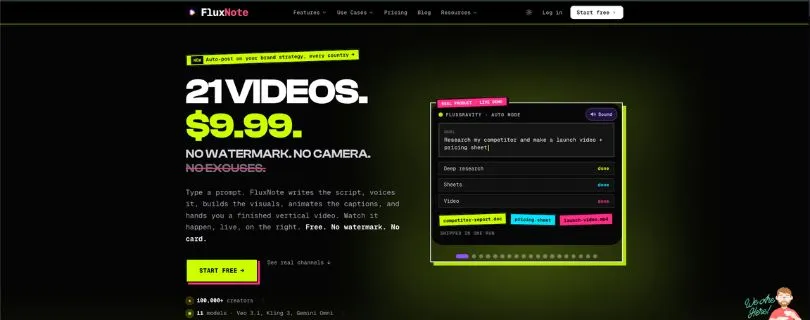
If you are looking for a MagicLight.ai alternative for short-form faceless videos, FluxNote is one of the better options to consider.
MagicLight is more focused on long-form animated stories, while FluxNote is built for fast social video creation. You give it a topic, and it can create a short video with a script, AI voiceover, stock footage, animated captions, background music, and social-ready formatting.
This makes it useful for YouTube Shorts, TikTok, Instagram Reels, faceless channels, motivational videos, Reddit-style stories, quick explainers, listicles, and viral short-form content.
What stood out to me is how fast the workflow feels. Instead of building a full animated story scene by scene, FluxNote is more like a short-form content machine. It works best when you need to publish often and do not want to spend hours scripting, recording, finding footage, and editing captions.
It is not the right tool if your goal is a 30-minute animated story with recurring characters. But for daily short-form content, it makes much more sense than MagicLight.
Why FluxNote Is the Best MagicLight Alternative
FluxNote is the best MagicLight.ai alternative for creators who care more about speed than long-form storytelling.
MagicLight is better for story-driven AI videos. FluxNote is better when you want to create faceless Shorts, TikToks, and Reels quickly from a simple prompt.
If your content workflow is built around daily posting, captions, stock footage, and quick exports, FluxNote is easier to use than a full story video generator.
Pros
- Great for faceless YouTube Shorts, TikTok, and Instagram Reels
- Creates script, voiceover, footage, captions, and music from one prompt
- Strong animated caption styles for short-form videos
- Supports multiple social video formats
- Free plan available with no watermark
- Useful for creators who want to batch-produce content
Cons
- Not made for long-form animated story videos
- Not ideal for recurring character-based storytelling
- Less useful if you want cinematic AI-generated scenes
- Public third-party reviews are still limited
FluxNote Pricing
FluxNote pricing starts at:
- Free: $0
- Rise: $7.99/mo, billed annually
- Pro: $15.99/mo, billed annually
- Max: $39/mo, billed annually
On monthly billing, the paid plans start at $9.99/mo. The Pro plan is the better fit if you plan to create short-form videos regularly.
What Users Have to Say About FluxNote
Public user reviews for FluxNote are still limited compared to bigger AI video tools. G2 lists FluxNote in the AI video generator category, but there are not enough detailed user reviews yet to judge long-term reliability. That is why I would test the free plan first before using it for a serious content workflow. (Source)
5. Runway
⭐G2: 3.8/5
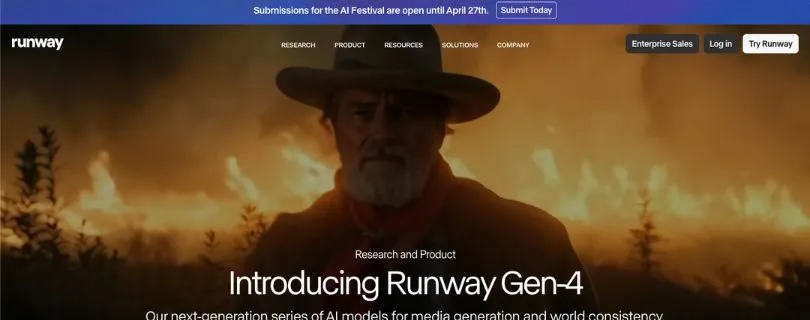
Runway is the best MagicLight.ai competitor if your main goal is cinematic AI video generation.
It is not a one-click story video maker like MagicLight. Instead, Runway is built for creators who want more control over individual shots, realistic motion, image-to-video clips, video editing, lip sync, visual effects, and cinematic AI scenes.
If you are creating ads, music videos, short films, YouTube B-roll, product visuals, mood shots, or realistic AI clips, Runway gives you more creative control than MagicLight.
What stood out to me is the visual quality. Runway is much stronger when you want one specific scene to look polished, dramatic, or film-like. For example, my detective-in-a-rainy-neon-alley test worked better here than in tools built mainly for templates or full automated videos.
The trade-off is that Runway is not as beginner-friendly for full video assembly. You may still need another editor if you want to turn many generated clips into a complete YouTube video.
Why Runway Is the Best MagicLight Alternative
Runway is the best MagicLight.ai alternative for cinematic shots and creative control.
MagicLight is better when you want a full AI story video with scenes, narration, subtitles, and characters. Runway is better when you want high-quality AI-generated clips that feel more visual, realistic, and production-ready.
If you care most about shot quality, camera movement, realism, and visual experimentation, Runway is the stronger option.
Pros
- Strong cinematic AI video quality
- Great for image-to-video and text-to-video generation
- Useful for ads, music videos, creative shots, and YouTube B-roll
- Includes video editing and AI creative tools
- Supports advanced models and third-party video models on paid plans
- Better than MagicLight for realistic short clips
Cons
- Not a one-click long-form story video generator
- Credits can run out quickly while testing prompts
- Some outputs miss the prompt and still use credits
- Can feel expensive for beginners
- You may need another editor for full video projects
Runway Pricing
Runway pricing starts at:
- Free: $0
- Standard: $12/user/mo, billed annually
- Pro: $28/user/mo, billed annually
- Max: $76/user/mo, billed annually
- Enterprise: Custom pricing
The Free plan includes 125 one-time credits. Standard is the first serious paid option, but Pro or Max makes more sense if you want to test multiple video ideas often.
What Users Have to Say About Runway
Runway reviews are mixed. Some users love the ease of use and creative quality, while others complain about credits and inconsistent outputs. One G2 reviewer said it is “easy and intuitive enough to get started,” while another said the paid plan “doesn’t give you a ton of credits.” That matches my experience: Runway can create amazing clips, but you need room in your budget for trial and error. (Source)
Still comparing AI video generators before choosing Runway?
Read: Top Runway Alternatives
Side-by-Side Comparison Table
Here’s a quick side-by-side look at MagicLight.ai and the five alternatives I tested. This should help you see which tool fits your workflow before you spend time signing up for each one.
| Feature | MagicLight | VideoInu | InVideo AI | VideoLlama | FluxNote | Runway |
| Best for | Long-form animated story videos | Animated story videos | All-in-one AI video creation | Long-form documentaries and explainers | Faceless Shorts, TikTok, and Reels | Cinematic AI video clips |
| Video type | Story-based animated videos | Scene-based animated videos | Prompt-to-video, social videos, ads, explainers | Narrated educational and documentary videos | Short-form faceless social videos | Text-to-video and image-to-video clips |
| Long-form support | Strong | Good | Good | Strong | Limited | Limited for full projects |
| Short-form support | Basic | Good | Strong | Good | Strong | Strong for short clips |
| Character consistency | Strong | Good | Limited | Limited | Not the main focus | Depends on prompt and references |
| AI voiceover | Yes | Yes | Yes | Yes | Yes | Limited compared to full video tools |
| Captions/subtitles | Yes | Yes | Yes | Yes | Yes, strong for short-form captions | Limited |
| Stock footage | Limited | Limited | Yes | Yes | Yes | No, mainly AI-generated visuals |
| AI-generated visuals | Yes | Yes | Yes | Yes | Some AI-assisted visuals | Yes, very strong |
| URL-to-script | Not the main focus | Not the main focus | Limited | Yes | Not the main focus | No |
| Editing control | Good for story workflow | Good for scene control | Easy text-based editing | Basic to moderate | Good for quick social edits | Strong for visual control, weaker for full assembly |
| Ease of use | Beginner-friendly | Beginner-friendly with prompts | Very beginner-friendly | Simple for narration videos | Very easy for Shorts | Medium learning curve |
| Pricing model | Subscription and credits | Subscription and credits | Free plan plus subscriptions | Credit-based / pay-as-you-go | Free plan plus subscriptions | Free plan plus credit-based subscriptions |
| Best user | YouTube story creators | Animated story creators | Marketers, agencies, YouTubers, small businesses | Educators, documentary creators, explainer channels | Faceless content creators and social media creators | Filmmakers, ad creatives, visual storytellers |
| Biggest weakness | Not ideal for every video style | Needs clear prompts for best results | Less focused on recurring characters | Not made for animated character stories | Not suitable for long-form story videos | Not a one-click full video generator |
| My rating | 4.5/5 | 4.7/5 | 4.6/5 | 4.4/5 | 4.3/5 | 4.2/5 |
The simple takeaway of the above table:
- VideoInu is the closest MagicLight-style alternative, especially if you want animated stories with connected scenes.
- InVideo AI is better if you want one tool for general video creation.
- VideoLlama makes more sense for educational or documentary-style videos.
- FluxNote is the better pick for daily short-form faceless content.
- Runway is the strongest option if you care more about cinematic AI visuals than full story automation.
Which MagicLight Alternative Should You Choose?
The best MagicLight.ai alternative depends on the type of video you make most often. A tool that works well for animated stories may not be the best choice for Shorts, documentaries, or cinematic AI clips. Here’s the easiest way to decide.
Choose VideoInu if…
Choose VideoInu if you want something that feels closest to MagicLight’s animated story workflow.
It’s a good fit if you create story-based YouTube videos, faceless animated content, fantasy stories, kids’ videos, or narrative videos with recurring characters. Since VideoInu works well with scene-by-scene creation, it gives you more control over how the story moves from one moment to the next.
You’ll probably like VideoInu if:
- You want animated stories
- You need recurring characters
- You are building a faceless storytelling channel
- You want something closest to MagicLight
Choose InVideo AI if…
Choose InVideo AI if you want the easiest all-in-one AI video maker.
It’s better for creators who want to type a prompt and get a complete video with script, visuals, voiceover, subtitles, music, and stock footage. It’s not as focused on animated storytelling as MagicLight, but it works well for YouTube explainers, marketing videos, product promos, social media clips, and business content.
You’ll probably like InVideo AI if:
- You want the easiest all-in-one video maker
- You create explainers, marketing videos, or YouTube content
- You prefer stock footage plus AI voiceover
Choose VideoLlama if…
Choose VideoLlama if your videos are more educational than animated.
It’s a better fit for documentary-style videos, history explainers, science content, biography videos, and narration-heavy YouTube channels. The URL-to-script and topic-to-video workflow is useful if you often turn articles, research, or ideas into long-form videos.
You’ll probably like VideoLlama if:
- You create educational or documentary-style videos
- You want URL-to-script or topic-to-script workflows
- You do not need character animation
Choose FluxNote if…
Choose FluxNote if your main goal is short-form faceless content.
MagicLight is better for longer story videos, but FluxNote makes more sense if you publish YouTube Shorts, TikToks, or Instagram Reels every day. It helps with scripts, AI voiceovers, captions, stock footage, background music, and quick exports.
You’ll probably like FluxNote if:
- You post Shorts, TikToks, or Reels
- You need captions, voiceover, music, and footage fast
- You run a faceless short-form channel
Choose Runway if…
Choose Runway if you care more about visual quality than full video automation.
Runway is not the easiest tool for creating a complete long-form story video, but it is one of the strongest options for cinematic AI clips. It’s useful for creators who want realistic shots, dramatic visuals, product scenes, music video clips, ad creatives, or polished B-roll.
You’ll probably like Runway if:
- You need cinematic visuals
- You care about shot quality
- You want creative control over individual scenes
MagicLight.ai vs Competitors: Where MagicLight Still Wins
Even though these alternatives are strong, MagicLight.ai still wins in a few important areas.
Its biggest advantage is long-form animated storytelling. Many AI video tools are good at short clips, stock-footage videos, or cinematic shots, but MagicLight is built more directly for turning stories into full videos.
It also does a good job with character-based workflows. If your video depends on the same characters appearing across different scenes, MagicLight feels more focused than general AI video makers.
MagicLight is also beginner-friendly. You can start with a simple idea, expand it into a story, use templates, build scenes, add voiceover, include subtitles, and create a full video without needing advanced editing skills.
This makes MagicLight a strong choice for:
- Kids’ story videos
- Faith-based videos
- Animated YouTube stories
- Comedy skits
- Simple history and science explainers
- Narrative faceless channels
- Long-form story episodes
So, while tools like FluxNote, Runway, and VideoLlama may be better for specific use cases, MagicLight still makes sense if your main goal is one-click story video creation with connected characters and scenes.
My Final Ranking After Testing
Here’s how I would rank the best MagicLight.ai alternatives after testing them:
- Best overall MagicLight alternative: VideoInu
- Best for all-in-one video creation: InVideo AI
- Best for documentaries: VideoLlama
- Best for short-form faceless videos: FluxNote
- Best for cinematic AI generation: Runway
If I had to replace MagicLight for animated storytelling, I would start with VideoInu. If I were building a Shorts channel, I would choose FluxNote. For educational long-form content, VideoLlama makes more sense. For general prompt-to-video work, InVideo AI is easier. For cinematic shots, Runway is the strongest creative tool.
Other MagicLight Alternatives Worth Checking Out
These tools did not make my top five, but they are still worth knowing about if your video workflow is a little different.
- HeyGen — best for avatar videos, business presentations, and talking-head AI videos.
If avatar videos are your main use case, compare these tools first:
Best HeyGen Alternatives - Synthesia — best for training videos, corporate explainers, and professional AI avatar content.
Want a deeper look before choosing it? Read:
Synthesia.io AI Review - Canva — best for simple design-led videos, social media graphics, and quick branded content.
If Canva is on your shortlist, start with my full review:
I Tried Canva: My Honest Review - VEED — best for browser-based video editing, subtitles, screen recordings, and quick social edits.
Still comparing browser-based video editors?
Read: Best VEED.IO Alternatives - Camtasia — best for screen recording, tutorials, software walkthroughs, and course videos.
- Animaker — best for classic animation templates and beginner-friendly animated videos.
Want to compare Animaker with other animation tools?
Read: Best Animaker Alternatives - Creatify AI — best for AI video ads, product promos, and ecommerce-style creative testing.
- Magic Hour — worth considering as a broader AI video competitor for creative video generation and editing.
FAQs About MagicLight.ai Alternatives
What is the best MagicLight.ai alternative in 2026?
The best overall MagicLight.ai alternative is VideoInu if you want animated story videos with connected scenes and recurring characters.
For other use cases, the best choice changes. InVideo AI is better for all-in-one video creation, FluxNote is better for Shorts, VideoLlama is better for documentaries, and Runway is better for cinematic AI clips.
Which MagicLight alternative is best for animated story videos?
VideoInu is the closest option if you want animated stories, character-based videos, and scene-by-scene storytelling.
It feels more similar to MagicLight than general AI video makers because it focuses on building videos from connected story scenes, not just random short clips.
Which MagicLight alternative is best for YouTube Shorts?
FluxNote is the better pick for YouTube Shorts, TikTok, and Instagram Reels.
It helps you create short-form faceless videos with:
- AI scripts
- Voiceovers
- Stock footage
- Captions
- Background music
- Social-ready formatting
Is InVideo AI better than MagicLight.ai?
InVideo AI is better if you want a simple prompt-to-video tool for explainers, ads, social videos, and YouTube content.
MagicLight is better if your main goal is long-form animated storytelling with characters, scenes, voiceover, and subtitles.
Which MagicLight alternative is best for documentary videos?
VideoLlama is the best option for documentary-style and educational videos.
It works well when your content depends more on narration, topic research, visuals, and explanation than animated characters.
Which MagicLight alternative is best for cinematic AI video?
Runway is the strongest choice for cinematic AI video generation.
It is better for realistic clips, dramatic scenes, camera movement, music videos, ad creatives, and polished B-roll. Just keep in mind that it is not a one-click long-form story video maker.
Is there a free MagicLight.ai alternative?
Yes, some MagicLight alternatives offer free plans or free credits, including InVideo AI, FluxNote, and Runway.
Free plans are useful for testing, but they often come with limits like lower exports, fewer credits, watermarks, or limited commercial use. Always check the plan details before using the output for client or business work.
What should I look for in a MagicLight.ai competitor?
Look for the features that match your content style, not just the longest feature list.
The most useful things to compare are:
- Video length support
- Character consistency
- AI voiceover quality
- Caption quality
- Editing control
- Export resolution
- Pricing or credit limits
- Commercial usage rights
- Speed from prompt to final video
Can I create long-form AI videos without MagicLight.ai?
Yes, you can create long-form AI videos without MagicLight, but the right tool depends on the format.
Use VideoInu for animated stories, VideoLlama for documentary-style videos, and InVideo AI for general long-form explainers or YouTube videos.
What is the closest tool to MagicLight.ai?
VideoInu is the closest MagicLight.ai alternative for animated storytelling.
It is the best match if you want scene-based videos, recurring characters, and a workflow that feels closer to building a story rather than just generating one short AI clip.
What is the best MagicLight alternative for faceless YouTube channels?
It depends on the type of faceless channel you want to build.
For animated story channels, choose VideoInu. For short-form faceless videos, choose FluxNote. For documentary or explainer channels, choose VideoLlama.
Is MagicLight.ai still worth using?
Yes, MagicLight.ai is still worth using if you create long-form animated stories, kids’ videos, faith-based content, comedy skits, or narrative YouTube videos.
You may want to choose an alternative if you care more about fast Shorts, cinematic realism, documentary narration, or general prompt-to-video creation.
What is the best AI video generator like MagicLight for beginners?
InVideo AI is probably the easiest option for beginners who want a simple prompt-to-video workflow.
If you are specifically making animated stories, VideoInu may be a better beginner-friendly choice because it stays closer to MagicLight’s storytelling style.
Which MagicLight competitor is best for social media creators?
FluxNote is the best fit for social media creators who post short videos often.
It is built for quick content creation, especially when you need captions, voiceover, stock footage, music, and vertical video formatting without spending too much time editing.
Can Runway replace MagicLight.ai?
Runway can replace MagicLight only if your main goal is cinematic video generation.
It is not the best replacement for full animated story videos, but it is much better for creating high-quality individual scenes, realistic visuals, creative shots, and AI-generated B-roll.
Which MagicLight alternative should I choose if I make YouTube videos?
For YouTube, choose based on your video format:
- VideoInu for animated stories
- InVideo AI for explainers and general YouTube videos
- VideoLlama for documentaries
- FluxNote for Shorts
- Runway for cinematic clips and B-roll
Are MagicLight.ai alternatives good for commercial use?
Many MagicLight alternatives allow commercial use on paid plans, but the rules are different for each tool.
Before using AI-generated videos for clients, ads, monetized YouTube channels, or business content, check the tool’s commercial license, watermark policy, and export rights.