Wan AI is an AI-powered video generation model.
It offers features like text-to-video, image-to-video,
cinematic motion, and even advanced ComfyUI workflows.
However, I have seen users in online communities complain about common issues like:
- Character consistency problems
- Complicated setup for beginners
- High GPU and workflow requirements
- Motion glitches in longer clips
Add to that different model versions,
and it can quickly get confusing for creators who just want clean, usable videos.
All of this makes Wan AI a powerful but sometimes frustrating option.
Luckily, there are several Wan AI alternatives that are better with
ease of use, video quality, motion control, and overall creative workflow.
Before comparing alternatives, check:
Wan AI Pricing Explained
So, I decided to compare 5 of the best Wan AI alternatives and rank them based on video quality, usability, features, and overall value.
Best Wan AI Alternatives at a Glance
If you’re in a hurry, here’s the quick version.
| Rank | Tool | Best For | Main Advantage Over Wan AI |
| 1 | Runway | Professional creators and teams | Strong editing tools, character consistency, and creative control |
| 2 | Kling AI | Cinematic motion and realism | Better motion control and realistic movement |
| 3 | DomoAI | Anime, stylized videos, and beginners | Easy interface and fast creative templates |
| 4 | Hailuo AI | Human movement and choreography | Natural body motion and better prompt adherence |
| 5 | ComfyUI | Open-source and technical users | Local workflows, model flexibility, and LoRA/VACE experimentation |
The best overall Wan AI alternative is Runway for professional creators, Kling AI for cinematic realism, DomoAI for stylized content, Hailuo AI for human motion, and ComfyUI for advanced local workflows.
Top 5 Wan AI Alternatives
So here are all the Wan AI alternatives for creating better AI videos:
- Runway
- Kling AI
- DomoAI
- Hailuo AI
- ComfyUI
You can read my experience with each of them below:
1. Runway
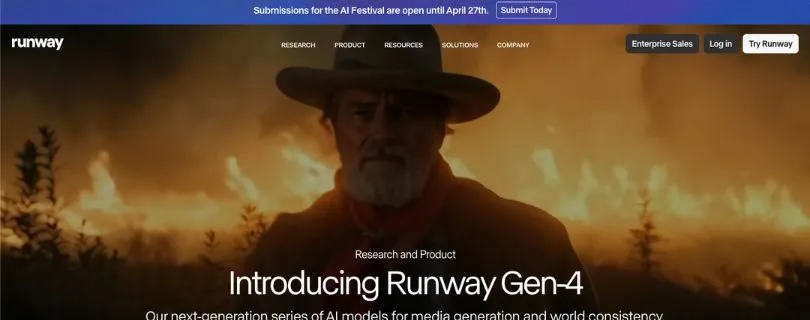
Best for: Professional creators, agencies, YouTubers, and teams who need polished AI video generation with better editing control.
Runway is one of the most popular AI video generation platforms for creators who want more than basic text-to-video.
It gives you tools for generating, editing, extending, and polishing AI videos from one workspace.
For creators who like Wan AI’s video quality but don’t want to deal with local setup, GPU limits, or complex ComfyUI workflows, Runway feels much easier to use.
Video generation options: Text-to-video, image-to-video, video editing, generative video, and performance capture.
Pricing model: Credit-based plans with Free, Standard, Pro, Max, and Enterprise options.
I have shared my experience with the tool below 👇
What Makes Runway a Better Alternative Than Wan AI?
Runway is a better Wan AI alternative if you want a cleaner production workflow.
Wan AI can create impressive clips, but it can feel technical if you’re working through open-source models, local installs, or node-based workflows.
Runway makes the process much simpler.
You can generate AI videos, edit them, remove unwanted parts, work with characters, and create more polished clips without jumping between five different tools.
This is helpful if you’re creating:
- YouTube b-roll
- Product videos
- Short-form ads
- Music video scenes
- Brand storytelling clips
- Social media videos
I also like that Runway feels more beginner-friendly than most advanced AI video tools.
You don’t need to understand models, LoRAs, VACE workflows, or GPU requirements just to create a usable video.
However, Runway is not perfect.
The credit system can get expensive if you keep regenerating clips until you get the right result. And like most AI video generators, it can still miss small details in hands, faces, object movement, or prompt accuracy.
Still, if you want a professional AI video generator that feels easier and more complete than Wan AI, Runway is the strongest pick.
Still comparing options?
Read: Top Runway Alternatives
Key Features
- Text-to-video and image-to-video generation
- AI video editing tools
- Character and scene consistency features
- Performance capture tools
- Video upscaling and watermark removal on paid plans
- Team-friendly workspace for creative projects
Limitations
- Credits can run out quickly during testing
- Paid plans can feel expensive for casual creators
- Output still needs multiple attempts for complex prompts
- Not open-source like Wan AI workflows
User Reviews
Users on G2 often praise Runway for its easy interface, fast video generation, and useful editing tools.
However, some users also mention that outputs can feel limited by the available AI models and may not always match expectations perfectly.
Pricing
Runway offers a free plan with 125 one-time credits.
Its paid plans start from $12/user/month for the Standard plan when billed annually.
The Pro plan costs $28/user/month, while the Max plan costs $76/user/month when billed annually.
For serious AI video work, the Pro plan is usually the better starting point because the Standard plan can feel limited once you start generating videos regularly.
Also Read:
Runway Gen-4 Review
2. Kling AI
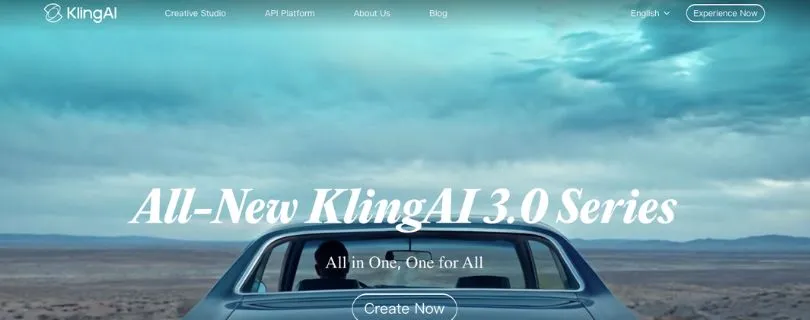
Best for: Creators who want cinematic motion, realistic movement, and strong image-to-video results.
Kling AI is an AI video generation tool known for realistic motion and detailed video output.
It is a good Wan AI alternative if your main problem is movement quality.
Wan AI can create strong visuals, but Kling AI often feels better when you want people, objects, and camera movement to look more natural.
Video generation options: Text-to-video, image-to-video, image generation, motion control, and camera control.
Pricing model: Credit-based plans with free and paid subscription options.
I have shared my experience with the tool below 👇
What Makes Kling AI a Better Alternative Than Wan AI?
Kling AI is a better option than Wan AI if you care more about motion realism than technical flexibility.
This matters a lot for AI video.
A clip can look beautiful as a still frame, but if the body movement looks stiff or the camera movement feels strange, the whole video starts to feel fake.
Kling AI is useful for creators making:
- Cinematic AI clips
- Product motion videos
- Short-form ads
- Image-to-video animations
- Character movement scenes
- Realistic social media content
The biggest advantage is that Kling AI is easier to use than a local Wan AI setup.
You don’t have to install models, manage nodes, or think about GPU memory. You upload an image or write a prompt, adjust the settings, and generate the video.
That makes it a strong option for creators who want results quickly.
However, Kling AI can still be frustrating if you need very precise control.
Some users complain about slow generation, pricing confusion, credit usage, and inconsistent prompt accuracy. So, I would not call it the safest option for every professional workflow.
But for cinematic motion and realistic image-to-video generation, Kling AI is still one of the strongest Wan AI alternatives.
Key Features
- Text-to-video generation
- Image-to-video generation
- Realistic movement and camera motion
- HD video output on paid plans
- Credit-based generation system
- Mobile app support
Limitations
- Pricing can be confusing because of credits
- Some users report slow generations
- Prompt accuracy can be inconsistent
- Customer support reviews are mixed
- Not ideal if you want open-source control
Not fully sold on Kling? Explore:
Best Kling Alternatives
User Reviews
Users on Product Hunt often praise Kling AI for realistic motion, detailed output, and smooth image-to-video results.
However, some users also mention slower speed, imperfect accuracy, and the need for faster iteration.
Pricing
Kling AI has a free plan for testing.
Its paid plans are credit-based and commonly start around $10/month for the Standard plan.
Higher plans are usually listed around $37/month for Pro and $92/month for Premier, depending on billing, region, and active offers.
Because Kling AI pricing can change based on credits and promotions, it is worth checking the official page before subscribing.
Before paying, read:
Kling Pricing Explained
3. DomoAI
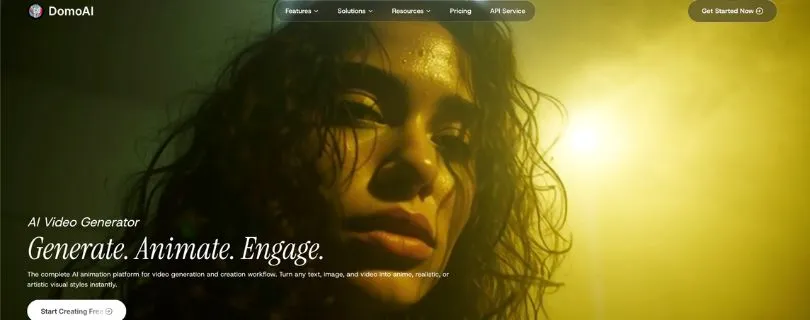
Best for: Anime creators, stylized video makers, social media creators, and beginners who want fast creative templates.
DomoAI is a creative AI video tool built for people who want to turn images, text, and videos into animated or stylized content.
Compared with Wan AI, DomoAI feels much easier for beginners.
You don’t need to understand ComfyUI, local models, LoRAs, or technical workflows.
Just choose what you want to create, upload your content, pick a style, and generate.
Video generation options: Text-to-video, image-to-video, video-to-video, character-to-video, talking avatar, and video upscaling.
Pricing model: Credit-based plans with Basic, Standard, and Pro options.
I have shared my experience with the tool below 👇
What Makes DomoAI a Better Alternative Than Wan AI?
DomoAI is a better Wan AI alternative if you care more about speed and ease of use than deep technical control.
Wan AI is powerful, but it can be too much if you only want to create anime-style clips, social media videos, or quick visual experiments.
DomoAI makes that process simpler.
It is especially useful for:
- Anime-style videos
- Video-to-animation edits
- Talking avatar videos
- Short-form social media clips
- Music video visuals
- Creative image-to-video content
I like DomoAI for creators who don’t want to spend hours setting up a workflow.
You can create stylized videos faster, and the interface feels more friendly than most open-source AI video setups.
The tool is also better for people who want templates and ready-made creative styles instead of building everything manually.
However, DomoAI is not the best choice if you need serious cinematic control.
It can also struggle with consistency in detailed scenes, and some users complain about rejected prompts, failed generations, or credits being used even when the result is not useful.
So, DomoAI is best for creative content, not advanced film-level production.
Key Features
- Text-to-video generation
- Image-to-video generation
- Video-to-video style transfer
- Anime and artistic video styles
- Character-to-video tools
- Talking avatar and text-to-speech tools
- Video upscaling options
Limitations
- Less control than Runway or ComfyUI
- Not ideal for realistic cinematic scenes
- Credit usage can add up quickly
- Some users report prompt rejection issues
- Output quality can vary by style and input
Want more tools like DomoAI?
Read: Best Domo AI Alternatives
User Reviews
Users on Trustpilot share mixed feedback about DomoAI.
Some like the creative video features, but others complain about content moderation, failed results, refund issues, and credits being used when generations do not work as expected.
Pricing
DomoAI’s paid plans start from $6.99/month for the Basic plan when billed yearly.
The Standard plan costs $19.59/month, and the Pro plan costs $48.99/month when billed yearly.
The Basic plan gives you 500 credits per month, while higher plans give more credits, more video generation capacity, and access to advanced features.
4. Hailuo AI
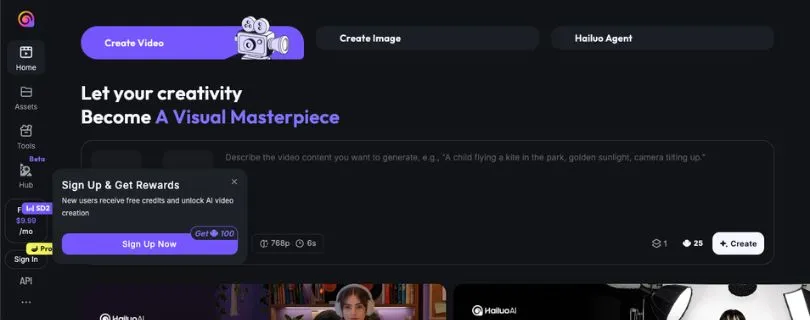
Best for: Creators who need natural human movement, choreography, cinematic short clips, and realistic image-to-video results.
Hailuo AI is an AI video generator from MiniMax that focuses on turning text prompts and images into short, realistic videos.
It is one of the better Wan AI alternatives if your main focus is human motion.
Wan AI can produce strong visuals, but when you’re working with dancing, walking, hand movement, body gestures, or camera movement around a person, you may notice the output can take several tries.
Hailuo AI feels more creator-friendly for that type of work.
Video generation options: Text-to-video, image-to-video, subject reference, image generation, and short cinematic video generation.
Pricing model: Credit-based plans with Free, Standard, Pro, Master, Ultra, and Max options.
I have shared my experience with the tool below 👇
What Makes Hailuo AI a Better Alternative Than Wan AI?
Hailuo AI is a better Wan AI alternative if you want videos where people actually move in a more natural way.
This is useful because AI video tools often struggle with human movement.
A face may look good in the first frame, but then the body starts moving strangely, the hands look off, or the character suddenly changes mid-shot.
Hailuo AI works well for creators making:
- Dance videos
- Fashion clips
- Character movement scenes
- Short cinematic shots
- AI influencer videos
- Image-to-video social media clips
- Product lifestyle videos with people
I like Hailuo AI for short-form content because the workflow is simple.
You can upload an image, describe the motion, and generate a video without setting up ComfyUI nodes or managing local models.
That makes it easier for YouTubers, TikTok creators, Instagram editors, and marketers who just want a clean video without spending half the day fixing a workflow.
However, Hailuo AI is not always consistent.
Some users report slow generations, failed outputs, watermark limits on the free plan, and customer support issues. So, it is not the tool I would choose if you need a highly controlled production workflow.
But if your biggest problem with Wan AI is stiff motion or unnatural body movement, Hailuo AI is worth testing.
Key Features
- Text-to-video generation
- Image-to-video generation
- Subject reference for character-based clips
- Realistic motion generation
- Camera movement and cinematic video styles
- Watermark-free downloads on paid plans
- Credit-based video generation
Limitations
- Output quality can vary depending on the prompt
- Free plan has limited usage and watermarked videos
- Some users report slow waiting times
- Credit usage can become expensive with repeated generations
- Customer support reviews are mixed
- Less flexible than ComfyUI for technical workflows
User Reviews
Users on G2 often like Hailuo AI for its quick video creation, intuitive interface, and ability to generate videos from text or images.
However, some users also mention limitations in the free version, inconsistent output quality, watermarks, and longer waiting times.
Pricing
Hailuo AI offers a free plan for basic testing.
Its paid plans start from $14.99/month for the Standard plan, which includes 1,000 credits per month.
The Pro plan costs $54.99/month, while the Master plan costs $119.99/month.
Hailuo AI also offers higher plans like Ultra at $124.99/month and Max at $199.99/month for users who need more credits and higher generation limits.
For casual creators, the Standard plan is enough to test the tool. But if you’re creating AI videos regularly for clients, ads, or social media campaigns, you may need a higher plan because video credits can run out quickly.
Still comparing AI video tools?
Read: Best Hailuo AI Alternatives
5. ComfyUI
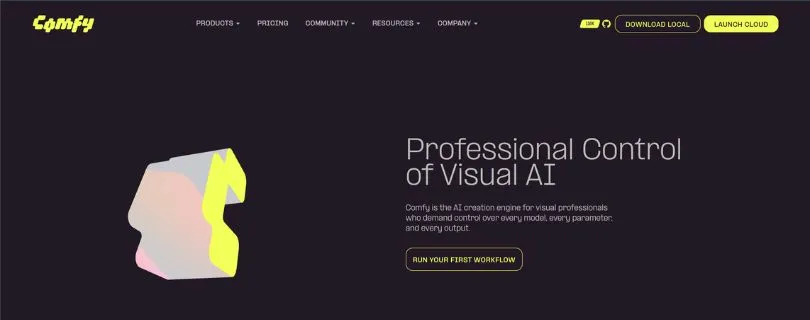
Best for: AI artists, developers, technical creators, and advanced users who want full control over local AI video workflows.
ComfyUI is not a normal AI video generator like Runway, Kling AI, or DomoAI.
It is a node-based AI workflow tool that lets you run and connect different AI models for images, videos, 3D, audio, and more.
That is why it deserves a place on this list.
If Wan AI feels too limited inside a simple interface, ComfyUI gives you the freedom to build your own workflow around it or use other open-source video models.
Video generation options: Local AI video workflows, Wan workflows, image generation, image-to-video, video-to-video, LoRA workflows, ControlNet-style workflows, and custom nodes.
Pricing model: Free and open-source for local use, but you may need your own GPU or paid cloud GPU.
I have shared my experience with the tool below 👇
What Makes ComfyUI a Better Alternative Than Wan AI?
ComfyUI is a better Wan AI alternative if you want control more than convenience.
With most AI video tools, you write a prompt, click generate, and hope the output looks good.
ComfyUI gives you more control over what happens before, during, and after generation.
You can connect nodes, change model settings, use reference images, add LoRAs, test different samplers, adjust frames, and build workflows that match your exact creative style.
This is useful for creators working on:
- Character consistency workflows
- AI animation pipelines
- Wan AI local workflows
- LoRA testing
- Image-to-video experiments
- Video style transfer
- Product visual workflows
- Advanced AI art projects
The biggest advantage is flexibility.
You are not locked into one AI video model. You can use Wan, HunyuanVideo, LTX Video, CogVideoX, Stable Video Diffusion, and other models depending on your setup.
That makes ComfyUI more future-proof than many closed AI video platforms.
However, I would not recommend it to everyone.
ComfyUI has a real learning curve. The node interface can feel confusing at first, and you may spend time fixing missing models, broken custom nodes, dependency errors, or VRAM issues.
So, if you just want to make a quick Instagram Reel, ComfyUI may feel like too much work.
But if you want the most flexible open-source Wan AI alternative, ComfyUI is the best option.
Key Features
- Free and open-source local AI workflow tool
- Node-based visual workflow builder
- Supports AI video, image, 3D, and audio workflows
- Works with Wan and many other open-source models
- Supports LoRAs, custom nodes, and advanced model control
- Can run offline after setup
- Huge community ecosystem with thousands of extensions
Limitations
- Not beginner-friendly compared with cloud tools
- Requires setup, model downloads, and troubleshooting
- Needs a good GPU for serious local video generation
- Workflows can break when custom nodes or models change
- No simple monthly plan for the local version
- Not ideal for creators who want instant results
User Reviews
Users on Reddit often describe ComfyUI as harder to learn than simpler tools, but much better when you want deeper control over the whole generation process.
Many technical users like it because it supports custom workflows, open-source models, LoRAs, video models, and even connections with creative tools like Photoshop.
Pricing
ComfyUI is free to use for local installation.
So, the software price is $0/month.
However, that does not always mean your total cost is zero.
If you run ComfyUI locally, you need a capable computer and GPU. If your system is not strong enough, you may need to rent a cloud GPU, and that cost depends on the provider and the number of hours you use it.
For technical users, ComfyUI is still one of the best-value Wan AI alternatives because there are no monthly software limits, no locked pro features, and no credit system for the core local tool.
Wan AI Alternatives Compared by Use Case
If you’re still confused about which tool to pick, this table should make the decision easier.
Different Wan AI alternatives are better for different types of creators. Some are better for realistic movement, some are better for anime videos, and some are better if you want full control over local AI video workflows.
| Use Case | Best Alternative |
| Best overall Wan AI alternative | Runway |
| Best for cinematic motion | Kling AI |
| Best for anime/stylized videos | DomoAI |
| Best for realistic human movement | Hailuo AI |
| Best open-source workflow | ComfyUI |
| Best for beginners | DomoAI |
| Best for professional editing | Runway |
| Best for technical users | ComfyUI |
| Best for social media videos | Hailuo AI or DomoAI |
| Best for maximum control | Runway or ComfyUI |
For most creators, Runway is the safest overall pick because it gives you strong video generation and editing tools in one place.
Kling AI is better if realistic motion matters most.
Also Read:
Kling vs Hailuo
But if you’re making short cinematic clips, Kling AI may feel better. If you create anime-style content or social media edits, DomoAI is easier to start with. And if you’re comfortable with technical workflows, ComfyUI gives you much more control than most cloud-based AI video tools.
Wan AI vs Alternatives: Which One Should You Choose?
Wan AI is not a bad tool.
In fact, it can be a very strong option if you like open AI video models and don’t mind getting a little technical.
The real question is not “Is Wan AI good?”
The better question is:
Does Wan AI fit the way you actually create videos?
Because if you’re a creator who just wants to generate clean short-form videos, product clips, YouTube b-roll, or AI animations without touching complicated workflows, then a Wan AI alternative may save you a lot of time.
Choose Wan AI If…
You should stick with Wan AI if you want more flexibility and you’re comfortable handling a slightly technical setup.
Wan AI makes sense if:
- You prefer open-source or open-weight AI video workflows
- You have the hardware or cloud setup to run video models properly
- You are comfortable with technical experimentation
- You want to use Wan inside ComfyUI
- You want flexibility over ease of use
Wan AI is a good fit for AI artists, developers, ComfyUI users, and creators who enjoy testing models, adjusting workflows, and building their own video generation setup.
You may not get the smoothest beginner experience, but you do get more freedom.
Choose a Wan AI Alternative If…
You should choose a Wan AI alternative if you want faster results and a cleaner workflow.
This is usually the better choice if:
- You want a simpler interface
- You need faster results
- You need stronger commercial workflows
- You want better character consistency
- You need built-in editing, templates, or team features
For example, Runway is better if you want professional editing tools.
Kling AI is better if realistic motion matters most.
DomoAI is better if you want anime-style videos without learning a technical setup.
Hailuo AI is better if you’re creating videos with people, dance, movement, or choreography.
And ComfyUI is better if you want full control, but still want to experiment with Wan and other open-source video models in one place.
So, the best choice depends on your workflow.
If you want control, choose Wan AI or ComfyUI.
If you want speed and simplicity, choose a cloud-based tool like Runway, Kling AI, DomoAI, or Hailuo AI.
Quick Recommendations
Here’s the simple version if you don’t want to compare every small detail:
- Choose Runway if you want the most professional all-around AI video tool.
- Choose Kling AI if you care most about cinematic motion and realism.
- Choose DomoAI if you want anime, stylized videos, and an easy workflow.
- Choose Hailuo AI if your videos involve people, dance, movement, or choreography.
- Choose ComfyUI if you want open-source control and advanced local workflows.
My personal pick for most creators would be Runway because it gives you a strong mix of quality, editing, and usability.
But if your work is more specific, don’t just pick the “best overall” tool.
Pick the tool that solves your biggest problem.
If Wan AI feels too technical, go with DomoAI or Runway. If Wan AI’s motion feels too stiff, try Kling AI or Hailuo AI. If Wan AI feels too limiting, use ComfyUI and build your own workflow.
Also Read:
Kling vs Hailuo
Tools That Did Not Come in Top 5 But Worth Honorable Mentions
These tools did not make the top 5, but they are still worth knowing about.
I did not include them in the main list because this article is focused on the best Wan AI alternatives for most creators, not every AI video generator on the market.
Still, depending on your workflow, one of these may be a better fit.
Luma Dream Machine
Best for: Start-frame/end-frame transitions and visual storytelling.
Luma Dream Machine is a strong option if you want to create smooth visual transitions between two images.
Also Read:
Luma Dream Machine Alternatives
This is helpful for storytelling, mood-based videos, product reveals, and cinematic shots where you want more control over where the video starts and where it ends.
It is not always the most detailed tool for heavy editing, but for creative visual movement, it can be very useful.
Pika
Best for: Quick social videos, stylized animations, and fun effects.
Pika is a good option for creators who want fast, playful AI videos.
It works well for short-form content, memes, social media edits, and creative effects that don’t need a full production workflow.
You may want to skip it if you need deep control or realistic cinematic scenes, but for fun video experiments and quick content ideas, Pika is easy to like.
Want to compare more options?
Read: Best Pika Alternatives
Google Veo
Best for: High-end AI video generation if you have access and budget.
Google Veo is more of a premium AI video option.
It is built for high-quality video generation and creative filmmaking workflows, especially for users who want strong realism, prompt understanding, and polished output.
The downside is access.
Depending on your location, plan, and platform access, it may not be as easy to use as tools like Runway, Kling AI, or DomoAI.
HunyuanVideo
Best for: Open-source users who want another local model option.
HunyuanVideo is worth checking out if you like the open-source side of AI video generation.
It is more relevant for technical users than beginners, especially if you already use tools like ComfyUI and want to test different video models.
Like Wan AI, it may require more setup and hardware knowledge, but it gives advanced users another flexible option for local AI video workflows.
FAQs About Wan AI Alternatives
What is the best Wan AI alternative?
The best overall Wan AI alternative is Runway because it gives you a strong mix of AI video generation, editing tools, creative control, and professional workflow features.
If you want something more specific, Kling AI is better for cinematic motion, DomoAI is better for anime and stylized videos, Hailuo AI is better for human movement, and ComfyUI is better for open-source workflows.
Is there a free Wan AI alternative?
Yes, ComfyUI is the best free Wan AI alternative if you want to run AI video workflows locally.
Just remember that “free” does not always mean zero cost. You may still need a good GPU, storage space, model downloads, or paid cloud GPU time if your computer is not powerful enough.
Which Wan AI alternative is best for beginners?
DomoAI is the easiest option for beginners because it gives you a simple interface, ready-made styles, and quick video generation tools.
You don’t need to understand nodes, models, LoRAs, or ComfyUI workflows. You can just upload an image or video, choose a style, and start creating.
Which Wan AI alternative is best for professional AI video editing?
Runway is the best choice if you want a more professional AI video workflow.
It is useful for creators, agencies, YouTubers, and marketing teams because it combines AI video generation with editing, character tools, and production-friendly features in one place.
Which Wan AI alternative is best for cinematic motion?
Kling AI is a strong pick if your main focus is cinematic motion and realistic movement.
It works well for image-to-video clips, product shots, camera movement, and short cinematic scenes where you want the output to feel more natural.
Which Wan AI alternative is best for anime videos?
DomoAI is the best Wan AI alternative for anime-style videos and stylized content.
It is especially helpful if you want to turn images or videos into animated clips, social media edits, music visuals, or cartoon-style content without building a technical workflow.
Which Wan AI alternative is best for realistic human movement?
Hailuo AI is a good option if your videos involve people walking, dancing, posing, or performing specific actions.
Human motion is one of the hardest parts of AI video generation, so Hailuo AI is worth testing if Wan AI gives you stiff body movement or awkward gestures.
Is ComfyUI better than Wan AI?
ComfyUI is not exactly better than Wan AI because they are not the same type of tool.
Wan AI is a video model, while ComfyUI is a workflow tool where you can run Wan AI and many other models.
ComfyUI is better if you want:
- More workflow control
- Local generation
- LoRA support
- Custom nodes
- Advanced AI video experiments
- Flexibility across different models
But if you want a simple tool that works without setup, ComfyUI may feel too technical.
What is the best Wan AI alternative for image-to-video?
For image-to-video, Kling AI, Runway, and Hailuo AI are the strongest options.
Kling AI is better for cinematic motion, Runway is better if you want editing control, and Hailuo AI is useful when your image includes a person and you want more natural movement.
What should I use instead of Wan AI for social media videos?
For social media videos, I would choose DomoAI or Hailuo AI.
DomoAI is better for anime, stylized edits, and fast creative content. Hailuo AI is better if you want people, movement, fashion clips, dance videos, or AI influencer-style videos.
Is Wan AI better than Runway?
Wan AI can be better if you want open-source flexibility, local workflows, and more control through tools like ComfyUI.
Runway is better if you want a polished, easier platform with built-in editing tools and a more professional workflow.
So, the better choice depends on your comfort level. If you like technical control, Wan AI makes sense. If you want a smoother creator-friendly experience, Runway is easier to recommend.
Is Wan AI better than Kling AI?
Wan AI is better if you want open model flexibility and don’t mind a technical setup.
Kling AI is better if you want realistic motion, cinematic shots, and a simpler cloud-based video generation tool.
If your main problem is movement quality, try Kling AI. If your main need is open-source control, stick with Wan AI or ComfyUI.
Which Wan AI alternative has the best character consistency?
Runway and ComfyUI are usually the best choices for character consistency, but for different reasons.
Runway is better if you want a simpler cloud-based workflow. ComfyUI is better if you’re comfortable using reference images, LoRAs, and advanced workflows to control how your character looks across clips.
Can I use Wan AI alternatives for commercial videos?
Yes, many Wan AI alternatives can be used for commercial videos, especially tools like Runway, Kling AI, DomoAI, and Hailuo AI on paid plans.
But always check the latest license terms before using AI videos for client work, ads, YouTube monetization, or brand campaigns.
What are people asking ChatGPT about Wan AI alternatives?
Most people asking ChatGPT about Wan AI alternatives are usually trying to solve one of these problems:
- “What is easier than Wan AI?”
- “Which tool is better than Wan AI for image-to-video?”
- “What is the best Wan AI alternative for ComfyUI?”
- “Which AI video tool has better character consistency?”
- “Is Kling AI better than Wan AI?”
- “Can I use Runway instead of Wan AI?”
- “What free tool can replace Wan AI?”
The common theme is simple: people like the power of Wan AI, but they want something easier, faster, or more predictable.
Is Wan AI the same as WAN networking?
No, Wan AI and WAN networking are completely different.
In this article, Wan AI refers to AI video generation. WAN in networking means Wide Area Network, which is used for connecting computers, offices, and networks across different locations.
Should I replace Wan AI or keep using it?
You should keep using Wan AI if you like open workflows, technical control, and experimenting with AI video models.
You should replace it if you want a faster, simpler, and more beginner-friendly tool.
For most creators, the best approach is to use both: keep Wan AI or ComfyUI for advanced experiments, and use tools like Runway, Kling AI, DomoAI, or Hailuo AI when you need quick, usable video output.