InVideo AI may not be the right tool for every video creation workflow!
Here is why:
- It can feel limiting when you want deeper manual editing control.
- The AI-generated videos may still need extra polishing before publishing.
- It isn’t the strongest choice for AI avatar videos, faceless content planning, or long-form content repurposing.
- Some creators may find the pricing, export limits, or feature restrictions frustrating as their video needs grow.
Before switching tools, check the full cost breakdown here:
InVideo AI Pricing Explained
These are the roadblocks that often push creators, marketers, and small teams to look for more flexible video tools.
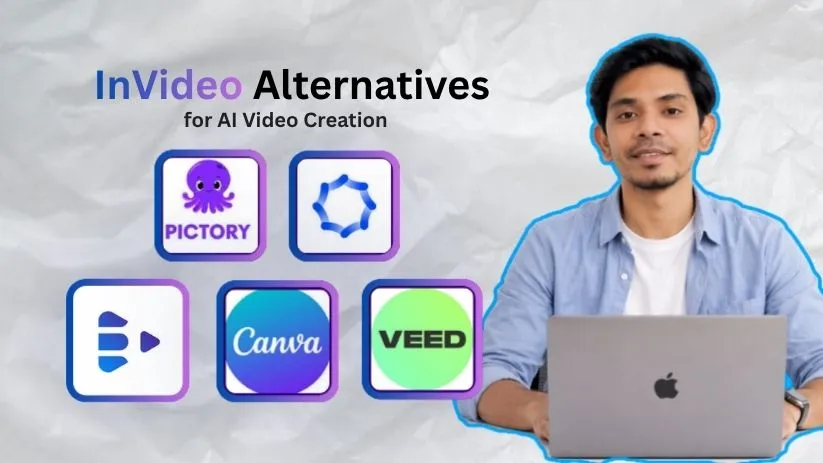
The result: a list of the 5 best InVideo AI alternatives like Pictory, Synthesia, Syllaby, VEED, and Canva.
All offering better options for repurposing content, creating AI avatars, making faceless videos, editing social clips, or designing branded marketing videos.
Dive in to find out which one works best for you!
TL;DR — Top 5 InVideo AI Alternatives in 2026
⚡ TL;DR
1. Pictory — Best Overall
Best for turning blog posts, scripts, webinars, and long-form videos into short, shareable videos. A great pick for marketers, creators, and teams who want faster content repurposing without building every video from scratch.
2. Synthesia
Known for AI avatar videos, training content, product explainers, and multilingual business videos. Best if you want professional presenter-style videos without recording yourself on camera.
3. Syllaby
Best for faceless video creators who need help with topic ideas, scripts, voiceovers, and short-form content planning for YouTube, TikTok, and Instagram.
4. VEED
Strong for creators who want more editing control, auto subtitles, social media resizing, screen recording, and quick browser-based video editing.
5. Canva
Best for branded marketing videos, social media posts, presentations, and simple video designs using ready-made templates, brand kits, and drag-and-drop editing.
Top 3 InVideo AI Alternatives Compared
My list includes five AI video tools that perform better than InVideo AI in different areas, depending on what kind of videos you want to create.
But among them, these are the top 3 InVideo AI competitors that genuinely stand out for video quality, ease of use, AI features, and overall value.
Here’s a quick side-by-side comparison 👇🏼
| Feature | Pictory ↗ | Synthesia ↗ | Syllaby ↗ |
| Best For | Repurposing blogs, scripts, webinars, and long-form videos into short social videos | Creating AI avatar videos, training content, explainers, and business videos | Faceless video creation for YouTube, TikTok, Instagram, and niche content |
| AI Video Type | Text-to-video, script-to-video, blog-to-video, and highlight videos | AI presenter videos with realistic avatars and voiceovers | Faceless videos with AI scripts, voiceovers, avatars, and content ideas |
| Ease of Use | ✅ Very beginner-friendly | ✅ Easy for business users | ✅ Simple for creators and social media users |
| Content Repurposing | ✅ Strong for blogs, webinars, podcasts, and long-form videos | ❌ Not its main focus | ⚠️ Better for new content than repurposing old content |
| AI Avatars | ❌ Limited | ✅ Best-in-class avatar videos | ✅ Available for faceless content workflows |
| Faceless Video Creation | ✅ Good | ⚠️ Possible, but more business-focused | ✅ Best for faceless creators |
| Editing Control | ⚠️ Basic to moderate | ⚠️ Script-based editing, not full timeline editing | ⚠️ Simple editing built for speed |
| Social Media Use | ✅ Great for Shorts, Reels, LinkedIn, and YouTube clips | ✅ Good for professional social videos | ✅ Strong for short-form content planning and publishing |
| Free Trial / Plan | Usually offers a limited trial | Limited free or starter options may be available | Usually offers trial-based access |
| Best Alternative To InVideo For | Marketers who want to turn existing content into videos faster | Teams that need polished AI avatar videos without filming | Creators who want to make faceless videos consistently |
5 Best InVideo Alternatives
I have shared a detailed review of the best tools that stand out as strong InVideo AI alternatives.
You will see what each one does well, where they fall short, and which AI video tool is most likely to fit your workflow the best.
InVideo AI is useful if you want a fast AI video creation tool for prompt-based videos, templates, stock media, voiceovers, and general social content. But it can feel limiting if you need deeper editing control, stronger AI avatars, better faceless video workflows, or more focused content repurposing.
That is why tools like Pictory, Synthesia, Syllaby, VEED, and Canva can be better choices depending on what kind of videos you want to create.
Let’s get into the details!
1. Pictory
G2 Rating: ⭐ 4.6/5
Best For: Marketers, creators, coaches, agencies, and small businesses that want to turn blogs, scripts, webinars, podcasts, and long-form videos into short, shareable videos faster.
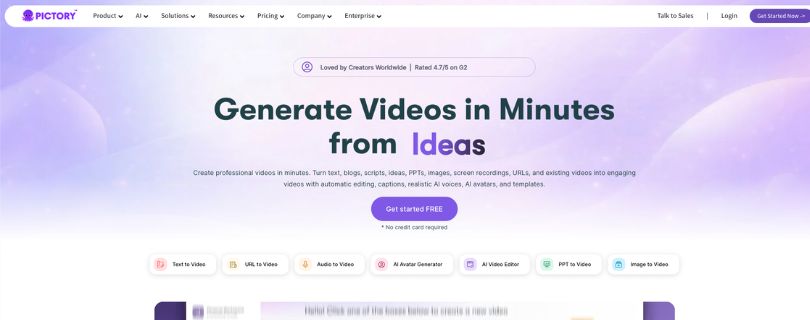
Pictory is one of the strongest InVideo AI alternatives if your main goal is content repurposing.
Unlike InVideo AI, which is more focused on prompt-based video creation, Pictory works better when you already have existing content and want to turn it into videos without starting from scratch.
You can use Pictory to create videos from text, blogs, scripts, ideas, PPTs, images, screen recordings, URLs, and existing videos. It also includes automatic editing, captions, AI voices, AI avatars, templates, brand kits, layouts, integrations, and team collaboration.
The biggest reason I’m putting Pictory at the top is simple: it gives you a faster way to repurpose existing content into videos.
Pictory is especially useful if you already publish blogs, webinars, podcasts, online courses, YouTube videos, or long-form content and want to convert them into social-ready clips without doing everything manually.
What Makes Pictory a Better Alternative Than InVideo AI?
Pictory is a better fit if you don’t just want to create a video from a prompt — you want to turn existing content into polished videos.
With InVideo AI, the experience is more focused on general AI video creation, templates, and prompt-based outputs. That is useful for quick video generation.
But Pictory gives you a more focused workflow for script-to-video, blog-to-video, URL-to-video, audio-to-video, subtitles, highlights, and short clip creation.
Here is where Pictory performs better:
- Better for content repurposing: Pictory is built for turning blogs, scripts, URLs, podcasts, webinars, and long-form videos into shorter videos. This is helpful if you want to get more value from content you already have instead of creating every video from scratch.
- Simple script-to-video workflow: You can paste a script, article, blog post, or URL, and Pictory helps turn it into a structured video with visuals, captions, AI voices, and scenes. This makes it easier for creators who want fast video output without deep editing skills.
- Strong captions and short clips: Pictory includes subtitles, captions, auto highlights, and clip-generation tools. This makes it useful for turning longer videos into Shorts, Reels, LinkedIn clips, or YouTube snippets.
- Useful for brands and teams: Pictory includes brand kits, layouts, styles, integrations, team collaboration, and API access. So if you are creating marketing videos, training clips, or client content regularly, it gives you more room to keep videos consistent.
Key Features
- Text-to-video generation
- Script-to-video and blog-to-video workflows
- URL-to-video creation
- Audio-to-video and PPT-to-video options
- AI video editor
- Auto subtitles and captions
- Auto highlights and short clips
- AI voiceovers and realistic AI voices
- AI avatars for presenter-style videos
- Brand kits, layouts, and styles library
- Team collaboration, integrations, and API access
Limitations
- Editing control is still more basic than a full timeline editor.
- Some visuals may need manual replacement before publishing.
- AI voices may still need polishing for more emotional delivery.
- It is not the strongest option if your main focus is advanced AI avatar videos.
- High-volume creators may need to check plan limits before subscribing.
User Reviews
Users on G2 often praise Pictory for ease of use, fast script-to-video creation, captions, and helping teams create videos quickly. Some users also mention that the tool can still improve in areas like template variety, AI voices, and visual selection.
Pricing
Pictory offers a 14-day free trial.
Paid plans start at:
- Starter: $25/month
- Professional: $35/month
- Enterprise: Custom pricing
The Starter plan is a good entry point for creators and small teams, while Professional and Enterprise plans are better for users who need more video volume, branding, collaboration, and advanced features.
2. Synthesia
G2 Rating: ⭐ 4.7/5
Best For: Businesses, training teams, educators, marketers, and agencies that want professional AI avatar videos without cameras, actors, studios, or recording themselves.
Synthesia is one of the best InVideo AI alternatives if your main priority is AI avatar videos.
InVideo AI is useful for general AI video creation. But Synthesia is more focused on presenter-style videos where an AI avatar speaks your script on screen.
This makes it a better choice for training videos, onboarding, product explainers, internal communication, sales enablement, tutorials, and multilingual business videos.
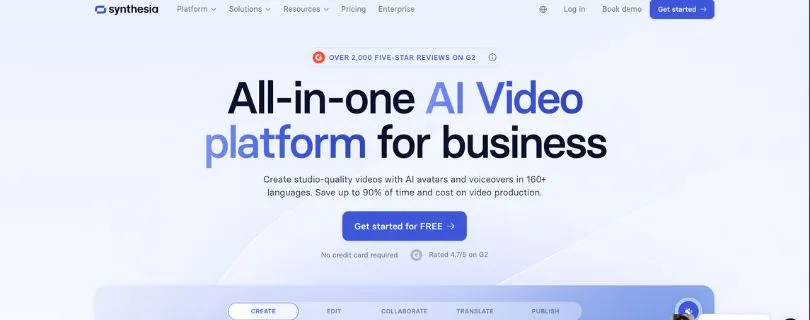
Synthesia’s current homepage highlights AI avatars, voiceovers in 160+ languages, business video creation, analytics, LMS use cases, branded videos, and AI video generation without mics, cameras, actors, or studios.
The biggest reason I’m including Synthesia is simple: it gives you more professional avatar-based video creation than InVideo AI.
What Makes Synthesia a Better Alternative Than InVideo AI?
Synthesia is better than InVideo AI if you want polished AI presenter videos instead of general AI-generated videos.
With InVideo AI, the workflow is better for quick social videos, simple marketing videos, and prompt-based content creation.
But Synthesia is built more for business communication, training, learning content, and professional avatar videos.
That difference matters.
If you are creating onboarding videos, employee training, product walkthroughs, compliance lessons, or multilingual explainers, you may not want random stock scenes or generic AI visuals. You may want a consistent presenter, clear script delivery, and a professional business look.
That is where Synthesia works well.
Here is where Synthesia performs better:
- Stronger AI avatar videos: Synthesia is built around AI avatars. You can choose an avatar, type your script, select a voice, and create a presenter-style video without filming yourself.
- Better for business training: Synthesia is especially useful for onboarding, SOPs, compliance videos, product training, internal updates, customer support videos, and learning content.
- Stronger multilingual support: Synthesia supports video creation and voiceovers in 160+ languages, which makes it useful for global teams that need training or marketing videos in different regions.
- More professional team workflow: Synthesia includes collaboration, branded video pages, analytics, AI dubbing, video translation, LMS-friendly use cases, and enterprise features. This makes it stronger for companies that need scalable video production.
Key Features
- AI avatar video creation
- 240+ AI avatars on supported plans
- 160+ language support
- AI voiceovers
- Script-to-video workflow
- AI dubbing and video translation
- AI screen recording
- Branded video pages
- Brand kits and templates
- Real-time collaboration
- Video analytics
- LMS and training use cases
- Enterprise security and team controls
Limitations
- It is not ideal for full creative timeline editing.
- Avatar videos can sometimes feel less natural than real human presenters.
- The best use cases are more business-focused than creator-focused.
- Pricing can become expensive if you need a lot of video minutes.
- It is not the best choice for memes, faceless viral videos, or fast trend-based social content.
User Reviews
Users often praise Synthesia for being easy to use, fast, and helpful for creating professional business videos without traditional filming. Review summaries also mention that some users want more customization flexibility.
Pricing
Synthesia offers a free Basic plan.
Paid plans start at:
- Starter: $29/month, or $18/month billed yearly
- Creator: $89/month, or $64/month billed yearly
- Enterprise: Custom pricing
The Starter plan is useful for smaller teams getting started with AI avatar videos, while Creator and Enterprise plans are better for teams that need more avatars, more video minutes, collaboration, brand controls, and advanced business features.
3. Syllaby
G2 Rating: ⭐ 4.8/5
Best For: Faceless video creators, YouTubers, TikTok creators, Instagram marketers, coaches, and small businesses that want help with topic ideas, scripts, voiceovers, avatars, and short-form video planning.
Syllaby is one of the best InVideo AI alternatives if your main goal is faceless video creation.
InVideo AI can help you create general AI videos from prompts. But Syllaby is more focused on helping creators plan, generate, edit, and publish faceless videos consistently.
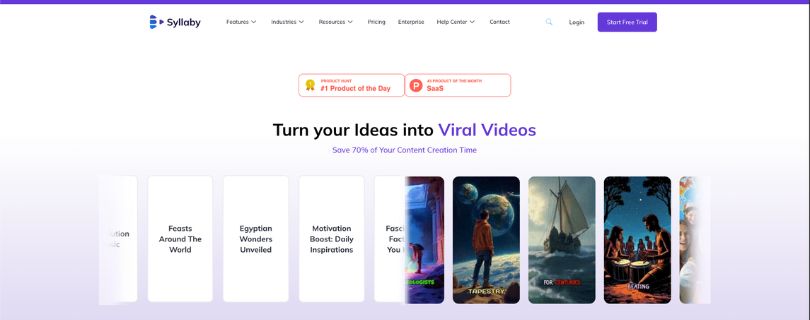
You can use Syllaby to find viral content ideas, generate scripts, create faceless videos, make AI avatar videos, add voiceovers, edit videos, and publish content to social platforms. Its official site describes it as a tool for creating faceless videos and AI avatars with workflows for ideas, scripts, editing, and social publishing.
The biggest reason I’m including Syllaby is simple: it helps with the full faceless content workflow, not just the video creation part.
Syllaby is especially useful if you want to create videos for YouTube Shorts, TikTok, Instagram Reels, LinkedIn, or niche faceless channels without recording yourself on camera.
What Makes Syllaby a Better Alternative Than InVideo AI?
Syllaby is better than InVideo AI if you want to create faceless videos consistently instead of making one-off AI videos.
With InVideo AI, the workflow is more focused on creating videos from prompts, templates, and AI-generated scenes.
But Syllaby gives you more help with content planning, topic research, script generation, faceless video creation, avatars, publishing, and scheduling.
That difference matters.
If you are building a faceless YouTube channel, posting daily TikToks, or creating niche Instagram Reels, you need more than a video generator. You need ideas, scripts, visuals, voiceovers, and a repeatable publishing workflow.
That is where Syllaby works well.
Here is where Syllaby performs better:
- Better for faceless video creation: Syllaby is designed for creators who do not want to appear on camera. You can choose a template, customize a script, and let the AI generate visuals and voiceover for your video.
- Stronger content planning workflow: Syllaby helps creators find topic ideas, write scripts, and plan video content before they create the final video. This makes it more useful for people who need a steady content pipeline.
- Useful AI avatars and voiceovers: Syllaby supports AI avatars, including realistic human avatars, animated characters, and customizable personas. This gives faceless creators more ways to present content without filming themselves.
- Good for social publishing: Syllaby is built around short-form content workflows, social media planning, and publishing. This makes it helpful for creators who want to create and schedule videos across multiple platforms.
Key Features
- Faceless video creation
- AI avatar videos
- AI script generation
- Viral topic and content idea research
- AI voiceovers
- Voice cloning on supported plans
- Video editor
- Social media publishing
- Content calendar
- Short-form video workflow
- Templates for social videos
- Analytics and planning tools
- Support for niche content creation
Limitations
- It is not as strong as VEED for detailed manual editing.
- It is not as polished as Synthesia for professional business avatar videos.
- The credit system can feel limiting if you create many videos.
- Some outputs may still need editing before publishing.
- New users may need time to understand the full workflow.
- Some users mention onboarding, billing, or support frustrations in public reviews.
User Reviews
Users on G2 often praise Syllaby for saving time, making faceless video creation easier, and helping them move from ideation to publishing faster. Reviewers also mention that it helps with managing multiple channels, creating videos quickly, and staying consistent with social media content. Some users note that the editor can take time to learn and that AI output may still need refinement.
Pricing
Syllaby offers a 7-day free trial.
Paid plans start at:
- Basic: $29/month
- Higher-credit Basic plan: $53/month
- Standard: $78/month
- Higher-credit Standard plan: $102/month
- Premium: $153/month
The Basic plan is useful for testing faceless video creation, while Standard and Premium plans are better for creators who need more credits, more videos, scheduling, voice cloning, and higher-volume content creation.
4. VEED
G2 Rating: ⭐ 4.6/5Best For: Creators, marketers, podcasters, educators, and social media teams that want better editing control, subtitles, resizing, screen recording, translations, and fast browser-based video editing.
VEED is one of the strongest InVideo AI alternatives if your main priority is editing control.
InVideo AI is useful for creating videos quickly from prompts. But VEED works better when you want to edit, subtitle, resize, translate, record, polish, and export social-ready videos from your browser.
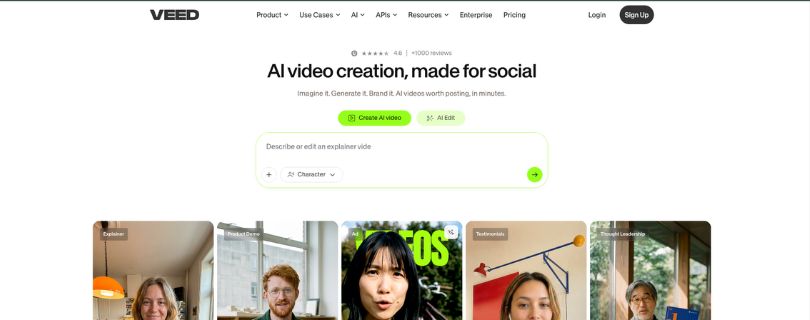
You can use VEED for video editing, automatic subtitles, captions, text-to-video, image-to-video, AI avatars, dubbing, video translation, background noise removal, screen recording, compression, resizing, and social video creation. VEED’s product pages highlight tools like AI video generation, AI avatars, dubbing, subtitles, AI clip generation, screen recording, and video background removal.
The biggest reason I’m including VEED is simple: it gives you more hands-on editing flexibility than InVideo AI.
VEED is especially useful if you already have video clips, podcasts, interviews, screen recordings, webinars, or talking-head videos and want to turn them into polished social content.
What Makes VEED a Better Alternative Than InVideo AI?
VEED is better than InVideo AI if you want more control over editing, captions, resizing, and final video polish.
With InVideo AI, the workflow is better for creating videos from prompts and templates.
But VEED is built more like a browser-based video editing suite with AI tools added on top.
That difference matters.
If you are editing YouTube Shorts, TikToks, Instagram Reels, course videos, webinars, podcasts, or branded social clips, you may need more than AI-generated scenes. You may need subtitles, cuts, resizing, overlays, translations, audio cleanup, and export control.
That is where VEED works well.
Here is where VEED performs better:
- Better editing control: VEED gives you more room to edit clips, trim videos, add text, adjust layouts, clean audio, remove backgrounds, and polish your final video before exporting.
- Excellent subtitles and captions: VEED is especially strong for auto subtitles, captions, dynamic subtitles, and video-to-text workflows. This makes it useful for social videos where captions improve watch time and accessibility.
- Stronger social media resizing: VEED is useful when you need to resize one video for YouTube Shorts, TikTok, Instagram Reels, LinkedIn, or other platforms. This is helpful for creators repurposing the same content across channels.
- More useful for existing footage: VEED works well when you already have screen recordings, interviews, podcasts, webinars, or raw clips and need to edit them quickly. InVideo AI is better for generating videos, but VEED is better for refining them.
Key Features
- Browser-based video editor
- Auto subtitles and captions
- Dynamic subtitles
- Text-to-video AI
- Image-to-video AI
- AI avatars
- AI dubbing
- Video translator
- AI voice generator
- Screen recorder
- Background noise remover
- Video background remover
- Video compressor and converter
- Social media resizing
- Stock audio and video library
- Brand kit on supported plans
Limitations
- Larger video files can sometimes slow down the editing experience.
- Some advanced AI tools are locked behind higher plans.
- It is not as focused as Pictory for blog-to-video repurposing.
- It is not as strong as Synthesia for professional AI avatar training videos.
- The free plan usually includes limits such as watermarks, export restrictions, or reduced access to advanced features.
- Some users mention performance issues or lag with bigger projects.
User Reviews
Users on G2 often praise VEED for being easy to use, beginner-friendly, and strong for fast subtitle generation. Many users like that it makes video editing accessible without professional editing software. Some reviewers also mention that the platform can slow down with larger files or more complex projects.
Pricing
VEED offers a free plan.
Paid plans are commonly listed as:
- Lite: Around $12/editor/month billed annually, or $24/month billed monthly
- Pro: Around $29/editor/month billed annually, or $55/month billed monthly
- Enterprise: Custom pricing
The Lite plan is a good option if you mainly want watermark-free exports, subtitles, stock media, and simple branding. The Pro plan is better for creators and teams that need more AI tools, higher-quality exports, translations, avatars, and more advanced editing features. Pricing may vary by region and billing cycle, so it is worth checking the current pricing page before subscribing.
5. Canva
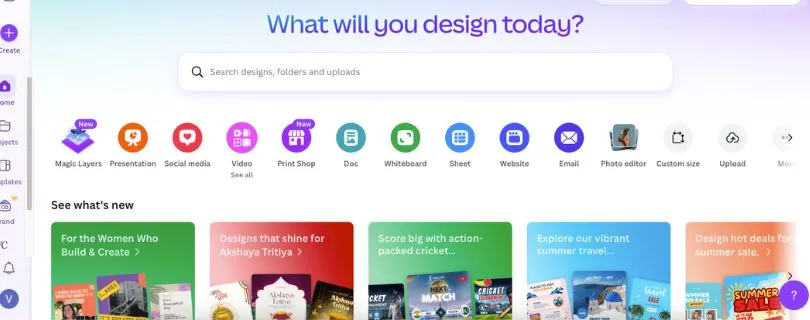
G2 Rating: ⭐ 4.7/5Best For: Beginners, marketers, small businesses, social media teams, educators, and creators that want branded marketing videos, templates, presentations, social posts, and simple video designs in one place.
Canva is one of the easiest InVideo AI alternatives if your priority is branded content and simple video design.
InVideo AI is better for AI-generated video creation. But Canva is better when you want to create videos, posts, presentations, thumbnails, ads, and branded marketing assets using templates and drag-and-drop editing.
You can use Canva for social media videos, YouTube videos, presentations, ads, reels, branded templates, stock media, text animations, transitions, audio, captions, AI video tools, and simple marketing content. Canva’s video editor is designed for browser-based drag-and-drop editing with templates, transitions, animations, fonts, and audio.
The biggest reason I’m including Canva is simple: it is the easiest option for beginners and brand-focused teams.
Canva is especially useful if you want your videos to match your brand colors, fonts, logos, templates, and social media style without learning advanced video editing.
What Makes Canva a Better Alternative Than InVideo AI?
Canva is better than InVideo AI if you want branded marketing videos instead of fully AI-generated videos.
With InVideo AI, the workflow is stronger for generating videos from prompts.
But Canva is built more for design, branding, templates, and simple content creation across multiple formats.
That difference matters.
If you are creating Instagram posts, Reels, YouTube thumbnails, product promos, presentations, ads, or branded social media videos, you may not need a complex AI video generator. You may need templates, brand kits, drag-and-drop editing, and quick design control.
That is where Canva works well.
Here is where Canva performs better:
- Easier for beginners: Canva is one of the easiest tools to use if you do not have design or editing experience. Its drag-and-drop editor, templates, and simple controls make it easy to create videos quickly.
- Better for branded marketing videos: Canva’s Brand Kit lets users organize logos, colors, fonts, imagery, graphics, and brand templates in one place, which helps keep marketing videos consistent.
- Stronger template library: Canva has templates for social media posts, presentations, ads, videos, thumbnails, posters, and more. This makes it useful when you need content beyond only video.
- Good for teams and simple collaboration: Canva is useful for teams that need to create, review, and share designs quickly. It supports real-time collaboration, brand controls, shared assets, and team-based workflows on supported plans.
Key Features
- Drag-and-drop video editor
- Social media video templates
- YouTube video templates
- Reels and short-form video designs
- Brand Kit
- Brand templates
- Stock videos, photos, graphics, and music
- Text animations and transitions
- Presentation and slideshow maker
- AI photo and video tools
- Background remover on supported plans
- Magic Resize on supported plans
- Team collaboration
- Comments and sharing
- Content design for multiple platforms
Limitations
- It is not as strong as InVideo AI for prompt-based video generation.
- It is not as advanced as VEED for subtitle-heavy video editing.
- Timeline editing is basic compared with dedicated video editors.
- Some premium templates, stock assets, and AI tools require a paid plan.
- Advanced customization can feel limited for professional video editors.
- It is better for branded short videos than complex long-form video production.
User Reviews
Users on G2 often praise Canva for its user-friendly interface, large template library, drag-and-drop editing, and collaboration features. Many reviewers like that it helps non-designers create professional-looking content quickly. Some users mention that advanced customization can be limited for more complex designs.
Read the full review on G2
Pricing
Canva offers a free plan.
Paid plans are commonly listed as:
- Canva Free: $0
- Canva Pro: Usually around $12.99/month to $15/month, depending on region and billing
- Canva Teams: Often listed from around $10/user/month, with team minimums in some regions
- Canva Enterprise: Custom pricing
The free plan is enough for simple designs and basic video creation. Canva Pro is better if you need premium templates, Brand Kit, Magic Resize, background remover, and more premium content. Canva Teams is better for businesses that need collaboration, shared brand assets, approval workflows, and team controls. Pricing can vary by location, so check the live pricing page before subscribing.
Also Read:
Canva Alternatives for Better Designing
Best InVideo AI Alternative by Use Case
The best InVideo AI alternative depends on what you actually want to create.
Some AI tools are better for turning blog posts into videos. Some are built for AI avatars. Others are better for faceless YouTube videos, quick subtitles, or branded social media content.
Here’s the easiest way to choose:
| Use Case | Best Tool |
| Best overall for repurposing | Pictory |
| Best for AI avatars | Synthesia |
| Best for faceless YouTube videos | Syllaby |
| Best for subtitles and editing | VEED |
| Best for marketing templates | Canva |
| Best free alternative | Canva or VEED |
| Best for business training | Synthesia |
| Best for content marketers | Pictory |
| Best for social media teams | VEED or Canva |
| Best for beginners | Canva |
| Best for creators who hate editing | Syllaby or Pictory |
InVideo AI vs Alternatives: Feature Comparison
Here’s a quick feature-by-feature look at how InVideo AI compares with its top alternatives.
| Feature | InVideo AI | Pictory | Synthesia | Syllaby | VEED | Canva |
| Text-to-video | Yes | Yes | Yes | Yes | Yes | Limited |
| Blog-to-video | Good | Excellent | Limited | Limited | Limited | Limited |
| AI avatars | Limited | Limited | Excellent | Good | Limited | Limited |
| Faceless videos | Good | Good | Moderate | Excellent | Good | Good |
| Subtitles | Yes | Yes | Yes | Yes | Excellent | Good |
| Voiceovers | Yes | Yes | Excellent | Yes | Yes | Limited |
| Timeline editing | Moderate | Limited | Limited | Limited | Strong | Basic |
| Brand kit | Good | Moderate | Strong | Moderate | Good | Strong |
| Scheduling | Limited | Limited | Limited | Strong | Limited | Limited |
| Analytics | Limited | Limited | Strong | Strong | Limited | Limited |
| Best for | General AI videos | Repurposing | Business avatars | Faceless content | Editing | Design |
Which InVideo AI Alternative Should You Choose?
Choose Pictory if you already have blogs, webinars, podcasts, or scripts and want to turn them into short videos.
Choose Synthesia if you need professional AI avatar videos for training, onboarding, or business explainers.
Choose Syllaby if you want to create faceless videos at scale for YouTube, TikTok, or Instagram.
Choose VEED if you want better control over subtitles, editing, resizing, and social media exports.
Choose Canva if your priority is branded templates, simple video design, and marketing content.
The best InVideo AI alternative depends less on the tool with the most features and more on your workflow. A YouTuber, a training team, and a social media manager need different types of video software.
Other InVideo Alternatives Worth Considering
- Fliki — good for text-to-video, AI voices, and voice-led faceless videos.
- CapCut — good for mobile-first editing, TikTok videos, Reels, and quick social edits.
- Descript — good for text-based video editing, podcasts, captions, and screen recordings.
- Runway — good for advanced generative AI video effects and creative video experiments.
- HeyGen — good for AI avatars, personalized videos, and business explainers.
- Lumen5 — good for turning blog posts and articles into simple videos.
- Kapwing — good for collaborative online editing, subtitles, and social content.
- PlayPlay — good for enterprise teams that need brand-controlled video creation.
- Crreo — good for AI video generation with characters, AI voices, and visual storytelling.
My Final Recommendation
Here is my final verdict. InVideo AI is still a useful all-in-one AI video creation tool, but it is not always the best fit for every creator or team.
So I recommend if you want repurposing content, choose Pictory.
For AI avatars, choose Synthesia.
For faceless videos, choose Syllaby.
For editing control, choose VEED.
For branded marketing videos, choose Canva.
Always pick the tool that matches your workflow, not the one with the longest feature list.
Frequently Asked Questions
What is the best InVideo AI alternative?
Pictory is the best overall InVideo AI alternative if you want to repurpose blogs, scripts, webinars, or long-form videos into short social videos.
What is the best free InVideo AI alternative?
Canva and VEED are good free alternatives to InVideo AI. Canva is better for simple branded videos, while VEED is better for subtitles and quick editing.
Which InVideo AI alternative is best for faceless videos?
Syllaby is the best option for faceless video creation. It helps with topic ideas, scripts, voiceovers, and short-form videos for YouTube, TikTok, and Instagram.
Which InVideo AI alternative is best for AI avatars?
Synthesia is the best InVideo alternative for AI avatar videos. It works well for training videos, onboarding, product explainers, and business presentations.
Is Pictory better than InVideo AI?
Pictory is better if you want to turn existing content into videos.
InVideo AI is better if you want general prompt-based video creation.
Is VEED better than InVideo AI?
VEED is better for editing, subtitles, resizing, and social media exports.
InVideo AI is better for creating videos from prompts and templates.
Is Canva better than InVideo AI?
Canva is better for branded marketing videos, social media designs, and simple video templates.
InVideo AI is better for AI-generated video creation.
Which InVideo alternative is best for YouTube Shorts?
The best options are:
- Syllaby for faceless YouTube Shorts
- VEED for subtitles and editing
- Pictory for repurposing long videos into Shorts
- Canva for simple template-based Shorts
Which InVideo alternative is best for TikTok and Instagram Reels?
VEED is great for quick edits, captions, and resizing.
Syllaby is better if you want a full faceless content workflow.
Which InVideo alternative is best for business videos?
Synthesia is the best choice for business videos, especially if you need AI presenters, training videos, internal communication, or multilingual content.
Which InVideo AI alternative is best for beginners?
Canva is the easiest option for beginners. It has simple drag-and-drop editing, ready-made templates, and a very low learning curve.
Which InVideo alternative is best for content marketers?
Pictory is best for content marketers because it can turn blogs, webinars, podcasts, and scripts into short videos for social media.
Are there InVideo alternatives without watermark?
Yes, but most tools remove watermarks only on paid plans. Check the export rules before choosing a tool.
Is Fliki a good InVideo AI alternative?
Yes. Fliki is a good option if you want text-to-video, AI voices, and simple faceless video creation.
Is CapCut a good InVideo AI alternative?
Yes. CapCut is great for mobile-first editing, TikTok videos, Reels, captions, effects, and trend-based short-form content.
What should I look for in an InVideo AI alternative?
Look for:
- Text-to-video quality
- Editing control
- Subtitles
- AI voiceovers
- AI avatars
- Templates
- Brand kit
- Export quality
- Free plan limits
- Pricing
- Best-fit use case
Which InVideo AI alternative should I choose?
Choose Pictory for repurposing, Synthesia for AI avatars, Syllaby for faceless videos, VEED for editing, and Canva for branded marketing videos.