Your search for a better alternative to Krea AI brought you here…
Which probably means you’ve started running into the same problem many creators, designers, and AI video makers face:
Krea AI is great when you want fast visual ideas, real-time image generation, and quick upscaling, but it may not always be the best fit once your creative workflow gets more specific.
Maybe you need better AI video generation with smoother motion, stronger camera control, or more consistent scenes.
Or maybe you’re looking for an AI image generator that gives you more polished artwork, cleaner product visuals, or better style consistency without spending hours fixing small details.
You might also need a tool that handles 3D assets, creative editing, image enhancement, or full production workflows better than Krea does.
Either way, what you’re really looking for is an AI creative tool that fits the way you actually work, whether that means creating social media visuals, YouTube thumbnails, product images, marketing videos, concept art, or 3D-style assets.
So, I compared 5 popular Krea AI alternatives across the things that actually matter for creators:
image quality, video generation, 3D support, upscaling, ease of use, editing control, pricing, and real-world workflow.
I also looked at where each tool performs well, where it falls short, and which type of creator it is actually best suited for.
Here’s what you’ll find in this guide:
- A side-by-side comparison of the best Krea AI alternatives
- Features, strengths, and limitations of each tool
- Best options for images, videos, upscaling, and 3D-style workflows
- A quick-match guide to help you pick the right AI tool for your use case
Scroll down and check them out.
Quick Verdict — Best Krea AI Alternatives by Use Case
If you’re in a hurry, here’s the simple version.
| Alternative | Best For | Choose It If |
| Morphic | Best overall Krea AI alternative | You want an all-in-one creative workspace for images, videos, scenes, and collaboration |
| Midjourney | Best for artistic image generation | You care most about visual quality, concept art, and aesthetic results |
| Magnific AI | Best for AI image upscaling | You use Krea mainly for enhancer or image upscaling |
| Runway | Best for AI video generation | You need better video tools, motion, camera control, and cinematic output |
| ComfyUI | Best free/open-source alternative | You want maximum control over models, nodes, workflows, and local generation |
Morphic is the best place to start if you want one flexible Krea AI alternative for images, videos, and creative planning. Midjourney makes more sense if image quality is your main priority. Magnific AI is the better pick if you mostly care about upscaling, while Runway is stronger for AI video creation. ComfyUI is the one to look at if you want full control and don’t mind a steeper learning curve.
Other tools worth mentioning include Layer for game studios, DomoAI for anime-style videos, and LTX Studio for full video production workflows.
Why Look for a Krea AI Alternative?
Krea AI is useful for real-time image generation, quick ideas, and upscaling. But if your workflow is more focused, another tool may fit better.
You Need Better Artistic Image Quality
Krea is fast, but tools like Midjourney can produce more polished concept art, campaign visuals, and stylized images.
You Use Krea Mainly for Upscaling
If you mostly enhance portraits, product photos, renders, or architecture visuals, Magnific AI may give you better detail and texture.
You Need Stronger AI Video Tools
Krea has video features, but platforms like Runway offer deeper control over motion, camera movement, editing, and cinematic output.
You Want More Workflow Control
If you need custom models, node-based workflows, local generation, or repeatable pipelines, ComfyUI gives you more flexibility.
You Need Team or Production Features
Studios and agencies may need collaboration, asset libraries, batch generation, brand kits, and permissions. Tools like Morphic or Layer are better built for that.
5 Best Krea AI Alternatives for Video, Images and 3D
I compared these Krea AI alternatives based on image quality, video generation, 3D-style workflows, upscaling, ease of use, pricing, and creative control.
Here is how they compare and which one fits your use case.
1. Morphic
⭐ G2: Not enough verified reviews yet
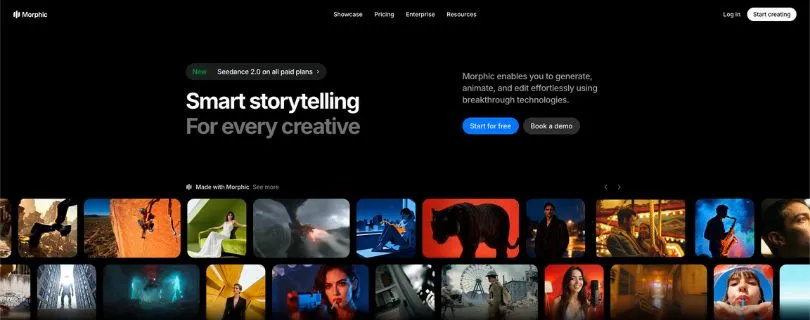
The best overall Krea AI alternative for creators who want images, videos, scenes, and collaboration in one workspace is Morphic.
It is built more like a creative studio than a simple AI image generator.
You can generate images, add motion, build scenes, use a visual canvas, work with an AI copilot, and turn ideas into more complete creative projects.
What stood out to me is how useful Morphic feels if your work does not stop at one image. If you are planning a short video, social media campaign, product story, or visual concept, Morphic gives you more room to organize everything instead of jumping between five different tools.
Krea is still stronger if you mainly want fast real-time image generation. But if your workflow includes images, videos, audio, scenes, and team feedback, Morphic feels more complete.
Why Morphic Is the Best Krea AI Alternative
Morphic is the best option if you want one place to create, arrange, animate, and polish visual ideas.
Krea is great for quick experiments, but Morphic works better when you need a full creative workflow with canvas-style planning and collaboration.
Pros
- All-in-one workspace for images, videos, scenes, and audio
- Visual canvas makes it easier to plan creative ideas
- Good for storytelling, ads, social media videos, and brand visuals
- Team features and shared creative workflows
- Supports 3D motion-style video generation
Cons
- Not as instantly familiar as simple prompt-based AI tools
- Public review data is still limited
- Free plan is limited
- Not the best pick if you only need image upscaling
Morphic Pricing
- Free: $0
- Education: $10/month
- Standard: $29/month
- Pro: $49/month
- Pro Max: $175/month
- Enterprise: Custom pricing
- Annual pricing is also available, with Standard from $24/month, Pro from $45/month, and Pro Max from $150/month.
What Users Have to Say About Morphic
Morphic does not yet have enough verified G2 reviews for a strong user-review consensus. G2 currently notes that there are “not enough reviews for Morphic” to provide full buying insight. (Source)
Still comparing all-in-one AI creative workspaces?
Check this guide next: 5 Best LTX Studio Alternatives You Must Try in 2026
2. Midjourney
⭐ G2: 4.4/5
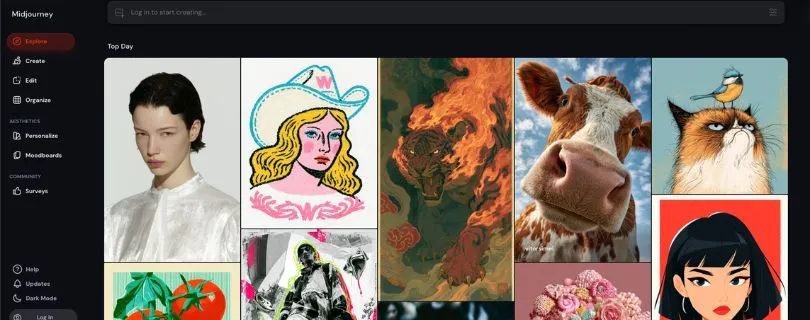
The best Krea AI alternative for artistic image generation is Midjourney.
If your main goal is to create beautiful visuals, concept art, character designs, campaign images, thumbnails, or moodboard-style artwork, Midjourney is hard to ignore.
It is not a full Krea replacement because it does not focus on real-time editing, upscaling, or 3D workflows in the same way. But when it comes to polished image output, Midjourney often gives you a stronger first result.
The images usually look more cinematic, detailed, and styled. That is useful if you are creating social media visuals, YouTube thumbnails, ad concepts, book covers, or creative direction boards.
The downside is the workflow. Midjourney still has a learning curve, especially if you are not used to Discord or prompt-based controls.
Why Midjourney Is the Best Krea AI Alternative
Midjourney is the better choice if image quality matters more than real-time control.
Krea is faster for live visual exploration, but Midjourney is stronger when you want polished artwork and aesthetic image generation.
Pros
- Excellent AI image quality
- Great for concept art, characters, posters, and campaign visuals
- Strong style consistency
- Useful for creators, designers, and marketers
- Good community for prompt inspiration
Cons
- Not ideal for real-time editing
- Discord workflow may feel messy for beginners
- No strong built-in 3D asset workflow
- Basic plan has limited generation time
- No free plan
Midjourney Pricing
- Basic: $10/month or $8/month billed annually
- Standard: $30/month or $24/month billed annually
- Pro: $60/month or $48/month billed annually
- Mega: $120/month or $96/month billed annually
- Extra GPU time: $4/hour
What Users Have to Say About Midjourney
Users often praise Midjourney for visual quality. One G2 reviewer said it helps them “create stunning images without the hassle of manual design work.” Others like the output quality but mention that using Discord can feel inconvenient. (Source)
Still comparing AI image and design tools?
Read this next: 5 Best AI Graphic Design Generator Tools in 2026
3. Magnific AI
⭐ G2: 4.7/5
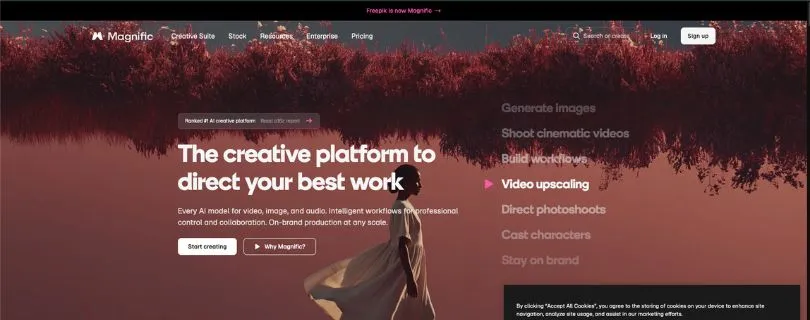
The best Krea AI alternative for image upscaling and enhancement is Magnific AI.
If you mainly use Krea to improve renders, portraits, product images, architecture visuals, or low-resolution artwork, Magnific AI may be the better fit.
It focuses heavily on making images sharper, richer, and more detailed. That makes it useful for CGI artists, photographers, designers, e-commerce teams, and creators who want their visuals to look more finished.
Magnific has also expanded beyond upscaling. It now includes AI image generation, video tools, audio tools, 3D tools, stock assets, and a shared creative canvas. Still, its biggest strength is enhancement.
The main thing to watch is pricing. If you only need occasional upscaling, it may feel expensive compared to simpler tools.
Why Magnific AI Is the Best Krea AI Alternative
Magnific AI is the best pick if your main problem is image quality after generation.
Krea can upscale and enhance images, but Magnific gives you more focused tools for adding detail, texture, and polish to visuals that already exist.
Pros
- Strong AI image upscaling and enhancement
- Great for portraits, product photos, renders, and architecture visuals
- Includes image, video, audio, and 3D tools
- Useful for designers, marketers, and creative teams
- Commercial license on paid plans
Cons
- Can feel expensive for casual users
- Some tools use credits quickly
- Results may need a few tries for exact control
- Not as simple as a basic image enhancer
Magnific AI Pricing
- Free: Limited daily access
- Premium: $14.50/month billed annually
- Premium+: $33.75/month billed annually
- Pro: $210/month billed annually
- Business: $55/seat/month billed annually
- Enterprise: Custom pricing
What Users Have to Say About Magnific AI
Users like that Magnific can handle multiple creative jobs in one place. One G2 reviewer said they can “generate, enhance, and adapt images and short videos in one place.” Some users also mention that advanced results may take a few iterations and credits. (Source)
4. Runway
⭐ G2: 3.8/5
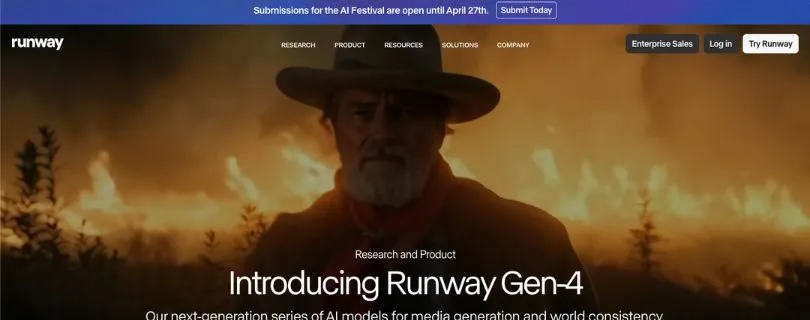
The best Krea AI alternative for AI video generation is Runway.
If you mostly use Krea for image-to-video, text-to-video, or creative motion experiments, Runway gives you a more video-focused workflow.
It is built for creators who want to generate short videos, test camera movement, edit clips, remove backgrounds, create cinematic shots, and turn still images into motion.
What stood out to me is how beginner-friendly the interface feels compared to many advanced AI video tools. You can start with a prompt, image, or clip, then test different generations without needing a traditional editing setup.
Krea is still useful for fast image creation and real-time visual ideas. But for AI video makers, YouTubers, marketers, and short-form content creators, Runway gives you more room to create polished motion-based content.
Want to see how Runway performs before spending credits?
Read my hands-on review: I Tested Runway Gen-4 and Here Is My Honest Review
Why Runway Is the Best Krea AI Alternative
Runway is the better pick if video is your main focus.
Krea works well for quick creative experiments, but Runway gives you stronger AI video generation, motion controls, editing tools, and cinematic output.
Pros
- Strong text-to-video and image-to-video generation
- Better for ads, social videos, trailers, and cinematic clips
- Clean and beginner-friendly interface
- Includes AI video editing tools
- Good option for creators, marketers, and video teams
Cons
- Credits can run out quickly during testing
- Some generations may need multiple attempts
- Free plan is limited
- More expensive if you create videos often
- Not the best tool for 3D asset creation
Runway Pricing
- Free: $0 with 125 one-time credits
- Standard: $12/user/month billed annually
- Pro: $28/user/month billed annually
- Max: $76/user/month billed annually
- Enterprise: Custom pricing
- Standard includes 625 monthly credits, Pro includes 2,250 monthly credits, and Max includes 9,500 monthly credits.
Want to see how Runway performs before spending credits?
Read my hands-on review: I Tested Runway Gen-4 and Here Is My Honest Review
What Users Have to Say About Runway
Users like Runway for its simple interface and fast video creation. One G2 reviewer said it is “easy and intuitive enough to get started right away.” Some users also mention that credits can feel limited when testing multiple video outputs. (Source)
Still comparing Runway with other AI video tools?
Check this next: Top 5 Runway Alternatives I Tested & Ranked in 2026
5. ComfyUI
⭐ G2: Not listed
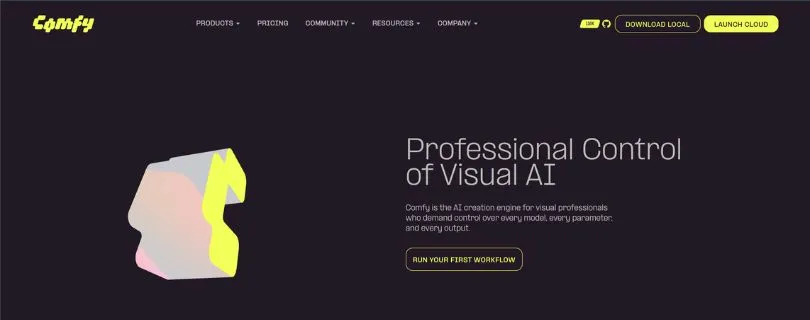
The best free and open-source Krea AI alternative for advanced control is ComfyUI.
ComfyUI is not the easiest tool on this list, but it gives you the most control.
Instead of typing a prompt and waiting for a result, you build workflows using nodes. Each node controls one part of the process, like the model, prompt, image input, upscaler, sampler, video model, or output settings.
That makes ComfyUI useful for creators who want repeatable workflows, custom models, LoRAs, local generation, batch outputs, image upscaling, AI video, and even 3D model workflows.
Krea is better if you want something quick and simple. ComfyUI is better if you want to control every step and do not mind spending time learning the setup.
Why ComfyUI Is the Best Krea AI Alternative
ComfyUI is the best option if you want full creative control.
Krea gives you a smoother browser-based experience, but ComfyUI lets you build custom pipelines for images, videos, upscaling, automation, and experimental AI workflows.
Pros
- Free and open-source for local use
- Works with many image, video, audio, and 3D models
- Node-based workflow gives deep control
- Great for repeatable creative pipelines
- Strong community workflows and custom nodes
Cons
- Steeper learning curve than Krea
- Local setup can be confusing for beginners
- Needs good hardware for smooth performance
- Interface may feel technical at first
- Cloud version uses credit-based pricing
ComfyUI Pricing
- ComfyUI Local: Free and open-source
- Comfy Cloud Standard: $20/month
- Comfy Cloud Creator: $35/month
- Comfy Cloud Pro: $100/month
- Enterprise: Custom pricing
- Cloud plans use monthly credits, while the local version depends on your own computer or GPU setup.
What Users Have to Say About ComfyUI
Users often praise ComfyUI for control, but they also warn beginners about the learning curve. One Reddit user called it “really great,” but said the nodes can feel “difficult and complex” at first. Another user said ComfyUI feels like a stronger interface overall, but still requires patience to learn properly. (Source)
Krea AI Alternatives Comparison Table
If you’re still comparing tools, this table will make the decision easier.
| Tool | Best Use Case | Image Generation | Upscaling | AI Video | Real-Time Workflow | Learning Curve | Best User |
| Morphic | All-in-one workflow | Strong | Moderate | Strong | Moderate | Easy-Medium | Teams, creators, agencies |
| Midjourney | Artistic images | Excellent | Limited | Limited/secondary | No | Easy-Medium | Artists, designers |
| Magnific AI | Upscaling | Limited/secondary | Excellent | Limited/secondary | No | Easy | Photographers, architects, CGI artists |
| Runway | AI video | Good | Moderate | Excellent | No/limited | Medium | Video creators, filmmakers |
| ComfyUI | Custom control | Excellent | Excellent | Strong with setup | Possible with workflows | Hard | Technical users |
Which Krea AI Alternative Should You Choose?
The best Krea AI alternative depends on why you’re leaving Krea in the first place. Here’s the simple way to choose.
Choose Morphic If…
You want the best overall alternative with a complete creative workflow.
Morphic makes sense if you create more than single images. It’s a good fit for creators, agencies, and teams that want to plan ideas, generate visuals, build scenes, create videos, and collaborate in one place.
Choose Midjourney If…
You want the best-looking AI-generated images.
Midjourney is the right pick if your priority is visual quality. It works especially well for concept art, social media visuals, campaign images, thumbnails, posters, and creative moodboards.
Choose Magnific AI If…
You mainly use Krea for image enhancement or upscaling.
Magnific AI is a better fit if you want to improve portraits, product photos, architecture renders, CGI images, or low-resolution artwork. It’s built for adding detail, texture, and polish.
Choose Runway If…
You care most about AI video generation.
Runway is the better option if you want to create AI videos, image-to-video clips, cinematic shots, ads, trailers, or short-form content. It gives you more video-focused tools than Krea.
Choose ComfyUI If…
You want open-source control, local workflows, and advanced customization.
ComfyUI is not the easiest tool, but it gives you the most freedom. Choose it if you want custom models, node-based workflows, local generation, repeatable pipelines, and full control over your AI image or video setup.
Other Krea AI Alternatives Worth Mentioning
The five tools above are the strongest picks for most creators, but they are not the only options worth checking out.
Depending on your workflow, these Krea AI alternatives may also make sense.
Layer AI
Layer AI is worth considering if you work in game design, asset production, or creative pipelines where you need to generate a lot of visuals quickly.
It is built more for studios than casual creators. You can use it for image generation, video, 3D-style assets, audio, batch production, and workflow automation.
If you are creating game assets, character concepts, environment ideas, or production-ready visuals with a team, Layer may be a better fit than Krea.
DomoAI
DomoAI is a good option if you want stylized AI videos.
It works well for anime-style videos, video-to-video transformation, talking avatars, and short-form content that needs a fun visual style.
You may want to try DomoAI if your main goal is to turn existing clips into animated videos, create social media content, or experiment with character-based video formats.
Also Read:
Domo AI Alternatives and Competitors
If anime-style AI videos are your main focus, compare DomoAI with other video tools here:
Best 5 Wan AI Alternatives for AI Video Generation in 2026
LTX Studio
LTX Studio is better suited for creators who think in scenes, scripts, and storyboards.
Instead of just generating one image or one short clip, it helps you plan full video ideas with multiple shots. That makes it useful for ads, brand videos, trailers, product stories, and creative teams working on structured video projects.
If Krea feels too image-first for your video workflow, LTX Studio is worth a look.
If LTX Studio looks like your top pick, check the plan and credit breakdown first:
LTX Studio Pricing Explained
Leonardo AI
Leonardo AI is a strong option for creators who want an easy AI image generator with live canvas-style creation.
It is useful for social media visuals, game assets, product concepts, character design, and marketing images. The interface is also more beginner-friendly than technical tools like ComfyUI.
If you like Krea’s creative feel but want another flexible visual design tool, Leonardo AI is one of the closer alternatives to test.
Topaz
Topaz is best for creators who care more about enhancement than generation.
It is not really a Krea replacement for real-time image creation, but it is useful for photo enhancement, video enhancement, sharpening, denoising, and upscaling.
If your biggest problem is making existing images or videos look cleaner and sharper, Topaz may be a better choice than a full AI generator.
My Final Verdict: What Is the Best Krea AI Alternative?
The best Krea AI alternative depends on why you use Krea in the first place.
If you want one general replacement, Morphic is the best overall choice. It gives you a connected creative workflow for images, videos, scenes, and collaboration, which makes it useful for creators, marketers, agencies, and teams.
If your main focus is image quality, Midjourney is the better pick. It is stronger for artistic visuals, concept art, thumbnails, posters, and polished creative ideas.
If you mostly use Krea for upscaling or enhancement, Magnific AI makes more sense. It is built for improving portraits, renders, product photos, architecture visuals, and low-resolution images.
If video is your priority, Runway is the stronger choice. It gives you better tools for AI video generation, motion, camera movement, and cinematic clips.
And if you want full control, ComfyUI is the best option. It is harder to learn, but it gives you open-source flexibility, local workflows, custom models, and node-based control.
So, here’s the simple answer:
Start with Morphic if you want the best all-around Krea AI alternative. Choose Midjourney for images, Magnific AI for enhancement, Runway for video, and ComfyUI for advanced customization.
FAQs About Krea AI Alternatives
What is the best Krea AI alternative overall?
Morphic is the best overall Krea AI alternative if you want one creative workspace for images, videos, scenes, and collaboration.
It is a good fit if Krea feels useful, but you want something more organized for full creative projects.
What is the best free Krea AI alternative?
ComfyUI is the best free Krea AI alternative if you are comfortable with a more technical setup.
It is open-source and gives you deep control over image generation, upscaling, models, and workflows. The trade-off is that it takes more time to learn than Krea.
Which Krea AI alternative is best for image generation?
Midjourney is the best choice if you care most about beautiful AI-generated images.
It works well for:
- Concept art
- Social media visuals
- Posters and thumbnails
- Character designs
- Campaign images
Which Krea AI alternative is best for AI video?
Runway is the best Krea AI alternative for AI video generation.
It gives you stronger tools for text-to-video, image-to-video, motion control, camera movement, and cinematic clips. If you create ads, trailers, YouTube videos, or short-form content, Runway is easier to recommend.
Which Krea AI alternative is best for upscaling?
Magnific AI is the better pick if you mainly use Krea for image enhancement or upscaling.
It is useful for improving portraits, product photos, architecture renders, CGI visuals, and low-resolution artwork.
Is Midjourney better than Krea AI?
Midjourney is better for artistic image generation. It usually gives more polished and stylish results for concept art, posters, thumbnails, and creative visuals.
Krea is better if you want real-time generation, quick editing, image enhancement, and a more interactive creative workflow.
Is Runway better than Krea AI?
Runway is better if your main focus is AI video.
Krea is still useful for image-first workflows, but Runway gives you more control over motion, scenes, camera movement, and video editing.
Is ComfyUI better than Krea AI?
ComfyUI is better for advanced users who want full control.
Choose ComfyUI if you want:
- Local generation
- Custom models
- Node-based workflows
- Advanced upscaling
- Repeatable image or video pipelines
Choose Krea if you want something simpler and faster to use in the browser.
What is the closest tool to Krea AI?
Morphic is one of the closest options if you want a creative workspace that supports images, videos, scenes, and project planning.
Leonardo AI is also worth checking out if you want a more visual, beginner-friendly AI image generation tool with live canvas-style creation.
What is the best Krea AI alternative for 3D-style work?
Morphic and Layer AI are good options for 3D-style creative workflows.
Morphic is better for creators who want an all-in-one workspace, while Layer AI is stronger for studios, game assets, batch generation, and production-style pipelines.
What is the best Krea AI alternative for architects?
Magnific AI is a strong choice for architects because it works well for enhancing renders, adding texture, improving details, and making visuals look more polished.
ComfyUI is also useful if you want more control over architectural image generation and custom upscaling workflows.
What is the best Krea AI alternative for social media creators?
Morphic is the best all-around option for social media creators because it helps with images, videos, scenes, and campaign-style visuals.
If you only need one type of content, choose based on your workflow:
- Midjourney for polished visuals
- Runway for AI videos
- Magnific AI for image enhancement
- DomoAI for anime-style short videos
What is the best Krea AI alternative for beginners?
Midjourney and Morphic are easier to start with than tools like ComfyUI.
Midjourney is simple if you mainly want image generation. Morphic is better if you want a broader creative workspace for images, videos, and visual planning.
Are there any Krea AI alternatives for anime-style videos?
Yes. DomoAI is one of the better options for anime-style videos and video-to-video transformation.
It is useful if you want to turn existing clips into stylized animations, create talking avatars, or make short-form content with a more playful visual style.
Should I replace Krea AI or use it with other tools?
You do not always need to replace Krea completely.
A better approach is to use Krea for fast image ideas and pair it with another tool for your main need:
- Midjourney for better image quality
- Magnific AI for upscaling
- Runway for video
- ComfyUI for custom control
- Morphic for full creative projects
Is Krea AI still worth using?
Yes, Krea AI is still worth using if you like real-time image generation, quick visual experiments, image enhancement, and access to multiple creative AI models.
But if your work is more focused on cinematic video, high-end upscaling, artistic image quality, or advanced workflows, one of the alternatives above may fit better.