Search for the best AI avatar generator in 2026 and HeyGen shows up almost everywhere.
The demos are easy to understand. Pick an avatar, paste a script, choose a voice, and HeyGen turns it into a presenter-style video without a camera, microphone, or studio.
That sounds useful if you create training videos, product explainers, social clips, or content for multiple languages.
But polished demos do not answer the questions that matter once you start paying.
How natural do the avatars look after the first 30 seconds? Does the HeyGen lip sync hold up? How quickly do credits disappear? And can HeyGen really replace filming, or does it simply move the work somewhere else?
For this HeyGen review, I looked closely at its current AI avatars, Digital Twins, video translation, voice cloning, editing workflow, pricing, and the complaints users keep bringing up.
There is a lot to like.
HeyGen is fast, beginner-friendly, and capable of producing surprisingly convincing presenter videos.
The limitation is that realism is not perfect, advanced generations can consume credits quickly, and some videos still need manual fixing before they feel ready to publish.
Here is my HeyGen review of what it does well, where it falls short, and who should actually pay for it in 2026.
Still comparing AI video platforms? Check out my best AI video generator tools before choosing one.
TL;DR: HeyGen Review at a Glance
| Category | HeyGen in 2026 |
| What is it? | An AI video generator focused on talking avatars, Digital Twins, voice cloning, and multilingual video creation. |
| Best for | Marketers, creators, training teams, sales teams, and businesses producing presenter-style videos at scale. |
| Starting price | Free plan available. Creator starts at $29/month, with higher plans adding more credits and advanced features. |
| What it does well | Realistic AI avatars, strong lip sync, fast video creation, voice cloning, and multilingual translation. |
| Where it falls short | Credit limits, occasional robotic movement, limited emotional range, and less editing control than a traditional video editor. |
| Free plan | Yes, but it is mainly useful for testing the workflow before committing. |
| My verdict | HeyGen is one of the stronger AI avatar tools if speed, presenter videos, and localization matter more than cinematic editing control. |
Not sure HeyGen fits your workflow? I compared the best HeyGen alternatives for AI avatars, training videos, marketing, and business content.
In-Depth Review of HeyGen’s Features
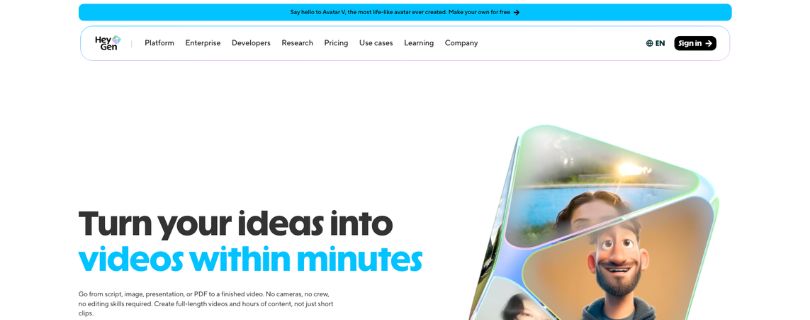
HeyGen has grown beyond a simple talking-avatar tool.
The platform now combines stock avatars, custom Digital Twins, script-based video creation, voice cloning, translation, and AI-assisted production inside one browser-based workflow.
For this HeyGen review, I focused first on the features that make the biggest difference to the final video.
1. AI Avatars & Digital Twins
HeyGen’s AI avatars are the main reason the platform gets so much attention.
The stock avatar library gives you ready-made presenters for marketing videos, tutorials, onboarding, internal training, and social content.
You choose the presenter, add your script, select a voice, and generate the scene.
The strongest part is facial realism.
On shorter clips, the mouth movement, blinking, head motion, and small facial expressions can look natural enough that viewers may focus on the message instead of immediately noticing the presenter is AI-generated.
That does not mean every avatar looks human in every situation.
Longer scripts can expose repetitive gestures, slightly stiff expressions, or moments where the delivery does not carry the emotion of the words.
Close-up shots also make small inconsistencies easier to notice.
Custom Digital Twin
The more interesting option is creating a Digital Twin of yourself or another presenter.
Instead of filming the same person every time you need a new video, you record source material once and use that avatar for future scripts.
That can be a major time-saver for founders, educators, marketers, and teams producing regular presenter-led content.
The quality of the source recording still matters.
Poor lighting, awkward movement, or repetitive gestures can carry into the generated avatar, so this is not completely a “record once and forget it” process.
My Verdict: HeyGen AI avatars are among its strongest features. They work especially well for short business and educational videos, but longer or emotionally important scenes still deserve a careful review before publishing.
If corporate avatar videos are your main use case, my Synthesia AI review is worth reading before deciding between the two platforms.
2. AI Studio & Video Agent
HeyGen’s AI Studio is where the actual video building happens.
You can start from scratch, use a template, upload a presentation, choose an avatar, and manage scripts, scenes, voices, media, and transitions in one workspace. The interface is deliberately simpler than a traditional timeline editor.
Video Agent takes that one step further.
Describe the video you want, choose an avatar and length, and HeyGen can generate the script, visuals, voiceover, pacing, and captions from the prompt.
That makes it useful for turning an idea into a first draft quickly.
The trade-off is control. If you care about exact visual timing or how every scene behaves, you may spend more time editing what the AI generated.
My Verdict: AI Studio is beginner-friendly, while Video Agent is strongest for quick first drafts. Neither replaces a full editor when you need detailed timeline control.
Want to turn written content into video instead? See my guide to the best AI tools for turning blog posts into videos.
3. Voice Cloning & Lip Sync
Voice cloning is another reason HeyGen feels more useful than a basic text-to-speech tool.
Creator and higher plans include voice cloning, letting you reuse a cloned voice across videos instead of recording narration each time.
HeyGen lip sync can also make short presenter videos feel convincing because the mouth movement follows the generated speech.
The weak point appears when the script gets harder.
Brand names, unusual pronunciations, fast sentences, and emotionally nuanced copy can still need manual checking. A natural-sounding voice does not always mean the facial delivery feels equally natural.
My Verdict: HeyGen voice cloning and lip sync are strong for explainers, training, and marketing videos, but I would review every customer-facing render before publishing.
4. Video Translation & Multilingual Content
HeyGen video translation may have the clearest business case of all its features.
You can translate existing footage while preserving the speaker’s voice, and full video dubbing also rebuilds lip movement for the translated speech. Paid plans currently support 175+ languages and dialects.
HeyGen offers two useful approaches: audio dubbing without lip sync and video dubbing with lip sync. The second looks more polished but uses more credits.
The part I would not skip is proofreading.
Names, product terminology, and regional phrasing can sound wrong even when the translation is technically correct.
My Verdict: if localization is part of your workflow, HeyGen video translation is one of the strongest reasons to consider the platform.
Creating multilingual presenter videos? Compare these Synthesia alternatives before choosing one avatar platform.
5. Ease of Use, Templates & Editing
HeyGen is easier to learn than traditional video-editing software.
Most of the workflow happens in the browser, with avatars, scripts, scenes, voices, templates, and assets kept together. HeyGen’s redesigned AI Studio is specifically intended to avoid the complexity of conventional editing software.
That makes the HeyGen AI video generator practical for marketers and small teams.
The limitation appears when you need detailed post-production. HeyGen provides useful scene-level control, but advanced editors may still want another tool for finer adjustments.
My Verdict: easy to start with, but not a replacement for a full professional editor.
HeyGen Pricing in 2026: What You Actually Pay for Credits
HeyGen pricing looks simple until you calculate how quickly different features consume credits.
The current paid plans start at:
- Creator: $29/month with 600 credits.
- Pro: $49/month with 1,000 credits.
- Business: $149/month with 1,500 credits.
The HeyGen free plan allows up to three videos per month, making it useful for testing the workflow before paying.
The bigger issue is usage.
Avatar III currently costs 3 credits per minute, Avatar IV/V and Video Agent cost 20 credits per minute, and lip-synced video translation costs 5 credits per minute.
So two people on the same subscription can get very different value depending on which HeyGen features they use most.
My Verdict: judge HeyGen pricing by your expected credit usage, not only the monthly subscription price.
Comparing AI avatar costs? Read my Synthesia pricing breakdown before deciding between the two.
What Real Users Say About HeyGen in 2026
HeyGen reviews are mostly positive, but ratings vary by platform.
G2 currently shows 4.8/5 from 1,589 reviews, while Capterra lists 4.7/5 from 315 reviews. Trustpilot is more mixed at 3.6/5 from 2,572 reviews.
✅ What Users Consistently Praise
- Speed: users like producing training, marketing, and social videos faster than traditional filming.
- Realistic avatars: facial movement, Digital Twins, and lip sync receive frequent praise.
- Ease of use: non-editors can move from a script to a presenter video without learning a complex editor.
- Scalability: repeatable videos do not require filming the same presenter every time.
❌ Where Users Hit Friction
Pricing and credit consumption appear frequently in complaints, especially when a video takes several attempts.
Users also mention occasional bugs, slower processing, repetitive avatar movement, and moments where realism drops. Trustpilot is particularly divided, with 18% of reviews currently rated one star.
My Verdict: HeyGen can save a lot of production time, but credit usage and consistency become more important when you create videos regularly.
Who HeyGen Is Built For (and Who Should Look Elsewhere)
HeyGen is a good fit for marketers, creators, training teams, sales teams, and businesses localizing presenter videos.
It is less suitable if you need cinematic text-to-video, detailed timeline editing, complex character animation, or genuinely emotional performances.
For animation-focused business videos, read my Vyond review or compare the best Vyond alternatives.
Better Alternatives to HeyGen
HeyGen is strong, but different workflows may need something else.
| Tool | Consider it when… |
| Synthesia | Corporate training and enterprise avatar videos matter most. |
| Vyond | You need animated characters and business storytelling. |
| VEED | Editing matters more than realistic AI presenters. |
For a deeper comparison, see my HeyGen alternatives.
If editing is your bigger priority, my VEED.IO alternatives guide covers more editor-focused options.
Final Verdict: Is HeyGen Worth It in 2026?
Yes, for the right workflow.
HeyGen is especially useful for presenter videos, training content, product explainers, and multilingual localization.
Its AI avatars, voice cloning, lip sync, and video translation are the strongest reasons to pay.
The hesitation is credits. Frequent regenerations can make the real cost feel higher than the subscription price.
My HeyGen review verdict: choose it for scalable avatar-led production, not as a complete replacement for professional filming and editing.
Frequently Asked Questions
Is HeyGen Worth It in 2026?
Yes, if realistic AI avatars, fast production, and multilingual content matter more than advanced manual editing.
Is HeyGen Free to Use?
Yes. The HeyGen free plan is useful for testing the workflow before paying, although advanced features and higher usage require a paid plan.
How Realistic Are HeyGen AI Avatars?
They can look convincing in short business videos, although longer scripts can expose repetitive gestures or limited emotional range.
HeyGen vs Synthesia: Which Is Better?
HeyGen is attractive for realistic avatars and flexible content creation, while Synthesia is often considered for structured corporate training. Compare more options in my Synthesia alternatives guide.