DocHipo makes it pretty easy to create presentations, social graphics, flyers, infographics, and other business documents without needing serious design skills.
And for many users, that may be enough.
But the more your design needs grow, the more you may start wondering what else is out there.
Maybe you want a much larger creative ecosystem. Maybe your presentations depend heavily on data. Or perhaps you want AI to handle more than resizing an image or generating a few lines of copy.
That is where DocHipo alternatives become worth exploring.
I compared the leading DocHipo competitors based on their design capabilities, AI features, templates, collaboration options, pricing, and the kind of work each platform is actually best suited for.
DocHipo itself already offers thousands of customizable templates, drag-and-drop editing, premium design assets, real-time collaboration, and a free plan, so the alternatives on this list need to offer a meaningful reason to switch—not simply a different interface.
Want a closer look at DocHipo before comparing your options? Read my full DocHipo review.
By the end of this guide, you will know:
- Which DocHipo alternatives are actually worth considering
- Where each platform has an advantage over DocHipo
- Which graphic design software makes the most sense for your workflow
I also looked beyond feature lists.
Pricing, current product positioning, user feedback, free-plan limitations, and how each platform approaches AI or team collaboration all matter when choosing an alternative.
So, which ones made the cut?
Let’s get into it.
DocHipo Alternatives – Table of Contents
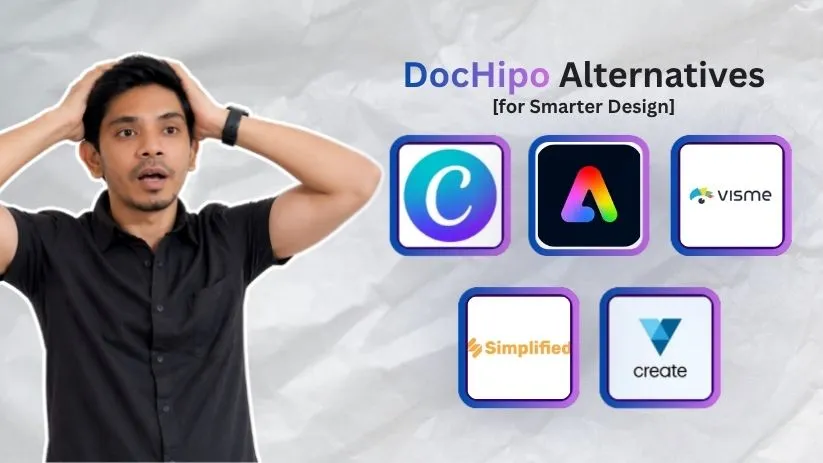
- Canva
- Adobe Express
- Visme
- Simplified
- VistaCreate
We will also cover how to choose between these alternatives to DocHipo, which one is best overall, and answers to the most common questions before switching.
TL;DR – 5 Best DocHipo Alternatives and Competitors
Don’t have time to compare every feature?
Here is the short version.
There isn’t one DocHipo replacement that wins at everything.
The better choice depends on whether you care most about template variety, Adobe integrations, data visualization, AI-powered marketing, or social media content.
| Tool | Where It Stands Out vs. DocHipo | Best For | Starting Price |
| Canva | Broader all-purpose creative and marketing ecosystem | Most individuals and teams | Free plan |
| Adobe Express | Adobe Stock, Firefly and Creative Cloud workflows | Adobe users and professional brand content | Free plan |
| Visme | Charts, reports, infographics and interactive content | Data-heavy business content | Free; Starter from $12.25/month |
| Simplified | AI-driven campaign creation, copy, design and publishing | AI-focused marketing teams | Starter from $79/month |
| VistaCreate | Social-first templates, assets and affordable design tools | Small businesses and social creators | Free plan |
Canva currently offers a free tier alongside Pro and Business options, while Adobe Express also maintains a free plan with basic templates and design tools. Visme’s Basic plan is free, with Starter currently listed at $12.25 per month when billed annually.
Simplified is the outlier here. Its current Starter offer begins at $79 per month and is positioned less like simple free graphic design software and more like an AI marketing system that can produce campaign assets, copy, and scheduled content from a brief.
VistaCreate, meanwhile, keeps a free Starter plan and positions its paid tier around a larger creative-asset library, resizing, background removal, brand tools, social scheduling, and collaboration.
That gives us five tools serving five slightly different kinds of users.
Now let’s look at what those differences actually mean.
5 Top DocHipo Alternatives and Competitors
A list of features can make almost every design platform look the same.
Templates? Check.
Drag-and-drop editor? Check.
AI tools? Probably.
The important question is what each tool does better enough to justify moving away from DocHipo.
That’s what I’ll focus on below.
1. Canva – Best Overall for Template Variety and All-Purpose Design
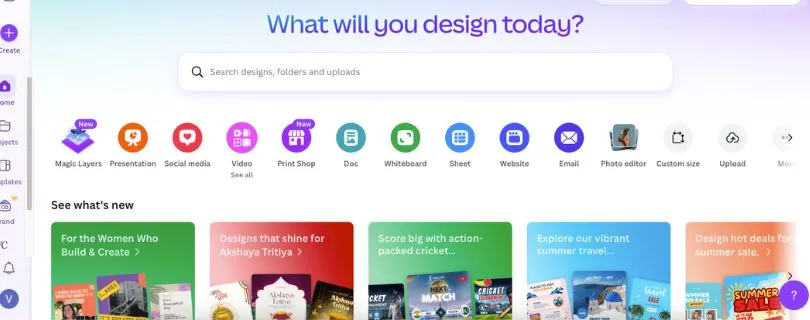
Rating: 4.7/5 on G2
Best For: Individuals, marketers, creators, and teams that want one platform for almost every type of visual content.
If you are searching for DocHipo alternatives, Canva is probably the first name you will come across.
And there is a reason for that.
Both tools make design accessible to people who aren’t professional designers. You can start with a template, replace the content, customize the visual elements, and publish without learning traditional design software.
But Canva has grown far beyond a simple template editor.
Its current platform covers social graphics, presentations, videos, PDFs, brand content, AI-powered creation, premium media, collaboration, and broader marketing workflows. Canva Pro also adds features such as premium content, Brand Kit, Background Remover, Magic Resize, and expanded AI capabilities.
That breadth is Canva’s biggest advantage in the DocHipo vs Canva comparison.
DocHipo already provides templates, collaboration, design assets, resizing, and an approachable editor.
So switching to Canva isn’t really about gaining one basic feature that DocHipo completely lacks.
It is more about entering a much broader creative ecosystem.
You can move from an Instagram post to a presentation, video, PDF, branded campaign asset, or AI-assisted design while staying inside the same environment.
Canva has also expanded its business offering. Canva Business is currently priced at US$20 per person per month and adds higher AI access, stronger brand management, marketing insights, and collaborative workspace features on top of Canva Pro.
But bigger doesn’t automatically mean better for everyone.
Some G2 users specifically mention that Canva’s interface can feel increasingly crowded as more features and AI tools are added. Others point to premium pricing as a drawback.
If you mainly need straightforward business documents and want fewer things competing for your attention, DocHipo’s more focused experience may still suit you.
If you want one of the broadest online graphic design tools for content creation across multiple formats, Canva is much harder to ignore.
Pros of Canva
- Huge range of templates and creative content
- Easy drag-and-drop workflow for non-designers
- Strong AI, branding, resizing, photo, video, and document tools
- Useful for everything from social media graphics to presentations
- Extensive collaboration and business features
Cons of Canva
- The growing feature set can make the interface feel busy
- Many of the more useful features require a paid plan
- Smaller teams with simple design needs may not use much of its ecosystem
Canva Pricing Plans
- Canva Free: $0 for individual users, with free templates, content, and selected AI features.
- Canva Pro: Paid individual plan with premium assets, Brand Kit, Background Remover, Magic Resize, and increased AI access. Pricing is localized by market.
- Canva Business:US$20/person/month in the U.S., with additional collaboration, marketing, brand, and AI capabilities.
- Canva Enterprise: Custom business pricing for larger organizations.
Curious what you’ll actually pay for Canva? Read my full Canva Pricing Explained guide.
What Users Have to Say?
Ease of use is one of Canva’s strongest recurring themes in user feedback.
G2 reviewers frequently highlight the beginner-friendly interface, ready-made templates, drag-and-drop editing, and ability to create professional-looking visuals without advanced design experience.
That lines up with why Canva remains one of the strongest best DocHipo alternatives for general-purpose design.
But Canva isn’t automatically the right choice if your work is more specialized.
And that becomes much clearer with the next alternative: Adobe Express.
Still comparing Canva with other design tools? Check out the Best Canva Alternatives before deciding.
2. Adobe Express – Best for Adobe Ecosystem Users
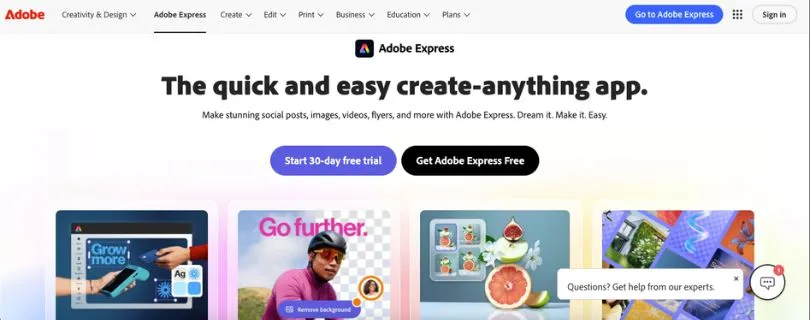
Rating: 4.5/5 on G2
Best For: Creators, marketers, and businesses that want fast design tools backed by Adobe’s broader creative ecosystem.
Adobe Express makes the most sense when your design workflow already touches Photoshop, Illustrator, Acrobat, or other Adobe products.
That is its biggest advantage over DocHipo.
Both platforms let non-designers create social posts, presentations, flyers, videos, and branded content without starting from a blank canvas.
But Adobe Express connects those lightweight design workflows to a much larger creative ecosystem.
For example, Adobe lets teams bring assets from Photoshop and Illustrator into Creative Cloud Libraries and reuse them inside Adobe Express. That can be useful when professional designers create the core brand assets and marketing teams need to turn them into everyday content.
The asset library is another big differentiator.
Adobe Express Free currently includes more than 100,000 static and video templates, 4,000+ Adobe Fonts, standard photo, video, and document editing tools, and access to more than 1 million royalty-free Adobe Stock assets.
Move into the paid offering and that library becomes much deeper.
Adobe’s current individual upgrade includes premium templates, 200M+ royalty-free Adobe Stock assets, 30,000+ fonts, one-click resizing, Brand Kits, extra editing tools, and additional generative AI credits.
Then there is Firefly.
Adobe Express includes generative AI tools for creating images, text effects, templates, and other design elements. Adobe also integrates AI across its document and presentation workflows, which gives it a stronger connection to the wider Adobe product family than most online graphic design tools.
So if you already work with Adobe files, the workflow can feel very natural.
A designer can prepare a polished asset in Photoshop or Illustrator.
A marketer can then reuse it inside Adobe Express without needing the same level of design expertise.
That is where this DocHipo alternative starts to become particularly compelling for established creative teams.
But there is a trade-off.
Adobe Express is intentionally easier than tools like Photoshop and Illustrator, which also means it does not provide the same level of granular control.
G2 reviewers frequently praise its ease of use and templates, but some also say advanced customization can feel limited when a project becomes more complex.
That makes Adobe Express a strong middle ground.
It is much easier than traditional Adobe design software, but still benefits from being connected to it.
Pros of Adobe Express
- Strong integration with Photoshop, Illustrator, Acrobat, Firefly, and other Adobe tools
- Large Adobe Stock and Adobe Fonts libraries
- Generative AI tools built directly into the design workflow
- Useful photo, video, document, and social content tools in one platform
- Good fit for teams that already use Adobe Creative Cloud
Cons of Adobe Express
- Advanced customization can feel limited compared with professional Adobe apps
- Some of the most useful assets and editing features sit behind paid plans
- The wider Adobe ecosystem may be more than a casual user actually needs
Adobe Express Pricing Plans
- Adobe Express Free: $0, with templates, basic editing tools, Adobe Fonts, stock assets, and limited generative AI access.
- Acrobat Express: Currently $10.99/month with no annual commitment. It includes Adobe Express Premium, premium templates, additional AI credits, Brand Kits, one-click resize, and Acrobat AI features.
- Adobe Express for Teams: Business plan with organization-level controls, additional storage, license management, and team features. Pricing varies by setup.
- Enterprise: Custom pricing for organizations needing broader governance and Adobe enterprise integrations.
Want a deeper look at its features, pricing, and pros and cons? Read my guide on What Is Adobe Express?.
What Users Have to Say?
Ease of use is one of the clearest themes in Adobe Express reviews.
G2 users often mention that it helps them create polished marketing materials quickly without needing advanced design knowledge. Its templates and familiar Adobe environment also receive frequent praise.
The most common limitation is also fairly predictable.
Once a project demands more precise creative control, some users find the simplified editor less flexible than Photoshop or Illustrator.
So Adobe Express is not trying to replace every professional design tool.
It is trying to make the Adobe ecosystem much easier to use.
And for some teams, that is exactly the reason to choose it over DocHipo.
Not sure Adobe Express is the right fit? Compare it with the Best Adobe Express Alternatives before choosing.
3. Visme – Best for Presentations, Infographics, and Data Visualization
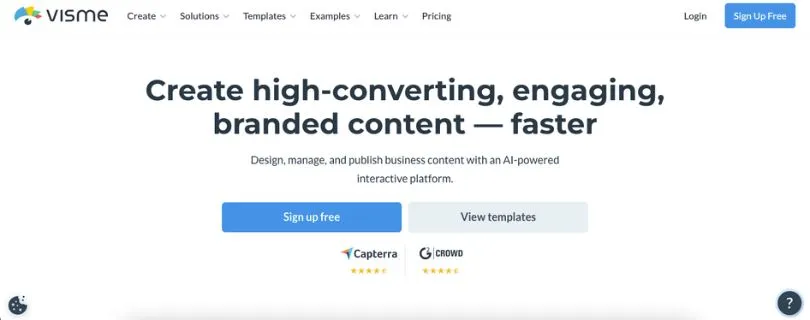
Rating: 4.5/5 on G2
Best For: Businesses and teams creating presentations, reports, infographics, dashboards, and other data-heavy visual content.
If your design work involves more numbers than Instagram posts, Visme deserves a closer look.
This is where the list starts moving away from general-purpose graphic design software.
Visme can still create social graphics, videos, documents, and branded content.
But its real strength is visual communication.
The platform is built heavily around presentations, infographics, reports, charts, graphs, interactive content, and business documents. Visme also includes branding, collaboration, analytics, and AI-assisted design tools.
That makes it one of the most distinct alternatives to DocHipo on this list.
Suppose you need to create a quarterly report.
A simple design tool can make the pages look good.
Visme goes further by giving you tools for charts, graphs, maps, data widgets, animations, hover effects, clickable elements, and interactive presentations.
That difference becomes important when the visual itself needs to explain the data.
Visme’s charts and graphs can be animated and interactive by default when shared through supported online formats. You can also build content with hotspots, hover effects, clickable menus, and other interactive elements.
So instead of presenting a static report, you can create something your audience can actually explore.
That is a much more specialized use case than basic document creation software.
Visme also makes sense for teams that regularly produce branded business material.
Its Pro plans include Brand Kit functionality, advanced export formats, analytics, privacy controls, and integrations. Team plans add simultaneous editing, comments, dynamic fields, and broader brand controls.
DocHipo can absolutely create presentations, infographics, and business documents.
The difference is depth.
If visualizing data and building interactive business communication are central to your work, Visme gives you a more specialized toolkit.
But that specialization can also work against it.
Someone who mainly wants to create simple social graphics, flyers, or quick marketing visuals may not need all those presentation and data features.
And some useful capabilities are reserved for higher plans.
For example, Visme’s free Basic plan is designed primarily for trying the platform. Downloads, premium assets, and advanced sharing features require paid plans.
So Visme becomes more attractive as your content becomes more complex.
Simple graphics?
There are easier options.
Interactive reports with charts, branded data, and presentations?
That is where Visme starts pulling ahead.
Pros of Visme
- Excellent for presentations, infographics, reports, and data visualization
- Supports interactive charts, hover effects, hotspots, and animated content
- Strong branding and business communication features
- Useful collaboration and analytics options for teams
- Can create far more than static graphics
Cons of Visme
- May feel excessive if you only need simple social media graphics
- Important download and premium asset features require a paid plan
- Team-focused branding and collaboration capabilities become more useful on higher tiers
Visme Pricing Plans
- Basic: $0/month, with unlimited projects and limited templates and design assets.
- Starter:$12.25/month per person when billed annually, with full template access, premium assets, and JPG, PNG, and PDF downloads.
- Pro:$24.75/month per person when billed annually, adding Brand Kit, analytics, advanced exports, privacy controls, and integrations.
- Enterprise: Custom pricing for organizations needing approvals, security, SSO, advanced governance, and onboarding.
Still comparing Visme with other design platforms? Check out the Best Visme Alternatives before deciding.
Instead of focusing mainly on design or data visualization, Simplified tries to connect AI writing, creative production, and marketing workflows in one platform.
What Users Have to Say?
Visme users frequently highlight its ease of use, presentation templates, professional-looking designs, and ability to create visual content without professional design skills.
G2 reviewers also point to its strong feature set for presentations and infographics as a major benefit.
That is why I would not position Visme as just another Canva-style editor.
Its strongest case is much narrower.
If your content needs to communicate data, not simply look attractive, Visme is one of the strongest DocHipo competitors to consider.
The next alternative takes the article in another direction entirely.
Instead of focusing mainly on design or data visualization, Simplified tries to connect AI writing, creative production, and marketing workflows in one platform.
4. Simplified – Best for AI-Powered Marketing Workflows
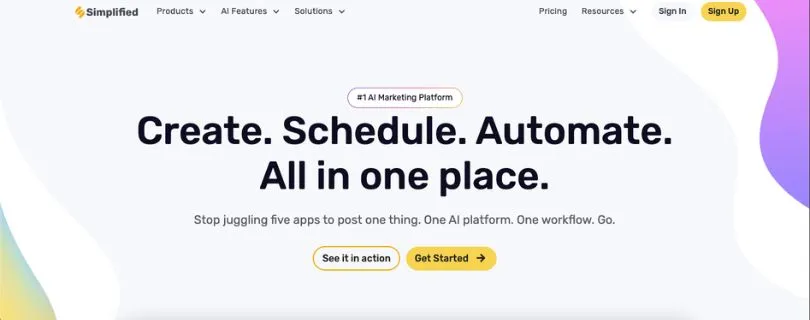
Rating: 4.6/5 on G2
Best For: Marketing teams that want AI-assisted design, writing, social publishing, and campaign creation in one place.
Simplified is a little different from the other DocHipo alternatives on this list.
Yes, it has a graphic design editor.
But design is no longer the main story.
Simplified now positions itself as an AI marketing platform where teams can create designs, write copy, produce videos, schedule social content, manage approvals, and even run repeatable marketing workflows from the same system.
That makes the comparison with DocHipo interesting.
DocHipo is primarily built around creating visual documents and marketing assets.
Simplified tries to go further and connect the work that happens before and after the design is created.
For example, its current platform includes AI Design, AI Writer, AI Video, an AI Ads Generator, an AI Presentation Maker, social scheduling, analytics, approvals, Brand Kit functionality, and project-management tools.
And then there is Riley, Simplified’s marketing agent.
You can give it a campaign brief containing your audience, offer, channels, and brand requirements. Simplified says the agent can then help plan the campaign, create assets and copy, move work through approval, publish it, and report on performance.
That’s a very different value proposition from ordinary AI graphic design tools.
Imagine you are launching a new product.
With a traditional design platform, you might create the Instagram graphic first, then move to another tool for captions, another for scheduling, and perhaps another for ads or campaign management.
Simplified’s pitch is to keep more of that process in one place.
That is where it can be a stronger alternative to DocHipo for marketing-heavy teams.
But there is an obvious catch.
If all you want is an easy tool for presentations, flyers, social posts, or business graphics, Simplified may be far more platform than you need.
Its current Starter plan begins at $79/month, which puts it in a completely different pricing category from many lightweight graphic design tools. Simplified also sells additional campaign capacity for $10 per campaign if you exceed what’s included.
So this isn’t the alternative I would pick simply to save money on design software.
It makes more sense when replacing multiple marketing tools is part of the goal.
Pros of Simplified
- Combines graphic design, AI writing, video, and social media workflows
- Stronger marketing automation capabilities than a basic design editor
- Built-in Brand Kit, approvals, scheduling, and campaign tools
- AI agents can help move a campaign from brief to finished assets
- Useful for teams trying to reduce tool switching
Cons of Simplified
- Much more expensive than many general-purpose graphic design platforms
- Can be overkill if you only need to create visual documents
- AI and campaign workflows add complexity compared with a focused design tool
- Additional campaigns can increase the overall cost
Simplified Pricing Plans
- Starter: Starts at $79/month.
- Trial: Includes Starter access with 5 campaigns, 100K AI words, and 100 AI designs at the time of writing.
- Extra campaigns: Currently $10 each.
- Simplified also offers higher-capacity options for larger marketing requirements, with plan limits and credits varying by subscription.
What Users Have to Say?
Simplified’s “all-in-one” approach comes up repeatedly in user feedback.
G2 reviewers often praise the platform for bringing content generation, design, and social media management into the same workflow. Ease of use is another recurring positive.
That makes Simplified one of the more unusual DocHipo competitors in this comparison.
It isn’t necessarily trying to give you a better canvas.
It is trying to reduce how many tools you need around that canvas.
For teams that want that broader workflow, the higher price may be easier to justify.
For everyone else?
The next option is much closer to a straightforward design platform.
5. VistaCreate – Best for Social Media Design on a Budget
Rating: 4.5/5 on G2
Best For: Small businesses, marketers, and creators that regularly produce social media and promotional graphics.
VistaCreate feels much more familiar if what you want is a direct DocHipo alternative.
Pick a template.
Customize the text, images, colors, and elements.
Resize it for another platform.
Then download it or publish it to social media.
Simple.
VistaCreate specifically positions itself as an online graphic design platform for small businesses, and its feature set reflects that focus.
You can create social graphics, ads, marketing content, print designs, animations, and videos without needing professional design skills.
Where VistaCreate becomes particularly attractive is the amount you get even before paying.
Its free Starter plan currently includes 100K+ templates, 1M+ photos, videos, and vectors, one Brand Kit, 10GB of storage, and social media scheduling.
That makes it one of the stronger free DocHipo alternatives for users who produce a steady stream of marketing content.
The Pro plan expands things considerably.
VistaCreate currently advertises 200K+ design templates and 170M+ photos, videos, and vectors, along with unlimited Brand Kits, one-click resizing, background removal, AI image generation, AI object removal, version history, unlimited storage, and collaboration for up to 10 team members.
That creative asset library is probably its biggest selling point.
If you create multiple social posts every week, having a deep library of templates, photos, videos, and vectors can save a lot of time.
The social focus also runs deeper than simply providing Instagram templates.
VistaCreate lets users schedule content to supported social networks, and its Resize tool can convert one design into multiple dimensions for different platforms.
So one campaign visual can become a post, story, Pinterest graphic, or other format without rebuilding everything from scratch.
That said, VistaCreate isn’t trying to compete with every type of document creation software.
If your work revolves around complex reports, interactive data visualization, or highly sophisticated presentations, Visme has a stronger case.
If you want the broadest possible design ecosystem, Canva still has the advantage.
VistaCreate works best when the brief is simpler:
Create attractive marketing graphics quickly without spending much.
And on that job, it is very competitive.
Pros of VistaCreate
- Generous free plan for everyday design work
- Strong focus on social media and small-business marketing
- Large template and creative asset libraries
- Built-in scheduling and Brand Kit functionality
- Affordable Pro plan includes up to 10 team members
- Useful AI image, object-removal, resize, and background-removal tools
Cons of VistaCreate
- Less specialized for complex reports and data visualization than Visme
- Some important tools, including Resize and Background Remover, require Pro
- Free users get a much smaller stock asset library than Pro users
- Some G2 reviewers would like more free stock options and creative choices.
VistaCreate Pricing Plans
- Starter:$0 for one seat, including 100K+ templates, 1M+ creative assets, one Brand Kit, 10GB storage, and social scheduling.
- Pro:$10/month with annual billing or $13/month when paid monthly, currently covering up to 10 seats.
- Pro free trial: VistaCreate currently offers a 14-day trial of the paid plan.
What Users Have to Say?
VistaCreate’s ease of use is one of the most consistent themes in its reviews.
G2 users regularly praise its templates, intuitive editor, and ability to produce professional-looking graphics without advanced design experience.
Some criticism focuses on the amount of free stock content and limitations compared with larger design ecosystems.
Still, that doesn’t change where VistaCreate fits best.
If you want free graphic design software for regular social and marketing content—and don’t need the complexity of a full creative suite—VistaCreate is one of the easiest DocHipo alternatives to recommend.
Still comparing VistaCreate with other design tools? Explore the Best VistaCreate Alternatives before choosing.
That completes the five tools.
But knowing what each platform does is only half the decision.
The bigger question is: which one actually makes sense for you?
Which DocHipo Alternative Should You Actually Pick?
Five tools.
Plenty of overlapping features.
And probably one question left: Which DocHipo alternative should you actually choose?
The easiest way to narrow it down is not to compare every template, AI credit, or design element.
Start with these three questions.
1. What Do You Create Most Often?
This matters more than having the longest feature list.
If you regularly jump between social posts, presentations, videos, marketing graphics, and branded assets, Canva is the strongest all-purpose choice because of the breadth of its design and content ecosystem.
If most of your work involves reports, infographics, presentations, charts, and data-heavy business content, I would lean toward Visme.
Its platform is much more focused on visual communication and business content than a basic graphic editor.
If Canva and Visme are your final two options, read my full Visme vs Canva comparison to see which fits your workflow better.
Already working heavily with Adobe?
Adobe Express makes more sense because you get a simpler design experience while staying connected to Adobe’s creative ecosystem, templates, assets, and generative AI capabilities.
Still deciding between the two? Read my Canva vs Adobe Express comparison to see which design tool comes out ahead.
For frequent social graphics and small-business marketing, VistaCreate is the simpler value-focused option. Its free Starter plan currently includes 100,000+ templates, more than one million creative assets, and social scheduling.
In other words:
Don’t pick the biggest graphic design software platform.
Pick the one built around what you actually create.
2. How Much AI and Automation Do You Actually Need?
Almost every modern design platform talks about AI now.
But there is a big difference between using AI to speed up a design and using AI to manage a larger marketing workflow.
DocHipo itself already includes AI-powered capabilities such as an AI Writer, AI Image Generator, background removal, smart resize, and other design productivity features.
So don’t switch simply because another platform has an “AI” button.
Ask what you want the AI to do.
If you mainly want help generating visuals and speeding up everyday creative work, Canva, Adobe Express, and VistaCreate already cover plenty of ground.
If you want AI involved in copy, social content, emails, ads, and larger campaign workflows, Simplified is much more interesting.
Its current Starter offering is positioned around giving AI agents a marketing brief and getting finished social posts, email sequences, and advertising creative back.
That’s more than AI-assisted design.
It is a different way of organizing marketing work.
And you should only pay for that extra complexity if you are actually going to use it.
3. Are You Designing Alone or With a Team?
A tool that feels affordable for one person can look very different once five, ten, or fifty people need access.
So before choosing between these DocHipo competitors, check more than the individual subscription price.
Look at:
- Number of seats included
- Brand Kit and brand-control features
- Real-time collaboration
- Approval workflows
- Storage
- Version history
- Permissions and administration
DocHipo already provides real-time collaboration and offers brand management, AI, resize, and version-history capabilities across its feature set, so team buyers should compare the depth and pricing of those features rather than assuming they need to leave DocHipo to get them.
For smaller teams focused heavily on social content, VistaCreate is worth considering because its Pro offering supports team access for up to 10 members alongside unlimited Brand Kits and version history.
For organizations with more complex creative, marketing, or governance requirements, Canva, Adobe, and Visme offer broader paid business and enterprise options.
Once you answer those three questions, the choice gets much easier.
So, Which Is the Best DocHipo Alternative?
There isn’t one best DocHipo alternative for every user.
But if I had to narrow the five down by use case, this is how I would do it:
Canva is the best overall choice if you want a broad, all-purpose creative platform.
Adobe Express makes the most sense if Adobe is already part of your creative workflow.
Visme is my pick for presentations, infographics, reports, and data visualization.
Simplified stands out when AI-powered marketing workflows matter more than having another standalone design editor.
And VistaCreate is a strong option for budget-conscious users creating lots of social and promotional content.
But don’t switch just because another tool has more features.
Switch when those extra features solve a problem you actually have.
FAQs
1. What Is the Best DocHipo Alternative?
For most general-purpose design needs, Canva is one of the strongest alternatives to DocHipo because it combines templates, premium content, brand tools, AI features, and support for many types of visual content in one platform.
That doesn’t make it the winner for every use case, though.
Visme is better suited to data-heavy visual communication, while Adobe Express is particularly attractive to existing Adobe users.
2. Are There Any Free DocHipo Alternatives?
Yes.
Canva and Adobe Express currently provide free plans, Visme has a free Basic tier, and VistaCreate offers a free Starter plan.
That means you can test several free DocHipo alternatives before paying for another subscription.
Keep in mind that advanced assets, AI usage, Brand Kits, downloads, resizing, storage, and collaboration features can vary considerably between free and paid tiers.
3. Is Canva Better Than DocHipo?
It depends on what you want from your design platform.
In a DocHipo vs Canva comparison, Canva’s biggest advantage is the breadth of its creative ecosystem, premium content, branding capabilities, and AI-powered tools.
DocHipo, however, already offers templates, smart resize, AI features, real-time collaboration, Brand Kit capabilities, and an intentionally streamlined design experience.
So Canva is not automatically “better.”
It is broader.
Whether that breadth matters depends on your workflow.
4. Which DocHipo Competitor Is Best for Presentations and Infographics?
Visme is the strongest choice from this list when presentations, infographics, reports, and data visualization are your priority.
Its plans and product feature set are geared toward visual business communication, with more advanced capabilities becoming available on its Starter, Pro, and Enterprise tiers.
If you mainly create ordinary marketing graphics rather than data-rich content, Canva, DocHipo, or VistaCreate may feel more straightforward.
5. Which DocHipo Alternative Is Best for AI-Powered Marketing?
Simplified is the most marketing-focused option on this list.
Rather than limiting AI to image generation or design assistance, its current platform emphasizes AI agents that can work from a campaign brief and help produce social posts, email sequences, and ad creative. Its Starter offer currently begins at $79.
For more design-centered AI workflows, Canva and Adobe Express are likely the better fit.