A lot of creators start looking for DeeVid.ai alternatives after they realize that making AI videos isn’t the problem.
Making good AI videos is.
After all, the success of your content depends on how realistic, smooth, and usable the final video looks.
I noticed the same pattern across creators, marketers, YouTubers, agencies, and small business owners.
At first, DeeVid.ai feels like a quick and easy way to create AI videos from text, images, or simple prompts.
But as your content needs start growing, a few challenges begin to surface.
Video quality can feel inconsistent when you’re creating more polished clips for ads, Reels, or brand content.
Creative control becomes limited when you want better motion, stronger prompts, or more realistic AI avatars.
Free credits, video length, watermarks, and export options can also start to feel restrictive.
At the same time, AI video creation has changed.
Most users don’t just want a basic text-to-video or image-to-video tool anymore.
They want a platform that helps them create high-quality videos, edit them easily, add avatars or voiceovers, resize content for social media, and publish faster from one place.
And DeeVid.ai may not be the best fit for everyone.
That’s what pushed me to take a closer look at the best DeeVid.ai alternatives and see which tools actually offer better video quality, more creative control, stronger AI avatars, and better value.
In this guide, I’ll compare the top options based on AI video quality, ease of use, editing features, avatar support, pricing, free plans, and overall value.
So that by the end, you’ll have a much clearer idea of which DeeVid.ai alternative is the right fit for your content workflow.
Let’s get started!
Quick Comparison Table: Best DeeVid.ai Alternatives
Before we get into the full reviews, here’s a quick side-by-side look at the best DeeVid.ai alternatives. This should help you narrow things down faster, especially if you already know whether you need AI avatars, image-to-video generation, social media videos, or a more complete creative workflow.
| Tool | Best For | Key Strength | Free Plan | Best DeeVid Replacement For |
| Freepik AI | All-in-one creative AI | Image generation, AI video, design assets, and templates in one place | Limited/free access | Creators and marketers |
| Higgsfield AI | Advanced AI video models | Access to newer AI video models and more cinematic generation options | Limited/free credits | Cinematic AI video |
| OpenArt | Creative workflows | AI images, video generation, editing tools, and character consistency | Free trial/credits | Artists and prompt creators |
| Synthesia | Business avatar videos | Training videos, tutorials, multilingual avatars, and professional presenter-style content | Free plan/demo | Corporate videos |
| HeyGen | Lip sync and video translation | AI avatars, voice cloning, video translation, and localized talking-head videos | Free trial/limited | Talking-head videos |
Pricing and free-plan limits change often, so check each platform before buying.
Why Look for a DeeVid.ai Alternative?
DeeVid.ai can be useful for quick AI video creation, especially if you want to turn prompts or images into short clips without learning complex editing software. But once you start using AI videos for real projects, like ads, YouTube content, product videos, training clips, or client work, you may notice a few limits.
1. You Need Better Image-to-Video Quality
Image-to-video tools can be tricky. A good result should have smooth motion, consistent characters, clean scene movement, and fewer weird artifacts. If faces change too much, hands look distorted, text becomes unreadable, or the scene feels jumpy, the video becomes harder to use in real content.
2. You Want More Free Generations or Fewer Credit Limits
Many users also look for DeeVid.ai alternatives because of free-plan limits. Daily generation caps, watermarks, blocked prompts, credit-based usage, short video duration, and slow queues can get frustrating when you’re testing ideas or creating content in bulk.
3. You Need Better AI Avatars or Lip Sync
If you’re creating talking-head videos, avatar quality matters a lot. You may need better facial stability, smoother motion consistency, more realistic eye movement, natural expressions, and accurate lip sync. This is especially important for tutorials, sales videos, training content, and multilingual videos.
4. You Need Business or Team Features
For teams, DeeVid.ai may feel too basic. Marketing teams and agencies often need brand kits, shared workspaces, templates, commercial rights, training video tools, export formats, and smoother collaboration features to keep content production organized.
5. You Need API Access or Batch Generation
DeeVid.ai works better for manual video creation. But developers, agencies, and larger teams may need API access, SDKs, webhooks, batch processing, and scalable generation. If you want to create lots of videos automatically, an API-first AI video platform may be a better fit.
Top 5 DeeVid.ai Alternatives in 2026
Each tool below is ranked based on AI video quality, ease of use, creative control, avatar support, pricing, free access, and whether it actually helps you create videos you can use for real content.
1. Magnific AI
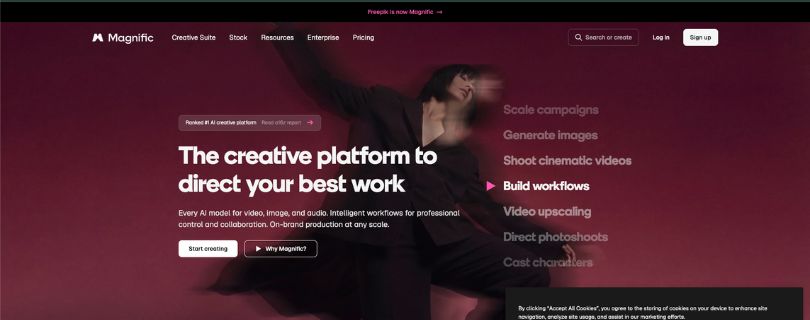
Best DeeVid.ai Alternative for All-in-One AI Video, Images, and Design Assets
Magnific AI (previously known as Freepik) is a strong DeeVid.ai alternative for creators who want more than a simple AI video generator.
It brings AI image generation, AI video creation, stock assets, templates, editing tools, upscalers, and design features into one creative workspace.
That makes it useful for marketers, social media creators, small businesses, YouTubers, and agencies that need to create Reels, product visuals, ad creatives, thumbnails, and short AI videos without switching between too many tools.
Why Magnific AI Is a Strong DeeVid.ai Alternative
The biggest difference is the creative workflow.
DeeVid.ai is useful when you want to quickly turn a prompt, image, or idea into a short AI video.
Magnific AI goes wider than that.
You can start with an AI image, improve it, turn it into a video, resize it for social media, add design elements, and use stock assets from the same platform.
That’s helpful if your content process includes more than just video generation.
If your workflow also includes branded graphics and simple design assets, read:
I Tried Canva: My Honest Review
For example, if you’re creating product ads, you may need product images, background designs, short AI clips, thumbnails, and social post graphics. Magnific AI gives you more room to handle those steps in one place.
What I like most is that it feels better suited for everyday marketing work. You’re not only generating a video and leaving. You can build a full visual campaign around it.
The limitation is that Magnific AI may feel like too much if you only need a basic image-to-video AI tool. It’s stronger as a creative suite than as a one-click video-only platform.
Pros
✅ All-in-one workspace for AI images, videos, design assets, and stock content
✅ Useful for social media posts, product visuals, ad creatives, and thumbnails
✅ Gives creators access to image, video, and audio generation tools
✅ Paid plans include commercial AI licensing
✅ Better fit than DeeVid.ai if you want design tools and AI video in one place
Cons
❌ Can feel overwhelming if you only want a simple AI video maker
❌ Free access is limited and not ideal for regular professional work
❌ Advanced video, audio, and editing tools can use credits quickly
❌ Best value comes when you use the wider creative toolkit, not just video
Pricing (Billed Annually)
- Free plan available
- Premium: $14.50/mo
- Premium+: $33.75/mo
- Pro: $210/mo
- Business: $55/seat/mo
- Enterprise: Custom pricing
Still comparing all-in-one creative tools for design and marketing?
Read: 5 Best Canva Alternatives for Creators & Teams
2. Higgsfield AI
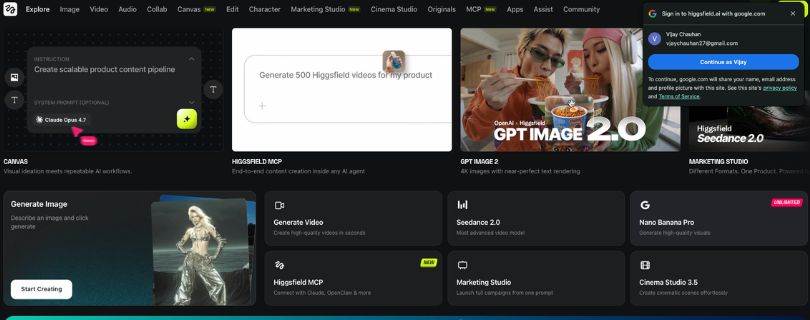
Best DeeVid.ai Alternative for Advanced AI Video Models and Cinematic Clips
Higgsfield AI is a better fit if you want more control over how your AI videos look and move.
Instead of only focusing on quick prompt-based clips, it gives creators access to advanced video models, cinematic controls, character-focused tools, and higher-volume generation options.
That makes it a good choice for AI filmmakers, short-form video creators, ad creators, and agencies that want more polished visuals than a basic text-to-video AI tool can usually deliver.
If cinematic AI video quality is your main priority, compare more tools here:
Top 5 Runway Alternatives I Tested & Ranked in 2026
Why Higgsfield AI Is a Strong DeeVid.ai Alternative
What stands out about Higgsfield AI is the focus on cinematic AI video.
DeeVid.ai is easier for quick video generation, but Higgsfield AI gives you more room to experiment with camera movement, character consistency, scene style, and model choice.
That matters when you’re trying to create videos that feel more intentional.
For example, if you’re making a fashion ad, music video concept, product teaser, or cinematic social clip, you may not want the video to look like a random AI output. You want smoother motion, better framing, stronger style control, and fewer awkward scene changes.
Higgsfield AI is also useful if you like testing different AI video models without paying for several separate platforms.
The trade-off is that it has more of a learning curve. If you’re completely new to AI video generation, it may take a little time to understand how credits, models, and controls work.
Pros
✅ Strong option for cinematic AI video generation
✅ Gives more creative control than basic prompt-to-video tools
✅ Useful for short-form ads, music visuals, product clips, and social videos
✅ Supports advanced model access for creators who like experimenting
✅ Higher plans include more credits and better generation capacity
Cons
❌ Not as beginner-simple as DeeVid.ai
❌ Credit usage can add up if you test many video variations
❌ Best results still depend on strong prompts and creative direction
❌ Heavy users may need higher-tier plans
Pricing (Billed Annually)
- Starter: $15/mo
- Plus: $39/mo
- Ultra: $99/mo
Want to compare pricing-heavy AI video tools before choosing?
Read: Kling Pricing Explained: Plans, Credits, Costs & Best Value
3. OpenArt
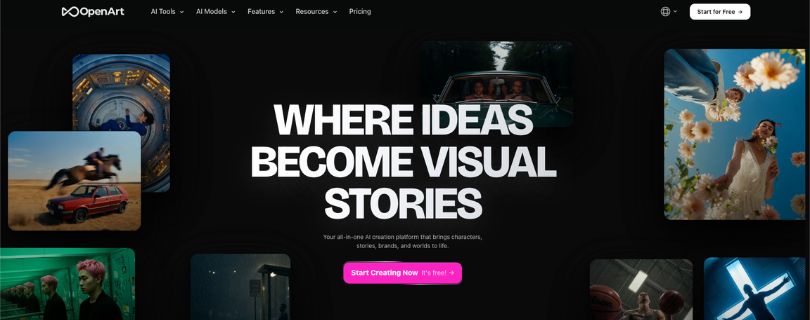
Best DeeVid.ai Alternative for Creative Workflows and Character Consistency
OpenArt is a strong DeeVid.ai alternative for creators who care about visual storytelling, character consistency, and flexible AI workflows.
It combines AI image generation, AI video creation, character tools, image editing, video editing, lip-sync features, and access to multiple AI models in one platform.
That makes it especially useful for artists, prompt creators, AI influencers, storytellers, social media creators, and anyone building videos around a recurring character or visual style.
Why OpenArt Is a Strong DeeVid.ai Alternative
The biggest reason to consider OpenArt is creative control.
DeeVid.ai works well for quick AI video creation, but OpenArt gives you more space to build a full idea.
You can create images, turn them into videos, keep characters consistent, edit visuals, use different models, and experiment with scenes until the output feels closer to what you had in mind.
That’s helpful if you’re creating content where the same person, mascot, product, or character needs to appear across multiple videos.
For example, if you’re building an AI influencer, a brand character, a story series, or a YouTube Shorts concept, consistency matters. A character that changes face every few seconds can ruin the whole video.
If character consistency and image-to-video quality matter most, compare these options too:
I Tested 5 Kling Alternatives: Best AI Video Generators Like Kling
OpenArt is also useful because it supports more than one type of creative task. You can make images, videos, music-style visuals, story content, and edited assets without leaving the platform.
The main downside is that OpenArt can feel deeper than casual users need. If you just want to upload one image and get a quick animated clip, DeeVid.ai may feel faster.
Pros
✅ Strong for AI images, videos, editing, and character-based workflows
✅ Useful for keeping characters consistent across images and videos
✅ Good fit for artists, storytellers, prompt creators, and AI influencer content
✅ Supports 100+ premium image, video, and audio models on paid plans
✅ Better than DeeVid.ai if you want more creative flexibility
Cons
❌ Can take time to learn if you’re new to AI creative tools
❌ Some advanced features are tied to credits and higher plans
❌ Not mainly built for corporate avatar videos
❌ May feel like too much if you only need quick image-to-video clips
Pricing (Billed Annually)
- Free trial/limited free access available
- Essential: $12.60/seat/mo
- Advanced: $23.20/seat/mo
- Infinite: $43.70/seat/mo
- Wonder: $175.20/seat/mo
4. Synthesia
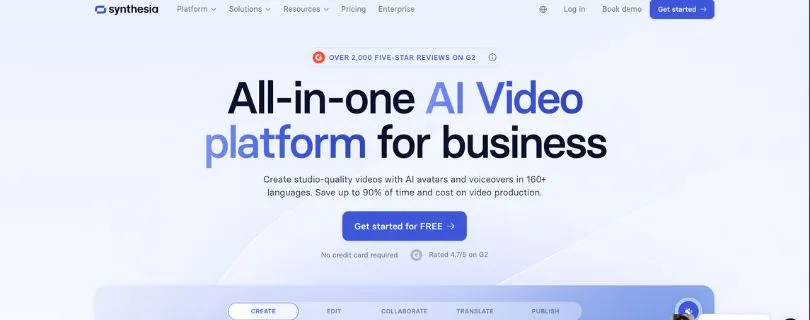
Best DeeVid.ai Alternative for Business AI Avatar Videos
Synthesia is one of the better DeeVid.ai alternatives if your main goal is to create professional avatar videos for business use.
Instead of focusing on cinematic AI clips or image-to-video effects, Synthesia is built around presenter-style videos, training content, tutorials, internal communication, product explainers, and multilingual business videos.
That makes it a strong fit for companies, educators, HR teams, SaaS brands, course creators, and agencies that need polished videos without hiring actors, recording voiceovers, or setting up a studio.
Why Synthesia Is a Strong DeeVid.ai Alternative
What I like about Synthesia is that it feels more structured than most casual AI video generators.
With DeeVid.ai, you can create quick AI videos from prompts or images, which is useful for social content and experiments.
Synthesia is different. It’s better when you need a clear, professional video with an AI presenter, script, voiceover, scenes, branding, and a clean final export.
That’s helpful if you’re creating onboarding videos, sales enablement content, training modules, help center videos, or product walkthroughs.
You can write a script, choose an avatar, add scenes, use templates, and create a video that feels ready for a business audience.
Another big advantage is team workflow. Synthesia includes features like workspaces, guest access, comments, brand kits, and collaboration options, which makes it easier for teams to review and manage videos together.
The limitation is that Synthesia is not the best choice for cinematic AI video or creative image-to-video generation. If you want animated fantasy scenes, product motion clips, or viral AI effects, other tools may be a better fit.
Not sure Synthesia is the right avatar tool? Compare more options here:
HeyGen Alternatives: 5 Best AI Video Tools for 2026
Pros
✅ Strong option for professional AI avatar videos
✅ Useful for training videos, tutorials, onboarding, and product explainers
✅ Good fit for teams that need templates, branding, and collaboration
✅ Supports multilingual video creation and AI dubbing features
✅ Better than DeeVid.ai for corporate presenter-style content
Cons
❌ Not ideal for cinematic image-to-video or creative AI effects
❌ Video minutes can feel limited on lower plans
❌ More business-focused than creator-focused
❌ Advanced team and brand features are mostly on higher plans
Pricing
- Basic: $0/mo
- Starter: $18/mo, billed yearly
- Creator: $64/mo, billed yearly
- Enterprise: Custom pricing
Before choosing Synthesia for business videos, read my full hands-on breakdown:
Synthesia io AI Review: The Good, Bad & Pricing Explained
5. HeyGen
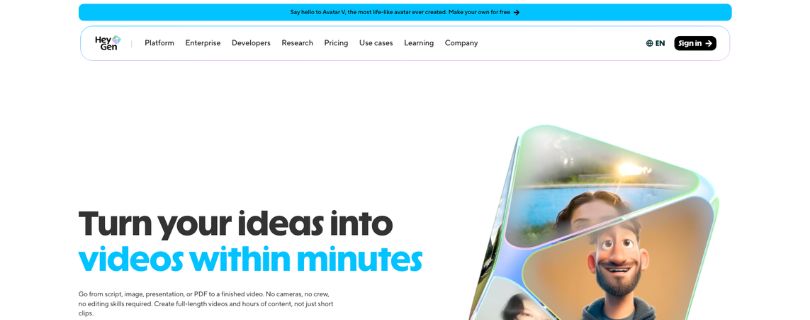
Best DeeVid.ai Alternative for Lip Sync, Video Translation, and Talking-Head Videos
HeyGen is a strong DeeVid.ai alternative for anyone who creates talking-head videos, avatar videos, translated videos, or personalized video content.
It focuses on AI avatars, voice cloning, lip sync, video translation, custom digital twins, and studio-style video creation.
That makes it useful for marketers, educators, sales teams, YouTubers, coaches, agencies, and businesses that want to turn scripts into polished presenter videos without filming everything from scratch.
Why HeyGen Is a Strong DeeVid.ai Alternative
The main reason to choose HeyGen is avatar realism and localization.
DeeVid.ai can help with quick AI video creation, but HeyGen is better when your video depends on a person speaking clearly on screen.
That includes sales videos, course lessons, explainer videos, product demos, LinkedIn content, training clips, and multilingual marketing videos.
What stood out to me is how useful HeyGen can be for creators who publish in more than one language. Instead of recording the same video again and again, you can use video translation, voice cloning, and lip sync features to adapt content for different audiences.
That’s a real time-saver if you’re building content for YouTube, Instagram, TikTok, online courses, or global marketing campaigns.
HeyGen also gives you more room to create avatar-based content at scale. The paid plans include longer video duration, watermark removal, higher export quality, more avatars, and better processing speed.
The downside is that HeyGen is not mainly built for cinematic AI scenes. If you want image-to-video clips with dramatic camera movement, OpenArt, Higgsfield AI, or Freepik AI may be a better match.
Pros
✅ Strong for AI avatars, lip sync, and talking-head videos
✅ Useful for video translation, voice cloning, and multilingual content
✅ Good option for sales videos, tutorials, courses, and marketing clips
✅ Free plan available for testing before upgrading
✅ Business plan includes team features like brand assets, collaboration, and comments
Cons
❌ Not the best choice for cinematic image-to-video generation
❌ Credit usage can add up if you create lots of avatar or translation videos
❌ Some advanced features sit behind higher plans
❌ Business pricing may feel high for solo creators
Pricing
- Free plan: $0/mo
- Creator: $24/mo when billed annually, or $29/mo monthly
- Pro: Starts at $49/mo
- Business: $149/mo + $20/seat/mo
- Enterprise: Custom pricing
Still comparing avatar video platforms?
Read: HeyGen Alternatives: 5 Best AI Video Tools for 2026
Other DeeVid.ai Alternatives Worth Considering
The five tools above are the strongest picks for most users, but they’re not the only options worth checking. Depending on your workflow, one of these DeeVid.ai alternatives may be a better fit.
Canva
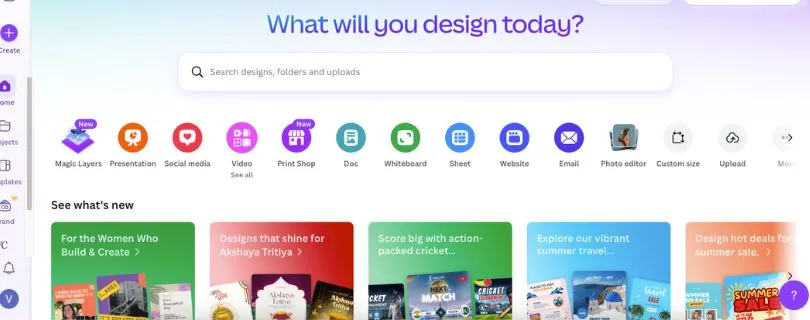
Canva is a good option if you want a beginner-friendly design tool that also includes simple AI video features.
It’s not the most advanced AI video generator, but it works well for social media posts, short promo videos, Instagram Reels, presentations, thumbnails, and branded content. The biggest advantage is how easy everything feels. You can pick a template, add text, resize your design, use brand colors, and create simple videos without touching complex editing software.
Choose Canva if you want design, templates, and basic AI video tools in one place.
Before upgrading, check the full cost breakdown here:
Canva Pricing 2026: Plans, Costs, Features & Free vs Pro Guide
VEED
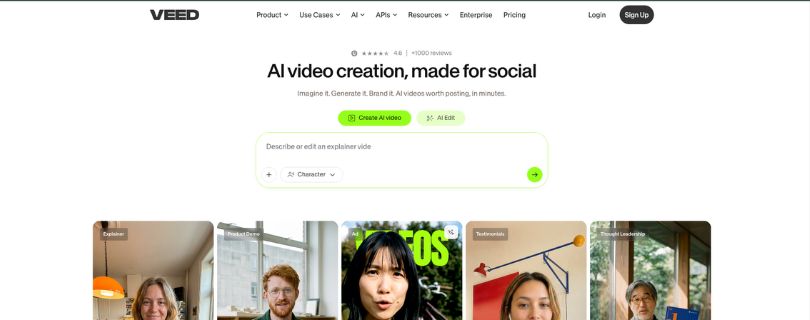
VEED is a better fit if editing is your main priority.
It helps with captions, subtitles, dubbing, screen recording, video resizing, background noise removal, and short-form video editing. This makes it useful for creators who already have video clips but need to clean them up, repurpose them, or turn them into social-ready content.
Choose VEED if you care more about editing, captions, and publishing-ready videos than raw AI generation.
Still comparing browser-based video editors?
Read: 5 Best VEED.IO Alternatives for 2026
Invideo AI
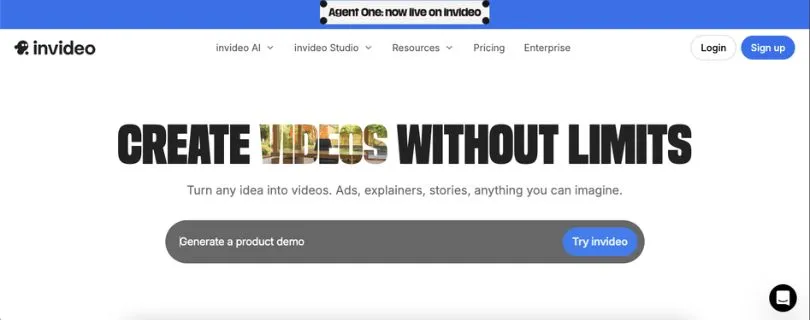
Invideo AI is useful if you want to turn a prompt or script into a complete video.
You can give it an idea, and it can help build the structure, scenes, voiceover, and flow of the video. That makes it helpful for marketing videos, YouTube explainers, faceless videos, product promos, and simple business content.
Choose Invideo AI if you want a text-to-video AI tool that helps with the full video structure, not just visuals.
Want to compare InVideo AI with similar tools?
Read: I Tested 5 InVideo Alternatives: Avatars, Editing & Price Compared
Zoice
Zoice is worth considering if you create avatar-style videos for social media.
Its main strength is facial stability and motion consistency, which matters a lot when you’re creating talking-head clips. If an avatar’s face shifts too much or the expressions feel unnatural, people notice quickly. Zoice is a better fit for creators who want smoother avatar videos for TikTok, Instagram, YouTube Shorts, or personal brand content.
Choose Zoice if realistic avatar movement matters more to you than cinematic scene generation.
WaveSpeedAI
WaveSpeedAI is better suited for developers, agencies, and technical teams.
Instead of focusing only on manual video creation, it supports API-based AI image and video generation. That means you can build AI video generation into your own product, automate bulk creation, or run large-scale workflows without creating every video by hand.
Choose WaveSpeedAI if you need API access, batch generation, and scalable AI video or image workflows.
Runway, Luma, Kling, PixVerse, Vidu, and Pollo AI
If you’re comparing cinematic AI video generators, start here:
Top Pollo AI Alternatives & Competitors 2026
These tools are worth exploring if you’re comparing more advanced image-to-video or cinematic AI video models.
They’re often used for short films, product visuals, creative experiments, animated scenes, and high-motion AI clips. Some are better at realism, some are better at motion, and some give you more control over style or camera movement.
Choose these tools if your main goal is to test advanced AI video models and find the best output quality for cinematic clips.
For a deeper AI video comparison, read:
Best 5 Wan AI Alternatives for AI Video Generation
How to Choose the Best DeeVid.ai Alternative
The best DeeVid.ai alternative depends on what you’re actually trying to create. A tool that works well for AI avatars may not be the best choice for cinematic image-to-video clips. And a platform built for developers may feel too complex if you just want quick social videos.
Choose Based on Your Main Use Case
For Image-to-Video
Pick a tool with strong motion consistency, frame control, and reference-image accuracy.
This matters because image-to-video tools can easily distort faces, hands, products, or backgrounds. If you’re creating product videos, fashion clips, character scenes, or social ads, look for a tool that keeps the original image stable while adding smooth movement.
For Text-to-Video
Look for prompt accuracy, scene coherence, camera control, and editing flexibility.
A good text-to-video AI tool should understand your prompt clearly and create scenes that actually match your idea. It should also give you some control over the final result, so you’re not stuck regenerating the same video again and again.
For AI Avatars
Prioritize facial stability, lip sync, voice quality, avatar realism, and multilingual support.
This is especially important for training videos, tutorials, sales videos, course lessons, and talking-head content. If the mouth movement feels off or the avatar looks stiff, the whole video can feel less trustworthy.
For Social Media
Look for vertical formats, captions, templates, fast exports, and watermark-free output.
If you’re creating TikToks, Reels, Shorts, or LinkedIn videos, speed matters. You want a tool that helps you resize videos, add captions, use templates, and export content quickly without spending half your day editing.
For Business Videos
Prioritize brand kits, team collaboration, commercial rights, security, and support.
Business videos usually need more structure. You may need shared workspaces, approval flows, branded templates, clean exports, and clear usage rights. This matters even more if you’re creating training content, ads, client videos, or internal communication.
For Developers
Look for API access, SDKs, webhooks, batch processing, pay-as-you-go pricing, and clear documentation.
If you want to generate videos at scale, a simple manual AI video generator may not be enough. Developers and agencies should look for platforms that can plug into existing systems and handle larger automated workflows.
My Final Verdict: Which DeeVid.ai Alternative Should You Pick?
The best DeeVid.ai alternative really depends on what kind of videos you want to create.
If you want one tool that can handle AI images, videos, design assets, templates, and social media visuals, Freepik AI is the best overall pick. It’s a strong choice for creators, marketers, small businesses, and agencies that want more than a basic AI video generator.
If your main goal is cinematic AI video, stronger motion, and access to advanced video models, Higgsfield AI is the better option. It gives you more creative room than DeeVid.ai, especially if you’re making product teasers, fashion clips, music visuals, or high-style social videos.
If you care about creative workflows, image generation, editing, and character consistency, OpenArt is a smart choice. It’s especially useful if you’re building AI characters, visual stories, or content where the same style needs to stay consistent across multiple videos.
For business videos, training content, tutorials, and professional AI presenters, Synthesia is the safest pick. It’s not trying to be a cinematic AI video tool. It’s built for clean, structured, presenter-style videos that work well for teams and companies.
If you need talking-head videos, realistic lip sync, voice cloning, or video translation, HeyGen is the one I’d look at first. It’s a better fit for creators, educators, marketers, and businesses that want to turn scripts into polished avatar videos.
So, if I had to keep it simple:
- Choose Freepik AI for the best all-in-one creative workflow.
- Choose Higgsfield AI for cinematic AI video generation.
- Choose OpenArt for character consistency and creative control.
- Choose Synthesia for business avatar videos.
- Choose HeyGen for lip sync, video translation, and talking-head content.
DeeVid.ai is still useful if you want quick AI video creation without much setup. But if you need better control, stronger avatars, smoother motion, more editing flexibility, or a platform that fits your content workflow more closely, these alternatives are worth testing before you commit.
FAQs About DeeVid.ai Alternatives
What is the best DeeVid.ai alternative?
The best DeeVid.ai alternative depends on what you want to create. For most creators, Freepik AI is the best all-in-one option because it covers AI images, AI videos, design assets, and social media visuals in one place.
If you need avatar videos, Synthesia and HeyGen are better choices. If you want cinematic AI video generation, Higgsfield AI and OpenArt are stronger picks.
Is there a free DeeVid.ai alternative?
Yes, several DeeVid.ai alternatives offer free plans, free trials, or limited credits.
Some options worth checking include:
- Freepik AI
- OpenArt
- HeyGen
- Canva
- VEED
- Invideo AI
Just keep in mind that free plans often come with watermarks, short video limits, slower exports, or fewer AI generations.
Which DeeVid.ai alternative is best for image-to-video?
For image-to-video generation, Higgsfield AI, OpenArt, and Freepik AI are good places to start.
They give you more room to test motion, style, reference-image accuracy, and creative direction. You can also compare tools like Runway, Luma, Kling, PixVerse, Vidu, and Pollo AI if you want more cinematic results.
Which DeeVid.ai alternative is best for AI avatars?
Synthesia is better for professional business avatar videos, while HeyGen is stronger for lip sync, voice cloning, and video translation.
If your main goal is social media avatar content, Zoice is also worth considering because it focuses on facial stability, motion consistency, and realistic expressions.
Is DeeVid.ai better than Synthesia?
DeeVid.ai is better if you want quick AI video generation from prompts, images, or creative effects.
Synthesia is better if you need polished AI presenter videos for training, tutorials, onboarding, sales enablement, or internal communication.
So, the better option depends on your use case:
- Choose DeeVid.ai for quick creative AI videos.
- Choose Synthesia for professional avatar videos.
- Choose HeyGen if lip sync and translation matter more.
Is DeeVid.ai better than HeyGen?
DeeVid.ai and HeyGen are built for slightly different needs.
DeeVid.ai is more useful for general AI video creation, while HeyGen is better for talking-head videos, realistic avatars, video translation, and voice cloning.
If your video depends on a person speaking naturally on screen, HeyGen is usually the stronger choice.
What is the best DeeVid.ai alternative for YouTube videos?
For YouTube videos, it depends on the type of content you create.
Use Invideo AI if you want to turn scripts or prompts into structured videos. Use HeyGen or Synthesia for talking-head explainers. Use Freepik AI, OpenArt, or Higgsfield AI for visual clips, intros, thumbnails, and creative scenes.
If InVideo AI is on your shortlist, compare alternatives here:
I Tested 5 InVideo Alternatives: Avatars, Editing & Price Compared
What is the best DeeVid.ai alternative for Instagram Reels and TikTok?
For short-form content, look at Freepik AI, Canva, VEED, Higgsfield AI, and Zoice.
You’ll want tools that support vertical video formats, captions, templates, fast exports, and watermark-free downloads. For social media, speed matters almost as much as quality.
If social video editing is your priority, compare these tools first:
5 Best VEED.IO Alternatives for 2026
Which DeeVid.ai alternative is best for business videos?
Synthesia is the safest pick for business videos because it’s built for training, tutorials, internal communication, and professional AI presenters.
HeyGen is also a strong choice if your business needs lip sync, voice cloning, translated videos, or personalized sales content.
Which DeeVid.ai alternative is best for beginners?
Canva is the easiest option for beginners who want templates, simple editing, and social media videos.
Freepik AI is also beginner-friendly if you want to create AI images, videos, and design assets from one platform. For avatar videos, HeyGen is easier to start with than many advanced AI video tools.
Which DeeVid.ai alternative gives the most creative control?
OpenArt and Higgsfield AI are better choices if creative control matters most.
OpenArt is strong for AI images, character consistency, and creative workflows. Higgsfield AI is better for cinematic video styles, motion control, and experimenting with advanced AI video models.
What should I check before choosing a DeeVid.ai alternative?
Before choosing any AI video generator, check how well it fits your real workflow.
Pay attention to:
- Video quality
- Motion smoothness
- Avatar realism
- Lip sync accuracy
- Free credits
- Watermarks
- Export quality
- Commercial usage rights
- Editing tools
- Pricing
- Team features
- API access, if needed
A tool can look great on the homepage but still feel limiting once you start creating videos every week.
Are DeeVid.ai alternatives good for commercial use?
Many DeeVid.ai alternatives support commercial use, especially on paid plans.
Still, you should always check the platform’s licensing terms before using AI videos in ads, client projects, YouTube monetization, ecommerce pages, or branded campaigns.
What is the best DeeVid.ai alternative for developers?
WaveSpeedAI is a better fit for developers because it focuses on API access, scalable generation, and batch AI image or video workflows.
This makes more sense if you want to build AI video generation into your own app, website, internal tool, or client workflow.
Can ChatGPT create videos like DeeVid.ai?
No, ChatGPT itself does not work like a full AI video generator inside this article’s context.
But you can use ChatGPT to write video scripts, prompts, ad concepts, storyboard ideas, captions, hooks, and voiceover text. Then you can take those ideas into tools like DeeVid.ai, Freepik AI, HeyGen, Synthesia, OpenArt, or Higgsfield AI.
What is the cheapest DeeVid.ai alternative?
The cheapest option depends on current plan limits and how many videos you create each month.
Free or low-cost options like Canva, VEED, OpenArt, HeyGen, and Freepik AI can work for light use. But if you create videos often, check credit limits carefully because cheap plans can become expensive when every generation uses credits.
Which DeeVid.ai alternative should I pick if I only want one tool?
Pick Freepik AI if you want one flexible tool for AI images, AI videos, design assets, and social media content.
Pick HeyGen if your main focus is talking-head videos. Pick Synthesia if you’re creating professional business videos. Pick Higgsfield AI or OpenArt if creative AI video quality matters most.
Still deciding between avatar and cinematic AI video tools?
Read: 5 Best Vidnoz AI Alternatives for Better AI Video Creation