Gamma is an AI-powered presentation maker.
It helps you create presentations, documents, and web-style decks from simple prompts, outlines, or existing content.
However, many users may still find Gamma limiting when they need more control over their final presentation, especially for things like:
- PowerPoint editing flexibility
- Google Slides workflow
- Brand consistency
- Advanced design customization
- Traditional slide-by-slide layouts
Add to that the fact that AI-generated decks can sometimes feel repetitive,
And you may still need to spend extra time fixing layouts, rewriting slides, and adjusting visuals before the deck feels ready to present.
All of this makes Gamma a fast option, but not always the best choice for every user.
Luckily, there are several Gamma alternatives that are better for design control, PowerPoint exports, Google Slides workflows, and business-ready presentations.
So, I decided to test and compare 5 of the best Gamma alternatives and rank them based on design quality, ease of use, export options, and overall value.
Quick Answer: Best Gamma Alternatives
If you’re in a hurry, here’s the simple answer.
The best Gamma alternative depends on what you need from your presentation tool. Alai is the best choice if you want fast, polished AI slides. Plus AI is better if your team already works inside Google Slides or PowerPoint. Beautiful.ai is great for keeping decks clean and consistent, while Canva is the easiest pick if you want templates, graphics, and design tools in one place.
For business decks, sales presentations, pitch decks, and strategy reviews, Chronicle is also worth a serious look because it focuses more on storytelling than basic slide generation.
| Rank | Gamma Alternative | Best For | Why Choose It Over Gamma |
| 1 | Alai | Design speed and polished AI slides | Gives you more presentation-focused design options and better slide-level layout control. |
| 2 | Plus AI | Google Slides and PowerPoint users | Works inside the tools many teams already use, so you avoid messy export and formatting issues. |
| 3 | Beautiful.ai | Consistent, professional-looking decks | Uses smart slide layouts to keep spacing, alignment, and design clean without manual tweaking. |
| 4 | Canva Magic Design | All-in-one visual design | Offers a huge template library, design assets, and a generous free plan for creators and small teams. |
| 5 | Chronicle | Business storytelling and pitch decks | Helps build story-first presentations for sales, strategy, investor, and executive decks. |
Understand Gamma Little More Before You Move Forward:
Gamma Pricing Structure Explained
In-depth Review of 5 Best Gamma Alternatives
Here are the 5 Gamma alternatives that made the cut.
1. Alai

My Rating: ★★★★★ 4.8/5
Best for: Creators, founders, marketers, and teams that want polished AI-generated slides without spending hours fixing layouts manually.
Alai is the best Gamma alternative if your biggest issue with Gamma is presentation design.
Gamma is great when you want to turn an idea into a clean, web-style deck quickly. But when you need a more traditional presentation that feels slide-focused, structured, and easier to refine, Alai feels more purpose-built.
It doesn’t just generate a deck and leave you to clean everything up.
It gives you better control over how each slide looks, how the story flows, and how much editing you want to do before the final version feels ready.
If you create pitch decks, client presentations, internal strategy decks, marketing slides, or startup updates, this difference matters a lot.
Gamma can get you to a first draft fast.
Alai feels better when you want that first draft to look closer to something you’d actually present.
Where Alai Works Better Than Gamma
Alai’s biggest advantage is slide-level design control.
With Gamma, the output often feels more like a web page broken into cards. That’s not a bad thing. In fact, it’s one of the reasons people like Gamma.
But if you’re building a real presentation for a meeting, sales call, demo, webinar, or investor conversation, you may want something that feels closer to a polished deck.
This is where Alai does a better job.
You can start with a prompt, paste existing content, or import a file, and Alai turns it into a deck that feels more presentation-ready. The layouts look more intentional, and the slides don’t feel as repetitive when you’re working through a longer deck.
I also like that Alai keeps the editing experience simple.
You’re not buried under too many menus. You can adjust the slide, change the visual direction, and keep improving the deck without feeling like you’re rebuilding everything from scratch.
That makes it useful for people who are not designers but still care about how their slides look.
For example, if you’re creating a sales deck, you don’t just need “nice-looking slides.” You need clear sections, strong visual hierarchy, readable layouts, and enough polish that your buyer doesn’t feel like you rushed it.
Alai handles that better than most AI presentation makers I looked at.
It’s also a good fit if you’ve tried AI presentation tools before and felt like the designs were either too plain or too random.
Alai sits in a nice middle ground.
It gives you AI speed, but still lets you shape the final output.
What I Liked
- Strong slide design compared to many AI presentation tools
- Great for creating polished first drafts quickly
- Easy to turn prompts, outlines, PDFs, or PPT files into presentations
- More control over slide layouts than Gamma
- Good option for pitch decks, marketing decks, client decks, and startup presentations
- Simple editing flow without too much technical clutter
- Exports presentations as PDF and PPT
- Free plan available for testing the tool before paying
Limitations I Faced
- Not as familiar as PowerPoint or Google Slides for traditional teams
- You still need to review and rewrite AI-generated content
- Free plan has limits and includes watermarks
- It may not be the best choice if your team needs deep collaboration features
- Brand control is useful, but larger teams may want more advanced template governance
- The workflow may feel new if you’re used to Google Slides or PowerPoint
Alai Pricing
Alai has a free plan, which is useful if you want to test the tool before committing.
Here’s the current pricing:
- Free: $0/month
- Plus: $20/month, or $16/month when billed annually
- Pro: $30/month, or $25/month when billed annually
- Ultra: $80/month, or $60/month when billed annually
The Plus plan is probably enough for most casual users and creators. But if you create a lot of decks every month, the Pro plan makes more sense because you get more AI credits and higher slide generation limits.
Alai is not the cheapest Gamma alternative, but it offers strong value if design quality is your main concern.
If you want quick, clean, presentation-style slides without fighting with layouts for hours, Alai is the one I’d check first.
2. Plus AI
My Rating: ★★★★★ 4.6/5
Best for: Teams, consultants, educators, and business users who already work inside Google Slides or Microsoft PowerPoint.
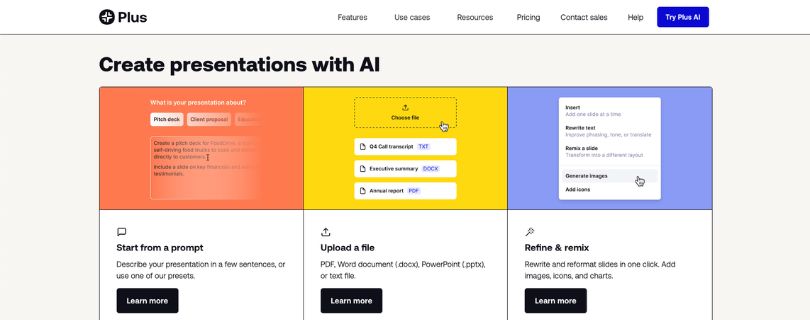
Plus AI is the best Gamma alternative if you don’t want to leave your current presentation workflow.
This is the main reason it stands out.
Gamma works as a separate platform. You create your presentation there, then export or share it. That works fine for many people, but it can become annoying if your team lives in Google Slides or PowerPoint.
You may have to export the deck, fix formatting, adjust layouts, and then send it back to your team.
Plus AI avoids that problem by working inside Google Slides and PowerPoint.
That makes it a much better fit for people who already collaborate, comment, edit, and present using those tools every day.
Where Plus AI Works Better Than Gamma
Plus AI is not trying to replace Google Slides or PowerPoint.
It improves them.
That’s a big difference.
With Gamma, you’re using a new presentation environment. With Plus AI, you stay inside the tool your team already knows. You can generate a presentation, rewrite slides, remix layouts, add new slides, and use AI without asking everyone to switch platforms.
This is especially useful for business teams.
If your company already has slide templates, brand guidelines, shared folders, and review processes, Plus AI fits into that setup much more naturally than Gamma.
You don’t have to explain a new editor to your team.
You don’t have to worry as much about whether the deck will look strange after export.
And you don’t have to rebuild slides from scratch just because the AI tool created them somewhere else.
This is helpful for consultants, sales teams, educators, startup teams, and marketers who create repeatable slide formats every week.
Think weekly reports, training decks, sales proposals, webinar slides, investor updates, and internal strategy presentations.
Plus AI also works well when you already have source material.
You can upload a document, use long prompts, rewrite existing slides, and turn rough content into a presentation without jumping between five different tools.
That’s where Plus AI feels more practical than flashy.
It may not always create the most visually exciting deck on the first try, but it’s reliable for people who need editable, normal, work-ready slides.
What I Liked
- Works directly inside Google Slides and PowerPoint
- Great for teams that already use standard presentation tools
- Reduces export and formatting problems
- Can generate, rewrite, and remix slides with AI
- Supports document uploads on higher plans
- Useful for business decks, reports, training slides, and internal presentations
- Team plan includes branding features like logos, colors, and fonts
- Less learning curve compared to switching to a new presentation platform
Limitations I Faced
- The output can feel more practical than highly creative
- Design flexibility depends on Google Slides or PowerPoint
- No permanent free plan, only a free trial
- Advanced features like document uploads and custom branding require higher plans
- It may not feel as modern or visual as Gamma for web-style decks
- Max plan is expensive for casual users
Plus AI Pricing
Plus AI starts with a 7-day free trial.
Here’s the current pricing:
- Basic: $15/user/month, or $10/user/month when billed annually
- Pro: $25/user/month, or $20/user/month when billed annually
- Team: $40/user/month, or $30/user/month when billed annually
- Max: $240/user/month, or $200/user/month when billed annually
- Enterprise: Custom pricing
The Basic plan is fine if you only need simple AI presentation generation.
But for most serious users, the Pro plan is the better choice because it unlocks document uploads, longer prompts, and AI image generation.
The Team plan is where Plus AI becomes more useful for companies because it adds custom branding, shared presets, and team-wide templates.
Plus AI is not the best pick if you want the most creative AI presentation maker.
But if your main goal is to create editable Google Slides and PowerPoint decks faster, it’s one of the strongest Gamma alternatives available.
3. Beautiful.ai

My Rating: ★★★★★ 4.5/5
Best for: Teams and professionals who want clean, consistent, professional-looking presentations without manually adjusting every slide.
Beautiful.ai is one of the best Gamma alternatives for people who struggle with slide formatting.
You know the problem.
You move one text box, and suddenly the whole slide looks off. You add an image, and the spacing breaks. You change a chart, and now the slide feels crowded.
Beautiful.ai solves that by using smart slide layouts.
Instead of giving you a blank canvas and expecting you to design everything manually, it gives you structured layouts that adjust as you add or remove content.
That makes it useful for non-designers, busy teams, and anyone who wants presentations to look polished without spending too much time on tiny design fixes.
Where Beautiful.ai Works Better Than Gamma
Beautiful.ai’s biggest strength is consistency.
Gamma is faster when you want to create a modern, web-style presentation from a prompt. But Beautiful.ai is better when you want a traditional deck that stays clean from slide to slide.
Its smart slides are the main reason.
They automatically adjust spacing, alignment, and layout as you work. That means your slides are less likely to look messy, uneven, or randomly designed.
For teams, this is a big deal.
If multiple people are editing the same deck, design quality usually drops fast. One person uses a different font size. Someone else adds a chart that doesn’t match. Another person stretches an image and ruins the layout.
Beautiful.ai helps reduce that problem.
It keeps users inside design guardrails, so the deck still looks professional even when non-designers are making changes.
This makes it a strong choice for sales teams, HR teams, marketing teams, consultants, and business owners who create recurring presentations.
Product updates, investor reports, quarterly business reviews, onboarding decks, training materials, and client proposals all fit well here.
Beautiful.ai also gives you PowerPoint import and export, viewer analytics, presentation templates, and brand controls, depending on your plan.
That makes it more team-friendly than Gamma for companies that care about brand consistency.
The tradeoff is flexibility.
Because Beautiful.ai keeps your slides inside smart layouts, you don’t always get full creative freedom. Sometimes that’s helpful. Sometimes it feels restrictive.
If you want pixel-level control, Canva or PowerPoint may feel more flexible.
But if you want clean slides without fighting with design, Beautiful.ai does that job very well.
What I Liked
- Smart Slides keep layouts clean and balanced
- Great for users who are not confident with design
- Helps teams maintain consistent slide formatting
- Strong option for sales decks, reports, training decks, and business presentations
- Includes professional templates and slide inspiration
- Supports PowerPoint import and export
- Useful brand controls for teams
- Viewer analytics are helpful for shared presentations
Limitations I Faced
- No permanent free plan
- Free trial requires a credit card
- Smart layouts can feel restrictive if you want full design freedom
- Not ideal for very custom or experimental slide designs
- AI-generated content still needs editing before you present
- Team pricing can get expensive as more users are added
- Some users may prefer a more flexible editor like Canva or PowerPoint
Beautiful.ai Pricing
Beautiful.ai offers a 14-day free trial, but you need a credit card to start it.
Here’s the current pricing:
- Pro: $12/month, billed annually
- Team: $40/user/month, billed annually
- Team monthly billing: $50/user/month
- Single Presentation: $45 for a one-off project
- Enterprise: Custom pricing
The Pro plan is best for individuals who need polished presentations and don’t want to design everything manually.
The Team plan makes more sense if you need collaboration, shared libraries, brand controls, and team features.
Beautiful.ai is not the most flexible Gamma alternative, but it is one of the best if your main goal is clean, professional slides that stay consistent.
If Gamma feels too free-form or too web-style for your workflow, Beautiful.ai is a safer choice for classic business decks.
4. Canva Magic Design

My Rating: ★★★★★ 4.4/5
Best for: Creators, marketers, small business owners, educators, and social media teams that want presentations, graphics, videos, and brand content in one place.
Canva Magic Design is one of the easiest Gamma alternatives to recommend for beginners.
Not because it is the most advanced AI presentation maker.
It isn’t.
But because Canva gives you something Gamma doesn’t: a full design ecosystem.
You can create a presentation, turn parts of it into Instagram posts, resize it into a LinkedIn carousel, make a YouTube thumbnail, design a pitch deck cover, remove image backgrounds, edit product photos, and build brand assets from the same workspace.
That makes it useful for people who don’t only create decks.
If you’re a creator, freelancer, agency, coach, teacher, marketer, or small business owner, Canva can replace several smaller design tools in your workflow.
Gamma is better when you want a fast AI-generated deck from a prompt.
Canva is better when you want more templates, more design assets, and more control over how your final content looks.
If you are also finding canva’s alternatives then read my article on:
Best Canva Alternatives
Where Canva Magic Design Works Better Than Gamma
Canva’s biggest advantage is its template and design asset library.
Gamma gives you a clean AI-first experience, but Canva gives you a massive library of presentation templates, stock photos, icons, videos, fonts, graphics, mockups, charts, and brand assets.
That matters when you want your presentation to match a specific style.
For example, if you’re creating a marketing proposal, webinar deck, online course presentation, real estate pitch deck, school project, product launch deck, or social media report, Canva gives you far more starting points than Gamma.
You don’t have to design from scratch.
You can pick a template, use Magic Design to generate a starting layout, then customize the colors, fonts, images, and sections until it feels right.
This is especially helpful if you’re not a designer.
Canva also makes repurposing content easier.
Let’s say you create a presentation for a product launch. You can quickly turn the same content into social media posts, short videos, posters, flyers, email graphics, or website visuals.
That’s something Gamma doesn’t handle as well.
Gamma is more focused on AI-generated decks, documents, and web-style pages.
Canva is more useful when presentation design is just one part of your content workflow.
The editor also feels familiar.
Drag, drop, resize, replace, duplicate, and download. You don’t need much training to get started.
That said, Canva’s AI presentation output still needs cleanup.
Magic Design can help you move faster, but it won’t always create a perfect deck on the first try. The slides can feel template-heavy if you don’t customize them, and the AI-generated structure may need rewriting before it feels sharp.
But if you care about design flexibility, templates, brand visuals, and content repurposing, Canva is one of the strongest Gamma alternatives.
What I Liked
- Huge library of presentation templates, graphics, videos, icons, and stock assets
- Very beginner-friendly editor
- Great for creators, marketers, teachers, freelancers, and small businesses
- Magic Design helps create quick presentation drafts
- Easy to repurpose decks into social media posts, carousels, PDFs, videos, and marketing assets
- Brand Kit helps store logos, colors, and fonts
- Good free plan compared to many AI presentation tools
- Works well for non-designers who still want polished visuals
- Background remover, Magic Resize, AI image tools, and content planner are useful for marketing workflows
Limitations I Faced
- AI-generated presentations often need manual editing
- Slides can look generic if you rely too much on templates
- Not as focused on AI presentation structure as Alai or Chronicle
- Advanced brand features require paid plans
- Some premium assets show watermarks on the free plan
- Large teams may need more approval and governance features than basic Canva plans offer
- PowerPoint export works, but complex designs may still need formatting checks
Also Read:
Canva Magic Design Pricing
Canva has a free plan, which is one of the main reasons it works so well for beginners.
Here’s the current pricing in dollars:
- Canva Free: $0/month
- Canva Pro: $15/month, or $120/year for one person
- Canva Business: $20/person/month for new business plan sign-ups
- Canva Enterprise: Custom pricing
- Canva for Education: Free for eligible K–12 teachers and students
- Canva for Nonprofits: Free for eligible nonprofit organizations
For most solo creators, freelancers, and small business owners, Canva Pro is the best value.
You get premium templates, more AI tools, Brand Kit, background remover, Magic Resize, and a much larger asset library.
Canva Business makes more sense if you work with a team and need shared brand assets, collaboration, higher AI usage, and business-focused features.
Compared to Gamma, Canva gives you more value if you create many types of content, not just presentations.
But if you only want an AI tool that creates a full deck from a prompt with less design work, Gamma or Alai may feel faster.
Also Read:
Canva Pricing Explained
5. Chronicle
Our Rating: ★★★★★ 4.3/5
Best for: Founders, consultants, sales teams, agencies, and business teams that need story-first presentations for pitches, strategy reviews, client work, and executive updates.
Chronicle is not trying to be another basic slide generator.
That’s what makes it interesting.
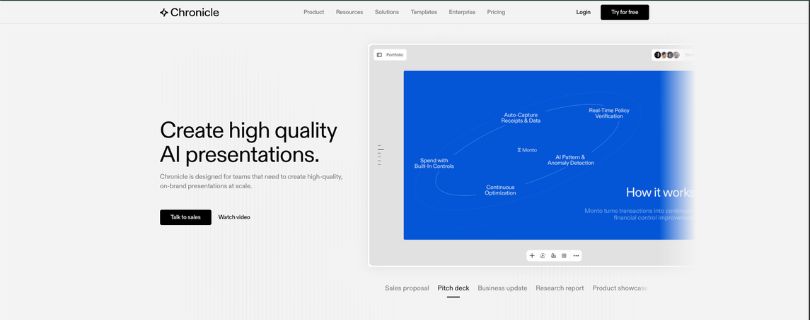
Instead of only helping you create slides faster, Chronicle focuses more on turning ideas into a clear presentation story.
This is useful if you’re creating a deck where the flow matters.
Pitch decks, sales decks, investor updates, consulting presentations, product strategy decks, and board updates are not just about pretty slides. They need structure. They need pacing. They need a clear point.
Gamma is great for fast, modern-looking decks.
Chronicle is better when your presentation needs to feel more like a guided story.
Where Chronicle Works Better Than Gamma
Chronicle’s biggest advantage is business storytelling.
With Gamma, you can quickly create a deck from a prompt, outline, or document. The output looks clean, and the web-style format works well for sharing ideas quickly.
But for high-stakes business presentations, you often need more than speed.
You need the deck to explain the problem, build the argument, support the point with visuals, and guide the audience from one idea to the next.
That’s where Chronicle feels stronger.
Its presentation style is built around chapters, blocks, interactive elements, and visual storytelling. Instead of just dropping text onto slides, it helps you shape the deck into a more polished narrative.
This is helpful for sales teams trying to explain value, founders pitching investors, agencies presenting campaign ideas, and consultants walking clients through strategy.
I also like that Chronicle feels modern without becoming messy.
Some AI presentation tools try to look impressive but end up making slides that are hard to edit or hard to follow. Chronicle keeps things cleaner. The layouts feel sharp, the visuals are polished, and the flow feels more intentional.
It also supports exporting to PDF and social formats on lower plans, while PPT export is available on higher plans.
That said, Chronicle is not the best choice for every user.
If you just need a quick classroom presentation, a simple internal deck, or a few basic slides, it may feel like more tool than you need.
It also has a token-based pricing system, so you’ll want to pay attention to how much AI generation you use each month.
Chronicle works best when presentation quality matters more than just speed.
If you’re building decks that need to persuade people, not just inform them, this is a strong Gamma alternative.
What I Liked
- Strong focus on business storytelling and presentation flow
- Great for pitch decks, sales decks, strategy decks, and executive updates
- Clean, modern presentation style
- Helps turn rough ideas, notes, and outlines into polished decks
- Useful interactive blocks and visual components
- Free plan available
- Good option for teams that want more polished client-facing presentations
- Higher plans include custom themes, custom fonts, and PPT export
- Works well when your deck needs to feel more structured and persuasive
Limitations I Faced
- Not ideal for users who only need simple, basic slides
- PPT export is not available on the free or lower paid plan
- Token limits can become restrictive if you generate many decks
- The workflow may feel different if you’re used to classic slide editors
- Not as broad as Canva for general design work
- Not as native to Google Slides or PowerPoint as Plus AI
- Larger teams may need the higher plans for branding and workspace features
Chronicle Pricing
Chronicle has a free plan, which is useful if you want to test the editor and create simple presentations.
Here’s the current pricing:
- Free: $0/month
- Pro: $15/user/month, or $12/user/month when billed annually
- Plus: $30/user/month, or $25/user/month when billed annually
- Max: $59/user/month
- Enterprise: Custom pricing
The Free plan includes basic creation features, publishing to web, PDF/social exports, and limited monthly AI tokens.
The Pro plan removes the Chronicle watermark and gives you more AI tokens, shared workspace features, and more guest editors.
The Plus plan is where Chronicle becomes more useful for serious presentation work because it adds custom fonts, custom themes, workspace templates, more AI tokens, and PPT export.
The Max plan is better for users who need more AI usage, advanced branding, page setup, and priority support.
Chronicle is not the cheapest Gamma alternative if you need PPT export, because that starts on the Plus plan.
But for business users who care about story, structure, and polished presentation flow, it offers something different from most AI presentation tools.
If Gamma helps you create a fast first draft, Chronicle helps you turn that draft into a more persuasive business presentation.
Also Read:
Visme VS Gamma – Complete Comparision
Gamma Alternatives Comparison Table
If you’re still unsure which tool fits your workflow, this quick comparison should make the decision easier.
Gamma is great for fast AI-generated decks, but each alternative solves a slightly different problem. Some are better for design, some are better for PowerPoint and Google Slides, and some are better for business storytelling.
| Tool | Best Use Case | Main Strength | Main Limitation | Best User Type |
| Alai | Design and speed | Multiple layout options and presentation-focused design | New workflow to learn | Designers, founders, marketers |
| Plus AI | Google Slides and PowerPoint | Native workflow and easier collaboration | Limited by Google Slides and PowerPoint design rules | Business teams, consultants, educators |
| Beautiful.ai | Design consistency | Smart slides and automated formatting | Can feel restrictive | Teams creating recurring decks |
| Canva | All-in-one design | Templates, assets, and generous free plan | Less specialized for business storytelling | Marketers, creators, educators |
| Chronicle | Business storytelling | Narrative-first, polished business decks | Different from classic slide editors | Founders, sales teams, consultants |
The easiest way to look at it is this:
Choose Alai if you want better-looking AI slides.
Choose Plus AI if you want to stay inside Google Slides or PowerPoint.
Choose Beautiful.ai if your decks often look messy and you want the tool to handle layout cleanup for you.
Choose Canva if you create more than just presentations.
Choose Chronicle if your deck needs to tell a clear business story.
Which Gamma Alternative Should You Choose?
There’s no single “best” Gamma alternative for everyone.
The right choice depends on what you’re trying to create, how your team works, and how much control you want over the final deck.
Choose Alai if you want better AI slide design
Alai is the best choice if you like Gamma’s speed but want more control over how each slide looks.
It feels more presentation-focused than Gamma, especially when you’re creating decks that need to look polished from the first draft.
This is helpful if you’re building pitch decks, client presentations, marketing decks, or startup updates and don’t want to spend half your day fixing spacing, layouts, and visuals.
You may want to skip Alai if your whole team already works inside Google Slides or PowerPoint and doesn’t want to learn a new tool.
Choose Plus AI if your team uses Google Slides or PowerPoint
Plus AI is the safest pick if your team already creates, edits, and shares presentations in Google Slides or Microsoft PowerPoint.
Instead of building your deck in a separate AI presentation maker and exporting it later, Plus AI works inside the tools you already use.
That means fewer formatting issues, easier collaboration, and a smoother review process.
It’s a strong fit for consultants, educators, business teams, marketers, and anyone who needs editable work-ready slides instead of a separate web-style deck.
Choose Beautiful.ai if your slides need to stay visually consistent
Beautiful.ai is ideal if your biggest problem is messy slide design.
Its smart slides automatically adjust spacing, alignment, and structure as you add content. So even if you’re not a designer, your deck can still look clean and professional.
This is useful for teams that create the same types of decks again and again, like sales presentations, reports, onboarding decks, training materials, and quarterly business reviews.
The only tradeoff is flexibility.
Beautiful.ai keeps you inside design rules, which is great for consistency but not always ideal if you want full creative freedom.
Choose Canva if you want more than presentations
Canva is the best choice if presentations are only one part of your content workflow.
You can use it to create slide decks, social media posts, YouTube thumbnails, PDFs, flyers, videos, brand kits, and marketing graphics from the same place.
That makes it a great Gamma alternative for creators, freelancers, teachers, coaches, small business owners, and social media teams.
Canva is not the most advanced AI presentation tool, but its template library, design assets, and free plan make it one of the most practical options for everyday users.
Choose Chronicle if your deck needs to persuade
Chronicle is the best fit when your presentation needs to tell a story, not just show information.
It works well for sales decks, pitch decks, strategy reviews, investor updates, consulting presentations, and executive reports.
Instead of only helping you generate slides quickly, Chronicle helps you shape the flow of the presentation so the audience can follow your argument more easily.
If Gamma feels too lightweight for serious business presentations, Chronicle is worth considering.
Best Free Gamma Alternative
Canva is probably the best free Gamma alternative for most users.
The free plan gives you access to a large template library, basic design tools, presentation templates, stock assets, and enough flexibility to create good-looking decks without paying right away.
That makes it a good starting point if you’re a student, creator, freelancer, teacher, or small business owner.
But the best free Gamma alternative still depends on what you need.
Use Canva if you want templates, graphics, and visual content creation in one place.
Use Gamma if you still want fast AI-generated web-style decks.
Use Plus AI’s free trial if you need AI help inside Google Slides or PowerPoint.
Consider Presenton if you specifically want an open-source or self-hosted AI presentation generator.
For most non-technical users, Canva is the easiest free option to start with.
For technical users, Presenton may be more interesting because it gives you more control over hosting, models, and privacy.
Best Open-Source Gamma Alternative
Presenton is worth mentioning as a bonus Gamma alternative for technical users.
It is not the best fit for everyone, and I wouldn’t place it in the main top 5 for most readers. But if you care about open-source software, self-hosting, private workflows, or using your own AI models, it becomes much more interesting.
Presenton supports self-hosting, BYOK workflows, local or private model setups, API-based generation, and editable PPTX exports.
That makes it useful for developers, privacy-focused teams, and businesses that don’t want every presentation workflow sitting inside a third-party AI platform.
The downside is simple.
It is not as beginner-friendly as tools like Canva, Gamma, Alai, or Plus AI.
You’ll likely need more technical comfort to set it up and manage it properly.
So, I’d treat Presenton as a bonus option rather than a mainstream Gamma alternative.
It’s great for a specific audience, but not the easiest pick for everyday creators or business users.
Gamma vs Alternatives: Main Differences
Gamma is still a strong AI presentation maker, especially if you want quick web-style decks, documents, and visual content from a prompt.
But the alternatives above are better when you need a more specific workflow.
Some give you better slide design. Some work better with PowerPoint. Some help with brand consistency. Others are better for storytelling or all-in-one content creation.
Here’s how Gamma compares with each one.
Gamma vs Alai
Gamma is broader and more web-native.
It works well for fast AI-generated presentations, documents, and web-style pages.
Alai is more presentation-specific. It gives you stronger slide-level design options and feels better when you want a polished deck instead of a web-style card layout.
Choose Gamma if you want speed and flexibility.
Choose Alai if you want better AI slide design.
Gamma vs Plus AI
Gamma is a standalone AI content platform.
Plus AI works inside Google Slides and PowerPoint.
That is the biggest difference.
If you like creating decks in a separate AI tool and sharing them as web-style presentations, Gamma works well.
But if your team already uses Google Slides or PowerPoint every day, Plus AI is more practical.
Choose Gamma if you want a fast AI-first workspace.
Choose Plus AI if you want AI presentation help without leaving your existing slide tools.
Gamma vs Beautiful.ai
Gamma is better for quick, flexible, web-style creation.
Beautiful.ai is better for structured, consistent slide design.
If you want your deck to look clean without manually fixing every layout, Beautiful.ai has the edge. Its smart slide system helps keep spacing, alignment, and formatting under control.
Gamma gives you more freedom.
Beautiful.ai gives you more guardrails.
Choose Gamma if you want flexible AI-generated decks.
Choose Beautiful.ai if you want professional slides that stay visually consistent.
Gamma vs Canva
Gamma is better for quickly generating full presentations from prompts.
Canva is better for design assets, templates, brand visuals, and multi-format content.
If your goal is to create a quick deck, Gamma may feel faster.
But if you want to create presentations, social media graphics, PDFs, videos, carousels, thumbnails, and branded marketing content from one platform, Canva gives you more room to work.
Choose Gamma if you mainly need AI-generated decks.
Choose Canva if you want an all-in-one design tool.
Gamma vs Chronicle
Gamma is better for quick drafts and lightweight visual content.
Chronicle is better for story-first business presentations.
If you’re creating a simple explainer deck, class presentation, or quick internal update, Gamma may be enough.
But if you’re building a pitch deck, sales presentation, strategy review, or executive update, Chronicle gives you a stronger structure for storytelling.
Choose Gamma if speed matters most.
Choose Chronicle if your deck needs to persuade.
Final Verdict: Best Gamma Alternative Overall
The best Gamma alternative depends on how you create presentations.
If you want better AI slide design, choose Alai. If your team works in Google Slides or PowerPoint, Plus AI is the safer pick. For clean and consistent business decks, go with Beautiful.ai. If you want presentations plus social graphics, PDFs, and marketing visuals, Canva gives you the most flexibility.
For pitch decks, sales decks, and strategy presentations, Chronicle is the strongest choice.
Gamma is still great for fast first drafts. But if you need more design control, smoother exports, stronger branding, or a more business-ready deck, one of these Gamma alternatives will likely fit your workflow better.
FAQs About Gamma Alternatives
What is the best Gamma alternative?
The best Gamma alternative for most users is Alai because it gives you fast AI presentation creation with stronger slide-level design control.
If your team already works in Google Slides or PowerPoint, Plus AI is the better choice because it fits directly into your existing workflow.
What is the closest alternative to Gamma?
Alai is probably the closest Gamma alternative if you want an AI-first presentation maker that helps you create polished decks quickly.
It has a similar “start with a prompt and build from there” feel, but it focuses more on slide design and presentation layouts.
Is there a free Gamma alternative?
Yes, Canva is one of the best free Gamma alternatives for most users.
Its free plan gives you access to presentation templates, design tools, graphics, and enough features to create basic decks without paying.
You can also try free plans or trials from tools like:
- Alai
- Chronicle
- Plus AI
- Beautiful.ai
- Presenton, if you want an open-source option
Which Gamma alternative is best for PowerPoint?
Plus AI is the best Gamma alternative for PowerPoint users.
It works inside PowerPoint, so you can create and edit AI-generated slides without constantly exporting, reformatting, or rebuilding your deck.
Which Gamma alternative is best for Google Slides?
Plus AI is also the strongest option for Google Slides users.
It lets you generate presentations, rewrite slides, and improve existing decks inside Google Slides, which is helpful if your team already collaborates there.
Is Canva better than Gamma?
Canva is better if you want templates, graphics, brand assets, videos, social media posts, PDFs, and presentations in one place.
Gamma is better if you want to quickly generate a clean AI presentation, document, or web-style deck from a prompt.
So it really depends on your workflow.
Choose Canva for design flexibility.
Choose Gamma for fast AI-generated decks.
Is Alai better than Gamma?
Alai is better if your main goal is to create better-looking AI slides with more presentation-focused layouts.
Gamma is still great for speed, but Alai gives you more control over how the final deck feels, especially for pitch decks, marketing decks, and client presentations.
Is Beautiful.ai better than Gamma?
Beautiful.ai is better if you care about design consistency.
Its smart slides help keep spacing, alignment, and formatting clean, which is useful when several people are editing the same deck.
Gamma gives you more flexibility and a faster web-style creation flow.
Beautiful.ai gives you more structure and design guardrails.
What is the best Gamma alternative for business presentations?
For business presentations, the best choices are Plus AI, Beautiful.ai, and Chronicle.
Plus AI is best if your team uses PowerPoint or Google Slides.
Beautiful.ai is best if you want clean, consistent business decks.
Chronicle is best if your presentation needs a stronger story, like a sales deck, investor pitch, or strategy review.
What is the best Gamma alternative for pitch decks?
Chronicle is one of the best Gamma alternatives for pitch decks because it focuses on story, flow, and business presentation structure.
Alai is also a strong choice if you care more about polished AI slide design and fast deck creation.
What is the best Gamma alternative for students?
Canva is probably the easiest Gamma alternative for students.
It has a generous free plan, lots of presentation templates, and a simple drag-and-drop editor that doesn’t take long to learn.
Gamma is still a good option if students want to create a quick AI-generated presentation from an outline or topic.
What is the best Gamma alternative for teams?
Plus AI is the best option for teams that already use Google Slides or PowerPoint.
Beautiful.ai is better for teams that need brand consistency, shared templates, and clean recurring presentations.
Canva also works well for marketing and creative teams that create many types of visual content, not just slide decks.
What is the best open-source Gamma alternative?
Presenton is worth considering if you want an open-source or self-hosted Gamma alternative.
It is better for technical users who care about privacy, custom setup, API access, and editable PPTX exports.
For everyday users, tools like Alai, Canva, Plus AI, or Chronicle will be much easier to use.
Can ChatGPT make presentations like Gamma?
ChatGPT can help you write presentation outlines, slide content, speaker notes, and prompts.
But it does not work like Gamma by default because Gamma turns your prompt into a visual deck with layouts, design, and sharing options.
A good workflow is to use ChatGPT for the message and structure, then use Gamma or one of its alternatives to design the actual presentation.
Why should I look for a Gamma alternative?
You may want a Gamma alternative if you need more control over your final deck.
Common reasons include:
- Better PowerPoint editing
- Smoother Google Slides workflow
- Stronger brand control
- More design customization
- Traditional slide-by-slide layouts
- Better business storytelling
- More templates and visual assets
Gamma is fast, but it may not be the best fit for every presentation workflow.
Is Gamma good for professional presentations?
Yes, Gamma can be good for professional presentations, especially when you need a quick first draft or a modern web-style deck.
But for client work, investor decks, sales presentations, or internal business reports, you may still need to edit the content, adjust the design, and check the export carefully.
That’s where tools like Alai, Plus AI, Beautiful.ai, Canva, and Chronicle can be better choices.
What should I use instead of Gamma?
Use Alai if you want better AI slide design.
Use Plus AI if you work in Google Slides or PowerPoint.
Use Beautiful.ai if you want consistent, professional-looking slides.
Use Canva if you want presentations plus other design assets.
Use Chronicle if your deck needs a strong business story.
Is Rive a Gamma alternative?
Not really.
Rive is mainly used for interactive animations and motion graphics, while Gamma is used for AI-generated presentations, documents, and web-style decks.
If you need animated visuals inside a presentation, Rive-style tools may help with assets.
But if you need to create a full AI presentation, Gamma alternatives like Alai, Plus AI, Canva, Beautiful.ai, and Chronicle are more relevant.
What are the best Rive alternatives if I need animation, not presentations?
If you’re looking for Rive alternatives, you’re probably looking for animation or interactive design tools rather than AI presentation makers.
Depending on your use case, you may want to explore tools for:
- UI animation
- Motion graphics
- Lottie animations
- Interactive web visuals
- Product demos
- Social media animations
For a Gamma alternatives article, I’d only mention Rive briefly so the page stays focused on AI presentation tools.