I’m not going to waste your time explaining what Vidu AI is. You already know. That’s why you’re here.
You’re here because Vidu AI isn’t always enough for the kind of videos you want to create in 2026.
The clips can feel too short, the motion doesn’t always look natural, and you may still need extra tools for editing, voiceovers, style control, or turning one idea into a complete video workflow.
Whatever the reason, you’re not the only one looking around. These are the three complaints I hear most often:
- Limited creative control: Vidu is useful for quick text-to-video and image-to-video clips, but it can feel restrictive when you want stronger camera movement, better scene control, or more polished cinematic results.
- Inconsistent motion quality: Some videos look impressive, while others feel stiff, repetitive, or too “AI-made,” especially when you’re working with people, products, or detailed action scenes.
- Not a full video workflow: Vidu helps you generate clips, but you may still need separate tools for editing, audio, subtitles, avatars, brand assets, or social media-ready exports.
And once you start paying for credits, failed generations and short clips can get expensive fast.
I tested the top Vidu AI alternatives. Here’s what’s actually worth switching to in 2026.
Before you compare alternatives, read my full Vidu AI review to see where Vidu still performs well and where it starts to feel limiting.
Quick Comparison Table: Best Vidu AI Alternatives in 2026
Here’s the quick version before we get into the full reviews:
| Tool | Best for | Key strength | Main limitation | Best user |
| Kling AI | Realistic motion and cinematic clips | Strong motion, camera movement, and lifelike scenes | You may need to test prompts a few times to get the exact result | Creators, marketers, and short-film makers |
| Runway | Professional editing and creative control | Combines AI video generation with a serious editing toolkit | Higher learning curve and can get expensive for frequent use | Filmmakers, studios, agencies, and advanced creators |
| Pika | Creative effects and fast social videos | Easy templates, visual transformations, and camera motion tools | Output quality can vary depending on the prompt and scene | TikTok creators, YouTubers, Reels creators, and casual users |
| Google Veo | Cinematic HD video and strong prompt accuracy | High-fidelity visuals, rich scenes, and polished video output | Access and workflow may depend on the Google product you use | Brands, advertisers, and creators who need premium-looking videos |
| Pollo AI | Accessing multiple AI video models in one place | All-in-one model hub with tools like Kling, Vidu, PixVerse, Veo, and more | Quality depends on the model you choose inside the platform | Users who want to compare models or avoid multiple subscriptions |
My Quick Verdict:
- Pick Kling AI if Vidu’s motion feels too stiff or unnatural.
- Pick Runway if you need real editing control, not just basic AI video generation.
- Pick Pika if you’re making fast social content for TikTok, Instagram Reels, or YouTube Shorts.
- Pick Google Veo if you want the most polished cinematic look.
- Pick Pollo AI if you want to test several AI video generators from one dashboard.
Why Look for a Vidu AI Alternative?
Vidu AI is still a solid tool for quick text-to-video and image-to-video clips. But once you start creating more videos, the small limitations become harder to ignore.
1. You need more consistent motion
Vidu can create good short clips, but the motion doesn’t always land. Some results can feel stiff, repetitive, or a little too “AI-made,” especially with people, action scenes, or detailed product shots. If natural movement matters, tools like Kling AI, Google Veo, or Pika may give you better results.
2. You want deeper creative control
Sometimes you need more than a prompt box. You may want better camera movement, stronger prompt control, aspect ratio options, inpainting, background removal, frame interpolation, style transfer, or timeline editing. That’s where tools like Runway and Pika start to feel more flexible.
3. You need longer or more complete video workflows
Vidu is mainly built for generating clips. If you want scripts, storyboards, characters, voiceovers, music, thumbnails, and editing in one workflow, you may outgrow it quickly. This matters a lot if you’re making YouTube videos, ads, explainers, or branded content.
4. You want better value or fewer credit limits
AI video credits disappear fast when a few generations don’t turn out well. Free plans can also come with short clip lengths, usage limits, watermarks, no commercial rights, or slower processing. A better Vidu alternative can give you more control over where your budget goes.
How I Evaluated These Vidu AI Alternatives
Before picking favorites, I needed a simple way to compare each tool against Vidu AI.
Here’s the checklist I used, and it should work for you too, no matter which AI video generator you’re testing:
- Motion quality: Do the videos look natural, or do people, objects, and camera movements feel stiff or strange?
- Creative control: Can I adjust the camera movement, style, aspect ratio, prompt strength, and overall look of the video?
- Image-to-video performance: Does it turn still images into smooth, usable clips without ruining the subject or background?
- Editing workflow: Does it only generate clips, or does it also help with edits, effects, subtitles, audio, or scene changes?
- Speed and reliability: Can it generate videos without constant failed renders, long waits, or unpredictable results?
- Pricing vs. value: Am I getting enough useful generations for the price, or am I burning credits on videos I can’t use?
I evaluated every tool on this list against these six points. You can use the same checklist to compare them on your end.
5 Best Vidu AI Alternatives in 2026
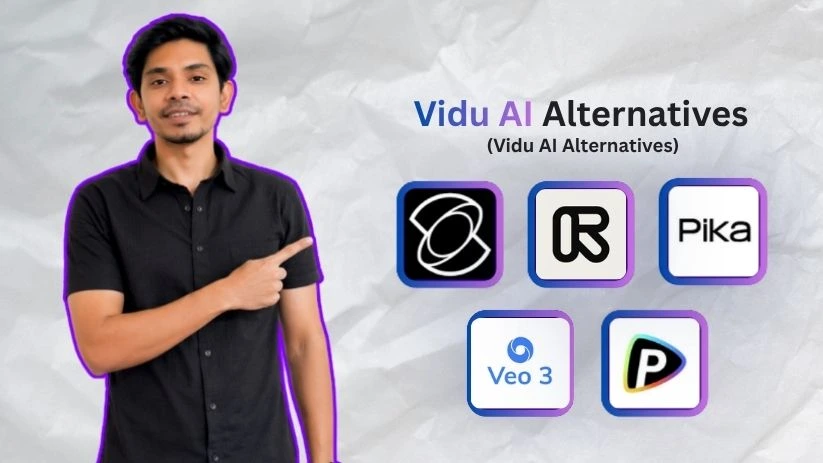
So here are the top Vidu AI alternatives worth trying if you want better motion, stronger editing control, or a more flexible AI video workflow:
- Kling AI
- Runway
- Pika
- Google Veo
- Pollo AI
You can read my experience with each of them below:
1. Kling AI

Best for: Creators, marketers, and short-film makers who want realistic motion, cinematic camera movement, and more natural-looking AI video clips.
Kling AI is one of the strongest Vidu AI alternatives if your biggest issue with Vidu is motion quality.
Vidu can create impressive short clips, but Kling feels better when you want people, objects, and camera movement to look more believable. It’s especially useful for cinematic AI videos, product visuals, short ads, concept scenes, and image-to-video clips where the movement needs to feel less stiff.
I’m listing it first because it directly solves one of the most common Vidu problems: the video may look good in the first frame, but the motion doesn’t always hold up.
Video options: Text-to-video, image-to-video, AI video generation, image generation, sound generation, and effects.
Best output strength: Realistic movement, cinematic scenes, and stronger visual consistency.
What Makes Kling AI a Better Alternative Than Vidu AI?
Kling AI gives you more control over the final look and movement of your video.
When I compared it with Vidu, the biggest difference was how Kling handled motion. It felt more natural for action scenes, camera movement, and character-based clips. That matters a lot if you’re creating social media ads, YouTube Shorts, product videos, or cinematic b-roll.
That is not all.
You can use Kling AI for:
- Creating short cinematic scenes from text prompts.
- Turning static images into more natural-looking motion clips.
- Testing camera movement for ads, reels, and storytelling videos.
- Creating talking characters when the prompt is written clearly.
- Generating both video and image assets inside the same creative studio.
Kling’s official site also highlights its Video 3.0 and Omni model series, with support for multimodal instruction parsing, storyboard control, native audio, and stronger consistency across complex scenes.
You know what stood out most when I tested it?
It’s the way Kling handles motion.
The clips don’t always come out perfect on the first try, but when the prompt is clear, Kling can create movement that feels more polished than many basic AI video generators.
Key Features
- Text-to-video and image-to-video generation.
- Cinematic camera movement for short clips.
- Stronger motion handling for people, objects, and action scenes.
- AI image generation and sound generation tools.
- Useful for ads, social media videos, product visuals, and short-film concepts.
- Supports more advanced creative workflows through its Kling 3.0 model series.
- Good option for creators who want less “AI-looking” movement.
Limitations
- You may need to test prompts several times to get the exact shot.
- Some outputs can still have AI artifacts, especially with hands, faces, or complex movement.
- Pricing and available features can vary depending on plan, region, or model access.
- It is better for short cinematic clips than complete long-form video production.
If Kling looks like your top pick, you can also compare it with other Kling alternatives before deciding.
User Reviews
Users on G2 mention that Kling AI is simple to explore and useful for creating video-style outputs quickly without needing complex editing skills. Another reviewer liked the quality across different genres and said talking characters worked well when the prompt was clearly written.
Pricing
Kling AI has a pricing page on its official site, but the exact creator pricing may depend on your region, account, and model access. I’d suggest checking the live pricing page before upgrading, especially if you plan to generate videos often.
Before choosing Kling, check my full Kling pricing breakdown so you understand how its credits and plans actually work.
2. Runway
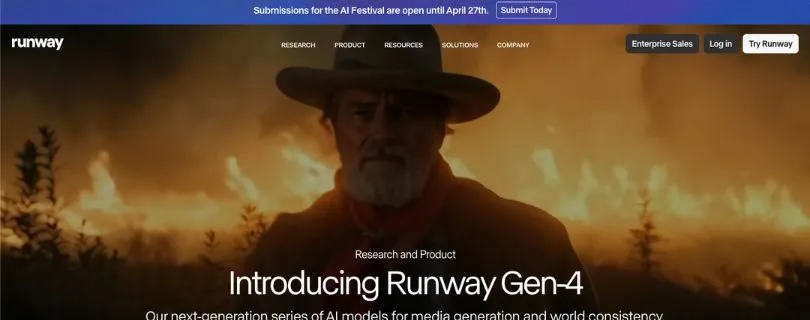
Best for: Filmmakers, agencies, studios, and serious creators who need AI video generation plus real editing control.
Runway is not just a text-to-video AI tool. It feels more like a full creative suite for people who want to generate, edit, refine, and export videos from one place.
If Vidu feels too limited after the first generation, Runway is the better upgrade. You get more control over editing, visual changes, motion, video-to-video workflows, and professional creative experiments.
For casual users, it may feel like too much. But for creators who want serious control, Runway is one of the best Vidu AI alternatives in 2026.
Video options: Text-to-video, image-to-video, video editing, performance capture, generative audio, and third-party video models.
Best output strength: Professional editing control and polished creative workflows.
For a deeper look at quality, credits, and real workflow use, read my full Runway Gen-4 review
What Makes Runway a Better Alternative Than Vidu AI?
Runway is better than Vidu when you don’t just want to generate a clip — you want to shape it.
Vidu is useful for quick AI video generation, but Runway gives you a more complete editing environment. You can generate clips, edit video, use different AI models, remove watermarks on paid plans, upscale videos, manage projects, and work with creative assets in one dashboard.
With Runway, you can:
- Generate AI videos from images and prompts.
- Edit existing videos with AI tools.
- Use Gen-4, Gen-4.5, Aleph, Act-Two, and other supported models.
- Upscale video resolution on paid plans.
- Remove watermarks on paid plans.
- Work on unlimited video editor projects from the Standard plan upward.
- Access third-party video models like Kling 3.0 Pro on eligible plans.
Runway’s pricing page says the Standard plan includes access to tools like Gen-4.5, Aleph video editing, Gen-4 image-to-video, Act-Two, Veo models, and third-party video models.
What I liked most is that Runway feels built for people who care about the final video, not just the first AI output.
You can create a clip, adjust it, improve it, and keep working instead of jumping to another editor every time something looks off.
Key Features
- AI video generation with Gen-4 and Gen-4.5 models.
- Aleph video editing for AI-assisted video changes.
- Image-to-video generation.
- Act-Two performance capture.
- Generative audio tools.
- Video upscaling on paid plans.
- Watermark removal on paid plans.
- Access to third-party video models on supported plans.
- Useful for filmmakers, agencies, content teams, and advanced creators.
Limitations
- It has a learning curve compared to simpler tools like Vidu.
- Credits can run out quickly if you test a lot of prompts.
- Higher plans can get expensive for solo creators.
- It may be more than you need if you only want quick social media clips.
User Reviews
G2 reviewers often praise Runway for being easy to use and flexible for editing, while some users mention that results can still depend heavily on the AI model being used.
Pricing
Runway offers a free plan with 125 one-time credits. Its Standard plan starts at $12 per user/month when billed annually and includes 625 monthly credits. The Pro plan starts at $28 per user/month when billed annually and includes 2,250 monthly credits. The Unlimited plan starts at $76 per user/month when billed annually and includes Explore Mode for relaxed-rate unlimited generations.
Also Read:
Best Runway Alternatives to try now
3. Pika
Best for: TikTok creators, YouTubers, Reels creators, meme pages, and casual users who want fast, fun, social-ready AI videos.
Pika is a great Vidu AI alternative if your main goal is speed and creativity.
It’s not always the most realistic AI video generator, but it’s one of the easiest tools to use when you want effects, transformations, image animation, and short-form video ideas. If you’re making TikToks, Instagram Reels, YouTube Shorts, funny edits, or experimental clips, Pika feels more playful than Vidu.
I would not pick it first for serious cinematic realism. But for social content, it’s very easy to like.
Video options: Text-to-video, image-to-video, video-to-video, Pikaffects, Pikaswaps, Pikadditions, Pikascenes, and Pikaframes.
Best output strength: Creative effects, templates, fast experiments, and social media videos.
If Pika feels like the easiest social-video option, check my Pika AI pricing guide before upgrading
What Makes Pika a Better Alternative Than Vidu AI?
Pika is better than Vidu when you want more fun, flexible, and social-friendly video effects.
With Vidu, the workflow is mostly about generating a video from a prompt or image. Pika gives you more ways to play with the result. You can add effects, swap objects, animate images, create scenes, and test different short-form concepts quickly.
You can:
- Turn text prompts into short AI videos.
- Animate still images.
- Use Pikaffects for dramatic social-style effects.
- Try Pikaswaps and Pikadditions for quick visual edits.
- Use Pikascenes and Pikaframes for more structured video creation.
- Create clips for memes, Reels, Shorts, and experimental content.
Pika’s official pricing page lists access to features like Pika 2.5, Pikaframes, Pikascenes, Pikadditions, Pikaswaps, Pikatwists, and Pikaffects depending on the plan.
What makes Pika interesting is that it doesn’t try to feel like a heavy editing suite.
It feels more like a fast creative playground. You test an idea, generate a clip, tweak it, and move on.
Key Features
- Text-to-video and image-to-video generation.
- Video-to-video features for transforming existing clips.
- Pikaffects for social-friendly visual effects.
- Pikaswaps and Pikadditions for quick creative edits.
- Pikascenes and Pikaframes for more controlled video creation.
- No-watermark downloads on listed plans.
- Commercial use on listed plans.
- Good for TikTok, Instagram Reels, YouTube Shorts, memes, and experimental edits.
Limitations
- Output consistency can vary a lot depending on the prompt.
- Not always the best choice for realistic human movement.
- Some effects feel more fun than professional.
- Free credits can run out quickly if you test multiple ideas.
User Reviews
Product Hunt reviewers describe Pika as a strong AI video tool for text-to-video, image-to-video, and video-to-video work. They also praise its camera controls, image animation, and ability to preserve faces in some outputs.
— Read the review from Product Hunt.
Pricing
Pika offers a free Basic plan with 80 monthly video credits. Its Standard plan starts at $8/month when billed yearly and includes 700 monthly video credits. The Pro plan starts at $28/month when billed yearly and includes 2,300 monthly video credits. The Fancy plan starts at $76/month when billed yearly and includes 6,000 monthly video credits.
4. Google Veo

Best for: Brands, filmmakers, advertisers, and creators who want cinematic AI videos with rich detail, strong prompt accuracy, and polished HD output.
Google Veo is one of the strongest Vidu AI alternatives if your main goal is visual quality.
It’s built more for cinematic video generation than quick casual clips. So if you’re creating brand films, product ads, YouTube concepts, story scenes, or polished social videos, Veo gives you a more premium look than most basic AI video generators.
I’m placing it here because Veo is not always the easiest tool to access, but when it works well, the output can look extremely clean.
Video options: Text-to-video, image-to-video, video with audio, style reference, cinematic prompt-based generation.
Best output strength: High-fidelity visuals, cinematic scenes, and strong prompt following.
What Makes Google Veo a Better Alternative Than Vidu AI?
Google Veo feels stronger than Vidu when you care about the final video looking polished.
Vidu is useful for quick video generation, but Veo is better when you want cinematic lighting, realistic environments, detailed scenes, and stronger visual storytelling.
That is not all.
You can use Google Veo for:
- Creating cinematic short videos from text prompts.
- Generating polished brand or product scenes.
- Making social media videos with richer lighting and better detail.
- Matching a certain visual style using reference images.
- Creating AI videos with sound and dialogue, depending on the version and access method.
Google DeepMind also highlights Veo 3.1 features like style reference support, richer cinematic looks, and video generation from text or reference images.
What stood out to me most is the overall finish.
Even when the clip is short, Veo can make it feel more like a proper video shot instead of a quick AI experiment.
Key Features
- Text-to-video and image-to-video generation.
- Cinematic visual quality.
- Style reference support.
- Strong scene detail and lighting.
- Video generation with audio in supported versions.
- Useful for brand videos, ads, storytelling clips, and polished social content.
- Available through Google products like Gemini, Flow, Google AI Studio, and Vertex AI, depending on your access.
Limitations
- Access can be confusing because Veo may be available through different Google products.
- It may not be the fastest option for casual creators.
- Pricing can vary depending on whether you use Gemini, Flow, Google AI Studio, or Vertex AI.
- Some prompts may still need trial and error before you get the exact scene you want.
User Reviews
Product Hunt users praised Google Veo 3 for adding native audio generation, including dialogue, sound effects, and ambient sounds. Some users also mentioned that wider availability would make it more useful for creators outside limited-access regions.
—Read the review from Product Hunt.
Pricing
Google Veo pricing depends on how you access it. Through Google Cloud’s generative AI pricing, Veo video generation is priced by output seconds and resolution, with different rates for Veo 3.1 Lite, Veo 3 Fast, and Veo 2. Google AI plans may also include access to video generation in Gemini and Google Flow.
So before you commit, check which Google product gives you access in your country and whether your workflow is better suited for a subscription plan or API-style pricing.
If you are choosing between cinematic realism and motion control, my Kling vs Veo comparison breaks down where each one wins.
5. Pollo AI
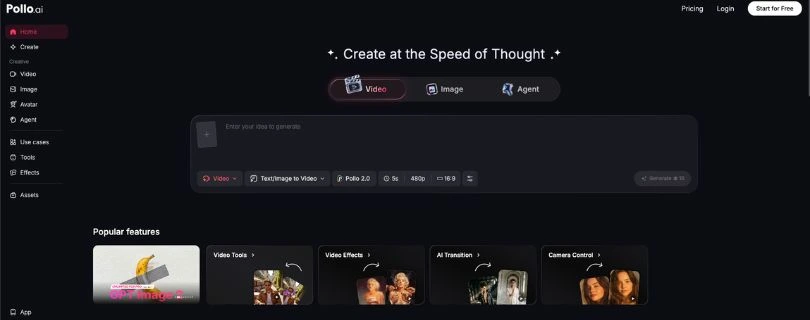
Best for: Creators, marketers, agencies, and AI video users who want to test multiple video models from one dashboard instead of paying for separate tools.
Pollo AI is different from the other Vidu alternatives on this list.
It’s not just one AI video model. It works more like an all-in-one AI video and image creation platform where you can access different tools, effects, and models from one place.
If your biggest issue with Vidu is that you feel locked into one model, Pollo AI is probably the easiest alternative to understand.
Video options: Text-to-video, image-to-video, video-to-video, AI effects, model switching, image generation, and creative video tools.
Best output strength: Access to multiple AI video models and creative effects in one workspace.
What Makes Pollo AI a Better Alternative Than Vidu AI?
Pollo AI is better than Vidu if you don’t want to depend on only one AI video generator.
With Vidu, you’re using Vidu’s own model and workflow. With Pollo AI, you can test different models and effects, compare outputs, and choose the one that gives you the best result for each project.
This is helpful because AI video generation is still unpredictable. Sometimes one model handles people better. Another model handles camera movement better. Another one gives you better style or lighting.
With Pollo AI, you can:
- Generate videos from text prompts.
- Turn images into animated video clips.
- Try different AI video models from one dashboard.
- Create viral effects and social-style videos.
- Use AI image and video tools in the same workspace.
- Avoid managing too many separate subscriptions.
Pollo AI describes itself as an all-in-one AI video and image creation platform for generating videos with text prompts, images, or videos.
What I liked most is the flexibility.
Instead of wondering whether Vidu, Kling, Pika, or another model will work better, you can test different options from one place and pick the output that actually looks usable.
Key Features
- Text-to-video, image-to-video, and video-to-video tools.
- Access to multiple AI video and image models.
- AI effects for social media videos.
- Image generation and editing tools.
- Useful for creators, marketers, agencies, and content teams.
- Good for comparing different models before choosing one.
- Helps reduce the need for multiple separate AI video subscriptions.
Limitations
- Output quality depends on the model you choose.
- Credit usage can add up if you test many versions.
- Some advanced models or effects may cost more credits.
- It may feel less focused than a single-model tool if you only want one simple workflow.
User Reviews
G2 reviewers say Pollo AI is useful because it combines many AI video and image models in one platform. One reviewer also mentioned that it makes experimentation faster, but credit usage can increase when complex prompts need several tries.
Pricing
Pollo AI offers free access to start, but advanced usage usually depends on credits, selected models, and paid plans. Since different models can use different amounts of credits, the real cost depends on how often you generate and how many versions you test.
If you want to use Pollo AI seriously, check the pricing page first and compare the credit cost of the models you plan to use most.
Which Vidu AI Alternative Should You Choose?
The best Vidu AI alternative depends on what you’re trying to create. A tool that works well for cinematic videos may not be the best choice for fast TikTok edits, and a professional AI video editor may feel too heavy if you only need quick image-to-video clips.
Here’s the easiest way to decide:
| Use case | Best alternative |
| Most realistic motion | Kling AI |
| Professional video editing | Runway |
| Social media effects and templates | Pika |
| Cinematic HD video | Google Veo |
| Access to multiple models | Pollo AI |
| Character consistency and story workflows | Consider Hailuo, Luma, or long-form AI video tools as secondary options |
| Anime, cartoon, and style transfer videos | Consider DomoAI |
Vidu AI vs Its Alternatives: What Matters Most?
Before choosing a Vidu AI alternative, don’t just look at the tool name. Look at what actually affects your final video.
Output quality
Check how realistic the video looks. Pay attention to lighting, facial details, object movement, background quality, and whether the clip has weird AI artifacts.
Prompt accuracy
A good AI video generator should follow your prompt closely. This matters more when you’re giving camera directions, scene details, character actions, or product-specific instructions.
Image-to-video performance
If you use reference images, check whether the tool keeps the subject stable. The best tools can animate an image without changing the face, product, outfit, or background too much.
Creative control
Look for controls like camera motion, aspect ratio, motion strength, style settings, editing tools, inpainting, audio, and scene adjustments. These features help you fix a clip instead of starting over.
Workflow
Some tools are made for quick AI clips. Others are full production platforms with editing, audio, subtitles, and team features. Pick based on how much of the video process you want inside one tool.
Pricing and credits
Compare more than the monthly price. Check cost per render, free credits, watermark rules, commercial rights, max video duration, queue priority, and how many failed generations you can afford.
Final Verdict: Best Vidu AI Alternative Overall
There isn’t one perfect Vidu AI alternative for everyone. The best choice depends on what you’re trying to create.
- Kling AI is the best pick if you want realistic motion and cinematic short clips.
- Runway is the better choice if you need professional editing control.
- Pika makes the most sense for social videos, effects, memes, and fast creative experiments.
- Google Veo is the strongest option if you want premium cinematic visuals.
- Pollo AI is best if you want access to multiple AI video models from one dashboard.
Vidu AI is still useful if you only need quick text-to-video or image-to-video clips. But if you want smoother motion, better editing tools, stronger cinematic control, or a more flexible creative workflow, these five alternatives are stronger choices in 2026.
FAQs About Vidu AI Alternatives
What is the best Vidu AI alternative in 2026?
The best overall Vidu AI alternative depends on what you want to create. Kling AI is best for realistic motion, Runway is best for professional editing, Pika is best for social media videos, Google Veo is best for cinematic visuals, and Pollo AI is best if you want access to multiple AI video models in one place.
Is Kling AI better than Vidu AI?
Kling AI is a better choice if your main issue with Vidu is stiff or inconsistent motion. It’s stronger for realistic movement, cinematic camera shots, and polished short clips. Vidu is still useful for quick text-to-video and image-to-video generation.
What is the best free Vidu AI alternative?
Pika, Kling AI, Runway, and Pollo AI usually offer some kind of free plan, free credits, or trial access. Just remember that free AI video tools often come with limits like watermarks, shorter video length, slower generation, lower priority, or fewer export options.
Which Vidu AI alternative is best for image-to-video?
Kling AI is one of the best options for realistic image-to-video clips. Pika is better if you want fun effects and social-style animations. Google Veo is better for polished cinematic scenes, while Pollo AI is useful if you want to test several image-to-video models from one dashboard.
Which Vidu AI alternative is best for professional video creators?
Runway is the best option for professional creators because it gives you more than basic AI video generation. You get editing tools, video-to-video features, inpainting, upscaling, and more control over the final output.
Is Pollo AI better than Vidu AI?
Pollo AI is better if you want flexibility. Instead of using only one AI video model, you can access multiple models and compare results in one place. Vidu AI may still be better if you specifically like Vidu’s own generation style and want a simpler workflow.
Can I use these Vidu AI alternatives for YouTube Shorts and TikTok?
Yes. Pika, Kling AI, and Pollo AI are especially useful for short-form content like TikTok videos, Instagram Reels, and YouTube Shorts. They help you create quick clips, effects, image animations, product videos, and visual hooks for social media.
Which Vidu AI alternative is best for cinematic videos?
Google Veo is the strongest pick for cinematic HD video and premium-looking visuals. Kling AI is also a great choice if you want realistic motion and cinematic short clips without needing a full production workflow.
Which Vidu AI alternative is easiest for beginners?
Pika is probably the easiest for beginners because it feels simple, fast, and creative. You can test effects, animate images, and create social videos without learning a complex editing platform.
Which Vidu AI alternative gives the most creative control?
Runway gives the most creative control overall. It’s better for users who want to edit, refine, upscale, adjust, and experiment with AI-generated videos instead of just creating one quick clip.
Is Vidu AI still worth using in 2026?
Yes, Vidu AI is still worth using if you want quick text-to-video or image-to-video clips. But if you need smoother motion, better editing, stronger cinematic quality, or access to multiple models, the alternatives in this list are better options.
What should I look for in a Vidu AI alternative?
Look at motion quality, prompt accuracy, image-to-video performance, editing tools, pricing, credit limits, watermark rules, commercial rights, video duration, and export quality. The cheapest tool is not always the best if you end up wasting credits on unusable videos.