At first, when you use Luma Dream Machine, it feels like magic for AI video creators.
But after the first few generations, some users start to notice the rough edges.
Why? Because Luma has its limits — short clips, no full editing workflow, limited audio options, and credit costs that can add up fast.
So, I decided to find some strong Luma Dream Machine alternatives.
Here’s what I did:
- Compared Luma’s text-to-video and image-to-video features with other AI video tools.
- Looked for platforms that offer better motion control, longer clips, or faster workflows.
- Focused on tools that actually help creators, marketers, and teams make usable videos.
- Filtered the list down to options with solid output quality, practical features, and fair value.
Feel free to use my list of the best Luma Dream Machine alternatives and competitors.
Quick Comparison: Best Luma Dream Machine Alternatives
Not every Luma Dream Machine alternative is built for the same type of creator.
Some tools are better for realistic AI video generation. Some give you more camera control. Others are better when you need a complete text-to-video workflow with scripts, voiceovers, captions, and B-roll.
Here’s a quick side-by-side look before we get into the details.
| Rank | Tool | Best For | Why Choose It Over Luma | Main Drawback |
| 1 | Kling AI | Realistic, longer AI videos | Better long-form generation, stronger motion realism, and more audio options | Less precise creative control than Runway |
| 2 | Runway | Professional creators and filmmakers | Motion Brush, camera choreography, and advanced editing tools | Expensive and harder to learn |
| 3 | Vidu AI | Image-to-video and character consistency | Intuitive workflow, smooth clips, and reference-to-video features | Can miss fine details in complex scenes |
| 4 | Pika | Social clips and creative effects | Fast, playful, stylized videos for short-form content | Not ideal for complex cinematic scenes |
| 5 | VideoGen | Marketing and business videos | Script-to-video, AI voiceovers, automatic B-roll, and team workflow features | Less focused on cinematic generative video |
If you want the closest all-around Luma replacement, start with Kling AI.
If you care more about directing the scene, camera movement, and fine control, Runway is the better pick.
And if your goal is to make publish-ready marketing videos instead of raw AI clips, VideoGen will feel more practical.
5 Best Luma Dream Machine Alternatives That Cover All Features & Use Cases
Luma Dream Machine is a strong AI video generator, but it does not fit every creative workflow.
Some users want longer AI videos. Some need better camera control. Some want voiceovers, subtitles, B-roll, brand assets, or a proper editing workflow.
That’s why I have listed these alternatives only if they are better than Luma in a specific use case.
- Kling AI
- Runway
- Vidu AI
- Pika
- VideoGen
1. Kling AI
Kling AI is an AI video generation platform that helps you create realistic videos from text prompts, images, and references.
Used for: Creating realistic AI videos, longer cinematic clips, image-to-video scenes, and motion-heavy video generations.
User Rating
- G2 – 4.8⭐/5 based on 2 verified reviews
- Public review data is still limited, so take this rating as an early signal, not a final verdict.
How Kling AI Outperforms Luma Dream Machine
Kling AI is probably the closest direct Luma Dream Machine alternative on this list.
Why?
Because it focuses on the same core use case: turning prompts and images into cinematic AI videos.
But Kling goes a step further when you want longer clips, stronger motion realism, and more flexibility with references. Its newer model series supports video generation, image generation, sound generation, effects, and reference-based workflows. Kling also promotes its VIDEO 3.0 system around better storyboard control, native audio, multi-scene transitions, and stronger consistency.
Let me explain how this helps.
If you are creating a simple 5-second cinematic shot, Luma can still do a great job. But if you are trying to create a longer scene with a moving subject, changing camera angle, or a more realistic physical action, Kling often feels more production-friendly.
For example, if you generate a prompt like:
“A man riding a motorcycle through a rainy city street at night, neon reflections, slow camera tracking, cinematic lighting.”
Kling is the type of tool you would test when you care about motion flow, realism, and scene stability.
That’s where it makes sense as a Luma alternative.
It is not perfect, though.
Like most AI video generators, Kling can still struggle with hands, fast movement, small details, and complex multi-character scenes. Also, if you want frame-level control, Runway still gives you more professional tools.
But if your main complaint with Luma is that your clips feel too short, too limited, or not realistic enough, Kling AI should be the first tool you try.
Also Read:
Top Kling Alternatives for Generating Amazing AI Videos
Pros
- Strong realistic AI video quality
- Good for text-to-video and image-to-video workflows
- Better option for longer cinematic clips
- Useful for creators, agencies, and AI filmmakers
- Supports reference-based creative workflows
Cons
- Public review data is still limited
- Complex prompts can still produce strange motion
- Not as precise as Runway for advanced creative control
- Credit usage can add up if you regenerate clips often
Pricing
Kling AI works on a credit-based model, so the real cost depends on the model, resolution, duration, and how many times you regenerate a clip.
This matters because AI video is rarely a one-shot process.
You may need to generate the same scene three or four times before you get something usable. So, even if the entry plan looks affordable, your actual cost depends on how often you test prompts.
If you are using Kling for casual experiments, the free or lower-tier access can be enough.
But if you are creating client videos, ad concepts, music videos, or short films, you should check the current credit pricing before you commit.
Also Read:
Kling Pricing Explained
2. Runway
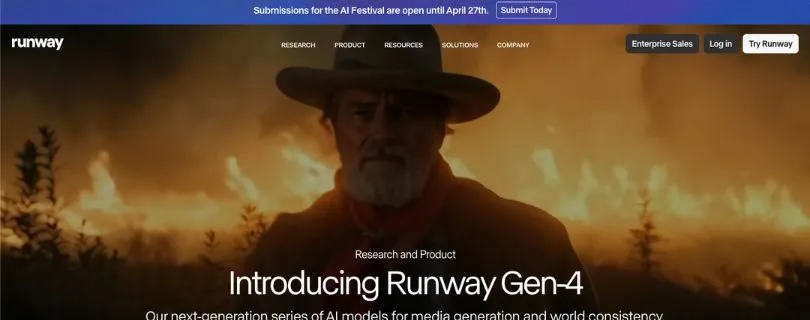
Runway is a professional AI video platform built for creators, filmmakers, editors, and agencies that need more control over video generation and editing.
Used for: Professional AI video creation, camera control, cinematic shots, video editing, inpainting, character scenes, and creative production workflows.
User Rating
- Product Hunt – 4.3⭐/5 based on 17 reviews
- Gartner Peer Insights – 4.4⭐/5 based on 8 ratings
How Runway Outperforms Luma Dream Machine
Runway is not just another text-to-video tool.
It is more like a creative AI video studio.
That’s the biggest difference.
Luma Dream Machine is great when you want to generate a cinematic clip quickly. But Runway gives you more control after that first idea. You can generate, edit, remove objects, work with references, build scenes, upscale videos, and use more advanced tools inside one platform.
Runway’s own platform highlights tools for film, shorts, scenes, characters, VFX, multi-shot video, scene building, video editing, upscaling, and performance capture. Its pricing page also lists Free, Standard, Pro, Unlimited, and Enterprise plans, with the Unlimited plan built around unlimited generations in Explore Mode at a relaxed rate.
This makes Runway better if you want to direct the video, not just generate it.
Let’s say you are creating an ad concept.
With Luma, you might generate a cool product shot. But if the camera angle is slightly wrong, the background has a weird object, or the motion does not feel right, you may need to regenerate again and again.
With Runway, you get more tools to fix, refine, and build around the shot.
That’s why professional creators often prefer it.
The best part of Runway is the control.
You can use it for cinematic shots, visual experiments, short films, background replacement, product videos, concept art videos, and even VFX-style edits.
But there’s a catch.
Runway takes more time to learn.
If you only want to type one prompt and download a quick AI video, Runway may feel like too much. Also, the pricing can get expensive if you use higher-quality models and keep regenerating clips.
So, Runway is not the easiest Luma alternative.
But it is one of the most powerful.
Pros
- Excellent for professional creators and filmmakers
- Strong video generation and editing workflow
- Better control than most simple AI video tools
- Useful for VFX, cinematic scenes, and creative direction
- More complete platform than Luma for serious production
Cons
- More expensive than beginner-friendly tools
- Takes time to learn properly
- Credit usage can increase quickly
- Not ideal if you only need quick social media clips
Pricing
Runway has a free plan and multiple paid plans.
The paid plans are better if you need more credits, higher usage limits, better export options, or team features. The Unlimited plan is more attractive for creators who generate videos often, but it still depends on how you use Runway’s models and generation modes.
If you are a casual creator, Runway may feel costly.
But if you are a filmmaker, agency, video editor, or creative director, the price is easier to justify because you are getting more than basic text-to-video generation.
You are getting a full AI video production workspace.
Also Read:
Best Runway Alternatives
3. Vidu AI
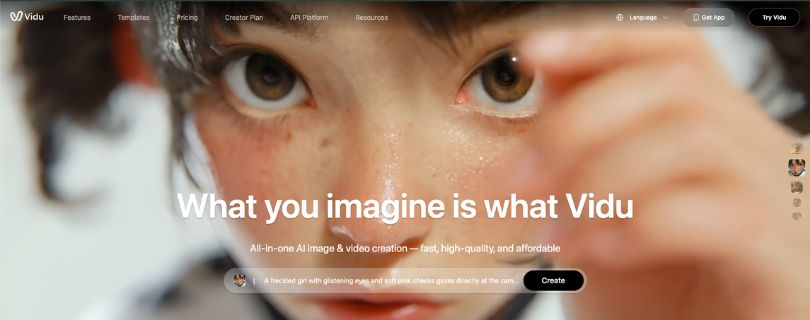
Vidu AI is an AI video generator that helps you create videos from text, images, and references with a simple, creator-friendly workflow.
Used for: Image-to-video generation, reference-to-video, character consistency, short cinematic clips, and story-based AI videos.
User Rating
- Public G2/Capterra-style review data is limited
- App Store and public review signals praise its sharp details, smooth motion, and character-locking features, but review volume should be checked before publishing.
How Vidu AI Outperforms Luma Dream Machine
Vidu AI is a strong Luma Dream Machine alternative if your main focus is image-to-video quality and character consistency.
That’s where it gets interesting.
Luma is good at creating cinematic movement from still images. But if you are trying to keep the same character, product, or visual style across multiple shots, you may want something that gives you more reference-based control.
Vidu promotes multi-subject consistency, which helps generate AI videos from multiple images while keeping characters and scenes more stable. It also offers a reference-to-video workflow where you can use reference images or videos to control character identity, style, camera movement, and scene continuity.
This is useful for storytelling.
For example, let’s say you are creating a short AI film with the same character walking through different locations.
You don’t want the character’s face, outfit, or body shape to change every few seconds.
That’s where Vidu can feel more helpful than Luma.
It is also easier to understand than Runway. The workflow feels more beginner-friendly, so creators who do not want to spend hours learning advanced controls may prefer Vidu.
But don’t expect perfection.
Vidu can still miss fine details. Small objects may shift. Faces can soften. Backgrounds may change slightly between shots. If your scene has multiple people, fast motion, or very specific camera direction, you may still need several generations to get the right result.
Still, for creators who want a practical image-to-video workflow, Vidu AI is a very good option.
Pros
- Strong image-to-video workflow
- Useful for character and subject consistency
- Easier to use than more advanced tools
- Good for creators, storytellers, and social video concepts
- Reference-to-video features help with visual continuity
Cons
- Public review data is not as strong as older tools
- Fine details can still shift between clips
- Not as advanced as Runway for editing and control
- Longer or complex scenes may need several attempts
Pricing
Vidu offers free access and paid plans.
Its official pricing page lists Standard, Premium, and Ultimate plans, with annual pricing starting at $8/month for Standard, $28/month for Premium, and $79/month for Ultimate at the time of checking.
The good thing is that Vidu gives creators a way to test the tool without immediately committing to a high-priced plan.
But if you want better generation limits, faster workflow, or more serious production use, you will likely need a paid plan.
From a pricing point of view, Vidu sits in a comfortable middle area.
It is not the cheapest AI video generator, but it is also not as expensive as some professional video platforms.
4. Pika

Pika is a creative AI video generator made for short, fun, stylized, and social-first video content.
Used for: Social media clips, animated effects, image-to-video, text-to-video, surreal edits, meme-style videos, and creative short-form content.
User Rating
- Product Hunt – 4.9⭐/5 based on 14 reviews
- Review volume is still small, but the early user sentiment is strong.
How Pika Outperforms Luma Dream Machine
Pika is not trying to be the most serious cinematic AI video tool.
And honestly, that’s what makes it useful.
If Luma feels more like a cinematic AI camera, Pika feels more like a playful creative studio for short-form videos.
It is built for creators who want fast, scroll-stopping ideas. Think TikTok effects, Reels, YouTube Shorts, product transformations, animated images, surreal edits, and quick social media experiments.
Pika’s official site promotes its Pikaformance model for expressive character-style video, where images can sing, speak, rap, bark, and react with synced audio. Its pricing page also mentions tools like Pikascenes, Pikadditions, Pikaswaps, Pikatwists, and Pikaffects, with watermark-free downloads and commercial use on supported plans.
This makes Pika better than Luma for fun, stylized content.
Let’s say you want to create a clip where a sneaker inflates like a balloon, a coffee cup melts into paint, or a product explodes into colorful particles.
Pika is the kind of tool you would test first.
It is fast, visual, and built for experimentation.
The downside is that Pika is not the best choice for complex cinematic scenes.
If you want a realistic 30-second shot with consistent characters, controlled camera movement, and professional-grade scene continuity, Runway or Kling will usually make more sense.
But for social media video creation, Pika is hard to ignore.
It gives creators a quick way to turn simple ideas into attention-grabbing clips.
Pros
- Great for short-form social videos
- Fun AI effects and transformations
- Easy to use for creators and marketers
- Good for fast creative testing
- Useful for TikTok, Reels, Shorts, and meme-style content
Cons
- Not ideal for complex cinematic videos
- Less suitable for long-form storytelling
- Some effects can feel too playful for professional use
- Advanced control is limited compared to Runway
Pricing
Pika offers a free plan and paid subscription plans.
Its official pricing page shows a free plan and multiple paid options, with access depending on credits, model quality, watermark-free downloads, commercial use, and specific Pika tools.
The free plan is useful if you want to test the platform.
But if you are creating videos for clients, ads, or brand pages, you should check whether your plan includes commercial use, HD exports, enough credits, and no watermark.
Pika is worth considering if your goal is not “perfect cinematic realism.”
It is best when your goal is to make quick, creative videos that people actually stop scrolling to watch.
5. VideoGen
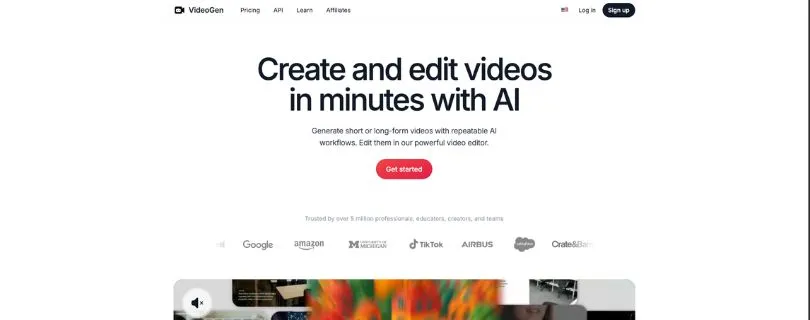
VideoGen is an AI video creation platform that helps you turn ideas, scripts, and content into finished videos with voiceovers, subtitles, B-roll, and editing tools.
Used for: Marketing videos, educational videos, business content, script-to-video, AI voiceovers, automatic B-roll, subtitles, and team video workflows.
User Rating
- Product Hunt – 3.3⭐/5 based on 4 reviews
- G2 – 1.3⭐/5 based on 3 verified reviews
- Review samples are very small, so check recent reviews before making a final decision.
How VideoGen Outperforms Luma Dream Machine
VideoGen is different from the other tools on this list.
It is not the closest Luma replacement if you only care about cinematic AI video generation.
But it is a much better fit if your actual goal is to create finished marketing videos.
Here’s the difference.
Luma helps you generate AI video clips.
VideoGen helps you build a complete video.
That means scripts, AI voiceovers, automatic B-roll, subtitles, stock footage, background music, translation, and editing in one workflow. VideoGen’s feature page highlights AI voiceover, auto subtitles, AI B-roll, stock footage, background music, and translation to 40+ languages.
This is useful for marketers and business teams.
Let’s say you want to create a video for:
- A SaaS product
- A YouTube explainer
- A training module
- A social media ad
- A short educational video
- A product announcement
In that case, Luma alone may not be enough.
You would still need a script, voiceover, captions, background clips, editing, and export tools.
VideoGen puts more of that workflow in one place.
That’s why it works well as a Luma alternative for business users.
The downside is clear.
VideoGen is not as focused on cinematic generative video as Kling, Runway, Vidu, or Pika. If you want a realistic AI shot of a dragon flying over a mountain, VideoGen is probably not your first choice.
But if you want to create a clean marketing video from an idea or script, it can save time.
Pros
- Better for complete marketing videos
- Includes AI voiceovers, subtitles, B-roll, and editing tools
- Good for educators, marketers, and business teams
- Helps reduce the need for multiple video tools
- Useful for repeatable content workflows
Cons
- Not the best for cinematic AI video generation
- Public review ratings are mixed
- Less suitable for filmmakers and VFX-style creators
- Quality depends heavily on the script, visuals, and editing workflow
Pricing
VideoGen has a free option and paid plans.
Its official pricing page lists a Pro plan from $12 per user/month when billed yearly, along with Enterprise pricing for custom needs. The Pro plan includes AI video generation, image-to-video, AI voiceover, AI sound effects, AI images, video export, presets, uploads, and other workflow tools.
From a pricing point of view, VideoGen can be a good deal if you use it as a full video creation platform.
But if you only need AI-generated cinematic clips, you may get better value from Kling, Vidu, Pika, or Runway.
So, choose VideoGen only if your goal is publishing complete videos faster.
Not just generating pretty clips.
Don’t Compromise – Choose the Best
What if I tell you, you can create better AI videos than Luma Dream Machine in just 4 simple steps?
I am not joking.
Here’s what I recommend:
- Pick the right Luma alternative based on your use case.
- Add your text prompt, image, or reference video.
- Adjust the motion, camera style, aspect ratio, voiceover, or editing settings.
- Generate the video and refine it until it looks ready to use.
All you need to do is choose whether you want cinematic quality, better control, social media effects, or a complete marketing video workflow.
Best part – you don’t have to stay stuck with one tool!!
Try the alternatives listed above and see which one fits your video creation style.
FAQs About Luma Dream Machine Alternatives
What is the best Luma Dream Machine alternative?
Kling AI is the best overall Luma Dream Machine alternative if you want realistic AI videos, longer clips, and strong image-to-video quality.
If you want more control, choose Runway.
Which Luma Dream Machine alternative is best for professional creators?
Runway is the best option for professional creators, filmmakers, and agencies.
It gives you better control over camera movement, editing, motion, and video refinement.
Is Kling AI better than Luma Dream Machine?
Kling AI can be better than Luma if you want longer videos, realistic motion, and more flexible AI video generation.
Luma is still good for quick cinematic clips and creative image-to-video experiments.
Is Runway better than Luma Dream Machine?
Runway is better if you need more control.
Choose Runway for:
- Camera direction
- Advanced editing
- Motion control
- VFX-style work
- Professional video projects
Luma is easier for quick AI video generation.
What is the best free Luma Dream Machine alternative?
The best free Luma alternatives to try are:
- Kling AI
- Pika
- Vidu AI
- Runway
- Canva
Free plans usually come with limits, such as watermarks, lower resolution, fewer credits, or limited commercial use.
Which Luma alternative is best for image-to-video?
Vidu AI is a strong choice for image-to-video quality and character consistency.
Kling AI is also a good option if you want more realistic motion from still images.
Which Luma alternative is best for text-to-video?
Kling AI is the best text-to-video alternative for realistic scenes.
Runway is better if you want more creative control over the final result.
Which Luma alternative is best for social media videos?
Pika is the best option for short, fun, and stylized social media videos.
It works well for TikTok clips, Instagram Reels, YouTube Shorts, meme-style edits, and quick creative effects.
Which Luma alternative is best for marketing videos?
VideoGen is better for marketing videos because it gives you more than just AI video generation.
You can use it for:
- Scripts
- AI voiceovers
- B-roll
- Subtitles
- Translations
- Business video workflows
Which Luma alternative is best for long videos?
Kling AI is a strong option for longer AI-generated videos.
For full marketing, educational, or explainer videos, VideoGen is more practical because it includes scripts, voiceovers, captions, and editing tools.
Which Luma alternative gives better camera control?
Runway gives better camera and motion control than most Luma alternatives.
It is the better choice if you want to direct the scene instead of only generating a random clip from a prompt.
Which Luma alternative is easiest for beginners?
Pika and Vidu AI are easier for beginners.
Pika is better for quick social clips, while Vidu AI is better for simple image-to-video and reference-based videos.
Which Luma alternative is best for AI ad creatives?
For AI ad creatives, choose based on your goal:
- Runway for polished product shots
- Pika for scroll-stopping social ads
- VideoGen for full marketing videos with voiceovers
- Kling AI for realistic cinematic clips
Can I use Luma Dream Machine alternatives for YouTube videos?
Yes, you can use tools like Kling AI, Runway, Pika, Vidu AI, and VideoGen for YouTube videos.
But always check the plan’s commercial rights, watermark rules, and export quality before publishing.
What is the best Luma alternative without watermark?
Paid plans from tools like Runway, Pika, Kling AI, Vidu AI, and VideoGen usually offer watermark-free exports.
Free plans often include watermarks or export limits.
Which Luma alternative is best for AI avatars?
For AI avatar videos, tools like HeyGen and Synthesia are better than Luma Dream Machine.
Luma is built more for generative video clips, not talking avatar videos.
Which Luma alternative is best for anime-style videos?
Pika, Vidu AI, and DomoAI are better choices for anime-style or stylized videos.
Luma can create creative visuals, but it is not the strongest option for anime video conversion.
Which Luma alternative is best for realistic videos?
Kling AI is one of the best Luma alternatives for realistic AI video generation.
Runway is also strong if you want realism plus more control over the shot.
Which Luma alternative is best for business teams?
VideoGen is the better choice for business teams.
It is useful when your workflow includes scripts, captions, voiceovers, B-roll, brand content, and repeatable marketing videos.
Should I stop using Luma Dream Machine?
Not necessarily.
Luma is still worth using if you like its cinematic style and want quick image-to-video results.
But if you need longer clips, better control, audio, captions, or full editing features, you should try one of the alternatives above.