Hailuo AI does what it promises: “quick AI videos from simple prompts.”
It has improved with better motion, cleaner visuals, and stronger text-to-video results in 2025. But once you use it for real creative work, the limits start showing.
But honestly, for creators making ads, product clips, short films, or social videos, I would expect more control.
With Hailuo AI,
You’re still working around short video limits and credit-based generations.
There’s no full editing workflow built in, so fixing a weak shot usually means moving into another tool.
Image-to-video quality can be hit or miss, especially when you need natural motion, stable faces, or consistent product details.
And since it’s mostly built for fast generation, it doesn’t replace tools with storyboards, timelines, advanced camera controls, or deeper creative editing.
For 2026, Hailuo AI is still useful.
But it’s no longer the only AI video generator worth using.
And that’s reason enough to look for an alternative.
I tested and compared the top Hailuo AI alternatives to find what actually solves these problems.
In this blog, you will find 5 alternatives to Hailuo AI if,
- You want better cinematic realism, there are tools with stronger motion, lighting, camera control, and character consistency
- Or need a faster social media video creation tool without wasting credits on endless retries, there are better options for creators, marketers, and small teams
Let’s get into it.
Quick Answer: Best Hailuo AI Alternatives
If you just want the short answer, these are the 5 Hailuo AI alternatives that performed best in my testing.
Hailuo AI is still good for fast text-to-video clips, but these tools gave me better results in specific areas like cinematic motion, editing control, image-to-video quality, and social media content creation.
| Rank | Tool | Best For | Why Pick It Over Hailuo AI |
| 1 | Kling AI | Best overall alternative | Better realism, human motion, and cinematic shots |
| 2 | Runway | Best for professional control | Strong editing, consistency, and creative workflow |
| 3 | Luma Dream Machine | Best for cinematic camera movement | Realistic lighting, depth, and smooth motion |
| 4 | Vidu AI | Best value/free-credit option | Fast results, good image-to-video, and reference-based video |
| 5 | Pika Labs | Best for social/stylized videos | Fun effects, quick creative clips, and a creator-friendly interface |
My overall pick is Kling AI because it gave me the strongest balance of realism, motion quality, and cinematic output.
But it’s not the right answer for everyone.
If you want more editing control, Runway makes more sense. If you care about smooth camera movement and beautiful lighting, Luma Dream Machine is hard to ignore. Vidu AI is a better pick if you want to test ideas quickly without burning through expensive credits. And if your main goal is short-form content for TikTok, Reels, or YouTube Shorts, Pika Labs feels more playful and easier to use.
5 Best Hailuo AI Alternatives That Cover All Features & Use Cases
I tested these tools with the same kind of prompts I usually use in Hailuo AI: cinematic character shots, image-to-video scenes, social clips, product-style movement, and a few “please don’t ruin the face” prompts.
Hailuo AI is still good for quick AI video generation.
But once I started comparing it side by side, the gaps became clear.
Kling handled human motion better.
Runway gave me more creative control.
Luma made scenes feel more cinematic.
Vidu was faster and surprisingly useful for reference-based video.
Pika was the easiest one to use for short, fun, social-first clips.
Here are the 5 Hailuo AI alternatives I’d actually recommend.
1. Kling AI

User Rating
G2 Rating: 4.8/5 based on a small number of user reviews, so I’d treat the score as a useful signal, not a final verdict. Reddit creators also talk about Kling a lot when comparing AI video generators for quality and motion.
“Kling 1.6 is the best in quality.”
Source: https://www.reddit.com/r/runwayml/comments/1iqydzp/is_the_unlimited_plan_worth_it_or_are_there/
How Kling AI Outperforms Hailuo AI
Kling AI is the best Hailuo AI alternative if your main problem is realism.
Hailuo can create nice clips, especially when you want fast image-to-video results. But Kling usually feels more controlled when there’s a person walking, turning, reacting, or interacting with the scene.
In my tests, Kling was stronger for:
- human movement
- facial consistency
- cinematic camera shots
- realistic body motion
- longer creative scenes
It also gives you more room to build shots that feel like they belong in an actual video project, not just a cool AI demo. Kling’s own pages mention character consistency, motion adjustment, lip-sync, and up to 4K export options, which makes it feel more production-focused than Hailuo for serious creators.
Want to see how Kling compares to other tools?
Best Kling Alternatives
Pros
- Better realism than Hailuo in most human-focused scenes
- Strong image-to-video quality
- Good camera movement when the prompt is clear
- Better choice for cinematic ads, short films, and YouTube visuals
- Works well when you need a polished “best AI video generator for creators” feel
Cons
- Credit usage can add up quickly
- Some generations still need multiple retries
- Interface and plan limits may feel less beginner-friendly than Hailuo
- Not always the fastest option when servers are busy
Pricing
Kling uses a credit-based pricing model. Recent pricing guides list a free tier and paid plans starting around the low monthly range, with higher tiers for more credits, priority generation, and commercial use. Since Kling pricing and promotions change often, I’d check the live pricing page before publishing exact figures.
See how Kling pricing works across plans:
Kling Pricing Explained
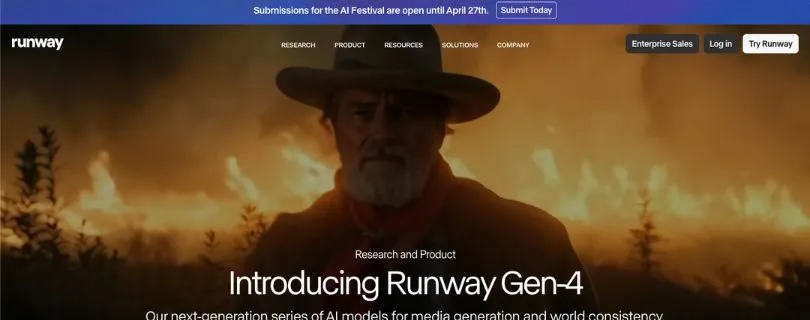
2. Runway
User Rating
G2 Rating: 3.8/5 based on 18 reviews. Capterra India lists Runway Gen-2 at 4.5/5 based on 2 reviews, so the public rating picture is mixed. People love the creative control, but complaints around credits, prompt misses, and pricing show up often.
“Easy and intuitive enough to get started right away.”
Source: https://www.g2.com/products/runway-2022-01-04/reviews
How Runway Outperforms Hailuo AI
Runway is not the cheapest Hailuo AI alternative.
But it is one of the strongest if you care about professional control.
Hailuo feels more like a fast generator. You prompt, wait, download, and repeat. Runway feels closer to a creative video workspace. You get AI video generation, editing tools, image-to-video, text-to-video, lip sync, motion controls, and more room to build a full workflow.
That matters if you’re making:
- client ads
- branded videos
- YouTube scenes
- product explainers
- short film concepts
- social media campaigns
Runway is also better when you want to keep refining a shot instead of starting from scratch every time. G2 reviewers repeatedly mention ease of use, video generation speed, and editing flexibility, though some users also complain about cost and insufficient credits.
Pros
- Strongest editing workflow on this list
- Great for professional creators and agencies
- Useful tools beyond basic text-to-video
- Better for controlled creative production than Hailuo
- Good fit if you already edit videos regularly
Cons
- More expensive than casual AI video tools
- Credit limits can feel tight when experimenting
- Some outputs miss the prompt
- Learning curve is higher than Hailuo or Pika
Pricing
Runway offers a free tier and paid plans. Its official pricing page lists Standard, Pro, Unlimited, and Enterprise options, with monthly credits and access to video models varying by plan. The Unlimited plan is the one most creators look at when they’re doing a lot of trial-and-error AI video work.
3. Luma Dream Machine
User Rating
Product Hunt Rating: 4.5/5 based on 8 reviews. The App Store also lists Luma Dream Machine at 4.5/5 based on 200 ratings. Reddit feedback is more mixed: some users love the best outputs, while others complain that results can be hit or miss.
“Incredible results, far better than any other AI video generator I’ve tried before.”
Source: https://www.reddit.com/r/lumalabsai/comments/1dhmi8h/has_anybody_had_experience_with_luma_labs_dream/
How Luma Dream Machine Outperforms Hailuo AI
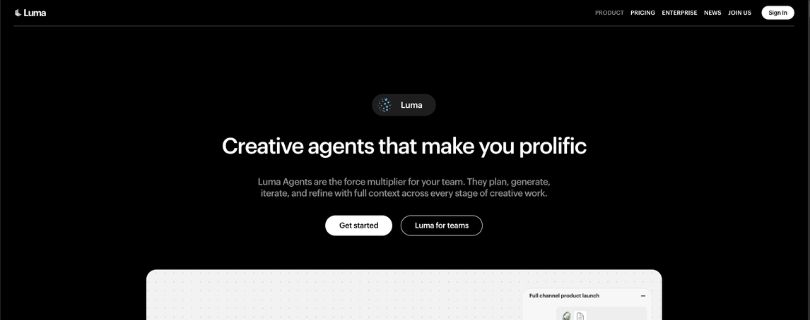
Luma Dream Machine is the tool I’d pick when the shot needs atmosphere.
Hailuo can generate clean, fast clips, but Luma often does better with lighting, depth, camera motion, and scene mood. It’s especially strong when you want a shot to feel cinematic without writing an overly complicated prompt.
In my tests, Luma was better for:
- establishing shots
- emotional scenes
- realistic lighting
- smooth camera movement
- natural depth and motion blur
Luma’s Ray2 model is described as capable of realistic motion, depth, and detail, and Dream Machine lets users choose clip length, resolution, and aspect ratio for different platforms.
Pros
- Excellent cinematic camera movement
- Strong lighting and depth
- Great for polished short clips
- Simple interface
- Good for creators who want high-quality image-to-video output
Cons
- Can be inconsistent
- Less editing control than Runway
- Free access is limited
- Not ideal for long-form cohesive video projects
Pricing
Luma Dream Machine has free access, but video generation availability can depend on demand and plan limits. TechRadar reported Lite at $9.99/month, Plus at $29.99/month, and Unlimited at $94.99/month, with paid plans unlocking more credits, higher output options, and commercial use depending on the tier.
4. Vidu AI
User Rating
Vidu does not have the same public G2/Capterra review footprint as Runway, so I used Reddit feedback more heavily here. The pattern is clear: users like Vidu for speed and reference-to-video, but some complain about censorship, queues, and quality inconsistency.
“Pretty impressed with the prompt adherance so far.”
Source: https://www.reddit.com/r/viduai/comments/1fmogvx/really_liking_vidu_ai_so_far_questions/
How Vidu AI Outperforms Hailuo AI
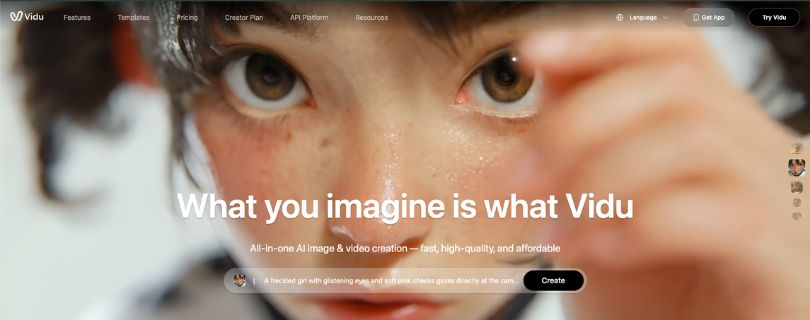
Vidu AI is the best Hailuo AI alternative if you care about value and fast testing.
It’s not always better than Hailuo in pure realism. Kling and Luma usually win there. But Vidu is useful when you want to generate ideas quickly, test reference-based shots, and create image-to-video clips without feeling like every attempt is too expensive.
The reference-to-video workflow is the main reason I’d use it.
Instead of relying only on a prompt, you can guide the output with visual references. That makes Vidu helpful for creators who want repeatable characters, stylized clips, or quick social content without building a full editing workflow.
Vidu’s own pages mention text-to-video, image-to-video, reference-to-video, first-and-last-frame controls, and free credits for new users.
Pros
- Strong reference-to-video workflow
- Fast generation
- Good for testing multiple ideas
- Useful free-credit option
- Solid for creators who need quick clips for social media
Cons
- Quality can be uneven
- Camera control is not always reliable
- Some users complain about censorship and queues
- Not as cinematic as Kling or Luma
Pricing
Vidu uses a credit-based system. Its pricing page includes free access and paid options, while its API pricing page lists credit-based usage for different video models and durations. For creators, the main value is that you can test clips without jumping straight into a heavy monthly plan.
5. Pika Labs

User Rating
Product Hunt Rating: 4.9/5 based on 14 reviews. Reddit feedback is more divided: creators like the fun effects and easy workflow, but some complain about credits and pricing when they need lots of retries.
“I have been absolutely loving the new pika video generator.”
Source: https://www.reddit.com/r/ChatGPT/comments/1917gq2/pikaart_is_too_expensive/
How Pika Labs Outperforms Hailuo AI
Pika is the easiest Hailuo AI alternative to recommend for short, stylized, social-first videos.
It does not beat Kling for realism.
It does not beat Runway for editing control.
It does not beat Luma for cinematic depth.
But it’s fun, fast, and creator-friendly.
That makes it useful for TikTok-style clips, meme videos, animated product ideas, quick image-to-video experiments, and short social media video creation. Pika also leans into effects and playful tools more than Hailuo, which helps when you don’t need a realistic film shot and just want something eye-catching.
Pika’s official site describes it as an idea-to-video platform, and its pricing page lists plans with monthly video credits and access to tools like Pikascenes, Pikadditions, Pikaswaps, Pikatwists, and Pikaffects.
Want to see how Pika compares to other tools?
Best Pika Alternatives
Pros
- Best for fun social videos
- Easy interface
- Great for quick creative clips
- Good effects library
- Lower learning curve than Runway
Cons
- Not the strongest for realism
- Credit limits can feel restrictive
- Some clips need multiple retries
- Better for short-form content than serious production
Pricing
Pika has a free plan and paid plans with monthly video credits. Its pricing page lists 80 monthly video credits on the free/basic tier and paid plans starting from the Standard tier with 700 monthly video credits. Higher plans unlock more credits and broader feature access.
See how Pika pricing works across plans:
Pika AI Pricing Explained
How to Choose the Right Hailuo AI Alternative
The right tool depends on what kind of AI video output you’re trying to create:
For the closest all-round Hailuo replacement — Kling AI.Kling gives you strong text-to-video, image-to-video, realistic motion, and better prompt control. If you like Hailuo’s cinematic style but want more consistent results, Kling is the safest switch.
For professional video production — Runway.If you need advanced editing, inpainting, camera controls, background removal, and a full creative workflow, Runway is the strongest option. Just expect a steeper learning curve and higher pricing.
For cinematic image-to-video — Luma Dream Machine.Luma is best when you want smooth camera movement, natural-looking scenes, and visually polished clips from simple prompts or images. It’s great for creators who care more about realism and mood than heavy editing.
For character-focused videos — Vidu AI.If your use case involves consistent characters, anime-style visuals, or stylized storytelling, Vidu is a better fit than Hailuo. It handles creative concepts well and gives more reliable results for character-driven clips.
For quick social media videos — Pika Labs.Pika is ideal when you want fast, fun, short-form content without spending too much time tweaking prompts. It’s especially useful for memes, ads, product clips, and creator-style videos.
For teams that need more control — Runway or Kling AI.If you’re creating videos for clients, campaigns, or brand content, these two give you the most dependable balance of quality, control, and workflow depth.
The bottom line: Hailuo AI is a strong video generator, but it’s not the best fit for every creator or use case.
The Hailuo alternatives on this list give you better editing tools, stronger motion control, faster workflows, or more reliable character and cinematic results — depending on what you actually need.
FAQs About Hailuo AI Alternatives
What is the best Hailuo AI alternative?
The best overall Hailuo AI alternative is Kling AI.
In my testing, Kling came closest to Hailuo’s cinematic style while offering stronger motion control, better image-to-video results, and more consistent prompt output. If you want a tool that feels similar to Hailuo but gives you more reliable results, Kling is the easiest recommendation.
Which Hailuo AI alternative is best for professional creators?
Runway is the best option for professional creators, agencies, and video teams.
Unlike Hailuo, Runway is not just a video generator. It gives you advanced editing tools, background removal, inpainting, motion controls, and a more complete production workflow. If you’re creating ads, brand videos, client work, or polished social content, Runway gives you more control.
Is Kling AI better than Hailuo AI?
For many use cases, yes.
Hailuo is great for fast cinematic clips, but Kling AI usually gives you better consistency, stronger image-to-video generation, and more natural motion. If your biggest issue with Hailuo is unpredictable results, Kling is one of the best alternatives to try first.
What is the best free Hailuo AI alternative?
Pika Labs and Luma Dream Machine are good free or low-cost Hailuo alternatives to start with.
Pika is better for short social videos, memes, creative effects, and fast experiments. Luma is better for cinematic image-to-video clips and realistic camera movement. Free plans usually come with limits, but both are useful if you want to test AI video generation without committing to a paid plan immediately.
Which Hailuo AI alternative is best for image-to-video?
Luma Dream Machine is one of the best Hailuo alternatives for image-to-video.
It does a great job turning still images into smooth, cinematic clips with natural camera movement. If you’re using AI images from Midjourney, ChatGPT, Leonardo, or Ideogram and want to animate them, Luma is one of the strongest options.
Which Hailuo AI alternative is best for realistic videos?
For realistic AI videos, I’d choose Kling AI or Luma Dream Machine.
Kling is better when you want prompt accuracy, subject movement, and stronger overall control. Luma is better when you want cinematic shots, realistic camera motion, and visually polished clips from simple inputs.
Which Hailuo AI alternative is best for anime or character videos?
Vidu AI is the best Hailuo alternative for anime, stylized characters, and character-focused storytelling.
It performs especially well when you’re creating animated scenes, fantasy visuals, or videos that need a consistent character style. If Hailuo feels too generic for character-driven videos, Vidu is a better fit.
Can ChatGPT replace Hailuo AI?
No, ChatGPT does not directly replace Hailuo AI as a video generator.
ChatGPT can help you write better prompts, generate video ideas, plan scenes, create storyboards, and improve scripts. But for actual AI video generation, you’ll still need a tool like Kling AI, Runway, Luma Dream Machine, Vidu AI, or Pika Labs.
What should I use instead of Hailuo AI for social media videos?
For social media videos, Pika Labs is the easiest Hailuo alternative to use.
It’s fast, beginner-friendly, and good for short-form videos, product clips, creative effects, and fun visual experiments. If you’re making TikTok, Instagram Reels, YouTube Shorts, or quick ad concepts, Pika is a strong choice.
What is the most advanced Hailuo AI alternative?
Runway is the most advanced Hailuo AI alternative.
It gives you more than basic text-to-video generation. You get editing tools, visual effects, object removal, background tools, camera controls, and a workflow built for serious creators. It’s not the cheapest or simplest tool, but it’s the most complete.
What is the easiest Hailuo AI alternative for beginners?
Pika Labs is the easiest option for beginners.
You don’t need complex prompts or advanced editing knowledge to get started. You can create short videos quickly, test different ideas, and learn how AI video generation works without feeling overwhelmed.
Which Hailuo AI alternative should I choose?
Choose Kling AI if you want the closest overall replacement for Hailuo.
Choose Runway if you need professional editing and production tools.
Choose Luma Dream Machine if you care most about cinematic image-to-video.
Choose Vidu AI if you create anime, stylized, or character-focused videos.
Choose Pika Labs if you want quick, simple videos for social media.
The best Hailuo AI alternative depends on your use case, but for most users, Kling AI is the best place to start.