

Renderforest is a solid all-in-one branding and video creation platform.
It lets you create videos, logo animations, mockups, websites, social media graphics, and basic brand assets from one place. Plus, the platform has a simple template-based editor, a large design library, and a beginner-friendly workflow.
But I reviewed it alongside other video makers, mockup generators, and branding tools. I also looked through user feedback on G2, Capterra, Software Advice, and similar comparison sites.
And I kept seeing the same friction points come up:
- Limited deep customization
- Watermarks and export limits on lower plans
- Templates can feel repetitive
- Pricing gets expensive for frequent creators
- Not ideal for advanced video editing
- Limited collaboration features
- Mockup options may feel basic for product teams
Renderforest is not a bad tool. But depending on your content workflow, these gaps can slow you down.
This guide covers 15 Renderforest alternatives I’d actually recommend.
Each one is organized by what it does well, where it falls short, and who it fits.
TL;DR: Quick Verdict of Renderforest Alternatives
If you’re short on time, here are the three Renderforest alternatives that stood out the most in my review.
| Tool | Best For | Starting Price |
| Canva | Fast social media videos, presentations, brand kits, and simple design workflows | Free plan available |
| Animaker | Animated videos, explainer videos, characters, and beginner-friendly video creation | Free plan available |
| Placeit | Product mockups, logo designs, apparel mockups, and ready-made branding templates | $9.99/mo |
Why Look for Renderforest Alternatives?
To be fair, Renderforest’s all-in-one setup is genuinely useful. Creating videos, logo animations, mockups, websites, and social graphics from one dashboard can save a lot of time.
The template library is also easy to use, especially if you don’t want to start from a blank canvas.
But the friction points I listed above tend to compound over time.
- If you need advanced video editing, Renderforest can feel too template-driven and limited.
- If you create content often, watermark limits, export restrictions, and premium templates can get frustrating.
- If you want highly unique designs, some templates may feel familiar or overused.
- If your main focus is product mockups, dedicated mockup tools usually give you more control.
The tools below address one or more of these gaps directly.
How I Evaluated These Renderforest Alternatives
I didn’t just compare template counts. I looked at what actually affects your daily content creation workflow.
Here’s what I tested across all 15 tools:
- Video creation – how well the tool handles templates, editing, animation, exports, and resizing
- Mockup quality – whether it offers realistic product mockups, branding mockups, and commercial-ready downloads
- Customization – how much control you get over layouts, colors, scenes, fonts, timing, and brand assets
- AI features – whether it includes AI video generation, text-to-video, AI voiceovers, avatars, or smart design tools
- Pricing model – free plan limits, watermark rules, export quality, premium assets, and how pricing scales
- Team workflow – collaboration, brand kits, shared folders, approval flows, and workspace support
- Ease of setup – how fast a new user can go from sign-up to first finished video, logo, or mockup
All pricing in this post is taken from each tool’s live website, verified in March 2026.
A Quick Comparison of Top Renderforest Alternatives for Your Content Needs
Before diving into each tool, here’s a side-by-side snapshot of all 5 alternatives.
| Tool | Starting Price | Best For | Free Plan | Main Strength |
| Canva | Free plan available | Social videos, presentations, brand kits, and quick designs | Yes | Huge template library and simple editor |
| Animaker | $19/mo | Animated videos, explainers, and character-based videos | Yes | Beginner-friendly animation workflow |
| Placeit | $14.95/mo | Product mockups, logos, apparel designs, and branded visuals | Limited free templates | Strong mockup and merch template library |
| Adobe Express | Free plan available | Social graphics, short videos, flyers, and AI-assisted designs | Yes | Adobe ecosystem and polished design tools |
| Vyond | $99/mo | Business animation, training videos, and explainer content | Free trial | Professional animation and AI video tools |
5 Best Renderforest Alternatives in 2026
Now let’s look at each tool in detail, starting with the one I’d pick for most creators who want a flexible all-in-one design and video workflow.
Canva
Animaker
Placeit
Adobe Express
Vyond
1. Canva
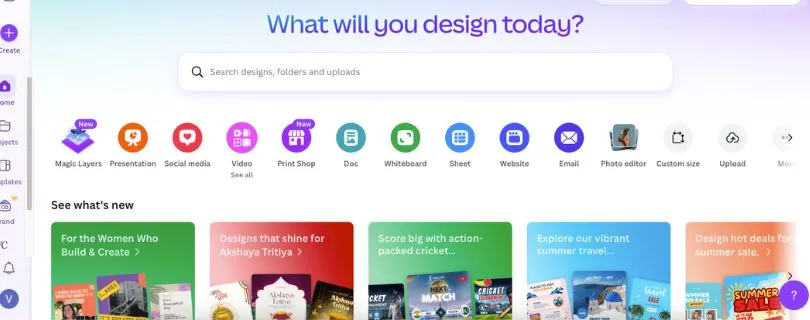
Best for: Creators, marketers, and small teams that want one simple platform for social media videos, presentations, brand kits, thumbnails, and quick design work.
Canva is one of the easiest Renderforest alternatives to recommend because it covers a lot of the same ground, but with more flexibility.
You can create short videos, social posts, presentations, ads, logos, documents, and branded assets without needing design experience. The editor feels faster than Renderforest if your daily work is mostly content production rather than template-based video generation.
It also gives you brand kits, Magic Resize, background remover, AI tools, stock assets, and team collaboration features on paid plans.
Key Features of Canva
- Drag-and-drop design and video editor
- Social media templates, presentations, ads, documents, and brand assets
- Brand Kit for logos, fonts, colors, and reusable templates
- Magic Resize for adapting one design into multiple formats
- AI tools for copy, images, design suggestions, and editing
- Team folders, comments, and collaboration tools
What could be better:
Canva is great for fast visual content, but it’s not a dedicated animation platform. If you need complex character animation, advanced scene control, or cinematic video effects, Animaker or Vyond will fit better.
Canva Pricing (billed annually)
- Free – Basic editor, free templates, limited assets, and standard design tools
- Pro – $120/year – Premium templates, Brand Kit, Magic Resize, background remover, and more AI/design tools
- Teams – Starts at $10/user/mo, billed annually – Team collaboration, shared brand assets, approvals, and admin controls
Free tier available.
You may also like:
Canva Pricing Guide: Free, Pro, and Teams Compared Clearly
Canva vs Renderforest
Canva is better for everyday design, social content, presentations, and brand asset creation. Renderforest is stronger if you specifically want ready-made logo animations, intro videos, and template-based video projects.
2. Animaker
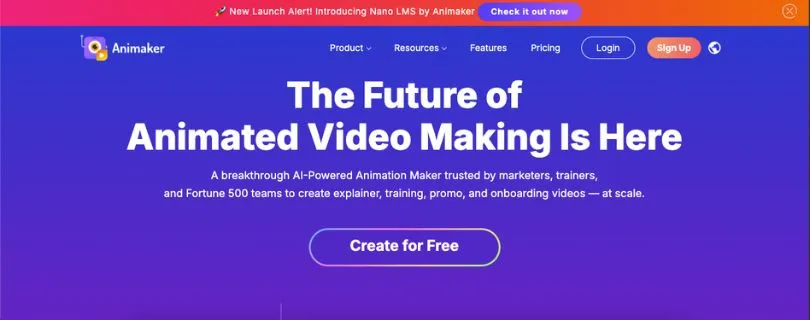
Best for: Teams that want animated videos, explainer videos, character animation, and simple video creation without hiring an animator.
Animaker is a strong Renderforest alternative if video is your main focus.
Renderforest gives you templates. Animaker gives you more room to build animated scenes with characters, props, transitions, voiceovers, subtitles, and timeline-based editing. That makes it a better fit for explainer videos, onboarding videos, educational content, and YouTube-style animated content.
You can start with templates, but you’re not locked into them as tightly.
Key Features of Animaker
- Animated video builder with characters, props, and scenes
- Text-to-speech voiceovers
- Subtitle tools and video resizing
- Character builder
- Stock assets, music, icons, and backgrounds
- Timeline-based editing for more control
What could be better:
Animaker can feel heavier than Renderforest at first because there are more moving parts. Export limits also matter, so check the plan carefully before choosing it for frequent video production.
Animaker Pricing (billed annually)
- Free – Basic tools, limited downloads, and watermarked exports
- Starter – $19/mo – More assets, HD video quality, custom characters, and 10 premium exports/mo
- Pro – $49/mo – More premium exports, better video quality, more characters, and advanced features
- Enterprise – Custom pricing – Unlimited 4K exports, advanced team controls, and custom support
Free tier available.
Also read:
Top Animaker Alternatives and Competitors for Creating Engaging Videos
Animaker vs Renderforest
Animaker is better for animated explainers and character-based videos. Renderforest is faster for simple intro videos, logo reveals, and template-first branding videos.
3. Placeit
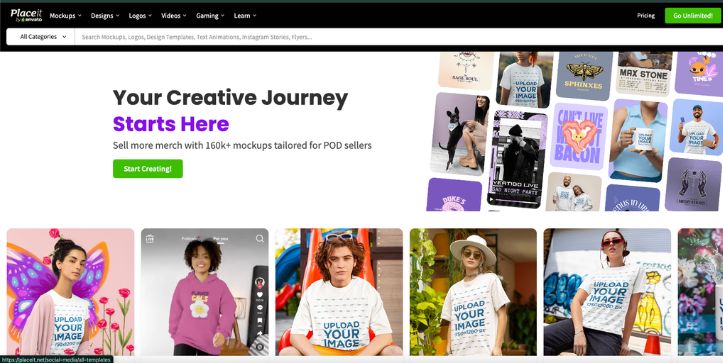
Best for: Ecommerce sellers, print-on-demand brands, creators, and marketers that need product mockups, apparel mockups, logos, and ready-made promotional visuals.
Placeit is the Renderforest alternative I’d look at first if your main need is mockups.
It has a huge library of product mockups, apparel mockups, device mockups, logo templates, gaming assets, and video templates. For ecommerce workflows, it feels more practical than Renderforest because you can quickly preview designs on t-shirts, hoodies, mugs, packaging, phones, laptops, and social media layouts.
That’s useful when you need product images for Shopify, Etsy, Amazon, print-on-demand stores, or ad creatives.
Key Features of Placeit
- Product, apparel, device, packaging, and branding mockups
- Logo maker and design templates
- Video templates for promos and social media
- Commercial-use downloads
- Simple browser-based editing
- Large mockup library for ecommerce and merch brands
What could be better:
Placeit is not a full video editor. It works best when you want fast mockups and branded visuals, not deep animation control or advanced video timelines.
Placeit Pricing (billed annually)
- Free – Limited free templates and mockups
- Unlimited Subscription – $89.69/year – Unlimited access to mockups, design templates, videos, and logos
Monthly plan available at $14.95/mo.
Placeit vs Renderforest
Placeit is better for product mockups and ecommerce visuals. Renderforest is better for logo animations, short videos, and broader brand-building templates.
4. Adobe Express
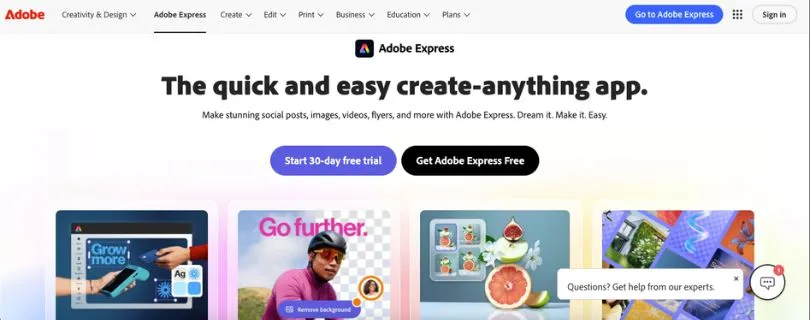
Best for: Creators and small teams that want polished social graphics, short videos, flyers, thumbnails, and AI-assisted design inside the Adobe ecosystem.
Adobe Express is a clean Renderforest alternative for people who want professional-looking designs without opening Photoshop or Premiere Pro.
You can make social posts, reels, short videos, flyers, logos, banners, thumbnails, and quick brand assets. It also connects well with Adobe’s broader creative ecosystem, which helps if your team already uses Photoshop, Illustrator, Lightroom, or Adobe Stock.
The editor feels simple, but the output can look more polished than many beginner design tools.
Key Features of Adobe Express
- Social graphics, short videos, flyers, logos, and banners
- Adobe Stock assets and Adobe Fonts
- Background remover and quick editing tools
- Brand kits and templates
- AI image, text, and design tools
- Mobile and browser-based editing
What could be better:
Adobe Express is not built for complex animation or deep video production. If you need animated explainers, Vyond and Animaker are stronger choices.
Adobe Express Pricing (billed annually)
- Free – Basic templates, limited assets, quick editing tools, and standard exports
- Premium – $99.99/year – Premium templates, Adobe Stock assets, Brand Kit, background remover, and more AI features
Free tier available. Premium also has a monthly option at $9.99/mo.
Also read: Best Adobe Express Alternatives That Actually Work in 2026 to discover easy-to-use design tools for creating graphics, videos, social media posts, and more.
Adobe Express vs Renderforest
Adobe Express is better for polished everyday design and quick social content. Renderforest is better for ready-made logo animations and template-based videos.
5. Vyond
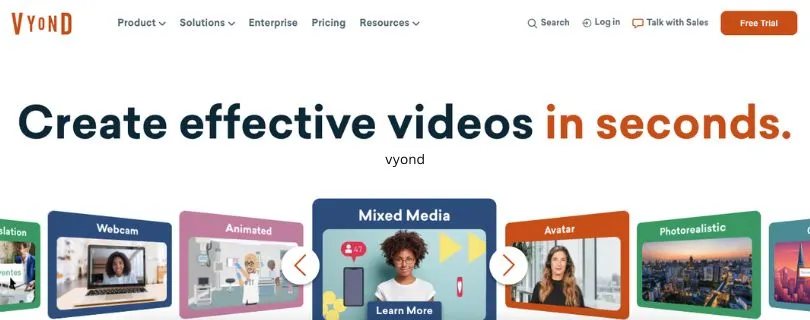
Best for: Businesses that need professional animated videos for training, internal communication, sales enablement, onboarding, and explainer content.
Vyond is the most business-focused Renderforest alternative on this list.
It’s built for teams that need polished animated videos with characters, scenes, text-to-speech, AI tools, screen recording, and brand control. If you’re creating training videos, HR videos, product explainers, or internal learning content, Vyond gives you more structure and production control than Renderforest.
It costs more, but it also feels more serious.
Key Features of Vyond
- Business animation and explainer video builder
- AI avatars and text-to-video tools
- Text-to-speech voices
- Screen and webcam recording
- Team collaboration tools
- Brand management features on higher plans
- Shutterstock assets on Professional plans
What could be better:
Vyond is expensive compared to most Renderforest alternatives. It’s overkill for casual creators, solo marketers, or anyone who only needs simple logo animations and social videos.
Vyond Pricing (billed annually)
- Starter – $58/mo – Single-user plan, basic video creation tools, and annual billing at $699/year
- Professional – $100/user/mo – Team collaboration, Shutterstock assets, instant translation, AI avatars, and 20,000 credits/user/mo
- Enterprise – $137/user/mo – Brand management, advanced collaboration, enterprise security, and virtually unlimited credits
Free trial available.
Vyond vs Renderforest
Vyond is better for professional animated business videos. Renderforest is cheaper and simpler for quick videos, logo reveals, and basic branding assets.
Renderforest vs Alternatives: Comparison of Top 3 Creative Platforms
Here’s how the top Renderforest alternatives compare on the features that matter most for content creation.
| Feature | Renderforest | Canva | Animaker | Placeit |
| Starting Price | Free plan available | Free plan available | Free plan available | $89.69/year |
| Pricing Model | Tiered subscription | Free + paid plans | Free + paid plans | Monthly or annual subscription |
| Video Templates | Yes | Yes | Yes | Yes |
| Mockup Templates | Yes | Limited | Limited | Strong |
| Logo Maker | Yes | Yes | Limited | Yes |
| Animation Tools | Basic template-based | Basic | Strong | Basic |
| AI Features | Yes | Yes | Yes | Limited |
| Team Collaboration | Available on higher plans | Strong | Available | Limited |
| Best Fit | Quick branded videos and logos | Social content and brand design | Animated explainers | Product mockups and ecommerce visuals |
Conclusion
Renderforest is still a good choice if you want quick videos, logo animations, mockups, and simple branded content from one place.
But if you need more design flexibility, stronger animation tools, better mockups, or smoother team workflows, the alternatives above are worth testing.
For most users, Canva is the safest all-around pick, Animaker is better for animated videos, and Placeit is the stronger option for product mockups.
FAQs About Renderforest Alternatives
1. What is the best alternative to Renderforest?
It depends on what you want to create. Canva is the best all-around pick for social videos, brand assets, and quick designs. Animaker is better for animated videos, while Placeit is stronger for product mockups and ecommerce visuals.
2. Is Renderforest good for video creation?
Yes, Renderforest is good for quick template-based videos, logo animations, intros, and promo clips. But it can feel limited if you need advanced editing, detailed animation control, or a more flexible video timeline.
3. How much does Renderforest cost?
Renderforest has a free plan with limited features and watermarked exports. Paid plans vary by billing cycle and usage, so it’s best to check the live pricing page before choosing a plan.
4. Does Renderforest have a free plan?
Yes, Renderforest offers a free plan. It’s useful for testing the platform, but exports usually come with limits like watermarks, lower quality, or restricted access to premium templates.
5. What is the difference between Renderforest and Canva?
Renderforest focuses more on template-based videos, logo animations, mockups, and simple branding assets. Canva gives you more flexibility for social posts, presentations, documents, brand kits, and everyday design work.
6. Which Renderforest alternative is best for mockups?
Placeit is the strongest option if mockups are your main priority. It has a large library of apparel, product, device, packaging, and ecommerce mockups that are easy to edit in the browser.
7. Can I use Renderforest alternatives for free?
Yes. Canva, Animaker, and Adobe Express all offer free plans. Free plans are useful for testing, but paid plans usually unlock better exports, premium templates, brand kits, and fewer restrictions.



