


I’ve used Fotor for quick edits, AI touch-ups, and simple design projects, and I understand why so many creators try it first.
Usually, it’s not because they want a full design suite. They just need something fast.
On paper, Fotor looks like a solid choice: a browser-based photo editor, AI image tools, background remover, templates, collage maker, and a free plan that seems good enough to get started.
But here’s the pattern I keep seeing with users who start looking for a Fotor alternative.
They want better templates for social media posts, cleaner background removal for product photos, stronger AI photo enhancement, more control over layers and edits, or brand kit features that make design work easier for teams. Sometimes, they just hit the limits of the free plan too quickly.
Instead of helping them finish creative work faster, the tool starts to feel a little boxed in.
That’s what pushed me to look for better alternatives.
I evaluated the most popular photo editing and design tools, focusing on ease of use, AI output quality, template variety, pricing, export options, and how well each platform fits real creative workflows. Only 5 made the cut.
In this blog, you’ll get a full breakdown of the 5 best Fotor alternatives for 2026, covering:
- Features
- Pricing
- Limitations
- Who each tool is best for
So you can find the right editor and spend less time fighting the tool and more time creating better visuals.
5 Best Fotor Alternatives Comparison in 2026
Check out this table to quickly get a glimpse of the most useful competitors and alternatives of Fotor.
| Tool | Best For | Starting Price | Free Plan | AI Tools Built-in |
| Canva | Templates, social media graphics, brand designs | $15/month | Yes | Yes |
| Pixlr | Browser-based photo editing with layers | $1.99/month | Yes | Yes |
| Adobe Express | Branded content, quick designs, Adobe assets | $9.99/month | Yes | Yes |
| Luminar Neo | AI photo enhancement and pro-level edits | $11.95/month | Trial available | Yes |
| Photoroom | Product photos and background removal | $12.99/month | Yes | Yes |
5 Best Fotor Alternatives for 2026 I Personally Use
Let’s learn about each of the tools in detail, one by one.
1. Canva

Canva is the Fotor alternative I’d recommend first to most creators, marketers, and small business owners.
Fotor is useful when you want to clean up a photo, remove a background, make a collage, or create a quick design. Canva goes further. It gives you a full design workspace where you can create social media posts, YouTube thumbnails, posters, ads, presentations, videos, documents, and branded campaign assets from the same place.
The biggest difference is how fast Canva gets you from idea to finished design. You don’t need to build everything from scratch. Pick a template, swap the copy, add your brand colors, adjust the image, and export.
That makes Canva a better fit if your work is less about one-off photo editing and more about repeat content creation.
Canva’s Pro page highlights premium content, AI-powered features, Background Remover, Magic Resize, and Brand Kit as paid features, while Canva Free remains available for basic design work.
Why Canva is Better Than Fotor
Canva is better than Fotor when you need a complete design system instead of a simple photo editor.
With Fotor, you can create quick visuals, but the workflow starts feeling limited when you’re making content every week. Canva handles that better. You can save brand colors, logos, fonts, and templates, then reuse them across Instagram posts, ads, pitch decks, banners, and videos.
It’s also much better for collaboration. If you work with clients, teammates, or a marketing team, Canva makes reviewing, editing, and sharing designs easier.
For creators who need an AI graphic design tool for marketers, Canva feels more practical than Fotor because it supports the whole content workflow, not just the image edit.
Key Features
- Huge template library for social posts, ads, presentations, posters, documents, thumbnails, and videos.
- Brand Kit for saving logos, colors, fonts, and visual styles.
- Background Remover for product shots, portraits, thumbnails, and promo graphics.
- Magic Resize for turning one design into different platform sizes.
- AI tools for image generation, copywriting, layout help, and quick edits.
- Real-time collaboration for teams, agencies, classrooms, and clients.
- Content planner for scheduling social media posts.
- Large library of stock photos, graphics, icons, videos, fonts, and audio.
Limitations
- Not the best choice for advanced photo editing with detailed layers, masks, and manual retouching.
- Popular templates can make designs look similar if you don’t customize them.
- The best brand tools, premium assets, and AI features require a paid plan.
- Canva can feel too broad if you only need basic photo enhancement.
Pricing
- Free: $0/month
- Canva Pro: $15/month or $120/year for one user
- Canva Business: $10/user/month or $100/user/year, typically for teams
- Canva Enterprise: Custom pricing
Canva’s own pricing-related content lists Canva Pro at $15/month or $120/year per person, Canva Business at $10/month or $100/year per person, and Enterprise as custom pricing.
Also Read:
Canva Plans and Pricing Explained
Best For
Creators, marketers, educators, freelancers, small businesses, and design teams that need templates, brand kits, AI tools, and fast social media content creation in one place.
Thinking about using Canva? These will help:
👉 Best Canva Alternatives (compare top options)
2. Pixlr
Pixlr is the closest Fotor alternative if you want to keep things browser-based but need more control over the actual edit.
It gives you two main editors. Pixlr X is lighter and better for quick edits. Pixlr E is more advanced and gives you layers, cutouts, masks, effects, overlays, and a more flexible editing space.
That split is useful. Beginners can stay inside Pixlr X for simple tasks like cropping, resizing, removing backgrounds, and adding text. More experienced users can jump into Pixlr E when they need to build thumbnails, edit product images, or create layered visuals.
Pixlr also includes AI-powered editing tools. Its pricing page mentions Plus, Premium, AI credit packs, and Enterprise options, with paid plans unlocking more AI and design features.
Why Pixlr is Better Than Fotor
Pixlr is better than Fotor when you want a more flexible photo editing workflow without downloading desktop software.
Fotor leans more toward one-click edits and simple design templates. Pixlr gives you more room to work manually. You can cut out a subject, place it on a new background, add text, adjust lighting, use layers, and fine-tune the image more carefully.
For example, if you’re creating a YouTube thumbnail, Pixlr gives you enough control to separate the person, add a bold background, adjust shadows, and build the final design in layers.
Fotor can do quick edits. Pixlr feels better when you want to shape the image yourself.
Key Features
- Pixlr X for quick edits and simple design work.
- Pixlr E for advanced browser-based photo editing.
- Layer-based editing for thumbnails, composites, and social graphics.
- AI background removal for portraits, ecommerce photos, and profile images.
- AI image generation and AI editing tools.
- Templates, fonts, overlays, stickers, and design assets.
- Works across web and mobile devices with one subscription.
- AI credit packs for users who need more generative editing usage.
Limitations
- The interface does not feel as polished as Canva or Adobe Express.
- AI credits reset or expire depending on subscription type, so heavy AI users need to watch usage.
- It does not offer the same brand kit or team workflow depth as Canva.
- Some beginners may find Pixlr E a little busy at first.
Pricing
- Free: $0/month
- Pixlr Plus: $2.49/month monthly or $1.49/month yearly
- Pixlr Premium: $9.99/month monthly or $6.49/month yearly
- Enterprise: Custom pricing
Pixlr’s official pricing page confirms Free, Plus, Premium, AI credit packs, and Enterprise options. It also explains that subscriptions work across web, desktop, and mobile platforms.
Best For
Creators, students, bloggers, freelancers, and casual editors who want a web-based photo editor like Fotor but with better manual control.
3. Adobe Express
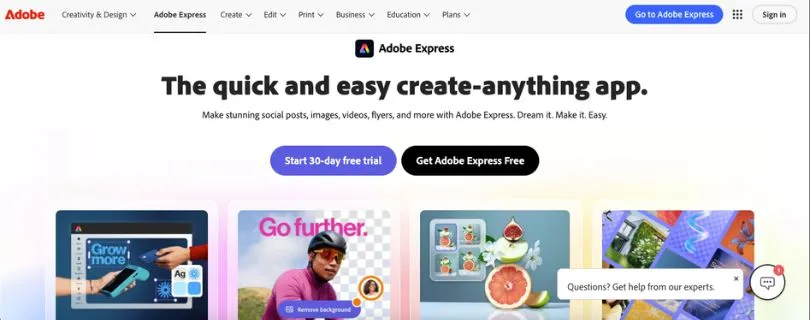
Adobe Express is a strong Fotor alternative if you want fast design tools with Adobe’s creative ecosystem behind them.
It works well for social posts, flyers, posters, short videos, presentations, ads, logos, banners, and branded content. The editor is simpler than Photoshop, but it still feels polished. You can start from templates, use Adobe Stock assets, apply fonts, remove backgrounds, resize designs, and create content for different platforms without much setup.
The Firefly AI tools are a big reason Adobe Express stands out. You can generate images, create text effects, insert or remove objects, and use generative features inside a design workflow.
Adobe’s pricing page says Adobe Express Premium includes 250 generative credits per month, access to all premium static and video templates, 200M+ royalty-free Adobe Stock assets, 30,000+ fonts, 100GB storage, one-click resize, and brand kits.
Why Adobe Express is Better Than Fotor
Adobe Express is better than Fotor when you care about branded content and polished marketing assets.
Fotor is good for simple photo editing. Adobe Express is better when you need campaign-ready designs that look more professional. It gives you stronger typography, better design assets, more polished templates, and a closer connection to Adobe tools like Photoshop, Lightroom, Illustrator, and Firefly.
The brand kit features also make it easier to keep your visuals consistent. That matters if you’re creating content for a business, client, or social media brand.
If your workflow includes ads, launch posts, event flyers, product promos, and branded graphics, Adobe Express feels more useful than Fotor.
Key Features
- Premium templates for social media, business, marketing, posters, videos, and presentations.
- Adobe Firefly AI tools for image generation, text effects, object removal, and creative edits.
- Background remover and quick photo editing tools.
- Brand kits for logos, colors, fonts, and reusable brand assets.
- One-click resize for adapting designs to different channels.
- Adobe Stock photos, videos, music tracks, design elements, and fonts.
- Content scheduling for multiple social accounts on paid plans.
- Strong connection with Adobe apps and creative workflows.
Limitations
- Not a full replacement for Photoshop or Lightroom.
- The editor can feel a bit crowded if you only want quick photo edits.
- Some of the best assets, AI features, resize tools, and brand features sit behind Premium.
- Pricing can vary by country, so the live Adobe page should be checked before publishing.
Pricing
- Adobe Express Free: $0/month
- Adobe Express Premium: ₹398.84/month on the India pricing page
- Adobe Firefly Pro: ₹1,596.54/month on the India pricing page
- Adobe Express for Teams/Business: Pricing may vary by region and business plan
Adobe’s official pricing page shows Adobe Express Premium at ₹398.84/month in India and Adobe Firefly Pro at ₹1,596.54/month, with free trials available.
Best For
Marketers, creators, small businesses, social media managers, and Adobe users who want branded templates, Firefly AI, Adobe Stock assets, and a smoother design workflow than Fotor.
Not fully sold on Adobe Express? Explore other top alternatives:
[Best Adobe Express Alternatives]
4. Luminar Neo
Luminar Neo is different from the other tools on this list.
It is not trying to be a template-based design platform. It is an AI photo editor built for people who care about image quality, lighting, detail, portraits, landscapes, and RAW editing.
That makes it a better Fotor alternative for photographers and serious creators. If Fotor feels too basic for your edits, Luminar Neo gives you more room to improve an image without jumping into Photoshop.
You can use it for sky replacement, portrait enhancement, relighting, object removal, sharpening, color work, RAW editing, and layered edits. The interface still feels approachable, but the results can look much more polished than a quick browser edit.
Skylum says Luminar Neo includes AI photo editing tools like Sky AI and Enhance AI, plus generative tools such as GenErase, GenSwap, and GenExpand. It also says Luminar Neo has a 7-day free trial but no permanently free version.
Why Luminar Neo is Better Than Fotor
Luminar Neo is better than Fotor when photo enhancement quality matters more than speed.
Fotor is fine for casual edits, basic filters, collages, and simple AI touch-ups. Luminar Neo is stronger when you want a portrait, landscape, product lifestyle image, or travel photo to look more finished.
The difference shows up in the details. Luminar gives you better control over light, depth, sky, skin, sharpness, and color. It also supports RAW editing, which matters if you shoot with a camera instead of just editing phone images.
If your goal is professional-looking photo enhancement, Luminar Neo is a better fit than Fotor.
Key Features
- AI photo enhancement for portraits, landscapes, travel shots, and lifestyle images.
- Sky AI for replacing or improving skies.
- Enhance AI for quick image improvement.
- GenErase, GenSwap, and GenExpand for generative edits.
- RAW editing support for camera files.
- Layers for creative edits and image blending.
- Relighting, sharpening, skin enhancement, and color tools.
- Works as a standalone desktop editor and can also fit into advanced photo workflows.
Limitations
- No free forever plan.
- Not useful for social media templates, brand kits, or team design workflows.
- Desktop-first editing can feel heavy if you only want fast browser edits.
- Pricing changes often because Skylum runs promotions and localized offers.
- Generative tools may be included only for a limited period depending on the license.
Pricing
- 7-day free trial: Available
- Perpetual Desktop License: NZD 169 one-time payment on the pricing page I accessed
- Perpetual Cross-device License: NZD 219 one-time payment
- Perpetual Max License: NZD 239 one-time payment
- Subscription plans: Skylum also mentions Explore and Pro subscription options, available monthly or annually
Skylum’s official pricing page showed localized New Zealand pricing during review, so the exact amount may change based on your country, discount, and plan selection.
Best For
Photographers, portrait editors, travel creators, real estate editors, and serious creators who want AI photo enhancement with more depth than Fotor.
5. Photoroom
Photoroom is the best Fotor alternative for ecommerce and product photos.
It has a very clear job: help you turn rough product images into clean, sellable visuals. That focus makes it much more useful than a general editor if you sell on Shopify, Amazon, Etsy, eBay, or social platforms.
The workflow is simple. Upload a product photo, remove the background, add a white background or AI scene, apply shadows, resize the image, and export. If you have a batch of product images, Photoroom can save a lot of time.
Fotor has background removal and product editing tools, but Photoroom feels more purpose-built for sellers. It gives you product staging, marketplace-style visuals, AI backgrounds, batch exports, and Shopify publishing on higher plans.
Photoroom’s pricing page says Pro includes advanced AI tools such as Product Staging, Virtual Model, and Ghost Mannequin, 500 batch exports per month, 1,000+ templates, and high-resolution exports. Max adds better AI models, 1,500 batch exports per month, Shopify listing publishing, faster processing, and priority support.
Why Photoroom is Better Than Fotor
Photoroom is better than Fotor when your images are tied directly to sales.
If you’re editing a product photo, you don’t just need it to look nice. You need the background removed cleanly, the product centered, the lighting consistent, and the image sized correctly for the platform where it will be listed.
Photoroom handles that workflow better than Fotor. It also works well as an AI ad creative generator for ecommerce brands because you can turn plain product shots into polished product visuals without arranging a studio shoot.
Fotor is more general. Photoroom is more focused, and that focus is exactly why ecommerce sellers like it.
Key Features
- AI background removal for product photos, portraits, and catalog images.
- White background creation for marketplace-ready listings.
- AI Backgrounds for product scenes, ads, and lifestyle-style visuals.
- AI Shadows, resize, retouching, and product beautification.
- Product Staging for cleaner ecommerce visuals.
- Virtual Model and Ghost Mannequin tools for fashion and apparel.
- Batch exports for editing many product images faster.
- Shopify listing publishing on higher plans.
- API and enterprise options for high-volume product image workflows.
Limitations
- Not ideal for general graphic design or advanced photo editing.
- Free usage is limited compared with paid plans.
- The best features are ecommerce-focused, so casual creators may not need them.
- API pricing is separate from regular app pricing.
Pricing
- Free: $0/month
- Pro: $7.50/month billed annually or $12.99/month billed monthly
- Max: $20.99/month billed annually or $34.99/month billed monthly
- Ultra: From $82.50/month billed annually or from $99/month billed monthly
- Enterprise: Custom pricing
Photoroom’s pricing page lists Pro, Max, Ultra, and Enterprise plans, while its own pricing-related blog pages show the monthly and annual prices above.
Best For
Ecommerce sellers, Shopify stores, Amazon sellers, Etsy shops, resellers, product photographers, and small brands that need fast, consistent product photos.
Fotor vs Alternatives: Which One Should You Choose?
The best Fotor alternative depends on what you’re trying to create.
If you only need quick edits, filters, collages, and simple AI touch-ups, Fotor can still do the job. But once your workflow gets more specific, another tool usually makes more sense.
For example, Canva is better if you’re making social media graphics every week. Pixlr is better if you want a free or affordable browser editor with layers. Photoroom is better if your main job is cleaning up product photos for an online store.
Here’s the easiest way to choose:
| Choose This Tool | If You Need |
| Canva | Best all-round design, templates, brand kits, and team collaboration |
| Pixlr | Free or affordable browser-based photo editing with layers and AI tools |
| Adobe Express | Adobe assets, branded content, quick designs, and Firefly AI features |
| Luminar Neo | Advanced AI photo enhancement for portraits, landscapes, and serious image edits |
| Photoroom | Ecommerce product photos, background removal, AI product scenes, and batch editing |
| Affinity Photo | Pro-level editing without Photoshop complexity or a traditional Adobe workflow |
| Photopea | Free browser-based Photoshop-like editing with advanced file support |
| Snapseed | Free mobile photo editing for quick, detailed edits on your phone |
| Remove.bg | High-quality background removal when you only need fast cutouts |
Final Verdict: What Is the Best Fotor Alternative?
The best Fotor alternative for most people is Canva.
It gives you the strongest mix of templates, AI tools, brand kit features, stock assets, collaboration, and everyday design flexibility. If your work includes social media posts, thumbnails, ads, presentations, posters, or branded content, Canva feels much more complete than Fotor.
That said, Canva is not the best choice for every workflow.
Choose Pixlr if you want a browser-based photo editor with layers and more manual control. It’s closer to a lightweight Photoshop-style editor, which makes it better for thumbnails, composites, and detailed image edits.
Choose Adobe Express if you already like Adobe tools or need polished branded content with Firefly AI, Adobe Stock assets, and stronger design templates.
Choose Luminar Neo if your main priority is advanced AI photo enhancement. It’s the better pick for portraits, landscapes, RAW photos, lighting fixes, and images that need a more professional finish.
Choose Photoroom if you sell products online. It’s the most practical Fotor alternative for ecommerce photos, background removal, AI product scenes, batch editing, and marketplace-ready images.
So, the simple answer is this:
Canva is the best overall Fotor alternative, Pixlr is the best free/affordable browser editor, Adobe Express is best for branded content, Luminar Neo is best for AI photo enhancement, and Photoroom is best for ecommerce product photos.
FAQs About Fotor Alternatives
What is the best Fotor alternative overall?
Canva is the best overall Fotor alternative for most users.
It gives you more than basic photo editing. You get templates, AI design tools, brand kits, collaboration, stock assets, social media formats, presentations, videos, and marketing layouts in one place.
Fotor is still useful for quick edits, but Canva is better if you create content regularly and need a smoother design workflow.
What is the best free Fotor alternative?
The best free Fotor alternative depends on what you need:
- Canva Free — best for templates, social media graphics, and simple designs.
- Pixlr Free — best for browser-based photo editing with more control.
- Photopea — best for free Photoshop-like editing in your browser.
- Snapseed — best for free mobile photo editing.
- GIMP — best for open-source desktop photo editing.
If you want something easy, start with Canva or Pixlr. If you want deeper editing tools without paying, Photopea is a stronger choice.
Is Canva better than Fotor?
Yes, Canva is better than Fotor for most design workflows.
Canva is stronger for:
- Social media posts
- Brand kits
- Presentations
- Marketing templates
- Team collaboration
- Video designs
- Content planning
- Reusable brand assets
Fotor is better if you only need quick photo edits, filters, collages, or simple AI photo enhancement. But if you’re creating content for a brand, business, client, or social media page, Canva gives you more room to work.
Is Pixlr better than Fotor?
Pixlr is better than Fotor if you want more control over photo editing.
Fotor is easier for quick edits and one-click effects. Pixlr gives you a more flexible workspace with layers, cutouts, overlays, text, effects, and advanced browser-based editing.
Choose Pixlr if you want to create:
- YouTube thumbnails
- Blog graphics
- Social media visuals
- Product image edits
- Layered photo edits
- Simple composites
Choose Fotor if you want something more beginner-friendly and don’t need many manual controls.
What is the best Fotor alternative for AI photo editing?
Luminar Neo is the best Fotor alternative for advanced AI photo editing.
It is built more for serious image enhancement than quick browser edits. You can use it for portraits, landscapes, travel photos, real estate images, RAW files, lighting fixes, sharpening, sky replacement, and detailed color work.
Other good AI photo editing alternatives include:
- Adobe Express for Firefly AI and branded content.
- Canva for simple AI design and image tools.
- Pixlr for browser-based AI editing.
- Photoroom for AI product photos and background removal.
What is the best Fotor alternative for background removal?
Photoroom is the best Fotor alternative for product background removal, especially if you sell online.
It is built for ecommerce images, so it does more than remove the background. You can also add shadows, white backgrounds, AI scenes, product staging, and marketplace-ready sizes.
For general background removal, these are also good options:
- Remove.bg — best for fast, single-purpose background removal.
- Canva — best if you want to remove a background and place the image into a design.
- Adobe Express — best for branded assets and quick social graphics.
- Pixlr — best if you want to remove the background and keep editing manually.
What is the best Fotor alternative for ecommerce product photos?
Photoroom is the best choice for ecommerce product photos.
It works well for Shopify, Amazon, Etsy, eBay, Instagram Shops, and small online stores. You can remove backgrounds, create clean product scenes, add shadows, resize images, and edit product photos in batches.
Canva is also useful if you want to turn product photos into ads, banners, social media posts, and promotional graphics.
What is the best Fotor alternative for professional photographers?
Luminar Neo is the best option from this list for photographers.
It gives you deeper photo enhancement tools than Fotor, including AI lighting edits, RAW support, portrait tools, sky replacement, sharpening, color adjustments, and layered editing.
Other good choices for photographers include:
- Affinity Photo — best for advanced manual editing.
- Adobe Lightroom — best for photo organization and color grading.
- Photoshop — best for high-end retouching and compositing.
- Photopea — best free browser-based option for Photoshop-style editing.
Is there a Fotor alternative without a subscription?
Yes. Affinity Photo is one of the best Fotor alternatives if you prefer a one-time purchase instead of a monthly subscription.
It is much more advanced than Fotor and works better for users who need layers, masks, RAW editing, retouching, HDR merging, and detailed image control.
You can also consider:
- Photopea for free browser-based editing.
- GIMP for free open-source desktop editing.
- Snapseed for free mobile editing.
What is the best Fotor alternative for beginners?
Canva is the best Fotor alternative for beginners because the editor is simple, the templates are easy to customize, and you don’t need design experience to make something look good.
Beginners may also like:
- Adobe Express for polished templates and simple quick actions.
- Pixlr X for easy browser-based photo editing.
- Photoroom for simple product photo editing.
- Snapseed for mobile edits.
If you’re new to design, Canva is the easiest place to start.
What is the best Fotor alternative for social media posts?
Canva is the best Fotor alternative for social media content creation.
It has ready-made templates for Instagram posts, Reels covers, Stories, Facebook posts, TikTok graphics, YouTube thumbnails, Pinterest pins, LinkedIn posts, and ads.
Adobe Express is another strong option if you want more polished branded templates and Adobe Stock assets.
Pixlr works better when your social media post needs detailed image editing before design.
What is the best Fotor alternative for teams?
Canva is the best Fotor alternative for teams.
It gives teams shared folders, brand kits, templates, comments, approvals, real-time collaboration, and easy sharing. This makes it practical for marketing teams, agencies, educators, and small businesses that create a lot of repeat content.
Adobe Express is also good for teams that already use Adobe tools and want branded content with Firefly AI.
Which Fotor alternative is closest to Photoshop?
Photopea is the closest free browser-based Fotor alternative to Photoshop.
It supports layers, masks, PSD files, smart objects, brushes, selections, and many familiar Photoshop-style tools. It runs in your browser, so you don’t need to install heavy software.
For a paid option, Affinity Photo is a stronger professional editor and a better choice if you want advanced editing without Adobe’s subscription model.
Which Fotor alternative is best for YouTube thumbnails?
Canva and Pixlr are the best Fotor alternatives for YouTube thumbnails.
Use Canva if you want ready-made thumbnail templates, bold fonts, quick background removal, and easy layout tools.
Use Pixlr if you want more control over the image, such as cutting out a person, adding shadows, adjusting lighting, and building a thumbnail with layers.
A good workflow is to edit the image in Pixlr, then finish the layout in Canva.
Which Fotor alternative is best for AI-generated images?
If your main goal is AI image generation, Adobe Express, Canva, and Pixlr are good Fotor alternatives.
Adobe Express is strong because of Firefly AI. Canva is better if you want to place AI images directly into social posts, ads, presentations, or brand designs. Pixlr is useful if you want AI generation plus manual photo editing in the browser.
For more advanced AI image generation, tools like Midjourney, Leonardo AI, Ideogram, or Krea may be better than Fotor-style editors.
What is the best Fotor alternative for mobile editing?
Snapseed is one of the best free mobile alternatives to Fotor.
It gives you detailed photo editing tools on your phone, including selective adjustments, healing, curves, filters, perspective correction, and portrait edits.
Canva and Adobe Express are better mobile options if you want to create social media designs instead of only editing photos.
Are Fotor alternatives better than Fotor?
Some are, depending on what you need.
Fotor is still useful for quick edits, collages, basic design templates, and simple AI tools. But alternatives can be better in specific areas:
- Canva is better for templates and brand design.
- Pixlr is better for browser-based layer editing.
- Adobe Express is better for Adobe assets and branded content.
- Luminar Neo is better for AI photo enhancement.
- Photoroom is better for ecommerce product photos.
- Photopea is better for free Photoshop-style editing.
- Snapseed is better for free mobile photo editing.
So the better choice depends on your workflow, not just the feature list.
Should I use Fotor or Canva?
Use Fotor if your main goal is simple photo editing, filters, collages, and quick AI touch-ups.
Use Canva if you need to create full designs, such as:
- Social media posts
- Ads
- Presentations
- YouTube thumbnails
- Flyers
- Posters
- Brand templates
- Marketing graphics
For most creators and marketers, Canva is the more useful everyday tool.
Should I use Fotor or Photoroom?
Use Fotor for general photo editing and casual design work.
Use Photoroom if you sell products online and need clean product photos. Photoroom is better for background removal, white backgrounds, product shadows, AI product scenes, and batch editing.
For ecommerce, Photoroom is the stronger pick.
Should I use Fotor or Luminar Neo?
Use Fotor if you want quick browser-based photo edits.
Use Luminar Neo if you want better photo enhancement quality. It is stronger for portraits, landscapes, lighting correction, RAW photos, sharpening, and professional-looking image edits.
Fotor is simpler. Luminar Neo is more powerful.
What is the cheapest Fotor alternative?
Pixlr is one of the cheapest paid Fotor alternatives, especially if you want browser-based editing with AI tools.
Free options include:
- Canva Free
- Pixlr Free
- Photopea
- Snapseed
- GIMP
- Remove.bg free usage
The cheapest option depends on whether you need templates, advanced editing, mobile editing, or background removal.



