I thought Adobe Firefly was one of the easiest AI image generators to recommend — until I started comparing it with other tools.
After using it for a while, I understood why some creators, marketers, and designers start looking for better options:
- The image style can feel limited compared to more creative AI image generators
- It works best if you’re already inside the Adobe ecosystem
- The text generation inside images isn’t always as accurate as you’d want
- Some alternatives offer better pricing, faster workflows, or more creative control
So, if you’re looking for another AI image generator that gives you better visuals, easier design options, or more flexibility, I don’t blame you!
To help you choose the right tool for your creative workflow, I’ve put together this list of the best Adobe Firefly alternatives and competitors in 2026.
Read on to find out the best Adobe Firefly alternative that works for you!
Quick Comparison Table
Before we get into the details, here’s a quick look at the best Adobe Firefly alternatives and where each one fits best.
| Tool | Best For | Free Plan | Main Strength | Main Limitation | Best User Type |
| Canva | Marketers and non-designers | Yes, with limited AI features | Makes it easy to create social posts, ads, presentations, and brand graphics without design skills | Not as flexible for advanced AI image control | Small businesses, creators, marketers, and social media teams |
| Midjourney | Artistic and cinematic visuals | No regular free plan | Creates some of the most stylish and high-quality AI images | Not ideal for text-heavy designs or exact layouts | AI artists, creative directors, designers, and visual storytellers |
| Ideogram | Text, logos, posters, and typography | Yes, with limited public generations | Handles text inside images better than many AI image generators | Not as complete as Canva for full design workflows | Logo designers, merch sellers, poster creators, and marketers |
| ChatGPT / DALL-E | Conversational prompting and fast creative ideation | Yes, with usage limits | Lets you brainstorm, write prompts, revise ideas, and create images in one place | Less advanced image control than open-source tools | Content creators, bloggers, marketers, and beginners |
| ComfyUI / Stable Diffusion / Flux | Open-source control and local workflows | Yes, but setup or hardware may be needed | Gives you deep control over models, styles, workflows, and image settings | Steeper learning curve than beginner-friendly tools | Developers, AI artists, advanced creators, and workflow builders |
Why Look for an Adobe Firefly Alternative?
Adobe Firefly is a solid AI image generator, especially if you already use Adobe tools. But it’s not always the best fit for every creator, marketer, or design workflow.
Firefly is strong, but not perfect for every workflow
Firefly works really well for Photoshop users, Creative Cloud teams, and anyone who needs AI image editing inside Adobe apps. Features like Generative Fill, image expansion, and quick edits make it useful for designers who already live in the Adobe ecosystem.
It’s also a good option for brand and design teams that care about commercially safer AI workflows. But if you want more creative styles, better text inside images, or a tool that doesn’t depend on Adobe apps, you may want to look elsewhere.
Common reasons people switch
People usually look for Adobe Firefly alternatives because they want:
- Better artistic style
- More realistic or cinematic outputs
- More accurate text inside images
- Cheaper or more flexible pricing
- No Adobe ecosystem lock-in
- Open-source or local AI image generation
- Better character consistency
- Easier marketing design workflows
- API access or automation options
How I Chose the Top 5 Adobe Firefly Alternatives
I didn’t just pick random popular AI image generators. I looked at tools that solve real problems Firefly users often run into, whether that’s design speed, image quality, text accuracy, pricing, or creative control.
Evaluation criteria
Here’s what I focused on while choosing these Adobe Firefly competitors:
- Output quality
- Prompt accuracy
- Text rendering
- Ease of use
- Editing tools
- Character consistency
- Commercial use and licensing clarity
- Pricing and free plan
- Workflow fit
- Team collaboration
- API or local control
Who this guide is for
This guide is for designers, marketers, social media creators, small businesses, agencies, YouTubers, AI artists, developers, print-on-demand sellers, and product photographers who want a better AI image generator for their day-to-day work.
Whether you need quick Instagram graphics, product mockups, YouTube thumbnails, logo ideas, or full creative control, the tools below will help you find the right Adobe Firefly alternative for your workflow.
Top 5 Adobe Firefly Alternatives in 2026
Each Adobe Firefly alternative below is ranked based on image quality, ease of use, creative control, pricing, text accuracy, and how useful it actually is for real design and marketing work.
1. Canva
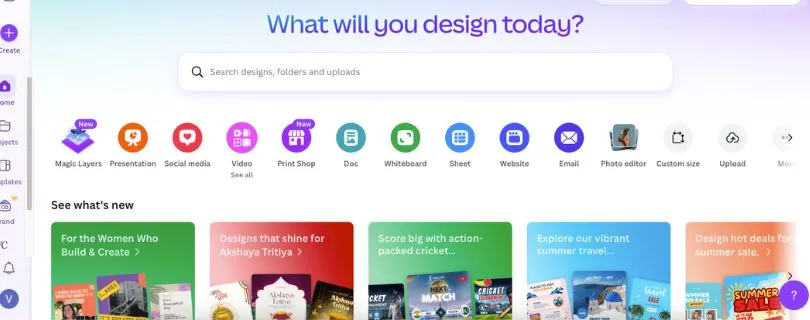
Canva is one of the easiest Adobe Firefly alternatives to recommend if your goal is not just to generate images, but to turn those images into finished designs.
It gives you AI image generation, templates, photo editing, background removal, brand kits, presentations, social media post design, video tools, and team collaboration in one place.
That makes it a better fit for people who need ready-to-publish graphics instead of just AI-generated artwork.
Want my full hands-on experience before choosing Canva? Read:
I Tried Canva: My Honest Review
Why Canva Is a Strong Adobe Firefly Alternative
The biggest reason Canva works so well is that it fits into everyday marketing workflows.
With Adobe Firefly, you may generate or edit an image, but you’ll often need another tool to turn it into an Instagram post, ad creative, YouTube thumbnail, flyer, or presentation.
Canva handles that next step for you.
You can generate an image, drop it into a template, add your brand colors, resize it for different platforms, and export it without jumping between multiple apps.
That’s helpful if you’re a small business owner, creator, social media manager, or marketer who needs content fast.
The limitation is creative depth. Canva is easy, but it doesn’t give you the same artistic style control as Midjourney or the advanced local workflow control you get with ComfyUI.
Pros
- ✅ Very easy to use, even if you’re not a designer
- ✅ Great for social media posts, ads, thumbnails, flyers, and presentations
- ✅ Includes templates, brand kits, background remover, and AI design tools
- ✅ Strong team collaboration features for marketing teams
- ✅ Better for finished marketing assets than standalone AI image tools
Cons
- ❌ Not as strong as Midjourney for cinematic or artistic image quality
- ❌ Limited advanced AI image control compared to open-source tools
- ❌ Some useful AI and brand features are locked behind paid plans
- ❌ Not ideal if you only want raw AI image generation
Still comparing design tools before choosing Canva? Read:
5 Best Canva Alternatives for Creators & Teams
Pricing
- Free plan available
- Canva Pro: $120/year for one person
- Canva Business: $100/year per person
- Canva Enterprise: Custom pricing
Before upgrading, check the full plan breakdown here:
Canva Pricing 2026: Plans, Costs, Features & Free vs Pro Guide
2. Midjourney
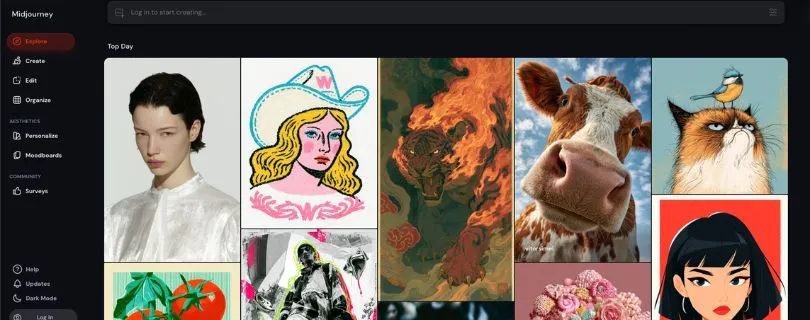
Midjourney is the tool I’d pick if image quality matters more than templates, brand kits, or basic design editing.
It’s known for creating polished, dramatic, and highly stylized AI images. If you want cinematic scenes, fantasy art, fashion concepts, product-style visuals, moodboards, or creative campaign ideas, Midjourney usually feels more visually exciting than Adobe Firefly.
It’s not the easiest tool for every beginner, but the results can be hard to ignore.
Want to compare Midjourney with other AI design tools? Read:
5 Best AI Graphic Design Generator Tools in 2026
Why Midjourney Is a Strong Adobe Firefly Alternative
Adobe Firefly is great when you want safe, clean, Adobe-friendly image generation. But if you feel Firefly’s outputs look too simple or too controlled, Midjourney gives you more creative range.
The biggest difference is style.
Midjourney can create images that feel more editorial, artistic, surreal, or cinematic. That makes it useful for designers, AI artists, YouTubers, creative directors, and marketers who want visuals that stand out instead of looking like standard stock images.
It also has a strong creative community, so you can learn a lot by seeing how other users write prompts and build styles.
The trade-off is control. Midjourney is not the best option for exact text inside images, detailed layouts, or quick business graphics. You’ll also need to be comfortable experimenting with prompts to get the look you want.
Pros
- ✅ Excellent image quality with strong artistic style
- ✅ Great for cinematic visuals, concept art, moodboards, and campaign ideas
- ✅ Strong community for prompt inspiration
- ✅ Useful for creators who want images that feel less generic
- ✅ Better than Firefly if your main goal is visual impact
Cons
- ❌ No regular free plan
- ❌ Not ideal for text-heavy graphics or exact layouts
- ❌ Can take time to learn prompt styling
- ❌ Less practical than Canva for finished marketing designs
Pricing
- Basic: $96/year
- Standard: $288/year
- Pro: $576/year
- Mega: $1,152/year
3. Ideogram
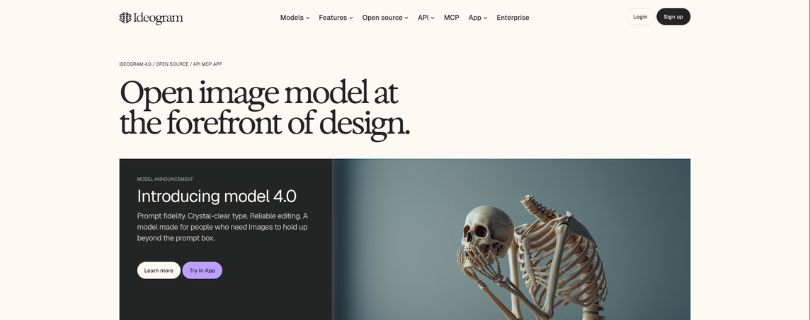
Best Adobe Firefly Alternative for Text, Logos, Posters, and Typography
Ideogram is a strong Adobe Firefly alternative if you often create designs where text actually needs to look right.
That includes logo concepts, posters, stickers, quote graphics, merch designs, YouTube thumbnails, ad creatives, and social media visuals with words inside the image.
Many AI image generators still struggle with text. They may misspell words, distort letters, or turn a simple phrase into something unreadable. Ideogram is built to handle that problem better than most.
Why Ideogram Is a Strong Adobe Firefly Alternative
The main reason to use Ideogram over Adobe Firefly is text accuracy.
If your design depends on a readable headline, slogan, brand name, or poster title, Ideogram gives you a better starting point. It also feels more focused than Canva if you want AI-first image creation rather than template-based design.
I also like that it gives creators a simple workflow. You write a prompt, choose a style, generate options, and then refine the results. You don’t need to build complex workflows or install anything locally.
That makes it useful for marketers, print-on-demand sellers, logo designers, content creators, and small businesses that want quick visual ideas with cleaner typography.
The downside is that Ideogram is not a full graphic design suite. You may still need Canva, Photoshop, or another editor to polish the final design before publishing or printing it.
Pros
- ✅ Strong text rendering compared to many AI image generators
- ✅ Great for posters, logos, stickers, merch, and social graphics
- ✅ Easy to use without technical setup
- ✅ Useful Magic Prompt and style tools for better results
- ✅ Free plan available for testing
Cons
- ❌ Not as complete as Canva for full design workflows
- ❌ Free plan has usage limits
- ❌ Advanced editing is still more limited than dedicated design tools
- ❌ Not the best option for complex local AI workflows
Pricing
- Free plan available
- Plus: $180/year
- Pro: $504/year
- Team: $240/year per member, minimum 2 members
4. ChatGPT / DALL-E
ChatGPT with image generation is a great Adobe Firefly alternative if you want more than a simple text-to-image tool.
It helps you brainstorm image ideas, improve prompts, rewrite creative directions, generate visuals, and refine concepts in one place.
That makes it especially useful for bloggers, marketers, YouTubers, social media creators, and small business owners who don’t want to spend half their time figuring out how to write the “perfect” AI image prompt.
Why ChatGPT / DALL-E Is a Strong Adobe Firefly Alternative
The best thing about ChatGPT is how natural the workflow feels.
With Adobe Firefly, you usually start with a prompt and then adjust the image using Adobe’s creative tools. That works well if you already know what you want.
ChatGPT is better when you’re still figuring things out.
You can ask it for 10 Instagram ad ideas, turn one idea into a detailed image prompt, generate the image, then ask for a cleaner version, a different style, or a new angle.
That back-and-forth makes it helpful for fast creative ideation.
I also like it for content workflows. You can create a blog image, write the caption, plan the social post, and refine the visual direction without switching tools.
The limitation is control. ChatGPT is easy to use, but it doesn’t give you the same advanced image workflow control you get with ComfyUI or the same artistic consistency many creators like in Midjourney.
Pros
- ✅ Great for brainstorming image ideas and writing better prompts
- ✅ Easy conversational workflow for beginners
- ✅ Useful for blog graphics, ad concepts, thumbnails, and social visuals
- ✅ Can help with both copy and image creation in one place
- ✅ Strong option if you want quick revisions without learning complex tools
Cons
- ❌ Less advanced image control than ComfyUI
- ❌ Not as visually stylized as Midjourney for cinematic artwork
- ❌ Image limits depend on your plan and usage
- ❌ Not a full graphic design platform like Canva
Pricing
- Free plan available with limited image generation
- ChatGPT Plus: $20/month
- ChatGPT Pro: $100/month or $200/month
- ChatGPT Business: $20/user/month billed annually, or $25/user/month billed monthly
5. ComfyUI / Stable Diffusion / Flux
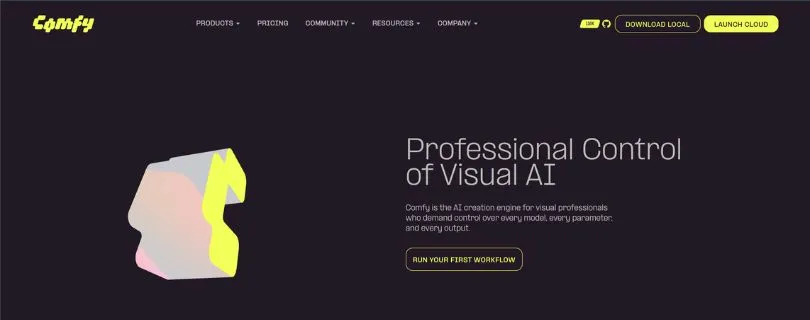
ComfyUI is the best Adobe Firefly alternative for people who want full control over how their AI images are created.
Instead of giving you one simple prompt box, it uses a node-based workflow. That means you can connect models, prompts, image settings, upscalers, ControlNet-style tools, LoRAs, and other steps like building blocks.
It’s not the easiest tool on this list, but it’s one of the most flexible.
Why ComfyUI Is a Strong Adobe Firefly Alternative
The biggest reason to use ComfyUI is control.
Adobe Firefly is polished and beginner-friendly, but it keeps you inside Adobe’s workflow. ComfyUI gives you far more freedom.
You can run open-source models like Stable Diffusion and Flux, build repeatable workflows, test different styles, save exact settings, and generate images locally if your hardware can handle it.
That makes it useful for AI artists, developers, workflow builders, product photographers, and advanced creators who want more than basic AI image generation.
I also like that ComfyUI can be used for more than simple image creation. You can build workflows for image editing, upscaling, character consistency, batch generation, product mockups, and even video or 3D workflows depending on the models and nodes you use.
The trade-off is setup. If you’re used to Canva or Firefly, ComfyUI will feel more technical at first. You’ll need patience, the right models, and possibly a good GPU if you want to run everything locally.
Pros
- ✅ Free and open-source for local workflows
- ✅ Works with models like Stable Diffusion, Flux, SDXL, and more
- ✅ Excellent control over prompts, models, settings, and outputs
- ✅ Great for repeatable workflows and advanced creative pipelines
- ✅ Can run locally if you have the right hardware
Cons
- ❌ Steeper learning curve than Adobe Firefly, Canva, or ChatGPT
- ❌ Local setup can be confusing for beginners
- ❌ Good hardware may be needed for smooth performance
- ❌ Model licenses and commercial use rules can vary
- ❌ Not ideal if you just want quick social media graphics
Pricing
- ComfyUI local/Desktop: Free to use on your own hardware
- Comfy Cloud Standard: $20/month
- Comfy Cloud Creator: $35/month
- Comfy Cloud Pro: $100/month
- Comfy Enterprise: Custom pricing
Adobe Firefly vs Alternatives: Feature Comparison
Here’s a quick side-by-side look at how Adobe Firefly compares with Canva, Midjourney, Ideogram, ChatGPT / DALL-E, and ComfyUI.
| Feature | Adobe Firefly | Canva | Midjourney | Ideogram | ChatGPT / DALL-E | ComfyUI |
| AI image generation | Yes | Yes | Yes | Yes | Yes | Yes |
| Image editing | Strong inside Adobe apps | Good for quick edits | Limited | Basic editing tools | Good for simple revisions | Advanced, but technical |
| Text inside images | Decent, but not always perfect | Good for adding text manually | Weak for exact text | Strong | Good, but can vary | Depends on model and workflow |
| Artistic quality | Clean and polished | Good for simple visuals | Excellent | Good | Good | Can be excellent with the right model |
| Marketing templates | Limited outside Adobe tools | Excellent | No | Limited | No | No |
| Character consistency | Improving, but workflow-dependent | Limited | Good with careful prompting | Good for some styles | Decent | Strong with the right setup |
| Local generation | No | No | No | No | No | Yes |
| API/developer control | Limited depending on Adobe access | Limited | Limited | Available on some plans/tools | Available through OpenAI API | Strong with local and custom workflows |
| Team collaboration | Best with Creative Cloud | Strong | Limited | Limited | Good on team plans | Depends on setup |
| Ease of use | Easy if you know Adobe | Very easy | Medium | Easy | Very easy | Harder for beginners |
| Commercial use clarity | Strong Adobe positioning | Clear for most business users | Plan terms should be checked | Terms should be checked | Terms should be checked | Depends on model license |
| Best for | Adobe users and image editing | Marketing designs | Cinematic AI art | Text-heavy visuals | Fast ideas and prompts | Open-source control |
If you only need quick AI images inside Photoshop, Adobe Firefly still makes a lot of sense. But if you want stronger artwork, better typography, easier marketing designs, or full open-source control, the alternatives above can be a better fit.
Free Adobe Firefly Alternatives
You don’t always need to pay right away to test a good Adobe Firefly alternative. A few tools offer free plans, free credits, or open-source workflows that let you experiment before spending money.
Best free options to try first
- Canva is the easiest free option for beginners. Its free plan gives you access to basic design tools, templates, and some AI features, which is enough for simple social media posts, presentations, and quick marketing graphics.
- ChatGPT can also be a good option if image generation is available on your account. It’s especially useful when you want help writing prompts, brainstorming ideas, or turning rough concepts into better image directions.
- Ideogram is worth trying if you care about text inside images. Its free plan is useful for testing posters, logo ideas, stickers, quote graphics, and typography-heavy designs.
- ComfyUI is the best free option for advanced users. It’s open-source, so you can run it locally and connect it with models like Stable Diffusion, SDXL, or Flux if your computer can handle it.
- You can also test Stable Diffusion or Flux through local installs, hosted web apps, or cloud-based AI image platforms. This gives you more flexibility, but the experience depends on the interface, model, and hardware you use.
What “free” really means
Free AI image generators are helpful, but they usually come with limits.
Some free plans include daily credit caps, slower generation queues, watermarks, public image visibility, lower export quality, or limited access to advanced editing tools. That’s fine for testing, but it can feel restrictive once you start creating client work, ads, thumbnails, product images, or brand assets regularly.
Local tools like ComfyUI can be free to use, but they may require a decent GPU, storage space, setup time, and some patience. You’re not paying a monthly fee, but you are spending time learning the workflow.
Commercial use is another thing to check carefully. Canva, ChatGPT, Ideogram, Midjourney, and Adobe Firefly all have their own terms. With ComfyUI, the rules depend on the model you use, such as Stable Diffusion or Flux. So before using any AI-generated image in ads, packaging, client projects, merch, or paid campaigns, make sure the tool and model license allow it.
Honorable Mentions: More Adobe Firefly Alternatives Worth Testing
The five tools above are the strongest Adobe Firefly alternatives for most users, but a few other AI design and image tools are still worth checking out.
- Leonardo AI — Good for AI art, game assets, character concepts, and creative image styles.
- Runway — Better if you want AI video generation, image-to-video tools, and creative video editing.
If Runway’s AI video tools interest you, read my full test here:
I Tested Runway Gen-4 and Here Is My Honest Review - Luma — Useful for cinematic AI video, motion experiments, and visual storytelling.
Want to see how Luma performs in real use?
Read:Luma Dream Machine Review: I Tested It - Kling — A strong option for creators who want realistic AI video generation from text or images.
Comparing AI video tools too?
Start here: I Tested 5 Kling Alternatives: Best AI Video Generators Like Kling - Google AI Studio / Imagen / Veo — Worth testing if you want Google’s latest image and video generation models.
- Stable Diffusion web apps — Good if you want open-source-style image generation without setting everything up locally.
- Flux-based tools — Great for high-quality AI images, realistic outputs, and flexible creative workflows.
- Visme — Helpful for presentations, infographics, and business-friendly visual content.
If presentations and infographics matter most, compare more options here:
Top Visme Alternatives - Simplified — A practical option for social media graphics, AI writing, and quick marketing content.
Want an all-in-one content creation tool instead?
Read: I Tried Simplified: My Honest Review of This All-in-One AI Content Creation Platform - Designs.ai — Useful for logos, videos, banners, and simple brand assets.
These tools didn’t make the top five because they’re either more niche, more video-focused, or better as supporting tools. Still, depending on your workflow, one of them might be a better fit than Adobe Firefly.
My Final Verdict: Which Adobe Firefly Alternative Should You Pick?
The best Adobe Firefly alternative depends on what you’re trying to create.
If you want quick marketing graphics, social media posts, and easy design templates, Canva is the safest pick. If you care most about beautiful, cinematic AI images, Midjourney is hard to beat.
For text-heavy visuals like logos, posters, stickers, or quote graphics, Ideogram makes the most sense. If you want help brainstorming ideas, writing prompts, and generating images in one place, ChatGPT / DALL-E is the easiest option.
And if you want full control over models, settings, local generation, and advanced AI workflows, ComfyUI is the best choice.
My simple recommendation: start with Canva if you want the most practical everyday tool. Choose Midjourney if image quality is your top priority. Go with Ideogram if accurate text matters most.
FAQ’s
What is the best Adobe Firefly alternative overall?
For most users, Canva is the best Adobe Firefly alternative because it helps you create complete designs, not just AI images.
If you care more about artistic quality, choose Midjourney. If you need better text inside images, go with Ideogram.
What is the best free Adobe Firefly alternative?
The best free options to try first are Canva, Ideogram, ChatGPT, and ComfyUI.
Canva and Ideogram are easier for beginners, while ComfyUI is better if you want open-source control and don’t mind a bit of setup.
Is Midjourney better than Adobe Firefly?
Midjourney is usually better for artistic, cinematic, and highly stylized AI images.
Adobe Firefly is better if you already use Photoshop, Illustrator, or other Adobe apps and want AI features inside that workflow.
Which Adobe Firefly alternative is best for text in images?
Ideogram is one of the best options for text-heavy AI images.
It’s a good pick for:
- Posters
- Logos
- Stickers
- Quote graphics
- T-shirt designs
- YouTube thumbnails
Which Adobe Firefly alternative is best for beginners?
Canva is the easiest option for beginners because you get templates, drag-and-drop editing, AI tools, and export options in one place.
You don’t need design skills to create social posts, ads, presentations, or basic brand graphics.
Can I use Adobe Firefly alternatives for commercial work?
Yes, many Adobe Firefly alternatives can be used for commercial work, but you should always check the tool’s terms before using the images in paid projects.
This matters most if you’re creating:
- Client designs
- Ads
- Product packaging
- Merch
- Book covers
- Brand assets
What is the best open-source Adobe Firefly alternative?
ComfyUI is the best open-source Adobe Firefly alternative for advanced users.
It lets you use models like Stable Diffusion, SDXL, and Flux, build custom workflows, and run image generation locally if your computer has the right hardware.
Is Canva better than Adobe Firefly?
Canva is better if you want quick marketing designs, social media graphics, presentations, and ready-made templates.
Adobe Firefly is better if you already work inside Adobe apps and need AI image editing features like Generative Fill.
If you want a simpler Adobe design workflow, read:
What Is Adobe Express? Features, Pricing, Pros & Cons Explained
Which Adobe Firefly alternative creates the most realistic images?
For realistic and polished images, Midjourney, ChatGPT / DALL-E, and Flux-based tools are strong choices.
Midjourney is better for cinematic realism, while Flux and Stable Diffusion workflows give advanced users more control over the final result.
Which Adobe Firefly alternative is best for social media content?
Canva is the best pick for social media content because it gives you templates for Instagram posts, Reels covers, YouTube thumbnails, LinkedIn graphics, ads, and more.
It’s also easier to resize designs for different platforms without starting from scratch.
Can I use ChatGPT instead of Adobe Firefly?
Yes, you can use ChatGPT / DALL-E as an Adobe Firefly alternative if you want help with both ideas and images.
It’s especially useful when you want to brainstorm concepts, write better prompts, create image variations, and plan captions or campaign copy in the same place.
What is the best Adobe Firefly alternative without an Adobe subscription?
The best options without an Adobe subscription are:
- Canva for everyday design
- Midjourney for AI art
- Ideogram for text-based images
- ChatGPT / DALL-E for prompt-based creation
- ComfyUI for open-source workflows
You can use all of these without being locked into Creative Cloud.