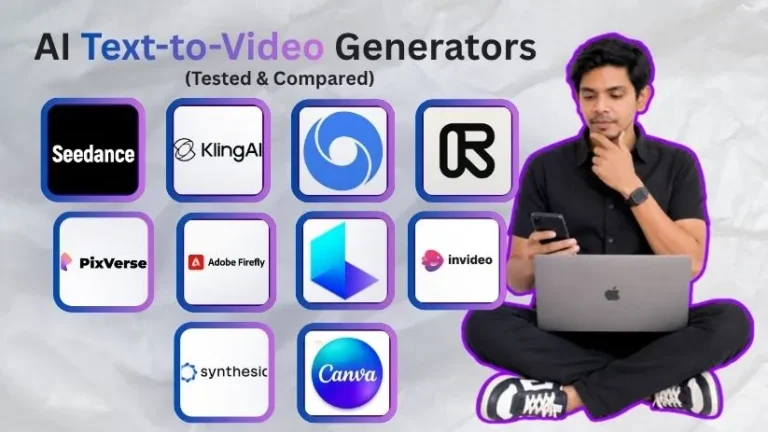
Picking between Pika and Luma Dream Machine for AI video generation?
Pika promises fast, playful videos with creative effects built for TikTok, Reels, and quick content experiments.
Luma Dream Machine promises cinematic motion, realistic physics, and polished clips that look closer to real footage.
(Both sound impressive on their websites.)
But AI video tools always look best in demo reels. The real test is what happens when you type your own prompt, upload your own image, and try to create something usable.
That is where Pika and Luma start to feel very different.
Pika is faster and more social-first. Luma feels more realistic and cinematic.
But both have limits, and the better choice depends on what you actually want to create.
In this comparison, I will walk you through:
- What Pika and Luma Dream Machine actually do best
- How their video quality, motion, realism, and effects compare
- Which tool is better for social media, product videos, YouTube, and marketing content
- What you should know about pricing, credits, and free plans
- A clear verdict on who should use Pika and who should choose Luma
Let us get into it.
Pika Vs. Luma Dream Machine? A Quick 30-Second Breakdown
Are you in a hurry to create your next AI video?
No worries — I’ve got you.
Here’s a quick breakdown of Pika and Luma Dream Machine to help you pick the right AI video generator without overthinking it.
| Features | Pika | Luma Dream Machine |
| Paid Plans Starting At | $8/mo yearly | $9.99/mo |
| Free Plan | ✅ | ✅ |
| Best For | Short-form videos, effects, social content | Cinematic videos, realistic motion, product shots |
| Text-to-Video | ✅ | ✅ |
| Image-to-Video | ✅ | ✅ |
| Video Realism | Good | Better |
| Creative Effects | Better | Good |
| Prompt Accuracy | Good | Better for realistic scenes |
| Camera Motion | Good | Better |
| Social Media Content | ✅ | ✅ |
| Product Demo Videos | Good | Better |
| Watermark-Free Exports | Available on paid plans | Available on Plus and higher |
| Commercial Use | Available on paid plans | Available on Plus and higher |
| Credit-Based Usage | ✅ | ✅ |
| Best Pick For Beginners | Pika | Luma if you want realism |
So, what’s the quick answer?
Choose Pika if you want fast, fun, social-first AI videos with creative effects.
Choose Luma Dream Machine if you care more about cinematic quality, realistic motion, and polished-looking clips.
Both are strong, but they win in different lanes.
Pika Vs. Luma Dream Machine Feature Comparison
In the previous section, I gave you a quick 30-second overview of how Pika and Luma Dream Machine compare.
Now, let’s break them down properly — feature by feature.
I’ve compared the main features that actually matter when choosing an AI video generator, including:
- Video quality
- Motion and realism
- Creative effects
- Prompt accuracy
- Image-to-video generation
- Editing controls
- Pricing and credits
- Best use cases
P.S. — I’m not just comparing what these tools claim on their websites. I’m looking at how they fit into real creator workflows, whether you’re making YouTube b-roll, TikTok videos, product clips, ads, or cinematic AI scenes.
Keep reading!
Which Tool Has the Best Video Quality?
First, I wanted to compare the thing everyone cares about most:
How good do the videos actually look?
Because let’s be honest. Fancy AI features are nice, but if the final video looks weird, blurry, or broken, you’re probably not going to use it.
Let’s see who comes out as the winner.
| Feature | Pika | Luma Dream Machine |
| Overall Video Quality | Good | Better |
| Realistic Scenes | Good | Better |
| Stylized Videos | Better | Good |
| Product Shots | Good | Better |
| Cinematic Output | Good | Better |
| Social Media Clips | Better | Good |
| AI Art / Fun Effects | Better | Good |
| Natural Motion | Good | Better |
Pika

Pika is great when you want videos that feel fun, fast, and social-first.
It works really well for:
- TikTok-style clips
- Instagram Reels
- Meme-style videos
- Animated effects
- Product reveals
- Quick image-to-video experiments
- Short creative scenes
The biggest strength of Pika is that it doesn’t try too hard to look like a Hollywood camera every time.
And that’s not a bad thing.
If you’re creating short-form content, you often need something eye-catching more than something perfectly realistic. Pika understands that. Its videos can feel playful, colorful, and made for scrolling feeds.
You’ll notice this especially when using effects-based prompts. Things like product transformations, character animations, surreal edits, and quick visual hooks usually feel more natural inside Pika.
That said, Pika can struggle when you ask for highly realistic movement.
For example, if your prompt includes walking people, complex hand movements, realistic product physics, or detailed camera motion, the output may need a few tries before it looks clean.
So, if your goal is “make this look fun and shareable,” Pika is strong.
If your goal is “make this look like real footage,” Luma usually has the edge.
Luma Dream Machine

Luma Dream Machine feels more serious about realism.
Its videos usually look more cinematic, more grounded, and closer to real-world footage. That makes it a better choice for creators who care about:
- Product demo videos
- Cinematic b-roll
- Brand storytelling
- Realistic camera movement
- Natural lighting
- Smooth object motion
- AI-generated ad visuals
Luma’s biggest strength is how it handles motion and scene consistency.
If you prompt something like a sneaker rotating on a wet street, a coffee cup with steam rising, or a car driving through a city at night, Luma is more likely to give you something that feels believable.
It’s not perfect, of course.
You can still get strange details, warped objects, or motion that feels slightly off. That’s normal with almost every AI video generator right now.
But compared to Pika, Luma feels better when the video needs to look realistic instead of just visually interesting.
Luma’s current pricing page also positions it as a more production-focused platform, with paid plans like Plus, Pro, and Ultra that include commercial use on paid tiers.
Winner?
For pure video quality, Luma Dream Machine wins.
It gives you better realism, smoother camera movement, and more cinematic-looking results.
But Pika is not far behind. In fact, for short-form social content, Pika can be the better option because the output feels more playful and attention-grabbing.
So here’s the simple answer:
Choose Luma Dream Machine if you want realistic, cinematic AI videos.
Choose Pika if you want fun, creative, scroll-stopping videos for social media.
Which Tool Offers Better Motion and Realism?
Video quality is one thing.
Motion is where AI video tools really start to show their strengths and weaknesses.
A clip can look beautiful as a still frame, but once the camera moves or the subject starts walking, everything can fall apart pretty quickly.
So, I compared how Pika and Luma handle motion, physics, and realistic scene behavior.
| Feature | Pika | Luma Dream Machine |
| Realistic Human Motion | Average | Better |
| Object Movement | Good | Better |
| Camera Movement | Good | Better |
| Physics Accuracy | Average | Better |
| Smooth Transitions | Good | Better |
| Fast Visual Effects | Better | Good |
| Cinematic Movement | Good | Better |
Pika
Pika handles motion well when the scene is simple or stylized.
For example, if you want a logo to transform, a product to pop into frame, a cartoon object to move, or an image to turn into a short animated clip, Pika can do a nice job.
It feels especially useful for creators who want movement that looks cool, not necessarily realistic.
This is helpful if you’re making:
- AI video hooks
- Animated social posts
- Visual effects
- Product reveals
- Music video-style clips
- Fun brand content
But when you ask Pika for natural movement, it can become a little unpredictable.
Human walking can look strange. Hands may move oddly. Objects may shift in ways that don’t fully make sense. The result can still be usable, but you may need to regenerate a few times.
That’s why I see Pika as more of a creative effects tool than a realism-first AI video generator.
Luma Dream Machine
Luma does a better job with natural motion.
This is where it really starts to separate itself from Pika.
When you ask Luma to create a cinematic shot, the movement usually feels smoother and more believable. Camera pushes, slow pans, object movement, lighting shifts, and environmental motion tend to look more natural.
That makes Luma a better choice for:
- Realistic product videos
- Film-style b-roll
- Ad creatives
- Storytelling clips
- Mood-based scenes
- Lifestyle visuals
- YouTube background footage
Luma is also a stronger pick when you want the scene to feel like it was captured by a real camera.
For example, a prompt like “a cinematic shot of a glass bottle on a kitchen counter with morning sunlight and slow camera movement” is exactly the type of thing Luma handles better.
It may not always nail the result on the first try, but the baseline realism is stronger.
Winner?
For motion and realism, Luma Dream Machine wins again.
Pika is better when movement needs to feel energetic, animated, or effect-heavy.
But Luma is better when movement needs to feel real.
If you’re creating a polished product clip, cinematic YouTube b-roll, or brand video, Luma is the safer choice.
If you’re creating fun social media content where style matters more than realism, Pika still makes a lot of sense.
Which Tool Has Better Creative Effects?
Now this is where Pika starts fighting back.
Because not every creator needs cinematic realism.
Sometimes, you just want a tool that can make your video look fun, weird, bold, or impossible to ignore.
That’s exactly where creative effects matter.
| Feature | Pika | Luma Dream Machine |
| Fun AI Effects | Better | Good |
| Social Media Style | Better | Good |
| Transformations | Better | Good |
| Stylized Clips | Better | Good |
| Meme-Friendly Outputs | Better | Average |
| Cinematic Effects | Good | Better |
| Product Creativity | Good | Better for realism |
Pika
Pika feels built for creators who like experimenting.
Its effects are one of the main reasons people use it. You can take a simple image and turn it into something much more dynamic, playful, or surprising.
This is useful if you create:
- TikTok videos
- Instagram Reels
- YouTube Shorts
- AI memes
- Brand teasers
- Creative product clips
- Animated posts
Pika’s strength is that it makes AI video feel less serious and more fun.
You can create product transformations, visual twists, animated scenes, character-style edits, and scroll-stopping videos without needing a full editing workflow.
For social media creators, that’s a big deal.
You don’t always need a perfect cinematic shot. Sometimes you need a 5-second clip that makes someone stop scrolling.
And Pika is very good at that.
Luma Dream Machine
Luma can create beautiful videos, but it feels less focused on playful effects.
Its creative strength is more cinematic than viral.
That means it’s better for scenes that need mood, lighting, camera movement, and realism. Think product ads, brand visuals, concept scenes, cinematic storytelling, or realistic AI b-roll.
But if you want something exaggerated, meme-like, or highly stylized, Pika usually feels more natural.
Luma is the better “make this look real” tool.
Pika is the better “make this look fun” tool.
Winner?
For creative effects, Pika wins.
It’s more playful, more social-friendly, and better suited for creators who want fast visual experiments.
Luma is still strong, but its creativity leans toward cinematic realism.
So if you’re making brand films, product shots, or realistic scenes, go with Luma.
But if you’re making TikToks, Reels, Shorts, or experimental AI videos, Pika is probably going to feel more exciting.
Which Tool Understands Prompts Better?
Now, let’s talk about prompt accuracy.
Because with AI video generators, this can make or break the whole experience.
You may write a detailed prompt like:
“Create a cinematic shot of a woman walking through a rainy street at night, neon lights reflecting on the road, slow camera movement.”
And then the tool gives you something that looks… close, but not quite what you asked for.
That’s why I wanted to compare how well Pika and Luma Dream Machine follow prompts.
| Feature | Pika | Luma Dream Machine |
| Simple Prompt Accuracy | Good | Better |
| Complex Scene Understanding | Average | Better |
| Realistic Details | Good | Better |
| Stylized Prompt Handling | Better | Good |
| Product Prompt Accuracy | Good | Better |
| Character Consistency | Average | Good |
| Camera Direction Control | Good | Better |
Pika
Pika understands simple prompts pretty well.
If your prompt is short, clear, and effect-based, it usually gives you something usable.
For example, prompts like these work well:
- Turn this image into a fun animated video
- Add a fast zoom-in effect
- Make this product float and spin
- Create a colorful social media-style clip
- Add a surreal transformation effect
Pika is especially good when your prompt is more creative than technical.
You don’t need to write like a filmmaker. You can simply describe the vibe, movement, and effect you want, and Pika usually gets the general idea.
But with detailed prompts, it can miss parts.
If you ask for specific camera movement, realistic lighting, exact object behavior, or multiple actions in one scene, Pika may simplify the prompt or focus only on one part of it.
That’s not always a dealbreaker.
For social content, you may not need every detail to be perfect. You just need the clip to look interesting enough to use.
Luma Dream Machine
Luma Dream Machine is better when your prompt has more detail.
It understands realistic scenes more naturally, especially when you describe lighting, camera movement, subject motion, and environment.
For example, Luma usually handles prompts like these better:
- A cinematic product shot with soft morning light
- A slow camera push-in toward a coffee cup on a wooden table
- A realistic car driving through a rainy street
- A handheld camera shot of a person walking through a city
- A close-up of a sneaker rotating on a studio platform
The output feels more connected to the prompt, especially when the prompt is about realism.
Of course, Luma can still miss details. AI video is not perfect yet.
But when compared to Pika, Luma feels more reliable for realistic scenes and cinematic prompts.
Winner?
For prompt accuracy, Luma Dream Machine wins.
It is better at understanding detailed prompts, realistic motion, and cinematic direction.
But Pika is easier when you want quick creative results without writing a long prompt.
So, if you like simple prompts and fast experiments, Pika feels more beginner-friendly.
If you want more control over the scene, Luma is the stronger option.
Which Tool Offers Better Image-to-Video Generation?
Image-to-video is one of the most useful features in any AI video generator.
Why?
Because most creators already have images.
You may have a product photo, AI-generated image, brand visual, character design, logo, thumbnail, or social media graphic. With image-to-video, you can turn that still image into a short moving clip.
So, I tested how Pika and Luma handle image-based video generation.
| Feature | Pika | Luma Dream Machine |
| Image-to-Video Support | ✅ | ✅ |
| Product Image Animation | Good | Better |
| Character Image Animation | Good | Good |
| Social Media Visuals | Better | Good |
| Realistic Image Motion | Good | Better |
| Stylized Image Motion | Better | Good |
| Keeping Image Details Stable | Average | Better |
Pika
Pika is very fun for image-to-video.
If you have a static image and want to make it move in a creative way, Pika gives you a lot of room to experiment.
It works well for:
- AI character images
- Product visuals
- Social media graphics
- Meme-style images
- Fantasy scenes
- Logo animations
- Creative thumbnails
The best part is that Pika doesn’t make the process feel too serious.
You can upload an image, add a simple instruction, and quickly get a short clip that feels more alive.
This is great for creators who want to turn still images into short-form video content without using complex editing software.
But there is one thing to watch out for.
Pika can sometimes change the original image too much. A product may slightly shift shape. A face may change. Small details may move in weird ways.
So, if brand accuracy matters, you may need a few generations before the clip feels right.
Luma Dream Machine
Luma is better when you want the image to move realistically.
It feels more stable with product shots, real-world scenes, and cinematic visuals.
For example, if you upload a product image and ask for a slow camera movement, Luma is more likely to keep the product looking clean and believable.
This makes it useful for:
- Product videos
- Brand ads
- Lifestyle visuals
- Cinematic b-roll
- YouTube scenes
- Website hero videos
- Marketing clips
Luma’s image-to-video output usually feels more polished, especially when the starting image already looks realistic.
The downside?
It may not feel as playful as Pika.
If you want wild effects, fast transformations, or social-media-style animations, Pika usually feels more exciting.
Winner?
For realistic image-to-video, Luma Dream Machine wins.
For fun, stylized, and social-friendly image-to-video, Pika wins.
So the right choice depends on the image you’re starting with.
If it’s a product photo or realistic scene, go with Luma.
If it’s a creative graphic, AI artwork, or social post, Pika may give you more fun results.
Which Tool Has Better Editing Controls?
AI video generation is not just about typing a prompt and waiting.
You also need control.
Sometimes the first result is almost right, but not perfect. Maybe the camera moves too fast. Maybe the subject changes too much. Maybe the clip needs a different style, size, or variation.
That’s where editing controls matter.
| Feature | Pika | Luma Dream Machine |
| Easy Editing Controls | Better | Good |
| Creative Modification Tools | Better | Good |
| Camera Controls | Good | Better |
| Scene Reframing | Good | Better |
| Social-Style Edits | Better | Average |
| Professional Control | Good | Better |
| Beginner Friendliness | Better | Good |
Pika
Pika is easier to play with.
It gives you tools that feel made for quick changes and creative edits. You can create effects, change parts of a scene, experiment with movement, and try different versions without feeling like you need a full production setup.
That makes it helpful for:
- Beginners
- Social media creators
- Short-form video editors
- Meme creators
- Small business owners
- Content marketers
- AI art creators
Pika’s editing style feels more creator-friendly than technical.
You don’t need to know much about camera language or video production. You can simply try ideas and see what works.
That’s a big reason Pika feels easier for casual creators.
Luma Dream Machine
Luma gives you more control when your goal is cinematic quality.
It feels better for creators who care about camera movement, framing, realism, and polished output.
This is useful if you’re creating:
- Product ads
- Brand videos
- Cinematic scenes
- YouTube b-roll
- Visual storytelling clips
- Realistic marketing videos
Luma is not hard to use, but it does feel a little more serious.
You’ll get better results when you know how to describe the shot properly. Words like “slow dolly in,” “wide-angle shot,” “shallow depth of field,” “soft lighting,” and “handheld camera” can help a lot.
So, beginners can still use it, but creators with a clearer visual direction will get more out of it.
Winner?
For beginner-friendly editing, Pika wins.
For cinematic control, Luma Dream Machine wins.
Pika is better when you want to experiment quickly.
Luma is better when you already know the kind of shot you want.
Which Tool Has Better Pricing and Credits?
Now let’s talk about pricing.
Because AI video tools can look affordable at first, but once you start generating multiple clips, credits can disappear quickly.
And trust me, you will regenerate clips.
A lot.
That’s just part of using AI video tools right now.
| Feature | Pika | Luma Dream Machine |
| Free Plan | ✅ | ✅ |
| Lower Starting Price | Better | Good |
| Best Value for Social Creators | Better | Good |
| Best Value for Realistic Video | Good | Better |
| Credit-Based Usage | ✅ | ✅ |
| Commercial Use | Available on paid plans | Available on higher paid plans |
| Better for Testing Ideas | Pika | Good |
| Better for Polished Work | Good | Luma |
Pika

Pika is the better option if you want to experiment without spending too much.
Its lower starting price makes it easier for beginners, creators, and small teams to try AI video without feeling locked into a bigger plan.
This is helpful if you want to create:
- Short-form videos
- Social media clips
- AI effects
- Creative experiments
- Image-to-video posts
- Quick ad concepts
The credit system still matters, though.
If you keep generating multiple versions, testing effects, and improving prompts, you can burn through credits faster than expected.
So, Pika is affordable, but it is not “generate forever without thinking.”
You still need to plan your prompts well.
Also Read:
Pika AI Pricing Explained
Luma Dream Machine

Luma can cost more if you need commercial use, higher-quality exports, or more serious production features.
But it also gives you stronger value when your goal is polished output.
If you are creating client videos, product visuals, brand ads, or cinematic scenes, paying more for better realism may make sense.
Luma is better for users who care less about generating lots of quick clips and more about getting a few high-quality shots.
That said, beginners may feel the cost more quickly if they are still learning how to prompt.
Because if you need several tries to get one usable clip, credits can go fast.
Winner?
For budget-friendly testing, Pika wins.
For professional-looking realistic videos, Luma Dream Machine offers better value.
So, if you are a beginner or social media creator, start with Pika.
If you are making polished brand content or product videos, Luma may justify the higher cost.
Which Tool Is Best for Different Use Cases?
At this point, it’s pretty clear that Pika and Luma Dream Machine are not trying to solve the exact same problem.
So instead of asking “Which tool is better?” the smarter question is:
Which tool is better for your type of video?
Let’s break it down.
| Use Case | Better Tool |
| TikTok Videos | Pika |
| Instagram Reels | Pika |
| YouTube Shorts | Pika |
| Product Demo Videos | Luma Dream Machine |
| Cinematic B-Roll | Luma Dream Machine |
| Brand Storytelling | Luma Dream Machine |
| AI Meme Videos | Pika |
| Creative Effects | Pika |
| Realistic Motion | Luma Dream Machine |
| Beginner Experiments | Pika |
| Polished Marketing Videos | Luma Dream Machine |
Pika
Pika is best for creators who want speed, fun, and flexibility.
It is a great fit if you make:
- TikTok videos
- Instagram Reels
- YouTube Shorts
- AI memes
- Product teasers
- Creative brand clips
- Experimental AI videos
- Quick social media content
If your goal is to create more content faster, Pika feels like the easier choice.
It is especially useful when you don’t need perfect realism. You just need something engaging, creative, and good enough to post.
That’s why I see Pika as the better tool for everyday creators.
Luma Dream Machine
Luma is best for creators who care about realism and polish.
It is a better fit if you make:
- Product videos
- Cinematic b-roll
- Brand videos
- YouTube visuals
- AI short films
- Marketing ads
- Realistic lifestyle clips
- Client-facing video content
Luma is the tool I’d pick when the video needs to look more serious.
If you’re creating something for a brand, website, campaign, product launch, or client presentation, Luma’s realism gives it an advantage.
It may take more careful prompting, but the final result can look more professional.
Winner?
There is no single winner here.
Pika wins for social media creators, beginners, and fast content experiments.
Luma Dream Machine wins for marketers, filmmakers, brands, and creators who need realistic AI video.
So, the best choice comes down to your workflow.
If you want to create quickly, choose Pika.
If you want to create beautifully, choose Luma.
Pika vs Luma Dream Machine: Final Verdict
So, which one should you choose — Pika or Luma Dream Machine?
Here’s the simple answer.
Choose Luma Dream Machine if your priority is realistic motion, cinematic quality, product demos, brand storytelling, or polished client work.
It is the better pick when the final video needs to feel more natural and professional. If you’re creating a product shot, a website hero video, cinematic YouTube b-roll, or a realistic ad concept, Luma gives you a stronger starting point.
Choose Pika if your priority is speed, creative effects, social content, meme-style videos, TikTok/Reels experiments, or lower-cost iteration.
It is easier to use when you want to test ideas quickly, create fun clips, animate images, or make short-form videos that grab attention in the feed.
But honestly, the smartest workflow for most creators is not Pika vs Luma.
It is Pika plus Luma.
Use Pika when you want to brainstorm ideas, create social variations, test visual hooks, and experiment with different styles.
Then use Luma Dream Machine when you want to turn your best idea into a more realistic, cinematic, and polished final clip.
That way, you’re not forcing one AI video generator to do everything.
You’re using each tool where it performs best.
Here’s how I’d break it down:
- Use Pika for TikTok videos, Instagram Reels, YouTube Shorts, AI memes, image animations, quick product teasers, and creative effects.
- Use Luma Dream Machine for realistic product videos, cinematic b-roll, brand storytelling, client work, website visuals, and polished marketing clips.
- Use both if you want the fastest workflow: Pika for testing ideas, Luma for final realistic shots.
So, my final verdict?
Pika is better for speed and creative social videos.
Luma Dream Machine is better for realism and cinematic quality.
And if you create content regularly, using both together may give you the best results.
Also Read:
Best Pika Alternatives
Best Luma Dream Machine Alternatives
Runway vs Pika: Complete Comparison