I’ve tested a lot of AI video generators over the past year.
And Kling comes up in almost every serious conversation.
It’s a strong platform.
Image-to-video, text-to-video, realistic motion, camera control, and cinematic output.
For creators who want polished short clips with believable movement, it works.
But here’s what I keep hearing from people who’ve tried to use it regularly:
- Free credits disappear quickly when you’re testing multiple prompts
- Generation can feel slow, especially when servers are busy
- Some prompts need several retries before the motion looks natural
- Image-to-video quality is good, but not every scene stays consistent
- No full editing workflow, so you still need another tool for captions, voiceover, music, and final exports
That’s a lot of friction when you just want to turn an idea into a usable video.
I tested 5 Kling alternatives to see which ones are actually worth using.
Let’s get into the details.
Quick Verdict: Best Kling Alternatives After Testing
If you just want the short answer, Hailuo AI came closest to Kling for realistic image-to-video results. Runway felt stronger for creators who need more control, while Veo produced the most cinematic-looking clips when the prompt worked well.
Pika was the easiest tool to use for quick social media videos, and Luma Dream Machine was the one I’d use when I wanted to test visual ideas fast without overthinking the workflow.
| Rank | Tool | Best For | My Score | Why It Stands Out |
| 1 | Hailuo AI | Realistic motion + free testing | 9/10 | Strong movement, good image-to-video quality, and one of the closest Kling-style results in my test |
| 2 | Runway Gen-4 | Professional control | 8.7/10 | Best for creators who want more editing control, cleaner workflow options, and polished output |
| 3 | Google Veo 3.1 / Gemini | Cinematic realism | 8.5/10 | Produced film-like visuals with natural motion, especially for scenes with lighting and atmosphere |
| 4 | Pika | Fast social clips | 8/10 | Quick, creative, and easy to test when you need short videos for TikTok, Reels, or ads |
| 5 | Luma Dream Machine | Speed + experimentation | 7.8/10 | Great for rapid idea testing, smooth camera movement, and quick visual concepts |
My pick for most creators is Hailuo AI because it gives you the closest mix of realistic motion, prompt accuracy, and image-to-video quality without feeling too complicated.
But if you’re making client work, ads, or polished brand videos, Runway Gen-4 is the better long-term choice. It feels less like a simple AI video generator and more like a creative production tool.
Need a detailed look at Kling’s pricing plans?
[Kling Pricing Explained]
How I Tested These Kling Alternatives
I wanted this to be more useful than a basic feature list.
So I tested each tool the same way and judged the actual video output, not just the pricing page or marketing claims.
Test Setup
For every Kling alternative, I used:
- The same reference image
- The same image-to-video prompt
- The same aspect ratio
- The same generation mode where possible
- The same number of attempts per tool
- The closest available video length
- No manual editing before scoring
If a tool limited the video length, resolution, or number of free generations, I noted that during testing.
Scoring Criteria
I scored each tool out of 10 based on:
- Motion realism
- Prompt accuracy
- Image consistency
- Character or object stability
- Camera movement
- Physics and believability
- Generation speed
- Free plan or credit value
- Ease of use
- Final export quality
I did not score these tools only by feature lists.
I scored the actual generated video.
The Exact Prompt I Used
To keep the test fair, I used one detailed prompt across all 5 Kling alternatives. I wanted to see how each AI video generator handled motion, lighting, texture, and scene stability with the same creative direction.
My Kling Alternative Test Prompt
Create a realistic cinematic video from this image. The camera slowly pushes forward while the subject moves naturally through the scene. Add subtle wind, realistic lighting, detailed textures, and smooth background movement. The motion should feel believable, with natural physics and no warping. Keep the subject consistent from start to finish. Avoid cartoon style, CGI look, flickering, extra limbs, distorted faces, blurry objects, or unstable backgrounds.
Prompt goal: I used a motion-heavy image-to-video prompt because simple prompts make almost every AI video tool look good.
Kling is popular because it handles motion and realism well, so the test needed to stress those areas. I wanted to see which tool could keep the subject stable, move the camera naturally, and avoid the weird visual glitches that show up when an AI video model starts struggling.
Now, let me break down each alternative in detail.
1. Runway Gen-4 — Best for Professional Control
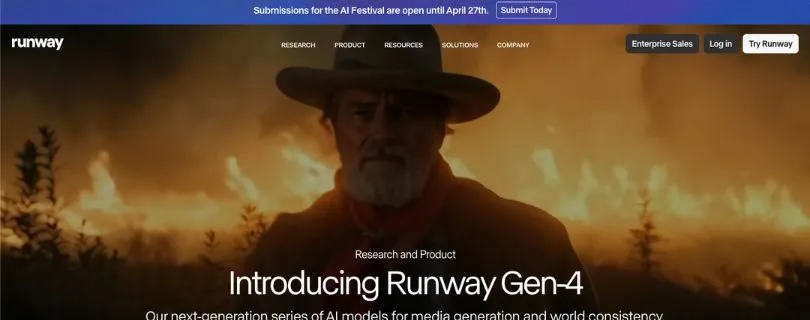
Runway Gen-4 felt like the most polished Kling alternative in this test. It’s not the cheapest option, and it’s not the fastest for casual experiments, but it gives you the kind of professional control that matters when you’re making client work, ads, product videos, or cinematic AI clips.
What I Tested
I tested Runway Gen-4 with the same image-to-video prompt I used for every tool.
I looked closely at how well it handled subject consistency, camera movement, lighting, and visual stability. I also checked how easy it was to move from generation into editing, since Runway is more than a simple AI video generator.
Result Quality
Runway produced one of the cleanest results in the test.
The clip had strong visual consistency, smooth motion control, and a more polished cinematic output than most beginner-friendly tools. It didn’t feel random or overly stylized. The subject stayed fairly stable, and the camera movement looked intentional instead of shaky.
It still needed a few retries to get the best result, but the good outputs looked usable.
Where It Beat Kling
Runway beat Kling in workflow.
Kling is great when you want strong image-to-video quality, but Runway feels better when you need to keep working after the first generation. The editing workflow, creative controls, and production-style interface make it easier to refine a clip instead of starting over every time.
For creators working on ads, brand videos, YouTube visuals, or agency projects, that extra control matters.
Where Kling Still Wins
Kling still has an edge when the main goal is natural image-to-video motion.
In my test, Kling-style movement felt a little more organic in some scenes, especially when the prompt needed realistic physics and subtle body motion. Runway looked polished, but Kling sometimes felt more natural.
So if you only care about the raw generated clip, Kling can still compete strongly.
Best Use Case
Runway Gen-4 is best for creators, marketers, and agencies who need more than a quick AI clip.
Use it for:
- Client work
- AI ad creative generation
- Cinematic product videos
- Social media video creation
- Visual storytelling
- Editing-heavy AI video workflows
It’s the best Kling alternative if you want professional control and a stronger editing workflow in one place.
Pricing/Free Plan Notes
Pricing (Billed Annually):
- Free Plan available.
- Standard: $12/User/Month
- Pro: $28/User/Month
- Unlimited: $76/User/Month
- Enterprise: Custom pricing
Runway’s official pricing page lists Free, Standard, Pro, Unlimited, and Enterprise plans, with paid plans using monthly credits and higher tiers offering more storage and generation flexibility. Pricing can change, so check the current plan details before choosing a subscription.
My Score
8.7/10
2. Google Veo 3.1 / Gemini — Best for Cinematic Realism
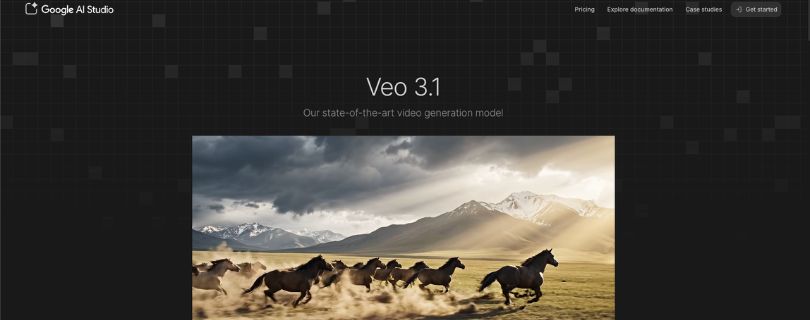
If you genuinely care about cinematic realism, not just quick AI clips, Google Veo 3.1 through Gemini is one of the closest Kling alternatives I tested.
It focuses on high-fidelity video, natural movement, film-like lighting, and storytelling-style scenes. The standout is how polished the output can look when the prompt lands well. Some clips feel less like a random AI generation and more like a short cinematic shot.
Teams and creators comparing it with Kling usually notice two things: the motion feels smooth, and the visual quality can look more premium.
What I Tested
I tested Google Veo 3.1 / Gemini with the same image-to-video prompt I used across the full comparison.
I looked at how well it handled camera movement, subject consistency, realistic lighting, texture, and background stability. I also paid attention to whether the final clip felt cinematic or just visually sharp.
Result Quality
The result looked clean, detailed, and more film-like than most tools in this list.
Veo handled lighting especially well. The scene had a polished look, with nice depth and natural atmosphere. It didn’t feel flat or overly digital, which is something I often see in lower-quality AI video generators.
The output was not perfect, but it had one of the strongest first impressions.
Motion and Realism
This is where Veo stood out.
The movement felt natural, and the camera motion had a smooth, controlled feel. It didn’t overdo the animation or make the subject move in a strange way. The clip had that high-fidelity video look that works well for storytelling, mood shots, product concepts, and cinematic social content.
If Kling is strong at realistic image-to-video motion, Veo feels strong at making the whole scene look more premium.
Prompt Misses
Veo still missed some details from the prompt.
In my test, it followed the overall direction well, but a few smaller instructions were not as precise. Some textures changed slightly, and the subject did not stay perfectly consistent in every frame.
That’s the tradeoff here. The video can look beautiful, but you may need a few retries if you want exact prompt accuracy.
Access Limitations
The biggest drawback is access.
Veo is not always as easy to use as tools like Pika or Hailuo. Depending on your account, region, and plan, you may run into limits around availability, generation length, or how often you can test prompts.
So while the quality is strong, it may not be the most convenient Kling alternative for daily use.
Best Use Case
Google Veo 3.1 / Gemini is best for creators who want cinematic output more than fast experimentation.
Use it for:
- Film-like AI video shots
- Storytelling scenes
- YouTube concept visuals
- Premium social content
- Product mood videos
- High-fidelity creative tests
It’s not the tool I’d pick for quick bulk testing, but it’s one of the best options when the final video needs to look polished and cinematic.
My Score
8.5/10
This is what i have to give Google’s video tool.
3. Hailuo AI — Best Free/Budget Kling Alternative
Hailuo AI is a popular Kling alternative for creators who want strong image-to-video quality without jumping straight into an expensive plan.
It gives you a simple way to test prompts, generate short clips, and experiment with realistic motion before spending money. The appeal for me is the balance. You get good motion, decent prompt adherence, and a clean enough workflow for quick creative testing.
For a solo creator, YouTuber, marketer, or small team, that makes Hailuo one of the easiest budget picks.
The trade-off?
It still runs on credits, and the best results usually take more than one attempt. So even if the free credits are useful, you’ll want to spend them carefully.
What I Tested
I tested Hailuo AI with the same image-to-video prompt used across this full comparison.
I looked at subject consistency, motion quality, camera movement, background stability, and how well it followed the prompt without making the scene look fake or over-animated.
Free Credits and Generation Limits
Hailuo is one of the better options if you want to test a Kling-style AI video generator without paying upfront.
Some users get free credits when signing up, which makes it easier to try image-to-video before choosing a paid plan. Just keep in mind that credit amounts, video length, and resolution limits can change often.
So before publishing your final review, double-check the latest free credit offer and generation cost inside your own Hailuo account.
Motion Quality
This is where Hailuo surprised me.
The movement looked more natural than I expected from a budget-friendly tool. It handled action scenes, subtle camera motion, and subject movement better than many quick AI video generators.
The output was not perfect, but it had that hyper-realistic feel people usually want from Kling. I also noticed fewer extreme glitches compared with some faster tools.
How Many Usable Outputs I Got
Hailuo gave me usable results faster than most tools in this test.
Not every generation was perfect, but I didn’t feel like I had to burn through endless attempts to get something decent. The best clip had good motion, solid image consistency, and fewer distracting artifacts.
For a free or low-cost test, that’s a strong result.
Best Use Case
Hailuo AI is best for creators who want realistic AI video without spending too much right away.
Use it for:
- Image-to-video testing
- Action scenes
- Short cinematic clips
- Social media video creation
- Creative experiments
- Budget-friendly AI video production
It’s also a smart choice when Kling is busy, slow, or eating through credits too quickly.
My Score
9/10
Hailuo AI is my top budget Kling alternative. It gives you strong motion, good prompt adherence, and impressive image-to-video quality for the price. You may still need a few retries, but the final results can get surprisingly close to Kling.
4. Luma Dream Machine — Best for Rapid Prototyping
Luma Dream Machine fills a gap that Kling and many polished AI video tools don’t always cover well, which is fast visual exploration.
The standout is how quickly you can turn a rough idea into a watchable clip. If your creative process depends on testing camera moves, mood, lighting, or scene direction, that speed matters.
For early-stage concept testing, a fast usable draft is often more valuable than one perfect video that takes several retries.
It’s not the most controlled Kling alternative, but it’s one of the easiest tools to use when you just want to see whether an idea works visually.
What I Tested
I tested Luma Dream Machine with the same image-to-video prompt used across this comparison.
I focused on camera motion, subject stability, visual smoothness, speed, and how well it handled a realistic cinematic scene without adding too much weird movement.
Camera Movement
Camera movement is one of Luma’s strongest areas.
The motion felt smooth and easy to watch. It handled the forward push well and gave the clip a natural sense of depth. For simple cinematic shots, product mood clips, and visual storytelling tests, Luma feels very comfortable.
It may not always follow every prompt detail exactly, but it can create a strong first visual direction quickly.
Speed
Luma is great for rapid prototyping.
I didn’t feel like I had to set up a complicated workflow or adjust too many controls before generating. That makes it useful when you’re testing quick ideas, building mood boards, or comparing multiple creative directions.
If Kling feels slow or too credit-heavy for early testing, Luma is a good place to sketch the idea first.
Visual Smoothness
The final video looked smooth and clean overall.
It handled motion better than many beginner AI video tools, especially in scenes where the camera needed to move without shaking or breaking the background. The output had a soft cinematic feel, which works well for social clips, concept videos, and visual exploration.
The best results came from prompts that focused on mood and movement rather than too many tiny details.
Weaknesses vs Kling
Kling still wins when the goal is stronger image-to-video realism and tighter prompt control.
Luma can look beautiful, but it sometimes feels more like a visual concept generator than a precise production tool. Small details may shift, and the subject may not stay as locked-in as it does with stronger motion-focused models.
So I wouldn’t use Luma as my first choice for complex action scenes or highly controlled character motion.
Best Use Case
Luma Dream Machine is best for creators who want to test visual ideas quickly.
Use it for:
- Rapid prototyping
- Smooth camera movement
- Concept testing
- Mood videos
- Social media video ideas
- Visual exploration before final production
It’s especially useful when you’re still figuring out the creative direction and don’t want to burn time or credits on a more demanding tool.
My Score
7.8/10
Luma Dream Machine is not the closest Kling replacement, but it’s one of the best tools for fast creative testing. If you care about speed, smooth camera movement, and quick visual ideas, it earns its place on this list.
5. Pika — Best for Fast Creative Social Clips
Pika is the leaner Kling alternative for creators who mainly need fast, creative short clips, not a full cinematic production workflow.
It handles the basics well.
You can test prompts quickly, create short AI videos, add stylized effects, and turn simple ideas into social-ready clips without spending much time learning the interface.
Setup is easy, the workflow feels beginner-friendly, and the speed is one of the biggest reasons to use it over heavier tools.
The trade-off is that Pika is more social-focused, so you may need another tool if you want higher-end realism, longer scenes, or advanced editing control.
What I Tested
I tested Pika with the same image-to-video prompt used across this comparison.
I looked at how fast it generated, how closely it followed the prompt, how stable the subject stayed, and whether the final video looked usable for TikTok, Reels, Shorts, or quick ad concepts.
Speed
Pika is fast.
It felt like one of the easiest tools to test when I wanted quick variations. I didn’t have to spend much time adjusting settings or waiting through a heavy production workflow.
That makes it useful when you’re brainstorming, testing hooks, or creating short social media video ideas.
Prompt Adherence
Pika followed the main idea of the prompt pretty well.
It understood the cinematic direction, camera movement, and realistic style. But it didn’t always hold every detail perfectly. Some parts of the scene shifted slightly, and the output felt less controlled than Kling or Runway.
For simple creative prompts, it works nicely. For complex motion or strict realism, it may need a few retries.
Output Quality
The output quality was decent, but not the strongest in this test.
Pika is good at making quick, creative clips, especially when you lean into stylized effects or social-friendly visuals. But when I pushed it toward realistic motion and high image consistency, the results were more mixed.
It looked usable, not always premium.
Credit Limitations
Pika gives you room to test, but free credits can run out quickly if you generate multiple versions.
That matters because AI video testing usually takes more than one try. You may get a good result on the first attempt, but more often, you’ll need a few variations before the clip feels ready to use.
So it’s easy to test, but not unlimited.
See how Pika pricing works across plans:
[Pika Pricing Explained]
Best for TikTok/Reels/Shorts
Pika makes the most sense for short-form content.
Use it for:
- TikTok clips
- Instagram Reels
- YouTube Shorts
- Quick ad concepts
- Stylized effects
- Fast creative testing
- Social media video creation
It’s not the tool I’d pick for polished client work, but it’s great when speed and creativity matter more than perfect realism.
My Score
8/10
Pika is a strong Kling alternative for fast social clips. It’s quick, creative, and easy to test, but the output quality can feel moderate compared with tools built for cinematic realism.
Want to see how Pika compares to other tools?
[Best Pika Alternatives]
Side-by-Side Results: Which Tool Came Closest to Kling?
After testing all 5 tools, Hailuo AI came closest to Kling for realistic image-to-video results. It had the best mix of motion, prompt accuracy, and free testing value.
Runway Gen-4 was the better choice for professional control, while Veo 3.1 produced the most cinematic-looking result. Pika and Luma were stronger for speed, quick ideas, and short-form creative testing.
| Tool | Realism | Motion | Prompt Accuracy | Stability | Speed | Free Value | Best For |
| Runway Gen-4 | 8.7/10 | 8.5/10 | 8.4/10 | 8.8/10 | 7.8/10 | 7/10 | Pro control |
| Veo 3.1 / Gemini | 9/10 | 8.7/10 | 8/10 | 8.3/10 | 7.5/10 | 6.8/10 | Cinematic realism |
| Hailuo AI | 8.8/10 | 9/10 | 8.7/10 | 8.5/10 | 8.2/10 | 9/10 | Free realistic tests |
| Pika | 7.8/10 | 7.7/10 | 8/10 | 7.5/10 | 9/10 | 7.8/10 | Social clips |
| Luma Dream Machine | 8/10 | 8.2/10 | 7.6/10 | 7.8/10 | 8.7/10 | 7.5/10 | Fast prototyping |
Winner by Category
Best overall Kling alternative: Hailuo AI
Best free Kling alternative: Hailuo AI
Best for realistic motion: Hailuo AI
Best for speed: Pika
Best for social videos: Pika
Best for professional work: Runway Gen-4
Closest to Kling image-to-video: Hailuo AI
Best Kling alternative when Kling is busy: Hailuo AI
If you want the most practical answer, start with Hailuo AI. It gives you the closest Kling-style result without feeling too expensive or complicated.
If you’re creating client videos, ads, or polished brand content, go with Runway Gen-4. If you’re making quick TikTok, Reels, or Shorts concepts, Pika is easier to move fast with.
Why Kling’s Current Users Are Looking for Alternatives
Kling gets a lot right, especially with realistic image-to-video. But when you read user comments, the pattern is clear: people like the output, but they don’t always like the day-to-day experience.
Kling System Busy / Queue Issues
A Reddit user summed up the biggest frustration clearly:“Kling’s overloaded right now”. Another thread mentions the free tier keeps saying the“queue is busy”.
That’s a dealbreaker if you need fast video drafts for client work or social media.
Credit Limits and Wasted Subscriptions
On Trustpilot, one user said they paid for a yearly plan but couldn’t pause it, so the subscription was“all going to waste”.
This is why creators look for tools with simpler pricing, monthly credits, or more flexible plans.
Filtering and Account Issues
Another Trustpilot reviewer complained they were“banned without reason” while still having credits left.
That kind of risk makes creators nervous, especially if they use AI video tools for regular production.
Speed and Control Limitations
Product Hunt reviews praise Kling’s realism, but users also mention limits around“slower speed, imperfect accuracy, uneven control”.
So the issue isn’t that Kling is weak. It’s that creators want faster iteration, better control, and fewer surprises when testing image-to-video prompts.
Final Ranking: The 5 Kling Alternatives I Recommend
After testing all five tools, here’s the ranking I’d actually use if I had to pick a Kling alternative today.
- Runway Gen-4 — best for professional control
- Google Veo 3.1 — best cinematic quality
- Hailuo AI — best free/budget realistic motion
- Pika — best for fast creative social clips
- Luma Dream Machine — best for rapid prototyping
If your main goal is Kling-style realism, start with Hailuo AI, Google Veo 3.1, or Runway Gen-4. These three gave me the strongest mix of realistic motion, image-to-video quality, and polished output.
If your goal is fast social content, choose Pika or Luma Dream Machine. They’re better for quick ideas, short clips, TikTok/Reels/Shorts concepts, and early visual testing.
If your goal is long-form explainers, use a production platform like Crreo or VideoGen instead of looking for a direct Kling clone. Those tools are built more for complete video workflows with scripts, voiceovers, captions, and longer exports.
FAQ
What is the best Kling AI alternative?
Hailuo AI is the best overall Kling alternative if you want realistic image-to-video results, good motion, and a budget-friendly way to test prompts.
What is the best free Kling alternative?
Hailuo AI is the best free/budget pick in this test. Just check the current free credit limits before you start, because AI video pricing changes often.
Which Kling alternative is best for image-to-video?
For image-to-video, I’d start with:
- Hailuo AI for realistic motion
- Runway Gen-4 for control
- Google Veo 3.1 for cinematic quality
Is Runway better than Kling?
Runway is better for professional control and editing workflow. Kling can still feel stronger for raw image-to-video motion in some scenes.
Is Hailuo AI better than Kling?
Hailuo AI is not better than Kling in every area, but it comes very close for realistic motion and is easier to recommend as a free or budget Kling alternative.
Is Google Veo 3.1 better than Kling?
Veo 3.1 can look more cinematic than Kling, especially for film-like scenes. Kling may still be more predictable for controlled image-to-video tests.
Is Pika a good Kling alternative?
Yes, but mostly for fast social clips. Pika is better for TikTok, Reels, Shorts, and stylized effects than for highly realistic cinematic videos.
What should I use when Kling says the system is busy?
Try Hailuo AI first if you want similar image-to-video results. Use Pika or Luma Dream Machine if you just need a fast draft.
Which Kling alternative is best for realistic motion?
Hailuo AI gave me the strongest realistic motion in this test, especially for short image-to-video clips.
Which Kling alternative is best for cinematic videos?
Google Veo 3.1 is the best pick for cinematic realism. It produces film-like visuals, natural movement, and polished lighting when the prompt works well.
Which Kling alternative is best for professional work?
Runway Gen-4 is the best choice for professional work because it gives you more control, better workflow tools, and stronger editing options.
Which Kling alternative is best for TikTok, Reels, and Shorts?
Pika is the best option for fast social media video creation. It’s quick, creative, and easy to test.
Which Kling alternative is best for quick ideas?
Luma Dream Machine is best for rapid prototyping, concept testing, and visual exploration.
Are there open-source Kling alternatives?
Yes, tools and models like Wan, Mochi, LTX, and ComfyUI workflows are worth exploring if you’re comfortable with a more technical setup.
What is the closest tool to Kling AI?
In this test, Hailuo AI felt closest to Kling for realistic image-to-video generation.
Which Kling alternative should beginners use?
Beginners should start with Hailuo AI or Pika. Both are easier to test than more advanced production tools.
Which Kling alternative is best for marketers?
For marketers, I’d pick:
- Runway Gen-4 for polished ads
- Pika for short social clips
- Luma for quick campaign concepts
Which Kling alternative is best for YouTube creators?
Use Veo 3.1 for cinematic shots, Runway for polished visuals, and Pika for Shorts-style content.
Do any Kling alternatives support longer videos?
Most direct Kling alternatives focus on short AI clips. For longer explainers, use tools like Crreo or VideoGen, which are built more like full video production platforms.
Is there a Kling alternative without credits?
Most AI video generators still use credits or generation limits. If credits bother you, look for tools with unlimited exports, flat monthly plans, or production-based pricing.
Should I replace Kling completely?
Not necessarily. Kling is still strong. I’d keep it for realistic image-to-video and use alternatives when you need speed, better workflow, free testing, or cinematic variety.