

50% of your design output depends on one thing: choosing the right AI graphic design generator.
That’s exactly what AI graphic design generator tools are built to help with. They let you create social media posts, ad creatives, blog banners, product visuals, icons, presentations, and brand assets faster — often from a simple text prompt.
But the AI design software market is crowded. Every tool claims better image quality, smarter templates, cleaner typography, and faster creative workflows.
But not all of them deliver.
In this blog, you’ll find a curated list of the 5 best AI graphic design generator tools for 2026.
For each tool, I’ve covered what it actually does well, where it feels limited, how much control you get over the final design, and what type of creator, marketer, designer, or business it’s best suited for.
By the end, you’ll know exactly which AI graphic design tool fits your creative workflow, skill level, and budget.
Quick Comparison: Best AI Graphic Design Generator Tools
Before we get into the full reviews, here’s a quick side-by-side look at the best AI graphic design generator tools and where each one fits best.
Some tools are better for quick social media graphics. Some are built for professional design workflows. Others are stronger for concept art, UI/UX mockups, or vector-style brand assets.
| Tool | Best For | Free Plan | Key Strength | Best User |
| Canva Magic Studio | Social media and marketing graphics | Yes | Fast templates + brand kits | Non-designers, marketers |
| Adobe Firefly | Professional design workflows | Limited/plan-based | Photoshop/Illustrator integration + commercial safety | Designers, agencies |
| Midjourney | Artistic visuals and concept art | No/limited | High-quality stylized images | Creative directors, artists |
| Figma AI | UI/UX design and prototypes | Depends on plan | Design workflow + collaboration | Product designers |
| Recraft AI | Vector graphics, icons, SVG assets | Yes/limited | Native vector-style outputs | Brand designers, illustrators |
How I Evaluated These AI Graphic Design Generator Tools
To find the most useful options, I prioritized the following:
Output quality — Does the tool create designs that look clean, sharp, and usable without heavy editing?
Ease of use — Can a beginner create a decent social post, banner, or ad creative without fighting the interface?
Editing control — Can you adjust text, colors, layouts, layers, and brand elements after the AI creates the first draft?
Brand consistency — Does it support brand kits, fonts, colors, templates, or style references so your designs don’t look random?
Pricing and value — Is the free plan actually useful, and does the paid plan make sense for creators, marketers, or design teams?
Real workflow fit — Does it help with everyday design work like social media graphics, blog images, product visuals, icons, or UI mockups?
Now, let me break down each AI graphic design generator in detail.
The 5 Best AI Graphic Design Generator Tools
Here are the five AI graphic design generator tools discussed in detail based on features, pros and cons, pricing, output quality, editing control, and real creative workflow fit.
- Canva Magic Studio
- Adobe Firefly
- Midjourney
- Figma AI
- Recraft AI
1. Canva Magic Studio
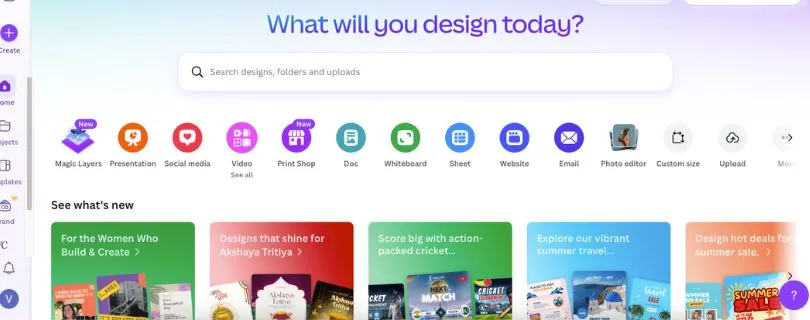
Best for: Creators, marketers, small businesses, and non-designers who need fast social media graphics, presentations, ads, and branded content.
Canva Magic Studio is the easiest AI graphic design tool to recommend for everyday marketing work.
If you need to create an Instagram post, YouTube thumbnail, ad creative, flyer, presentation, or blog graphic without opening a complex design app, Canva keeps things simple.
The real strength is speed.
You can start with a prompt, pick from AI-generated layouts, apply your brand kit, resize the design for different platforms, and publish or download it without jumping between tools. Canva’s official pricing page lists a free plan along with paid options for Pro, Teams, Enterprise, Education, and Nonprofits, while its Pro page highlights access to premium content, brand tools, and AI features.
Where Canva stands out from heavier AI design software is how usable the first draft feels. It may not always create the most original design, but it usually gives you something clean enough to edit quickly.
For marketers, that matters more than perfection.
If you’re creating five LinkedIn posts, three ad creatives, and a presentation deck in one afternoon, Canva Magic Studio feels practical. It’s less about making museum-level visuals and more about getting publish-ready assets out the door.
Still deciding? Check out the best Canva alternatives:
[Best Canva Alternatives]
Key Features:
- AI design generation with Magic Design.
- Text-to-image creation through Magic Media.
- Brand Kit for fonts, colors, logos, and brand assets.
- Templates for social media posts, presentations, ads, posters, and videos.
- Background remover, Magic Eraser, Magic Edit, and resize tools.
- Collaboration features for teams and client feedback.
Pros:
- Very beginner-friendly, even if you have no design background.
- Great for social media graphics, marketing visuals, and quick branded content.
- Brand Kit features help keep designs consistent.
- Huge template library saves time.
- Works well for solo creators, marketers, educators, and small teams.
Cons:
- Designs can look template-based if you don’t customize them.
- Not ideal for advanced photo editing or detailed illustration work.
- Some of the best AI and brand features sit behind paid plans.
- Less control than Adobe tools for professional design workflows.
Pricing:
- Free plan available.
- Paid plans include Canva Pro, Canva Teams, Canva Enterprise, Education, and Nonprofits.
- Pricing can vary by region and account type, so it’s best to check Canva’s official pricing page before publishing exact local prices.
Don’t guess—see Canva’s full pricing breakdown:
[Canva Pricing Explained]
2. Adobe Firefly
Best for: Professional designers, agencies, photographers, and creative teams that already use Adobe Photoshop, Illustrator, or Adobe Express.
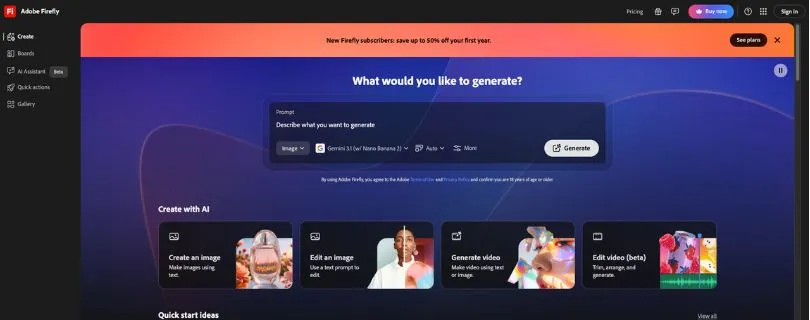
Adobe Firefly is the best AI graphic design generator for people who want AI inside a serious creative workflow.
It’s not just a text-to-image tool. Firefly connects with Adobe’s wider design ecosystem, including Photoshop, Illustrator, Adobe Express, and Creative Cloud. That makes it especially useful when you’re editing real client work, extending an image, removing unwanted objects, recoloring artwork, or generating visual ideas that need more polish later.
The biggest reason to choose Firefly is control.
Canva is faster for templates. Midjourney is stronger for artistic visuals. But Firefly feels more practical when you want to start with AI and then refine the result inside professional design software.
Adobe’s official Firefly plan page lists Firefly Standard, Firefly Pro, Firefly Pro Plus, and Firefly Premium, with monthly generative credit allowances starting at 2,000 credits on Standard and going up to 50,000 credits on Premium. It also notes free limited access for users who are not ready to buy a plan.
Image: Adobe Firefly text-to-image or Generative Fill interface
Firefly is especially helpful for tasks like expanding a product image background, generating campaign concepts, creating image variations, or cleaning up visuals before they go into a final layout.
It feels less playful than Midjourney, but more dependable for commercial design work.
Key Features:
- Text-to-image generation.
- Generative Fill and Generative Expand.
- AI object removal and image editing.
- Vector recoloring in Adobe Illustrator.
- Integration with Photoshop, Illustrator, Adobe Express, and Creative Cloud.
- Generative credits for image, video, audio, and premium AI features.
Pros:
- Strong fit for professional design workflows.
- Works well with Photoshop and Illustrator.
- Better editing control than prompt-only AI image tools.
- Useful for client work, ads, product visuals, and campaign assets.
- Adobe’s ecosystem makes it easier to move from AI concept to final design.
Cons:
- More expensive than simple AI design tools.
- Best value comes if you already use Adobe apps.
- Can feel heavier than Canva for quick social graphics.
- Credit-based AI usage can be confusing for beginners.
Pricing:
- Free limited access is available.
- Firefly Standard: listed at ₹797.68/month on Adobe’s localized India pricing page, with 2,000 monthly generative credits.
- Firefly Pro: listed at ₹1,596.54/month, with 4,000 monthly generative credits.
- Higher plans include Firefly Pro Plus and Firefly Premium, with larger credit limits. Pricing varies by region.
3. Midjourney
Best for: Artists, creative directors, designers, and marketers who need high-quality visual concepts, mood boards, product renders, and artistic campaign imagery.
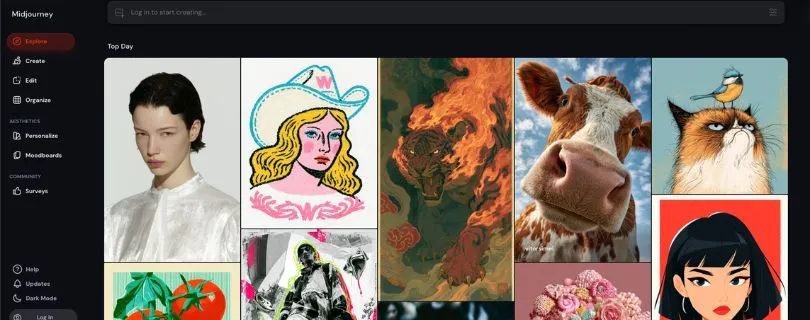
Midjourney is still one of the strongest AI tools for beautiful visuals.
If your main goal is to create polished, stylized, high-impact images, Midjourney usually delivers better-looking first drafts than most general AI design tools. It’s especially good for concept art, brand mood boards, surreal visuals, editorial graphics, product scenes, architecture concepts, and cinematic marketing images.
The quality is the hook.
You can write a prompt for a luxury skincare campaign, a futuristic SaaS hero image, or a bold poster concept, and Midjourney often gives you something that feels visually rich right away.
But Midjourney is not a full graphic design editor.
You won’t get the same template control as Canva or the same layer-based editing workflow as Photoshop. It’s better for generating the visual idea than building the final layout with text, logo, spacing, and export formats.
That makes it a great tool for the early creative stage, not always the final production stage.
Key Features:
- High-quality text-to-image generation.
- Strong style control through prompts and parameters.
- Image references for visual direction.
- Mood board and concept generation.
- Product render and campaign visual creation.
- Web and Discord-based workflows.
Pros:
- Excellent image quality.
- Great for artistic, cinematic, and stylized visuals.
- Strong prompt understanding for creative direction.
- Useful for mood boards, brand concepts, and campaign ideas.
- Can produce premium-looking visuals quickly.
Cons:
- Not ideal for editing layouts, typography, or brand templates.
- No traditional drag-and-drop design editor.
- Requires prompt practice to get consistent results.
- Private/stealth work requires higher-tier plans.
Pricing:
- Basic: $10/month.
- Standard: $30/month.
- Pro: $60/month.
- Mega: $120/month.
- Annual billing gives around a 20% discount. Midjourney also notes that Stealth Mode is only available on Pro and Mega plans.
4. Figma AI
Best for: UI/UX designers, product teams, app designers, web designers, and design teams that need AI inside a collaborative interface design workflow.
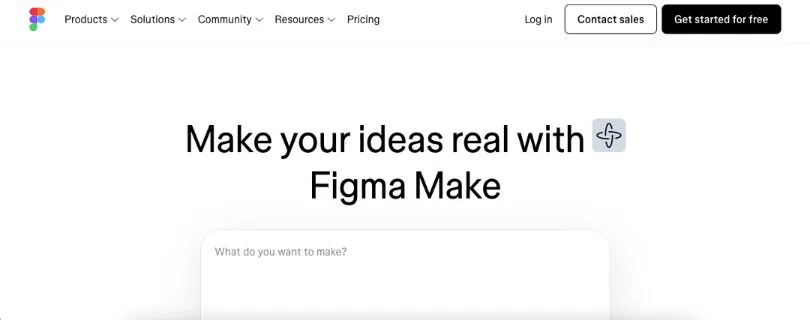
Figma AI is different from tools like Canva, Firefly, and Midjourney.
It’s not mainly built for social posts or artistic image generation. Its strength is UI/UX design work — wireframes, app screens, product layouts, design systems, prototypes, and team collaboration.
If your “graphic design” work mostly means designing websites, dashboards, landing pages, app interfaces, or product mockups, Figma AI makes more sense than a general AI image generator.
The advantage is context.
Your AI work happens inside the same place where your team already designs, comments, prototypes, and hands files to developers. Figma’s official pricing page lists AI credits across plans, including 150 AI credits per day up to 500 AI credits per month on the free Starter plan, 3,000 AI credits per month on Professional Full seats, and larger credit allowances on Organization and Enterprise Full seats.
Figma AI is useful when you want to move faster from rough idea to usable interface.
You can use it to speed up early layouts, organize design files, explore interface directions, and reduce repetitive UI work. For product teams, that’s more valuable than generating a random pretty image.
It’s not the best AI graphic design tool for a solo creator making Instagram posts. But for design teams building digital products, it fits naturally.
Key Features:
- AI support inside Figma Design.
- UI layout and design assistance.
- Figma Make, Figma Draw, Figma Sites, FigJam, Slides, and Buzz across plans.
- AI credits included depending on plan type.
- Team libraries and shared design systems.
- Real-time collaboration and prototyping tools.
Pros:
- Best fit for UI/UX and product design workflows.
- Excellent collaboration features.
- Works well for wireframes, prototypes, and app layouts.
- Strong design system support.
- Helpful for teams already using Figma daily.
Cons:
- Not mainly built for social media graphics.
- Less useful for artistic image generation.
- Beginners may need time to understand Figma’s interface.
- Large or complex files can still feel heavy in team workflows.
Pricing:
- Starter: Free, with limited access and AI credits.
- Professional: Full seat listed at $16/month, with 3,000 AI credits/month.
- Organization: Full seat listed at $55/month, billed annually.
- Enterprise: Full seat listed at $90/month, billed annually.
- Additional AI credits can be purchased as an add-on.
5. Recraft AI
Best for: Brand designers, illustrators, icon designers, marketers, and creative teams that need vector-style graphics, icons, illustrations, mockups, and scalable design assets.
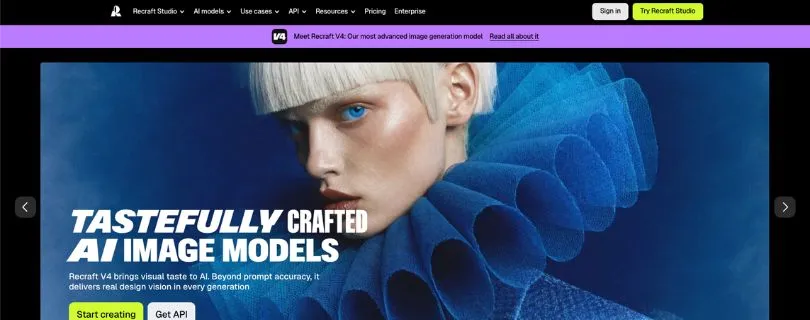
Recraft AI is one of the most interesting tools on this list because it focuses more on design assets than generic AI art.
It’s useful when you need icons, vector-style illustrations, product mockups, brand visuals, stickers, logos, or ad creatives. Recraft’s official site describes it as a platform for generating and editing images, vectors, and mockups, with tools for AI image generation, vector generation, vectorizing images, photo editing, upscaling, background removal, and erasing.
That makes it a strong choice if Canva feels too template-based and Midjourney feels too art-focused.
The best part is the vector-style workflow.
For brand design, icons, and scalable graphics, you don’t always want a beautiful raster image. You want something clean, editable, consistent, and usable across a website, app, presentation, or brand system.
Recraft gets closer to that than most AI image generators.
The trade-off is that it still may need cleanup for serious logo work or final production files. AI can give you strong directions, but a professional designer should still check spacing, shapes, typography, and export quality.
Key Features:
- AI image generator.
- AI vector generator.
- Image vectorizer.
- Mockup generator.
- AI photo editor.
- Background remover, image upscaler, and AI eraser.
- Custom styles and brand-style consistency features.
- Private generation and commercial rights on paid plans.
Pros:
- Strong for icons, illustrations, mockups, and vector-style assets.
- More design-focused than many general AI image generators.
- Useful for brand assets and scalable graphics.
- Clean interface with a practical creative workflow.
- Paid plans include private image generation and commercial usage rights.
Cons:
- Free plan has ownership and commercial-use limitations.
- Credit limits can restrict heavy users.
- Not as broad as Canva for templates and publishing.
- Final logo or brand work may still need manual refinement.
Pricing:
- Free plan available for basic AI exploration.
- Basic: starts at $12/month, or $10/month when billed annually, with 1,000 credits.
- Pro: starts at $20/month, or $16/month when billed annually, with 2,000 credits.
- Higher Pro credit tiers and Teams plans are available.
- Recraft states that free-plan images are owned by Recraft and public, while paid-plan images grant full ownership and commercial rights and can be kept private.
Which AI Graphic Design Generator Should You Choose?
The best AI graphic design generator depends on what you’re actually trying to create.
Here’s the simple breakdown:
| Use Case | Best Tool |
| Social media posts | Canva Magic Studio |
| Blog banners | Canva Magic Studio or Adobe Firefly |
| Professional image editing | Adobe Firefly |
| Concept art and mood boards | Midjourney |
| UI/UX mockups | Figma AI |
| Vector icons and illustrations | Recraft AI |
| Beginner-friendly design | Canva Magic Studio |
| Agency/client work | Adobe Firefly |
| Artistic campaign visuals | Midjourney |
Final Verdict: The Best AI Graphic Design Generator Overall
For most people, Canva Magic Studio is the best AI graphic design generator overall. It’s fast, beginner-friendly, and practical for everyday social media posts, ads, presentations, and branded marketing graphics.
For professional designers, Adobe Firefly is the stronger choice. It gives you more editing control and fits naturally into Photoshop, Illustrator, and Adobe Express workflows.
If visual quality matters more than layout control, Midjourney is the best pick for artistic concepts and campaign visuals. For more specific needs, Figma AI and Recraft AI fill important gaps.
- Best overall: Canva Magic Studio
- Best for professionals: Adobe Firefly
- Best for artistic visuals: Midjourney
- Best for UI/UX design: Figma AI
- Best for vectors and icons: Recraft AI
FAQs About AI Graphic Design Generator Tools
What is the best AI graphic design generator?
For most users, Canva Magic Studio is the best AI graphic design generator because it’s easy to use, has ready-made templates, and works well for social media posts, ads, presentations, and branded marketing content.
If you’re a professional designer, Adobe Firefly is a better fit because it gives you more editing control inside tools like Photoshop, Illustrator, and Adobe Express.
Which AI tool is best for graphic design beginners?
Canva Magic Studio is the best option for beginners. You don’t need advanced design skills to create a clean Instagram post, flyer, YouTube thumbnail, or presentation.
The templates, drag-and-drop editor, brand kit features, and AI design suggestions make it much easier than starting from a blank canvas.
Which AI graphic design tool is best for professional designers?
Adobe Firefly is the strongest choice for professional designers. It works well for editing, expanding images, removing objects, recoloring graphics, and creating design assets that can be refined inside Adobe’s creative apps.
It’s especially useful if you already use Photoshop, Illustrator, or Adobe Express in your daily design workflow.
Which AI tool is best for social media graphics?
Canva Magic Studio is the best AI graphic design tool for social media graphics. It helps you create posts, stories, reels covers, carousels, ads, and banners quickly.
It also makes resizing easier, so you can turn one design into different formats for Instagram, LinkedIn, Facebook, Pinterest, or YouTube.
Which AI tool is best for logo and icon design?
Recraft AI is one of the best options for vector-style graphics, icons, and brand assets. It’s better suited for scalable visuals than most general AI image generators.
That said, AI-generated logos should still be reviewed and refined by a designer before being used as a final brand identity.
Which AI graphic design generator is best for UI/UX design?
Figma AI is the best choice for UI/UX design because it works inside a product design workflow. It’s useful for wireframes, app screens, website layouts, prototypes, and design system work.
If you’re designing dashboards, SaaS interfaces, landing pages, or mobile apps, Figma AI makes more sense than tools built mainly for social media graphics.
Which AI tool creates the best artistic visuals?
Midjourney is the best choice for artistic visuals, concept art, mood boards, and campaign imagery. Its image quality is one of its biggest strengths.
The trade-off is that it’s not a full design editor, so you may still need Canva, Photoshop, or another layout tool to add text, logos, and final formatting.
Can AI replace graphic designers?
No, AI can speed up design work, but it doesn’t fully replace graphic designers.
AI is helpful for first drafts, layout ideas, image generation, background removal, and quick variations. Designers are still needed for brand strategy, typography, composition, storytelling, quality control, and final creative decisions.
Are AI-generated designs safe for commercial use?
It depends on the tool, plan, and licensing terms. Some AI graphic design tools allow commercial use on paid plans, while others have limits around ownership, public visibility, or asset rights.
Before using AI-generated designs for client work, ads, merchandise, logos, or paid campaigns, always check the tool’s latest commercial-use policy.
What is the best free AI graphic design generator?
Canva Magic Studio is one of the best free starting points for general design work. It gives beginners enough tools to create social media posts, presentations, and simple marketing graphics.
Recraft AI also has a free plan for testing vector-style design assets, but free plans usually come with usage limits, credit limits, or commercial-use restrictions.
Is Canva better than Adobe Firefly?
Canva is better if you want speed, templates, and simple branded content creation. It’s ideal for marketers, small businesses, creators, and non-designers.
Adobe Firefly is better if you need professional editing control, image manipulation, and a workflow that connects with Photoshop, Illustrator, and Adobe Express.
Is Midjourney good for graphic design?
Midjourney is great for visual ideas, art direction, campaign concepts, mood boards, and high-quality image generation.
It’s not the best tool for complete graphic design projects because it doesn’t give you the same control over typography, layout, layers, brand kits, and export formats that Canva, Adobe, or Figma offer.
What AI tool should I use to create ad creatives?
For quick AI ad creatives, Canva Magic Studio is the easiest option. You can create layouts, add brand colors, resize designs, and test different versions quickly.
For more polished campaign visuals, you can use Midjourney or Adobe Firefly to generate the main image, then finish the ad layout in Canva or Adobe Express.
What AI tool should I use for blog banners?
For blog banners, Canva Magic Studio is the easiest choice because it has ready-made templates and simple resizing tools.
If you need a more custom or professional-looking image background, Adobe Firefly can help generate or edit the visual before you add the headline and layout.
Can ChatGPT create graphic designs?
ChatGPT can help you plan and write prompts for graphic design, but it’s not the same as using a visual design editor.
You can use ChatGPT to create design briefs, social media post ideas, color palette suggestions, image prompts, ad copy, logo concepts, or layout directions. Then you can take those prompts into Canva, Adobe Firefly, Midjourney, Figma, or Recraft AI.
What should I ask ChatGPT before using an AI graphic design generator?
You can ask ChatGPT for a clear prompt, design direction, or creative brief before opening the design tool.
For example:
- “Write a prompt for a modern Instagram post for a fitness brand.”
- “Create 5 Midjourney prompts for a luxury skincare campaign.”
- “Suggest a color palette for a minimalist SaaS landing page.”
- “Write a Canva prompt for a Black Friday ad creative.”
- “Create a brand style guide for a coffee shop.”
Which AI graphic design tool is best for small businesses?
Canva Magic Studio is the best fit for most small businesses because it covers many everyday design needs in one place.
You can make social posts, posters, flyers, presentations, menus, business cards, ads, and simple videos without hiring a designer for every small task.
Which AI design tool is best for agencies?
Adobe Firefly is a strong choice for agencies because it works well with professional editing workflows and client-facing design work.
Agencies may also use Canva for fast social content, Midjourney for concept development, Figma AI for UI/UX work, and Recraft AI for vector-style assets.
Do AI graphic design tools create editable designs?
Some do, and some don’t.
Canva and Figma are better when you need editable layouts, text, colors, and design elements. Adobe Firefly gives more control for image editing. Midjourney creates high-quality images, but those images are not fully editable like layered design files.
What is the best AI graphic design workflow?
A practical workflow looks like this:
- Use ChatGPT to create the design brief or prompt.
- Use Midjourney, Firefly, or Recraft AI to generate visual concepts.
- Use Canva, Adobe Express, Photoshop, or Figma to edit the final layout.
- Apply your brand colors, fonts, logo, and export settings.
- Review the design manually before publishing.
What should I check before publishing an AI-generated design?
Before publishing, check the text, spelling, logo placement, image quality, brand colors, layout spacing, export size, and commercial-use rights.
AI can create a strong first draft, but it can still make mistakes with typography, hands, small objects, icons, and brand details. A quick human review makes the final design look much more professional.



