I spent time comparing Krea AI’s image tools, Realtime Canvas, video features, and enhancer to see where it stands out. In this Krea AI review, I’ll cover what works, what doesn’t, what users are saying, and whether it is worth paying for in 2026.
Quick verdict
Krea AI is a strong choice for creators who value speed, experimentation, and multiple AI tools in one browser-based workspace. Its Realtime Canvas is the standout feature, while image enhancement and access to different models add real flexibility.
The tradeoff is predictability. Compute usage varies by tool, and output quality can change from one model to another. If you only need one specialist generator, Krea may be more than you need.
What is Krea AI?
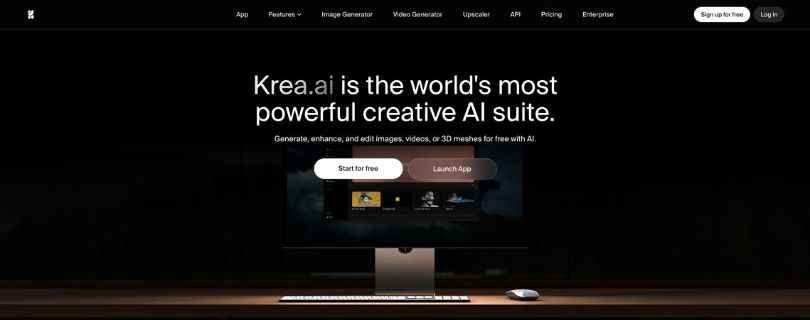
Krea AI is a creative AI suite for generating and editing images, videos, and other visual content. Rather than relying on one model, it combines Krea’s own tools with several outside image and video models.
Its biggest difference is speed. You can sketch, type prompts, upload references, enhance images, and switch workflows without moving between separate apps. That makes it especially useful for fast visual exploration.
Still comparing AI tools for visual work? Check out my best AI graphic design generator tools before choosing your creative stack.
Key features of Krea AI
Krea includes a lot of tools, but these are the Krea AI features that matter most in everyday creative work.
- Realtime Canvas: Type a prompt, move shapes, draw rough forms, or change visual inputs and watch the output update almost immediately. This makes Krea AI real-time image generation especially useful for brainstorming and rapid iteration.
- AI image generation: The Krea AI image generator supports text and reference-based creation across different model families. You can compare styles and outputs without jumping between several separate platforms.
- Enhance and upscale: The Krea AI upscaler can sharpen detail, improve textures, and increase resolution. It is useful for generated artwork, product images, social graphics, and visuals that need a cleaner final export.
- AI video generation: The Krea AI video generator supports text-to-video and image-to-video workflows using multiple video models, giving creators one place to test different motion styles.
If AI video is your main reason for considering Krea, compare it with my best AI video generator tools before subscribing.
- Creative editing tools: Krea also includes motion, lip-sync, style editing, and video enhancement tools, so it feels more like a creative workspace than a basic prompt box.
- Custom models: Advanced users can work with custom models for more repeatable characters, products, or visual styles, which is more useful for professional workflows than casual experimentation.
Krea AI pricing: What do you actually pay?
Krea offers a free tier plus Basic, Pro, and Max paid plans. The important detail is that usage is based on compute units, so the subscription price does not always tell you how much generation you will get.
Images can be relatively inexpensive, while advanced video or enhancement jobs may use units much faster. That makes Krea AI pricing simple at the plan level but less predictable for heavy users.
Curious what you’ll actually pay for Krea AI? Read the full breakdown here:
Krea AI Pricing Explained
Krea AI reviews: What real users are saying
For this Krea AI review, I also checked public feedback on Trustpilot and Reddit. The pattern is fairly clear: users like the creative speed, model variety, and image tools, while complaints tend to focus on compute usage, inconsistent generations, billing, and support.
Pros
- Fast creative iteration: Realtime generation helps users move from an idea to a visual direction quickly.
- Strong image tools: Image generation, enhancement, and upscaling are among Krea’s most useful strengths.
- Multiple models in one place: One dashboard makes it easier to compare outputs without managing several separate tools.
Cons
- Compute usage can be unpredictable: Some workflows consume units much faster than others, making monthly costs harder to estimate.
- Quality is not always consistent: Faces, hands, complex scenes, and motion may still need several attempts depending on the model.
- Billing and support complaints exist: Some public reviews mention frustration around subscriptions, cancellation, credits, or support response times.
My personal take on Krea AI
After comparing Krea’s main tools for this Krea AI review, the feature that stands out most is Realtime Canvas. Most AI generators make you prompt, wait, review, and start again. Krea makes that process feel much more fluid.
I also like that the platform does not lock you into one model or one type of media. You can move from image generation to enhancement or video without rebuilding your workflow somewhere else. That is where Krea feels more useful than a single-purpose generator.
What frustrated me is the lack of predictability. Different models consume compute at different rates, and having many tools in one dashboard does not mean every tool will be the best option for every job. That tradeoff shapes the rest of this Krea AI review.
My Krea AI review takeaway is simple: Krea works best as a fast creative exploration workspace. It gives you plenty of ways to experiment, but specialist tools can still make more sense when you already know exactly what type of output you need.
Is Krea AI right for you?
The answer depends on how often you create and how much experimentation is part of your workflow. From this Krea AI review, I think the platform makes the most sense when speed and flexibility matter more than having one highly specialized production tool.
Who will love it
- Designers and visual creators who want to explore several ideas quickly instead of waiting through a long generate-and-regenerate process.
- Creators using both images and video who prefer testing different AI models inside one workspace.
- Users who regularly enhance or upscale visuals and want those tools alongside generation rather than in a separate app.
Who should avoid it
- Occasional AI users who only generate a few images each month and may not use enough of Krea’s broader toolkit.
- Video-first professionals who need deeper editing, timeline control, or a more dedicated production workflow.
- Anyone who wants very predictable usage costs and dislikes keeping track of compute units across different models.
Still comparing Krea with other creative AI platforms? Check out the best Krea AI alternatives before choosing a plan.
The best Krea AI alternative: Morphic
For this Krea AI review, Morphic is one alternative worth considering if Krea’s rapid experimentation appeals to you but you want a broader project-based creative workspace. It combines image and video creation with tools aimed at building scenes, projects, and repeatable visual workflows.
- More project-focused: Morphic is built around developing creative work across scenes and assets rather than only generating individual outputs.
- Better suited to collaborative workflows: Its structure can make more sense for teams or creators managing larger visual projects.
- Image and video in one workspace: Like Krea, it reduces the need to jump between multiple creative tools.
Krea still has the edge if Realtime Canvas and fast visual iteration are your priorities. Morphic becomes more interesting when you want to organize creative work around larger projects instead of treating every generation as a separate experiment.
If neither approach fits your workflow, the full Krea AI alternatives guide covers more options for image generation, video production, enhancement, and advanced creative control.
Final verdict
After putting together this Krea AI review, I think Krea is worth considering if you want fast ideation, strong image enhancement, multiple models, and image and video generation in one browser-based workspace. Realtime Canvas remains the feature that gives it a clear identity.
I would look elsewhere if you only need one specialist generator, want deeper video editing, or prefer completely predictable usage. Overall, my Krea AI review finds Krea most useful for creators who experiment often enough to benefit from its wider toolkit.
Frequently asked questions
Is Krea AI free?
Yes. Krea AI has a free option that lets you test its core creative tools with limited usage.
It is a good way to try the interface, Realtime Canvas, and generation workflow before deciding whether you need a paid plan.
Is Krea AI worth it?
Krea AI is worth considering if you regularly create, enhance, or experiment with AI visuals. You get the most value when you use several parts of the platform rather than one generator alone.
It may be less worthwhile for occasional users who only need a few AI images each month.
Is Krea AI trustworthy?
Krea AI is a legitimate AI creative platform, but my Krea AI review also found public complaints related to billing, credits, cancellations, and customer support.
Before subscribing, I would:
- Check the current cancellation terms
- Understand how compute units are used
- Start with a lower plan if you are unsure about usage
What is Krea AI best used for?
Krea works particularly well for creators who want to move from an idea to several visual directions quickly.
Its strongest use cases include:
- Real-time image experimentation
- AI image generation
- Image enhancement and upscaling
- Image-to-video creation
- Testing different AI models
Is Krea AI better than Midjourney?
That depends on what you want to create. Midjourney is more focused on generating polished AI images, while Krea offers a broader workspace built around generation, real-time experimentation, enhancement, and video.
Choose Krea when workflow flexibility and fast iteration matter more than using a dedicated image generator.
Can Krea AI generate videos?
Yes. Krea supports AI video workflows alongside its image tools, so you can turn prompts or source images into generated video without leaving the platform.
The main advantage is convenience: you can experiment with visual ideas as images first and then move suitable concepts into motion.
Is Krea AI good for beginners?
Yes, although there is a learning curve once you move beyond basic generation.
Beginners can start with simple prompts and Realtime Canvas, while more advanced users can explore:
- Different models
- Reference images
- Enhancement
- Video generation
- Custom workflows
You do not need to learn everything at once.
What are the main disadvantages of Krea AI?
The biggest downside is that the experience becomes less predictable as you use more models and compute-heavy features.
The main issues I found while preparing this Krea AI review are:
- Compute usage can vary significantly
- Results depend heavily on the selected model
- Complex generations may require several attempts
- Some users report billing or support frustrations
For creators who value experimentation, those tradeoffs may be acceptable. For users wanting one simple and predictable AI tool, they matter more.
Is Krea AI good for professional work?
It can be. Krea is particularly useful during ideation, concept development, enhancement, and rapid visual experimentation.
For final production, however, designers and video creators may still combine Krea with specialist editing, design, or video software depending on the project.