Leonardo.ai is still one of the easiest AI image generators for creating game assets, character art, product visuals, social media graphics, and concept designs from a simple prompt.
And it has some genuinely useful features like image guidance, AI Canvas, custom models, real-time generation, motion tools, and a large library of presets that help beginners create polished visuals without starting from scratch.
If your needs are simple, it honestly gets the job done.
But once you start creating images every day, testing different styles, or using AI visuals for client work, plenty of users start wondering if it’s the best tool to stick with.
That’s why many switch to alternatives.
The main complaints I kept seeing are:
- You can burn through credits quickly
- Text inside images still isn’t always reliable
- Some outputs need extra editing before they’re ready to use
- Commercial usage can feel confusing depending on your plan and workflow
- Advanced control is still limited compared to open-source tools
- Creative results can feel inconsistent when you need repeatable brand visuals
I spent the last few weeks testing and comparing the most popular Leonardo.ai alternatives myself.
On top of that, I dug through recent user reviews, Reddit threads, product pages, and creator feedback to understand what actually works for designers, marketers, freelancers, and small business owners.
Based on that hands-on testing plus real user feedback, I ranked them on image quality, prompt accuracy, editing control, pricing, commercial use, and day-to-day ease of use.
Here are the 5 best Leonardo.ai alternatives to consider in 2026.
Quick Comparison: Best Leonardo.ai Alternatives in 2026
Before we get into the full reviews, here’s a quick side-by-side look at the best Leonardo.ai alternatives I tested.
This table will help you narrow things down fast, especially if you already know what matters most to you — better image quality, safer commercial use, free credits, more editing control, or full customization.
| Rank | Tool | Best For | Free Plan | Starting Price | Main Strength | Main Limitation |
| 1 | Midjourney | High-end artistic images | No | From around $10/month | Best aesthetics and style | Less direct control |
| 2 | Adobe Firefly | Commercial-safe design | Yes, limited credits | From around $9.99/month | Adobe integration and licensing safety | Less artistic than Midjourney |
| 3 | OpenArt | Free prompt testing and editing | Yes | From around $14/month | Multiple models and fast creation | Advanced features need paid plan |
| 4 | Krea AI | Real-time prompting and upscaling | Yes | Paid plans available | Live creative control | Can hallucinate details |
| 5 | Stable Diffusion | Maximum control and customization | Yes, local setup | Free local / paid cloud | Open-source flexibility | Steep learning curve |
Best by use case:
- If you want the best-looking AI art, Midjourney is the strongest pick.
- If you’re creating visuals for client work, ads, websites, or brand campaigns, Adobe Firefly feels safer and more business-friendly.
- OpenArt is a good choice if you want a free Leonardo.ai alternative for testing prompts, trying different models, and editing images without much setup.
- Krea AI is better if you like working visually and want to adjust ideas in real time instead of waiting for one prompt result at a time.
- Stable Diffusion is the most flexible option, but it’s also the least beginner-friendly. It makes the most sense if you’re comfortable with setup, models, extensions, and a more technical workflow.
If you want a more visual workflow than Stable Diffusion, compare these options here:
5 Best Krea AI Alternatives for Video, Images & 3D
How I Tested These Leonardo.ai Alternatives
I didn’t want to rank these tools based only on feature lists or marketing pages. So I tested each Leonardo.ai alternative using the same prompts, then compared the results side by side.
Testing Criteria
Each tool was scored from 1 to 5 based on:
- Image quality and realism
- Prompt accuracy
- Style variety
- Editing and control
- Character or brand consistency
- Text rendering
- Speed
- Free plan value
- Commercial usage safety
- Ease of use
The goal was simple: find out which tools actually work well for creators, designers, marketers, freelancers, and small businesses in day-to-day use.
Test Prompts Used
I used the same four test prompts across all tools.
Prompt 1: Creative Poster TestA cinematic cyberpunk movie poster with a female detective standing in rainy neon streets, bold title text “MIDNIGHT SIGNAL”, dramatic lighting, high detail, vertical poster layout.
Prompt 2: Product Mockup TestA premium skincare bottle on a marble bathroom counter, soft morning light, realistic reflections, minimal luxury branding, commercial product photography style.
Prompt 3: Character Consistency TestA friendly robot mascot with round blue eyes, orange scarf, small backpack, Pixar-inspired 3D style, shown in three different poses on a white background.
Prompt 4: Editing/Control TestTake the generated product image and change only the background to a tropical spa while keeping the bottle identical.
For the final article, add screenshots or output grids under each tool review. That will make the comparison much more useful than a basic “pros and cons” list.
5 Best Leonardo.ai Alternatives in 2026
I tested these Leonardo.ai alternatives on image quality, prompt accuracy, editing control, commercial safety, ease of use, and pricing.
Here is how they compare and which one fits your creative workflow.
1. Midjourney
⭐ G2: 4.4/5
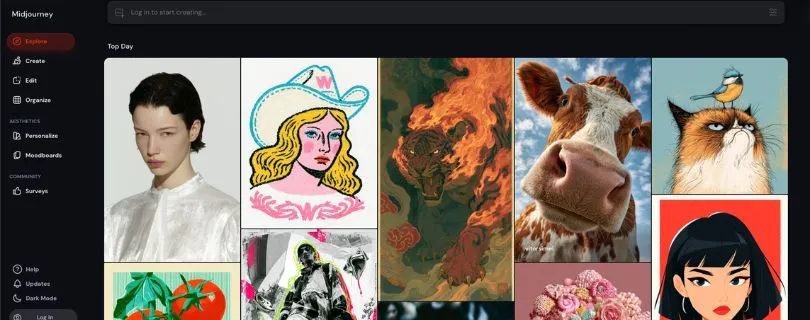
The best Leonardo.ai alternative for high-end AI art and cinematic visuals is Midjourney.
If your main goal is to create beautiful images, fantasy art, concept designs, fashion visuals, posters, or social media graphics that look polished right away, Midjourney is hard to beat.
What stood out to me is how strong the default output looks. You don’t need to fight with settings as much as you do in some AI image generators. Even simple prompts can produce detailed lighting, rich textures, and a strong visual mood.
That said, Midjourney is not the best choice if you want exact control over layout, product details, or repeatable brand assets.
Why Midjourney Is the Best Leonardo.ai Alternative
Midjourney is the better pick if you care more about artistic quality than production control.
Leonardo.ai gives you more tools for image guidance, models, and asset-style workflows. Midjourney feels stronger when you want one thing: images that look expensive, cinematic, and creative.
For moodboards, AI art, thumbnails, campaign ideas, and visual inspiration, it performs really well.
Pros
- Excellent image quality
- Great for cinematic, fantasy, and artistic visuals
- Strong lighting, detail, and texture
- Simple prompts can produce impressive results
- Good for concept art, posters, thumbnails, and creative campaigns
Cons
- No free plan
- Less direct control than Leonardo.ai
- Can struggle with exact layout changes
- Not ideal for text-heavy graphics or logos
- Private image generation requires higher plans
Midjourney Pricing
- Basic: $10/mo
- Standard: $30/mo
- Pro: $60/mo
- Mega: $120/mo
- Annual plans are discounted
Still comparing AI design tools before paying for Midjourney?
Read: 5 Best AI Graphic Design Generator Tools in 2026
What Users Have to Say About Midjourney
Users often praise Midjourney for visual quality and creativity. One G2 reviewer said it creates “high-quality visual concepts” for real projects. Others mention that prompt accuracy can take a few tries when you need very specific details. Source
2. Adobe Firefly
⭐ G2: 4.4/5
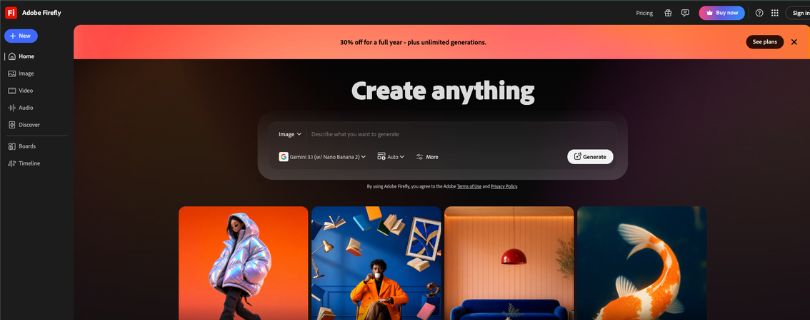
The best Leonardo.ai alternative for commercial-safe design work is Adobe Firefly.
If you create visuals for client projects, ads, websites, brand campaigns, social media posts, or marketing assets, Firefly feels safer than most AI image tools.
The biggest advantage is Adobe’s ecosystem. You can use Firefly alongside tools like Photoshop, Adobe Express, and other Creative Cloud apps.
If Adobe Express is part of your design workflow, check my full guide here:
What Is Adobe Express? Features, Pricing, Pros & Cons Explained
That makes it useful if your workflow already includes editing, resizing, background removal, or polishing images before publishing.
The output is usually clean and professional, but it doesn’t always have the same artistic punch as Midjourney.
Why Adobe Firefly Is the Best Leonardo.ai Alternative
Adobe Firefly is the better choice when usage rights, brand safety, and editing workflow matter more than pure creativity.
Leonardo.ai is better for creative exploration and AI art-style generation. Firefly is better when you need images that feel safe, polished, and easier to use in real business projects.
It’s especially useful for marketers, agencies, designers, and small business owners who already use Adobe tools.
If you’re comparing Adobe’s design tools with Canva, read:
Canva vs Adobe Express 2026: Which Tool Is Better?
Pros
- Strong for commercial and brand-focused design
- Works well with Adobe Creative Cloud tools
- Easy interface for beginners
- Good for generative fill, image expansion, and background edits
- Useful for ads, website graphics, and social media visuals
Cons
- Outputs can feel less artistic than Midjourney
- Credit system can be confusing
- Some results look too polished or stock-like
- Not the best for fantasy art or highly stylized images
- Best value comes if you already use Adobe tools
Adobe Firefly Pricing
- Free: Limited access
- Firefly Standard: $9.99/mo
- Firefly Pro: $19.99/mo
- Firefly Pro Plus: $49.99/mo
- Firefly Premium: $199.99/mo
If Adobe Express is part of your design workflow, check my full guide here:
What Is Adobe Express? Features, Pricing, Pros & Cons Explained
What Users Have to Say About Adobe Firefly
Users like Firefly for ease of use, Adobe integration, and commercial safety. One G2 review highlighted “commercial safety, seamless integration, and no training on user content.” Some users also said outputs can feel too stock-like or need multiple attempts. Source
3. OpenArt
⭐ G2: 4.8/5
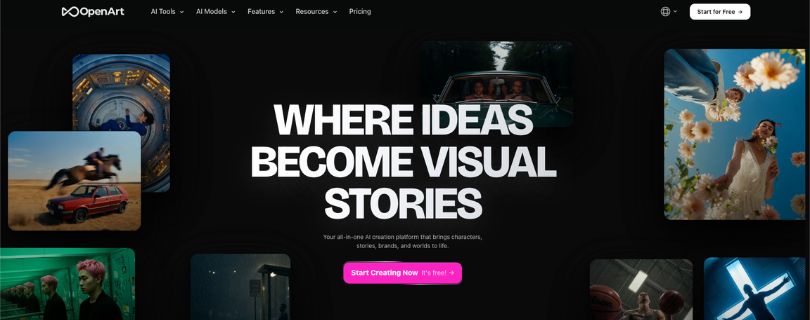
The best free Leonardo.ai alternative for prompt testing and quick creative experiments is OpenArt.
OpenArt works well if you want to test different models, generate images fast, edit visuals, create characters, and try AI video tools without jumping between several platforms.
What I liked most is how flexible it feels. You can use it for AI art, product visuals, social media images, character ideas, and quick content experiments. It’s not as artistically strong as Midjourney, but it gives you more room to explore different models and workflows.
For beginners, it feels easier than setting up Stable Diffusion locally.
Why OpenArt Is the Best Leonardo.ai Alternative
OpenArt is a strong option if you want a browser-based AI creative workspace instead of one single image model.
Leonardo.ai is better if you like its preset-heavy image generation and asset workflow. OpenArt is better if you want to test prompts, compare styles, edit images, and explore different AI models in one place.
It’s a good fit for creators, marketers, YouTubers, social media managers, and freelancers who want speed and variety.
If your main goal is social media graphics and quick design work, compare these tools too:
5 Best Canva Alternatives for Creators & Teams
Pros
- Free trial available
- Supports image, video, character, and audio creation
- Access to many AI models
- Good for prompt testing and image editing
- Easier than local Stable Diffusion
- Useful for social media visuals and creative experiments
Cons
- Advanced features need a paid plan
- Credit usage can add up quickly
- Interface can feel busy at first
- Output quality depends on the model you choose
- Not as visually refined as Midjourney by default
OpenArt Pricing
- Essential: $14/mo
- Advanced: $29/mo
- Infinite: $56/mo
- Wonder: $240/mo
- Annual billing offers discounted monthly rates
What Users Have to Say About OpenArt
Users like OpenArt for flexibility and beginner-friendly AI creation. One G2 reviewer called it an “incredible platform for generating images, videos, and sounds with AI.” Another noted that the user journey can feel repetitive and hard to navigate in places. Source
4. Krea AI
⭐ G2: Not enough public reviews
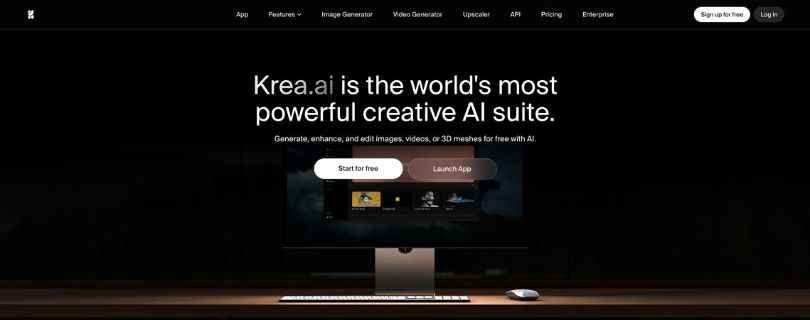
If you want a Leonardo.ai alternative built around real-time creative control, Krea AI is one of the most interesting options to try.
Instead of typing a prompt, waiting, and regenerating again, Krea lets you shape visuals more interactively. You can generate images, edit them, upscale them, work with video models, and test different visual directions from one workspace.
What stood out to me is the real-time canvas. It feels useful when you’re brainstorming ad concepts, product visuals, moodboards, social media creatives, or design ideas with a client sitting next to you.
The downside is that the results can drift. Sometimes small edits change more than you wanted.
Want to compare Krea with similar creative AI tools?Read:
5 Best Krea AI Alternatives for Video, Images & 3D
Why Krea AI Is the Best Leonardo.ai Alternative
Krea AI is the best option if you want faster visual exploration.
Leonardo.ai gives you a more structured AI image generator with presets, models, and asset-style workflows. Krea feels better when you want to play with an idea live and see it change as you adjust the prompt or visual input.
It is especially useful for designers, art directors, creators, and marketers who want quick creative feedback.
Pros
- Real-time image generation
- Good for fast visual brainstorming
- Strong upscaling and enhancement tools
- Supports image, video, 3D, and editing tools
- Useful for client-facing creative exploration
Cons
- Results can change too much during edits
- Credit usage can add up quickly
- Not as simple as basic AI image generators
- Some outputs need manual cleanup
- No strong G2 review base yet
Krea AI Pricing
- Free: $0/mo
- Basic: $9/mo
- Pro: $35/mo
- Max: $105/mo
- Business: $200/mo
- Enterprise: Custom pricing
What Users Have to Say About Krea AI
Users often praise Krea for real-time generation and editing control. One Reddit user said they were “extremely impressed” by its subtle edits and ability to handle tricky positions and objects. Some users also mention that results can change unexpectedly, especially when testing different models. Source
5. Stable Diffusion
⭐ G2: 4.3/5
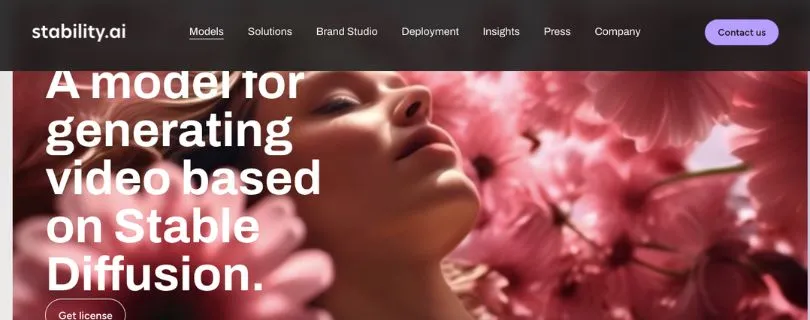
The best Leonardo.ai alternative for maximum control and customization is Stable Diffusion.
Stable Diffusion is different from the other tools on this list because it is not just one app. It is an open model ecosystem that you can run locally or access through tools like ComfyUI, Automatic1111, DreamStudio-style platforms, and cloud GPU services.
If Leonardo.ai feels too closed or limited, Stable Diffusion gives you more freedom. You can use custom models, LoRAs, ControlNet, inpainting, outpainting, negative prompts, and detailed workflows.
The tradeoff is simple: you get more control, but you also get more setup.
Why Stable Diffusion Is the Best Leonardo.ai Alternative
Stable Diffusion is the best option if you want full creative and technical control.
Leonardo.ai is easier for beginners. Stable Diffusion is better for users who want to build repeatable workflows, train styles, create consistent characters, run images locally, or avoid relying fully on a hosted AI image generator.
It is a strong fit for developers, technical artists, AI creators, and advanced designers.
Pros
- Can be free when run locally
- Huge open model ecosystem
- Supports LoRAs, ControlNet, and custom workflows
- Good for privacy and local generation
- Strong for character consistency and advanced editing
Cons
- Setup can feel confusing
- Needs a good GPU for smooth local use
- Not beginner-friendly
- Quality depends on your model and workflow
- Commercial usage depends on model license
Stable Diffusion Pricing
- Local setup: Free, if you have the hardware
- Stability AI API: Credit-based pricing
- API pricing: 1 credit = $0.01
- Cloud GPU tools: Pricing depends on provider
- Commercial use: Free under Stability AI Community License for eligible users and organizations under the revenue limit
What Users Have to Say About Stable Diffusion
Users like Stable Diffusion for flexibility, local control, and image quality. One G2 reviewer called it a “great AI model for generating high quality images.” Another reviewer said the setup can be confusing for standard users and uses a lot of computer resources. Source
Other Leonardo.ai Alternatives Worth Considering
The five tools above are the main Leonardo.ai alternatives I’d compare first. But depending on your workflow, a few other AI image generators and creative tools may fit better.
Ideogram — Best for Text Inside Images
Ideogram is worth trying if your biggest problem is readable text.
It works well for posters, logos, signage, typography designs, quote graphics, thumbnails, and marketing creatives where the words actually need to look right. Leonardo.ai can create strong visuals, but text inside images can still be hit or miss.
Microsoft Copilot Designer — Best Free DALL-E Access
Microsoft Copilot Designer is a good pick if you want free, conversational AI image generation.
You can describe what you want in plain English, adjust the prompt, and create social media graphics, digital postcards, banners, and simple marketing visuals without learning complex settings. It’s not the most advanced tool here, but it’s easy to start with.
Recraft — Best for Graphic Designers and Vector Outputs
Recraft is a strong option for designers who need cleaner, more usable assets.
If vector-style design assets matter most, check this guide:
5 Best Vector Graphics Software for Design in 2026
It can help with icons, brand graphics, mockups, vector-style illustrations, and design-ready visuals. The big advantage is that it supports both raster and vector workflows, which makes it more practical for logos, UI graphics, and scalable brand assets.
DomoAI — Best for Anime and Image-to-Video
DomoAI is better for creators who care more about motion than static images.
If you want to compare DomoAI with similar AI video tools, read:
5 Best Domo AI Alternatives for Video Creation
It’s useful for anime-style visuals, image-to-video generation, short-form content, character animation, and quick creative edits for TikTok, YouTube Shorts, or Instagram Reels. If you want AI visuals that move, DomoAI is worth a look.
Layer AI — Best for Game Studios
Layer AI is built more for teams than solo creators.
It is useful if you need game asset workflows, batch production, shared creative pipelines, 3D generation, audio, video, image generation, and team collaboration in one place. For studios making lots of assets, it feels more production-focused than a basic AI art generator.
Rendair or Veras — Best for Architecture and Interior Design
Rendair and Veras are better picks for architects, interior designers, and visualization teams.
These tools are made for architectural renders, 3D model previews, interior concepts, lighting variations, and client presentation visuals. I’d only choose them over Leonardo.ai if structural accuracy and design visualization matter more than general AI art.
Leonardo.ai vs Top Competitors: Feature-by-Feature Comparison
Here’s a quick feature breakdown to help you compare Leonardo.ai with the top alternatives.
| Feature | Leonardo.ai | Midjourney | Adobe Firefly | OpenArt | Krea AI | Stable Diffusion |
| Text-to-image | Yes | Yes | Yes | Yes | Yes | Yes |
| Image editing | Yes | Limited/available depending workflow | Strong | Strong | Strong | Advanced |
| Real-time canvas | Yes | No/limited | No | Some tools | Yes | Depends setup |
| Custom models | Yes | No/limited | Enterprise/custom options | Yes | Limited | Yes |
| Free plan | Yes | No | Yes, limited | Yes | Yes | Yes, local setup |
| Commercial safety | Depends plan/terms | Check terms | Strong | Check terms | Check terms | Depends model |
| Best for | Game art/assets | Artistic images | Commercial design | Prompt testing | Real-time control | Power users |
Leonardo.ai still gives you a nice balance of image generation, presets, image guidance, and creative workflows. But each competitor wins in a different area.
Midjourney wins on visual quality. Adobe Firefly wins on business-friendly design. OpenArt is great for testing prompts. Krea AI feels more interactive. Stable Diffusion gives you the most control if you’re comfortable with a technical setup.
Which Leonardo.ai Alternative Should You Choose?
The best Leonardo.ai alternative depends on what you’re actually trying to create. Here’s the simple way to decide.
Choose Midjourney if you want the best-looking images
Pick Midjourney if your main goal is artistic quality.
It’s great for cinematic visuals, fantasy art, concept designs, thumbnails, posters, moodboards, and creative campaign ideas. Skip it if you need exact layout control or a reliable free plan.
Choose Adobe Firefly if you need commercial-safe client work
Pick Adobe Firefly if you create visuals for clients, ads, websites, social media campaigns, or business projects.
If you’re also considering Adobe Express for these workflows, read:
Canva vs Adobe Express 2026: Which Tool Is Better?
It’s especially useful if you already use Photoshop, Adobe Express, or other Adobe tools. The images may not always look as artistic as Midjourney, but the workflow feels safer for professional use.
Choose OpenArt if you want a flexible free alternative
Pick OpenArt if you want to test prompts, try different AI models, edit images, and experiment without getting too technical.
It’s a good free Leonardo.ai alternative for creators, marketers, YouTubers, freelancers, and small business owners who want variety without setting up Stable Diffusion.
Choose Krea AI if you like real-time creative control
Pick Krea AI if you want to shape images live instead of waiting for one prompt result at a time.
It’s helpful for brainstorming product visuals, ad concepts, social media creatives, and design directions. Just keep in mind that results can drift, so it may take a few tries to lock in the exact look.
Choose Stable Diffusion if you want full technical control
Pick Stable Diffusion if you want custom models, LoRAs, ControlNet, local generation, and advanced image editing workflows.
It has the steepest learning curve, but it also gives you the most flexibility. For developers, technical artists, and power users, it’s one of the strongest Leonardo.ai competitors.
Choose Ideogram if your images need readable text
Pick Ideogram if you’re making posters, logos, signs, thumbnails, quote graphics, or marketing images where the text has to be clear.
This is where many AI image generators still struggle, so Ideogram is a smart backup tool even if you use Leonardo.ai for other visuals.
Choose Microsoft Copilot Designer if you want free DALL-E-style generation
Pick Microsoft Copilot Designer if you want a simple, free way to generate images from conversational prompts.
It’s not the best choice for advanced editing or production workflows, but it’s easy for beginners and useful for quick social media graphics, simple design ideas, and everyday AI image creation.
MY Final Verdict: The Best Leonardo.ai Alternative in 2026
After testing these tools side by side, Midjourney is my top Leonardo.ai alternative for most creative users.
It delivers the best-looking images with the least effort, especially if you care about cinematic visuals, concept art, thumbnails, posters, and high-end creative work.
That said, the “best” tool really depends on what you need:
- Best overall: Midjourney
- Best for commercial use: Adobe Firefly
- Best free alternative: OpenArt
- Best for real-time workflow: Krea AI
- Best for control: Stable Diffusion
- Best for text inside images: Ideogram
- Best for casual free users: Microsoft Copilot Designer
Leonardo.ai is still one of the best all-around AI creative suites, especially for character assets, game art, and visual experimentation.
But if your priority is pure aesthetics, commercial safety, free prompt testing, live creative control, or deep customization, one of these alternatives will likely fit your workflow better.
FAQs About Leonardo.ai Alternatives
What is the best Leonardo.ai alternative in 2026?
Midjourney is the best overall Leonardo.ai alternative if you want high-end AI art, cinematic images, and polished creative visuals.
For business use, Adobe Firefly is a better fit because it feels safer for client projects, ads, and brand assets.
Is there a free Leonardo.ai alternative?
Yes. OpenArt, Microsoft Copilot Designer, Krea AI, and Stable Diffusion are some of the best free or freemium Leonardo.ai alternatives.
- OpenArt is best for prompt testing
- Microsoft Copilot Designer is best for casual image generation
- Krea AI is best for real-time creative control
- Stable Diffusion is best if you can handle setup
Is Midjourney better than Leonardo.ai?
Midjourney is better if you care most about image quality, style, lighting, and artistic results.
Leonardo.ai is better if you want a broader creative workspace with presets, image guidance, character assets, and game-art-style workflows.
What is the best free Leonardo.ai alternative for beginners?
Microsoft Copilot Designer is the easiest free option for beginners because you can describe what you want in normal language and generate images quickly.
OpenArt is also beginner-friendly, but it gives you more creative options if you want to test different AI models and editing tools.
Which Leonardo.ai alternative is best for commercial use?
Adobe Firefly is the strongest pick for commercial projects.
It’s a good choice for marketers, agencies, freelancers, and small businesses creating visuals for websites, ads, product pages, social media campaigns, or client work.
Which Leonardo.ai alternative is best for text inside images?
Ideogram is the best option if your image needs readable text.
Use it for:
- Posters
- Logos
- Signs
- Quote graphics
- YouTube thumbnails
- Marketing creatives
- Typography-based designs
Is Stable Diffusion better than Leonardo.ai?
Stable Diffusion is better for advanced users who want more control.
It supports custom models, LoRAs, ControlNet, local generation, and detailed editing workflows. Leonardo.ai is easier to use, but Stable Diffusion gives you more room to customize.
What is the best Leonardo.ai alternative for product photos?
Adobe Firefly, OpenArt, and Krea AI are strong options for AI product photo generation.
Firefly is better for clean commercial visuals. OpenArt is better for testing styles quickly. Krea AI is useful if you want to adjust the look live while building the concept.
Which Leonardo.ai competitor is best for game assets?
Leonardo.ai is still strong for game assets, but Layer AI and Stable Diffusion are worth considering.
Layer AI is better for studios that need team workflows and batch asset production. Stable Diffusion is better for technical artists who want custom models and repeatable styles.
Can I use Leonardo.ai alternatives for social media content?
Yes. Most of these tools can help create social media graphics, thumbnails, ad creatives, posters, banners, and short-form visual ideas.
For social media, I’d start with Midjourney for eye-catching visuals, OpenArt for fast experiments, and Adobe Firefly for cleaner brand-focused designs.
What is the easiest Leonardo.ai alternative to use?
Microsoft Copilot Designer and Adobe Firefly are the easiest options for beginners.
They don’t require much setup, and you don’t need to understand advanced AI image settings to get useful results.
Which Leonardo.ai alternative gives the most control?
Stable Diffusion gives you the most control.
You can run it locally, use custom models, adjust workflows, add LoRAs, use ControlNet, and fine-tune outputs much more deeply than most hosted AI image generators.
What should I use instead of Leonardo.ai?
Use Midjourney if you want better-looking images. Use Adobe Firefly if you need safer client work. Use OpenArt if you want a flexible free alternative.
Use Krea AI if you like real-time editing, and use Stable Diffusion if you want full technical control.
Are Leonardo.ai alternatives worth it?
Yes, but only if they solve a specific problem for you.
If Leonardo.ai already gives you the images you need, you may not need to switch. But if you want better aesthetics, clearer text, safer commercial use, more control, or a better free plan, testing an alternative makes sense.