Rive is a very good animation platform.
But for many designers, creators, and product teams, Rive is not always the perfect fit.
No, I am not saying Rive is bad.
People look for Rive alternatives because every animation workflow is different. Some need simple Lottie animations, some need SVG animations, some want 3D design, and some just want an easier tool.
Here are some of the major reasons people look for Rive alternatives ➜
- Steeper learning curve
- Not ideal for simple Lottie workflows
- Can feel too advanced for basic UI animations
- Limited fit for 3D animation projects
- Not the best option for every motion design workflow
AND…
Since you are already reading this, it means you’ve made the smart decision to look for Rive alternatives.
I have only one thing to say – You are at the right place!
Before comparing the alternatives, you can also read my full hands-on breakdown here: Rive Review: What Works and What Doesn’t in 2026
Quick Answer: Best Rive Alternatives by Use Case
If you don’t want to read the full comparison right now, here’s the quick version.
Each Rive alternative works best for a different type of animation workflow. So instead of choosing the “most popular” tool, choose the one that matches what you actually want to create.
| Rive Alternative | Best For | Main Strength | Main Limitation |
| LottieFiles | Lightweight UI animations | Huge Lottie ecosystem and easy app/web implementation | Not as advanced for complex state-machine interactions |
| SVGator | Interactive SVG animations | No-code SVG animation for websites | Best for SVG/web assets, not full app/game-style interactive graphics |
| Cavalry | Advanced 2D motion graphics | Procedural, real-time, data-driven animation | More motion-design focused than runtime-interactivity focused |
| Spline | Interactive 3D design | Browser-based 3D, states, events, and web embeds | Better for 3D than 2D vector animation |
| Friction | Free/open-source motion graphics | Vector and raster animation for web/video | Less polished ecosystem than commercial tools |
If you need simple UI animations, LottieFiles is probably the easiest place to start.
If you want animated website graphics, SVGator makes more sense.
If you’re a motion designer who wants deeper control, Cavalry gives you more room to play.
If you’re moving into interactive 3D, Spline is the better pick.
And if you want a free open-source Rive alternative, Friction is worth checking out.
In-depth Review of the Top 5 Rive Alternatives
Here are the 5 Rive alternatives that made the cut.
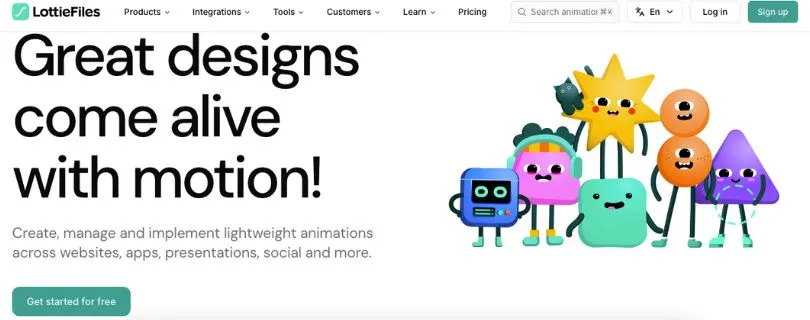
1. LottieFiles
G2 Rating: ★★★★★ 4.5/5
Best for: Designers, developers, SaaS teams, app creators, and marketers who need lightweight Lottie animations for websites, mobile apps, landing pages, onboarding screens, loaders, icons, and product UI.
LottieFiles is the strongest Rive alternative if your main goal is to create, edit, test, share, and ship Lottie animations without making the workflow too complicated.
If Rive feels a little too advanced for your current project, LottieFiles will probably feel much easier.
And that’s not a bad thing.
Not every animation needs state machines, runtime logic, and interactive character controls. Sometimes you just need a clean loading animation, an animated success checkmark, a moving product illustration, or a small UI animation that works smoothly inside your app or website.
That’s where LottieFiles makes a lot of sense.
It gives you access to a huge animation library, Lottie editing tools, file optimization, hosting, developer handoff options, and integrations with tools like Figma, Adobe After Effects, Webflow, Canva, and more.
So instead of building every animation from scratch, you can find a ready-made animation, customize it, optimize it, and send it to your developer without creating a long back-and-forth.
Why LottieFiles is the Best Rive Alternative for Lottie Animations
What really sets LottieFiles apart from Rive is simplicity.
Rive is built for real-time interactive graphics.
LottieFiles is built for shipping lightweight animations quickly.
That difference matters a lot.
If you’re designing a mobile app onboarding screen, a SaaS dashboard loader, a social media animation, or a simple website micro-interaction, you may not need Rive’s full animation system.
You may only need a Lottie file that is small, scalable, and easy to add to your product.
LottieFiles gives you that workflow.
You can search for animations, preview them, edit colors, export them, host them, and hand them off to developers in a format they already understand.
And here’s where it gets useful for teams.
LottieFiles is not just an animation library anymore. It also gives you tools for managing animation files, optimizing file size, collecting team feedback, and keeping assets organized.
This is helpful if your team uses animations across landing pages, mobile screens, email campaigns, social media posts, or product UI.
With Rive, the experience is more focused on building interactive animations from the ground up.
With LottieFiles, the experience feels more like, “Let’s get a beautiful animation live as quickly as possible.”
That’s why many designers and marketers will find it easier.
Where LottieFiles Works Better Than Rive
LottieFiles works better than Rive when speed matters more than deep interactivity.
For example, if you want to add animated icons to a landing page, you probably don’t want to spend hours setting up state machines.
You just want the animation to look good, load fast, and work everywhere.
LottieFiles is great for:
- App onboarding animations
- Website loaders
- Animated icons
- Success and error states
- Empty-state illustrations
- Product walkthrough animations
- Marketing visuals
- Social media motion assets
- Lightweight UI animations
Another thing I liked is how familiar the Lottie workflow is for many developers.
Developers already know how to work with Lottie JSON files in web and mobile apps. So if your team is already using Lottie in React, iOS, Android, Webflow, or other platforms, LottieFiles fits naturally into that setup.
Rive can still be the better choice for advanced interactive animation.
But if the animation is mostly linear and only needs to play, loop, pause, or trigger on a basic action, LottieFiles is usually easier.
Where Rive Still Beats LottieFiles
Rive is stronger when your animation needs to respond to app logic.
For example, let’s say you’re creating an interactive mascot that reacts when a user logs in, fails a task, completes a level, taps a button, or changes settings inside an app.
That’s where Rive feels more powerful.
Rive’s state machines are made for this kind of real-time behavior.
LottieFiles can help with lightweight animations, and it has tools that make Lottie creation and editing easier. But it doesn’t fully replace Rive if your whole experience depends on advanced interaction states.
So the simple way to think about it is this:
Use LottieFiles when you need clean, lightweight animations.
Use Rive when you need animations that behave like part of your product’s logic.
What I Liked
- Huge library of ready-made Lottie animations
- Easy workflow for app and website animations
- Helpful for designers who don’t want to start from scratch
- Good file optimization for faster loading
- Works well with Figma, After Effects, Webflow, Canva, and other design tools
- Useful hosting and CDN options
- Easier developer handoff compared to exporting random video or GIF files
- Great for UI animations, loaders, onboarding screens, and product visuals
- Team plan supports feedback, file history, brand palettes, and shared animation libraries
- Much easier for beginners than building complex interactive animations from zero
Limitations I Faced
- Not the best choice for complex state-machine-based animation
- Advanced customization can still require another design or animation tool
- Free users may hit limits depending on how much they need to edit, export, or manage
- Annual billing may not be ideal if you only need it for one small project
- Not as flexible as Rive for interactive product characters or game-like UI
- Some animations may still need cleanup before being production-ready
LottieFiles Pricing
LottieFiles has a free plan for people who are just getting started with Lottie animations.
Here are the paid plans:
- Individual: $19.99/user/month, billed annually
- Team: $24.99/user/month, billed annually
- Enterprise: $119.99 listed, with sales contact required for pricing details
The Individual plan is good for solo designers, freelancers, and creators who need regular access to Lottie tools and premium animations.
The Team plan makes more sense if multiple people are working on commercial projects and need shared files, version history, feedback, comments, brand palettes, and team permissions.
Compared to Rive, LottieFiles is not trying to be a full interactive animation engine.
It is more of a practical Lottie workflow platform.
So if your goal is to ship lightweight UI animations faster, LottieFiles is one of the safest Rive alternatives to start with.
Want to understand the real cost before choosing it?
Read: LottieFiles Pricing Explained
Still comparing similar tools?
Check this guide: Best LottieFiles Alternatives
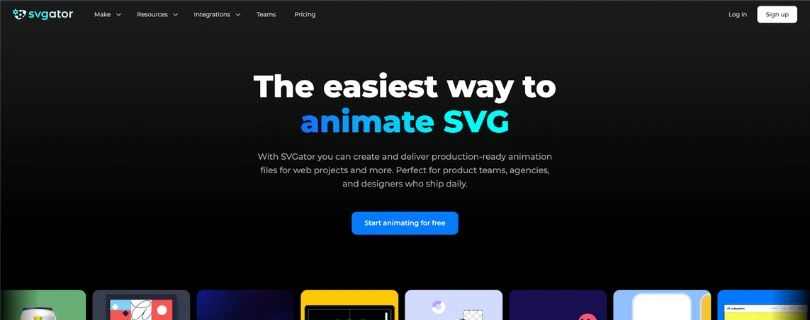
2. SVGator
G2 Rating: ★★★★★ 4.6/5
Best for: Web designers, agencies, SaaS landing page teams, logo designers, product marketers, and creators who want interactive SVG animations without writing code.
SVGator is a great Rive alternative if your main focus is animated SVGs.
And this is an important difference.
Rive is great for interactive app and product animations.
SVGator is better when you want animated website graphics, logos, icons, illustrations, preloaders, banners, or hover-based web elements.
If you’ve ever wanted to animate an SVG but didn’t want to deal with CSS, JavaScript, or complicated animation code, SVGator solves that problem nicely.
You get a visual editor where you can animate elements using timelines, keyframes, easing, morphing, filters, colors, strokes, movement, and interactive triggers.
It feels more approachable than writing animation code manually.
And for many web designers, that’s the whole point.
Why SVGator is the Best Rive Alternative for SVG Animations
SVGator works best when your final animation needs to live on a website.
Think animated logos, website hero graphics, product icons, scroll-triggered visuals, animated backgrounds, hover animations, and landing page illustrations.
This is where SVGator feels more focused than Rive.
Rive can create beautiful interactive 2D graphics, but SVGator is built around SVG animation as the main output.
That means the workflow is more direct if your project already starts with vector graphics and ends on a website.
You can import or create SVG assets, animate them, add interactivity, and export them in formats that make sense for web use.
And you don’t have to write the code yourself.
That’s helpful for designers who want control over animation timing but don’t want to become front-end developers just to make a button icon move.
Here’s where it gets interesting.
SVGator is not only for simple animations.
You can create click, hover, and scroll-based animations. You can also export to different formats depending on the project, including SVG, Lottie JSON, GIF, video, and code-friendly formats.
So if you’re building animations for landing pages, eCommerce websites, portfolio sites, SaaS websites, or brand pages, SVGator gives you more practical export flexibility than many people expect.
Where SVGator Works Better Than Rive
SVGator works better than Rive when your animation needs to stay close to the web design workflow.
For example, if you’re designing a SaaS landing page and want an animated product illustration that reacts on hover, SVGator is easier to explain, export, and place into the page.
You don’t need to build a full runtime-based animation system.
You just need a clean web animation.
SVGator is useful for:
- Animated logos
- Website icons
- SVG preloaders
- Hover animations
- Scroll-triggered graphics
- Landing page illustrations
- Product feature visuals
- eCommerce animations
- Interactive website elements
- Simple animated banners
What stood out to me is how practical it feels for web-focused designers.
You can keep the animation lightweight, avoid video files where possible, and still create something that feels polished.
For agencies, this is especially useful.
Clients often ask for small website animations that look custom but don’t take a huge production budget. SVGator gives you a way to create those animations without turning every small request into a developer-heavy task.
Where Rive Still Beats SVGator
Rive is better when the animation is part of a larger product experience.
For example, if your animation needs multiple states, logic-based reactions, user-controlled inputs, or app-level behavior, Rive is more suitable.
SVGator handles web interactivity well.
But it is not really built to replace Rive’s state-machine workflow for product apps, games, or advanced interactive UI systems.
So if your animation only needs to move on hover, click, or scroll, SVGator is a strong pick.
But if the animation needs to react to user progress, app data, game controls, or several chained logic states, Rive still wins.
What I Liked
- Great for creating SVG animations without code
- Clean option for website graphics, icons, logos, and preloaders
- Supports interactive triggers like click, hover, and scroll
- More beginner-friendly than writing CSS or JavaScript animations manually
- Useful export options, including SVG, Lottie, GIF, video, and code-friendly formats
- Good fit for web designers, agencies, freelancers, and SaaS teams
- Helpful for creating lightweight visual motion on landing pages
- Lets designers control animation timing without depending on developers for every small change
- Good choice when you need production-ready web animation assets
Limitations I Faced
- Not the best tool for full app-style interactive animation systems
- Can feel limited if you want advanced character rigging or complex product logic
- The interface may still feel busy for complete beginners
- Best results depend on having clean SVG files to start with
- Team collaboration features are only available on higher plans
- More website-focused than product-runtime-focused
SVGator Pricing
SVGator offers a free plan, but the free plan includes a watermark.
Here are the paid plans:
- Free: $0/month
- Starter: $20/month, billed yearly
- Pro: $24/month, billed yearly
- Team: $27/seat/month, billed yearly, minimum 3 seats
The Starter plan is useful if you mainly need animated SVG exports without a watermark.
The Pro plan is better if you want unlimited animations, no watermark, commenting, public share links, and better quality for videos and images.
The Team plan is for teams that need a shared workspace, edit access, centralized billing, priority support, and collaboration features.
Compared to Rive, SVGator is less about building interactive animation systems and more about making web animation easier.
So if your goal is to animate SVGs for a website, SVGator is one of the best Rive alternatives on this list.
Want to compare SVGator plans before upgrading?
Read: SVGator Pricing Explained
3. Cavalry
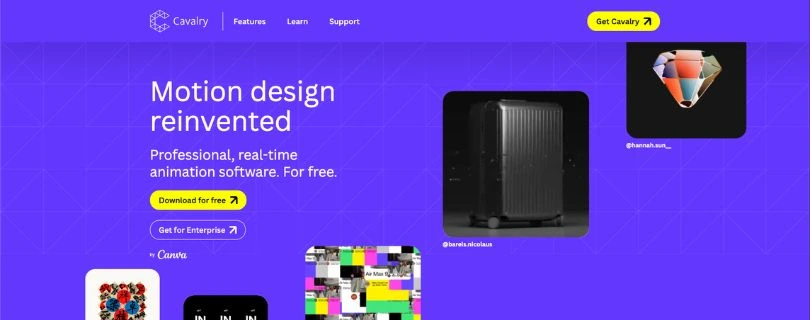
Public Review Snapshot: Cavalry is not as widely reviewed on G2 as tools like LottieFiles or SVGator, but it has a strong reputation among motion designers who want a modern 2D animation workflow.
Best for: Motion designers, studios, creative teams, brand designers, and animators who need advanced 2D motion graphics, procedural animation, real-time preview, and data-driven animation tools.
Cavalry is not a simple Lottie editor.
And honestly, that’s exactly why it deserves a place on this list.
If you’re looking for a Rive alternative because you want deeper 2D motion design tools, Cavalry is one of the most interesting options.
It is built for professional 2D animation and motion graphics.
You can use it for animated typography, data-driven visuals, brand motion, explainer graphics, procedural animations, social media motion assets, product videos, UI motion concepts, and creative design systems.
Where Rive focuses on real-time interactive 2D graphics, Cavalry focuses more on motion design depth.
That makes it better for people who think in timelines, systems, rigs, shapes, data, and visual motion experiments.
Why Cavalry is the Best Rive Alternative for Advanced 2D Motion Graphics
Cavalry is a strong choice when you want more control over motion design.
Rive is excellent when you need interactive animations that run inside products, apps, or games.
Cavalry is better when you want to create advanced 2D animation systems, especially when the animation itself is the main creative output.
For example, if you’re making animated brand visuals, kinetic typography, data-driven charts, looping social media motion graphics, or procedural design animations, Cavalry gives you more room to build complex motion scenes.
One thing that makes Cavalry stand out is its real-time workflow.
You can make changes and see the animation respond quickly instead of waiting around for previews to render.
That sounds small, but it matters a lot when you’re testing timing, easing, layout changes, or motion variations.
Cavalry also supports features like rig control, text animation, duplicators, falloffs, data import, Lottie export, and procedural animation tools.
This makes it useful for motion designers who want to create repeatable animation systems rather than manually keyframing every tiny movement.
And if you work with data, this is where Cavalry gets even more interesting.
You can connect data and animate at scale.
That’s useful for charts, sports graphics, finance visuals, social data, marketing reports, product stats, and any animation where the information may change often.
Where Cavalry Works Better Than Rive
Cavalry works better than Rive when your focus is professional motion graphics instead of product interactivity.
Let’s say you’re creating an animated campaign video, a social media motion template, a title sequence, or a data visualization.
In that case, you may not need Rive’s runtime and state-machine features.
You need motion control.
You need timing.
You need procedural tools.
You need a proper 2D animation workspace.
That’s where Cavalry feels more natural.
Cavalry is useful for:
- 2D motion graphics
- Kinetic typography
- Animated brand systems
- Data-driven animations
- Animated charts and graphs
- Social media motion content
- Product explainer visuals
- Procedural animation
- Lottie export workflows
- Motion design experimentation
The biggest advantage is that Cavalry feels like it was made for motion designers first.
Rive feels more like a tool for interactive product animation.
That difference decides everything.
If you’re creating motion that needs to be watched, exported, reused, or turned into visual content, Cavalry can be a better fit.
If you’re creating motion that needs to respond to a user inside an app, Rive is still the stronger option.
Where Rive Still Beats Cavalry
Rive beats Cavalry when your final animation needs to run as an interactive experience inside an app, game, or product.
Cavalry is excellent for creating motion graphics.
But it is not trying to be a runtime interaction engine in the same way Rive is.
So if you need state machines, interactive app logic, responsive UI animations, or real-time control inside a product, Rive is the better choice.
Cavalry can export Lottie, which is helpful.
But exporting to Lottie is not the same as building a deeply interactive Rive animation with states, inputs, and runtime logic.
That’s the key difference.
Use Cavalry when you need high-end 2D motion design.
Use Rive when you need interactive 2D product animation.
What I Liked
- Free for individuals
- Professional 2D motion design features
- Real-time animation workflow
- Strong for procedural animation
- Useful for data-driven motion graphics
- Good text animation tools
- Supports Lottie export
- Great for animated charts, typography, brand visuals, and design systems
- Helpful for motion designers who want more depth than simple web animation tools
- Runs on Mac and Windows
- Strong option for people looking for an After Effects-style alternative focused on modern 2D animation workflows
Limitations I Faced
- Not the easiest tool for total beginners
- More motion-graphics focused than app-interactivity focused
- Not a direct replacement for Rive state machines
- Collaboration and enterprise access depend on Canva Enterprise or Canva Education
- You may still need another tool for final video editing, compositing, or product implementation
- The workflow may feel too advanced if you only need basic UI animations
Cavalry Pricing
Cavalry is currently free for individuals.
Here is the pricing structure:
- Free for Individuals: $0
- Enterprise: Custom pricing through Canva Enterprise or Canva Education
This is one of Cavalry’s biggest advantages.
If you are a solo motion designer, freelancer, student, or creator, you can explore professional 2D animation tools without paying for another monthly subscription.
For teams, Cavalry is available through Canva Enterprise or Canva Education, so pricing is not publicly listed in the same simple way as LottieFiles or SVGator.
Since Cavalry is now connected with Canva’s ecosystem,
you may also find this helpful: Canva Pricing Explained
Compared to Rive, Cavalry is a better choice when you want a free professional motion graphics tool.
But it is not the better choice if your goal is to build interactive product animations that respond to user input.
So, Cavalry is not really a “Rive clone.”
It is better described as a Rive alternative for motion designers who care more about advanced 2D animation than runtime interactivity.
4. Spline
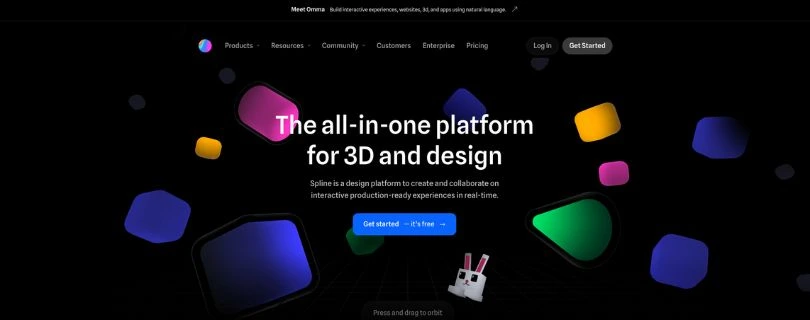
Public Review Snapshot: Spline has a strong reputation among designers, 3D creators, web designers, and product teams, especially for browser-based interactive 3D design.
Best for: Designers, startups, agencies, SaaS teams, product marketers, and creators who want to build interactive 3D websites, product visuals, 3D landing pages, web embeds, app visuals, and lightweight 3D experiences without jumping into a heavy tool like Blender or Cinema 4D.
Spline is the best Rive alternative if your animation goals are moving from 2D into 3D.
And this is where things get interesting.
Rive is excellent for 2D interactive graphics.
Spline is better when you want interactive 3D scenes that people can click, drag, hover over, rotate, or explore directly inside a browser.
So if you’re building a SaaS landing page, a product demo, a 3D logo, a gamified website section, an interactive object, or a 3D visual for your brand, Spline will probably feel more useful than Rive.
It lets you create 3D designs, add animation, build interactions with events and states, collaborate with your team, and export your work for websites, React projects, Webflow, Framer, Wix Studio, iOS, Android, and more.
In simple words, Spline makes 3D design feel less scary.
And for a lot of creators, that’s the main reason to try it.
Why Spline is the Best Rive Alternative for Interactive 3D Design
Spline works well because it removes a lot of the friction from 3D design.
Traditional 3D tools can feel overwhelming.
You open them, see hundreds of panels, and suddenly your simple idea turns into a full weekend project.
Spline takes a friendlier approach.
The interface feels closer to modern design tools, so if you’ve used Figma, Canva, or other visual editors, you won’t feel completely lost.
You can start with shapes, objects, materials, lighting, cameras, and animations. Then you can add interactive behavior using states and events.
That means an object can change when someone clicks it, hovers over it, drags it, or interacts with the scene.
This makes Spline useful for websites that need more than static visuals.
For example, you can create:
- A 3D product card that reacts on hover
- An interactive product mockup
- A landing page hero animation
- A 3D logo that moves when users drag it
- A clickable 3D scene
- A simple game-like web experience
- A 3D character or object for a brand website
Rive can do interactive 2D extremely well.
But if your idea needs depth, lighting, camera movement, 3D objects, textures, or spatial interaction, Spline is the better choice.
Where Spline Works Better Than Rive
Spline works better than Rive when the project needs to feel more visual, immersive, or three-dimensional.
Let’s say you’re designing a landing page for a new tech product.
With Rive, you could create a beautiful 2D animated illustration.
With Spline, you could create a 3D product mockup that users can rotate, hover over, or interact with inside the website.
That’s a different kind of experience.
Spline is useful for:
- Interactive 3D websites
- 3D product mockups
- Website hero sections
- 3D icons and illustrations
- Animated 3D logos
- Product explainers
- Gamified web experiences
- Landing page visuals
- Portfolio projects
- Web embeds for Framer, Webflow, Wix Studio, and React
What stood out most is that Spline is built for the browser.
You can design, collaborate, preview, and share without needing a heavy local setup.
That makes it practical for agencies and marketing teams.
A designer can create a 3D scene, share it with the team, collect feedback, and export it for the web without turning the whole thing into a complicated developer-only task.
Of course, developers may still need to help with final implementation.
But Spline makes the design-to-web handoff much easier than many traditional 3D workflows.
Where Rive Still Beats Spline
Rive is still better if your focus is lightweight 2D product animation.
For example, if you’re designing an interactive icon system, a loading animation, a character animation for a mobile app, or a state-based UI animation, Rive is more focused.
Spline can do interactive design, but it is mainly built around 3D and now broader interactive design workflows.
That means it may be more than you need if you only want simple UI animations.
Also, 3D scenes can be heavier than 2D vector animations.
So if performance, file size, and lightweight app implementation are your biggest priorities, Rive may still be the safer option.
The simple way to look at it is this:
Use Spline when you want interactive 3D.
Use Rive when you want interactive 2D.
What I Liked
- Very friendly compared to traditional 3D software
- Runs in the browser, so it is easier to start
- Good for interactive 3D websites and landing pages
- Supports states, events, animation, and user interaction
- Works well for product mockups, 3D icons, and brand visuals
- Useful export options for web and app workflows
- Supports React, Webflow, Framer, Wix Studio, iOS, Android, and other implementation paths
- Real-time collaboration makes it useful for teams
- Templates and examples help beginners learn faster
- Great choice for designers who want to experiment with 3D without learning Blender first
Limitations I Faced
- Not the best choice for simple 2D vector animations
- 3D scenes can be heavier than lightweight Lottie or Rive animations
- Advanced 3D work still takes practice
- You may need developer help for more custom web implementation
- Free plan includes limits and web export watermark
- Some export and code options are only available on higher plans
- Not a direct replacement for Rive’s 2D state-machine workflow
Spline Pricing
Spline has a free plan, which is useful if you want to test the tool before paying.
Here are the current paid plans:
- Free: $0/month
- Starter: $12/seat/month, billed annually
- Starter monthly: $15/seat/month
- Professional: $20/seat/month, billed annually
- Professional monthly: $25/seat/month
- Spline AI Add-on: $5/seat/month
- Enterprise: Custom pricing
The Free plan is good for experimenting, learning 3D basics, and testing whether Spline fits your workflow.
The Starter plan removes the watermark on web exports and unlocks unlimited 3D and 2D files, which makes it better for creators and freelancers.
The Professional plan is where Spline becomes more useful for serious work. You get video export, code exports, Apple and Android exports, unlimited folders and projects, upload audio, and more advanced web/app workflow options.
Compared to Rive, Spline is not the better tool for small 2D UI animations.
But for interactive 3D websites, 3D product visuals, web embeds, and browser-based 3D design, Spline is one of the strongest Rive alternatives available right now.
5. Friction
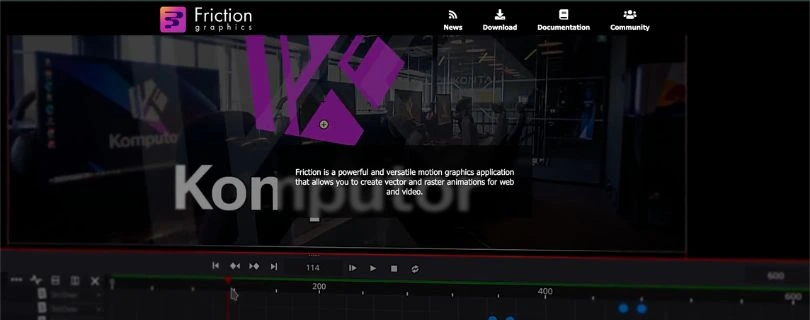
Public Review Snapshot: Friction is not as widely reviewed on mainstream software review platforms as commercial tools, but it has strong appeal among open-source users, motion designers, Linux users, students, and creators who want free 2D animation software.
Best for: Freelancers, students, hobby animators, open-source users, Linux users, and motion designers who want a free tool for vector animation, raster animation, web animation, motion graphics, and video-based 2D animation.
Friction is the best free and open-source Rive alternative on this list.
And that alone makes it worth talking about.
Most animation tools either push you into monthly subscriptions, limit exports, add watermarks, or lock important features behind paid plans.
Friction takes a different route.
It is free, open source, and built for creating vector and raster animations for web and video.
That means you can use it for motion graphics, animated SVGs, 2D visuals, animated text, simple character-style animation, web animations, and video-based projects without paying a monthly fee.
Now, is it as polished as Rive, LottieFiles, SVGator, or Spline?
Not really.
But that’s not the point.
Friction is for people who want control, flexibility, and a free desktop animation tool without being locked into a commercial platform.
Why Friction is the Best Free Rive Alternative
Friction stands out because it gives you a serious 2D motion graphics workspace for $0.
You can create vector and raster animations, work with timelines, build multiple scenes, use effects, animate paths, and export animations for web or video use.
This makes it useful if you’re learning animation, experimenting with motion graphics, or working on personal projects where paid tools don’t make sense yet.
For example, if you’re a student learning 2D motion design, Friction gives you room to practice without worrying about subscription costs.
If you’re a Linux user, it is even more interesting because many popular design and animation tools either don’t support Linux properly or treat it like an afterthought.
Friction supports Windows, macOS, and Linux.
That makes it more accessible than many commercial animation tools.
Another thing that makes Friction useful is its web animation focus.
It can create animated scalable vector graphics, which is helpful if you want lightweight animations for websites.
So while it doesn’t replace Rive’s state machines, it can still help you create clean 2D animation assets for web and video projects.
Where Friction Works Better Than Rive
Friction works better than Rive when budget and open-source access matter most.
Rive has a polished workflow and strong runtime features.
But if you want a free tool that you can download, use locally, study, and modify, Friction is the better option.
Friction is useful for:
- Free 2D motion graphics
- Vector animation
- Raster animation
- Animated SVGs
- Web animation
- Video animation
- Learning motion design
- Open-source animation workflows
- Linux-based design setups
- Personal and student projects
What stood out most is that Friction does not try to hide behind a complicated pricing model.
There are no credits.
No seat-based billing.
No watermark-based upgrade pressure.
No “contact sales” plan just to export your work.
You download it and use it.
That makes it a refreshing option for creators who are tired of every design tool becoming another subscription.
Where Rive Still Beats Friction
Rive is much better if you need a polished product animation workflow.
For example, if you are building interactive animations for a mobile app, a web app, or a game UI, Rive gives you a much more production-ready experience.
You get state machines, runtimes, team workflows, asset management, and a smoother path from design to implementation.
Friction does not compete directly with that.
It is more of a traditional 2D motion graphics and animation tool.
So if your animation needs to respond to user input, app states, button clicks, progress bars, game controls, or live product behavior, Rive is the better tool.
But if you want to create 2D animations without paying, Friction is a strong choice.
You just need to be okay with a less polished interface and a more technical open-source feel.
What I Liked
- Completely free to use
- Open-source under GPL-3.0
- Supports vector and raster animation
- Good for web and video animation
- Works on Windows, macOS, and Linux
- Useful for students, hobbyists, freelancers, and open-source users
- Supports multiple scenes and timelines
- Includes text, path, raster, and shader effects
- Good option for learning 2D motion graphics without paying for software
- No credit system, no watermark plan, no per-seat pricing
Limitations I Faced
- Not as polished as commercial animation tools
- Smaller ecosystem compared to Rive, LottieFiles, or Spline
- Not built for advanced runtime interactivity
- No Rive-style state machines
- Interface may feel less beginner-friendly at first
- Documentation and community support are smaller than bigger commercial tools
- Some builds may require extra trust or setup steps because binaries may be unsigned
- Better for motion graphics than product-ready interactive app animation
Friction Pricing
Friction is free.
Here is the pricing:
- Free: $0
- Paid plans: None
- Enterprise plan: None
- Source code: Free and open source under GPL-3.0
This is Friction’s biggest advantage.
You don’t need to worry about monthly billing, seat limits, export credits, or paid feature gates.
Compared to Rive, Friction is not as polished, collaborative, or runtime-focused.
But if you want a free open-source Rive alternative for 2D motion graphics, web animations, and learning animation, Friction is one of the best options to consider.
It is not the flashiest tool on this list.
But for the right user, it can save money and still get the job done.
Rive Alternatives Compared: Which One Should You Choose?
Choosing the right Rive alternative depends on what type of animation you want to create. Each tool has a different strength, so the best option is not always the most popular one.
Choose LottieFiles if:
You need lightweight Lottie animations for apps, websites, onboarding screens, icons, loaders, and simple product UI animations.
It’s a good pick if you want something easy to use and developer-friendly.
Choose SVGator if:
You need no-code SVG animations for websites, landing pages, icons, logos, and web interactions.
It’s best for designers who want animated website graphics without writing CSS or JavaScript.
Choose Cavalry if:
You are a motion designer who needs procedural 2D animation, data-driven graphics, and advanced timeline control.
It’s better for creative motion design than app-ready interactive animation.
Choose Spline if:
You want interactive 3D experiences, 3D websites, product visuals, or browser-based 3D collaboration.
It’s the better choice if your project needs depth, 3D objects, hover effects, or web embeds.
Choose Friction if:
You want a free, open-source 2D animation and motion graphics tool.
It’s useful for students, hobbyists, Linux users, and creators who don’t want another paid subscription.
Stick with Rive if:
You need real-time 2D interactive graphics, state machines, runtime control, and app-ready animations.
If your animation needs to react to user input or product logic, Rive is still one of the strongest options.
Still thinking about staying with Rive?
Check the full plan breakdown here: Rive Pricing Explained
Rive vs LottieFiles vs SVGator vs Cavalry vs Spline vs Friction
Here’s a quick side-by-side comparison to make the decision easier.
| Tool | Best Use Case | Interactivity | Export Options | Learning Curve | Best Audience |
| Rive | Runtime interactive 2D graphics | Very strong | Rive runtime | Medium | Product teams, app teams, game UI designers |
| LottieFiles | UI and app animations | Basic to moderate | Lottie, dotLottie, GIF, MP4 | Easy | UI/UX teams, developers |
| SVGator | Web SVG animations | Moderate | SVG, Lottie, GIF, video/code options | Easy | Web designers, agencies |
| Cavalry | Procedural 2D motion graphics | Limited runtime interactivity | Lottie/video/image formats | Medium | Motion designers |
| Spline | Interactive 3D design | Strong for 3D | Web embed, React, 3D/image/video formats | Easy to medium | 3D/web designers |
| Friction | Open-source 2D animation | Limited to moderate | SVG/video/image formats | Medium | Open-source users, animators |
Final Verdict: What Is the Best Rive Alternative?
The best Rive alternative depends on what you want to create.
For lightweight app and website animations, LottieFiles is the best choice.
For interactive SVG website assets, SVGator makes the most sense.
For advanced 2D motion graphics, Cavalry is the better pick.
For interactive 3D experiences, Spline is the strongest option.
And if you want a free open-source animation tool, Friction is the best alternative.
But if your main priority is real-time 2D interactivity, state machines, runtime control, and app-ready animations, Rive is still one of the best tools in this category.
FAQs About Rive Alternatives
What is the best Rive alternative?
The best Rive alternative depends on what you want to create.
For simple app and website animations, LottieFiles is the easiest pick. For SVG website animations, SVGator is better. For 3D interactive visuals, Spline makes more sense.
Is LottieFiles better than Rive?
LottieFiles is better if you need lightweight Lottie animations for apps, websites, onboarding screens, icons, and loaders.
Rive is better if your animation needs real-time interactivity, state machines, and runtime control inside a product or app.
What is the best free Rive alternative?
Friction is one of the best free Rive alternatives because it is open-source and works for 2D motion graphics, vector animation, raster animation, and web animation.
It is not as polished as Rive, but it is a solid choice if you want to learn animation or avoid another monthly subscription.
Which Rive alternative is best for SVG animations?
SVGator is the best Rive alternative for SVG animations.
It is useful for:
- Animated logos
- Website icons
- SVG preloaders
- Hover effects
- Scroll-based website animations
- Landing page illustrations
Which Rive alternative is best for Lottie animations?
LottieFiles is the best choice if your workflow is built around Lottie.
It helps you find, edit, optimize, test, and export Lottie animations for apps, websites, product UI, and marketing pages.
Is there an open-source alternative to Rive?
Yes, Friction is a free and open-source alternative to Rive for 2D motion graphics and animation.
It works well for creators who want a local desktop tool for vector and raster animation.
Just remember, Friction is not a full replacement for Rive’s state machines or runtime animation workflow.
What is the best Rive alternative for beginners?
LottieFiles is probably the easiest Rive alternative for beginners.
You can start with ready-made animations, customize them, and export them without learning a complex animation system.
SVGator is also beginner-friendly if your main focus is animated SVGs for websites.
What is the best Rive alternative for 3D design?
Spline is the best Rive alternative for interactive 3D design.
It lets you create 3D objects, product visuals, website hero sections, and interactive scenes directly in the browser.
If your project needs depth, lighting, camera movement, or 3D web embeds, Spline is a better fit than Rive.
Should I use Rive or SVGator?
Use SVGator if you want to create animated SVGs for websites, logos, icons, and landing page graphics.
Use Rive if you need interactive 2D graphics that respond to app states, buttons, user input, or product logic.
Should I use Rive or Spline?
Use Rive for interactive 2D animations.
Use Spline for interactive 3D experiences.
Both tools are good, but they solve different problems. Rive is better for app-ready 2D motion, while Spline is better for browser-based 3D design.
Can I use Rive alternatives for mobile app animations?
Yes, but the best tool depends on the type of mobile animation you need.
For mobile app animations, you can use:
- LottieFiles for lightweight onboarding, loaders, and UI animations
- Rive for interactive app animations and state-based motion
- SVGator for simple web-style vector animations
- Spline if your app needs 3D visuals or interactive 3D assets
Is Rive good for beginners?
Rive is beginner-friendly in some areas, but it can feel advanced once you start working with state machines, runtime logic, and interactive controls.
If you only need simple animations, LottieFiles or SVGator may feel easier at first.
But if you want to learn interactive animation seriously, Rive is worth the learning curve.
Why do people look for Rive alternatives?
People usually look for Rive alternatives because their animation needs are different.
Some want a simpler Lottie animation tool. Some want no-code SVG animation. Some want 3D design. Some want professional motion graphics. And some just want a free open-source option.
Rive is strong, but it is not always the fastest or simplest tool for every animation project.
Which Rive alternative is best for motion designers?
Cavalry is the best Rive alternative for motion designers.
It is better suited for procedural 2D animation, data-driven graphics, kinetic typography, brand motion, and advanced timeline-based animation.
Rive is still better if the animation needs to run interactively inside an app or product.
Is Rive better than Lottie?
Rive is better for interactive animations that need state machines, real-time control, and product-level behavior.
Lottie is better for lightweight animations that simply need to play inside apps, websites, onboarding screens, loaders, and UI elements.
So it is not really about which one is better.
It is about whether you need simple playback or interactive behavior.