

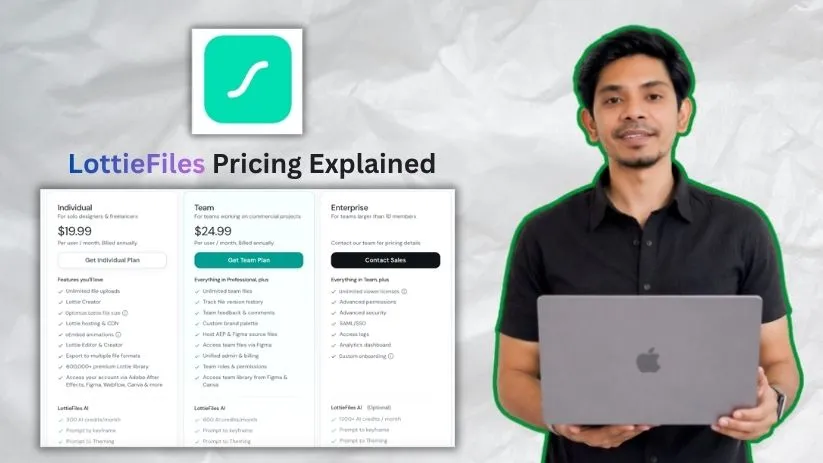
I’ve been exploring LottieFiles as part of my animation workflow, and the more I use it, the more I realize the pricing isn’t just about picking a plan. Between free animations, premium assets, AI credits, team features, and annual billing, it’s easy to miss what you’re actually paying for.
So I broke down the LottieFiles pricing plans to see what each tier includes, how the costs work, and which plan makes the most sense for freelancers, creators, design teams, and businesses.
LottieFiles pricing plans: At a glance
LottieFiles pricing plans are built around how you use motion in your creative workflow. The Individual plan works well for solo creators, while the Team plan adds collaboration features for commercial projects. Enterprise is custom-priced for larger teams that need more control, security, and onboarding support.
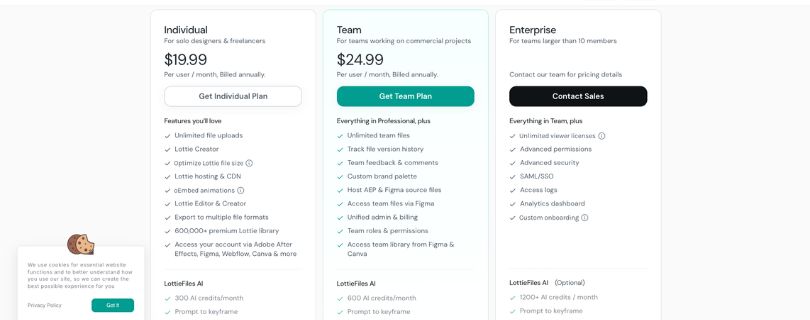
Below is an overview of what you get from each plan:
| Plan | Price | Best for | Key features |
| Individual | $19.99/user/month, billed annually | Solo designers and freelancers | Unlimited file uploads, Lottie Creator, Lottie Editor, file-size optimization, Lottie hosting & CDN, oEmbed animations, multiple export formats, and access to the premium Lottie library |
| Team | $24.99/user/month, billed annually | Teams working on commercial projects | Everything in Individual, plus unlimited team files, version history, team feedback and comments, custom brand palette, source file hosting, unified admin and billing, team roles, and permissions |
| Enterprise | Custom pricing | Teams larger than 10 members | Everything in Team, plus unlimited viewer licenses, advanced permissions, advanced security, SAML/SSO, access logs, analytics dashboard, and custom onboarding |
LottieFiles pricing plans breakdown
LottieFiles pricing looks simple at first, with plans for individual creators, teams, and larger companies. But the real value depends on how often you use animations, whether you need premium assets, and how much collaboration your workflow requires.
The pricing is also billed annually, even though the paid plans are shown as a monthly per-user price. So the number you see on the pricing page is best understood as a monthly equivalent, not a casual month-to-month subscription.
Free plan: $0/month
The Free plan is best for exploring LottieFiles, testing animations, and seeing how Lottie files fit into your website, app, or social media workflow. It’s useful if you only need basic access, but it’s not built for heavy production work or serious team collaboration.
What’s included:
- Access to free Lottie animations
- Basic previewing and testing tools
- Animation sharing
- Basic editing options
- Useful starting point for learning how Lottie files work
Best for: Beginners, students, casual creators, and marketers who want to test Lottie animations before paying.
Pros:
- No cost to get started.
- Good for exploring animation ideas before committing to a paid plan.
- Useful if you only need the occasional free animation for a small project.
Cons:
- Limited compared with the paid plans.
- Not ideal if you need premium animations, advanced editing, hosting, or team workflows.
- You’ll likely outgrow it if Lottie animations become part of your regular creative process.
Individual plan: $19.99/user/month, billed annually
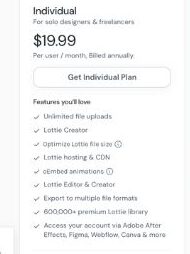
The Individual plan is the first serious LottieFiles pricing tier. It’s made for solo designers, freelancers, and creators who use motion graphics regularly but don’t need shared team libraries or admin controls.
This plan gives you the main creative tools: unlimited file uploads, Lottie Creator, Lottie Editor, file-size optimization, hosting, CDN delivery, oEmbed animations, and export options. For a solo workflow, that covers most of what you’d need to create, manage, and publish animations without jumping between too many tools.
What’s included:
- Unlimited file uploads
- Lottie Creator
- Lottie Editor
- Lottie file-size optimization
- Lottie hosting and CDN
- oEmbed animations
- Export to multiple file formats
- Access to the premium Lottie library
- Access through supported tools like Adobe After Effects and other creative integrations
Best for: Freelance designers, solo creators, independent developers, and marketers who need polished animations for websites, apps, landing pages, product pages, or social content.
Pros:
- Strong feature set for individual creative work.
- Unlimited uploads make it easier to manage a growing animation library.
- Hosting and CDN support are helpful if you’re using animations on live websites or product pages.
- Premium library access saves time when you don’t want to create every animation from scratch.
Cons:
- Annual billing means you’re committing for the year.
- Not built for team feedback, shared permissions, or collaborative review cycles.
- If you only need one or two animations, the subscription may feel like more than you need.
Team plan: $24.99/user/month, billed annually
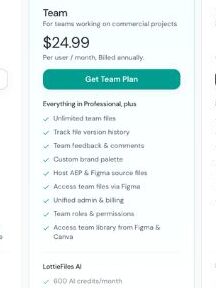
The Team plan is where LottieFiles starts to make more sense for agencies, design teams, product teams, and marketing departments. It includes everything in the Individual plan, then adds the features that matter when more than one person touches the animation workflow.
The biggest upgrade here is collaboration. You get unlimited team files, version history, comments, a custom brand palette, source file hosting, unified billing, and team roles. That matters when designers, developers, marketers, and clients all need to review or reuse motion assets without losing track of the latest version.
What’s included:
- Everything in the Individual plan
- Unlimited team files
- File version history
- Team feedback and comments
- Custom brand palette
- AEP and Figma source file hosting
- Access to team files through Figma
- Unified admin and billing
- Team roles and permissions
- Team library access from design tools
Best for: Agencies, product design teams, brand teams, and businesses using Lottie animations across commercial projects.
Pros:
- Comments and version history make review cycles much easier.
- Team files help keep animations organized instead of scattered across personal accounts.
- Brand palette support is useful for keeping motion assets on-brand.
- Admin and billing tools make the plan easier to manage as your team grows.
Cons:
- Per-user pricing can add up quickly.
- Small teams may not use every collaboration feature.
- If your team only downloads the occasional animation, this may be more than you need.
Enterprise plan: Custom pricing
The Enterprise plan is built for larger teams that need more control, security, visibility, and onboarding support. LottieFiles does not show a public Enterprise price. Instead, you need to contact their sales team for pricing details.
This plan is less about getting more animations and more about managing animation workflows safely across a larger organization. If your company needs SSO, access logs, advanced permissions, analytics, and custom onboarding, this is the plan LottieFiles wants you to consider.
What’s included:
- Everything in the Team plan
- Unlimited viewer licenses
- Advanced permissions
- Advanced security
- SAML/SSO
- Access logs
- Analytics dashboard
- Custom onboarding
Best for: Larger companies, enterprise design teams, product organizations, and brands with security, compliance, or procurement requirements.
Pros:
- SAML/SSO makes account access easier to manage across a company.
- Advanced permissions help control who can view, edit, or manage animation assets.
- Access logs and analytics give admins more visibility.
- Custom onboarding can reduce friction when rolling LottieFiles out across a larger team.
Cons:
- No public price, so you need a sales conversation.
- Procurement and approval may take longer.
- Smaller teams may not need the extra security and admin features.
How AI credits work in LottieFiles
LottieFiles uses AI credits for its AI-powered animation and design features. These credits are separate from the regular animation tools, so you can still upload, edit, host, and manage Lottie files without thinking about credits every time.
The credits mainly matter when you use AI features such as generating motion ideas, creating keyframes, applying themes, or turning visual inputs into editable animation assets.
Here’s how the credit allowance looks across the paid plans:
- Individual plan: 300 AI credits/month
- Team plan: 600 AI credits/month
- Enterprise plan: 1200+ AI credits/month
The Free plan is better for testing LottieFiles and browsing free animations. If you plan to use AI features often as part of your animation workflow, the Individual or Team plan makes more sense.
How to get more AI credits
LottieFiles does not make AI credit top-ups as obvious as some credit-based AI tools. The pricing page shows monthly AI credit allowances by plan, but it does not clearly promote a simple “buy more credits” option for every user.
If you regularly run out of credits, the practical options are usually to move to a higher plan, reduce how often you use AI features, or contact LottieFiles support if your team needs a larger allowance.
For solo creators, 300 credits may be enough for occasional AI-assisted animation work. For teams using AI across multiple projects, the Team or Enterprise plan will be easier to manage.
What happens to unused AI credits?
LottieFiles shows AI credits as a monthly allowance, so it’s safest to treat them as credits that refresh each month rather than credits you can bank forever.
Before buying a plan mainly for AI features, check the latest billing terms inside your account or with LottieFiles support. Credit rollover rules can change, and you don’t want to assume unused credits will carry forward unless LottieFiles clearly confirms it.
Lottie hosting and CDN pricing explained
LottieFiles also includes hosting and CDN features in its paid plans. This is useful if you want to publish animations on websites, landing pages, product pages, or marketing campaigns without manually managing every animation file yourself.
The hosting and CDN setup helps your animations load from LottieFiles’ delivery system instead of being handled only through your own website files.
Paid plans also include useful publishing and export features such as:
- Lottie hosting and CDN
- oEmbed animations
- File-size optimization
- Export to multiple file formats
- Unlimited file uploads
- Access to premium Lottie assets
- Team file management on higher plans
For most creators, this is where LottieFiles becomes more than a place to download animations. It starts acting like an animation management platform, especially if your team uses motion graphics across websites, apps, product UI, and social media content.
Which LottieFiles plan should you choose?
Choose Free if you:
Want to test how Lottie animations work in your website, app, or design workflow
Only need occasional free animations for small projects
Choose Individual if you:
Work solo as a designer, freelancer, developer, or content creator
Need premium animations, unlimited uploads, editing tools, hosting, and export options
Want LottieFiles for regular creative work, but don’t need team collaboration
Choose Team if you:
Work with designers, developers, marketers, clients, or other teammates
Need version history, comments, team files, shared libraries, brand palettes, and permissions
Use Lottie animations in commercial projects or repeated client workflows
Choose Enterprise if you:
Need SAML/SSO, access logs, advanced permissions, analytics, and onboarding support
Have a larger team with security, procurement, or admin requirements
Is LottieFiles worth the cost?
After using LottieFiles as part of a motion design workflow and comparing what each plan includes, here’s my honest take.
LottieFiles is worth it if you:
- Need polished Lottie animations regularly for websites, apps, landing pages, product UI, or social content
- Want access to premium animation assets instead of creating every motion graphic from scratch
- Work with a team that needs comments, version history, shared files, brand palettes, and easier developer handoff
Skip LottieFiles if you:
- Only need one or two basic animations for a small project
- Want flexible month-to-month billing instead of an annual subscription
- Already use another animation tool and don’t need hosting, premium assets, or team collaboration features
LottieFiles alternatives & pricing comparison
If you like LottieFiles but want a different animation workflow, more flexible billing, or a tool focused on icons instead of full Lottie asset management, there are a few strong alternatives. Some tools are better for creating interactive animations from scratch, while others are better for downloading ready-made animated icons or managing design assets.
Here’s a side-by-side comparison:
| Tool | Starting price | Best for | Key advantage |
| Lottielab | Free; Pro pricing shown monthly/yearly | Creating and editing Lottie animations with team collaboration | More focused Lottie editor with shared files, comments, hosting, CDN, and flexible billing options |
| Rive | Free to create; paid plan starts at $9/month annually to ship | Interactive product animations, app UI motion, and state-based animations | Stronger for interactive motion, state machines, and animations that respond to user actions |
| Lordicon | Free; Pro starts around $16/month or $96/year | Animated icons for websites, apps, and content design | Large animated icon library with commercial use and no attribution on Pro |
| IconScout | $14.99/user/month, billed annually | Designers and marketers needing Lottie animations, icons, 3D assets, and illustrations | Huge asset library with Lottie, icons, illustrations, 3D graphics, and integrations for Figma, Adobe, and Canva |
Final Verdict: Which LottieFiles Plan Is Best?
For most solo creators, the Individual plan is the best starting point. It gives you the core tools, premium assets, hosting, and exports without paying for team features you may not use.
For agencies, product teams, and design teams, the Team plan offers better value because it adds comments, version history, shared files, brand controls, and admin billing.
Choose Enterprise only if your organization needs SSO, advanced permissions, analytics, access logs, procurement support, and custom onboarding.
LottieFiles Pricing FAQs
How much does LottieFiles cost?
LottieFiles paid plans start at $19.99/user/month, billed annually, for the Individual plan. The Team plan costs $24.99/user/month, billed annually. Enterprise pricing is custom.
Is LottieFiles free?
Yes. LottieFiles has a Free plan that lets you explore free animations, test Lottie files, and use basic tools before upgrading.
Is LottieFiles billed monthly or annually?
LottieFiles shows Individual and Team prices as monthly rates, but both plans are billed annually. So you’re paying for the year, not on a true month-to-month plan.
How much does LottieFiles cost per year?
The Individual plan costs $239.88 per user/year. The Team plan costs $299.88 per user/year. Enterprise pricing is custom, so the annual cost depends on your agreement.
What is included in the Individual plan?
The Individual plan includes unlimited file uploads, Lottie Creator, Lottie Editor, file-size optimization, Lottie hosting and CDN, oEmbed animations, export options, and access to the premium Lottie library.
What is included in the Team plan?
The Team plan includes everything in Individual, plus unlimited team files, version history, team feedback and comments, custom brand palette, source file hosting, unified admin and billing, team roles, and permissions.
Is the LottieFiles Team plan worth it?
The Team plan is worth it if multiple people work on animations together. Comments, version history, shared team files, brand palettes, roles, and permissions make it much easier to manage commercial animation projects.
What is LottieFiles Enterprise pricing?
LottieFiles does not list a fixed Enterprise price. You need to contact the sales team for custom pricing based on your team size, security needs, and workflow requirements.
Which LottieFiles plan is best for freelancers?
The Individual plan is usually the best fit for freelancers because it includes the main creation, editing, hosting, export, and premium asset features without team-level admin tools.
Which LottieFiles plan is best for teams?
The Team plan is the better option for teams because it adds collaboration tools like comments, version history, shared team files, brand palettes, roles, permissions, and unified billing.
Can I use LottieFiles for commercial projects?
Yes, LottieFiles can be used for commercial projects, especially on paid plans. Still, you should always check the license terms for specific assets, especially if you’re using premium animations in client work, ads, apps, or branded campaigns.
Does LottieFiles include AI credits?
Yes. Paid LottieFiles plans include monthly AI credits. The Individual plan includes 300 AI credits/month, the Team plan includes 600 AI credits/month, and Enterprise includes 1200+ AI credits/month.
Is LottieFiles worth paying for?
LottieFiles is worth paying for if you regularly use animations in websites, apps, product UI, marketing pages, or social content. If you only need one basic animation, the Free plan may be enough.
What are the best LottieFiles alternatives?
Popular LottieFiles alternatives include Lottielab, Rive, Lordicon, and IconScout. Lottielab is strong for editing Lottie animations, Rive is better for interactive motion, and Lordicon is useful for animated icons.



