

LottieFiles is a solid platform for finding, previewing, editing, and sharing Lottie animations.
It gives you a large animation library, JSON previews, plugins, and tools for designer-to-developer handoff.
But it is not the right fit for every team.
If you’ve been dealing with pricing limits, inconsistent asset quality, limited customization, or a workflow that feels too tied to the LottieFiles ecosystem, you’re not alone. These are the exact reasons many designers and developers start looking for other options.
I spent time comparing multiple Lottie animation tools against LottieFiles. I looked at animation quality, Lottie JSON export, editor experience, collaboration features, pricing, and developer handoff.
Here are the 5 LottieFiles alternatives that stood out based on what actually matters for product teams, UI designers, and developers shipping animations into real projects.
TL;DR: My Top 3 LottieFiles Alternatives
If you’re short on time, here’s a quick look at my top 3 picks:
1. Rive
The best overall LottieFiles alternative for teams that need interactive product animations, clean developer handoff, and runtime control. It’s a strong fit for apps, websites, onboarding flows, and UI micro-interactions.
2. Lottielab
The best pick for designers who want to create and export Lottie animations without relying on After Effects. It gives you a browser-based editor, Lottie JSON export, and a workflow built specifically around motion design.
3. Jitter
The best option for teams that want a simple, Figma-like motion design tool for UI animations, product demos, social assets, and quick visual content. It’s easy to learn and works well for fast-moving design teams.
A Quick Comparison of 5 LottieFiles Alternatives at a Glance
Here is a side-by-side comparison of all 5 LottieFiles alternatives to help you quickly spot the differences.
| Tool | Starting Price | Lottie Export | Best For | Key Feature |
| 1. Rive | Free plan available | No, uses Rive format | Interactive product animations | State machines + runtime control |
| 2. Lottielab | Free plan available | Yes | Creating Lottie animations without After Effects | Browser-based Lottie editor |
| 3. Jitter | Free plan available | Limited/export-focused motion tool | Figma-like motion design | Fast UI and marketing animations |
| 4. Creattie | Free plan available | Yes | Ready-made Lottie assets | Curated animations and illustrations |
| 5. Lordicon | Free plan available | Yes | Animated icons and micro-interactions | Customizable animated icon library |
Why Are Users Looking for LottieFiles Alternatives?
LottieFiles is a well-known name in the Lottie animation space. It does a few things really well, especially when it comes to discovering animations, previewing JSON files, and sharing motion assets with developers.
But after spending time with the tool, I noticed some clear patterns in why teams start looking elsewhere.
- Customization can feel limited. LottieFiles is useful when you need ready-made animations, but editing them deeply can be harder than expected. If you want full control over timing, states, interactions, or brand-specific motion, you may need a more focused animation tool.
- Asset quality is not always consistent. Since LottieFiles has a large community-driven library, the quality can vary from one animation to another. Some assets look polished, while others may need extra cleanup before they fit into a real product interface.
- The workflow may not fit every team. Designers, developers, and marketers often need different things. A product team may want interactive UI animations, while a marketing team may want quick motion graphics. LottieFiles works well for basic Lottie workflows, but it may not cover every use case smoothly.
- Pricing and usage limits can become a concern. Free tools are great at the start, but limits around collaboration, exports, hosting, or advanced features can push teams to compare other Lottie animation platforms.
These are not criticisms of LottieFiles as a product. It is simply a matter of fit. If your animation needs go beyond downloading, previewing, and sharing Lottie files, you should compare your options.
My List of 5 Best LottieFiles Alternatives and Competitors
Here is a detailed look at what each one brings to the table.
1. Rive
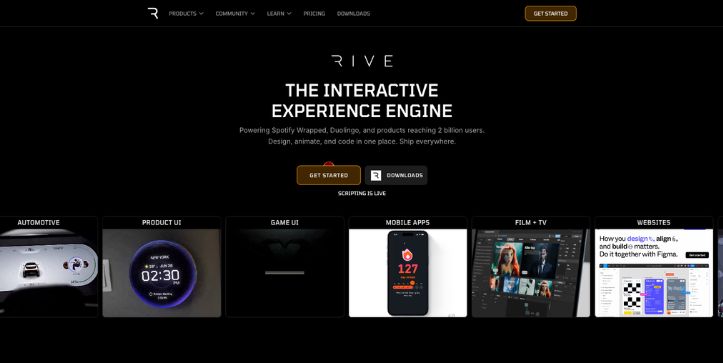
Best for: Interactive product animations, app UI motion, and developer handoff
Free plan: Available
Lottie support: No, Rive uses its own runtime and file format
Rive is the best overall LottieFiles alternative for 4 clear reasons.
- It gives you more control over interactive animations, especially when you need hover states, click states, loading flows, onboarding screens, or animated product UI.
- It includes state machines, which let developers trigger animations based on real user actions instead of just playing a static animation from start to finish.
- It works well for design-to-development handoff, because designers can build the motion logic visually and developers can use Rive runtimes inside web, mobile, and game projects.
- It is better suited for product animations than stock animation browsing. LottieFiles is great for finding ready-made Lottie files. Rive is better when you want to build custom motion that reacts inside your actual product.
Rive feels less like an animation library and more like a motion design tool built for real interfaces.
You can design an animation, add states, connect transitions, and hand it to a developer without turning every interaction into a custom engineering task.
If your team is building a SaaS dashboard, mobile app, onboarding flow, or interactive landing page, Rive gives you far more control than a basic Lottie JSON workflow.
The trade-off is simple: Rive is not a Lottie marketplace. If your main goal is to download free Lottie animations, LottieFiles still has the larger asset library.
How Rive Compares to LottieFiles
LottieFiles is strongest when you need to discover, preview, share, and use Lottie JSON animations quickly. Rive is stronger when you need interactive animations that respond to users.
On animation control, Rive wins. You can build states, transitions, and user-triggered motion. LottieFiles is more focused on playing, editing, and sharing Lottie files.
On developer handoff, Rive gives engineers runtime-level control. Developers can trigger animations through code instead of managing several separate JSON files.
On asset discovery, LottieFiles wins. It has a larger community library and more ready-made Lottie animations.
Where LottieFiles still makes sense is simple animation use cases. If you need a loading animation, empty state, or simple website illustration, LottieFiles may be faster.
Key Features of Rive
- State machines for interactive animation logic
- Web, iOS, Android, Flutter, React, and game runtime support
- Real-time design and animation editor
- Event-based animations for clicks, hovers, toggles, and app states
- Lightweight runtime files built for product interfaces
- Team collaboration for designers and developers
- Custom animation logic without exporting multiple static files
Rive Pricing
Rive offers multiple plans based on usage and team size.
- Free — $0/seat/month, core editor access, basic projects
- Cadet — $9/seat/month (annual) — production use, app and game deployment
- Voyager — $32/seat/month (annual) — team collaboration, asset hosting, shared libraries
- Enterprise — Custom pricing — SSO, SOC 2, advanced support, onboarding
2. Lottielab
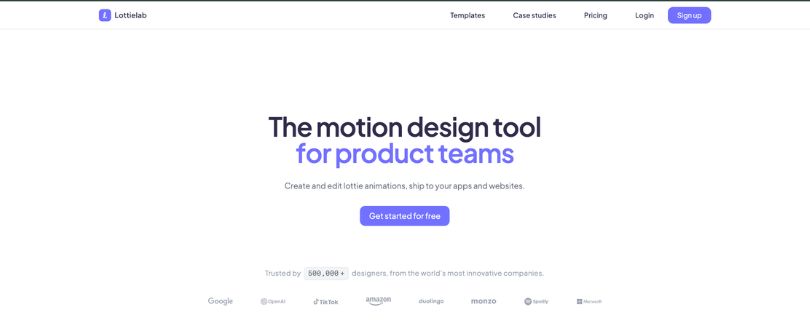
Best for: Creating Lottie animations without After Effects
Free plan: Available
Lottie support: Yes, supports Lottie JSON export
Lottielab is the best LottieFiles alternative for designers who want to create custom Lottie animations, and here is why.
- It gives you a browser-based Lottie editor, so you can create motion directly without setting up After Effects and Bodymovin.
- It is built around Lottie workflows, which makes it easier to design, preview, edit, and export Lottie JSON files from one place.
- It works well for product teams that need branded motion, not just downloaded templates from a public animation library.
- It lowers the learning curve for Lottie creation. Designers who are comfortable with tools like Figma can pick it up faster than a traditional After Effects workflow.
Lottielab is useful when you do not want to depend on pre-made assets.
You can create your own button animations, onboarding illustrations, loading states, icons, and app micro-interactions from scratch.
That matters because many teams do not just need “an animation.” They need motion that matches their brand, product style, and UI system.
LottieFiles can help you find and preview animations. Lottielab helps you make them.
How Lottielab Compares to LottieFiles
LottieFiles is better for browsing and managing existing Lottie animations. Lottielab is better for creating custom Lottie animations in the browser.
On editing, Lottielab gives you a more focused creative workflow. You can build motion from scratch instead of only tweaking an existing file.
On export, Lottielab is useful because it keeps the Lottie JSON workflow at the center. That makes it a strong choice for designers who need production-ready files for web or mobile apps.
On asset library size, LottieFiles has the advantage. If you need thousands of ready-made animations, LottieFiles is still stronger.
Where Lottielab wins is creative control. If your team wants to stop relying on generic animation templates, this is one of the most practical tools to test.
Key Features of Lottielab
- Browser-based Lottie animation editor
- Lottie JSON export for websites and apps
- Custom motion design workflow without After Effects
- Timeline-based editing for animation control
- Easy previewing before developer handoff
- Useful for UI animations, icons, loaders, and onboarding graphics
- Designer-friendly interface for faster Lottie creation
Lottielab Pricing
Lottielab keeps pricing simple with a free and one main paid tier.
- Free — unlimited files, Lottie/SVG import, basic exports (with watermark)
- Pro — $18/month or $144/year — no watermark, HD/4K export, team library, comments, CDN hosting
- Enterprise — Custom pricing — advanced security, onboarding, custom contracts
3. Jitter
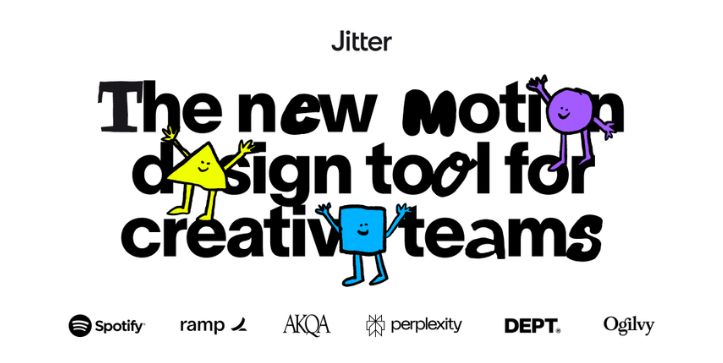
Best for: Figma-like motion design, product videos, and quick UI animations
Free plan: Available
Lottie support: Limited compared to dedicated Lottie tools
Jitter is the best LottieFiles alternative for fast-moving design and marketing teams for 3 reasons.
- It feels familiar to designers, especially if your team already works in Figma-style interfaces.
- It is great for quick motion assets, including product demos, social videos, animated UI mockups, and launch visuals.
- It helps teams create polished animations without a heavy After Effects workflow.
Jitter is not trying to be a direct LottieFiles clone.
It is better understood as a lightweight motion design tool for teams that need to move fast. You can create animated screens, interface transitions, product explainers, and marketing visuals without spending days inside a complex timeline.
That makes it a strong option for startups, SaaS teams, content teams, and product marketers.
The trade-off is that Jitter is not as focused on Lottie JSON workflows as Lottielab or LottieFiles. If your main requirement is clean Lottie export for developers, test the export options carefully before committing.
How Jitter Compares to LottieFiles
Jitter is stronger for creating quick visual motion. LottieFiles is stronger for finding, previewing, and sharing Lottie JSON files.
On ease of use, Jitter feels more natural for designers who want to animate UI screens or product visuals quickly.
On Lottie-specific workflows, LottieFiles has the edge. It gives you a larger Lottie ecosystem, plugins, previews, and asset management.
On marketing use cases, Jitter often feels more practical. If you need animated launch graphics, product demo clips, or UI motion for social content, Jitter can be faster than working with Lottie files.
Where LottieFiles wins is developer-ready Lottie asset handling. Where Jitter wins is speed and creative flexibility.
Key Features of Jitter
- Figma-like motion design interface
- Quick animations for UI screens and product demos
- Templates for social content and marketing visuals
- Simple timeline editing for non-specialist motion designers
- Useful for SaaS launch assets, explainer visuals, and app previews
- Collaboration-friendly workflow for design and marketing teams
- Easy learning curve compared to After Effects
Jitter Pricing
Jitter offers a free plan with upgrades for advanced export and collaboration.
- Free — basic motion design tools, limited exports (with watermark)
- Pro — pricing not publicly fixed — watermark-free exports, higher quality output, unlimited files, folders
- Team/Enterprise — Custom pricing — collaboration features, shared workspaces, team controls
4. Creattie
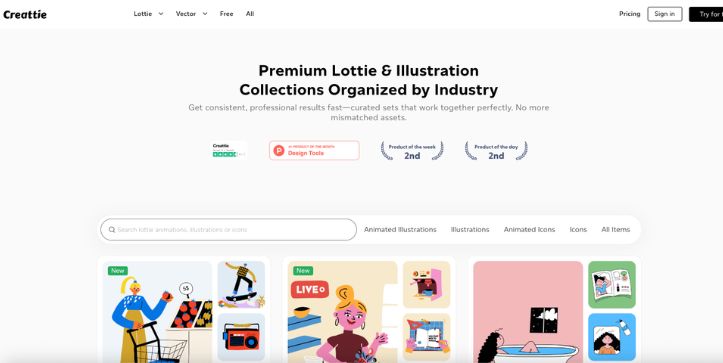
Best for: Ready-made Lottie animations, animated illustrations, and consistent visual assets
Free plan: Available
Lottie support: Yes, supports Lottie downloads
Creattie is the best LottieFiles alternative for teams that want polished animation assets without digging through a huge marketplace.
- It gives you curated Lottie animations, so the overall quality feels more consistent than many open community libraries.
- It includes matching illustrations and animation packs, which helps when you need a full visual system instead of one random animation.
- It is useful for websites, landing pages, onboarding screens, app empty states, and marketing pages.
- It saves time for teams that do not want to build every animation from scratch.
Creattie is not mainly a motion design editor. It works better as a high-quality asset library.
That makes it a strong choice when your team needs production-ready Lottie animations but does not have a motion designer available for every small request.
You can find animations for common product moments like success states, loading screens, errors, payments, messages, dashboards, and onboarding.
The trade-off is that Creattie gives you less creative control than a tool like Rive or Lottielab. If you need custom interaction logic or deep timeline editing, you may outgrow it.
How Creattie Compares to LottieFiles
Creattie and LottieFiles both help you find ready-made Lottie animations, but they feel different in practice.
On library size, LottieFiles has the bigger ecosystem. You will find more community uploads, more free animations, and more variety.
On consistency, Creattie often feels cleaner. The assets are more curated, which helps when you need animations that look like they belong to the same brand or product.
On customization, LottieFiles gives you basic editing and preview tools. Creattie is better when you want to quickly download polished assets, not build complex animation logic.
If your team cares more about quality and consistency than browsing the biggest possible library, Creattie is worth testing.
Key Features of Creattie
- Curated Lottie animation library for websites and apps
- Animated illustrations and visual asset packs
- Lottie JSON downloads for developer handoff
- Useful categories for onboarding, empty states, errors, success screens, and marketing pages
- More consistent visual style than many open animation libraries
- Ready-made assets that save design time
- Good fit for SaaS websites, mobile apps, and startup landing pages
Creattie Pricing
Creattie provides flexible plans depending on usage and access level.
- Free — access to thousands of assets with limited usage
- Pro Monthly — $19.99/month — premium assets, unlimited downloads (used designs)
- Pro Yearly — $48/year ($4/month) — same features at lower cost
- Pro Lifetime — $99 one-time — lifetime access
- Pro Plus — $29.99/month or $72/year — expanded library and usage limits
5. Lordicon
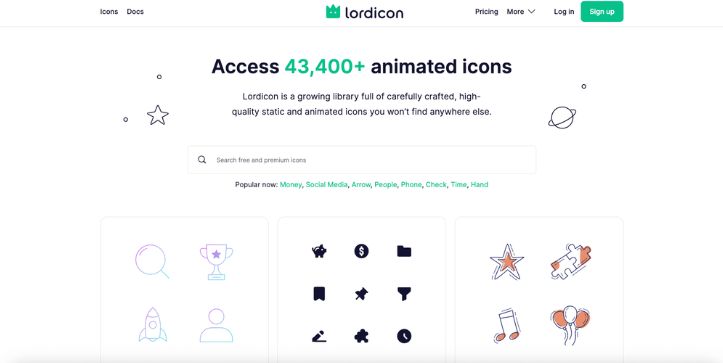
Best for: Animated icons, UI micro-interactions, and lightweight website motion
Free plan: Available
Lottie support: Yes, supports Lottie and other icon formats
Lordicon is the best LottieFiles alternative for teams that mostly need animated icons instead of full illustration-style animations.
- It gives you a large animated icon library, which is useful for buttons, feature sections, navigation, onboarding, and product UI.
- It lets you customize icon colors and styles, so the assets can match your brand more easily.
- It supports developer-friendly formats, including Lottie, GIF, SVG, and web embeds depending on the asset and plan.
- It works well for small motion moments, where using a full animation platform would feel like overkill.
Lordicon is not the right tool if you need complex character animations, interactive state machines, or a full Lottie editor.
But for micro-interactions, it is very practical.
You can use animated icons for pricing pages, feature cards, app menus, help centers, dashboards, and landing page sections. These are the places where a small bit of motion can make the interface feel more alive without slowing the page down.
The trade-off is scope. Lordicon focuses on icons, not full motion design workflows.
How Lordicon Compares to LottieFiles
LottieFiles is broader. It gives you a large Lottie ecosystem with animations, previews, plugins, and sharing tools.
Lordicon is narrower, but that is also its strength. It focuses on animated icons and makes them easier to find, customize, and use.
On full animation variety, LottieFiles wins. You will find loaders, illustrations, characters, onboarding animations, and many different styles.
On icon quality and consistency, Lordicon is often the better fit. It gives teams a cleaner way to add motion to UI elements without searching through unrelated animation files.
If your team only needs animated icons for a website or product interface, Lordicon may be faster than LottieFiles.
Key Features of Lordicon
- Large animated icon library for websites and apps
- Lottie support for lightweight web and mobile use
- Color and style customization
- Multiple export options such as Lottie, GIF, SVG, and embeds
- Useful for buttons, feature cards, menus, dashboards, and onboarding flows
- Consistent icon styles for cleaner product UI
- Simple handoff for designers and developers
Lordicon Pricing
Lordicon has straightforward pricing for individuals and teams.
- Free — $0, 9,000+ icons, limited collections, attribution required
- Pro — $8/month (annual) or $16/month — full icon library, no attribution, unlimited collections
- Team Pro — $39/month (annual) or $59/month — team access, collaboration, shared collections
How to Pick the Right LottieFiles Alternative for Your Team
The right choice depends on your animation workflow, budget, and how your team ships motion into real products. Here is a quick decision framework.
Picking a LottieFiles alternative is not about finding the “best” tool.
It is about finding the one that fits how your team actually works. Here are the factors worth thinking through before you decide.
Think About What You Need Animations For
If your team needs interactive product animations, Rive is usually the better fit. It lets you create animations that react to clicks, hovers, toggles, and app states.
If your team needs to create Lottie JSON files from scratch, Lottielab makes more sense. It gives you a browser-based Lottie editor, so you do not have to depend on After Effects for every small animation.
If your team mainly needs website icons, feature section graphics, or small UI micro-interactions, Lordicon may be enough. You do not always need a full animation platform for simple motion.
Think About Your Design Workflow
If your designers already work in Figma and want something that feels familiar, Jitter is easy to adopt. It works well for quick UI animations, product demo visuals, launch graphics, and social content.
If your team wants ready-made assets, Creattie is a better match. You can pick from curated Lottie animations and animated illustrations instead of building everything manually.
If your team has motion designers who need deep control, check whether the tool gives them timeline editing, file imports, brand customization, and clean export options.
Think About Developer Handoff
This is where many teams get stuck.
An animation may look great in the editor, but your developers still need to ship it inside a website, mobile app, or product interface.
Before choosing a tool, check whether it supports the format your developers need. Lottie JSON works well for many web and mobile animations. Rive works better when you need runtime control and interactive states.
Also ask simple workflow questions. Can designers share a preview link? Can developers inspect the animation? Can the file be exported cleanly? Can the animation be updated without rebuilding the whole flow?
A good LottieFiles alternative should make handoff easier, not create another bottleneck.
Think About Pricing Beyond the Free Plan
Free plans are useful for testing, but they rarely show the full cost of using a tool with a team.
Look at what happens when you need more exports, private files, commercial usage, hosted assets, team libraries, or watermark-free downloads.
A tool may look cheap at first, but the real cost can show up when you need production-ready exports or collaboration features.
For example, an asset library may be affordable if you only need a few animations. But if your team downloads assets every week, a yearly or lifetime plan may be better value.
Think About Asset Quality and Customization
A huge animation library is not always better.
What matters is whether the assets fit your product, brand, and use case. A random free animation can save time today but create design cleanup work later.
If you need consistent visual style, Creattie or Lordicon may be easier to manage than a large open marketplace. If you need custom product motion, Rive or Lottielab will give you more control.
Ask these questions before you commit.
- Can you customize colors and timing?
- Can you export in the format your product needs?
- Do the animations match your brand style?
- Can your team reuse assets across multiple projects?
- Will developers get clean files without extra cleanup?
The best way to choose is to test one real workflow. Pick an animation your team actually needs, create or customize it in the tool, export it, and ask a developer to implement it.
That will tell you more than any feature list.
Pick the LottieFiles Alternative That Fits Your Workflow
The best LottieFiles alternative is the one that matches how your team actually creates, edits, and ships animations.
Choose Rive for interactive product motion, Lottielab for custom Lottie creation, and Jitter for quick Figma-like motion design.
If you only need ready-made assets or animated icons, Creattie and Lordicon will save you more time than a full animation workflow.
LottieFiles Alternatives: FAQs
1. What is the best LottieFiles alternative?
It depends on your workflow. For interactive product animations, Rive is the strongest option. For creating and exporting Lottie JSON files without After Effects, Lottielab is the best fit. For quick Figma-like motion design, Jitter is the easiest tool to start with.
2. Is there a free alternative to LottieFiles?
Yes. Rive, Lottielab, Jitter, Creattie, and Lordicon all offer free plans or free assets. The limits vary by tool, so check what you get for exports, private files, watermark-free downloads, and commercial usage before using them in production.
3. Which LottieFiles alternative is best for developers?
Rive is the best choice for developers who need interactive animations with runtime control. Lottielab is better if your developers specifically need Lottie JSON files for websites, apps, loaders, icons, or onboarding animations.
4. Which LottieFiles alternative is best for designers?
Lottielab is great for designers who want to create custom Lottie animations in the browser. Jitter is better for designers who want a simple, Figma-like motion tool for UI animations, product demos, and marketing visuals.
5. Can I use Lottie animations without LottieFiles?
Yes. LottieFiles is not required to use Lottie animations. You can create or export Lottie JSON files with tools like Lottielab, use Bodymovin with After Effects, or download Lottie assets from platforms like Creattie and Lordicon.
6. Is Rive better than LottieFiles?
Rive is better if you need interactive product animations, app states, hover effects, and developer-controlled motion. LottieFiles is better if you mainly want a large Lottie animation library, quick previews, basic editing, and simple sharing.



