I’ve seen a lot of creators, marketers, and training teams try HeyGen as their first serious AI video generator, and honestly, it makes sense.
It’s popular, easy to recognize, and it promises a simple way to create avatar videos without hiring actors, editors, or voiceover artists.
On paper, it looks like a strong choice: AI avatars, video translation, custom avatars, templates, and a clean text-to-video workflow.
But here’s the pattern I keep noticing among users who start looking for a HeyGen alternative.
They like the idea of AI avatar videos, but they need something more specific. Some want better tools for employee training. Some need polished corporate videos. Others want UGC-style ads, interactive avatars, or a cheaper AI video maker that doesn’t feel too heavy for basic content.
Instead of solving every video problem, HeyGen often becomes just one part of a much bigger workflow.
That’s what pushed me to look at better alternatives.
I compared the leading AI video tools, focusing on avatar quality, ease of use, pricing, video editing features, marketing use cases, and what each platform actually does better than HeyGen. Only 5 made the cut.
In this blog, you’ll get a full breakdown of the top 5 HeyGen alternatives, covering:
- Features
- Pricing
- Limitations
- Who each tool is best for
So you can choose the right AI video tool and spend less time testing platforms that don’t fit your workflow.
Quick Answer: Best HeyGen Alternatives at a Glance
If you’re in a hurry, here’s the simple version: the best HeyGen alternative depends on what kind of videos you’re trying to make.
Some tools are better for training. Some are built for polished corporate videos. Others are better for UGC ads, interactive avatars, or quick e-commerce content.
| Rank | Tool | Best For | Why Choose It Over HeyGen | Best User Type |
| 1 | Colossyan | Training and L&D | Course authoring, quizzes, branching, SCORM/LMS support | Training teams, HR, enablement |
| 2 | Synthesia | Corporate and professional AI videos | Enterprise-ready avatars, translation, brand controls, polished output | Enterprises, internal comms, corporate training |
| 3 | Creatify | UGC ads and performance marketing | Product URL-to-video, ad variations, social-first workflows | E-commerce brands, agencies, paid media teams |
| 4 | D-ID | Interactive and conversational AI avatars | Real-time visual agents, APIs, customer-facing avatar experiences | Developers, support teams, enterprise CX |
| 5 | JoggAI | Budget creators and e-commerce videos | URL-to-video, templates, creator-friendly workflow, lower barrier to entry | Creators, small businesses, online sellers |
For most business teams, Synthesia is the safest overall HeyGen alternative because it feels polished, professional, and built for repeatable company videos.
Want to compare more AI avatar and video tools?
Read: Best InVideo AI Alternatives
But if your needs are more specific, here’s the better way to choose:
- Best overall HeyGen alternative for most businesses: Synthesia
- Best for training: Colossyan
- Best for ads: Creatify
- Best for interactive avatars: D-ID
- Best budget option: JoggAI
In-depth Review of the Top 5 HeyGen Alternatives
Here are the 5 HeyGen alternatives that made the cut.
1. Colossyan
G2 Rating: ★★★★★ 4.6/5
Best for: Training teams, HR departments, L&D teams, and companies that want to create structured learning videos with quizzes, branching scenarios, and LMS-friendly exports.
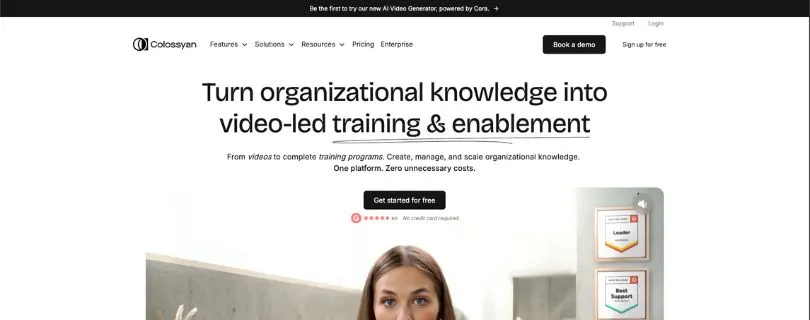
If HeyGen feels like a strong AI avatar video maker but not quite a training platform, Colossyan is the first tool I’d look at.
Colossyan is built around workplace learning. You can still create AI avatar videos from a script, just like you would expect from a text-to-video AI tool, but the real value shows up when you need those videos to become actual training material.
Think onboarding videos, compliance lessons, product training, sales enablement, internal tutorials, and multilingual learning content.
HeyGen is great when you want a clean avatar video. Colossyan makes more sense when you want that video to sit inside a bigger learning workflow.
Where Colossyan Outperforms HeyGen
Colossyan’s biggest advantage is training structure.
With HeyGen, you can create polished AI avatar videos, translate them, and use custom avatars. That works well for marketing clips, explainers, and social content.
But if your team needs interactive training, Colossyan goes further.
You can add quizzes, create branching scenarios, export content for an LMS, and turn a plain video into something closer to a course. That matters if you’re building content for employees, not just viewers.
For example, a marketing team may only need a 60-second AI avatar video for a landing page.
A training team needs more than that.
They need to check if employees understood the lesson. They need to update content when policies change. They may need SCORM export so the course works inside their learning management system. They may also need to localize the same training video into different languages without rebuilding everything from scratch.
That’s where Colossyan feels more useful than HeyGen.
It’s less about “make me a nice AI video” and more about “help me create repeatable training content my team can actually use.”
The interface also feels closer to a workplace learning tool than a creator-first video app. That’s a good thing if you’re in HR, enablement, or internal communications. You’re not hunting through flashy templates or social ad features. You’re building clean, structured videos for a business audience.
That said, Colossyan may feel too specialized if you only need quick TikTok-style avatar videos or UGC ad creatives. It’s not the tool I’d pick for fast, casual social content.
What I Liked
- Strong focus on training, onboarding, and internal education
- Built-in interactive quizzes for knowledge checks
- Branching scenarios for more engaging learning videos
- SCORM export for LMS workflows
- Good fit for HR, L&D, compliance, and enablement teams
- AI avatars help replace basic talking-head training videos
- Useful for updating training content without reshooting videos
- Multilingual support helps teams localize lessons faster
- Business plan includes unlimited NEO 1 video generation
- Better training workflow than most general AI video generators
Limitations I Faced
- Not the best fit for UGC ads or creator-style social videos
- Starter plan has limited video minutes
- More advanced training features may require higher plans
- Can feel too learning-focused if you only want simple avatar videos
- Studio custom avatars cost extra
- No extra minutes can be purchased on the Starter plan
- Some teams may still need a separate LMS, depending on their setup
Colossyan Pricing
Colossyan offers a free option, plus paid plans for individuals, small teams, and enterprises.
- Free: $0/month
- Starter: From $27/month monthly or $19/month billed annually
- Business: From $88/month monthly or $70/month billed annually
- Enterprise: Custom pricing
The Starter plan is better for individual content creators who only need a limited amount of AI video each month.
The Business plan is where Colossyan becomes more interesting for teams because it includes unlimited NEO 1 video generation, longer videos, more avatars, brand kits, and stronger training features.
If your company is creating training content every month, I’d look at Business or Enterprise instead of Starter. Starter is fine for testing, but it may feel tight once your team starts producing onboarding, compliance, or internal learning videos regularly.
Mini Comparison: Colossyan vs HeyGen
| Feature | Colossyan | HeyGen |
| Best use case | Training, onboarding, compliance, and L&D videos | AI avatar videos, marketing clips, sales videos, and translations |
| Training features | Stronger, with quizzes, branching, and LMS-friendly workflows | Useful for video creation, but less focused on structured learning |
| Interactivity | Better for learning checks and scenario-based training | Better for simple avatar-led videos |
| Content style | More formal and training-focused | More flexible for creators and marketers |
| Best buyer | HR teams, L&D teams, enablement teams, and internal training departments | Marketers, creators, sales teams, and businesses making general avatar videos |
Bottom line: Choose Colossyan if you want a HeyGen alternative built for training, not just video creation. It’s the better pick when your videos need quizzes, branching, SCORM export, and a proper learning workflow.
2. Synthesia
G2 Rating: ★★★★★ 4.7/5
Best for: Enterprises, corporate training teams, internal communications, sales enablement, and businesses that need polished AI avatar videos at scale.
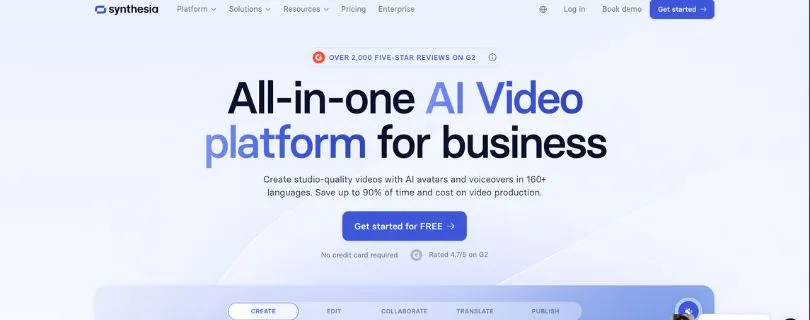
Synthesia is probably the most direct HeyGen alternative on this list.
If you like the idea of HeyGen but want something that feels more corporate, more controlled, and more built for business teams, Synthesia is the safer pick.
It’s not trying to be a casual social video app. It’s built for companies that need professional AI videos for training, internal updates, product explainers, sales content, and multilingual communication.
The output feels clean and business-ready. The templates are polished. The avatars look professional. The workflow is simple enough for non-editors, but still structured enough for teams that need review, branding, and repeatable content production.
If HeyGen feels flexible and creator-friendly, Synthesia feels more like an enterprise AI video platform.
Where Synthesia Outperforms HeyGen
Synthesia’s biggest advantage is professional consistency.
HeyGen is strong for AI avatar videos, video translation, and custom avatars. It’s especially useful for creators, marketers, and teams that want fast, flexible video creation.
Synthesia, though, feels more mature for corporate use.
You get a cleaner business workflow with workspaces, guest collaboration, brand controls, AI avatars, personal avatars, AI dubbing, interactive video options, branded video pages, and API access on higher plans.
That makes it a better fit when a company needs multiple people creating videos without everything looking different.
This matters more than people think.
A solo creator can make a video, export it, and move on.
A business team has a different problem. They need the sales video, training video, HR update, and product explainer to all feel like they came from the same brand. They also need managers, reviewers, and subject-matter experts to give feedback before anything goes live.
Synthesia handles that type of workflow better.
It also has strong multilingual support, which makes it useful for global teams. If you’re creating the same training video for employees in different countries, Synthesia can save a lot of time compared to recording separate versions manually.
Where I’d be careful is social-first content.
Synthesia can create polished business videos, but it’s not the tool I’d choose first for UGC-style TikTok ads, fast e-commerce product clips, or casual influencer-style content. It’s more boardroom than bedroom studio.
And for many companies, that’s exactly the point.
What I Liked
- Very polished AI avatar video quality
- Strong fit for corporate training and internal communication
- Clean templates that don’t feel overly flashy
- Useful workspace and collaboration features
- AI dubbing and multilingual support for global teams
- Personal avatars available on higher plans
- Brand controls help keep videos consistent
- Branded video pages and interactive videos on the Creator plan
- API access on the Creator plan
- Enterprise plan supports larger teams and unlimited video minutes
Limitations I Faced
- Not the best choice for UGC-style ads
- Can feel too corporate for creators who want casual social videos
- Starter plan gives only 10 minutes of video per month
- Creator plan gets expensive if you only make occasional videos
- Some advanced features are locked behind higher-tier plans
- Enterprise pricing is custom, so larger teams need to speak with sales
- Not ideal if you need fast product URL-to-video ad generation
Synthesia Pricing
Synthesia offers four main plans.
- Basic: $0/month
- Starter: $29/month monthly or $18/month billed yearly
- Creator: $89/month monthly or $64/month billed yearly
- Enterprise: Custom pricing
The Basic plan gives you a way to try Synthesia without paying, but it is limited.
Starter is better if you’re an individual or small team creating light AI avatar videos. It includes 10 minutes of video per month on monthly billing, which is enough for testing, short explainers, or a few internal clips.
Creator is the stronger plan for regular business use. It adds more video minutes, more avatars, AI dubbing, branded video pages, API access, multiple avatars per scene, interactive videos, and priority support.
For bigger companies, Enterprise is the real version to consider because it includes custom seats, larger usage, stronger controls, and unlimited video minutes.
If you want a HeyGen alternative for professional business videos, Synthesia is one of the easiest tools to recommend. It’s polished, predictable, and built for teams that care about brand consistency.
Mini Comparison: Synthesia vs HeyGen
| Feature | Synthesia | HeyGen |
| Best use case | Corporate videos, internal training, and professional business content | Marketing videos, avatar videos, video translation, and creator-friendly content |
| Avatar style | Polished, professional, and enterprise-friendly | Expressive, flexible, and useful for many video styles |
| Team workflow | Stronger for brand consistency, collaboration, and business use | Easier for flexible video creation and quick campaigns |
| Social ads | Not the strongest fit for UGC-style ads | Better for marketing content, but less ad-focused than Creatify |
| Best buyer | Enterprises, internal comms teams, HR teams, and L&D departments | Creators, marketers, sales teams, and growing businesses |
Bottom line: Choose Synthesia if you want the safest overall HeyGen alternative for professional business videos. It’s especially strong for teams that care about polished output, brand control, and multilingual corporate content.
Still comparing AI video platforms?
Read: Top Genmo Alternatives & Competitors
3. Creatify
G2 Rating: ★★★★★ 4.8/5
Best for: E-commerce brands, paid media teams, agencies, and marketers who need UGC-style video ads fast.
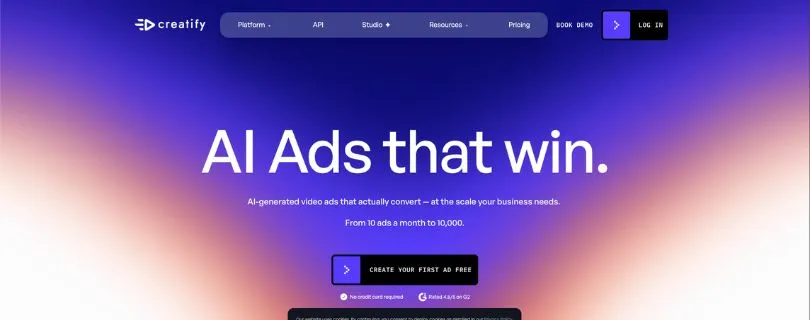
Creatify is the HeyGen alternative I’d choose if your main goal is performance marketing.
It’s not trying to be a training platform like Colossyan. It’s not as corporate as Synthesia either.
Creatify is built for ads.
More specifically, it’s built for teams that need to create product videos, UGC-style ads, short-form ad variations, and social media creatives without hiring creators for every single campaign.
The workflow is simple: paste a product URL, generate scripts, choose AI actors, create ad variations, and test different versions.
That makes it especially useful for e-commerce brands, DTC companies, TikTok marketers, Meta advertisers, Amazon sellers, app marketers, and agencies handling multiple products or clients.
If HeyGen is a broad AI avatar video creator, Creatify is more focused on turning products into ads.
Where Creatify Outperforms HeyGen
Creatify’s biggest advantage is speed for ad creation.
HeyGen can create marketing videos, but Creatify is more tuned for performance creative.
The product URL-to-video workflow is the main reason. Instead of starting from a blank script, you can paste a product page and let Creatify pull the basic product details into a video concept. That’s a huge time-saver if you’re making ads for many SKUs, offers, or landing pages.
This is helpful for paid media teams because one ad is rarely enough.
You usually need different hooks, different angles, different avatars, different lengths, and different formats. A winning creative might come from version 11, not version 1.
Creatify understands that workflow better than most AI avatar video generators.
It gives you AI actors, ad templates, competitor ad tracking, ad inspiration, AI script tools, and options for creating multiple versions. The Pro plan also includes features like AI Media Buyer, Competitor Ad Tracker, and Ad Launcher for Meta, TikTok, and AppLovin.
That’s much more ad-focused than HeyGen.
Where HeyGen may work better is broader video creation. If you’re making explainer videos, translated avatar videos, company updates, or custom avatar content, HeyGen still makes sense.
But if you’re mainly trying to test short-form ads, Creatify feels more practical.
It’s not perfect, though. Like most AI ad generators, the first output won’t always be campaign-ready. You may still need to tweak scripts, adjust pacing, change scenes, or regenerate parts of the video.
But even with that editing time, it can still be much faster than briefing a creator, waiting for footage, and editing multiple ad versions manually.
What I Liked
- Excellent fit for UGC-style video ads
- Product URL-to-video workflow saves time
- Strong for e-commerce, DTC, and paid social campaigns
- 300 AI actors on Starter and 1500 AI actors on Pro
- 200+ ad templates on Starter and 500+ on Pro
- Useful for testing different hooks and creative angles
- Supports 75+ languages
- Watermark removal included on paid plans
- Pro plan includes 3 custom avatars
- Competitor Ad Tracker helps with creative research
- Ad Launcher supports Meta, TikTok, and AppLovin workflows
Limitations I Faced
- Not ideal for employee training or LMS-based learning
- AI-generated ads may still need manual editing
- Credit-based pricing can get tight if you create many variations
- Starter plan only includes 100 credits per month
- Some advanced ad tools are only available on Pro or Enterprise
- Not the best choice for formal corporate videos
- Video duration is capped at 2 minutes on Starter
- Teams may need Pro or Enterprise for serious ad production
Creatify Pricing
Creatify offers a free plan and three main paid options.
- Free: $0/month with 10 monthly credits
- Starter: $33/month with 100 credits per month
- Pro: From $49/month with 300 credits per month, scaling up to higher credit amounts
- Enterprise: Custom pricing
The free plan is useful for testing because it gives you 10 monthly credits. That is enough to create around 2 video ads or 20 image ads, but exports include a watermark.
Starter is better for creators and solopreneurs who want to make a small number of product videos or ad creatives each month.
Pro is where Creatify becomes more useful for marketers and teams. You get more credits, more AI actors, more templates, custom avatars, competitor ad tracking, AI media buying features, and team collaboration.
If your team is running paid ads every week, I’d skip the free plan after testing and look at Pro. The Starter plan is fine for light use, but serious ad testing burns through credits quickly.
Creatify is the best HeyGen alternative here for ad teams because it doesn’t just help you make an avatar video. It helps you create more ad angles, faster.
Mini Comparison: Creatify vs HeyGen
| Feature | Creatify | HeyGen |
| Best use case | UGC ads, product videos, and performance marketing | AI avatar videos, translations, explainers, and marketing videos |
| Ad creation | Stronger for short-form ad variations and paid social testing | Good for marketing videos, but less focused on ad testing |
| URL-to-video | Built around product pages and ad workflows | Useful, but broader and less performance-marketing focused |
| Content style | Social-first, ad-focused, and conversion-driven | More general-purpose and polished |
| Best buyer | E-commerce brands, DTC teams, agencies, and paid media teams | Creators, marketers, sales teams, and businesses making avatar videos |
Bottom line: Choose Creatify if your main goal is to make video ads faster. It’s a better HeyGen alternative for e-commerce brands and paid media teams that need multiple hooks, avatars, and creative angles for testing.
4. D-ID
G2 Rating: ★★★★★ 4.6/5
Best for: Developers, customer support teams, enterprise CX teams, and businesses that want interactive AI avatars instead of only pre-rendered videos.
D-ID is not the most obvious HeyGen alternative for everyone.
But if you’re looking beyond simple avatar videos, it gets interesting fast.
HeyGen is great when you want to create polished AI avatar videos, translate content, or make business-friendly video clips from a script.
D-ID goes in a slightly different direction.
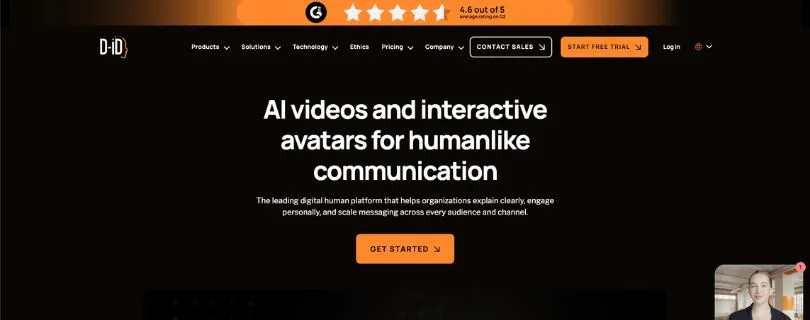
It focuses more on digital humans, talking photos, real-time avatar experiences, and API-based video generation. That makes it a better fit for teams that want AI avatars to do more than just read a script on screen.
Think customer support agents, interactive onboarding, product walkthroughs, language learning tools, virtual assistants, and AI avatars inside apps or websites.
If HeyGen is mostly about creating finished videos, D-ID is more about building avatar-powered experiences.
Where D-ID Outperforms HeyGen
D-ID’s biggest advantage is interactivity.
With HeyGen, you usually create a video, export it, and publish it somewhere. That works well for marketing, sales, training, and social content.
D-ID is stronger when the avatar needs to respond, speak in real time, or connect with another system through an API.
This matters for teams building customer-facing AI experiences.
For example, a normal AI avatar video might explain how a product works.
A D-ID-powered avatar can be used as a visual agent that answers questions, walks users through a process, or creates a more human-feeling interface for an AI assistant.
That’s a different use case.
It’s not just video creation anymore. It’s video interaction.
D-ID also works well if you want to animate a photo into a talking avatar. This can be helpful for personalized videos, training modules, internal messages, sales explainers, and quick presenter-style content when you don’t want to start from a full avatar template.
The API side is another reason teams choose it.
If your company wants to generate videos automatically from scripts, user data, support flows, or app activity, D-ID gives developers more room to build. HeyGen has strong business video tools, but D-ID feels more natural for teams that want to plug AI avatars into a product or workflow.
That said, this also makes D-ID less beginner-friendly.
If you only want a simple AI video maker for YouTube, Instagram Reels, or product ads, D-ID may feel more technical than you need. The studio is useful, but the real value shows up when you’re building something more interactive.
So I wouldn’t pick D-ID as the best HeyGen alternative for casual creators.
I’d pick it for teams that want avatars to talk back.
What I Liked
- Strong fit for interactive and conversational AI avatars
- Useful for customer-facing avatar experiences
- API access makes it flexible for developers
- Good option for turning photos into talking avatars
- Works well for product demos, support flows, and onboarding
- Helpful for businesses building AI agents with a visual layer
- Supports avatar videos without a full video production setup
- Good for multilingual communication and personalized video workflows
- Better than most tools for real-time digital human use cases
- Useful if you want to embed avatar experiences into apps or websites
Limitations I Faced
- Not the simplest tool for beginners
- Can feel more technical than HeyGen
- Not ideal for UGC ads or fast social media creatives
- Video editing controls are not as deep as a full video editor
- Trial and Lite plans include watermarking
- Unused minutes do not roll over
- Pricing can get expensive if you need more credits or advanced usage
- Better for interactive workflows than basic creator content
- Some teams may need developer help to get the most value from it
D-ID Pricing
D-ID offers Studio plans and API pricing depending on how you want to use the platform.
For Studio plans, pricing is roughly:
- Trial: $0 for 14 days
- Lite: From $4.70/month billed annually
- Pro: From $16/month billed annually
- Advanced: From $108/month billed annually
- Enterprise: Custom pricing
The Lite plan is enough if you only want to test simple talking avatar videos.
Pro is a better fit if you need higher-quality output, more credits, and commercial use.
Advanced is where D-ID starts making more sense for heavier business use, especially if you’re producing more videos or testing avatar workflows regularly.
Enterprise is the better route for companies building visual AI agents, customer-facing avatar tools, or API-heavy use cases.
D-ID is not the HeyGen alternative I’d recommend for everyone. But if your goal is interactive AI avatars, real-time agents, or developer-friendly avatar video generation, it’s one of the strongest options on this list.
Mini Comparison: D-ID vs HeyGen
| Feature | D-ID | HeyGen |
| Best use case | Interactive avatars, digital humans, and API-based video experiences | Pre-rendered AI avatar videos, translations, and marketing content |
| Interactivity | Stronger for real-time avatar experiences and conversational AI | Better for creating finished avatar videos quickly |
| Developer use | More flexible for API workflows and embedded avatar experiences | Good business video tools, but less focused on interactive agents |
| Ease of use | Can feel more technical | Easier for regular video creation |
| Best buyer | Developers, enterprise CX teams, support teams, and AI product teams | Creators, marketers, sales teams, and business video teams |
Bottom line: Choose D-ID if you want AI avatars that can do more than read a script. It’s the better option for interactive avatars, visual AI agents, customer-facing experiences, and developer-led video workflows.
5. JoggAI
G2 Rating: ★★★★★ 4.6/5
Best for: Creators, small businesses, e-commerce sellers, marketers, and budget-conscious teams that want quick AI videos without a heavy enterprise setup.
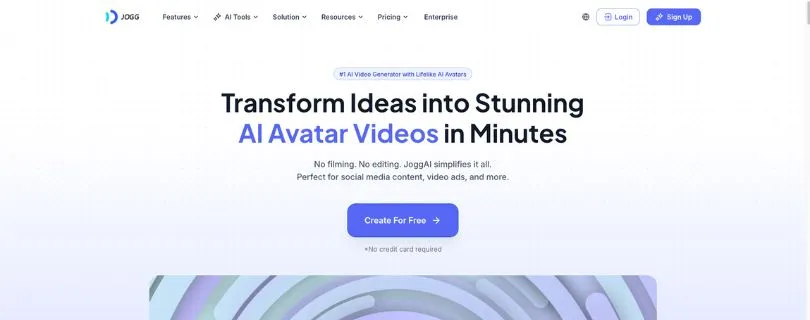
JoggAI is the most creator-friendly HeyGen alternative on this list.
It’s built for people who want to make videos fast without spending hours learning editing software or building everything from scratch.
You can create avatar videos, product videos, talking photos, video translations, podcast-style videos, and AI-generated marketing content from different inputs.
That makes it useful for creators, online sellers, small businesses, coaches, affiliate marketers, social media managers, and e-commerce teams that need more video content but don’t have a full production team.
If HeyGen feels a little too expensive or too polished for basic creator workflows, JoggAI is worth looking at.
It gives you a lower barrier to entry and a pretty broad set of AI video tools in one place.
Where JoggAI Works Better Than HeyGen
JoggAI’s biggest advantage is flexibility for quick content creation.
HeyGen is strong for polished avatar videos, video translation, and custom avatars. It feels more mature for business videos and professional use cases.
JoggAI feels lighter.
You can start with a URL, script, image, product page, podcast audio, or avatar idea and turn it into a video without overthinking the process.
That’s helpful if you’re creating short-form videos, product explainers, e-commerce ads, social media posts, or quick educational clips.
The URL-to-video workflow is especially useful for online sellers.
Instead of writing every product video from scratch, you can use a product link and let the tool help build a video around it. For Shopify stores, Amazon sellers, and small e-commerce brands, that can save a lot of time.
JoggAI also gives you tools like talking photos, photo avatars, custom avatars, product video shoot, product photo shoot, image-to-video, text-to-video, voice cloning, and video translation.
That makes it feel more like a creative AI video toolbox than a single-purpose avatar generator.
Where I’d be careful is quality control.
Like most budget-friendly AI video tools, you’ll still need to review the final output. Some avatars may look better than others. Some voices may need tweaking. Some generated scripts may sound too generic unless you rewrite them.
That’s normal with this type of tool.
The real value is speed.
If you need polished corporate videos for a large company, I’d still lean toward Synthesia. If you need structured training, Colossyan makes more sense. If you need ad testing at scale, Creatify is stronger.
But if you’re a creator or small business owner who wants a simple AI video generator for social media, product videos, and avatar content, JoggAI is a practical pick.
What I Liked
- Easy to use for beginners and non-editors
- Good fit for creators, small businesses, and e-commerce sellers
- URL-to-video workflow is helpful for product content
- Supports avatar videos, talking photos, and podcast videos
- Includes text-to-video and image-to-video tools
- Useful for quick social media and marketing videos
- Product photo and product video tools are helpful for online sellers
- Free plan available for testing
- Paid plans remove watermarks
- Creator and Team plans support longer videos and more custom avatars
- Brand kit is available on the Creator plan
- Team plan includes workspace and role features
Limitations I Faced
- Not as enterprise-focused as Synthesia
- Not as training-focused as Colossyan
- Not as specialized for ad testing as Creatify
- Free plan exports include a watermark
- Credit limits can feel confusing at first
- Some advanced features require Creator or Team plans
- AI output still needs manual review before publishing
- Customization may feel limited for advanced editors
- Avatar quality, voice quality, and lip-sync can vary depending on the input
- Not the best fit for teams that need strict approval workflows or governance
JoggAI Pricing
JoggAI offers a free plan and several paid plans.
- Free: $0/month with 3 credits
- Starter: $29/month monthly, or from $15/month billed yearly
- Creator: $69/month monthly, or from $39/month billed yearly
- Team: $89/seat/month monthly, or from $46/seat/month billed yearly
- Enterprise: Custom pricing
The Free plan is fine for testing the platform, but it includes watermarked exports and only gives you a small amount of usage.
Starter is better for basic creator workflows. It gives you more credits, watermark removal, access to all AI tools, faster processing, product ad tools, text-to-video, image-to-video, and a few custom avatars.
Creator is the better pick for regular content creation. You get longer videos, more custom avatars, faster processing, brand kit features, and more room to create.
Team is for businesses that need multiple users, roles, permissions, and a shared workspace.
For most creators and small businesses, Starter is enough to test the tool properly. But if you plan to create videos every week, Creator is the plan I’d look at first.
JoggAI is not the most advanced HeyGen alternative, but it is one of the easiest to start with. If your main goal is to make quick AI videos without spending too much, it deserves a spot on your shortlist.
Mini Comparison: JoggAI vs HeyGen
| Feature | JoggAI | HeyGen |
| Best use case | Budget-friendly creator videos, product videos, and social content | Polished avatar videos, translations, and business-friendly video creation |
| Ease of use | Simple and beginner-friendly | Also easy to use, but more polished and premium |
| Creator tools | Strong for quick videos, product content, talking photos, and URL-to-video | Stronger for professional avatar videos and custom avatar workflows |
| Pricing fit | Better for budget-conscious creators and small businesses | Better for users who need more polished business video output |
| Best buyer | Creators, small businesses, online sellers, and social media marketers | Marketers, sales teams, creators, and companies using avatar video regularly |
Bottom line: Choose JoggAI if you want a cheaper and easier HeyGen alternative for quick content creation. It’s a practical pick for creators, online sellers, and small businesses that need AI videos without a heavy enterprise setup.
Top 5 HeyGen Alternatives Compared
If you only look at these tools as “AI avatar video generators,” they can feel very similar.
But once you compare them by use case, the differences become much clearer.
Some are better for training. Some are better for polished corporate videos. Some are built for UGC ads, interactive avatars, or quick creator content.
Here’s the simple comparison.
| Tool | Best For | Starting Price | Free Plan | Avatar Quality | Training Features | Ad Features | API/Interactive Features | Best Overall Fit |
| Colossyan | Training/L&D | From $19/month billed annually | Yes | Good | Excellent | Limited | Moderate | Training teams |
| Synthesia | Corporate video | Free; paid from $18/month billed annually | Yes | Excellent | Strong | Limited | Moderate | Enterprise teams |
| Creatify | UGC ads | Free; paid from $33/month | Yes | Strong for UGC | Weak | Excellent | Moderate | Marketers |
| D-ID | Interactive avatars | Trial; paid from $4.70/month billed annually | Trial | Strong | Moderate | Limited | Excellent | Developers/CX teams |
| JoggAI | Budget/e-commerce | Free; paid from $15/month billed yearly | Yes | Good | Limited | Good | Limited/Moderate | Creators |
The quick takeaway:
If you want a direct HeyGen alternative for professional business videos, Synthesia is the safest pick. If you’re creating training content, Colossyan makes more sense. If you’re running paid ads, Creatify is the better fit. D-ID is the one to choose for interactive avatars, while JoggAI works well if you want something cheaper and easier for everyday content.
Pricing and free-plan limits change often, so check each tool’s pricing page before subscribing.
Which HeyGen Alternative Should You Choose?
The best HeyGen alternative depends on what you’re actually trying to create.
A training team, a TikTok ad buyer, and a SaaS founder making product demos do not need the same AI video tool.
Here’s the easiest way to decide.
Choose Colossyan if…
You are creating employee training, compliance modules, onboarding lessons, or LMS-ready learning content.
Colossyan is the better choice when the video needs to do more than look good. If you need quizzes, branching scenarios, SCORM export, or structured learning workflows, it gives you tools HeyGen doesn’t focus on as deeply.
It’s a strong fit for HR teams, L&D teams, internal training departments, and enablement teams that need repeatable training videos.
Choose Synthesia if…
You need polished, professional avatar videos for corporate communication, training, or global business content.
Synthesia is the strongest option for teams that care about brand consistency, avatar quality, multilingual videos, and a clean business-friendly workflow.
It’s not the most exciting tool for casual social videos, but for internal comms, enterprise training, sales enablement, and professional explainers, it’s one of the safest HeyGen competitors.
Choose Creatify if…
You need to produce and test UGC-style ad creatives for TikTok, Instagram, Facebook, or e-commerce campaigns.
Creatify is built for marketers who need more ad variations, not just one nice avatar video.
If you’re testing different hooks, products, creators, offers, or landing pages, its product URL-to-video workflow can save a lot of time. It’s especially useful for e-commerce brands, DTC teams, paid media teams, and agencies.
Choose D-ID if…
You need interactive avatars, conversational AI agents, or an API-first solution for real-time video experiences.
D-ID is the better fit when you want avatars to respond, interact, or sit inside a product experience.
It’s not the simplest AI video generator for beginners, but it’s strong for developers, customer support teams, enterprise CX teams, and companies building AI agents with a visual layer.
Choose JoggAI if…
You want a budget-friendly creator tool for fast social videos, product videos, and e-commerce content.
JoggAI is a good pick if you want quick AI videos without a heavy enterprise setup.
It works well for creators, online sellers, small businesses, affiliate marketers, and social media managers who need product videos, talking photos, avatar clips, and short-form content without spending too much.
Other HeyGen Alternatives Worth Considering
The top 5 tools above cover the main use cases, but they’re not the only HeyGen alternatives worth knowing.
Some tools are better for editing. Some are better for product demos. Others are better for creative AI scenes, free templates, or faceless video creation.
Here are a few more options to keep on your radar.
VEED
VEED is best for general video editing, subtitles, repurposing, and basic AI avatar features.
It’s a good choice if you care more about editing and publishing videos than building advanced AI avatar workflows. You can use it for captions, screen recordings, social video resizing, podcast clips, and quick edits.
Choose VEED if you want a simple online video editor with some AI tools included.
DeepBrain AI / AI Studios
DeepBrain AI, also known as AI Studios, is best for large avatar libraries, multi-avatar scenes, and gesture control.
It’s useful for teams that want presenter-style AI videos, explainer videos, and professional-looking avatar content. The platform is more focused on AI presenters than UGC ads or creative social content.
Choose DeepBrain AI if you want more avatar variety and business-friendly AI video creation.
Akool
Akool is best for creative AI workflows such as face swap, image generation, live camera avatars, and advanced video resolution options.
It’s less of a standard “make an avatar read my script” platform and more of a creative AI toolkit. That can be useful for marketers, agencies, and creators who want to experiment with different types of AI-generated content.
Choose Akool if you want more creative control and AI media features beyond basic avatar videos.
Arcade
Arcade is best for SaaS product demo videos when you do not actually need an AI avatar.
This is an important one.
Sometimes, the best HeyGen alternative is not another avatar tool. If your main goal is showing how your product works, a screen-based interactive demo can be more useful than a talking-head video.
Choose Arcade if you sell software and want clean product walkthroughs, onboarding demos, or interactive website demos.
Runway
Runway is best for generative AI scenes, creative brand visuals, and image-to-video workflows.
Also Read:
Runway Gen-4 Review
It’s not a direct HeyGen replacement for avatar videos, but it’s powerful for creative video generation. If you want cinematic visuals, AI-generated clips, or experimental brand content, Runway gives you more creative freedom.
Choose Runway if you care more about visual storytelling than AI presenters.
Not fully sold on Runway?
Explore: Best Runway Alternatives
Vidnoz
Vidnoz is best for users who want a generous free plan and many templates.
Also Read:
Best Crreo AI Alternatives
It’s a good starting point if you’re testing AI avatar videos and don’t want to commit to a paid platform right away. It may not feel as polished as the top business tools, but it can be useful for beginners.
Choose Vidnoz if you want to experiment with AI avatar videos on a tighter budget.
Crreo AI
Crreo AI is best for long-form faceless storytelling and creative video generation without relying on avatar templates.
It’s a better fit for users who want text-to-video content, faceless videos, and creative story-style videos rather than corporate avatar presenters.
Choose Crreo AI if you want a faceless video creation tool instead of another standard AI avatar video creator.
Want more beginner-friendly AI video tools?
Read: Best Crreo AI Alternatives
HeyGen Alternatives by Use Case
Here’s another way to look at it.
Instead of asking “what is the best HeyGen alternative?” ask “what kind of video am I trying to make?”
That usually gives you a better answer.
| Use Case | Best Alternative |
| Corporate training | Colossyan |
| Enterprise AI avatar videos | Synthesia |
| UGC ads | Creatify |
| Interactive AI agents | D-ID |
| Budget creator videos | JoggAI |
| Product demo videos | Arcade |
| General video editing | VEED |
| Creative AI scenes | Runway |
| Free plan testing | Vidnoz or JoggAI |
| Global multilingual campaigns | Synthesia, D-ID, or KreadoAI |
This is why there isn’t one perfect replacement for HeyGen.
If you’re building employee training, Colossyan is the smarter choice. If you’re creating professional business videos, Synthesia is stronger. If you’re running ads, Creatify gives you the better workflow. If you need real-time avatars, D-ID makes more sense. If you just want fast, affordable creator videos, JoggAI is easier to start with.
Common Reasons People Switch From HeyGen
HeyGen is a strong AI video generator, so most people don’t switch because it’s bad.
They switch because their needs get more specific.
Once you move from testing AI avatars to using them every week, the small workflow issues start to matter more.
1. Pricing and Credit Limits
AI video tools can get expensive quickly, especially if your team is creating videos every week.
A few short avatar videos may be fine on an entry-level plan. But once you start making translated versions, ad variations, training modules, product explainers, and custom avatar videos, credits and minutes can disappear fast.
That’s when teams start comparing tools more seriously.
Some users want more predictable pricing. Others want a cheaper AI video maker for basic content. And teams producing a lot of content may need a plan that doesn’t make every test feel expensive.
2. Slow or Clunky Editing Experience
Some users like HeyGen’s output but want a smoother editing process.
This usually comes up when teams need to make frequent script changes, update scenes, add screen recordings, adjust layouts, or revise videos after feedback.
For one-off videos, that may not be a huge deal.
But for teams creating training content, sales videos, or ad variations, editing speed matters. If every small change takes too long, the tool starts feeling less like a time-saver and more like another thing to manage.
That’s why some users move to tools with workflows built around their exact content type.
3. Need for Training-Specific Features
HeyGen can create training-style videos, but L&D teams usually need more than a video file.
They may need quizzes, branching scenarios, SCORM export, LMS compatibility, version control, and reporting.
That’s where a tool like Colossyan makes more sense.
A training video is not just content. It’s part of a learning experience. If your team needs employees to watch, answer questions, complete modules, and prove they understood the material, a general AI avatar video creator can feel limited.
4. Need for Ad-Specific Workflows
Performance marketers have a different problem.
They don’t just need one polished video. They need ten versions of the same idea.
Different hooks. Different avatars. Different product angles. Different formats. Different first three seconds.
HeyGen can help with marketing videos, but it’s not as focused on bulk creative testing as tools built for ads.
That’s why marketers often look at Creatify. Product URL-to-video, UGC-style actors, ad templates, competitor research, and quick variations are more useful when the goal is paid social performance.
5. Need for Interactive or Real-Time Avatars
Some teams do not want a pre-rendered AI avatar video.
They want an avatar that can respond.
This matters for customer support, product onboarding, education, AI assistants, and customer-facing experiences.
If your avatar needs to answer questions, connect to an app, or behave more like a visual AI agent, a tool like D-ID becomes a better fit.
HeyGen is useful for creating videos. D-ID is stronger when the avatar needs to become part of an interactive experience.
6. Need for Product Demos Instead of Talking Heads
Not every video needs an avatar.
For SaaS companies, product teams, and onboarding teams, a screen-based product demo may explain the value better than a talking presenter.
If the goal is to show how a feature works, walk someone through a dashboard, or help a user understand a workflow, a tool like Arcade may be more useful.
This is one of the biggest mistakes people make when comparing HeyGen alternatives.
They assume the replacement has to be another AI avatar platform.
Sometimes, the better answer is a product demo tool, a screen recorder, or a video editor.
Final Verdict: What Is the Best HeyGen Alternative?
The best HeyGen alternative depends on what you are trying to create.
If you’re building training videos, Colossyan is the best pick because it gives you learning-focused features like quizzes, branching, and LMS-friendly workflows.
If you want professional corporate AI videos, Synthesia is the safest overall choice. It feels polished, reliable, and built for business teams that care about brand consistency.
If you’re making UGC-style ads, Creatify is the strongest option because it’s designed for product videos, ad variations, and paid social testing.
If you need interactive avatars or real-time visual agents, D-ID is the better fit.
And if you want a budget-friendly AI video tool for creator content, e-commerce videos, and quick social posts, JoggAI is the easiest one to start with.
For most business teams that want a direct HeyGen replacement, I’d choose Synthesia.
For L&D teams, I’d choose Colossyan.
For marketers running paid ads, I’d choose Creatify.
That’s the cleanest way to think about it: don’t pick the tool with the longest feature list. Pick the one built for the type of video you actually need to make.
FAQs About HeyGen Alternatives
What is the best HeyGen alternative overall?
The best HeyGen alternative overall is Synthesia if you want polished, professional AI avatar videos for business use.
It’s a strong choice for corporate training, internal communication, sales enablement, and multilingual company videos.
What is the best HeyGen alternative for training videos?
Colossyan is the best HeyGen alternative for training videos.
It’s built more for L&D teams than casual creators, so you get features like quizzes, branching scenarios, course-style content, and LMS-friendly workflows.
What is the best free HeyGen alternative?
The best free HeyGen alternative depends on what you want to create.
For testing AI avatar videos, tools like JoggAI, Vidnoz, and Synthesia’s free plan are worth trying before you pay.
Just check the limits carefully.
Free plans often come with:
- Watermarked exports
- Limited credits or minutes
- Fewer avatars
- Lower export quality
- Fewer editing options
Is Synthesia better than HeyGen?
Synthesia is better than HeyGen for polished corporate videos, internal training, and business communication.
HeyGen may feel more flexible for marketers, creators, and teams that want quick avatar videos, translations, or campaign content.
So it really depends on your workflow.
If your team cares about brand consistency, review processes, and professional output, Synthesia is usually the safer pick.
Is Colossyan better than HeyGen?
Colossyan is better than HeyGen if your main goal is training.
HeyGen can help you make training-style avatar videos, but Colossyan gives you more learning-focused tools like quizzes, branching, and LMS support.
If you’re making onboarding videos, compliance modules, or employee training content, Colossyan makes more sense.
If you’re making general marketing videos, HeyGen may still be easier.
What is the best HeyGen alternative for UGC ads?
Creatify is the best HeyGen alternative for UGC-style ads.
It’s built for product videos, short-form ad creatives, and paid social testing on platforms like TikTok, Instagram, Facebook, and AppLovin.
This is helpful if you need:
- Multiple ad variations
- Different hooks
- Product URL-to-video
- AI actors for ad-style content
- Fast creative testing
What is the cheapest HeyGen alternative?
JoggAI is one of the better low-cost HeyGen alternatives for creators, small businesses, and e-commerce sellers.
It’s not as enterprise-focused as Synthesia or as training-focused as Colossyan, but it’s easier to start with if you just need quick AI videos.
For budget users, I’d compare JoggAI, Vidnoz, VEED, and D-ID’s lower plans before choosing.
The cheapest option is not always the best one if you need clean exports, custom avatars, or regular video production.
Which HeyGen alternative is best for interactive avatars?
D-ID is the best HeyGen alternative for interactive avatars and conversational AI agents.
It’s a better fit when you want avatars that can respond, connect to an app, or work inside a customer-facing experience.
HeyGen is stronger for creating finished avatar videos.
D-ID is stronger when the avatar needs to become part of a live or interactive workflow.
Can I make AI avatar videos without HeyGen?
Yes, you can make AI avatar videos without HeyGen.
Tools like Synthesia, Colossyan, D-ID, JoggAI, DeepBrain AI, Akool, and Vidnoz all offer AI avatar video creation in different ways.
The right choice depends on what you’re creating.
For business videos, choose Synthesia. For training, choose Colossyan. For interactive avatars, choose D-ID. For quick creator videos, try JoggAI.
Which HeyGen alternative is best for YouTube videos?
For professional talking-head YouTube videos, Synthesia is a strong option.
For faceless YouTube videos, product explainers, or simpler creator content, JoggAI, VEED, or Crreo AI may be a better fit.
If your YouTube workflow includes editing, subtitles, resizing, and repurposing clips, VEED can be more useful than a pure avatar tool.
If you want AI presenters, Synthesia or JoggAI will make more sense.
Which HeyGen alternative is best for e-commerce videos?
Creatify is the best option if your goal is e-commerce ads.
It can turn product pages into video concepts and helps you create UGC-style ad variations faster.
JoggAI is also a good choice for smaller sellers who want product videos, talking photos, and social content without a heavy setup.
For serious paid ads, I’d start with Creatify. For everyday product content, JoggAI is easier.
Which HeyGen alternative is best for product demo videos?
If you’re making SaaS or software product demos, Arcade may be a better choice than another AI avatar tool.
A talking avatar is not always the best way to explain software.
Sometimes, showing the actual product screen, clicks, dashboard, and workflow is much clearer.
Use Arcade when the product itself needs to be the star of the video.
Are HeyGen alternatives good for video translation?
Yes, many HeyGen alternatives support video translation, dubbing, or multilingual video creation.
Synthesia, D-ID, Colossyan, and JoggAI all offer language-related features, but the quality and limits vary by plan.
Before choosing a tool, check:
- Supported languages
- Voice quality
- Lip-sync accuracy
- Translation limits
- Export quality
- Whether dubbing is included or costs extra
What should I look for in a HeyGen alternative?
Look for the tool that fits your actual video workflow, not just the one with the longest feature list.
The most important things to check are avatar quality, pricing, video minutes, export limits, editing controls, custom avatars, language support, and whether the tool fits your use case.
For example, a training team should care about quizzes and SCORM export.
A paid ads team should care about product URL-to-video, ad variations, and fast creative testing.
Which HeyGen alternative is easiest for beginners?
JoggAI is one of the easiest HeyGen alternatives for beginners because it feels simple and creator-friendly.
You can use it for quick social videos, product videos, talking photos, and basic avatar content without needing much editing experience.
Synthesia is also beginner-friendly, but it feels more business-focused.
If you want casual content, start with JoggAI. If you want professional company videos, start with Synthesia.
Why do people switch from HeyGen?
Most people don’t switch because HeyGen is bad.
They switch because their video needs become more specific.
Some common reasons include:
- They need better training features
- They want cheaper pricing
- They run out of credits too quickly
- They need UGC ad workflows
- They want interactive avatars
- They need product demos instead of talking-head videos
- They want smoother editing or team collaboration
Is HeyGen still worth using?
Yes, HeyGen is still worth using if you need a polished AI avatar video generator with strong video translation, custom avatars, and marketing-friendly workflows.
But it’s not the best fit for every team.
If you’re creating structured training, use Colossyan. If you’re making corporate videos, compare it with Synthesia. If you’re creating paid ads, Creatify may save you more time.
HeyGen is a strong tool, but the best choice depends on what kind of videos you’re making every week.