

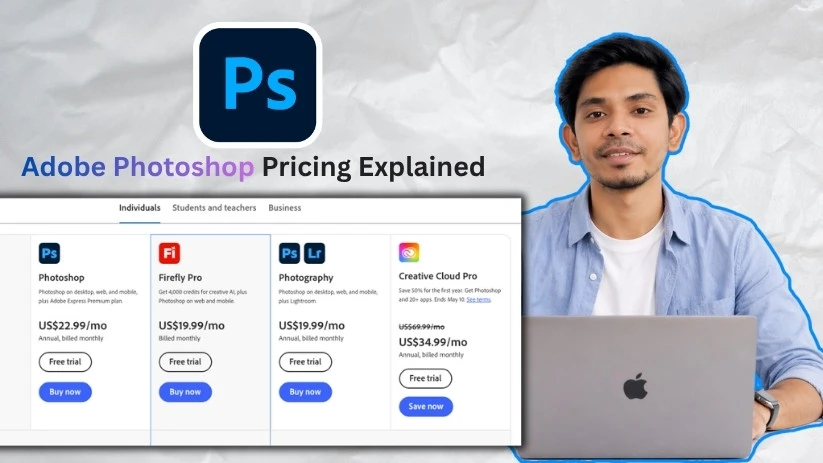
I found the pricing to be a little tricky after breaking down Adobe Photoshop’s plans. Photoshop is sold in several different ways, including the standalone app, the Photography plan, Creative Cloud, student pricing, and business licenses.
Here’s what you need to know to choose the right Photoshop plan and understand the real monthly cost before you subscribe.
Adobe Photoshop pricing plans: At a glance
Here’s a quick overview of what you get on each plan:
| Plan | Monthly price | Best for | Key features |
| Photoshop | US$22.99/month | Designers, editors, and creators who only need Photoshop | Photoshop on desktop, web, and mobile, Adobe Express Premium, 100GB cloud storage, and 25 monthly generative credits |
| Photography | US$19.99/month | Photographers who want Photoshop and Lightroom together | Photoshop, Lightroom, 1TB cloud storage, and 1,000 monthly generative credits |
| Firefly Pro | US$19.99/month | AI-focused creators who mostly use web and mobile tools | Photoshop on web and mobile, Adobe Express Premium, 100GB storage, and 4,000 monthly generative credits |
| Creative Cloud Pro | US$34.99/month for the first year | Creators who need Photoshop plus multiple Adobe apps | Photoshop, 20+ Creative Cloud apps, Adobe Fonts, stock assets, templates, and 4,000 monthly generative credits |
| Students and Teachers | US$19.99/month for the first year | Eligible students, teachers, and education users | Photoshop, 20+ Adobe apps, Creative Cloud features, and discounted education pricing |
| Photoshop for Teams | US$37.99/month per license | Small teams and businesses that need Photoshop licenses | Photoshop, business features, license management, 1TB storage, and admin controls |
| Creative Cloud Pro for Teams | US$49.99/month per license for the first year | Agencies, marketing teams, and design departments | Photoshop, 20+ apps, business management tools, 1TB storage, and 4,000 monthly generative credits |
Adobe Photoshop pricing plans breakdown
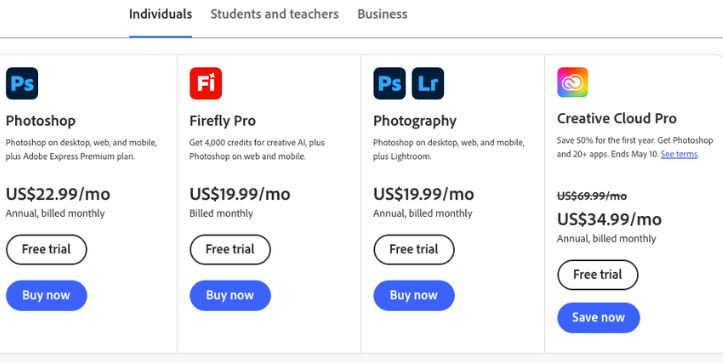
Adobe Photoshop pricing changes depending on whether you buy Photoshop by itself, bundle it with Lightroom, get it through Creative Cloud, or need a business license. Beyond the monthly price, you also need to look at billing terms, cloud storage, generative AI credits, included apps, and whether the plan gives you Photoshop on desktop or only web and mobile.
Before we look at each plan, below are some important terms you need to know:
Annual, billed monthly: You pay every month, but you’re usually committing to a full-year plan. This is where many people get confused because it looks like normal monthly pricing.
Generative credits: These are Adobe’s monthly credits for AI features, such as generative fill, image creation, and other Firefly-powered tools.
Cloud storage: Adobe includes different storage limits depending on the plan. Photoshop comes with 100GB, while the Photography plan includes 1TB.
License: A license gives one person the right to use Photoshop and the included services. For teams, pricing is usually charged per license.
Photoshop plan: US$22.99/month
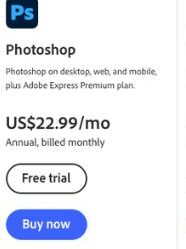
This is the main standalone Photoshop plan. It works well if you only need Photoshop and don’t care about Lightroom or the rest of Creative Cloud. You get Photoshop on desktop, web, and mobile, so it’s the most direct way to pay for the full Photoshop app.
The only downside is value. At US$22.99/month, it costs more than the Photography plan, even though the Photography plan also includes Lightroom and more storage.
What’s included:
- Photoshop on desktop, web, and mobile
- Adobe Express Premium plan
- 100GB cloud storage
- 25 monthly generative credits
- 7-day free trial
- Annual plan, billed monthly
Best for:
Designers, editors, digital artists, marketers, and creators who only want Photoshop.
Pros:
- Full Photoshop desktop access
- Simple plan if you don’t need other Adobe apps
- Includes Adobe Express Premium
- Works across desktop, web, and mobile
Cons:
- More expensive than the Photography plan
- Only 25 monthly generative credits
- Not the best value if you also edit photos in Lightroom
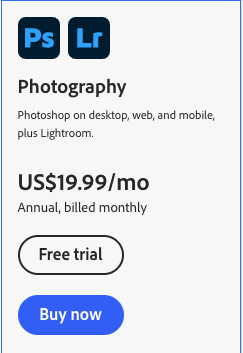
Photography plan: US$19.99/month
The Photography plan is one of the best-value Photoshop plans, especially for photographers. It costs less than the standalone Photoshop plan and includes Lightroom, which makes it a better deal for photo editing workflows.
This plan makes the most sense if your work involves RAW photo editing, color correction, batch edits, photo organization, or Lightroom presets. If you’re comparing Photoshop vs Lightroom pricing, this is the plan most people should look at first.
What’s included:
- Photoshop on desktop, web, and mobile
- Lightroom for desktop, web, and mobile
- 1TB cloud storage
- 1,000 monthly generative credits
- 7-day free trial
- Annual plan, billed monthly
Best for:
Photographers, content creators, photo editors, and anyone who wants Photoshop and Lightroom together.
Pros:
- Cheaper than the standalone Photoshop plan
- Includes Lightroom
- Comes with 1TB cloud storage
- Gives you more generative credits than the Photoshop-only plan
Cons:
- Still requires an annual commitment
- Not ideal if you don’t need Lightroom
- Doesn’t include the full Creative Cloud app collection
Firefly Pro plan: US$19.99/month
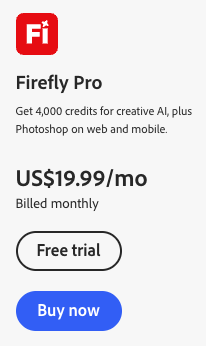
Firefly Pro is a different kind of Adobe plan. It’s less about full desktop Photoshop and more about AI-powered creative work. You get a large number of generative credits, plus Photoshop on web and mobile, which makes it useful for quick AI edits and image generation.
This plan is better for AI-focused creators than traditional Photoshop users. If you need the full desktop Photoshop app for detailed editing, compositing, masking, or advanced retouching, this probably isn’t the right choice.
What’s included:
- Photoshop on web and mobile
- Adobe Express Premium plan
- 100GB cloud storage
- 4,000 monthly generative credits
- Standard creative AI features
- Monthly billing
Best for:
AI creators, marketers, social media creators, and users who mainly want Firefly credits with lighter Photoshop access.
Pros:
- Strong option for AI image generation
- 4,000 monthly generative credits
- Includes Adobe Express Premium
- Billed monthly instead of annual billed monthly
Cons:
- Does not include full Photoshop desktop access
- Not ideal for advanced editing workflows
- Better for AI content creation than traditional design work
Creative Cloud Pro plan: US$34.99/month for the first year
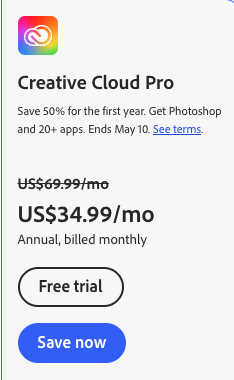
Creative Cloud Pro is the bigger Adobe bundle. It includes Photoshop plus 20+ Adobe apps, so it’s built for people who use more than one creative tool. If you also need Illustrator, Premiere Pro, InDesign, After Effects, Acrobat, or Adobe Express, this plan can make more sense than paying for Photoshop alone.
The catch is the promotional pricing. The first-year price may look attractive, but the regular price is higher, so you need to check what you’ll pay after the offer ends.
What’s included:
- Photoshop on desktop, web, and mobile
- 20+ Creative Cloud apps
- Adobe Express Premium
- 100GB cloud storage
- 4,000 monthly generative credits
- Adobe Fonts
- Stock assets, templates, tutorials, and creative resources
Best for:
Designers, video editors, marketers, agencies, and creators who use several Adobe apps.
Pros:
- Includes Photoshop and 20+ apps
- Great value if you use multiple Adobe tools
- 4,000 monthly generative credits
- Useful for design, video, social media, and branding workflows
Cons:
- Regular price is much higher after the first year
- Too expensive if you only need Photoshop
- More apps than casual users need
Students and Teachers plan: US$19.99/month for the first year
The Students and Teachers plan is Adobe’s best discount if you’re eligible. You get Photoshop and the full Creative Cloud app collection at a much lower price for the first year.
This is a strong deal for design students, photography students, teachers, and education users who want to learn multiple Adobe apps. Just pay attention to the renewal price, because the cost increases after the first year.
What’s included:
- Photoshop on desktop, web, and mobile
- 20+ Adobe apps
- Adobe Express Premium
- Creative Cloud features
- Discounted education pricing
- 7-day free trial
- Eligibility check required
Best for:
Eligible students, teachers, schools, and education users who want Photoshop plus the full Adobe app bundle.
Pros:
- Cheapest way to get Photoshop and 20+ Adobe apps
- Excellent value for students learning creative software
- Includes tools for design, video, photography, and documents
- Good option if you need more than Photoshop
Cons:
- Requires student or teacher eligibility
- Price increases after the first year
- Still subscription-based
Photoshop for Teams: US$37.99/month per license
Photoshop for Teams is the business version of the standalone Photoshop plan. It costs more than the individual plan, but it adds business features like license management, admin controls, and more storage.
This plan makes sense if your company needs to manage Photoshop access for employees. For solo freelancers, the individual Photoshop plan is usually enough unless you specifically need business controls.
What’s included:
- Photoshop on desktop, web, and mobile
- 1TB cloud storage
- Business license management
- Admin Console
- Team collaboration features
- Business support
- 14-day free trial
Best for:
Small businesses, agencies, and teams that need Photoshop licenses for employees.
Pros:
- Easier license management for teams
- 1TB cloud storage
- Admin controls for businesses
- Better suited for company use than individual plans
Cons:
- More expensive than the individual Photoshop plan
- Charged per license
- Not necessary for most solo creators or freelancers
Creative Cloud Pro for Teams: US$49.99/month per license for the first year
Creative Cloud Pro for Teams is Adobe’s larger business bundle. It includes Photoshop and 20+ apps, along with business management features. This is the plan for teams that use Adobe across design, video, marketing, documents, and social media content production.
Like the individual Creative Cloud Pro plan, the first-year price can be much lower than the regular price. That makes it attractive at first, but businesses should check the renewal cost before adding several licenses.
What’s included:
- Photoshop on desktop, web, and mobile
- 20+ Creative Cloud apps
- 1TB cloud storage
- 4,000 monthly generative credits
- Admin Console
- Business support
- Centralized license and billing management
- Team-focused creative tools
Best for:
Agencies, marketing teams, design departments, and businesses that need multiple Adobe apps.
Pros:
- Includes Photoshop and the full Adobe creative app bundle
- Strong option for teams using design, video, and branding tools
- Admin and billing controls make team management easier
- 4,000 monthly generative credits
Cons:
- Per-license pricing gets expensive fast
- Regular price is much higher after the first year
- Overkill if your team only needs Photoshop occasionally
Which Adobe Photoshop plan should you choose?
Choose Photoshop if you:
- Want the full Photoshop desktop app
- Don’t need Lightroom or other Adobe apps
- Create graphics, edits, composites, thumbnails, or marketing visuals
Choose Photography if you:
- Want Photoshop and Lightroom together
- Edit photos regularly and need 1TB cloud storage
- Want better value than the standalone Photoshop plan
Choose Firefly Pro if you:
- Care more about AI image generation than full desktop editing
- Need lots of generative credits each month
- Mostly work on web, mobile, or quick social media visuals
Choose Creative Cloud Pro if you:
- Need Photoshop plus apps like Illustrator, Premiere Pro, InDesign, or Acrobat
- Create a mix of design, video, photo, and brand content
- Want a larger Adobe bundle instead of paying for apps separately
Choose Students and Teachers if you:
- Are eligible for Adobe’s education discount
- Want Photoshop and 20+ Adobe apps at a lower first-year price
- Are learning design, photography, video editing, or digital media
Choose Photoshop for Teams if you:
- Need Photoshop licenses for employees
- Want admin controls, centralized billing, and team storage
- Run a small business, agency, or creative team
Choose Creative Cloud Pro for Teams if you:
- Need Photoshop and 20+ apps for a team
- Manage designers, marketers, video editors, or content creators
- Want business-level controls with the full Adobe creative toolkit
Costs to watch out for
Before committing to Adobe Photoshop, understand these pricing details:
Annual billing can be confusing: Many Photoshop plans are listed as monthly prices, but they’re annual plans billed monthly. That means you may be signing up for a full-year commitment, not a simple month-to-month subscription.
The standalone Photoshop plan isn’t always the cheapest option: Photoshop costs US$22.99/month by itself, while the Photography plan costs US$19.99/month and includes both Photoshop and Lightroom. If you’re a photographer, the cheaper plan may actually give you more.
Promotional prices can increase later: Creative Cloud Pro and student plans often show lower first-year pricing. The price can jump after the offer period ends, so check the renewal cost before you subscribe.
Business licenses cost more per user: Photoshop for Teams starts at US$37.99/month per license. That can add up quickly if you need seats for several designers, marketers, or editors.
Generative credits vary by plan: If you use Firefly features often, the basic Photoshop plan only includes 25 monthly generative credits. Firefly Pro and Creative Cloud Pro include far more, so heavy AI users may need a higher plan.
Adobe Photoshop alternatives and pricing comparison
Adobe Photoshop is still the industry standard for professional image editing, but its subscription pricing isn’t right for everyone. If you only need simple edits, one-time purchase software, or a lighter design workflow, there are cheaper Photoshop alternatives worth comparing.
Here’s how the top alternatives stack up:
| Platform | Starting price | Best for |
| Adobe Photoshop | US$22.99/month | Professional photo editing, design, retouching, and compositing |
| Photography plan | US$19.99/month | Photographers who want Photoshop and Lightroom together |
| Photoshop Elements | One-time purchase | Casual photo editing without a full Creative Cloud subscription |
| Affinity Photo | One-time purchase | Designers and photographers who want a non-subscription Photoshop alternative |
| Photopea | Free / paid plan available | Browser-based PSD editing and quick Photoshop-style edits |
| GIMP | Free | Open-source photo editing and basic design work |
| Canva | Free / paid plan available | Social media graphics, templates, and simple marketing visuals |
What does “per license” mean?
A license means one person can use Photoshop and the included Adobe services.
That person can install Photoshop on more than one computer. They can stay signed in on up to two computers. But they can only use Photoshop on one computer at a time.
For teams, this means each user usually needs their own paid license.
Is Photoshop free?
No, Photoshop is not permanently free.
Adobe offers a 7-day free trial of the full Photoshop app. The trial includes the latest features and updates.
After the trial ends, it becomes a paid Creative Cloud subscription unless you cancel before the trial is over.
Is Photoshop on the web free?
Photoshop on the web may have limited free or trial access in some cases.
But full Photoshop access is usually tied to a paid Adobe plan. This can depend on your region, account, and current Adobe offers.
Free alternatives to Photoshop
If you only need basic editing, these free tools may be enough:
- GIMP
- Photopea
- Krita
- Canva
- Adobe Express free plan
These tools can handle simple edits, graphics, and quick design work. But they are not the same as full Photoshop, especially for advanced retouching, masking, compositing, and professional PSD workflows.
Final recommendation: which Photoshop plan should you buy?
The best Photoshop plan depends on how you work. Don’t just pick the cheapest plan. Pick the one that matches your tools, storage needs, and creative workflow.
| User type | Recommended plan |
| Photographer | Photography plan |
| Graphic designer | Photoshop or Creative Cloud Pro |
| Student/teacher | Students & Teachers Creative Cloud Pro |
| Business/team | Photoshop for Teams or Creative Cloud Pro for Teams |
| AI image creator | Firefly Pro or Creative Cloud Pro |
| Casual user | Adobe Express, Photoshop Elements, or a free alternative |
| Multi-app creator | Creative Cloud Pro |
For most photographers, the Photography plan is the best value. For designers who only need Photoshop, the Photoshop plan is simple enough. If you use several Adobe apps, Creative Cloud Pro makes more sense.
FAQs about Adobe Photoshop pricing
How much is Photoshop per month?
Photoshop starts at US$22.99/month for the standalone Photoshop plan. This plan includes Photoshop on desktop, web, and mobile.
What is the cheapest way to get Photoshop?
The Photography plan is usually the cheapest way to get full Photoshop. It costs US$19.99/month and also includes Lightroom.
Is Photoshop cheaper with Lightroom?
Yes. The Photography plan includes Photoshop and Lightroom for US$19.99/month, while the standalone Photoshop plan costs US$22.99/month.
Can I get Photoshop without a subscription?
No. The full version of Photoshop is now sold through Adobe’s subscription plans. You cannot buy the latest Photoshop as a one-time purchase.
Does Photoshop have a student discount?
Yes. Adobe offers a Students and Teachers plan. It usually gives eligible students and teachers access to Photoshop and 20+ Adobe apps at a lower first-year price.
Is there a free version of Photoshop?
Photoshop is not permanently free. Adobe offers a 7-day free trial, but after that, you need a paid plan.
How long is the Photoshop free trial?
The Photoshop free trial lasts 7 days.
What happens after the Photoshop trial ends?
After the trial ends, Adobe moves you to a paid Creative Cloud subscription unless you cancel before the trial period is over.
Can I cancel Photoshop anytime?
You can cancel your Photoshop plan, but the cost depends on your billing type. Annual plans billed monthly may have cancellation terms, so check the details before subscribing.
What is the difference between Photoshop and Photoshop Elements?
Photoshop is the full professional editing app. It has advanced tools for layers, masking, retouching, compositing, AI editing, and PSD workflows.
Photoshop Elements is simpler. It is better for casual photo edits and beginners who do not need the full Photoshop toolset.
Is Photoshop included in Creative Cloud?
Yes. Photoshop is included in Creative Cloud plans, including Creative Cloud Pro and some student, teacher, and team plans.
How many computers can I use Photoshop on?
You can install Photoshop on more than one computer. You can stay signed in on up to two computers, but you can only use Photoshop on one computer at a time.
Is Photoshop worth it for beginners?
Photoshop can be worth it for beginners who want to learn serious photo editing or design. But if you only need simple edits, Canva, Photopea, GIMP, or Adobe Express may be easier and cheaper.
What is the best Photoshop plan for photographers?
The Photography plan is usually the best Photoshop plan for photographers. It includes Photoshop, Lightroom, 1TB cloud storage, and more generative credits than the standalone Photoshop plan.
Why is Photoshop more expensive than the Photography plan?
Adobe prices its plans differently based on bundles and features. The standalone Photoshop plan costs more, even though the Photography plan includes Photoshop and Lightroom. That is why photographers often get better value from the Photography plan.
Should I buy Photoshop or Creative Cloud Pro?
Choose Photoshop if you only need image editing. Choose Creative Cloud Pro if you also need apps like Illustrator, Premiere Pro, InDesign, Acrobat, or After Effects.
Is Firefly Pro the same as Photoshop?
No. Firefly Pro is more focused on AI generation and generative credits. It includes Photoshop on web and mobile, but it is not the same as the full Photoshop desktop plan.
Can I use Photoshop for commercial work?
Yes, paid Photoshop plans can be used for professional and commercial creative work. Always check Adobe’s current license terms if you work with client projects, stock assets, or AI-generated content.
Which Photoshop plan should I choose as a freelancer?
Most freelancers should choose based on their work. Photo editors should pick the Photography plan. Graphic designers can choose Photoshop. Freelancers who also edit videos, create layouts, or design brand assets may get more value from Creative Cloud Pro.



