n8n gives you a lot of freedom when building automations.
You can connect apps, work with APIs, add custom logic, build AI workflows, and either use n8n Cloud or host it yourself. Its current integration directory lists more than 1,900 integrations.
But that flexibility does not automatically make n8n the right workflow automation tool for everyone.
Some users want a simpler visual builder.
Others do not want to manage a self-hosted instance just to automate everyday business processes.
And developers may prefer a platform that puts code, APIs, and serverless execution at the center of the experience.
Licensing can also matter.
n8n describes itself as fair-code licensed under its Sustainable Use License rather than a conventional MIT-licensed open-source project.
That is why I compared five of the strongest n8n alternatives across usability, workflow flexibility, integrations, AI capabilities, deployment options, developer control, and pricing.
The five tools that stood out are:
- Make
- Zapier
- Activepieces
- Pipedream
- Windmill
Each solves a slightly different problem.
So rather than declaring one tool the winner for everyone, I’ll show you where each n8n competitor makes more sense.
New to n8n and want to understand it before comparing tools? Read my complete guide here: What Is n8n?
TLDR: Top 3 n8n Alternatives Compared
I go deeper into all five workflow automation tools later in this guide.
But if you just want the short answer, these are the three n8n alternatives I would look at first.
- Make: My pick for the best overall n8n alternative if you want powerful visual workflows without maintaining your own automation server. Make combines a visual canvas with routing, filters, APIs, custom code, AI tools, and more than 3,000 pre-built apps.
- Zapier: Best suited to people who value ease of setup and integration breadth. Its ecosystem currently covers more than 9,000 apps, while its automation platform also includes AI, code steps, Tables, Forms, and MCP access.
- Activepieces: The strongest option here if you specifically want an open source n8n alternative. Its Community Edition is MIT licensed, can be self-hosted, and lets developers create custom integrations using TypeScript.
Make will probably feel the most familiar if you enjoy visually building multi-step workflows.
Zapier makes more sense when getting apps connected quickly matters more than controlling every technical detail.
Activepieces is the one I would investigate first if self-hosting and a permissive open-source license are high on your list.
Make vs Zapier vs Activepieces vs n8n
| Feature | Make | Zapier | Activepieces | n8n |
| Visual workflow builder | Yes | Yes | Yes | Yes |
| Self-hosting | No full self-hosted platform | No | Yes | Yes |
| License | Proprietary | Proprietary | MIT Community Edition | Fair-code Sustainable Use License |
| App ecosystem | 3,000+ apps | 9,000+ apps | 500+ integrations | 1,900+ listed integrations |
| Custom code | JavaScript & Python | JavaScript & Python | TypeScript custom pieces | JavaScript & Python |
| Main pricing unit | Credits/actions | Tasks | Active flows on cloud | Workflow executions |
| Best for | Complex visual automation | Ease of use & integrations | Open source & self-hosting | Flexible low-code automation |
Make currently charges through credits, with most standard module actions consuming one credit.
Zapier uses task-based pricing, where successful workflow actions generally consume tasks, although some built-in tools do not.
Activepieces takes a different approach: its current cloud Standard plan is based on active flows and includes unlimited runs, while its Community Edition can be self-hosted.
n8n, meanwhile, prices its paid plans around complete workflow executions rather than charging separately for every step inside an execution.
That difference can become important once your automations start running thousands of times every month.
Interested in building workflows by describing what you want instead of manually connecting every step?See my guide to Google Opal AI before choosing your automation platform.
How I Evaluated These n8n Alternatives
Comparing automation tools only by counting integrations does not tell you much.
A platform can support thousands of apps and still be the wrong fit if its workflow builder, pricing model, hosting options, or developer experience do not match your needs.
So I used the same six areas while comparing every n8n alternative in this list.
Ease of use
How quickly can you go from an automation idea to a working workflow?
I looked at the visual builder, setup process, debugging experience, templates, and how much technical knowledge you need before getting useful results.
This matters especially if your workflows will be created by marketers, operations teams, or other non-developers.
Workflow flexibility
Simple trigger-and-action automations are easy for almost every platform.
The real difference appears when you need branches, filters, loops, transformations, webhooks, multiple APIs, or conditional logic.
n8n itself is highly customizable and supports API connections, code, data manipulation, and custom nodes.
So an alternative needs more than a pretty interface to compete with it.
Hosting and control
I also checked whether each platform is cloud-only or can run on your own infrastructure.
This can be a deciding factor if your company has strict requirements around data control, security, compliance, or internal systems.
n8n supports both hosted and self-hosted deployments, while Activepieces also provides a self-hosted Community Edition.
Want to see a practical example of AI tools working together across platforms?Read how I connected Canva to Claude AI and automated design creation.
Code and extensibility
No-code is useful until your workflow needs something the visual builder cannot do.
That is why I checked whether each tool lets you work with custom code, APIs, webhooks, SDKs, or custom integrations.
For example, Make now supports custom JavaScript and Python inside workflows, while Zapier’s Code feature also supports JavaScript and Python.
Activepieces takes another approach by allowing developers to build custom pieces with TypeScript.
Integrations, AI, and MCP
Traditional app automation is only part of the picture now.
I also looked at how well these platforms can work with LLMs, AI agents, APIs, and newer MCP-based workflows.
Make offers AI integrations, AI agents, and an MCP server, while Zapier now provides MCP access across its large app ecosystem.
n8n also includes dedicated AI functionality and MCP-related tooling in its current documentation and integration catalog.
Exploring MCP-based AI workflows? See what happened when I: Tested Rive MCP With Claude Code
Pricing and scalability
Finally, I looked at what actually causes the bill to increase.
That sounds simple, but these platforms charge in very different ways.
Make uses credits.
Zapier uses tasks.
Activepieces currently charges its cloud plan around active flows while advertising unlimited runs.
n8n bases its paid usage primarily on complete workflow executions.
So the cheapest option for a small two-step automation may not stay the cheapest once your workflows become longer or run more frequently.
With those six criteria in place, we can now look at where each platform actually beats n8n—and where it does not.
Top 5 n8n Alternatives
Now that the comparison criteria are clear, here are the five n8n competitors worth considering.
1. Make
Best for: Teams that want powerful visual workflow automation without managing their own n8n infrastructure.
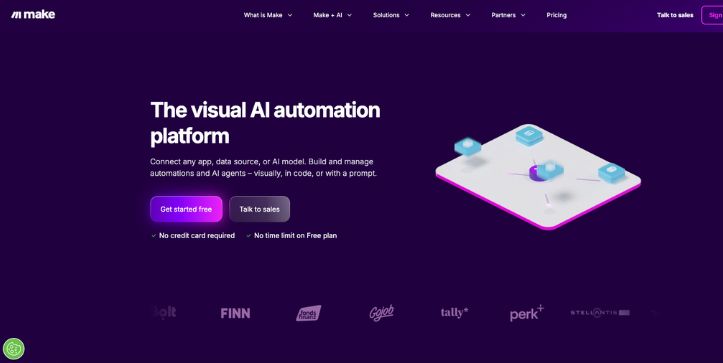
Make is probably the closest mainstream alternative if the visual side of n8n is what you like most.
Instead of building workflows as simple linear lists, Make gives you a visual canvas where apps, routers, filters, and logic are connected together.
That makes it easier to see what is happening when an automation starts getting complicated.
Deployment: Managed cloud platform
Integrations: 3,000+ pre-built apps
What Makes Make a Better Alternative Than n8n?
The biggest advantage for me is the balance between visual simplicity and workflow depth.
You can drag modules onto the canvas, connect them, add filters, split a workflow into different routes, and watch data move between steps.
It gives you much of the visual flexibility people like about n8n without requiring you to maintain a self-hosted automation instance.
n8n does offer its own Cloud service, but self-hosting remains one of its major differentiators for users who want infrastructure control.
Make takes the opposite approach.
Its strength is letting you concentrate on building the workflow rather than configuring the environment around it.
[Add screenshot of the Make visual workflow builder here]
Make has also expanded far beyond traditional app-to-app automation.
You can now run JavaScript or Python inside workflows, connect more than 300 GenAI apps, create AI agents, and use MCP Server and Client capabilities.
That makes Make much more interesting as an AI workflow automation platform than it was a few years ago.
And if you are comparing n8n vs Make, this is where I would draw the line:
Choose Make when you want complex visual automation with less infrastructure work.
Choose n8n when self-hosting and deeper control over the automation environment matter more.
Want to see another example of AI tools connecting directly with creative apps? Read:Canva in ChatGPT and Codex Explained
Key Features
- Visual drag-and-drop workflow builder
- 3,000+ pre-built app integrations
- Routers, filters, and multi-step scenarios
- JavaScript and Python code support
- AI Agents and 300+ GenAI integrations
- MCP Server and Client support
- Custom apps for connecting unsupported APIs
Limitations
- You do not get the same self-hosting flexibility that makes n8n attractive to infrastructure-focused users.
- Complex scenarios can still have a learning curve.
- Credit consumption can increase quickly when one workflow performs many module actions. Make says most actions use one credit, but a single scenario can consume many credits per run depending on its complexity.
User Reviews
Make currently holds a 4.6/5 rating on G2 from around 290 reviews.
Users commonly praise its visual interface, integrations, and ability to handle complex automations without requiring much code.
The recurring criticism is the learning curve once scenarios become more advanced.
That matches Make’s positioning well: it is approachable, but it is not a basic automation tool.
Pricing
Make has a free plan with 1,000 credits per month.
At the 10,000-credit tier, its current annual-billing prices are $9/month for Core, $16/month for Pro, and $29/month for Teams, while Enterprise uses custom pricing.
Because Make charges by actions performed inside a scenario, estimate the number of steps your automations will execute—not just how many workflows you plan to create.
Curious where AI-driven marketing automation is heading next? Check out my breakdown of: Runway Agent 2.0 for AI Marketing Campaigns
2. Zapier
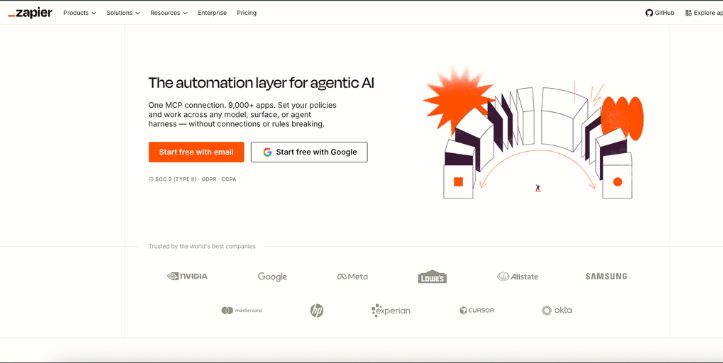
Best for: Beginners and business teams that want quick automations across the widest possible range of apps.
Zapier is one of the easiest n8n alternatives to recommend to non-technical users.
The basic idea is simple.
Choose a trigger.
Choose what should happen next.
Connect your accounts and turn the automation on.
But Zapier has grown considerably beyond those basic two-step workflows.
Deployment: Managed cloud platform
Integrations: 9,000+ app connections
What Makes Zapier a Better Alternative Than n8n?
Zapier’s biggest advantage over n8n is convenience.
You do not need to think about servers, Docker, updates, or infrastructure before creating your first automation.
And with more than 9,000 app connections, there is a good chance the business software you already use has a ready-made Zapier integration.
That is especially useful for marketing, sales, support, HR, and operations teams.
For example, you could capture a form submission, create a CRM contact, update a spreadsheet, notify Slack, and trigger a follow-up without building API connections manually.
[Add screenshot of the Zapier workflow editor here]
Zapier is also becoming more capable for technical workflows.
Code by Zapier now supports both JavaScript and Python, including API calls and custom logic inside a Zap.
Its MCP product adds another interesting layer.
Zapier MCP lets supported AI clients access tools across Zapier’s ecosystem of 9,000+ apps and more than 30,000 actions.
So the n8n vs Zapier choice is no longer simply “technical vs no-code.”
There is more overlap now.
Still, Zapier makes the most sense when speed and ease of use matter more than self-hosting or granular infrastructure control.
Interested in how AI agents are becoming part of everyday business software? Read my:ChatGPT Business Workspace Agents Breakdown
Key Features
- 9,000+ app connections
- Multi-step Zap workflows
- Filters and conditional paths
- Webhooks and API requests
- JavaScript and Python code
- Zapier Tables and Forms
- Zapier MCP
- AI-powered workflow tools and agents
Limitations
- It does not provide n8n-style self-hosting.
- Task-based pricing can become expensive for high-volume workflows.
- Large multi-step automations can be harder to troubleshoot than simple Zaps.
Zapier itself now notes that workflow steps, AI steps, code, MCP, and SDK usage can all draw from the same task allocation at different rates.
User Reviews
Zapier currently has a 4.5/5 G2 rating from more than 2,000 reviews.
Ease of use, integrations, and repetitive-task automation are among the most commonly praised areas.
Pricing is one of the most frequent complaints, particularly when task volume starts growing.
That is the trade-off I would pay the most attention to.
Zapier can be incredibly convenient, but convenience needs to make financial sense at the volume you plan to automate.
Pricing
Zapier’s Free plan currently includes 100 tasks per month and two-step Zaps.
Professional starts at $19.99/month, Team starts at $69/month, and Enterprise uses custom pricing.
The Professional plan is where multi-step workflows, premium apps, and webhooks become available.
Before upgrading, estimate how many successful actions your workflows will execute each month because those actions determine task consumption.
Planning to automate work across Slack and AI assistants? You may also want to read:Claude Tag Explained: Slack AI Agent
Make and Zapier are the easiest alternatives to recommend when you want a managed platform.
But neither solves one of the biggest reasons some users start looking beyond n8n in the first place:
open-source control and self-hosting.
That is where the next alternative gets much more interesting.
3. Activepieces
Best for: Users who want a genuinely open-source, self-hosted n8n alternative without giving up a visual workflow builder.
Activepieces is one of the most direct n8n competitors on this list.
Both platforms let you visually connect apps, APIs, webhooks, AI models, and business tools into automated workflows.
But there is an important difference.
Activepieces is released under the MIT license, while n8n uses its Sustainable Use License.
That makes Activepieces particularly interesting if open-source licensing and self-hosting are major reasons you are looking beyond n8n.
Deployment: Cloud or self-hosted
Integrations: 700+ integrations
What Makes Activepieces a Better Alternative Than n8n?
The strongest argument for Activepieces is not that it completely changes how workflow automation works.
It is that it takes many of the things people like about n8n and presents them in a more approachable package.
You still build workflows visually.
You can still work with APIs, conditions, webhooks, AI models, and custom logic.
And if you want control over your infrastructure, you can run Activepieces on your own servers.
Its self-hosted version can be deployed through Docker, with Kubernetes, Helm, and Docker Compose also supported.
[Add screenshot of the Activepieces workflow builder here]
The licensing difference is also worth paying attention to.
Activepieces describes its core as MIT licensed, meaning you can modify, fork, and commercially use the open-source project under the terms of that license.
That makes it one of the most relevant options for anyone specifically searching for an open source n8n alternative.
But open source does not mean you are limited to basic automation.
Activepieces currently includes AI agents, MCP servers, human approval steps, tables, and more than 700 integrations. Developers can also build their own custom “pieces” using TypeScript.
That combination is what makes it interesting.
A non-technical team member can build a visual workflow, while a developer can extend the platform when the standard integrations are not enough.
So if you are comparing Activepieces with n8n, I would simplify the decision this way:
Choose Activepieces if you want self-hosting, a permissive open-source license, and a cleaner automation experience.
Choose n8n if its larger established ecosystem and node-based flexibility already fit the technical way your team works.
Building AI automations around Claude? You may also want to see what the latest model brings to developers: Claude Sonnet 5 Explained: Features, Pricing, and Coding
Key Features
- MIT-licensed open-source core
- Cloud and self-hosted deployment
- 700+ integrations
- Visual workflow builder
- AI agents
- MCP servers
- Human approval steps
- Custom TypeScript pieces
- Tables and data storage
- Docker-based self-hosting
Limitations
- Its integration ecosystem is still smaller than huge platforms such as Zapier.
- Self-hosting still requires technical knowledge, even if the setup is relatively straightforward.
- Some advanced governance features are reserved for higher-tier plans.
That first limitation also appears in user feedback.
G2’s review summary notes that users commonly like Activepieces’ interface, affordability, and open-source approach, while a smaller integration catalog and missing connectors are among the recurring criticisms.
User Reviews
Activepieces currently has a 4.8/5 rating on G2 from 142 reviews.
Users frequently praise the visual builder and the balance between no-code simplicity and more advanced functionality.
One recurring theme is that non-technical team members can build automations without constantly relying on developers.
At the same time, reviewers mention missing connectors and a learning curve for more advanced workflows.
That feels like a fair description of where Activepieces currently sits.
It is much more mature than a small experimental open-source automation project, but its ecosystem has not reached Zapier-level breadth yet.
Pricing
Activepieces currently offers a Free plan at $0 with unlimited flows, daily-refreshing credits, AI agents, Tables, MCPs, and API access.
The Plus plan costs $16 per month when billed yearly, supports up to five users, and adds more credits plus the ability to bring your own AI keys.
The Team plan is $166 per month when billed yearly, while Ultimate uses custom pricing for larger organizations requiring more governance and infrastructure controls.
And if the main reason you are researching a self-hosted n8n alternative is avoiding another SaaS subscription entirely, the Community Edition remains available for self-hosting under the MIT license.
Comparing AI models before connecting one to your workflows? Read my breakdown of: GPT-5.6 Sol: Access, Pricing, and Features Explained
4. Pipedream
Best for: Developers who want to connect APIs and write real code without maintaining the servers that execute their workflows.
Pipedream approaches workflow automation differently from Make, Zapier, and Activepieces.
It still gives you pre-built triggers and actions.
But code feels like a first-class part of the platform rather than something you add only when the visual builder reaches its limits.
You can combine pre-built actions with Node.js, Python, Go, or Bash inside the same workflow.
That makes Pipedream one of the strongest n8n alternatives for developers.
Deployment: Managed serverless platform
Approach: API and code-first workflow automation
What Makes Pipedream a Better Alternative Than n8n?
The biggest advantage is how quickly you can move from an API idea to running code.
Suppose an incoming webhook contains customer data.
You could use a pre-built action for one step, write Python to transform the data in the next, call another API, and then send the final result somewhere else.
You do not need to deploy a separate backend just to run that logic.
Pipedream handles the infrastructure around the workflow for you.
[Add screenshot of the Pipedream workflow editor here]
The language support is another big difference.
Pipedream supports custom workflow steps using:
- Node.js
- Python
- Go
- Bash
Its Node.js environment can also work with npm packages, while Python steps can install packages from PyPI and access connected accounts for authenticated API requests.
For developers, that opens up far more possibilities than relying only on pre-built actions.
You can transform data.
Call an unsupported API.
Work with a third-party library.
Add custom business logic.
Or build something that would normally require another serverless function outside your automation platform.
That is where Pipedream can feel more natural than n8n.
n8n certainly supports code and advanced API workflows, but its experience is still centered heavily around assembling nodes.
Pipedream makes it comfortable to move between pre-built integrations and actual code.
It even offers AI-assisted code generation inside Node.js workflow steps, so you can describe the logic you need and have Pipedream generate a starting point.
For me, the choice becomes fairly straightforward:
Choose Pipedream when your automation is essentially an API integration project and developers will be maintaining it.
Choose n8n when you want more of the workflow represented visually and self-hosting remains important.
If coding tools are already part of your workflow, you may also want to read: Cursor for iOS Explained
Key Features
- Pre-built triggers and actions
- Node.js code steps
- Python code steps
- Go support
- Bash scripting
- Webhook and HTTP triggers
- API integrations
- npm and PyPI package support
- Built-in flow control
- Key-value data stores
- Error handling and concurrency controls
Limitations
- It is more developer-oriented than Make or Zapier.
- Non-technical users may find code-heavy workflows intimidating.
- It does not offer the same self-hosting proposition as n8n or Activepieces.
- Credit-based compute pricing requires you to understand how runtime, memory, and workflow segments affect usage.
There are also some language-specific differences.
For example, Pipedream’s Node.js environment currently exposes some capabilities that are not available identically in its Python, Bash, or Go steps.
So supporting several languages does not necessarily mean every runtime has identical functionality.
User Reviews
Pipedream currently has a 4.6/5 rating on G2 from 16 reviews.
That is a much smaller review sample than Zapier or Activepieces, so I would not read too much into the score alone.
What is more useful is the pattern in the reviews.
Developers praise its API integrations, pre-built triggers, serverless execution, and ability to add custom code without deploying a separate backend.
Some reviewers also mention that the interface can become confusing for beginners or when managing more complicated workflows.
That aligns with who I think should use it.
Pipedream is not necessarily the easiest n8n alternative.
It is one of the most interesting alternatives when code-level control is the reason you are comparing workflow automation tools in the first place.
Pricing
Pipedream offers a Free plan for low-volume workflows and development, although the free workspace has limits on credits, active workflows, and connected accounts.
Its paid workflow pricing is based primarily on compute credits rather than the number of individual steps.
At the default 256MB memory allocation, Pipedream currently charges one credit for each 30 seconds of compute time per workflow segment. Testing workflows inside the builder does not consume execution credits.
That is an important distinction.
A long workflow with several quick steps does not automatically become expensive simply because you added another action.
However, longer execution times, branching into additional workflow segments, or increasing memory can increase credit consumption.
So Pipedream’s pricing can work well for efficient developer workflows, but it takes a little more effort to estimate than a simple per-task subscription.
Interested in AI agents that can interact directly with software interfaces? Read my guide to: Gemini 3.5 Flash Computer Use
Pipedream gives developers a lot of freedom without making them maintain the infrastructure underneath every workflow.
But there is still one type of user we have not covered.
What if you want self-hosting and developer control, but you would rather build automations around scripts, Git, and workflows-as-code than a traditional no-code canvas?
That is where Windmill, the final n8n alternative on this list, comes in.
5. Windmill
Best for: Engineering teams that want self-hosted workflow automation built around scripts, Git, and workflows-as-code.
Windmill is the most developer-focused self-hosted n8n alternative on this list.
Instead of treating code as something you add only when a visual workflow cannot handle the job, Windmill makes scripts a core building block.
You can write scripts in TypeScript, Python, Go, and other supported languages, then turn those scripts into workflows, APIs, background jobs, or internal tools.
At the same time, you are not forced to build everything from a terminal.
Windmill also gives you a visual flow editor for connecting scripts into larger workflows.
Deployment: Cloud or self-hosted
Approach: Developer-first automation and workflows-as-code
What Makes Windmill a Better Alternative Than n8n?
The biggest difference is how Windmill thinks about workflow steps.
In n8n, you usually begin with nodes and connect them visually.
In Windmill, each step can be an actual script.
That script can then become part of a visual flow with branches, loops, retries, and other control logic.
This makes Windmill particularly interesting if your engineering team already stores business logic in Python or TypeScript.
Instead of rebuilding that logic as dozens of automation nodes, you can keep more of it in code.
[Add screenshot of the Windmill flow editor here]
And you have two ways to build.
You can create workflows visually inside Windmill’s flow editor.
Or you can define the workflow programmatically using workflows-as-code in Python or TypeScript.
That second option is where Windmill really separates itself from most traditional workflow automation tools.
Your workflow can live closer to the way developers already work.
Windmill supports Git synchronization and GitHub deployment capabilities, while its workflows-as-code files can be developed locally and versioned like normal application code.
Self-hosting is another strong reason to consider it.
Windmill can be deployed with Docker or Docker Compose for smaller setups and Kubernetes for larger installations.
So you get something Pipedream does not really target in the same way:
developer-first automation combined with infrastructure control.
Windmill also goes beyond workflow orchestration.
Scripts and workflows can be exposed through generated interfaces, and the platform includes tools for building internal apps and UIs around them.
That can be useful when an internal workflow needs to be triggered by someone who does not write code.
For example, your developer could create a provisioning script while your operations team gets a simple interface for running it.
For me, the decision between Windmill and n8n comes down to how your team prefers to think.
Choose Windmill if your developers naturally think in scripts, Git, functions, and code-defined workflows.
Choose n8n if you would rather keep more of your automation logic visible as interconnected nodes.
Building developer-focused AI workflows around Claude? You may also want to read: Claude Fable 5 Explained: Access, Pricing, and Safety
Key Features
- Visual flow editor
- Workflows-as-code in Python and TypeScript
- Python, TypeScript, Go, Bash, SQL, and other language support
- Self-hosting with Docker and Kubernetes
- Git synchronization and GitHub deployment
- Branching, loops, retries, and approval workflows
- Automatically generated API endpoints
- Internal app and UI builder
- Schedules, webhooks, database, messaging, and other workflow triggers
- Open-source core with AGPLv3-licensed source components
Limitations
- It is considerably more developer-oriented than Zapier or Make.
- Non-technical users may find the interface and script-first approach more difficult initially.
- Its ready-made business-app ecosystem is not the main reason to choose it.
- Several advanced enterprise features, including expanded observability, governance, and security capabilities, sit behind paid editions.
- Windmill’s licensing needs a closer look if you plan to redistribute, embed, modify, or offer the platform as part of a commercial product or service.
That last point matters.
Windmill is open source, but open source does not mean every commercial use case has identical licensing requirements.
Its repository uses AGPLv3 for much of the core source, Apache 2.0 for specified components, and proprietary licensing for certain enterprise functionality.
So companies planning to embed the platform into something they sell should review the license rather than assuming self-hosting automatically covers every scenario.
User Reviews
Windmill’s workflow automation product currently has a 5.0/5 rating on G2, but that score comes from only two reviews.
So I would treat the rating as a useful signal rather than strong statistical evidence.
Those reviewers particularly highlight its graph-based workflow design, Python support, reusable scripts, approval flows, and detailed execution visibility.
One reviewer also notes that the interface can feel daunting until you become familiar with it.
That makes sense given Windmill’s positioning.
The platform can simplify developer infrastructure, but it is not trying to hide technical concepts from you.
Pricing
Windmill is particularly attractive if you plan to self-host.
Its current free self-hosted offering starts at $0 and includes unlimited executions, although limits apply to areas such as workspaces, governance, and some enterprise functionality.
Windmill Cloud also has a Community option, with its documentation currently listing 1,000 monthly executions for getting started.
For self-hosted organizations needing Enterprise capabilities, Windmill’s pricing page currently advertises Enterprise from $120 per month.
The eventual price depends on compute units and active seats. Its current calculator example shows a configuration with one developer and three compute units totaling $170 per month.
So Windmill’s pricing requires a different calculation from Zapier’s task-based model.
But if you want to run large numbers of workflows on infrastructure you control, the free self-hosted edition with unlimited executions is a compelling part of the package.
Choose the Best n8n Alternative
There is no single n8n alternative that wins every category.
The right replacement depends on what you dislike—or no longer need—about n8n.
If you want my quick recommendation:
- Choose Make if you want the best overall balance of visual workflow building, advanced logic, AI automation, and managed infrastructure. Make currently supports more than 3,000 pre-built apps and positions itself as a visual-first automation platform.
- Choose Zapier if ease of use and app integrations are your biggest priorities. Its ecosystem now covers more than 9,000 apps.
- Choose Activepieces if you specifically want an MIT-licensed, self-hosted, open source n8n alternative with a visual builder.
- Choose Pipedream if developers will build API-heavy automations using Node.js, Python, Go, or Bash without wanting to manage the underlying servers.
- Choose Windmill if self-hosting matters but your engineering team would rather work with scripts, Git, and workflows-as-code.
For most people looking for a straightforward n8n replacement, Make would be the first option I would test.
It keeps the visual side of workflow automation while removing most of the infrastructure responsibility.
But if your reason for leaving n8n is specifically licensing, self-hosting, or developer control, Activepieces, Pipedream, and Windmill answer very different needs.
That is why I would test the platform that fixes your biggest n8n pain point rather than simply choosing the one with the longest feature list.
Not every productivity problem needs a full workflow automation platform.If you mainly want AI inside your workspace, check out my guide to the Best Notion AI Alternatives.
n8n Alternatives: FAQs
1. What Is the Best Alternative to n8n?
For most users, Make is the best overall n8n alternative because it combines a powerful visual builder with managed infrastructure, custom JavaScript and Python, AI automation, and more than 3,000 app integrations.
But I would not recommend Make for everyone.
Zapier is easier if you mainly want to connect common business apps.
Activepieces is stronger if MIT-licensed open source software and self-hosting are priorities.
Pipedream makes more sense for API-heavy developer automation.
And Windmill is better suited to engineering teams that want scripts and workflows-as-code.
So “best” depends on why you are replacing n8n.
2. What Is the Best Free and Open-Source n8n Alternative?
Activepieces is my first choice for users looking for a free and open-source n8n alternative with a visual workflow experience.
Its platform is MIT licensed, supports self-hosting, and lets developers create custom integrations using TypeScript.
Windmill is another strong option, particularly for developers.
Its core source uses AGPLv3 alongside Apache-licensed components, and its free self-hosted tier currently includes unlimited executions.
The distinction matters because n8n itself uses a Sustainable Use License under its fair-code model, rather than a conventional OSI-style open-source license such as MIT.
If you want the simpler visual option, I would start with Activepieces.
If you want a more code-first platform, Windmill deserves a closer look.
3. Which n8n Alternative Is Easiest for Non-Technical Users?
Zapier is the easiest n8n alternative for most non-technical users.
Its biggest advantage is that you can start with common business apps and create straightforward trigger-and-action workflows without thinking much about infrastructure or code.
It also connects to more than 9,000 apps, which reduces the chance that you will need to build a custom integration yourself.
However, I would choose Make instead if your workflows need more complex visual branching.
Make lets users create advanced scenarios on a visual canvas while still keeping the platform managed for them.
So:
Zapier = easiest to start.
Make = better visual flexibility as workflows become more complex.
4. Which n8n Alternative Is Best for Developers and AI Workflows?
For developer-heavy automation, Pipedream and Windmill are the two options I would shortlist first.
Pipedream is particularly good when your workflow connects APIs and needs custom Node.js, Python, Go, or Bash code without you managing the servers that execute it.
Its workflow pricing is based on compute rather than simply charging for every individual step, which can also suit API-heavy workflows.
Windmill is more attractive when you want similar developer control plus self-hosting, Git-based workflows, and workflows-as-code.
And if you want visual AI automation rather than code-first development, Make has also moved strongly in that direction with AI Agents, hundreds of GenAI integrations, and MCP support.
So I would choose based on your development style:
Pipedream for managed API and code workflows.
Windmill for self-hosted developer automation.
Make for visual AI workflow automation.
Want to see how AI workspaces, agents, Codex, and productivity tools are evolving together? Read my: ChatGPT Workspace, Codex, Custom GPTs, and AI Tools Breakdown