D7 Lead Finder makes local prospecting simple: enter a keyword and location, run a search, and get a list of businesses you can contact. But that workflow starts feeling limited when you need verified decision-makers, deeper filters, contact enrichment, or outreach built into the same platform.
I compared the most relevant D7 Lead Finder alternatives based on the kind of leads they find, data quality, filtering, outreach features, integrations, and pricing.
Some are direct replacements for local business prospecting, while others take a completely different approach to B2B lead generation. Here are the five options worth considering.
Best D7 Lead Finder Alternatives: At a Glance
If you like D7’s lead-finding workflow but need better Google Maps scraping, verified B2B contacts, or automated outreach, use this table to quickly find the alternative that fits your workflow.
| Alternative | Best for | Starting price | Key advantage vs D7 |
| Saleshandy | B2B prospecting + outreach | $34/month, billed annually | Verified contacts, advanced filters, and outreach in one platform |
| Scrap.io | Google Maps lead scraping | $49/month | More advanced location and Maps-based filtering |
| LeadSwift | Local business prospecting | $24.99/month | Fresh local-business searches with deeper contact enrichment |
| Oppora.ai | Automated outbound workflows | Free plan | Finds leads, enriches data, sends outreach, and handles replies |
| Apollo.io | B2B sales teams | Free plan | Large B2B database with sales engagement tools |
Saleshandy’s current platform includes an 852M+ contact database and 42M+ companies, while its Starter plan begins at $34/month when billed annually. Scrap.io starts at $49 on monthly billing, and LeadSwift currently starts at $24.99/month.
Why Look for a D7 Lead Finder Alternative?
D7 still does its core job well. You search using a business type and location, and the platform returns local companies along with available emails, phone numbers, websites, social profiles, and other business data. Depending on the search, a list can contain roughly 300 to 1,200 leads.
The problem is that not every prospecting workflow stops at finding businesses.
If you need to target people by job title, verify work emails before outreach, enrich decision-maker data, send cold emails, or automatically move interested prospects into a CRM, you’ll usually need additional tools.
That’s where the best D7 Lead Finder competitors start separating themselves. Some improve local business lead generation, while others replace several parts of your outbound stack at once.
Planning to automate what happens after you find your leads? Check out my guide to the best n8n alternatives for building automated business workflows.
1. Saleshandy: Best for B2B Prospecting and Outreach
What does it do?
Saleshandy combines a B2B contact database, real-time verification, contact enrichment, and multichannel outreach in one platform. Its Lead Finder currently covers more than 852 million contacts across 42 million companies.
Who is it for?
It’s mainly for SDRs, agencies, founders, and sales teams that want to find decision-makers and contact them without moving leads between several tools.
The biggest difference from D7 is how you search. D7 is centered around businesses in a niche and location. Saleshandy lets you narrow prospects using people- and company-level filters, which makes more sense when you’re looking for specific roles inside organizations.
It also verifies contact information in real time and uses waterfall enrichment across multiple data providers. Once you find a prospect, you can move directly into an outbound sequence instead of exporting the list and setting up a separate cold-email platform.
Where Saleshandy Beats D7 Lead Finder
- More precise B2B targeting: Search for people and companies using dozens of filters rather than relying mainly on niche and location.
- Verified contact data: Work emails can be enriched and checked before you use them.
- Built-in outreach: Prospecting and multichannel sequences live inside the same platform.
Pros
- Large B2B contact database
- Real-time verification and enrichment
- Built-in outreach and email warm-up
Cons
- Less suited to simple Google Maps-style scraping
- Advanced team integrations require higher plans
Pricing
Saleshandy’s Starter plan costs $41/month on monthly billing or $34/month when billed annually. It includes 1,500 Lead Finder credits per month and access to the full B2B database.
Bottom line
Saleshandy makes more sense than D7 when your goal is not just finding businesses, but identifying the right people inside those companies and moving them directly into an outbound campaign.
2. Scrap.io: Best for Google Maps Lead Scraping
What does it do?
Scrap.io is a Google Maps lead scraper that helps you find local businesses by industry, location, rating, website status, contact details, and other filters. It follows a workflow that feels much closer to D7 than most traditional B2B databases.
Who is it for?
It’s a good fit for local SEO agencies, freelancers, lead generation businesses, and sales teams that mainly prospect companies based on where they operate.
If you already like D7’s “business category + location” approach, Scrap.io should feel familiar. The difference is that you get more control over how geographic searches are built.
You can search by city, region, radius, country, or custom geographic areas depending on your plan. That makes it useful when a simple city-based search is too broad or too restrictive.
Scrap.io also lets you filter businesses using Google Maps data before exporting them. For example, you can narrow a list using ratings, review counts, business categories, websites, phone numbers, and other available information.
That extra filtering matters because collecting thousands of businesses isn’t particularly useful if most of them don’t match your ideal customer profile.
Where Scrap.io Beats D7 Lead Finder
- More flexible location targeting: Search cities, regions, radius-based areas, and other geographic zones.
- Stronger Google Maps filtering: Narrow businesses using Maps-specific information before exporting the list.
- Automation options: API access on supported plans makes it easier to connect lead extraction with other workflows.
Pros
- Very close to D7’s local lead generation workflow
- Advanced geographic search options
- Useful Google Maps filters
- Good fit for agencies targeting local businesses
Cons
- Mainly focused on business-level data rather than large-scale B2B decision-maker databases
- Some advanced extraction and automation features require higher plans
Pricing
Scrap.io’s Basic plan starts at $49/month on monthly billing, with lower effective pricing available when paying annually. Higher plans increase search limits and unlock additional functionality.
Bottom line
Scrap.io is one of the strongest D7 Lead Finder alternatives if your main reason for using D7 is finding businesses through location-based searches. It keeps the Google Maps-style prospecting concept while giving you more filtering and geographic control.
3. LeadSwift: Best for Local Business Prospecting and Contact Enrichment
What does it do?
LeadSwift finds local businesses and adds additional contact information that can help turn a company listing into an actual prospect. It combines local lead discovery with enrichment, filtering, exports, and outreach-related features.
Who is it for?
It’s mainly aimed at agencies, freelancers, local marketers, and businesses selling services to companies such as restaurants, contractors, dentists, salons, and other local SMBs.
One thing that makes LeadSwift interesting is its focus on fresh local searches rather than making you rely entirely on a static contact database.
You can search for businesses in a particular industry and area, then use the additional data to decide which companies are actually worth contacting.
This is where it starts going beyond basic local business lead generation. Instead of stopping with a company name, phone number, and website, LeadSwift can help uncover additional contact and business information that makes outreach more useful.
It also supports integrations and automation options including tools such as n8n, Zapier, Clay, GoHighLevel, and API-based workflows. That’s useful if you want newly discovered leads to move into a CRM or outreach process automatically.
Want to understand how that kind of automation works? Read my guide to what n8n is and how businesses use it to connect apps and automate workflows.
Where LeadSwift Beats D7 Lead Finder
- Deeper local-business enrichment: Adds useful contact information beyond basic business listings.
- Fresh lead discovery: Searches are designed around finding current local businesses for your chosen market.
- Better automation options: Leads can connect with CRMs, workflow tools, and other sales platforms.
Pros
- Strong fit for local SMB prospecting
- Useful contact enrichment
- Multiple integrations and automation options
- Simple niche-and-location workflow
Cons
- Less suited to enterprise B2B prospecting than large contact databases
- The value depends heavily on the quality of local business data available for your target market
Pricing
LeadSwift’s Starter plan currently begins at $24.99/month on monthly billing, with discounted pricing available when billed annually.
Bottom line
LeadSwift is a better fit than D7 when you still want to prospect local businesses but need more information and automation after finding them. It sits between a simple local lead finder and a more complete prospecting workflow.
4. Oppora.ai: Best for Automated Prospecting and Outreach
What does it do?
Oppora.ai combines lead discovery, contact enrichment, outreach automation, reply handling, and CRM workflows in one platform. Instead of stopping after you find a prospect, it helps move that lead through more of the outbound sales process automatically.
Who is it for?
It’s mainly for founders, agencies, and sales teams that want to reduce the number of separate tools used for prospecting, email outreach, follow-ups, and lead management.
This is where Oppora takes a different approach from D7. D7 primarily helps you find businesses and export their information. Oppora is designed around what happens after a prospect enters your pipeline.
You can identify companies, find relevant decision-makers, enrich their contact details, and build outreach sequences without constantly exporting CSV files between different platforms.
It can also help automate follow-ups and manage replies, which is useful when you’re working with larger prospect lists and don’t want every step to require manual action.
Want to compare other AI-first automation platforms? Check out my guide to the best Google Opal alternatives for building automated workflows without relying on one tool.
Where Oppora.ai Beats D7 Lead Finder
- More complete outbound workflow: Lead generation can continue directly into outreach and follow-ups.
- AI-assisted personalization: Outreach can be adapted using prospect and company information.
- Reply management: The workflow doesn’t necessarily stop after an email is sent.
- CRM automation: Interested prospects can move into your existing sales process automatically.
Pros
- Combines prospecting and outreach
- Useful automation features
- Reduces manual lead handling
- Free plan available
Cons
- More complex than a simple local lead finder
- Not the closest choice if you only need Google Maps business scraping
Pricing
Oppora.ai offers a free plan, while its paid Pro plan starts at around $34/month. Higher usage requirements can increase the overall cost.
Bottom line
Oppora.ai makes more sense than D7 when finding the lead is only the first step. If you also want automated outreach, follow-ups, reply handling, and CRM workflows, it can replace several separate tools in your outbound stack.
5. Apollo.io: Best for B2B Sales Teams and Contact Data
What does it do?
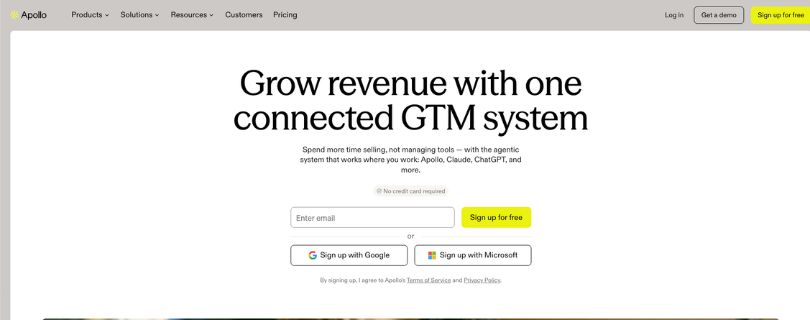
Apollo.io is a B2B sales intelligence and engagement platform that helps teams search for companies and individual decision-makers, access contact information, enrich records, and run outbound campaigns.
Who is it for?
It’s best suited to SDRs, B2B sales teams, SaaS companies, recruiters, and agencies that need to target specific people inside companies rather than simply generate lists of local businesses.
Apollo works very differently from a traditional Google Maps lead scraper. Instead of searching something like “dentists in Chicago,” you can build lists around factors such as company characteristics, job titles, seniority, department, and other B2B criteria.
That makes it especially useful when you already know the type of company you want but need to identify the right person to contact.
Apollo also combines prospecting with sales engagement tools, so you can move contacts into email sequences rather than treating lead generation and outreach as completely separate jobs.
The trade-off is that Apollo isn’t really a direct replacement for D7’s local-business workflow. If your entire strategy depends on pulling businesses from geographic searches, Scrap.io or LeadSwift will probably feel more familiar.
Using AI across a larger team too? Read my breakdown of ChatGPT Business pricing and workspace tools to see how AI agents and shared tools fit into business workflows.
Where Apollo.io Beats D7 Lead Finder
- People-level targeting: Find prospects based on roles, seniority, departments, and company information.
- Large B2B contact database: Better suited to prospecting named decision-makers across companies.
- Built-in sales engagement: Contacts can move directly into outbound sequences.
- Data enrichment: Existing company and contact records can be expanded with additional information.
Pros
- Strong B2B contact database
- Detailed prospecting filters
- Sales engagement tools included
- Free plan available
Cons
- Not designed primarily for Google Maps scraping
- Can feel excessive if you only need simple local business lists
Pricing
Apollo.io offers a free plan with basic prospecting features and limited credits. Paid plans increase contact access, enrichment capacity, sequencing features, and other sales tools.
Bottom line
Apollo.io is a strong D7 Lead Finder alternative when your goal is finding specific people inside businesses rather than just discovering the businesses themselves. It makes the most sense for structured B2B sales prospecting and teams that want contact data and outreach in one platform.
How I Evaluated These D7 Lead Finder Alternatives
I compared each tool using five practical criteria:
- Lead coverage: Can it find the prospects you actually need?
- Contact quality: Does it offer verification, enrichment, or decision-maker data?
- Search and filtering: How precise are its location, company, and people filters?
- Workflow: Can leads move into outreach, CRM, or automation easily?
- Value: How much usable data do you get for the price?
The goal is not the biggest list. It is getting closer to a usable prospect with fewer extra tools.
Building automated sales workflows? Read my guide to what Google Opal AI is.
Which D7 Lead Finder Alternative Should You Choose?
- Choose Saleshandy for B2B contacts, verification, and outreach.
- Choose Scrap.io for a D7-like Google Maps scraping workflow.
- Choose LeadSwift for local businesses plus deeper enrichment.
- Choose Oppora.ai for automated prospecting, follow-ups, and CRM workflows.
- Choose Apollo.io for finding specific B2B decision-makers.
Stick with D7 if you mainly need simple niche-and-location business lists.
For broader AI-assisted workflows, see my Notion AI alternatives guide.
Is D7 Lead Finder Still Worth Using in 2026?
Yes, if your workflow is simple: pick an industry and location, collect local businesses, and export the results.
A D7 Lead Finder alternative makes more sense when you need verified contacts, advanced filters, deeper enrichment, or built-in outreach.
If business data is a bigger priority, compare the best Domo AI alternatives or check my Domo AI pricing breakdown.
Frequently Asked Questions
What is the best D7 Lead Finder alternative?
It depends on the use case. Saleshandy fits B2B prospecting and outreach, Scrap.io is closer to Google Maps scraping, LeadSwift focuses on enriched local leads, Oppora.ai emphasizes automation, and Apollo.io is built for B2B sales teams.
What is the closest alternative to D7 Lead Finder?
Scrap.io is one of the closest options if you mainly use D7 for location-based business searches. LeadSwift is another strong choice if you also want deeper contact enrichment.
Is there a free D7 Lead Finder alternative?
Yes. Apollo.io and Oppora.ai offer free entry points, although free plans typically limit credits, enrichment, exports, or outreach features.
Which D7 Lead Finder alternative is best for Google Maps leads?
Scrap.io is the most direct fit because it focuses on Google Maps business extraction and location-based filtering.
Which alternatives are best for verified B2B emails?
Saleshandy and Apollo.io are strong choices. Snov.io and Hunter.io are also worth comparing if email discovery and verification are your main priorities.
Want more automation-focused options? See my guide to the best Google Opal alternatives.
What other D7 Lead Finder competitors should I consider?
Snov.io, Hunter.io, LocalProspects.ai, and Outscraper are worth researching depending on whether you need verification, enrichment, local-business data, or Maps extraction.
For more AI-driven marketing workflows, see my guide to Runway Agent 2.0.