Google Opal makes it surprisingly easy to turn an idea into an AI-powered mini-app without writing code.
You can describe what you want in natural language, let Opal create the workflow, and then fine-tune individual steps through its visual editor. Google has also expanded Opal with agentic features such as memory, dynamic routing, and interactive chat.
However, Google Opal may not be the right fit if you need:
- More control over complex workflows and APIs
- A complete frontend, backend, database, and authentication system
- Self-hosting or more control over where your workflows run
- Direct access to application code
- More mature deployment options for production apps
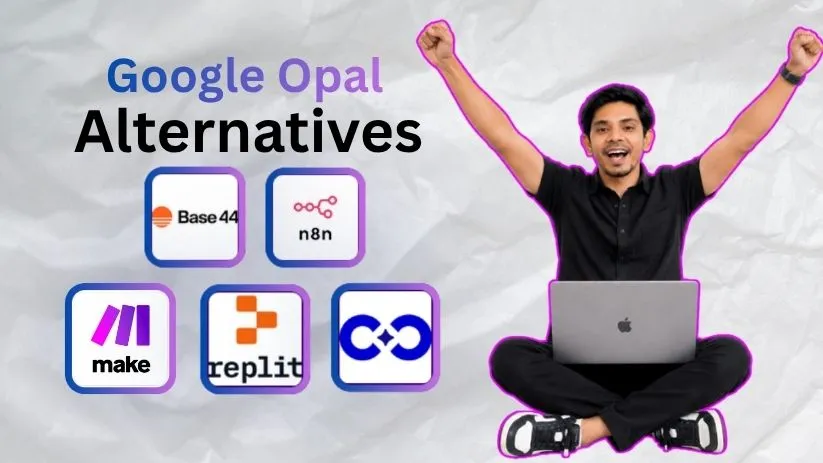
That is where Google Opal alternatives such as Base44, n8n, Make, Replit, and CodeConductor become worth considering.
Some are better for building complete apps, while others focus more heavily on AI agents and workflow automation.
Quick clarification: This article is about Google Opal from Google Labs, not the screen-time blocking app or other products that also use the Opal name.
If you’re still getting familiar with Google’s tool, my guide on what Google Opal AI is explains how the platform works in more detail.
For this comparison, I looked at five of the best Google Opal competitors based on app-building capabilities, workflow flexibility, integrations, deployment options, ease of use, and overall value.
Exploring more of Google’s AI-building tools? Check out the best Google Stitch alternatives before deciding which platform fits your workflow.
Google Opal Alternatives: TOC
Here are the five Google Opal alternatives I’ll cover:
- Base44 – Best for building full-stack apps without traditional coding
- n8n – Best for advanced AI workflows and self-hosting
- Make – Best for visual business automation
- Replit – Best for AI app development with code control
- CodeConductor – Best for production and enterprise-focused application development
I’ll also compare their strengths, limitations, pricing, and real user feedback later in the guide.
TLDR: Top 3 Google Opal Alternatives Compared
I go into detail on all five Google Opal competitors below.
But if you don’t want to read the entire comparison, these are the three options I would look at first:
- Base44: Best if you want to move beyond AI mini-apps and build a more complete application with a database, authentication, backend functions, and source-code access. Base44 currently includes authentication and database functionality even on its free tier, while higher plans add features such as backend functions and GitHub integration.
- n8n: Best if your main priority is building more advanced automations and AI workflows. It gives you visual workflow building, code steps, API requests, webhooks, and self-hosting options. Its current paid plans also allow unlimited workflows and workflow steps.
- Replit: Best if you want AI to help build the application but don’t want to give up access to a proper development environment. Replit combines AI-assisted app building with databases, publishing, code editing, and deployment tools.
Here’s how the three compare with Google Opal at a glance.
| Feature | Base44 | n8n | Replit | Google Opal |
| Best for | Full-stack AI apps | Advanced workflows | AI-assisted app development | AI mini-apps |
| Natural-language building | ✅ | ✅ AI-assisted | ✅ | ✅ |
| Visual workflows | Limited | ✅ | Not the main approach | ✅ |
| Built-in database | ✅ | Data tables/workflow data | ✅ | Not its main focus |
| Code control | ✅ | ✅ | ✅ | Limited |
| Self-hosting | ❌ | ✅ | ❌ | ❌ |
| Free option | ✅ | Community Edition | ✅ | ✅ |
| Production-app focus | Strong | Automation-focused | Strong | More prototype/mini-app focused |
Google itself positions Opal as a no-code tool for building and sharing AI mini-apps by connecting prompts, models, and tools. It has become significantly more capable since launch, but rapid prototyping and AI workflows are still central to its design.
So choosing the best Google Opal alternative comes down to what you are actually trying to build.
If you want a full application, I would look first at Base44 or Replit.
If you’re mainly automating processes between tools, n8n or Make makes more sense.
Interested in another Google no-code experiment? My guide to what Google Stitch is explains how Google is approaching AI-assisted UI and product design.
How I Evaluated These Google Opal Alternatives
There are plenty of AI app builders and automation platforms available now.
But simply having an AI prompt box doesn’t automatically make a tool a good replacement for Google Opal.
So, I compared these Google Opal AI alternatives using six factors.
1. Ease of Building
The first thing I looked at was how quickly you can go from an idea to something that actually works.
Google Opal’s biggest attraction is its no-code approach, so an alternative shouldn’t require hours of setup just to create a simple workflow.
2. Workflow Flexibility
I also looked at how much control each AI workflow builder gives you once your workflow becomes more complicated.
That includes branching logic, multi-step automations, APIs, AI agents, conditions, and custom actions.
This matters even more now that Opal itself supports agentic workflows with memory, dynamic routing, and interactive conversations.
3. App-Building Capabilities
Some people searching for Google Opal alternatives don’t just want another workflow.
They want to turn the original idea into a complete web application.
So I considered whether each platform supports things such as:
- Frontend interfaces
- Backend logic
- Databases
- User authentication
- Application hosting
Base44, for example, combines its AI builder with database and authentication functionality, while Replit includes databases and publishing as part of its app-development environment.
4. Integrations and APIs
A useful AI app rarely works completely on its own.
I therefore looked at how easily each platform can connect with third-party apps, APIs, databases, webhooks, and other AI models.
This is one area where automation-focused tools can have an advantage over a lightweight no-code AI app builder.
5. Deployment and Control
Creating the workflow is only half the job if you’re planning to use it seriously.
I also considered whether you can edit code, publish applications, self-host workflows, connect your own infrastructure, or move beyond the platform’s default environment.
6. Pricing and Overall Value
Finally, I looked at what you get before you need to pay and how the pricing model changes as your projects grow.
A cheap starting price isn’t particularly useful if credits or usage costs make the platform expensive once you start building more complex apps.
I used these same criteria across all five tools rather than ranking them simply by how many features they offer.
That should make it easier to identify which Google Opal alternative actually matches your use case.
Top 5 Google Opal Alternatives and Competitors
Here are the five tools that made my shortlist:
- Base44
- n8n
- Make
- Replit
- CodeConductor
Each one approaches the problem differently.
Lets see how:
1. Base44
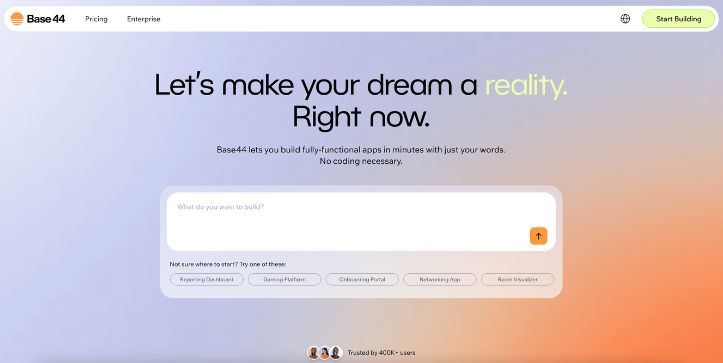
Best for: Building complete web apps with a frontend, backend, database, and authentication from natural-language prompts.
Base44 is one of the strongest Google Opal alternatives if your goal goes beyond creating a lightweight AI mini-app.
You describe what you want, and Base44 can generate the interface, application logic, database, authentication, and other backend components for you.
That makes it more suitable for founders, marketers, and non-technical users who want to turn an idea into a usable application rather than only creating an AI workflow.
Build type: Full-stack web apps
Database and authentication: Built in
Code access: Available through code editing and GitHub integration on eligible plans
Free plan: Yes
What Makes Base44 a Better Alternative Than Google Opal?
The biggest difference is what happens after your prompt becomes something functional.
Google Opal is primarily designed around creating AI mini-apps and workflows.
Base44 goes further into full-stack app development.
Its platform includes a built-in database, authentication, user management, cloud storage, analytics, and payment-processing capabilities.
So, if you wanted to create a customer portal, internal business tool, SaaS prototype, or database-driven web application, Base44 gives you more of the infrastructure in one place.
Another advantage is code control.
Paid plans support in-app code editing, while the Builder tier and above add GitHub integration and backend functions. Base44 also states that users can export their source code through GitHub rather than keeping the project completely locked inside the platform.
That is useful if your project eventually needs a developer to customize what the AI generated.
However, I wouldn’t choose Base44 over Opal simply because it has more app-building features.
If your main requirement is connecting several services into a sophisticated visual automation, a dedicated AI workflow builder such as n8n may still be a better fit.
Key Features
- Natural-language full-stack app generation
- Built-in database and authentication
- Responsive visual editor
- Backend functions on higher plans
- GitHub integration and source-code export
- Built-in integrations and user management
Limitations
- Base44 uses message and integration credits, so heavier building and app usage can consume your monthly allowance.
- Backend functions and GitHub integration require the Builder plan or above.
- New private apps require a paid plan rather than the free tier.
What Users Have to Say About Base44
Base44 still has relatively few G2 reviews, so I wouldn’t treat its current rating as broad market consensus.
Still, one reviewer described a very practical benefit:
“It allowed me to create a custom app for my company and my work team, without the need to hire a programmer.”
(source)
That matches Base44’s main appeal: getting from an idea to a working application without assembling a traditional development team.
Pricing
Base44 has a free plan with 25 monthly message credits and 100 integration credits.
The Starter plan currently costs $16/month when billed annually, while Builder costs $40/month annually and adds backend functions, custom-domain support, GitHub integration, and additional credits.
The credit model is worth watching if you expect to iterate heavily or build AI-intensive applications.
2. n8n
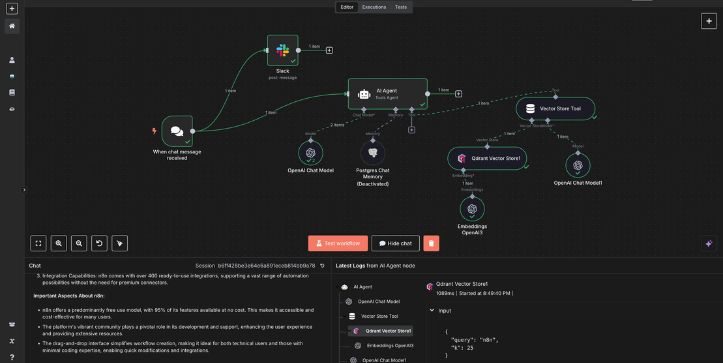
Best for: Advanced workflow automation, AI agents, APIs, and users who want the option to self-host.
n8n takes a different approach from Base44.
Rather than focusing primarily on generating standalone applications, n8n gives you a visual canvas where you connect triggers, applications, APIs, data transformations, code, and AI steps into automated workflows.
That makes it one of the most compelling Google Opal competitors when workflow flexibility matters more than generating a polished application interface.
If n8n is completely new to you, my guide explaining what n8n is covers the basics before you start building more complex automations.
What Makes n8n a Better Alternative Than Google Opal?
The biggest advantage is control.
n8n lets you create multi-step workflows with conditional logic, API calls, webhooks, code, AI models, and third-party services.
You can also add JavaScript or Python when a visual node isn’t enough, giving technical users a way to move beyond purely no-code automation. G2’s current product listing also highlights custom-code flexibility and self-hosting as core capabilities.
Self-hosting is another major difference.
n8n offers a standard Community Edition that you can run on your own infrastructure, while its commercial plans include both hosted and self-hosted options depending on the tier.
That can matter if you need tighter control over workflow data or infrastructure.
n8n is also particularly strong for agentic workflows.
You can combine LLMs with external tools, APIs, databases, conditional branches, and human approval steps instead of keeping the AI isolated inside a simple prompt chain.
You can see another example of AI systems taking actions through software in my breakdown of Gemini 3.5 Flash Computer Use.
The tradeoff is complexity.
Google Opal is easier to approach if all you want is a simple AI mini-app.
n8n rewards users who understand concepts such as APIs, JSON, authentication, webhooks, and data mapping.
Key Features
- Visual node-based workflow builder
- API and webhook support
- JavaScript and Python code steps
- AI agent and LLM workflows
- Self-hosted Community Edition
- Unlimited workflows and workflow steps on current paid plans
Interested in more advanced AI integrations? See what happened when I tested Rive MCP with Claude Code.
Limitations
- The learning curve is noticeably higher than Google Opal for complete beginners.
- Complex workflows can become difficult to debug and maintain.
- Self-hosting gives you more control, but it also means you are responsible for infrastructure and maintenance.
The learning curve is not just theoretical. G2’s review summary specifically notes that users unfamiliar with APIs or coding concepts can find n8n challenging at first.
What Users Have to Say About n8n
User feedback is much more extensive here than it is for Base44.
n8n currently has hundreds of G2 reviews, with flexibility, automation, integrations, and self-hosting repeatedly appearing among the positives.
One reviewer summarized the self-hosting advantage simply:
“We can self-host it, setting the limits far higher.”
(source)
Another common theme is that the flexibility comes with more technical complexity, particularly when working with JSON or advanced integrations.
Pricing
n8n offers a self-hosted Community Edition, while its hosted Starter plan currently costs €20/month when billed annually for 2,500 workflow executions.
The Pro plan starts at €50/month billed annually for 10,000 executions and adds features such as admin roles, global variables, workflow history, and higher concurrency.
Unlike platforms that charge for every individual step, n8n’s current paid model counts a complete workflow run as one execution, even when that workflow contains multiple steps.
3. Make
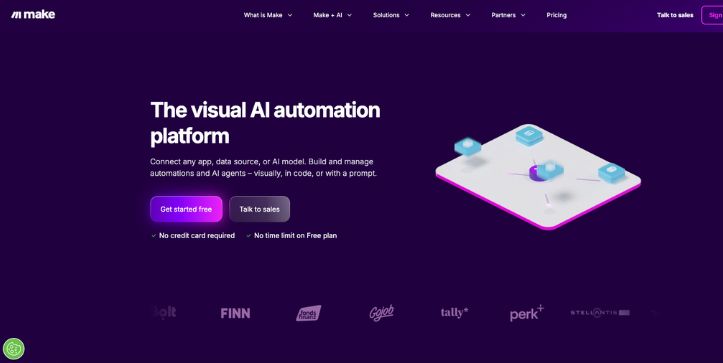
Best for: Visual business automation across multiple apps without needing to write much code.
Make is another strong Google Opal alternative, but its main strength is automation rather than standalone app development.
Instead of asking AI to create a mini-app, you build visual workflows called scenarios by connecting apps, triggers, actions, filters, routers, and data-processing steps.
Make currently supports more than 3,000 apps, along with APIs, AI tools, and agentic workflows.
That makes it particularly useful for marketing, sales, operations, support, and other workflows where several business tools need to communicate with each other.
What Makes Make a Better Alternative Than Google Opal?
The biggest advantage is the number of systems you can connect.
Google Opal works well when you want to create a focused AI mini-app.
Make is better suited to automating what happens between the applications your business already uses.
For example, you could receive a form submission, process the information with an AI model, update your CRM, create a document, notify someone in Slack, and send an email from one visual scenario.
Make also gives you routers and filters for controlling where information goes based on different conditions.
Its AI capabilities have expanded as well.
Make AI Agents can operate directly inside the same visual canvas, use tools across more than 3,000 apps, and make decisions when a workflow needs reasoning rather than fixed logic alone.
Make also lets you inspect how an agent reached a decision, which can make debugging an AI-driven business workflow easier than dealing with a completely opaque process.
Want to see another example of AI agents working inside business software? Read my guide to Claude Tag for Slack.
There is also room to become more technical when needed.
Make includes API access on paid plans and offers a Code App for running custom JavaScript or Python inside workflows.
So, you are not necessarily stuck with only prebuilt no-code modules.
However, I wouldn’t pick Make if the main goal is building a polished standalone web application with its own frontend and product experience.
That’s where Base44 or Replit makes more sense.
Key Features
- No-code drag-and-drop workflow builder
- More than 3,000 standard app integrations
- Routers, filters, and multi-step scenarios
- Make AI Agents and AI tools
- API and webhook connectivity
- Custom JavaScript and Python through Make Code App
Interested in connected creative workflows too? See how Canva works inside ChatGPT and Codex for another example of AI tools connecting across platforms.
Limitations
- Make uses a credit-based system, and most module actions consume credits.
- Complex scenarios can become harder to understand and troubleshoot as more branches and modules are added.
- It is primarily an automation platform, not a traditional full-stack AI app builder.
The credit system deserves particular attention.
A simple scenario might consume only a few credits each time it runs, while a complicated process can use far more depending on the number and type of actions involved.
G2’s review summary also notes that users generally like Make’s visual interface and integrations, but beginners can face a learning curve when building more advanced scenarios.
What Users Have to Say About Make
Make has considerably more independent user feedback than some newer Google Opal competitors.
It currently has hundreds of reviews on G2, where automation, ease of use, and integrations frequently appear among the positives.
One reviewer described the visual experience this way:
“I find it super visual and clear to see the diagrams of what I want to do.”
(source)
That visual approach is one reason Make feels like a natural alternative for people who enjoy Google Opal’s workflow-oriented interface.
Pricing
Make has a free plan with up to 1,000 credits per month.
For 10,000 monthly credits, the Core plan currently starts at $9/month, while Pro starts at $16/month on Make’s displayed pricing configuration.
Core adds unlimited active scenarios, one-minute scheduling, increased data-transfer limits, and access to the Make API.
Pro adds features such as priority scenario execution, custom variables, and full-text execution-log search.
4. Replit
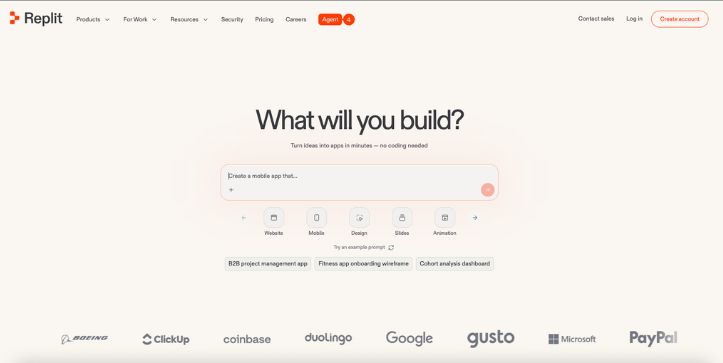
Best for: Building real applications with AI while keeping access to code, databases, debugging, and deployment.
Replit is probably the most developer-oriented option in this list of Google Opal alternatives.
But you don’t necessarily need to be a developer to start using it.
Replit Agent lets you describe an application or website through chat and then generates the project for you. You can continue refining it conversationally while working inside the same browser-based development environment.
The difference is that the result isn’t limited to a visual AI workflow.
You are working with an actual application project that can be edited, tested, connected to a database, and published.
What Makes Replit a Better Alternative Than Google Opal?
The biggest advantage is what happens when your project becomes more serious.
Google Opal is excellent for quickly expressing an AI workflow as a mini-app.
Replit gives you considerably more control over the actual software being created.
You get a browser-based development environment alongside Replit Agent, so you can inspect and modify the project rather than interacting only with a visual workflow representation.
Replit also includes a built-in database for full-stack applications, even on its current Starter plan.
That makes it better suited to projects where you need persistent application data, user-facing functionality, and deployment rather than only a chain of AI prompts.
You can also move between two different working styles.
A non-technical user can keep describing changes through Agent.
A developer can inspect and change the underlying project when more precise control is required.
That combination is one of the main reasons I would consider Replit when comparing Google Opal vs Replit for serious app development.
If coding-model quality matters to your workflow, I also covered the latest capabilities in Claude Sonnet 5 for coding.
Replit is also built around publishing the application after you create it.
The free Starter tier currently allows one published project, while Core adds broader publishing capabilities, unlimited workspaces, additional Agent credits, and collaboration features.
This gives Replit a clearer path from idea → app → deployment than Google Opal’s mini-app-focused approach.
Key Features
- Replit Agent for natural-language app building
- Browser-based coding environment
- Built-in database for full-stack apps
- Application publishing and hosting
- Collaboration tools
- Access to underlying project code
- More powerful models and parallel agents on higher plans
Still comparing AI coding environments? My guide to Cursor for iOS looks at another way AI is becoming part of the development workflow.
Limitations
- The credit system can make costs harder to predict when Agent usage becomes heavy.
- Building complex software still requires more technical understanding than creating a simple Google Opal mini-app.
- AI-generated code can require debugging and manual correction, especially as projects become larger.
The pricing concern also appears frequently in Replit’s independent feedback.
G2’s current review summary says users regularly praise its ease of use and ability to build quickly, while cost and credit consumption are among the most commonly mentioned negatives.
Some reviewers also report that performance or customization can become more challenging with larger and more complex projects.
What Users Have to Say About Replit
Replit currently has more than 300 G2 reviews, giving us a much larger pool of independent feedback than newer platforms such as Base44 or CodeConductor.
One founder described the low-friction browser experience well:
“I can start building, testing, and iterating directly in the browser without worrying about local dependencies.”
(source)
That captures Replit’s biggest advantage over a traditional development setup.
You can get from idea to something functional without first configuring a local environment.
Pricing
Replit currently offers a free Starter plan with daily Agent credits, a built-in database, and the ability to publish one project.
Replit Core costs $20/month when billed annually and includes $25 in monthly credits, unlimited workspaces, up to five collaborators, and the ability to work with up to two agents in parallel.
For more demanding commercial projects, Replit Pro currently costs $95/month when billed annually and includes $100 in monthly credits, access to more powerful models, up to 10 parallel agents, database rollbacks, and premium support.
So, Replit is a stronger Google Opal alternative when you want AI to accelerate development without giving up the underlying application environment.
5. CodeConductor
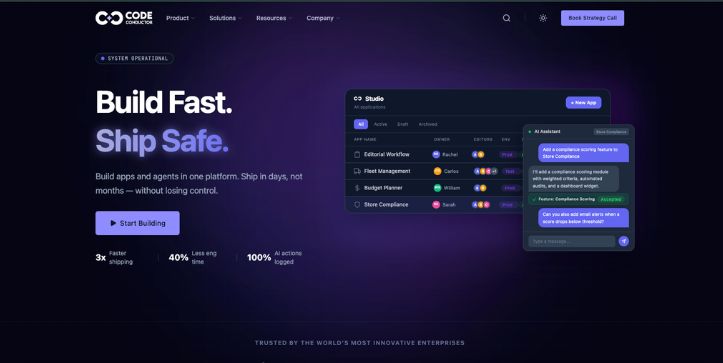
Best for: Teams that want to move from AI-assisted app creation to production deployment, governance, and enterprise infrastructure.
CodeConductor is the most enterprise-focused Google Opal alternative on this list.
It combines app building, AI agents, deployment, governance, and infrastructure controls inside one platform.
Instead of stopping after generating an app, CodeConductor is designed around getting that application through development, staging, and production while keeping the underlying code and architecture accessible.
That makes it more relevant to development teams and larger organizations than someone who simply wants to experiment with a small AI mini-app.
What Makes CodeConductor a Better Alternative Than Google Opal?
Google Opal is primarily designed to make AI-powered mini-apps and workflows approachable.
CodeConductor goes much further into the software-development lifecycle.
Its App Studio can generate frontend and backend code from natural-language requirements, while the broader platform connects applications with identity systems, databases, APIs, deployment environments, and AI agents.
Another major difference is deployment.
CodeConductor’s Standard tier is designed around a production application with separate development and staging environments, built-in CI/CD pipelines, monitoring, and hosted GitLab access.
The Enterprise tier goes further.
Organizations can deploy through private cloud, VPC, or on-premises environments and bring their own LLM providers, including Anthropic, OpenAI, Azure, Bedrock, or self-hosted models.
There are also governance features around permissions, model usage, data boundaries, audit logs, and deployment policies.
So if you’re working inside an organization where security teams need to know which model accessed which data and who deployed an application, CodeConductor addresses problems that Google Opal isn’t primarily designed to solve.
Comparing enterprise AI workspaces too? See my breakdown of the latest ChatGPT Business pricing and workspace-agent update.
Code ownership is another point worth mentioning.
CodeConductor says its App Studio produces exportable code, supports bi-directional Git synchronization, and allows generated applications to be inspected, extended, or run without CodeConductor.
That’s useful if vendor lock-in is a concern.
However, all of this also makes CodeConductor more platform than many Google Opal users actually need.
If you just want to create an experimental AI workflow in a few minutes, Opal is considerably closer to that use case.
Key Features
- Natural-language frontend and backend application generation
- App Studio and AI Copilot Studio
- Development, staging, and production environments
- Built-in GitLab and CI/CD pipelines
- Private-cloud, VPC, and on-premises deployment options
- Bring-your-own LLM and API support
- Policy controls, audit trails, and application monitoring
Limitations
- Pricing isn’t publicly listed, so you need to contact the company for a quote.
- The platform is significantly more enterprise-oriented than Google Opal and may be excessive for personal experiments or simple mini-apps.
- Independent review coverage is still very limited. G2 currently shows only three CodeConductor reviews.
There is another caveat with those reviews.
The available G2 feedback dates from 2024, while CodeConductor’s current 2026 product positioning emphasizes apps, agents, governance, CI/CD, and enterprise deployment.
So I would treat those older reviews as useful context rather than a complete picture of the current platform.
What Users Have to Say About CodeConductor
Because there are only three G2 reviews, I wouldn’t say there is enough data to establish a strong user consensus.
Still, one reviewer highlighted the accessibility of the platform:
“I like that I don’t have to be a coding wiz to use code conductor.”
(source)
The same reviewer liked being able to create without advanced coding knowledge but wanted more design customization. Another reviewer also raised concerns about costs for more complex applications.
Pricing
CodeConductor currently uses custom pricing rather than publishing fixed monthly prices.
The company says pricing is generally based on builder seats, platform capacity, workloads, governance requirements, and deployment needs.
There are Standard, Pro, Enterprise, and Strategic tiers, but you’ll need to contact sales for the actual cost.
Qualified teams can also run a structured pilot, which CodeConductor says typically lasts four to six weeks.
That makes pricing less transparent than most other Google Opal competitors in this comparison.
Choose the Best Google Opal Alternative
There isn’t one Google Opal alternative that wins for every type of user.
The best choice depends on what you’re trying to do after the AI creates the first version.
Choose Base44 if you want a straightforward way to turn prompts into a more complete full-stack web application.
Its built-in authentication, database functionality, and app-building tools make it a stronger option when your project needs more infrastructure than a simple mini-app.
Choose n8n if workflow automation is your main priority.
It makes more sense for API-heavy processes, advanced branching, AI agents, and users who want the additional control that comes with self-hosting.
Choose Make if you want an easier visual automation platform with a large integration ecosystem.
Its free plan alone includes the visual workflow builder and access to more than 3,000 apps.
Choose Replit if you want AI to accelerate development without giving up a real application environment.
Its free Starter plan includes AI building capabilities, a full-stack database, and one published project, while paid tiers provide substantially more development capacity.
Choose CodeConductor if your application needs enterprise deployment, governance, CI/CD, private infrastructure, or strict control over models and data.
Google Opal itself is still a strong choice when speed and simplicity matter most.
Google now describes it as a no-code AI mini-app builder, and its newer agent step can dynamically select tools and models based on the task rather than relying entirely on predefined model calls.
So I wouldn’t switch away from Opal simply because another platform has a longer feature list.
Switch when you actually need something Opal isn’t optimized for.
If your real requirement is AI-assisted productivity rather than app or workflow building, you may find a better fit among these Notion AI alternatives.
Keeping track of all these AI platforms is difficult. Catch up with my latest AI tools update for more recent launches and changes.
Google Opal Alternatives: FAQs
1. What is the best Google Opal alternative?
For most users who want to build a more complete application, Base44 is one of the best Google Opal alternatives because it combines AI app generation with authentication, database functionality, analytics, and other application infrastructure.
However, I’d choose n8n for sophisticated workflow automation, Make for visual business automation, and Replit when access to the underlying development environment matters more.
There isn’t a universal winner because these platforms solve slightly different problems.
2. Is there a free Google Opal alternative?
Yes.
Base44 currently offers a free tier with its core app-building features, authentication, database functionality, 25 monthly message credits, and 100 integration credits.
Make also has a permanent free plan with 1,000 monthly credits, while Replit’s free Starter tier includes daily Agent credits and one published application.
n8n is another option if you’re comfortable running its self-hosted Community Edition.
Which free option is best depends on whether you’re trying to build an AI app or automate a workflow.
Using more of Google’s premium AI ecosystem? I’ve also broken down Google AI Ultra pricing and what you’re actually paying for.
3. Google Opal vs n8n: Which is better?
In a Google Opal vs n8n comparison, I would choose Opal for quickly building and sharing AI mini-apps without getting too technical.
Google has also made Opal more capable by adding an agent step that can dynamically choose tools and models for a task.
n8n is the better choice when you need complex automation, APIs, custom logic, integrations, or control over how the workflow is hosted.
So think of it this way:
Opal = easier AI mini-app creation.
n8n = deeper workflow automation and technical control.
4. Google Opal vs Replit: Which is better for app building?
For lightweight experimentation, Google Opal is easier.
You can describe a mini-app in natural language, remix existing examples, and edit the workflow without approaching the project like conventional software development. Google has expanded Opal to more than 160 countries and continues to treat it as an experimental no-code mini-app builder.
For a more complete software project, I would choose Replit.
Replit’s Starter plan includes app building, a full-stack database, AI integrations, and the ability to publish a project, while its paid plans provide more extensive Agent and development capabilities.
So in Google Opal vs Replit, use Opal for fast AI mini-app prototyping and Replit when the project needs to grow into a more conventional application.
Want more context on how quickly Google’s AI stack is changing? Read my roundup of Google’s major AI updates.