Descript is a very good AI video and podcast editing platform.
But according to many creators, Descript is not perfect for every workflow.
No, I am not saying this just to sound dramatic.
Descript users have talked about these issues on review sites, forums, and creator communities like G2, Reddit, and Trustpilot.
Here are some of the major issues with Descript ➜
- The editing workflow can feel heavy for beginners
- Recording quality is not always its strongest point
- Pricing can get expensive as you grow
- Exports and AI features may feel limiting at times
- Not ideal for every short-form video workflow
AND…
Since you are already reading this, it means you’ve made the smart decision to look for Descript alternatives.
I have only one thing to say – You are at the right place!
Quick Verdict: Best Descript Alternatives at a Glance
If you don’t have time to read the full breakdown, here’s the quick version.
After testing these Descript alternatives, I found that each tool solves a slightly different problem. Some are better for podcast recording, some are better for short-form videos, and some are better if you only care about clean, accurate transcripts.
Here’s my quick verdict ➜
| Tool | Best For | Why I Picked It | Main Weakness | Free Plan? |
| Riverside.fm | Best overall / podcasts / interviews | It gives you high-quality recording, separate tracks, transcripts, captions, and a solid editing workflow in one place. | Its editing tools may not feel as advanced as Descript for detailed cuts. | Yes |
| VEED.io | Social media videos | It’s fast, beginner-friendly, and great for captions, templates, and short-form video edits. | It’s not the best choice for long-form podcast editing. | Yes |
| Wisecut | Auto-editing and repurposing | It removes silences, adds subtitles, and helps turn longer videos into quick social clips. | You don’t get as much manual control as you would in a full editor. | Yes / free to start |
| Sonix | Transcription accuracy | It’s strong for transcripts, speaker detection, search, and export options. | It’s not a full video editing tool. | Trial / free start |
| Alitu | Beginner podcasters | It keeps podcast editing simple with cleanup, hosting, publishing, and text-based editing. | It’s limited if you need advanced video editing features. | Trial |
My top pick is Riverside.fm because it covers the full creator workflow better than the others.
You can record your podcast or interview, clean it up, edit with the transcript, create clips, add captions, and export everything without jumping between too many tools.
That said, if your main goal is making social media videos, VEED.io may feel faster. And if you only need transcription, Sonix is probably the smarter choice.
Top 5 Descript Alternatives
So here are all the Descript alternatives I tested for video editing, podcast editing, transcription, and content repurposing:
- Riverside.fm
- VEED.io
- Wisecut
- Sonix
- Alitu
You can read my experience with each of them below:
1. Riverside.fm

Best for:
Podcasters, interviewers, YouTubers, creators, and remote teams that want high-quality audio and video recording with a simple editing workflow.
Riverside.fm is an online recording and editing platform that lets you record podcasts, interviews, webinars, and video content in high quality.
I’m listing it first because it solves one of the biggest problems many creators face with Descript:
The recording workflow.
Descript is very good once you already have your files ready. But if your content starts with remote guests, interviews, podcasts, or talking-head recordings, Riverside feels like a better starting point.
It records audio and video locally, gives you separate tracks, creates transcripts, and also helps you turn long-form content into short clips.
Editing options: Text-based editing, AI clips, captions, transcript editing, and separate audio/video tracks.
Recording quality: Up to 4K video, 48kHz audio, and local recording for remote guests.
I have shared my experience with the tool below 👇
What Makes Riverside.fm a Better Alternative Than Descript?
Riverside feels like a better Descript alternative if your workflow starts before editing.
Let me explain.
With Descript, you usually record somewhere else, upload your files, wait for transcription, and then start editing.
With Riverside, I was able to record, transcribe, edit, and repurpose from the same place.
That makes a big difference if you record podcasts or interviews every week.
You can:
- Record remote guests in high quality
- Get separate audio and video tracks for each speaker
- Edit your video using the transcript
- Create short clips from longer recordings
- Add captions for social media videos
- Export files for YouTube, podcasts, LinkedIn, Instagram Reels, or TikTok
What stood out most when I tested Riverside?
The recording quality.
Even if the internet connection is not perfect, Riverside records locally on each person’s device. So your final file does not depend completely on the live call quality.
That is a big deal for podcasters and interview creators.
I also liked that Riverside gives you separate tracks. If one guest is too loud, too quiet, or talks over another person, you have more control during editing.
Descript can still feel stronger for advanced text-based editing and deeper post-production work.
But for creators who want better recording first and editing second, Riverside is the better all-around option.
Key Features
- Local recording for better remote audio and video quality
- Separate audio and video tracks for each speaker
- Text-based editing for faster podcast and video cleanup
- AI clips to turn long videos into short-form content
- Automatic captions and transcripts
- Up to 4K video recording
- 48kHz audio quality
- Useful for podcasts, webinars, interviews, and YouTube videos
Limitations
- The editing tools may not feel as advanced as Descript for detailed cuts
- Some creators may still prefer a dedicated video editor for complex edits
- The free plan is useful for testing, but serious creators will likely need a paid plan
User Reviews
High-quality podcasting made simple and professional
Users often like Riverside because it makes podcast and interview recording easier without losing audio and video quality.
Some users still mention occasional recording issues, especially when working with multiple guests or unstable connections.
Pricing
Riverside has a free plan that costs $0/month.
Its paid plans start from $24/month, billed annually. The Live plan is listed at $34/month, billed annually, and the Webinar plan is listed at $79/month, billed annually.
For bigger teams, Riverside also offers custom Business pricing.
2. VEED.io
Best for
Social media creators, marketers, agencies, freelancers, and teams that want to create short-form videos quickly.
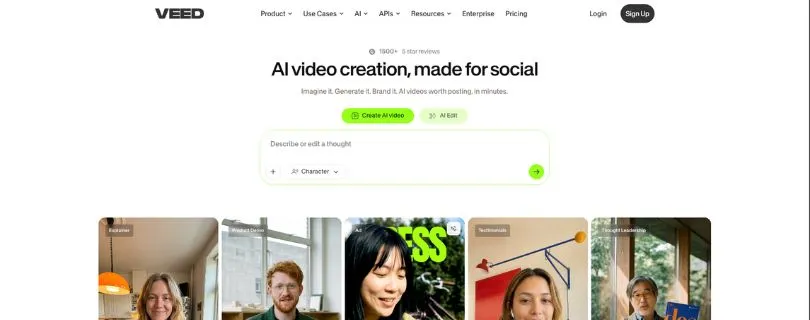
VEED.io is an online AI video editor made for creators who want fast captions, templates, brand styling, and easy social media exports.
If Riverside is better for recording podcasts and interviews, VEED is better for turning videos into polished social media content.
It is not trying to be a podcast-first tool.
Instead, VEED focuses more on videos for Instagram Reels, TikTok, YouTube Shorts, LinkedIn, ads, training videos, and branded content.
Editing options: Online video editing, subtitles, templates, AI tools, brand kit, resizing, and video translation.
Best use case: Fast social media videos, captions, and short-form content creation.
I have shared my experience with the tool below 👇
What Makes VEED.io a Better Alternative Than Descript?
VEED is a better Descript alternative if your main goal is speed.
Not podcast-level editing.
Not advanced timeline control.
Just fast, clean, social-ready videos.
When I tested VEED, I found it especially useful for captions and short-form edits. You can upload a video, generate subtitles, clean up the layout, resize it for different platforms, and export it without needing to learn a complex editor.
This is helpful if you create:
- Instagram Reels
- TikTok videos
- YouTube Shorts
- LinkedIn videos
- Training videos
- Product videos
- Ad creatives
- Faceless video content
The best part is that VEED feels very beginner-friendly.
You don’t need to understand advanced timelines, audio tracks, or video editing terms to get started.
You upload your video, choose what you want to fix, and the platform guides you through the rest.
I also liked its caption styling options. If you create short-form content, captions are not just “nice to have” anymore. They help people understand your video even when the sound is off.
That said, VEED is not the best tool if your main work is long-form podcast editing.
For that, Riverside or Alitu will make more sense.
But if your main goal is to turn raw videos into clean social media content, VEED is one of the easiest Descript alternatives to recommend.
Key Features
- Easy browser-based video editor
- Auto-subtitles for social videos
- Caption styling and subtitle editing
- Templates for quick content creation
- Brand kit for fonts, colors, and logos
- AI video tools for creators and marketers
- Video resizing for TikTok, Reels, Shorts, and LinkedIn
- Useful for social media teams and solo creators
Limitations
- Not the best choice for long-form podcast editing
- Large video files can slow down the workflow
- Many useful AI and brand features are available only on paid plans
- Advanced editors may find it less flexible than desktop editing software
User Reviews
Simple and effective for video demos
Users like VEED because it feels easy to use and makes subtitles, screen recordings, and quick video edits simple.
Some users also mention that larger files can make the platform feel slower.
Pricing
VEED has a free plan that costs $0/month.
Its paid plans are currently listed from $20/month for the Creator plan. The Pro plan is listed at $44/month, and the Studio plan is listed at $70/month.
VEED also offers custom Enterprise pricing for larger teams.
Still comparing online video editors?
Read my full [Best VEED.IO Alternatives for 2026] before choosing.
3. Wisecut
Best for:
Solo creators, YouTubers, educators, coaches, and marketers who want AI to handle the boring parts of video editing.
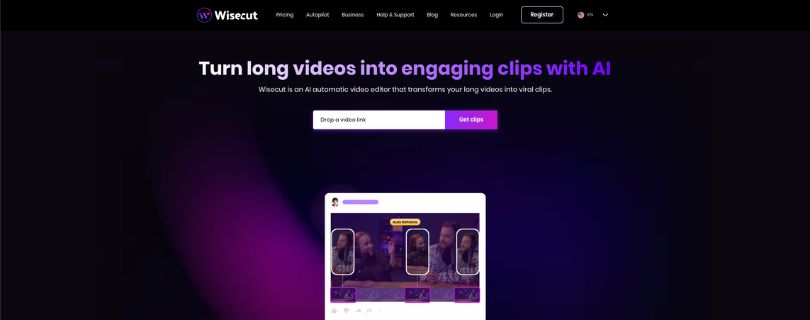
Wisecut is an AI video editing tool that helps you turn long videos into shorter, cleaner, more engaging clips.
It is especially useful if your videos have a lot of pauses, silence, filler sections, or slow moments.
Think of it as a shortcut for the first rough cut.
You upload your video, and Wisecut helps remove silences, add captions, reframe clips, create highlights, and make your video feel tighter.
Editing options: Auto silence removal, captions, storyboard editing, auto reframe, highlights, and short-form clip creation.
Best use case: Turning talking-head videos, interviews, tutorials, and podcasts into cleaner clips.
I have shared my experience with the tool below 👇
What Makes Wisecut a Better Alternative Than Descript?
Wisecut is a better alternative than Descript if you want the tool to do more of the editing for you.
Descript gives you more manual control.
Wisecut gives you more automation.
That is the main difference.
When I tested Wisecut, I found it useful for creators who do not want to sit for hours cutting pauses from a video.
You can use it to:
- Remove silent parts automatically
- Generate subtitles
- Turn long videos into shorter clips
- Reframe videos for vertical platforms
- Add background music
- Improve pacing
- Create social clips faster
This is really helpful if you create talking-head videos, online course videos, podcast clips, or YouTube videos where most of the content is speech.
Wisecut also uses a storyboard-style editor, so you can make changes by working with the transcript instead of a complicated timeline.
That makes it feel less scary for beginners.
However, it is not perfect.
If you want very detailed manual editing, you may still feel limited. AI can make a good first cut, but you will usually want to review the final version before publishing.
So I would not say Wisecut fully replaces Descript for everyone.
But if your main goal is to save time on rough cuts, silence removal, captions, and repurposing, Wisecut is a very strong option.
Key Features
- Automatic silence removal
- AI-generated subtitles
- Storyboard-based video editing
- Auto reframe for vertical, square, and horizontal videos
- Highlights for turning long videos into short clips
- Smart background music
- Background noise cancellation
- Hook titles for social videos
Limitations
- Less manual control than Descript
- Not ideal for complex video editing projects
- You may still need to review AI edits before exporting
- Some creators may find pricing confusing because of different plan types
User Reviews
Wisecut saves hours with AI-powered video editing
Users like Wisecut because it saves time on repetitive editing tasks like silence removal, subtitles, and basic video cleanup.
Some users mention that video processing can be slow at times.
Pricing
Wisecut has a free plan that costs $0/month.
Its paid plans start from $15.75/month, billed annually, for the Starter plan. The Starter+ plan is listed at $23.25/month, billed annually, and the Professional plan is listed at $75.67/month, billed annually.
Wisecut also offers an Autopilot plan starting from $49/month, billed annually, and custom Enterprise pricing for higher usage.
4. Sonix

Best for:
Researchers, podcasters, journalists, marketers, content teams, and professionals who need accurate transcription more than full video editing.
Sonix is an AI transcription software that turns audio and video files into searchable, editable text.
I’m including it in this list because not every Descript user is looking for another full video editor.
Some people use Descript mainly for transcripts.
And if that is your case, Sonix can be a much cleaner choice.
It is made for people who want fast transcripts, speaker labels, timestamps, subtitle exports, translation, and searchable audio or video content.
Editing options: Transcript editing, subtitles, speaker labels, timestamps, translation, and export options.
Best use case: Transcribing podcasts, interviews, meetings, research calls, webinars, and video files.
I have shared my experience with the tool below 👇
What Makes Sonix a Better Alternative Than Descript?
Sonix is a better Descript alternative if transcription is your main priority.
Descript gives you transcription inside a bigger editing platform.
Sonix keeps the focus much tighter.
When I tested it, I found the workflow simple. Upload your audio or video file, wait for the transcript, review the text, fix small errors, and export it in the format you need.
That makes it useful for people who work with a lot of spoken content.
You can use Sonix to:
- Transcribe podcast episodes
- Create subtitles for videos
- Search long interviews
- Pull quotes from research calls
- Translate transcripts into other languages
- Export files in formats like TXT, DOCX, PDF, SRT, and VTT
What I liked most was how easy it was to search inside transcripts.
If you have a one-hour interview and want to find one specific section, you don’t have to scrub through the whole file manually.
Just search for the word or phrase, and Sonix takes you to that part.
This is very helpful for researchers, editors, content writers, and podcast teams.
Sonix also supports speaker labels, which makes interview transcripts much easier to clean up.
However, Sonix is not a full Descript replacement if you want to edit videos, create clips, add B-roll, or manage a full podcast production workflow.
For that, Riverside, VEED, or Alitu will make more sense.
But if your main reason for using Descript is transcription, Sonix is one of the strongest alternatives to consider.
Key Features
- AI transcription for audio and video files
- Transcript editor for quick text corrections
- Speaker labels and timestamps
- Search across transcripts
- Subtitle exports like SRT and VTT
- Translation support
- Custom dictionary for specific names and terms
- Useful export formats like TXT, DOCX, and PDF
- Good for interviews, research, podcasts, webinars, and documentation
Limitations
- Not a full video editing platform
- Not ideal for creating social media clips
- Extra usage can increase the total cost
- Teams may need higher plans for collaboration and more storage
- Not the best option if you want one tool for recording, editing, and publishing
User Reviews
Accurate transcription and easy to use
Users like Sonix because it makes transcription faster and easier to manage, especially for interviews, research calls, and long audio files.
Some users mention that they would like better mobile access and more flexibility for certain workflows.
Pricing
Sonix offers a 30-minute free trial with no credit card required.
Its Pay As You Go plan costs $10/hour for transcription and translation.
The Core plan starts at $25/month, the Advanced plan starts at $50/month, and the Pro plan starts at $80/month.
Sonix also offers Enterprise pricing for larger teams that need more control, security, storage, and support.
5. Alitu
Best for:
Beginner podcasters, solo creators, coaches, educators, and small teams that want to record, edit, clean up, and publish podcast episodes without learning complex software.
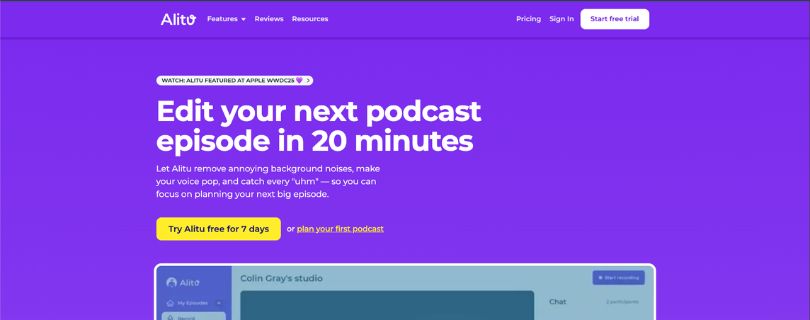
Alitu is a podcast maker built specifically for people who want a simpler way to create podcast episodes.
It is not trying to be a full video editor like Descript.
Instead, it focuses on making podcast production easier.
You can record audio and video, clean up background noise, remove filler words, edit your episode, add music, create transcripts, publish to podcast platforms, and even host your show.
That is why I think Alitu is one of the best Descript alternatives for beginner podcasters.
Editing options: Text-based editing, waveform editing, audio cleanup, filler word removal, music, transitions, podcast hosting, and publishing.
Best use case: Creating podcast episodes without dealing with complicated editing software.
I have shared my experience with the tool below 👇
What Makes Alitu a Better Alternative Than Descript?
Alitu is a better alternative than Descript if you want podcast editing to feel less technical.
Descript gives you a lot of creative control.
But that can also feel like too much if all you want is to publish a clean podcast episode every week.
Alitu keeps the workflow simple.
You can:
- Record your podcast inside the platform
- Clean up background noise automatically
- Remove filler words and long silences
- Edit using text or waveform
- Add intro music, outro music, and transitions
- Generate transcripts
- Publish your episode
- Host your podcast and create a podcast website
The best part is that Alitu feels built around podcasting from the start.
You are not trying to force a video editor into a podcast workflow.
The tools are arranged around the things podcasters actually do: record, clean up, edit, build the episode, add music, and publish.
I also liked that it includes podcast hosting.
This means beginners do not have to connect five different tools just to launch a show.
That said, Alitu is not the best choice if you want advanced video editing, social media templates, AI avatar videos, or deep visual editing control.
It is also not the best option for creators who already use advanced tools and want more timeline flexibility.
But for beginner podcasters, Alitu removes a lot of the friction.
And honestly, that is where it shines.
Key Features
- Podcast recording for audio and video
- Automatic background noise removal
- Audio cleanup, mixing, mastering, and EQ
- Magic Filters to remove filler words and silence
- Text-based editing and waveform editing
- Drag-and-drop episode builder
- Royalty-free music and transitions
- Podcast hosting with publishing support
- Podcast website
- AI-generated show notes
- Transcripts in multiple languages
Limitations
- Not ideal for advanced video editing
- Not the best choice for social media video templates
- Less flexible than professional audio or video editing software
- Advanced creators may feel limited
- The monthly price may feel high if you only need basic transcription
User Reviews
Podcasting without the overwhelm
Users like Alitu because it makes podcast creation easier, especially for beginners who do not want to deal with technical editing steps.
Many users mention that it helps with recording, editing, production, and publishing in one place.
Pricing
Alitu costs $38/month.
If you choose annual billing, you get two months free, which brings the monthly cost down to around $32/month.
Alitu also offers a 7-day free trial.
There is also a hands-off editing service starting from $295/month, but most creators looking for a Descript alternative will probably start with the standard Alitu plan first.
Which Descript Alternative Should You Choose?
By now, you probably already noticed one thing:
There is no single “perfect” Descript alternative for everyone.
The best choice depends on what you actually create.
A podcaster needs something different from a social media manager. A YouTuber needs something different from a researcher. And someone who only wants clean transcripts should not pay for a full video editing platform.
So here’s the simple way to choose 👇
Choose Riverside.fm if…
You record remote podcasts, interviews, webinars, or guest-based videos.
Riverside is the best choice if your content starts with recording.
It gives you high-quality local recording, separate audio and video tracks, transcripts, captions, AI clips, and a clean editing workflow.
You should choose Riverside if:
- You record remote podcasts or interviews
- You care about audio and video recording quality
- You want separate tracks for each guest
- You want one workflow for recording, editing, clips, and captions
- You create long-form content and repurpose it into short clips
- You want a better starting point before editing even begins
This is why Riverside is my top pick for most creators.
Descript is great for editing, but Riverside feels stronger when your workflow begins with recording.
Choose VEED.io if…
You create short-form videos for social media.
VEED makes more sense if your main goal is speed.
It is made for creators, marketers, agencies, and social media teams that need captions, templates, brand styling, resizing, and quick exports.
You should choose VEED if:
- You make Instagram Reels, TikToks, or YouTube Shorts
- You need captions, templates, and quick exports
- You work with marketing or social media teams
- You want a simple online video editor
- You create branded videos, ads, or product clips
- You do not need heavy podcast editing features
VEED is not the tool I would pick for long-form podcast production.
But for fast social media videos, it is one of the easiest Descript alternatives to use.
Choose Wisecut if…
You want AI to handle the boring parts of editing.
Wisecut is best for creators who do not want to manually cut every pause, silence, and awkward gap from their videos.
It is especially useful for talking-head videos, tutorials, online courses, YouTube videos, and podcast clips.
You should choose Wisecut if:
- You want automatic silence removal
- You create talking-head videos
- You want the fastest rough cut possible
- You need auto captions
- You want to turn long videos into shorter clips
- You prefer automation over detailed manual editing
Wisecut is not as flexible as Descript for advanced editing.
But if your biggest problem is spending too much time cleaning up raw footage, Wisecut can save you a lot of time.
Choose Sonix if…
You only need transcription.
This is where Sonix makes the most sense.
Not every Descript user needs video editing, captions, AI clips, or social media templates. Some users only need accurate transcripts that are easy to search, edit, and export.
You should choose Sonix if:
- You only need transcription
- You work with interviews, research, or documentation
- Searchable transcripts matter more than visual editing
- You need speaker labels and timestamps
- You want subtitle exports like SRT or VTT
- You deal with long audio or video files regularly
Sonix is not a full video editor.
But for transcription-heavy workflows, it is cleaner, simpler, and more focused than Descript.
Choose Alitu if…
You are a beginner podcaster.
Alitu is the tool I would recommend to someone who wants to launch or manage a podcast without getting stuck in editing software.
It keeps the whole podcast workflow simple: record, clean up, edit, add music, create transcripts, host, and publish.
You should choose Alitu if:
- You are a beginner podcaster
- You want cleanup, editing, hosting, and publishing in one place
- You want simplicity over advanced control
- You do not want to connect multiple podcast tools
- You want automatic audio cleanup
- You want a podcast-first workflow instead of a general video editor
Alitu is not the best option for advanced video editing.
But for podcasters who just want to publish clean episodes without stress, it does the job really well.
Tools I Did Not Pick — And Why
There are many other tools people compare with Descript.
Some of them are good.
But I did not include them in my top 5 because they either felt too complex, too narrow, or not close enough to what most Descript users actually need.
Here are the main ones I skipped:
DaVinci Resolve
DaVinci Resolve is extremely powerful.
It is one of the best professional video editing tools out there, especially for color grading, timeline editing, effects, and serious post-production work.
But for most Descript users, it is too much.
If someone is looking for text-based editing, AI captions, podcast cleanup, or quick social media clips, DaVinci Resolve can feel overwhelming.
It is a great editor.
Just not the easiest Descript replacement.
CapCut
CapCut is a great free video editor, especially for short-form content.
It is fast, beginner-friendly, and works well for TikTok videos, Reels, Shorts, captions, filters, and simple edits.
But I did not pick it as one of the top Descript alternatives because it does not fully replace Descript’s podcast and transcript-based editing workflow.
It is better as a quick social media video editor.
Not as a complete AI podcast editing or long-form content editing platform.
Reduct.video
Reduct.video is strong for working with interviews, research videos, archives, and searchable media libraries.
It has a smart transcript-based workflow, which makes it useful for teams that work with lots of recorded conversations.
But it is more niche.
Most creators looking for a Descript alternative want recording, editing, captions, clips, and publishing support.
Reduct.video is useful, but it is not the best all-around pick for creators, podcasters, or social media teams.
Otter.ai
Otter.ai is a good tool for meeting notes and transcription.
It works well for business meetings, calls, lectures, and quick note-taking.
But it is not really a creator editing tool.
You will not use Otter to create polished podcast episodes, edit YouTube videos, design captions, or repurpose clips for social media.
So while it can replace Descript for basic transcription, it does not replace the full editing workflow.
Rev
Rev is great if you need human transcription or highly accurate captions.
It is especially useful for teams that care about accuracy and are willing to pay more for human-reviewed work.
But Rev is not a full editing platform.
You can use it to get transcripts and captions, but you will still need another tool to edit your videos, clean up audio, create clips, or publish content.
That is why I did not include it in the top 5.
OpusClip, Vizard, Quso, and Choppity
These tools are strong for clipping and repurposing long videos into short-form content.
They can help you turn podcasts, webinars, interviews, and YouTube videos into Reels, TikToks, and Shorts.
But they are more focused on one part of the workflow.
They are great if your main goal is short-form clips.
But as full Descript alternatives, they feel less complete because they do not cover recording, detailed editing, transcription, podcast workflow, and content production in the same way Riverside or Descript does.
Final Verdict: The Best Descript Alternative Is Riverside.fm
After testing all five tools, Riverside.fm is the Descript alternative I would choose first for most creators.
It is not perfect.
Descript can still feel better for advanced text-based editing, and VEED is faster for social media videos. Sonix is stronger if you only need transcription. Alitu is simpler for beginner podcasters. Wisecut is better if you want quick AI-powered rough cuts.
But Riverside wins because it fits the widest creator workflow.
You can record high-quality remote podcasts and interviews, get separate tracks, edit with the transcript, create AI clips, add captions, and export your content from one place.
That makes it more than just a Descript replacement.
It gives you a stronger starting point before you even reach the editing stage.
Here is the simple breakdown:
- Choose Riverside.fm if you want the best overall Descript alternative
- Choose VEED.io if you mainly create short-form social media videos
- Choose Wisecut if you want automatic silence removal and faster rough cuts
- Choose Sonix if transcription is your main priority
- Choose Alitu if you are a beginner podcaster who wants a simpler workflow
For most podcasters, interview creators, YouTubers, and content teams, Riverside.fm gives the best balance of recording quality, editing, transcripts, captions, and repurposing.
So yes, my top pick is Riverside.fm.
Start with Riverside if you want one tool that can handle recording, editing, and content repurposing without making the whole process feel harder than it needs to be.
FAQs About Descript Alternatives
1. What is the best Descript alternative overall?
The best Descript alternative overall is Riverside.fm.
It gives you a strong mix of remote recording, separate tracks, transcripts, captions, AI clips, and simple editing tools, which makes it a better fit for most podcasters, interview creators, and YouTubers.
2. Is there a free Descript alternative?
Yes, there are a few free Descript alternatives, but most of them come with limits.
You can try:
- Riverside.fm for recording and basic editing
- VEED.io for simple video editing and captions
- Wisecut for AI-assisted editing
- CapCut for free short-form video editing
- DaVinci Resolve for advanced desktop video editing
Just keep in mind that free plans may include watermarks, export limits, storage limits, or fewer AI features.
3. Is Riverside better than Descript?
Riverside is better if your main focus is recording podcasts, interviews, webinars, or remote guest videos.
Descript is still very good for text-based editing, but Riverside gives you a stronger starting point because it focuses heavily on recording quality before the editing even begins.
4. Which Descript alternative is best for podcasting?
For most podcasters, Riverside.fm is the best Descript alternative.
It works well if you record remote guests, need separate audio tracks, want clean transcripts, and plan to turn full episodes into short clips.
If you are a beginner and want something simpler, Alitu is also a very good choice because it handles recording, cleanup, editing, hosting, and publishing in one place.
5. Which Descript alternative is best for short-form videos?
VEED.io is the better choice if you mainly create short-form videos.
It is useful for:
- Instagram Reels
- TikTok videos
- YouTube Shorts
- LinkedIn videos
- Video ads
- Caption-heavy social clips
VEED feels faster than Descript when your main goal is creating clean, social-ready videos.
6. Which Descript alternative is best for transcription?
Sonix is the best option if transcription is your main priority.
It is better for people who work with interviews, research calls, webinars, podcasts, meetings, or long audio files and need searchable transcripts with speaker labels.
7. Is there a cheaper alternative to Descript?
Yes. Tools like Wisecut, VEED.io, CapCut, and Sonix can be cheaper depending on what you need.
But don’t choose only based on price.
A cheaper tool is not always better if it forces you to use three extra apps to finish one project. Look at your full workflow first.
8. What is the best Descript alternative for YouTube videos?
For YouTube videos, it depends on your editing style.
Choose Riverside.fm if you record interviews, podcasts, or talking-head videos. Choose VEED.io if you make quick social clips, YouTube Shorts, or simple branded videos.
For automatic silence removal and rough cuts, Wisecut is also worth trying.
9. Can I use CapCut instead of Descript?
Yes, you can use CapCut instead of Descript for basic video editing and short-form content.
But CapCut is not a true replacement for Descript if you need transcript-based editing, podcast workflows, filler word cleanup, or AI-powered audio editing.
CapCut is better for quick TikTok-style edits.
Descript is better for text-based video and podcast editing.
10. What is the best AI tool like Descript?
The best AI tool like Descript is Riverside.fm if you want recording, transcription, clips, captions, and editing in one workflow.
If you only want AI captions and social video editing, VEED.io may feel easier. If you want AI silence removal, Wisecut is the better fit.
11. Are Descript alternatives good for beginners?
Yes, many Descript alternatives are beginner-friendly.
If you want the easiest options, start with:
- VEED.io for social media videos
- Alitu for podcast editing
- Riverside.fm for podcast and interview recording
- Wisecut for automatic rough cuts
- Sonix for transcription
These tools are easier to learn than traditional video editors like Premiere Pro or DaVinci Resolve.
12. What is the best Descript alternative for teams?
For teams, Riverside.fm and VEED.io are the strongest options.
Riverside works better for teams creating podcasts, webinars, interviews, and long-form video content. VEED works better for marketing teams that need captions, templates, branded videos, and quick social media exports.
13. Is there an open-source Descript alternative?
There is no perfect open-source Descript alternative that gives you the same mix of text-based editing, transcription, AI voice tools, captions, and podcast editing.
You can use open-source tools for parts of the workflow, but you will usually need multiple tools to replace Descript properly.
For example, you may need one tool for transcription, one for audio editing, and another for video editing.
That setup can work, but it is not as smooth for beginners.
14. Should I replace Descript or use multiple tools?
It depends on how you create content.
If you want one main platform, choose Riverside or VEED based on your workflow.
If you want the best tool for every task, you can use:
- Riverside.fm for recording
- Sonix for transcription
- VEED.io for social videos
- Wisecut for quick rough cuts
- Alitu for simple podcast production
This setup gives you more flexibility, but it can also cost more and take more time to manage.
15. Why do people look for Descript alternatives?
Most people look for Descript alternatives because they want something simpler, cheaper, faster, or better suited to their workflow.
Some users want better remote recording. Some want easier social media video editing. Others only need accurate transcripts and do not want to pay for a full editing platform.
That is why the “best” alternative depends on your use case.
For most creators, Riverside.fm is the safest overall pick. For short-form videos, go with VEED.io. For transcription, choose Sonix. For beginner podcasting, Alitu is a smart choice.