


I spent a few days testing LottieFiles to see if it actually delivers on what it promises — simple, lightweight animations for designers, developers, and product teams.
Short answer? It does a lot well, especially if you need quick web or app animations, but it has a few limits you should know before paying.
LottieFiles is essentially a complete animation platform built around Lottie and dotLottie files.
You can browse ready-made animations, customize them, use the Figma plugin, export JSON files, and add motion to websites, mobile apps, presentations, and product interfaces.
Sounds useful. But once you start looking at the pricing, premium animation access, customization limits, and user complaints, the picture gets more complicated.
In this LottieFiles review, I’ll walk you through:
- What LottieFiles actually gives you
- Where it saves time for designers and developers
- How the pricing works in 2026
- The main pros, cons, and user complaints
- Who LottieFiles works for, and who should skip it
- How it compares with alternatives like Rive and Jitter
If you’re evaluating LottieFiles for your design or development workflow, this should save you the time I already spent figuring it out.
Who Is LottieFiles Actually Good For?
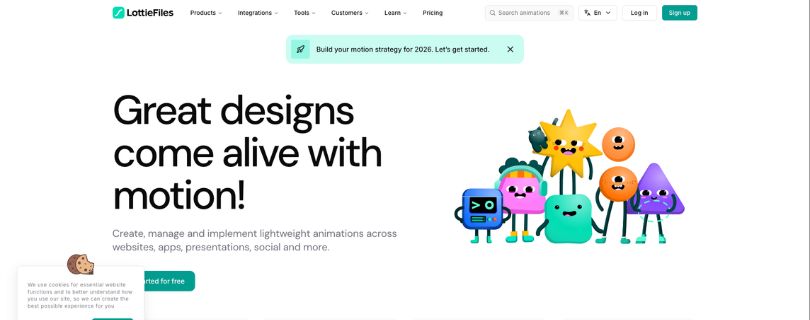
LottieFiles isn’t for everyone. It works best when you need clean, lightweight animations without building every motion asset from scratch.
LottieFiles makes sense if you:
- Build websites, mobile apps, SaaS dashboards, or landing pages
- Need lightweight animations that load faster than GIFs or videos
- Use Figma and want a faster way to add motion to designs
- Want access to ready-made animated icons, loaders, and UI animations
- Work with developers who need Lottie JSON or dotLottie files
- Run a small design team and need a shared animation library
- Want to test animations before handing them off to engineering
LottieFiles is not the right fit if you:
- Only need one premium animation and don’t want a subscription
- Need deep motion control like you’d get in After Effects or Rive
- Want fully custom character animation or complex interactive scenes
- Don’t like annual billing or prefer simple one-time purchases
- Need advanced animation logic without extra setup
- Expect every free animation to be usable for commercial projects without checking the license
If you fall into the second category, LottieFiles may feel limiting pretty quickly. It’s great for fast UI motion, but it’s not a full replacement for a dedicated motion design tool.
Full Breakdown of LottieFiles Features
This won’t be as short as the D7 breakdown, because LottieFiles is not just one simple tool.
It’s a mix of an animation library, web-based editor, Figma plugin, developer handoff system, file optimizer, hosting platform, and team workspace.
That sounds like a lot. And honestly, some parts are genuinely useful.
But the real question is this:
Do these features actually help you ship better animations faster, or are you paying for things you may barely use?
Let me show you what I’m talking about:
- Animation Library
- Lottie Creator
- Figma Plugin
- Developer Handoff
- File Optimization and Hosting
- Team Workspace
1. Animation Library
LottieFiles gives you access to a large library of free and premium animations.
You’ll find animated icons, loaders, empty states, success checkmarks, onboarding visuals, error messages, social media animations, and a lot of common UI motion assets.
And this is probably the first thing most people use LottieFiles for.
Instead of opening After Effects or hiring a motion designer just to create a small loading animation, you can search something like “payment success,” “email sent,” or “404 error” and download a ready-made Lottie file.
That’s useful.
LottieFiles also says its premium animation library includes over 250,000 premium Lottie animations, which is a solid number if you need assets often. The catch is that you can’t just buy one premium animation. Premium animations are locked behind paid subscription plans, and LottieFiles says individual premium animation purchases are not currently available.
So, if you’re a freelancer who needs one animation for one landing page, this can feel annoying.
But if you’re building multiple websites, product screens, mobile app flows, or marketing pages every month, the library starts to make more sense.
The bottom line?
LottieFiles’ animation library is great for speed, but not great if you only want a single paid asset without committing to a subscription.
2. Lottie Creator
Next, let’s talk about Lottie Creator.
This is LottieFiles’ web-based animation tool, and it’s one of the biggest reasons the platform feels more serious in 2026.
You can create and edit lightweight animations directly in the browser without starting every project inside After Effects.
Lottie Creator supports things like keyframes, layers, state machines, motion tokens, SVG editing, and interactive animation workflows. LottieFiles also promotes AI-assisted features like Motion Copilot, Prompt to Vector, Prompt to Themes, and Prompt to State Machines.
That sounds fancy, but here’s the simple version:
You can build, tweak, and prepare Lottie animations for real product use without needing a full motion design setup.
For example, you could create an animated button state, a hover interaction, a success animation, or an onboarding illustration and then hand it off to developers as a Lottie or dotLottie file.
That’s a good workflow for product teams.
But I wouldn’t call Lottie Creator a full After Effects replacement.
If you need complex character animation, detailed timeline control, advanced easing work, or a very custom brand motion system, you’ll probably still want a dedicated motion design tool.
The bottom line?
Lottie Creator is strong for UI animation and lightweight product motion. It’s not the tool I’d pick for heavy motion design work.
3. Figma Plugin
The Figma plugin is one of LottieFiles’ strongest features.
If your team already designs in Figma, this can save a lot of back-and-forth between designers and developers.
You can discover animations, create motion, export production-ready Lottie files, and hand off assets without leaving Figma. LottieFiles says the plugin has 914k installs, which gives you a good idea of how widely it’s used in design workflows.
Here’s what you can do with it:
- Export animations as Lottie JSON or dotLottie files
- Use Figma Dev Mode for asset links and embed codes
- Generate player settings like autoplay, loop, hover, and controls
- Turn designs or prototypes into production-ready animations
- Share files with developers without messy handoff steps
That’s a real advantage.
But there are limits.
LottieFiles’ own export guide mentions that changing text within the same layer can cause render failures, so you still need to structure your Figma files carefully.
The bottom line?
LottieFiles for Figma is great for UI animation workflows, but it won’t magically fix messy design files.
4. Developer Handoff
Next, let’s talk about developer handoff.
This is where LottieFiles starts to feel more practical than a simple animation marketplace.
Developers can preview, test, optimize, and implement animations using CDN links, runtimes, VS Code integration, and export formats like Lottie JSON, optimized JSON, dotLottie, and optimized dotLottie.
That matters because Lottie animations are not just “pretty files.”
They need to render correctly across web, iOS, Android, and sometimes React Native. A Reddit Android developer explained it simply: the animation gets exported as a JSON file, and that JSON is what Lottie renders on Android, iOS, or web.
So, instead of sending a developer a random animation file and hoping it works, LottieFiles gives teams a cleaner path:
- Preview the animation
- Test how it renders
- Optimize the file
- Export the right format
- Use embed links or player settings
- Hand off assets through Figma or workspace links
That’s useful for product teams.
But I’d still test every animation before shipping it.
Some Reddit users have mentioned that certain Lottie files can behave oddly depending on extra assets, optimization, embedded images, or how the animation was built.
The bottom line?
LottieFiles makes developer handoff easier, but it doesn’t remove the need for QA. Always test animations on the actual platform where they’ll run.
5. File Optimization and Hosting
LottieFiles also gives you tools to optimize and host animations.
This matters more than people think.
A Lottie file is already lighter than a GIF or video in most UI cases, but that doesn’t mean every Lottie animation is automatically clean. Some files can still get bloated with too many layers, shapes, effects, or embedded assets.
That’s where optimization helps.
With LottieFiles, you can compress animation files, preview how they behave, and export them in formats like Lottie JSON or dotLottie.
dotLottie is especially useful because it packages animations more efficiently and can include extra metadata in one file.
In plain English?
It helps keep animations smaller, cleaner, and easier to ship.
LottieFiles also lets you host animations and use links or embeds, which can be helpful for websites, no-code tools, landing pages, and quick prototypes.
But I wouldn’t rely on hosted animation links for every serious production workflow without thinking it through.
For a SaaS product, mobile app, or high-traffic website, your developers may still prefer storing animation files inside your codebase or asset pipeline. That gives you more control over versioning, loading, and performance.
The bottom line?
LottieFiles’ optimization and hosting tools are useful, especially for quick deployment. But for production apps, treat hosted links as a convenience, not a replacement for proper asset management.
6. Team Workspace
Finally, let’s talk about the team workspace.
This is where LottieFiles becomes more useful for agencies, product teams, and companies that work with lots of animation assets.
Instead of having designers download files, rename them randomly, send them over Slack, and hope developers use the right version, teams can keep animations in one shared place.
You can organize assets, manage versions, share previews, leave comments, and keep brand motion files available for everyone.
That’s a big deal if your team uses animations across:
- Landing pages
- Mobile app screens
- Product onboarding
- Loading states
- Empty states
- Email visuals
- Design system components
For small teams, this can save time.
For bigger teams, it can prevent a lot of messy handoff problems.
But this feature only really matters if you use animations often.
If you only need one loader or one animated icon, a team workspace won’t change your life. You’ll probably care more about pricing, download limits, and whether the animation fits your project.
The bottom line?
LottieFiles’ team workspace is helpful when animation is part of your regular design system. If animation is just an occasional add-on, it may feel like extra software you don’t need.
LottieFiles Pros and Cons
If you’re still not sure whether LottieFiles is worth paying for, let me show you where it helps and where it gets frustrating:
Pros
- Huge library of free and premium Lottie animations
- Great Figma plugin for designers and product teams
- Supports Lottie JSON and dotLottie exports
- Useful for websites, mobile apps, landing pages, and UI micro-interactions
- Saves time when you need loaders, icons, empty states, or onboarding animations
- Good developer handoff with preview, sharing, and embed options
Cons
- Premium animations require a subscription
- You can’t buy a single premium animation separately
- Annual billing may not work for every freelancer or small team
- Advanced customization can feel limited
- Not a full replacement for After Effects or Rive
- Some users report bugs, download issues, and confusing UX
As you can see, LottieFiles has real strengths, but it makes the most sense when you use animations often enough to justify the subscription.
LottieFiles Pricing Plans – Value for Money?
LottieFiles offers three main paid plans, and all of them are billed annually.
Let me show you what it offers for each plan:
1. Individual Plan – $19.99/month
With the Individual plan, you get the core LottieFiles toolkit for solo designers, freelancers, and creators.
You get unlimited file uploads, Lottie Creator, Lottie file optimization, Lottie hosting and CDN, oEmbed animations, multiple export formats, and access to the premium Lottie library.
You also get 300 AI credits per month for features like prompt to keyframe, prompt to theming, prompt to state machines, prompt to vector, and raster to vector.
That’s a decent package if you regularly use animations in websites, product screens, or client projects.
But remember: it’s billed annually, so you’re not really paying month-to-month.
2. Team Plan – $24.99/user/month
The Team plan includes everything in the Individual plan, plus collaboration features for teams working on commercial projects.
You get:
- Unlimited team files
- Version history
- Team feedback and comments
- Custom brand palette
- AEP and Figma source file hosting
- Team roles and permissions
- Unified admin and billing
- Access to team files from Figma and Canva
You also get 600 AI credits per month.
This plan makes sense if your team uses Lottie animations across landing pages, app screens, design systems, and developer handoff.
3. Enterprise Plan – $119.99/user/month
The Enterprise plan is built for larger teams, especially companies with security, admin, and procurement needs.
On top of everything in the Team plan, you also get:
- Unlimited viewer licenses
- Advanced permissions
- Advanced security
- SAML/SSO
- Access logs
- Analytics dashboard
- Custom onboarding
- Optional 1200+ AI credits per month
Frankly, the Individual plan is fair if you use LottieFiles often.
But if you only need one premium animation or one small loader for a landing page, paying annually can feel like too much. For frequent design and development work, the value is there. For occasional use? You may be better off with free animations or a one-off alternative.
What are Users Saying About LottieFiles?
At first glance, LottieFiles has pretty strong user reviews.
But as soon as I went through reviews on G2, Trustpilot, Product Hunt, and Reddit, I saw users talking about 3 things:
- animation library and ease of use
- pricing and annual billing
- customization limits, bugs, and UX issues
1. Great Animation Library, but Not Always Easy to Customize
The first thing I noticed was that users like LottieFiles because it gives them quick access to ready-made animations.
On G2, users praise the pre-built animation library, Figma workflow, and ease of use. But some also mention that advanced edits can get tricky, especially when an animation isn’t built for customization. In those cases, you may still need After Effects or manual tweaks.
Source: https://www.g2.com/products/lottiefiles/reviews
So, LottieFiles is great when you need a loader, animated icon, empty state, or simple product animation fast.
But if you want deep motion control?
That’s where it starts to feel limited.
2. Good Customer Support, but Pricing Complaints Keep Showing Up
I also found several Trustpilot reviews where users said the customer support team was helpful and responsive.
But the same review section includes complaints about pricing transparency, annual billing confusion, download limits, and subscription issues. Some users mentioned they expected monthly billing but got charged annually instead.
Source: https://www.trustpilot.com/review/lottiefiles.com
That’s something you should pay attention to before buying.
Good support is great. Confusing billing? Not so much.
3. Useful for Developers, but Still Needs Testing
Developers on Reddit generally understand how Lottie works: you export animations as JSON, and they render across Android, iOS, and web apps.
Source: https://www.reddit.com/r/androiddev/comments/edwg3z/does_anybody_here_use_lottiefiles/
Some developers also mentioned that Lottie works well in production for things like onboarding screens and simple UI animations.
Source: https://www.reddit.com/r/androiddev/comments/124gyeu/how_stable_is_lottieandroid_in_your_production_app/
But that doesn’t mean every animation works perfectly out of the box.
More complex files can break, behave inconsistently, or need optimization before deployment.
So yes, LottieFiles can speed up development.
Just don’t skip testing before shipping anything to production.
My Final Verdict on LottieFiles: Worth it in 2026?
Yes, LottieFiles is worth it in 2026 if you regularly use animations for websites, apps, product screens, or client projects. It saves time and makes design-to-development handoff much easier.
But it’s not worth paying for if you only need one premium animation or want deep motion control. In that case, the annual billing and customization limits can feel frustrating.
My take? LottieFiles is a strong tool for fast UI animation workflows, but not a full motion design replacement. Buy it if animation is part of your regular work, not just a one-time need.
LottieFiles Review: FAQs
1. Is LottieFiles Worth it?
Yes, LottieFiles is worth it if you regularly use animations in websites, apps, or product UI. But if you only need one animation or want deep motion control, it may not be the best value.
2. How Much Does LottieFiles Cost?
LottieFiles starts at around $19.99/month (billed annually) for individuals. Team plans cost about $24.99/user/month, and enterprise pricing goes higher depending on features.
3. What Is LottieFiles Best for?
LottieFiles is best for creating, editing, and using lightweight animations like loaders, icons, onboarding screens, and UI interactions across web and mobile apps.
4. Are There Any Good Alternatives to LottieFiles?
Yes, strong alternatives include Rive, Jitter, Creattie, and Adobe After Effects. These tools offer more control, better interactivity, or different pricing models depending on your needs.
5. Does LottieFiles Offer a Free Plan?
Yes, LottieFiles has a free plan with access to basic features and a limited set of animations. However, premium animations and advanced features require a paid subscription.
6. Can I Buy a Single Animation from LottieFiles?
No, you can’t buy individual premium animations. To access premium assets, you need an active subscription plan.
7. Is LottieFiles Good for Developers?
Yes, LottieFiles works well for developers. It provides Lottie JSON and dotLottie files that can be used in web, Android, iOS, and React Native apps, along with preview and testing tools.
8. What Is the Best LottieFiles Alternative in 2026?
Rive is one of the best alternatives if you need interactive animations and more control. Jitter is a good choice for quick motion design, while After Effects works best for complex animations.



