Let’s be real, the first time you use Snappa it kind of feels like you’ve struck gold. Drag, drop, done. A clean, polished graphic pops out in minutes, and for a while, that’s all you really need. Social media posts? Handled. Blog headers? Easy. It’s simple, fast, and honestly kind of addictive. I totally get why people love it.
But then it hits you. You want to do a little more, maybe animate a post, build a brand kit, or collaborate with your team, and suddenly Snappa’s charm starts to fade. Features feel a bit too basic, export options are limited, and that clean interface starts to feel like a box you’re stuck in. If you’ve outgrown Snappa or feel like you’re bumping into its ceiling, you’re not alone.
I’ve spent hours testing tools that go beyond Snappa. Platforms that give you more creative freedom, better features, and the kind of flexibility that scales with you, whether you’re running a one-person brand or managing a full-blown content team.
A quick comparison of the top Snappa alternatives
For those of you who just want the highlights, here’s a quick rundown of the tools we’ll be covering.
| Tool | Best For | Key Strength | Starting Price |
| Canva | All-around design and team projects | Huge template library and strong collaboration features | Free, paid plans start at $12.99/month |
| VistaCreate | Social media content and animated posts | Built-in animation tools and brand kits | Free, paid plans start at $13/month |
| Adobe Express | Branded visuals and pro-style designs | Polished templates with Adobe ecosystem support | Free, paid plans start at $9.99/month |
| PosterMyWall | Quick promotional graphics | Fast editing with lots of templates for events and marketing | Free, paid plans start at $9.95/month |
| Stencil | Lightweight, fast content creation | Super simple UI built for speed and social media posts | Free, paid plans start at $15/month |
How I evaluated the best Snappa alternatives
To give you a list that’s actually useful, I didn’t just go hunting for the trendiest tools or the ones with the biggest marketing budgets. I focused on what really matters when you’re trying to create high-quality visuals consistently, whether it’s for your personal brand, client work, or a growing business. Here’s what I looked for:
Creative flexibility: Does the tool give you room to really make the design your own? I wanted options that let you break out of cookie-cutter templates without needing to start from scratch every time. Good design tools should feel like an open canvas, not a locked frame.
Media variety and motion support: Snappa sticks to static images, so I prioritized platforms that offer more like animations, video clips, and interactive visuals. If a tool lets you bring your graphics to life, it scored points.
Ease of use without sacrificing power: Some tools are so simple they’re limiting. Others are packed with features but feel like you need a week of tutorials to get started. I looked for that sweet spot where beginners can jump in, but experienced creators won’t feel boxed in.
Team and brand management features: Whether you’re a freelancer juggling multiple clients or part of a marketing team, brand kits, shared libraries, and real collaboration tools are a huge plus. If a platform helps keep everything consistent and organized, that’s a win.
Export options and file control: I made sure to favor tools that go beyond basic PNGs. Whether you need vector files, high-res PDFs, or formats optimized for print, flexibility on the export side matters, especially if you’re working across different channels.
Fair pricing and value: A tool doesn’t have to be free to make the cut, but it does have to feel fair. I avoided platforms that lock key features behind overpriced paywalls or hit you with sneaky usage caps that kill your flow mid-project.
The 5 best Snappa alternatives for creating pro-level graphics that actually scale
Alright, let’s get into the details. Each of these Snappa competitors have a unique take on solving the problems that Snappa can’t.
1. Canva
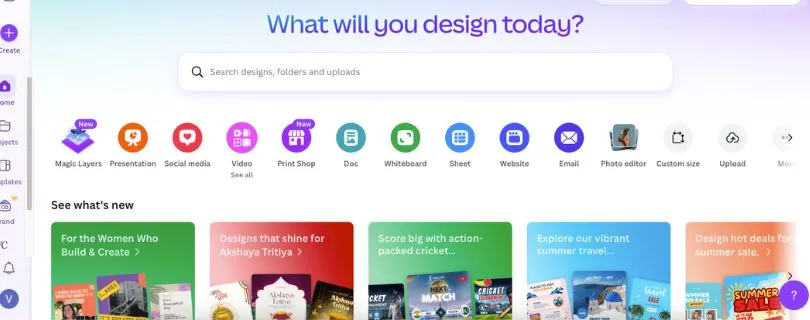
Canva is probably the first name that comes up when you think “Snappa alternative,” and for good reason. It has the same easy drag-and-drop interface, but under the hood, it’s far more powerful, especially if you’re working with teams or juggling multiple brand assets.
Key Features:
- Massive template library: Thousands of designs for social media, presentations, ads, and more
- Brand kits and team workspaces: Great for staying consistent across campaigns and collaborating in real time
- Video and animation support: Go beyond static images with GIFs, animated posts, and short video edits
- Content scheduling: Plan and publish straight to platforms like Instagram or Facebook
- Mobile apps: Fully functional on iOS and Android for on-the-go editing
Pros and cons of using Canva
Pros:
- Extremely beginner-friendly with plenty of depth for advanced users
- Wide variety of export options including PDF, MP4, GIF, and more
- Real-time team collaboration and version control
Cons:
- Advanced features like background remover or premium stock require a paid plan
- Heavy users might feel the interface gets cluttered with options
Pricing:
- Free: Access to basic tools, templates, and limited storage
- Pro: $12.99/month for brand kits, premium templates, animations, and more
- Teams: Starts at $14.99/month per user with enhanced collaboration tools
Best for:Marketers, content creators, small teams, and businesses that need a scalable visual tool
Snappa alternative for:Everything Snappa does with more depth, better media support, and tools that grow with you
2. VistaCreate
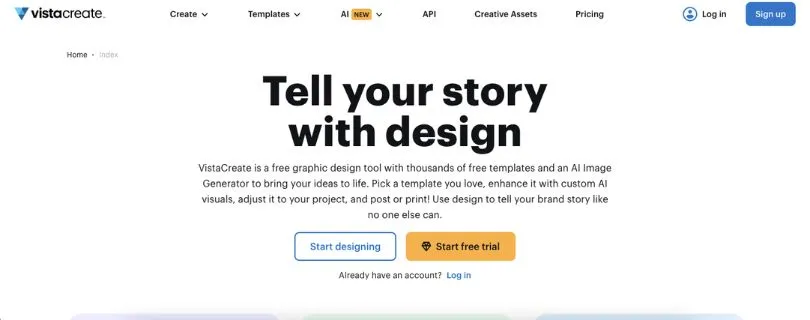
VistaCreate, formerly known as Crello, feels like the cool cousin of Canva. It gives you a familiar design experience with a sharper focus on motion graphics and social content. If you’re creating visuals for Instagram, TikTok, or ads that need to pop with movement, VistaCreate brings more to the table than Snappa ever could.
Key Features:
- Animation and video tools: Add motion to your posts without touching a timeline or editing software
- Brand kits and style presets: Keep your content on-brand with saved fonts, logos, and color palettes
- Creative assets built in: Access to stock videos, animated objects, icons, and music tracks
- Resizing with one click: Instantly adapt your design for different platforms
- Templates made for engagement: Strong focus on formats that work well for ads and social media growth
Pros and cons of using VistaCreate
Pros:
- Quick learning curve with tons of ready-to-use content
- Great for animated posts, stories, and short video ads
- Includes music and motion graphics out of the box
Cons:
- Interface can feel a bit busy for first-time users
- Some animation features are limited compared to advanced video tools
Pricing:
- Free: Access to 100K+ design assets and templates
- Pro: $13/month for full template library, brand kits, animation features, and unlimited downloads
Best for:Creators and small business owners who want eye-catching social content without hiring a video editor
Snappa alternative for:Animated and video-based content creation that still keeps things simple
Also Read: I Tested 7 VistaCreate Alternatives to Find the Best Design Tool in 2026
3. Adobe Express
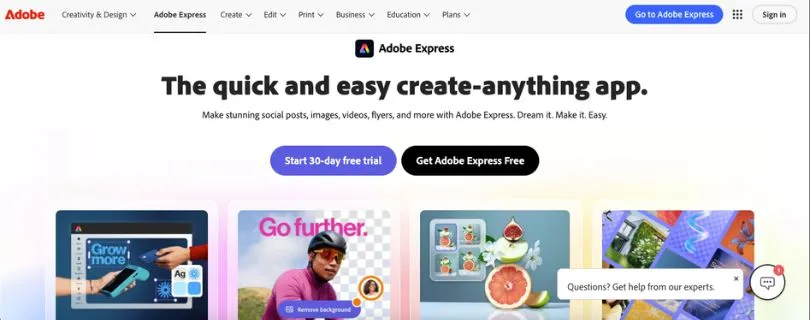
Adobe Express (formerly Adobe Spark) brings the power of Adobe to a simplified platform built for everyday creators. It’s not as feature-heavy as Photoshop or Illustrator, but it gives you a sleek way to make polished, brand-ready designs without needing to be a designer.
Key Features:
- Professional-looking templates: Curated by Adobe for everything from Instagram reels to business flyers
- Brand kits: Upload logos, set fonts, and build color palettes once and reuse across all projects
- Adobe Fonts and Stock: Direct access to Adobe’s high-quality fonts and photo library
- Quick actions: Resize, remove backgrounds, convert to GIF, and more with one-click tools
- Multi-platform use: Works seamlessly on desktop, iOS, and Android
Pros and cons of using Adobe Express
Pros:
- Clean, professional-looking templates that feel less “template-y”
- Perfect for maintaining brand consistency
- Part of the Adobe ecosystem for those already using tools like Photoshop or Lightroom
Cons:
- Less flexible than Canva or VistaCreate when it comes to layout freedom
- Free plan is limited compared to others on this list
Pricing:
- Free: Access to basic tools, templates, and limited stock
- Premium: $9.99/month for brand kits, full Adobe Fonts access, premium templates, and more
Also Read: Adobe Express Pricing: Complete Guide
Best for:Businesses and creators who want brand consistency and a more polished look without needing full Adobe Suite knowledge
Snappa alternative for:Creating professional, branded designs with minimal effort and high-quality results
Also Read:I Ranked Adobe Express Alternatives for You
4. PosterMyWall
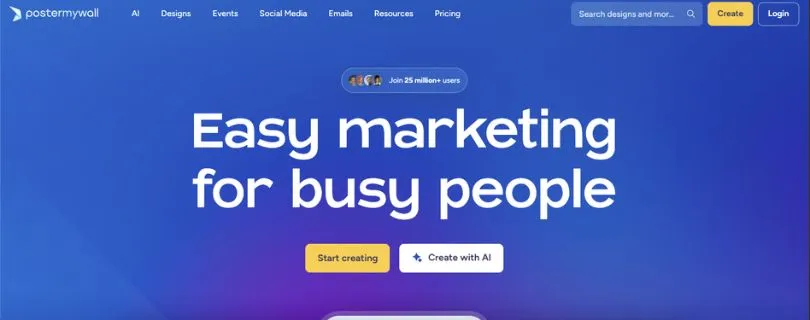
PosterMyWall is all about speed and simplicity. If you’re focused on creating promotional content like flyers, event posters, or social media ads and you need to turn things around fast, this one gets the job done with minimal fuss. It’s especially useful for small businesses, local shops, and marketers who need visuals that look good without spending hours tweaking layouts.
Key Features:
- Huge collection of ready-made templates built specifically for marketing and events
- Built-in stock photo and video library with both free and premium assets
- One-click resizing for adapting a design across print and digital formats
- Online publishing tools that let you post directly to social or embed on your website
Pros and cons of using PosterMyWall
Pros:
- Extremely beginner-friendly, even for people with zero design experience
- Great selection of promotional templates for businesses and events
- Includes video templates and animations
Cons:
- Less flexible for custom layouts or unique branding
- Interface feels a bit dated compared to newer tools
Pricing:
- Free: Basic templates and downloads with watermark
- Premium: $9.95/month for HD downloads, premium assets, and no watermark
- Premium Plus: $29.95/month for team folders, unlimited exports, and advanced features
Best for:Local businesses, event organizers, and marketers who need clean designs fast
Snappa alternative for:Quick promotional graphics with a heavy focus on speed and simplicity
5. Stencil
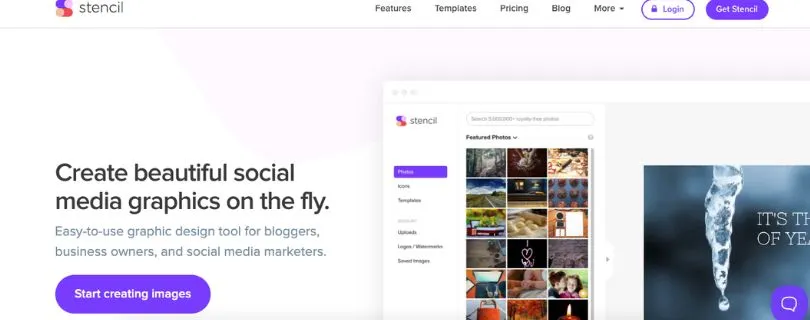
Stencil is what you reach for when you need something done in five minutes flat. It’s lightweight, super fast, and aimed squarely at marketers and social media managers who don’t want or need a full-blown design suite. The tool strips away anything extra and just helps you get visuals out the door.
Key Features:
- Instant image sizing for dozens of platforms like Twitter, Facebook, Pinterest, and more
- Built-in quote and headline generator for content inspiration
- Browser extensions to create graphics directly from your browser
- Easy image upload and custom branding features
Pros and cons of using Stencil
Pros:
- Fastest workflow of any design tool on this list
- Built for social content and marketing posts
- Minimal learning curve, ideal for solo creators
Cons:
- Not ideal for multi-page designs or detailed layouts
- Template selection is more limited compared to Canva or VistaCreate
- No support for animations or video formats
Pricing:
- Free: Up to 10 images per month, limited templates
- Pro: $15/month for unlimited images, branding tools, and premium templates
Best for:Bloggers, marketers, and social media managers who need a fast, no-fluff design tool
Snappa alternative for:Speedy visual creation with minimal distractions or complexity
How to choose the right Snappa alternative for you
Feeling stuck on which tool to pick? Totally normal. The best choice really comes down to how you work and what kind of content you’re creating. Here’s a breakdown to help you figure it out faster:
- If you’re a content creator or social media managerCanva is probably your best friend. It gives you templates, animation, team tools, and scheduling all in one place, making it perfect for daily posting and content planning.
- If you’re a small business owner or marketerPosterMyWall keeps things super simple while focusing on what actually drives engagement: flyers, promotions, and local marketing materials. You can move fast without getting bogged down in details.
- If you’re building branded visuals or working with clientsAdobe Express gives you clean, polished designs and professional templates that feel less like social media fluff and more like real business assets. Great for anyone who wants a high-end look without touching Photoshop.
- If you’re focused on video and animated contentVistaCreate adds motion, sound, and video support right into your design flow. It’s built for social-first creators who want more than just static graphics.
- If you just need to make quick visuals without distractionsStencil is ideal for getting images out fast. It’s streamlined, super lightweight, and designed for people who don’t want to waste time digging through endless features.
Final Thoughts
Snappa is a solid starting point, but once your design needs start to grow, its limitations become pretty clear. Whether it’s missing animation features, lack of collaboration tools, or limited export formats, there’s a point where you just need something more flexible.
The good news is, there’s no shortage of tools that pick up where Snappa leaves off. Whether you’re focused on speed, brand consistency, motion graphics, or team workflows, the right alternative is out there. Hopefully, this guide helped you spot the one that fits your style and goals best.
Frequently Asked Questions
Why should I consider Snappa alternatives if Snappa is so easy to use?
Snappa is great for getting quick visuals out the door, especially if you’re just starting or working solo. But once you need more advanced features like animations, team collaboration, brand kits, or support for multiple file formats, it starts to show its limits. The alternatives listed here offer more depth and flexibility, making them better suited for creators and teams who need tools that can scale with their workflow.
How do I decide which of these Snappa alternatives is best for my specific needs?
It depends on what you’re trying to accomplish. If you’re focused on all-around content creation, Canva is a top choice. For animated and video content, go with VistaCreate. PosterMyWall is ideal for quick promotional materials, while Adobe Express is great for polished, branded visuals. If speed is your main concern and you want something super lightweight, Stencil is the way to go.
Are all Snappa alternatives also beginner-friendly, or do some require design experience?
Most of the Snappa alternatives on this list are built with ease of use in mind. Tools like Canva, VistaCreate, and Stencil are perfect for non-designers, offering drag-and-drop interfaces and ready-to-use templates. Adobe Express leans a bit more professional but still stays accessible. You won’t need any prior design experience to get started with any of these.
What if I need to create animated or video content? Can these alternatives handle that?
Yes, several of these tools go beyond static images. VistaCreate stands out with its strong animation and motion graphic features. Canva and PosterMyWall also support video content, letting you create engaging posts for social media or ads without needing separate video software.
Can these Snappa alternatives work for team projects or brand management?
Absolutely. Canva, Adobe Express, and VistaCreate all support team collaboration, shared asset libraries, and brand kits to keep your visuals consistent across platforms. If you’re working with clients or managing a growing brand, these features can save you a ton of time and help maintain quality across the board.
Are there any free tiers available among the suggested Snappa alternatives?
Yes, all of the tools mentioned offer free plans or trials. Canva, VistaCreate, Adobe Express, PosterMyWall, and Stencil all have free versions with access to basic templates and features. While some advanced options are behind paywalls, you can get a feel for each tool without spending anything upfront.
How do these Snappa alternatives compare when it comes to scaling with a growing brand or business?
Snappa is a solid entry point, but it’s not really built to grow with you. Tools like Canva and Adobe Express offer more robust collaboration features, deeper customization, and export options that make them a better fit as your needs expand. Whether you’re hiring a team or handling multiple clients, these alternatives are better equipped to support long-term creative growth.