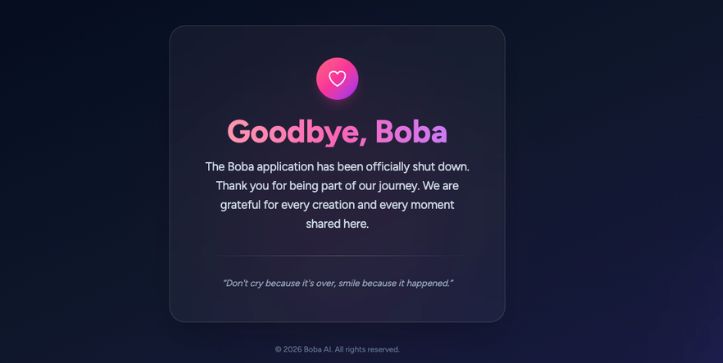
Important Note: Boba AI has shut down its operation, still if you want to know what it was then you can continue reading. Thanks..
In the rapidly evolving world of AI video creation, Boba Video AI is emerging as a game-changer for content creators, animators, and storytellers who want to bring anime-style videos to life without the need for complex tools or animation skills. While it’s still gaining traction among mainstream users, Boba stands out with its unique ability to transform simple text prompts or images into short, high-quality anime clips using cutting-edge generative AI.
In this article, we’ll explore what Boba Video AI is, how it works, its key features, pros and cons, and who it’s best suited for.
Boba Video AI is an AI-powered platform that turns text prompts or images into short, anime-style video clips. It’s designed for creators who want to generate expressive animated content without learning animation software or spending hours editing. At its core, Boba combines generative AI with stylistic presets to deliver visually rich, anime-inspired videos in just a few clicks.
The platform supports both text-to-video and image-to-video workflows, making it accessible for writers, designers, and marketers alike. Think of it as an AI-first alternative to traditional animation tools – but with faster turnaround, creative flexibility, and no need for technical expertise.
Key Features of Boba Video AI
Boba Video AI offers a strong set of features built for creators who want to produce anime-style videos quickly and easily. The platform focuses on speed, creative freedom, and accessibility while delivering visually engaging results.
Text-to-Video GenerationTurn simple text prompts into animated anime scenes. Describe the characters, mood, and action, and let the AI handle the animation. This feature works well for storytelling, short clips, and creative experiments.
Image-to-Video AnimationUpload a static image and animate it into a moving scene. The AI adds motion, depth, and background flow to bring still artwork to life.
Multiple Anime Style PresetsChoose from different anime-inspired styles, including Default, Shōjo, and Seinen. Each style changes the visual tone and emotional feel of the video.
Custom Output SettingsControl video format with options for aspect ratio, clip length, and resolution. This makes content ready for platforms like TikTok, Instagram Reels, and YouTube Shorts.
Sound and Lip Sync Support (Beta)Add voices and background audio to your videos. Lip sync helps align character mouth movements with spoken dialogue for more natural results.
Dynamic Visual EffectsApply subtle motion effects and visual enhancements that add energy and cinematic polish to your anime clips.
Reference Image GuidanceUse reference images to maintain consistent characters and visual style across multiple videos. This is helpful for series-based content.
Fast Rendering and Easy DownloadsVideos generate quickly and are ready to download without complicated export steps. This supports rapid content creation and iteration.
Beginner-Friendly InterfaceThe platform requires no animation or editing experience. Everything works through simple inputs and settings.
Pros and Cons of Boba Video AI
Boba Video AI offers a fresh take on anime video creation using AI-driven tools. Here’s a quick look at its main strengths and limitations.
✅ Pros of Boba Video AI
Beginner-Friendly Interface: Boba’s clean, no-code workflow makes it easy for anyone to generate anime videos without animation or editing experience.
Fast Video Generation: Clips are created within minutes, allowing users to iterate quickly and produce content at scale.
Rich Anime Styles: Users can choose from multiple anime aesthetics like Shōjo or Seinen to match their creative vision.
Text and Image Input Options: Supports both text-to-video and image-to-video animation, offering flexible content creation paths.
Integrated Sound and Lip Sync (Beta): Adds dialogue and voice syncing automatically, giving characters a more lifelike, expressive feel.
Customizable Output Settings: Control over aspect ratios, duration, resolution, and visual styles makes Boba adaptable for different platforms.
No Technical Skills Required: Boba removes the need for animation software, coding, or rendering tools—ideal for creators and marketers.
Social Media Ready: Optimized for short-form content like TikToks, YouTube Shorts, and Instagram Reels.
❌ Cons of Boba Video AI
Limited Video Length: Currently supports only short clips (5 to 8 seconds), which may not suit longer storytelling needs.
Beta Features Still in Progress: Features like lip sync and voice integration are in beta and may have occasional glitches.
Lack of Full Scene Control: Users can’t control every frame or animation detail, which may be limiting for advanced animators.
Watermark on Free Plan: The free version adds a watermark to exported videos, requiring an upgrade for clean output.
Style Consistency Challenges: Generating consistent characters or scenes across multiple videos can require trial and error or reference images.
Boba AI Pricing Plans
Boba AI has pricing options tailored for every stage of your creative journey. Whether you’re testing the waters or producing content at scale, there’s a plan that fits.
Free Plan ($0/month)10 credits, 1 video, watermark included, basic generation, public only
Basic Plan ($9/month)1,500 credits, up to 150 videos, fast generation, no watermark, personal use
Pro Plan ($29/month)5,000 credits, up to 500 videos, commercial license, no watermark, early access perks
Unlimited Plan ($69/month)Unlimited credits, fastest queue, commercial license, early model access, private generation (coming soon)
Boba AI Walkthrough: Quick Video Guide
I’ve created a few short videos showcasing how Boba Video AI works in real-time. These clips include a quick walkthrough and actual demo results to help you see what the tool can do. If you’re curious to watch it in action, feel free to check out the YouTube Short or Instagram Reel linked below.
Final Thoughts
Boba Video AI is a standout tool for anyone looking to create anime-style videos without the complexity of traditional animation software. With its intuitive interface, powerful AI engine, and support for both text and image inputs, it makes high-quality video creation accessible to creators of all levels.
While it’s still evolving, especially in areas like longer clips and advanced control, Boba’s rapid development and creative flexibility make it a solid choice for short-form content, storytelling, and experimentation. If you’re exploring AI-driven animation, Boba is definitely worth trying.
Frequently Asked Questions About Boba Video AI
What is Boba Video AI used for?
Boba Video AI is used to create short, anime-style video clips from text prompts or images. It’s ideal for content creators, marketers, and storytellers who want to produce animated videos without needing animation skills or complex software.
Can I use Boba AI for free?
Yes, Boba offers a free plan that includes 10 credits, which is enough to generate one video. However, the free videos include a watermark and are public by default. Paid plans unlock more features, faster generation, and watermark-free exports.
Does Boba Video AI support voice and lip sync?
Yes, Boba includes a beta feature for voice and lip sync. You can add voiceovers to your characters, and the AI will attempt to match mouth movements to the audio. While still in development, it adds a layer of realism to your animated scenes.
Who should use Boba Video AI?
Boba is perfect for digital creators, social media influencers, indie storytellers, educators, and anyone looking to experiment with anime-style visuals. It’s also great for marketers who need engaging short-form content for platforms like TikTok or YouTube Shorts.
Vijay Chauhan
Vijay Chauhan is an AI enthusiast, hands-on tool tester, and someone who enjoys breaking down complex ideas into simple, practical insights. He spends real time exploring AI tools, comparing how they perform, and figuring out what actually works in real-world use, not just what sounds good in theory.
Through his platform, Vijay Talks AI, he shares honest AI tool reviews, clear guides, and straightforward comparisons to help creators, founders, and curious learners make smarter decisions without feeling overwhelmed. His approach is simple: test deeply, explain clearly, and focus only on what truly adds value.
He blends technical understanding with a practical, no-fluff writing style so readers can choose the right AI tools faster, avoid costly mistakes, and build better workflows with confidence.