Let’s be real. The AI video space is moving faster than ever. One day you’re blown away by a tool like Pika, and the next, five new platforms show up promising better visuals, longer clips, or smoother editing. It’s exciting, but it can also get a little overwhelming.
Pika has built a solid reputation with its clean interface and its ability to turn simple prompts into eye-catching videos. But is it the only tool worth using? Not even close. I’ve spent a lot of time testing everything from scrappy open-source projects to polished video platforms to figure out what actually delivers. This is my personal shortlist of the best Pika alternatives available right now.
Why even look for Pika alternatives?
Pika is a fantastic tool. It’s fast, intuitive, and makes it surprisingly easy to create short, cinematic AI videos. But “best” is never a one-size-fits-all title. What works for a creator making quick social clips might fall flat for a marketing team that needs brand control, longer formats, or advanced editing options.
Sometimes you need something that runs locally, supports higher resolution, or offers more flexibility with prompt control. Maybe you’re looking for a free option to experiment with, or a platform that’s better suited for business workflows. This guide is all about those other paths. We’re going to look at top alternatives that take a different approach, whether your priority is creative freedom, affordability, or just getting something polished out the door fast.
How I chose the best Pika alternatives?
To cut through the flashy demos and marketing buzz, I focused on what actually matters when picking an AI video tool. This isn’t about which one has the coolest promo reel. It’s about what works in the real world, day to day, when you actually sit down to create something.
Video quality and flexibility: Does it generate sharp, clean visuals? Can it handle both text-to-video and image-to-video prompts? Some tools are great at cinematic clips, while others shine with animated explainers or stylized edits.
Creative control: How much say do you have in the final result? Can you fine-tune motion, camera angles, or styles? Or are you stuck with one-size-fits-all templates?
Ease of use: Can you figure it out in five minutes, or do you need to read the docs and watch a few tutorials? Some platforms are beginner-friendly, others are clearly made for pros.
Speed and reliability: How long does it take to render a video? Do you get consistent results, or are you rolling the dice with every prompt?
Pricing and value: Is it actually worth the cost? A “free” tool with severe limitations might cost you more time and frustration than a reasonably priced paid option that just works.
Quick comparison of the top Pika alternatives for 2026
Here’s a quick side-by-side look at the top Pika alternatives worth checking out in 2026
| Tool | Developer | Best For | Type | Key Feature |
| Runway Gen-4 | Runway | High-quality cinematic videos | Proprietary | Advanced motion control and text-to-video |
| Sora | OpenAI | Storytelling and realism | Proprietary | Long-form video generation from text prompts |
| Kling | Kuaishou | Realistic motion and visuals | Proprietary | High-fidelity AI-driven video rendering |
| Stable Video Diffusion | Stability AI | Open-source experimentation | Open-Source | Local-friendly model with strong community tools |
| Vidnoz AI | Vidnoz | Quick social media content | Platform | Templates, avatars, and voiceovers built-in |
| Animato AI | BasedLabs | Stylized and artistic videos | Platform | Creative filters and stylization tools |
| Hailuo AI | Hailuo | Versatile prompt-based editing | Platform | Supports both text and image inputs |
| CapCut AI | ByteDance | Short-form vertical content | Platform | Integrated editing tools for Reels and TikTok |
| Pictory | Pictory | Repurposing blog/podcast content | Platform | Turns text into polished videos automatically |
| DeepMotion | DeepMotion | Motion capture and animation | Platform | AI-powered body tracking for character animation |
A detailed look at the 10 best Pika alternatives
Here’s a closer look at the tools I actually spent time with, what makes each one different, and who they make the most sense for in real-world use.
1. Runway
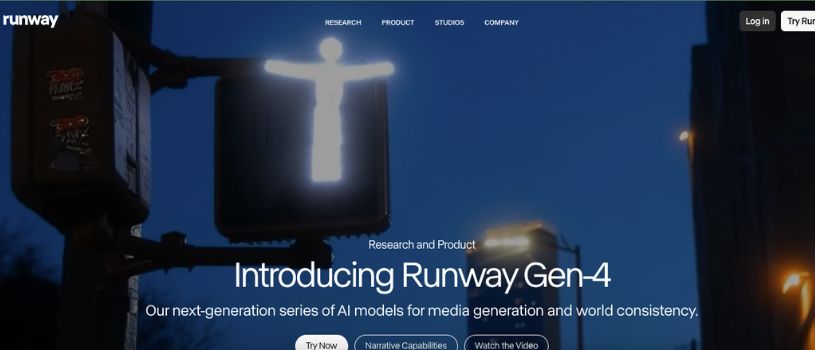
Runway Gen-4 has quietly become the go-to option for creators who want more control than Pika offers without jumping into overly technical workflows. It feels less like a toy and more like a serious creative tool, especially if you care about motion, camera movement, and consistency across clips.
If Pika is great for quick ideas, Runway is where you go when you want to refine them.
Key Features:
- Text-to-video and image-to-video generation
- Advanced motion and camera controls
- Built-in video editor with timeline support
- Style consistency across multiple shots
- High-resolution exports
Pros:
- More creative control: You can guide motion, framing, and pacing instead of hoping the AI guesses correctly.
- Feels production-ready: The built-in editor makes it easier to turn rough generations into something polished.
- Reliable output: Results are more consistent, especially when working on multi-shot sequences.
Cons:
- The interface can feel overwhelming if you’re brand new to AI video
- Free usage is limited and runs out quickly
Pricing:
Free plan: Includes 125 one-time credits with access to basic tools and standard HD exports
Standard plan: $12/month, includes 625 credits per month for video generation and editing
Pro plan: $28/month, includes 2,250 credits, 4K export support, and access to Gen‑2 and Gen‑4 models
Unlimited plan: $76/month, offers the highest generation limits, priority access to new features, and commercial use licensing
Best for:
Creators, filmmakers, and marketing teams who want cinematic results and deeper control than Pika provides.
2. Sora (OpenAI)
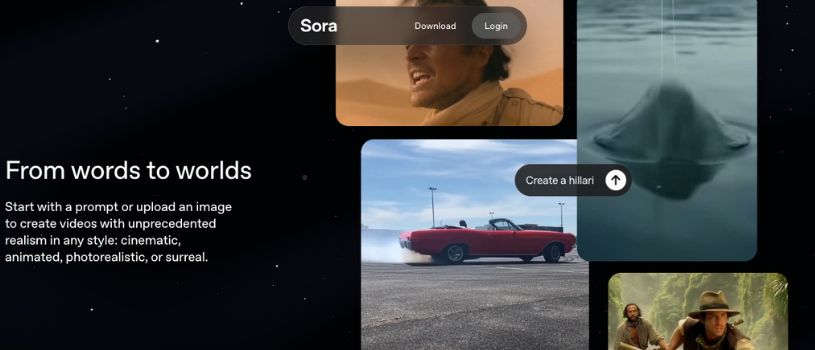
Sora is built for storytellers. While Pika is great for fast, stylized clips, Sora pushes the boundaries of what’s possible with long-form, coherent, and realistic video generation. It’s still in limited access, but early tests show just how far text-to-video models have come when given more time, power, and context.
If your goal is to turn a paragraph into a scene with lifelike motion and rich visuals, then Sora turns out to be the best Pika alternative and stands at the frontier right now.
Key Features:
- Generates long-form videos from a single text prompt
- Natural motion, realistic physics, and spatial consistency
- High visual fidelity with rich lighting and textures
- Handles complex interactions between characters and environments
Pros:
- Unmatched realism: Outputs look more like footage than AI-generated clips, especially in terms of motion and lighting
- Context-aware storytelling: Great for videos that need to maintain logic and coherence from beginning to end
- Great for future-proofing: Ideal if you’re planning long-term creative projects and want to build on cutting-edge tech
Cons:
- Still not publicly available for most users
- Likely to require high-end hardware or cloud credits once fully launched
Pricing:
OpenAI has not officially released public pricing for Sora as of early 2026. However, based on OpenAI’s other models, here’s what to expect:
- Access model: Likely to follow the structure of GPT-4o or DALL·E — available via API and integrated into Pro accounts
- Pro tier access: Expect Sora to be bundled into OpenAI’s $20/month ChatGPT Plus plan when released to the public
- Enterprise access: Businesses will likely pay based on output length, resolution, and compute time, potentially similar to image models (e.g., credits or token-based billing)
Best for:
Filmmakers, animation studios, and creators working on narrative-driven projects who want maximum realism and coherence
3. Kling (Kuaishou)
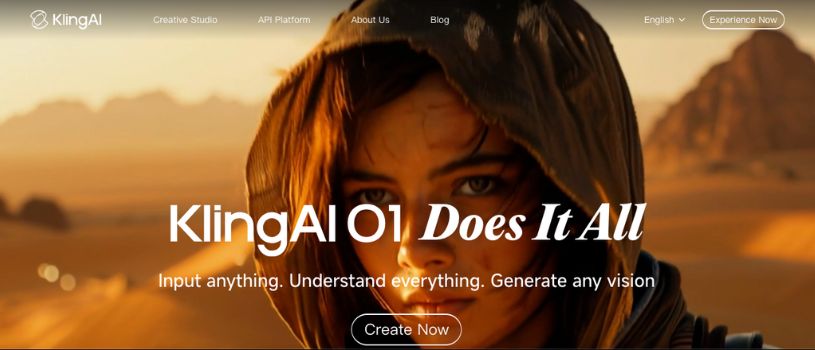
Kling is a powerhouse when it comes to realism and motion. It is developed by Chinese tech company Kuaishou. Kling has made waves for its ability to generate highly accurate physics, fluid character movement, and complex interactions by giving simple prompts. It’s often compared to Sora for quality, though Kling is already available to a wider group of users in select regions.
If you’ve been frustrated by jittery or unnatural AI video outputs, Kling is the kind of tool that will make you do a double-take.
Key Features:
- High-fidelity video generation from text prompts
- Realistic human motion, facial expressions, and object physics
- Multi-character and multi-scene coherence
- Fast generation times with cloud-based processing
- Ability to simulate dynamic camera movements and complex angles
Pros:
- Impressive realism: From walking to waving to subtle gestures, movement looks convincingly human
- Good balance of quality and speed: Faster than many other high-end tools with fewer trade-offs
- Ideal for product demos and realistic scenarios: Works well when you need grounded, believable outputs
Cons:
- Currently not widely available outside of China
- UI is less polished compared to Western platforms
- Limited English documentation and community support
Pricing:
Kling’s pricing hasn’t been officially standardized for global use. However, based on early testing reports and region-specific rollouts:
- Beta access: Free with limited rendering credits for approved users
- Commercial version: Expected to follow a tiered cloud pricing model based on video length, resolution, and prompt complexity
- Enterprise licensing: Likely available via direct partnership with Kuaishou for large-scale creative or advertising teams
Best for:
- Creators and teams focused on hyper-realistic, physics-aware video generation, especially for storytelling or marketing use
4. Stable Video Diffusion (Stability AI)

Stable Video Diffusion is the open-source alternative in this list, and it’s one of the most flexible tools available for developers and tinkerers. Built on the same foundation as Stable Diffusion for images, it takes an image or a sequence of frames and turns it into fluid, stylized video clips.
Unlike Pika, which abstracts everything behind a clean interface, Stable Video Diffusion gives you full control assuming you’re willing to get under the hood.
Key Features:
- Open-source video generation from images or frames
- Flexible for local or cloud-based deployment
- Can be fine-tuned with custom models and prompts
- Strong developer community and ecosystem
- Works well with existing AI pipelines (e.g., ComfyUI, Automatic1111)
Pros:
- Completely free to use: No subscriptions, no credit systems, and no vendor lock-in
- Highly customizable: Ideal for developers or researchers who want total control over inputs and outputs
- Active open-source community: Tons of models, extensions, and workflows already built around it
Cons:
- Steep learning curve for non-technical users
- No official GUI — setup and execution requires coding experience
- Requires powerful local hardware or cloud GPU access for smooth generation
Pricing:
Stable Video Diffusion is fully open-source and free to use. However, your total cost depends on how you deploy it:
- Local setup: Free if you have a capable GPU (e.g., RTX 3090 or better)
- Cloud setup: Costs depend on provider (e.g., AWS, RunPod, Paperspace) — typically $0.50 to $2 per hour for GPU usage
- Customization: Optional cost if using paid models or fine-tuned weights from third-party sources
Best for:
- Developers, hobbyists, and research teams who want full flexibility and are comfortable working with open-source tools
5. Vidnoz AI

Vidnoz AI takes a very different approach compared to Pika. Instead of leaning heavily into cinematic or experimental visuals, Vidnoz focuses on speed, structure, and ready-made formats. It’s built for people who want results fast, especially for business videos, explainers, or social content where clarity matters more than artistic flair.
If you care less about cinematic shots and more about getting a clean video out the door in minutes, Vidnoz fits that mindset well.
Key Features:
- Text-to-video generation with built-in templates
- Large library of AI avatars and voiceovers
- Multi-language support for global audiences
- Script-to-video workflow designed for non-creators
- Cloud-based rendering with no local setup required
Pros:
- Beginner-friendly: You don’t need video editing experience to get usable results
- Fast turnaround: Videos generate quickly with very little trial and error
- Great for teams: Useful for sales, HR, training, and marketing content
Cons:
- Limited creative freedom compared to Pika or Runway
- Visual style can feel repetitive across videos
- Less suitable for cinematic or experimental projects
Pricing:
Vidnoz offers a freemium model with clear tiers:
- Free plan: Limited exports with watermark and restricted features
- Starter plan: Paid monthly access with higher resolution exports and more avatars
- Business plans: Scales based on video length, export quality, and team usage
Pricing varies by region, but most individual plans fall in the affordable monthly subscription range.
Best for:
- Marketers, educators, and businesses that need fast, professional-looking videos without a learning curve
6. Hailuo AI

Hailuo AI sits somewhere between creative freedom and usability. It doesn’t overwhelm you with advanced controls, but it gives you more flexibility than most template-driven tools. The platform handles both text-to-video and image-to-video well, making it a solid middle-ground option if Pika feels limiting but Runway feels too complex.
It’s especially useful when you want to experiment with visual ideas without committing to heavy editing workflows.
Key Features:
- Text-to-video and image-to-video generation
- Prompt-based scene control
- Consistent visual style across short clips
- Cloud rendering with decent generation speeds
Pros:
- Balanced experience: More creative control than template tools, less complexity than pro platforms
- Good prompt interpretation: Handles descriptive prompts better than many mid-tier tools
- Clean interface: Easy to explore without feeling lost
Cons:
- Output quality can vary depending on prompt detail
- Fewer advanced editing tools compared to Runway
- Smaller community and fewer tutorials available
Pricing:
Hailuo AI typically uses a credit-based system:
- Free tier: Limited credits for testing basic features
- Paid plans: Monthly subscriptions that unlock higher resolution, longer clips, and faster generation
- Credit usage: Credits are consumed based on video length and resolution, so heavier use scales cost quickly
Best for:
- Creators who want flexibility and experimentation without dealing with complex video editing software
7. BasedLabs
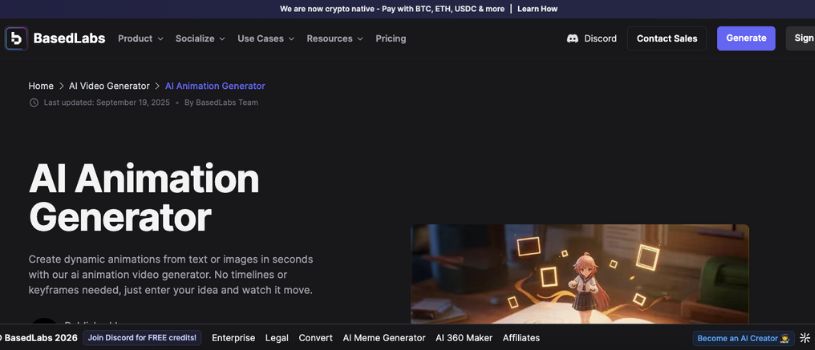
BasedLabs AI is for creators who want style, not just structure. It leans into artistic, abstract, and highly stylized visuals, the kind of outputs you’d expect to see in music videos, fashion campaigns, or experimental short films. While Pika focuses more on realism and animation, Animato is all about creative expression and unique visual flair.
If you’re looking to make something bold, weird, or visually unforgettable, this tool is worth a try.
Key Features:
- Stylized AI video generation from text or image prompts
- Rich aesthetic filters and color grading options
- Support for abstract transitions and surreal visuals
- Fine-tuned models trained for expressive motion
- Timeline view for basic sequencing and scene planning
Pros:
- Highly creative output: Perfect for non-traditional projects that need visual impact over realism
- Unique filters: Helps videos stand out from the generic AI aesthetic
- Good for visual artists: Encourages experimentation without a steep learning curve
Cons:
- Not ideal for professional or business use
- Can be inconsistent with prompt interpretation
- Rendering can be slower for complex stylizations
Pricing:
Animato AI offers flexible access:
- Free trial: Includes limited daily render time and access to core styles
- Pro plans: Start at around $29/month for higher resolution exports, access to premium styles, and faster rendering
- Custom licensing: Available for studios or teams needing commercial usage rights and higher rendering limits
Best for:
- Visual artists, musicians, and creators working on experimental or stylized content
8. CapCut AI
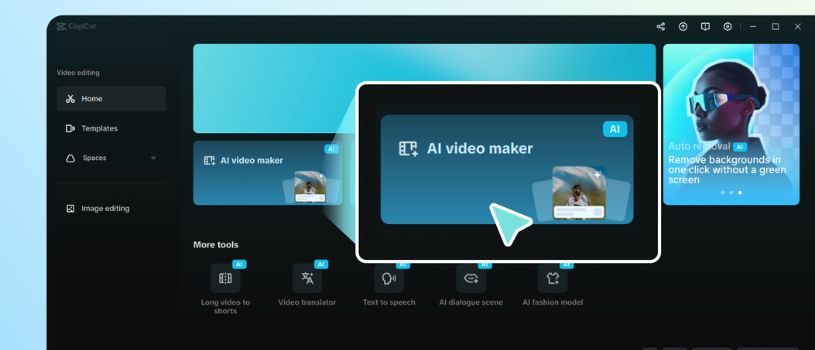
CapCut, from ByteDance (the makers of TikTok), brings AI video generation directly into the short-form content world. Unlike Pika, which leans more into cinematic storytelling, CapCut AI is built for punchy, vertical videos optimized for social platforms like Instagram Reels, YouTube Shorts, and TikTok itself.
Its AI features are baked into a larger editing suite, which makes it an all-in-one solution for creators who want quick, engaging results without needing multiple tools.
Key Features:
- Text-to-video and image-to-video tools for short-form content
- AI-powered templates, captions, and effects
- Face tracking and motion syncing
- Built-in sound libraries and auto-beat sync
- Full-featured mobile and desktop editor
Pros:
- Optimized for social media: Everything is built with platforms like TikTok and Instagram in mind
- Fast and mobile-friendly: You can create high-quality videos straight from your phone
- Tons of built-in assets: From fonts to effects, you have everything you need in one place
Cons:
- Focused only on short-form vertical videos
- Some advanced features are hidden behind paywalls
- Less flexibility for cinematic or story-driven content
Pricing:
CapCut AI follows a freemium model:
- Free version: Includes most basic tools, templates, and exports at standard resolution
- Pro version: Around $7–$12/month depending on region, unlocking higher-quality exports, premium templates, and advanced features
- Business accounts: Custom pricing for teams needing brand kits, team collaboration, and commercial usage rights
Best for:
- Social media creators, influencers, and brands making short, high-impact vertical videos
9. Pictory

Pictory is less about generating wild visuals and more about turning your existing content into engaging videos. It’s designed for creators, marketers, and educators who want to repurpose blog posts, webinar transcripts, or long-form content into snappy video formats. Where Pika focuses on visual generation from prompts, Pictory focuses on transformation — turning raw material into something ready to publish.
It’s not flashy, but it’s reliable, fast, and incredibly useful if you’re sitting on a goldmine of written content.
Key Features:
- Converts scripts, blog posts, or transcripts into short-form videos
- AI voiceovers and subtitle generation
- Brand kit support for consistent visuals
- Large stock footage and audio library
- Scene-by-scene video editor for quick tweaks
Pros:
- Content repurposing made simple: Perfect for turning existing materials into video without starting from scratch
- Great for non-designers: You don’t need editing skills to create something polished
- Time-saving workflows: Automates video creation steps like voiceovers and subtitles
Cons:
- Limited customization for visuals
- More template-based than generative
- Not ideal for abstract or cinematic storytelling
Pricing:
Pictory offers several pricing tiers:
- Free trial: Includes limited video exports and watermark
- Standard plan: Around $19/month, includes 30 videos per month, 10-minute video length, and basic branding tools
- Premium plan: About $39/month, offers longer videos, more exports, and advanced editing features
- Team plans: Available for larger organizations with collaboration tools and extended branding options
Best for:
- Content creators, bloggers, coaches, and marketers looking to turn long-form text into video quickly
10. DeepMotion
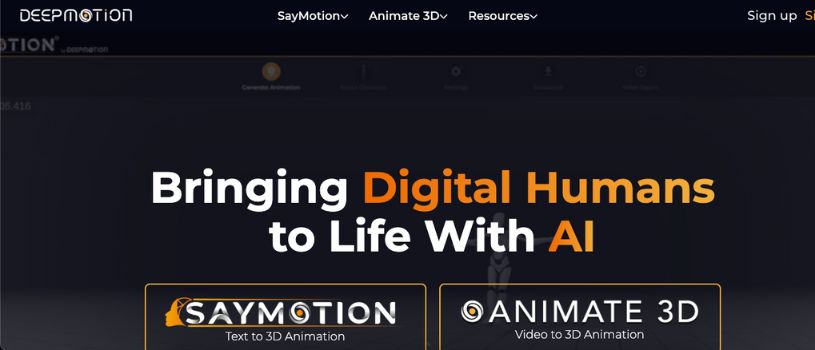
DeepMotion is unlike anything else on this list. It doesn’t focus on full video generation — instead, it specializes in motion capture and character animation using AI. You upload a video (or even just audio), and it generates 3D character movement based on that input. While it’s not a direct replacement for Pika, it’s an excellent complement for creators working on animated content or game-like experiences.
If you’re trying to bring characters to life with realistic movement, DeepMotion is an incredibly valuable tool to have in your kit.
Key Features:
- AI-powered motion capture from video or audio
- Full-body tracking for 3D characters
- Supports FBX and BVH export for game engines
- Face and hand tracking with premium plans
- Works in-browser with no software installation
Pros:
- Accurate character animation: Ideal for games, VFX, and virtual avatars
- No motion suits required: All it takes is a webcam or basic video input
- Integrates well with 3D pipelines: Works with Unity, Unreal, Blender, and more
Cons:
- Not a video generator in the traditional sense
- Requires additional tools to create a final video
- Can get expensive for large animation batches
Pricing:
DeepMotion’s pricing is structured around usage:
- Free plan: Includes basic motion capture with watermark and limited export options
- Starter plan: Around $17/month, with up to 10 animations per month
- Professional and Studio plans: Scale up to hundreds of animations, full facial tracking, higher FPS, and commercial rights — starting at $75/month and up
Best for:
- Animators, game developers, and creators who need AI-generated character motion for 3D content
How to choose the right Pika alternative?
There’s no one-size-fits-all AI video tool. The right pick depends on what you’re creating, how much control you need, and how comfortable you are with tech.
Know your use case:
Are you making social videos, cinematic scenes, product explainers, or animations? Choose a tool that’s built for the type of content you actually want to produce.
Check your skill level:
Some tools are plug-and-play. Others need technical setup or editing experience. Make sure the learning curve matches your comfort zone.
Consider output quality vs speed:
High-end tools like Sora or Kling offer stunning visuals, but they take time. If you need fast turnarounds, lighter tools like Vidnoz or CapCut might fit better.
Think about control:
Do you want to fine-tune motion and style, or just click and export? Tools like Runway give you depth, while others prioritize simplicity.
Review pricing carefully:
Free doesn’t always mean cost-effective. Paid tools often save time and give better results, especially if you’re working at scale.
Look at integration and workflow:
Some tools export cleanly into editing software. Others offer built-in editors or direct platform publishing. Pick what fits your process.
Test before committing:
Try the free tiers or trials. The feel of the interface, the prompt response, and the output quality will tell you more than any feature list.
Also Read:
5 Best Jitter Alternatives and Competitors in 2026
Top Genmo Alternatives & Competitors
10 Best Adobe Express Alternatives That Actually Work
Best Notion AI Alternatives
Final Thoughts
While Pika is a strong starting point for AI video generation, it has its limits, especially when it comes to advanced motion control, customization, or business-ready workflows.
If you’re looking for Pika alternatives that offer more creative flexibility, higher visual quality, or better alignment with your production needs, the tools listed above cover a wide spectrum. Whether you’re an indie creator, a fast-moving marketing team, or a production studio, there’s a Pika alternative that fits your workflow.
And the best part? A few of these options are completely free to try, so you can experiment without committing and find the right tool before you scale your creative projects.
Frequently Asked Questions
Why should I consider Pika alternatives when Pika is already a powerful tool?
Pika is great for generating quick, visually appealing clips, but it has limitations.
If you need longer videos, more realistic motion, higher resolution, or deeper creative control, exploring alternatives can open up better options depending on your project’s needs.
What are the main types of Pika alternatives, such as open-source versus proprietary platforms?
Most Pika alternatives fall into two groups. Proprietary platforms like Runway or Sora offer polished experiences with powerful tools and paid support.
Open-source options like Stable Video Diffusion provide flexibility and control but require more technical setup and resources.
For technical users focused on animation or post-production, which of these Pika alternatives is highly recommended?
Runway Gen‑4 and DeepMotion stand out for technical users. Runway offers advanced editing tools, motion control, and a pro-level interface, while DeepMotion specializes in realistic 3D character animation based on real input footage.
Are there any Pika alternatives that are complete platforms for specific business needs, like marketing or content repurposing?
Yes, tools like Vidnoz and Pictory are built for business use. Vidnoz is ideal for marketing, HR, and explainer content, while Pictory is great for turning blog posts or transcripts into polished videos, saving teams time and creative effort.
When comparing Pika alternatives, how should I think about the total cost of ownership (TCO) for open-source versus SaaS tools?
Open-source tools like Stable Video Diffusion are free to use but may require expensive hardware, cloud GPUs, or developer time.
Paid tools have upfront costs but often include hosting, support, and time-saving features that reduce overall complexity.
Which of the listed Pika alternatives offer strong general-purpose video generation for a wide range of use cases?
Runway Gen‑4 and Hailuo AI are versatile picks. They work well for everything from social media content to more cinematic outputs and give you a good balance between quality, control, and ease of use.
Do any of these Pika alternatives offer native multimodal capabilities, combining text with images or other media?
Yes, Sora by OpenAI is designed to understand and generate video from rich, descriptive prompts, and can simulate realistic scenes based on both text and visual context.