
Let’s be real, the first time you try Napkin AI, it kinda blows your mind. You toss in a chunk of text, and boom, a clean, structured diagram pops out like it read your brain. It’s fast, it’s slick, and for quick visual thinking, it just works. I totally get the hype.
But then you try to do more. Maybe you want to fine-tune the layout, collaborate with your team, or turn that sketch into something presentation-ready, and that’s when things get clunky. The editing feels rigid, the export options are limited, and if you’re working on something complex, Napkin starts to feel like a great idea trapped in a walled garden. If that sounds familiar, you’re not alone. I went down the same rabbit hole and spent days testing out smarter, more flexible tools that can match Napkin’s magic and then go way beyond it.
What is Napkin AI and why you might need Napkin alternatives
Napkin AI is a text-to-diagram tool that turns your ideas into structured visuals using natural language. It’s become a favorite for quick mind maps, flowcharts, and visual thinking sessions without the drag-and-drop grind. If you’ve ever wanted to sketch out a system, thought process, or plan without touching a design tool, Napkin’s got your back.
But the same stuff that makes it perfect for brainstorming can also hold you back when the ideas get bigger.
- Prompt headaches: Making small changes can be weirdly frustrating. You know what you want, but you end up wrestling with phrasing just to move a box or relabel a node. It turns into a guessing game, and that quick “aha” moment starts feeling like a chore.
- Rigid visuals: Napkin’s strength is its simplicity, but that can become a limitation fast. If you need custom styling, fine-grained control, or diagrams that match brand guidelines, you’ll probably hit a wall.
- No real collaboration: Napkin is mostly a solo experience. If you’re working with a team, need version control, or want to leave comments and iterate together, it’s not really built for that.
- Export and integration pain: Want to move your diagram into a slide deck or a dev doc? Export options are limited, and there’s little flexibility when it comes to formats or syncing with your favorite tools.
- Usage caps and pricing friction: Depending on your plan, you might run into prompt limits or feature walls that make the free tier feel more like a demo than a usable tool. If you’re using it regularly, things can get expensive fast.
How I evaluated the best Napkin alternatives
To give you a list that’s actually useful, I didn’t just chase shiny features or throw together whatever tools looked trendy. I focused on what really counts when you’re trying to move ideas from a sketch to something shareable, collaborative, or even client-ready. Here’s what I looked at:
Visual flexibility and editing control: How much freedom do you really have once the diagram is generated? Can you drag, drop, resize, and restyle without fighting the tool? Or are you boxed into whatever layout the AI decides?
Collaboration features: Is this something you can use solo, or can your team hop in too? I looked for tools that support real-time editing, comments, and version history, especially if you’re building diagrams together.
Integration and export options: Does it play nice with other platforms? Can you export diagrams to formats that work for presentations, documentation, or dev handoffs? I prioritized tools that don’t leave you stuck in their ecosystem.
Learning curve vs capability: Some tools try to be everything, but they’re a pain to use. Others are super simple, but way too limited. I looked for that sweet spot — tools that are easy to pick up but still powerful when you need more.
Fair pricing: You shouldn’t have to upgrade just to use the tool for more than 15 minutes. I factored in how generous the free plans are, whether the pricing scales well, and how transparent it all is.
A quick comparison of the top Napkin alternatives
If you just want the TL;DR before diving into the details, here’s a quick look at the tools we’ll be covering and what they’re best at.
| Tool | Best For | Key Strength | Starting Price |
| Lucidchart | Technical diagrams & team collaboration | Real-time editing with pro-level diagram controls | Free plan, paid starts at $7.95/mo |
| Miro | Brainstorming and whiteboarding | Visual collaboration with infinite canvas | Free plan, paid starts at $10/mo |
| Venngage | Business reports and infographics | Drag-and-drop editor with templates and branding | Free plan, paid starts at $19/mo |
| Jitter | Motion-rich animated diagrams | Simple animation tools for UI/UX, product, and marketing | Free plan, paid starts at $12/mo |
| Visme | Professional client-ready business visuals | All-in-one tool for polished diagrams, decks, and reports | Free plan, paid starts at $12.25/mo |
The 5 best Napkin alternatives for building real applications
Alright, let’s get into it. These tools aren’t just good for throwing ideas on a page. They’re built to help you take those ideas further. Whether you’re mapping out product flows, building technical diagrams, or putting together visuals that developers can actually use, each of these alternatives solves problems Napkin tends to struggle with.
Some give you more control. Others make collaboration smoother. A few go beyond diagrams entirely, letting you connect visuals to real workflows. Let’s break it down.
1. Lucidchart
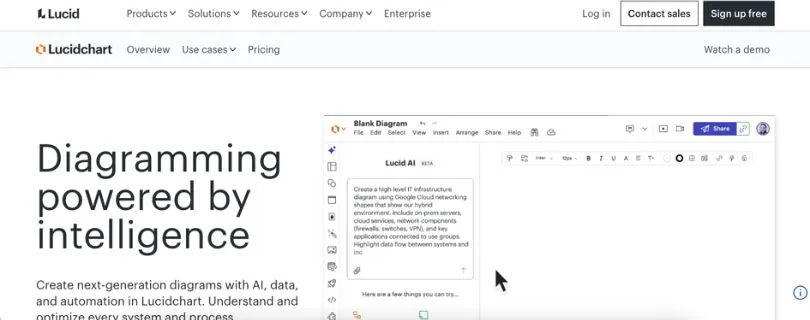
Lucidchart is what happens when diagramming grows up. It’s a professional-grade visual workspace made for teams that need precision, structure, and collaboration. If Napkin feels like a quick sketchpad, Lucidchart feels like a full design environment built for real work.
Key Features:
- Advanced diagramming tools: Create flowcharts, system architectures, org charts, and technical diagrams with deep control over layout and structure.
- Real-time collaboration: Multiple people can edit, comment, and review diagrams at the same time without stepping on each other.
- Data-driven diagrams: Link shapes to spreadsheets or external data so diagrams stay in sync with real information.
- Strong integrations: Works smoothly with tools like Google Workspace, Microsoft Teams, Slack, and Confluence.
Pros and cons of using Lucidchart
Pros:
- Excellent for complex workflows and technical documentation.
- Collaboration feels natural and reliable for teams.
- Huge template library that saves time on common diagrams.
Cons:
- Can feel like overkill if you only need lightweight visuals.
- Most of the power lives behind paid plans.
Pricing:
- Free: Basic diagramming with limited features.
- Individual: $7.95 per month for unlimited documents.
- Team: $9 per user per month with advanced collaboration.
- Enterprise: Custom pricing with admin controls and security features.
Best for: Teams working on technical diagrams and structured workflows
Napkin AI alternative for: Detailed, production-ready diagramming with strong team collaboration
2. Miro
Miro is built for teams that think in sticky notes and whiteboards. It’s a collaborative visual workspace that blends brainstorming, planning, and mapping into one fluid canvas. Unlike Napkin, which generates diagrams from text, Miro lets you build out your thoughts piece by piece with total freedom to move, group, and connect ideas however you like.
Key Features
- Infinite canvas with no size limits
- Real-time collaboration with live editing and comments
- Huge library of templates for every type of workflow
- AI tools for organizing, mind mapping, and layout cleanup
- Smooth performance on desktop, tablet, and mobile
Pros:
- Super intuitive and welcoming for non-technical users
- Excellent for real-time workshops and brainstorming sessions
- Flexible enough for any kind of visual planning
Cons:
- Can get cluttered fast with large teams
- Diagrams need to be built manually, not AI-generated
Pricing:
- Free: Up to 3 boards with core features
- Starter: $10 per user/month with unlimited boards
- Business: $20 per user/month with more control and security
- Enterprise: Custom pricing for large organizations
Best for: Teams doing collaborative planning, ideation, or workflows
Napkin AI alternative for: Freeform, hands-on visual thinking and real-time team collaboration
3. Venngage
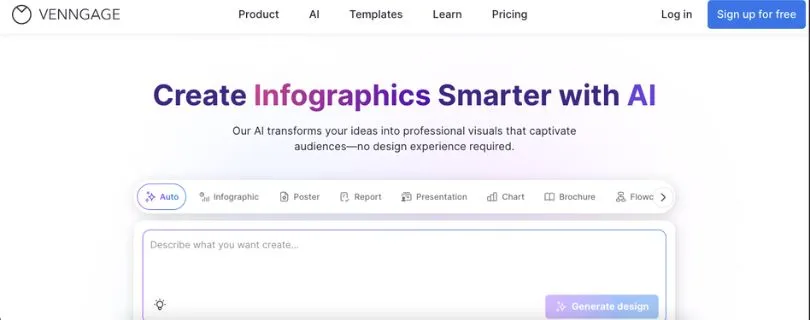
Venngage started as an infographic builder but it’s grown into a powerful tool for creating business visuals like reports, flowcharts, diagrams, and data stories. It’s especially useful when you need your diagrams to look polished and ready for clients or execs.
Key Features:
- Built-in branding tools to keep visuals on-brand
- Simple drag-and-drop interface with hundreds of smart elements
- Convert raw data into clean visualizations
- Dozens of templates tailored for business, marketing, and tech
Pros:
- Clean, professional-looking visuals without needing a designer
- Built-in branding features are a win for teams and agencies
- Easy to pick up and start building fast
Cons:
- Not ideal for deep technical or system diagrams
- Free plan limits export and customization options
Pricing
- Free: Basic templates and limited exports
- Premium: $19/month with premium templates and features
- Business: $49/month with team collaboration and branding kits
- Enterprise: Custom pricing with support and onboarding
Best for: Creating beautiful, branded visuals for business or marketing
Napkin AI alternative for: High-quality diagram design without needing a design team
4. Jitter
Jitter is a motion design tool that brings static visuals to life. It’s a unique alternative to Napkin if your goal goes beyond diagrams and into animated storytelling. Whether you’re creating product explainers, UI animations, or just want more energy in your visuals, Jitter makes it surprisingly easy.
Key Features
- Intuitive timeline editor for creating motion graphics
- Pre-made animation presets to speed things up
- Real-time collaboration and sharing
- Export animations as videos, GIFs, or Lottie files for web use
Pros:
- Great for turning ideas into dynamic visuals
- Super beginner-friendly with no motion design background needed
- Fast export for marketing, product, or social use
Cons:
- Not built for traditional diagramming
- Limited if you’re looking for technical structure over visual flair
Pricing
- Free plan with watermark
- Pro: $12 per month with HD exports, no watermark, and team features
Best for: Designers, marketers, and product folks who want animated content
Napkin AI alternative for: Turning static diagrams into motion-rich, engaging visuals
5. Visme
Visme is designed for people who need to make visuals that look like they were made by a designer, even if they aren’t one. From pitch decks and flowcharts to reports and diagrams, it’s a powerhouse for business storytelling. If Napkin feels too plain or limited, Visme gives you more control over the final polish.
Key Features
- Drag-and-drop editor with tons of templates and content blocks
- Smart flowchart and diagram creation tools
- Data visualization features for charts, maps, and widgets
- Strong branding tools to stay on-theme
Pros and cons of using Visme
Pros:
- Visually impressive results with minimal effort
- Great for client decks, reports, and branded content
- All-in-one tool for diagrams, slides, infographics, and more
Cons:
- Can be a bit much if you just want a quick diagram
- Free version limits access to export options and templates
Pricing
- Free plan with limited templates and exports
- Starter: $12.25/month billed annually
- Pro: $24.75/month with full access to features, assets, and analytics
Best for: Business teams, marketers, and creators needing visual polish
Napkin AI alternative for: Professional-grade diagrams and business visuals that are presentation-ready
How to choose the right Napkin alternative for you
- If you’re a product manager or strategistYou need to sketch out user flows, map systems, or plan features with your team.
Lucidchart is a solid pick. It gives you structure, collaboration, and the ability to create detailed, shareable diagrams without friction. - If you’re a team lead or facilitatorYour goal is to brainstorm, run workshops, or get ideas flowing across a group.
Miro is your best bet. It feels natural, works in real time, and handles messy thinking like a pro. - If you’re a marketer or content creatorYou care about visuals looking polished and on-brand.
Go with Venngage. It’s built for clean, professional design without needing a design team. - If you’re a designer or creative professionalYou want to bring your visuals to life with animation or motion.
Jitter will be your playground. It turns static content into something that moves and captures attention. - If you’re a business owner or educatorYou need a versatile platform for presentations, diagrams, and reports that look impressive without starting from scratch.
Visme makes it easy. It’s packed with templates and business-friendly features that save time.
Final thoughts
Napkin AI is a great starting point for turning rough ideas into clean, structured diagrams. It’s fast, simple, and genuinely helpful for solo brainstorming or early-stage planning.
But when you need more flexibility, better collaboration, and visuals that go beyond basic layouts, Napkin starts to feel limited.
If you’re searching for Napkin AI alternatives that offer stronger customization, real-time teamwork, or outputs you can use in production docs, the tools above give you a lot more room to grow. Whether you’re building product flows, client presentations, or animated explainers, there’s something here that fits your style and workflow.
And the best part? Several of these alternatives have solid free plans, so you can test things out before committing to anything long-term.
Frequently Asked Questions
Why should I consider Napkin alternatives if Napkin AI is so good for quick diagrams?
Napkin AI works well for fast idea mapping, but it starts to fall short when you need deeper customization, real collaboration, or visuals that can be reused across teams and documents. Most Napkin alternatives give you more control over layouts, better export options, and features that hold up in real work scenarios.
How do I decide which of these Napkin alternatives is best for my specific project?
It really comes down to your goal. If you’re creating technical diagrams or structured workflows, Lucidchart fits well. If you’re brainstorming or working live with a team, Miro feels more natural. For polished business visuals, Venngage or Visme make sense. And if motion or animation matters, Jitter is the better choice.
Are all Napkin alternatives also AI-powered, or do they work differently?
Not all of them rely on AI in the same way. Some tools use AI to speed things up, while others focus on manual visual control. The upside is precision. Instead of fighting prompts, you can shape diagrams exactly how you want them, which often saves time in the long run.
What if I need more than just diagrams, like animations or presentations?
That’s where tools like Jitter and Visme stand out. Jitter helps you animate ideas for demos, explainers, or product launches. Visme lets you turn diagrams into full presentations, reports, or infographics without switching tools.
Can Napkin alternatives integrate with tools I already use?
Yes. Many of these platforms integrate smoothly with common tools. Lucidchart connects with Google Workspace, Microsoft Teams, and Slack. Miro works well with Notion, Jira, and Asana. Visme supports sharing, embedding, and exporting across different workflows.
Are there any free plans available to try these Napkin alternatives?
Yes. Most of the tools mentioned offer free plans or trials. Lucidchart, Miro, Venngage, Jitter, and Visme all let you test core features before upgrading, which makes it easier to experiment without committing upfront.
How do these Napkin alternatives scale as my team or project grows?
Tools like Lucidchart, Miro, and Visme are built to grow with you. They offer business and enterprise plans with features like team permissions, shared libraries, and security controls. Whether you’re working solo or managing a large team, scaling usually isn’t an issue.